
Introduction
Augmented Reality (AR) education apps are transforming how people learn by blending digital content with the real world. Instead of reading static text or watching flat videos, learners can interact with 3D models, simulations, and contextual overlays that appear directly in their physical environment. This immersive approach makes abstract concepts tangible, improves retention, and significantly boosts learner engagement.
AR education apps are especially important today because learners expect experiential, visual, and interactive learning. From schools and universities to corporate training and healthcare education, AR enables faster comprehension of complex topics like anatomy, engineering, chemistry, and spatial design. It also supports remote and hybrid learning environments where hands-on experience is otherwise difficult.
When choosing an AR education app, users should evaluate content quality, ease of use, device compatibility, curriculum alignment, analytics, collaboration features, scalability, and data security. Not all tools are built for the same audience—some focus on K–12 classrooms, others on higher education, enterprise training, or self-paced learning.
Best for:
AR Education Apps are ideal for students, teachers, trainers, instructional designers, edtech companies, healthcare educators, engineering institutions, museums, and corporate L&D teams seeking immersive learning experiences.
Not ideal for:
They may not suit text-heavy theoretical learning, extremely low-bandwidth environments, or organizations without compatible devices or technical readiness.
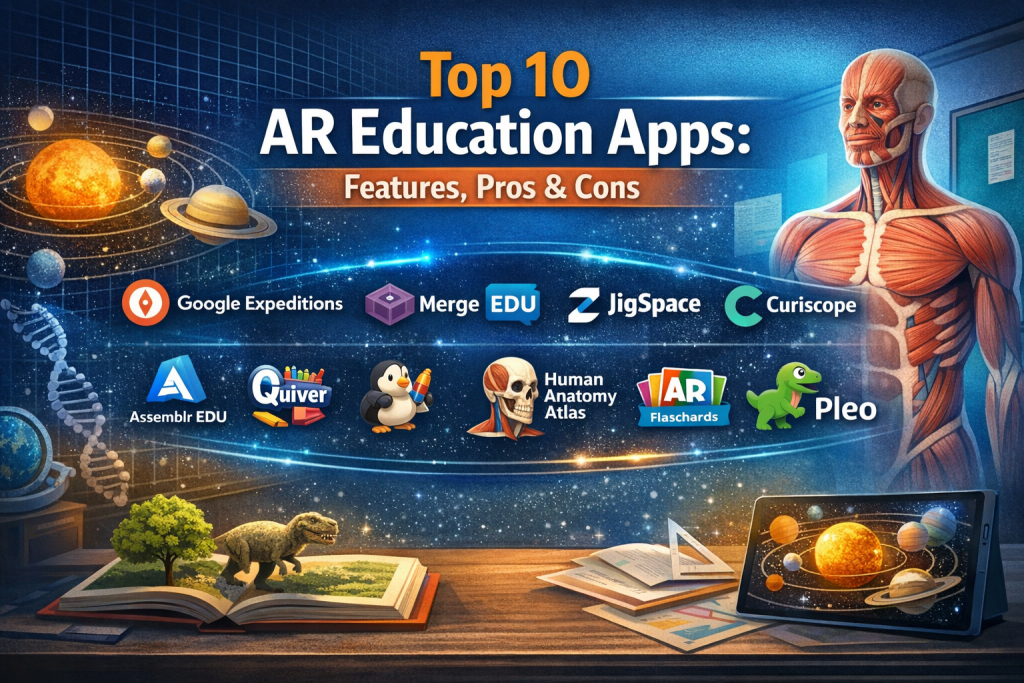
Top 10 AR Education Apps Tools
1 — Google Expeditions
Short description:
An immersive AR and VR learning app that lets students explore places, objects, and concepts through guided visual experiences.
Key features:
- AR-based 3D objects in real environments
- Teacher-led guided lessons
- Curriculum-aligned educational content
- Supports VR and AR modes
- Classroom-friendly controls
- Offline content access
Pros:
- Highly engaging for classroom learning
- Easy to use for teachers and students
Cons:
- Limited customization
- Dependent on Google ecosystem
Security & compliance: Varies / N/A
Support & community: Strong documentation and large educator community
2 — Merge EDU
Short description:
An AR learning platform designed for K–12 that allows students to interact with hands-on digital simulations.
Key features:
- Interactive AR simulations
- Physical Merge Cube integration
- Lesson plans for educators
- Student progress tracking
- Multi-subject support
Pros:
- Excellent for STEM education
- Strong teacher resources
Cons:
- Hardware dependency
- Limited advanced analytics
Security & compliance: GDPR-compliant (education-focused)
Support & community: Good onboarding and educator support
3 — zSpace
Short description:
A high-end AR/VR education system focused on immersive, hands-on learning in science and healthcare.
Key features:
- Advanced 3D holographic models
- Stylus-based interaction
- Medical and biology simulations
- Classroom-ready solutions
- High-performance rendering
Pros:
- Exceptional realism
- Ideal for complex subjects
Cons:
- Expensive hardware
- Less suitable for small institutions
Security & compliance: Enterprise-grade security (varies by deployment)
Support & community: Strong enterprise and institutional support
4 — JigSpace
Short description:
A visual learning app that explains complex ideas through interactive 3D “jigs.”
Key features:
- Step-by-step 3D explanations
- AR visualization
- Ready-made knowledge library
- Custom content creation
- Cross-device compatibility
Pros:
- Excellent concept clarity
- Minimal learning curve
Cons:
- Limited assessments
- Less LMS integration
Security & compliance: SOC-aligned cloud practices
Support & community: Responsive support and growing user base
5 — Curiscope
Short description:
An AR-based medical and anatomy learning platform focused on immersive human body exploration.
Key features:
- AR anatomy visualization
- Interactive learning journeys
- Medical-grade accuracy
- Classroom and self-learning modes
- Cross-platform support
Pros:
- Ideal for medical education
- Highly engaging visuals
Cons:
- Niche-focused
- Limited non-medical content
Security & compliance: GDPR-compliant
Support & community: Good academic support resources
6 — Assemblr EDU
Short description:
A no-code AR content creation platform for educators and students.
Key features:
- Drag-and-drop AR builder
- Multi-device publishing
- Classroom collaboration
- Project-based learning support
- Web and mobile access
Pros:
- No technical skills required
- Encourages creativity
Cons:
- Performance depends on device
- Advanced features need paid plans
Security & compliance: Standard cloud security
Support & community: Active educator community
7 — Quiver
Short description:
An AR coloring app that brings drawings to life for younger learners.
Key features:
- Printable AR coloring pages
- Kid-friendly interface
- Educational themes
- Offline functionality
- Simple classroom integration
Pros:
- Excellent for early education
- Fun and engaging
Cons:
- Limited depth for advanced learners
- Content scope is narrow
Security & compliance: COPPA-aligned practices
Support & community: Basic support and FAQs
8 — Human Anatomy Atlas AR
Short description:
A professional-grade AR anatomy tool for medical students and healthcare professionals.
Key features:
- Detailed anatomical models
- AR-based dissection views
- Clinical reference data
- Multi-layer exploration
- Offline access
Pros:
- Extremely accurate
- Widely trusted in medical education
Cons:
- High learning curve
- Premium pricing
Security & compliance: HIPAA-aware design
Support & community: Strong documentation and academic adoption
9 — AR Flashcards
Short description:
An AR flashcard app for young children to learn alphabets, animals, and objects.
Key features:
- 3D animated flashcards
- Audio pronunciation
- Simple UI
- Offline usage
- Multi-language support
Pros:
- Very easy to use
- Great for early learners
Cons:
- Not scalable for higher education
- Limited customization
Security & compliance: N/A
Support & community: Minimal but sufficient support
10 — Pleo AR
Short description:
An interactive AR learning tool focused on collaborative and experiential education.
Key features:
- Real-time AR interaction
- Group learning experiences
- Teacher controls
- Cross-platform access
- Custom lesson support
Pros:
- Encourages collaboration
- Flexible learning scenarios
Cons:
- Smaller content library
- Growing ecosystem
Security & compliance: Standard cloud security
Support & community: Emerging but responsive support
Comparison Table
| Tool Name | Best For | Platform(s) Supported | Standout Feature | Rating |
|---|---|---|---|---|
| Google Expeditions | Classrooms | Mobile, VR | Guided AR tours | N/A |
| Merge EDU | K–12 STEM | Mobile | Merge Cube interaction | N/A |
| zSpace | Higher education | Dedicated hardware | Holographic learning | N/A |
| JigSpace | Concept learning | Mobile, Tablet | Step-by-step 3D | N/A |
| Curiscope | Medical education | Mobile | AR anatomy | N/A |
| Assemblr EDU | AR creation | Web, Mobile | No-code AR builder | N/A |
| Quiver | Early learning | Mobile | AR coloring | N/A |
| Human Anatomy Atlas AR | Medical students | Mobile, Tablet | Clinical accuracy | N/A |
| AR Flashcards | Kids | Mobile | Animated flashcards | N/A |
| Pleo AR | Collaborative learning | Mobile | Group AR learning | N/A |
Evaluation & Scoring of AR Education Apps
| Criteria | Weight |
|---|---|
| Core features | 25% |
| Ease of use | 15% |
| Integrations & ecosystem | 15% |
| Security & compliance | 10% |
| Performance & reliability | 10% |
| Support & community | 10% |
| Price / value | 15% |
Which AR Education Apps Tool Is Right for You?
- Solo users & students: Look for affordable, easy-to-use apps with ready-made content.
- SMBs & schools: Choose curriculum-aligned tools with classroom management features.
- Mid-market & enterprises: Focus on scalability, analytics, and integration with LMS systems.
- Budget-conscious users: Prefer mobile-based AR tools with freemium access.
- Premium seekers: Invest in high-fidelity AR platforms with advanced simulations.
- Security-sensitive organizations: Prioritize compliance, data protection, and enterprise controls.
Frequently Asked Questions (FAQs)
- What are AR education apps?
Apps that overlay digital learning content onto the real world using augmented reality. - Do AR education apps require special devices?
Most work on smartphones and tablets; some require dedicated hardware. - Are AR education apps suitable for remote learning?
Yes, many support self-paced and guided remote learning. - Are these tools safe for children?
Most child-focused apps follow privacy and safety standards. - Can teachers create their own AR content?
Some platforms offer no-code AR content creation. - Do AR apps improve learning outcomes?
Studies show higher engagement and better retention. - Are AR education apps expensive?
Pricing varies from free to enterprise-level solutions. - Do they integrate with LMS platforms?
Some do, but integration depth varies. - What subjects benefit most from AR?
STEM, medical, engineering, and spatial learning subjects. - What is a common mistake when adopting AR tools?
Ignoring device readiness and teacher training.
Conclusion
AR education apps are redefining learning by making it interactive, immersive, and memorable. The right tool depends on who is learning, what is being taught, available devices, budget, and scalability needs. There is no single “best” AR education app—only the one that best aligns with your specific goals. By carefully evaluating features, usability, and long-term value, educators and organizations can unlock the true potential of augmented reality in education.

Find Trusted Cardiac Hospitals
Compare heart hospitals by city and services — all in one place.
Explore Hospitals