
Introduction
Browser Management (Enterprise) refers to a category of tools designed to centrally control, secure, configure, and monitor web browsers used across an organization. In modern workplaces, browsers are no longer just tools for accessing websites—they are the primary interface for SaaS applications, internal systems, cloud consoles, and sensitive business data. As a result, unmanaged or poorly managed browsers can become one of the biggest security and productivity risks for enterprises.
Enterprise browser management solutions help IT and security teams enforce policies such as access control, data loss prevention, extension governance, secure authentication, and compliance logging—without disrupting user experience. These platforms are especially important in environments with remote work, BYOD (Bring Your Own Device), contractors, and distributed teams where traditional endpoint controls may fall short.
Common use cases include securing access to internal apps, preventing data leakage through copy-paste or downloads, enforcing zero-trust access policies, standardizing browser configurations, and simplifying onboarding/offboarding of employees.
When evaluating Browser Management (Enterprise) tools, buyers should look for strong security controls, centralized policy management, seamless SSO integration, performance efficiency, ease of deployment, compliance readiness, and scalability.
Best for:
IT administrators, security teams, compliance officers, remote-first organizations, regulated industries (finance, healthcare, SaaS), mid-market to large enterprises, and companies adopting zero-trust architectures.
Not ideal for:
Individual users, very small teams with minimal security requirements, or organizations that rely entirely on locked-down managed devices where browser-level controls add little incremental value.
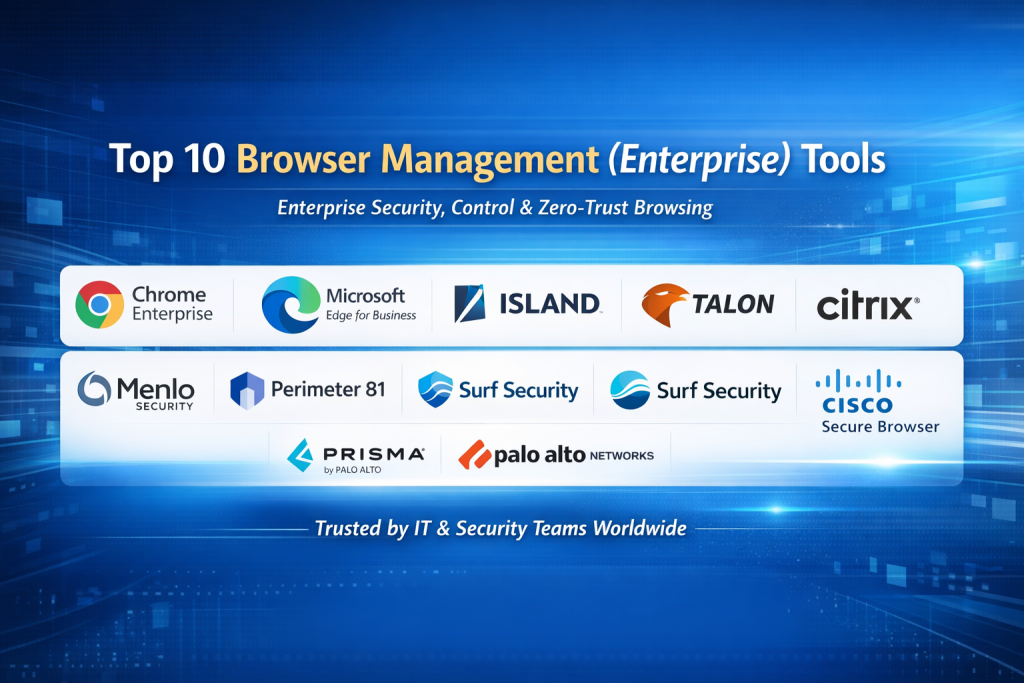
Top 10 Browser Management (Enterprise) Tools
1 — Google Chrome Enterprise
Short description:
A widely adopted enterprise browser management solution built on Chrome, offering deep policy control, security enforcement, and seamless integration with Google Workspace and enterprise identity systems.
Key features:
- Centralized browser policy management
- Extension allowlist and blocklist controls
- Safe Browsing and phishing protection
- Device and user-based policy enforcement
- Integration with cloud identity providers
- Detailed audit and activity logging
Pros:
- Mature ecosystem and global adoption
- Strong performance and stability
- Extensive documentation and admin tooling
Cons:
- Best suited to Chrome-centric environments
- Limited isolation features compared to secure browsers
- Advanced controls may require additional tooling
Security & compliance:
SSO, encryption in transit, audit logs, GDPR-ready, SOC 2 (varies by deployment).
Support & community:
Excellent documentation, large community, enterprise support via partners.
2 — Microsoft Edge for Business
Short description:
A Chromium-based enterprise browser designed for organizations invested in the Microsoft ecosystem, offering tight integration with Windows, Azure, and Microsoft 365.
Key features:
- Group Policy and Intune-based management
- Conditional access and identity-aware browsing
- Extension governance
- Native security and endpoint integration
- Enterprise sync and profile separation
- Built-in phishing and malware protection
Pros:
- Seamless fit for Microsoft environments
- Familiar admin experience for IT teams
- Strong identity and access controls
Cons:
- Less flexible outside Microsoft ecosystems
- Advanced policies require Microsoft licensing
- Limited standalone analytics
Security & compliance:
SSO, Azure AD integration, audit logs, GDPR, ISO-aligned controls.
Support & community:
Strong enterprise support, extensive documentation, large admin community.
3 — Island
Short description:
A purpose-built Enterprise Browser that embeds security directly into the browser, enabling granular controls without relying heavily on endpoints.
Key features:
- Built-in data loss prevention
- Secure access to internal and SaaS apps
- Browser-level isolation and controls
- Centralized policy management
- Zero-trust access enforcement
- Detailed user activity logging
Pros:
- Security-first design
- Reduces reliance on endpoint agents
- Strong visibility into user behavior
Cons:
- Requires browser adoption change
- Higher cost than traditional browsers
- Smaller ecosystem compared to incumbents
Security & compliance:
SSO, encryption, audit logs, SOC 2, GDPR, ISO support.
Support & community:
High-touch enterprise onboarding, responsive support, growing community.
4 — Talon Cyber Security
Short description:
A secure enterprise browser platform focused on protecting web sessions, SaaS access, and sensitive data across managed and unmanaged devices.
Key features:
- Browser-based zero-trust enforcement
- SaaS and internal app protection
- Inline DLP controls
- Session monitoring and recording
- Identity-aware access policies
- Rapid deployment model
Pros:
- Excellent for BYOD environments
- Strong SaaS protection
- Minimal impact on user experience
Cons:
- Enterprise-focused pricing
- Limited customization for SMBs
- Smaller partner ecosystem
Security & compliance:
SSO, encryption, audit trails, GDPR, SOC 2 alignment.
Support & community:
Enterprise-grade support, guided onboarding, limited community forums.
5 — Citrix Secure Browser
Short description:
A secure browsing solution that isolates browser activity in a virtualized environment, ideal for highly regulated and high-risk use cases.
Key features:
- Remote browser isolation
- Centralized policy enforcement
- Secure access to web and SaaS apps
- Integration with Citrix ecosystem
- Session control and monitoring
- Data exfiltration prevention
Pros:
- Strong isolation model
- Trusted in regulated industries
- Proven enterprise reliability
Cons:
- Heavier infrastructure requirements
- Higher operational complexity
- Performance depends on network quality
Security & compliance:
SSO, encryption, audit logs, HIPAA, GDPR, ISO support.
Support & community:
Robust enterprise support, extensive documentation, established user base.
6 — Menlo Security
Short description:
A cloud-based browser isolation platform that protects users by executing web content remotely and streaming safe interactions to endpoints.
Key features:
- Remote browser isolation
- Zero-trust web access
- Phishing and malware protection
- Secure file handling
- Centralized policy controls
- SaaS and web app protection
Pros:
- Strong protection against web threats
- Minimal endpoint requirements
- Transparent user experience
Cons:
- Less granular UI-level controls
- Subscription pricing at scale
- Limited offline use cases
Security & compliance:
SSO, encryption, audit logs, SOC 2, GDPR-ready.
Support & community:
Enterprise support, solid documentation, moderate community presence.
7 — Perimeter 81 Browser
Short description:
A browser-based secure access solution combining zero-trust principles with simplified deployment for modern distributed teams.
Key features:
- Secure web gateway integration
- Identity-aware browsing
- Centralized access policies
- Cloud-based management
- SaaS application protection
- Rapid user onboarding
Pros:
- Easy deployment
- Good balance of security and usability
- Works well for remote teams
Cons:
- Fewer advanced DLP controls
- Limited customization for large enterprises
- Smaller analytics feature set
Security & compliance:
SSO, encryption, audit logs, GDPR support.
Support & community:
Responsive support, clear documentation, smaller community.
8 — Surf Security
Short description:
An enterprise browser designed to enforce security policies directly within the browsing experience while maintaining performance.
Key features:
- Built-in enterprise browser controls
- SaaS access governance
- Data protection policies
- Identity-based access enforcement
- Centralized administration
- Browser-level logging
Pros:
- Strong control without heavy infrastructure
- Modern browser UX
- Focused on SaaS-heavy organizations
Cons:
- Requires user adoption change
- Smaller ecosystem
- Enterprise pricing model
Security & compliance:
SSO, encryption, audit logs, SOC 2 alignment.
Support & community:
Enterprise onboarding, direct support, emerging community.
9 — Palo Alto Networks Prisma Access Browser
Short description:
A secure browser solution integrated into a broader SASE platform, offering enterprise-grade protection and policy enforcement.
Key features:
- Browser-based zero-trust access
- Secure web gateway integration
- Threat prevention and inspection
- Identity-based policy controls
- Centralized logging and analytics
- Seamless SASE integration
Pros:
- Strong security depth
- Ideal for large enterprises
- Unified networking and security
Cons:
- Complex setup
- Premium pricing
- Best value within full SASE adoption
Security & compliance:
SSO, encryption, audit logs, SOC 2, ISO, GDPR.
Support & community:
Global enterprise support, extensive documentation, large user base.
10 — Cisco Secure Browser
Short description:
A secure browsing solution built on Cisco’s security ecosystem, focused on protecting users from web-based threats.
Key features:
- Secure web isolation
- Integration with Cisco security tools
- Centralized policy management
- Identity-aware access
- Threat detection and prevention
- Activity monitoring
Pros:
- Trusted enterprise vendor
- Strong threat intelligence
- Good fit for Cisco-centric environments
Cons:
- Less flexible outside Cisco stack
- Licensing complexity
- Learning curve for new admins
Security & compliance:
SSO, encryption, audit logs, GDPR, ISO-aligned controls.
Support & community:
Enterprise support, detailed documentation, strong partner network.
Comparison Table
| Tool Name | Best For | Platform(s) Supported | Standout Feature | Rating |
|---|---|---|---|---|
| Google Chrome Enterprise | Chrome-centric enterprises | Windows, macOS, Linux | Policy depth & ecosystem | N/A |
| Microsoft Edge for Business | Microsoft environments | Windows, macOS | Azure & Intune integration | N/A |
| Island | Security-first enterprises | Windows, macOS | Built-in enterprise browser | N/A |
| Talon Cyber Security | BYOD & SaaS security | Windows, macOS | Browser-level zero trust | N/A |
| Citrix Secure Browser | Regulated industries | Web, Virtualized | Remote isolation | N/A |
| Menlo Security | Web threat protection | Cloud-based | RBI at scale | N/A |
| Perimeter 81 Browser | Remote teams | Cross-platform | Fast deployment | N/A |
| Surf Security | SaaS-heavy orgs | Windows, macOS | Native enterprise browser | N/A |
| Prisma Access Browser | Large enterprises | Cross-platform | SASE integration | N/A |
| Cisco Secure Browser | Cisco customers | Cross-platform | Threat intelligence | N/A |
Evaluation & Scoring of Browser Management (Enterprise)
| Criteria | Weight | Explanation |
|---|---|---|
| Core features | 25% | Policy controls, access management, DLP |
| Ease of use | 15% | Admin and end-user experience |
| Integrations & ecosystem | 15% | Identity, SaaS, endpoint tools |
| Security & compliance | 10% | Certifications, logging, controls |
| Performance & reliability | 10% | Speed, stability, scalability |
| Support & community | 10% | Documentation and enterprise support |
| Price / value | 15% | Cost relative to capabilities |
Which Browser Management (Enterprise) Tool Is Right for You?
- Solo users: Usually do not need enterprise browser management.
- SMBs: Prefer easy deployment and lower cost tools like Edge or Chrome Enterprise.
- Mid-market: Benefit from secure enterprise browsers like Island or Talon.
- Enterprises: Require deep compliance, isolation, and SASE-integrated solutions.
Budget-conscious vs premium:
Chromium-based enterprise browsers offer value, while secure enterprise browsers command premium pricing.
Feature depth vs ease of use:
More controls often mean complexity—balance security needs with user adoption.
Integration & scalability:
Match tools to your identity provider, device strategy, and long-term growth.
Security & compliance:
Highly regulated industries should prioritize isolation, logging, and certifications.
Frequently Asked Questions (FAQs)
- What is enterprise browser management?
It is centralized control of browser behavior, security, and access policies across an organization. - Is browser management different from endpoint management?
Yes, it focuses specifically on browser-level controls rather than the entire device. - Do these tools replace VPNs?
Some support zero-trust access models that reduce VPN dependence. - Are enterprise browsers secure for BYOD?
Yes, they are designed to protect data on unmanaged devices. - Is performance affected?
Modern solutions minimize latency, though isolation-based tools may add slight overhead. - Can I manage extensions centrally?
Yes, most tools offer extension allowlists and blocklists. - Do these tools support SSO?
Most enterprise-grade platforms support SSO integration. - Are they compliant with regulations?
Many support GDPR, SOC 2, and ISO standards, depending on vendor. - How hard is deployment?
Ranges from simple policy rollouts to more involved enterprise rollouts. - Is there a universal best tool?
No, the best choice depends on environment, risk profile, and budget.
Conclusion
Browser Management (Enterprise) has become a critical pillar of modern IT and security strategies. As browsers increasingly serve as the primary workspace for employees, controlling and securing them is no longer optional. The right solution helps organizations reduce risk, improve compliance, and enable flexible work without sacrificing productivity.
There is no single universal winner. Chrome and Edge dominate standard enterprise environments, while purpose-built enterprise browsers and isolation platforms shine in high-security and regulated scenarios. The best choice depends on your organization’s size, security posture, compliance needs, and user experience expectations. Choosing thoughtfully ensures browsers become a strength—not a vulnerability—in your enterprise stack.

Find Trusted Cardiac Hospitals
Compare heart hospitals by city and services — all in one place.
Explore Hospitals
Really helpful article — thanks for clearly comparing the features and pros/cons of each enterprise browser management solution! With so many devices and user needs in large organizations, this side-by-side breakdown makes it easier to see which tools can simplify policy control, security, and compliance. I’m curious how others balance centralized management with user flexibility in real deployments — does anyone prefer lightweight tools over fully-featured platforms? Overall, this guide adds real value for anyone evaluating browser management solutions!