
Introduction
Bug tracking tools are specialized software solutions designed to help teams identify, record, prioritize, track, and resolve software defects (bugs) throughout the development lifecycle. From early-stage coding errors to post-release production issues, these tools act as a centralized system where bugs are logged, assigned, monitored, and resolved in a structured and transparent manner.
In modern software development—where agile, DevOps, and continuous delivery models dominate—bug tracking tools are no longer optional. They play a critical role in maintaining product quality, improving team collaboration, reducing downtime, and ensuring faster release cycles. Without a proper bug tracking system, teams often struggle with missed issues, duplicated work, poor accountability, and frustrated users.
Why Bug Tracking Tools Are Important
- They provide visibility and traceability for defects.
- They improve team accountability and collaboration.
- They reduce time-to-resolution and rework.
- They help maintain software quality and user trust.
Common Real-World Use Cases
- Tracking bugs during agile sprints
- Managing customer-reported issues
- Coordinating between QA, developers, and product managers
- Monitoring post-release defects in production
- Supporting compliance and audit requirements
Key Evaluation Criteria When Choosing a Bug Tracking Tool
- Ease of use and learning curve
- Workflow customization and automation
- Integration with development and CI/CD tools
- Scalability for growing teams
- Reporting and analytics capabilities
- Security, access control, and compliance
- Pricing and long-term value
Best for:
Bug tracking tools are ideal for software developers, QA engineers, product managers, DevOps teams, and IT support teams across startups, SMBs, and enterprises in industries like SaaS, fintech, healthcare IT, e-commerce, and enterprise software.
Not ideal for:
They may be unnecessary for non-technical teams, very small projects with minimal code, or individuals managing simple scripts where lightweight task lists or spreadsheets may suffice.
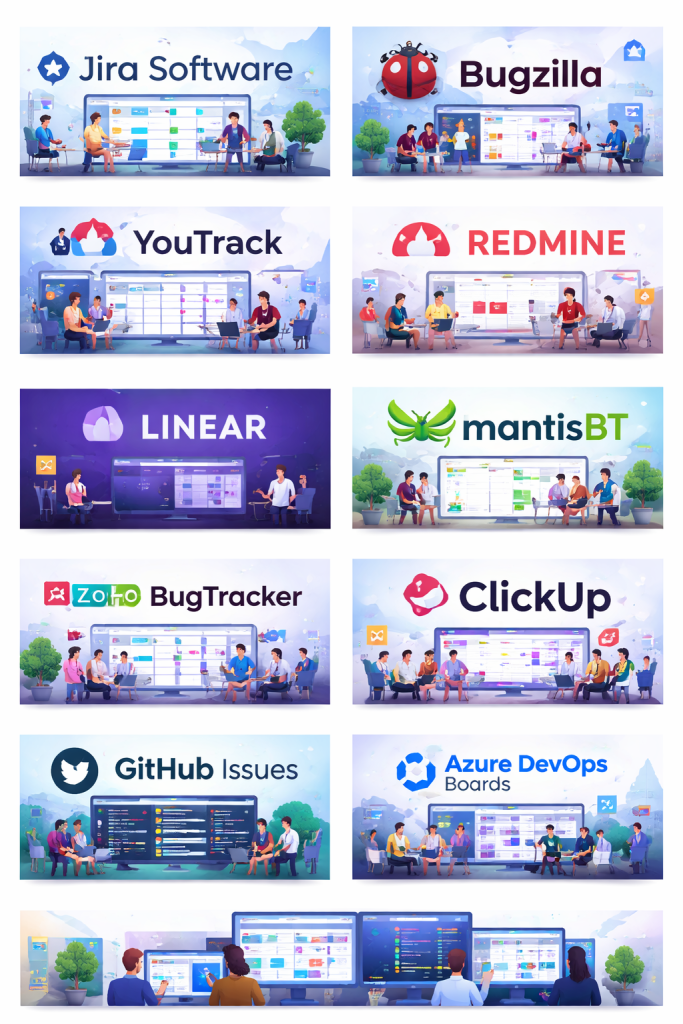
Top 10 Bug Tracking Tools
1 — Jira Software
Short description:
Jira Software is one of the most widely used bug tracking and project management tools, designed primarily for agile software development teams managing complex workflows at scale.
Key Features
- Advanced bug and issue tracking
- Customizable workflows and fields
- Agile boards (Scrum & Kanban)
- Powerful reporting and dashboards
- Extensive automation rules
- Large integration ecosystem
- Role-based access control
Pros
- Highly flexible and customizable
- Excellent for large and complex projects
- Strong agile and DevOps support
Cons
- Steep learning curve for new users
- Can become complex and heavy over time
- Costs increase significantly at scale
Security & Compliance
- SSO, encryption at rest and in transit
- SOC 2, ISO 27001, GDPR compliance
Support & Community
- Extensive documentation
- Large global user community
- Enterprise-grade support plans available
2 — Bugzilla
Short description:
Bugzilla is a long-standing open-source bug tracking system known for its robustness and detailed defect management capabilities.
Key Features
- Advanced bug lifecycle management
- Email-based notifications
- Custom fields and workflows
- Powerful search and filtering
- Role-based permissions
- Open-source flexibility
Pros
- Free and open-source
- Highly detailed bug tracking
- Proven stability over decades
Cons
- Outdated user interface
- Requires technical setup and maintenance
- Limited modern integrations
Security & Compliance
- Depends on hosting and configuration
- No built-in compliance certifications
Support & Community
- Community-driven support
- Extensive documentation
- No official enterprise support
3 — YouTrack
Short description:
YouTrack is a flexible issue and bug tracking tool built for agile teams that want strong customization with a modern user experience.
Key Features
- Customizable workflows
- Agile boards and backlog management
- Powerful search queries
- Time tracking
- Built-in knowledge base
- Automation rules
Pros
- Clean and modern interface
- Strong search and workflow engine
- Good balance of power and usability
Cons
- Smaller ecosystem than Jira
- Reporting can feel limited for enterprises
Security & Compliance
- SSO, role-based access
- GDPR compliant
Support & Community
- Good documentation
- Vendor support available
- Active user community
4 — Redmine
Short description:
Redmine is an open-source project management and bug tracking tool favored by teams that want full control over customization and hosting.
Key Features
- Issue and bug tracking
- Multiple project support
- Custom workflows and fields
- Time tracking
- Role-based permissions
- Plugin ecosystem
Pros
- Free and open-source
- Highly customizable
- Strong community plugins
Cons
- Dated UI
- Requires technical maintenance
- Plugin quality varies
Security & Compliance
- Depends on deployment
- No native compliance certifications
Support & Community
- Large open-source community
- Community-driven plugins and forums
5 — Linear
Short description:
Linear is a modern, fast, and minimalistic issue and bug tracking tool built for high-performance product and engineering teams.
Key Features
- Lightning-fast UI
- Issue tracking with cycles
- Keyboard-first workflow
- Git integration
- Simple automation
- Clean analytics
Pros
- Extremely easy to use
- Excellent performance
- Loved by modern product teams
Cons
- Limited deep customization
- Not ideal for very large enterprises
Security & Compliance
- SSO, encryption
- SOC 2 compliance
Support & Community
- High-quality documentation
- Responsive support
- Smaller but active community
6 — MantisBT
Short description:
Mantis Bug Tracker (MantisBT) is a lightweight, open-source bug tracking system focused on simplicity and speed.
Key Features
- Simple bug reporting
- Email notifications
- Custom fields
- Role-based access
- Plugin support
- Self-hosted flexibility
Pros
- Easy to set up
- Lightweight and fast
- Free and open-source
Cons
- Limited advanced features
- UI feels outdated
- Fewer integrations
Security & Compliance
- Configuration-dependent
- No built-in certifications
Support & Community
- Community forums
- Basic documentation
- No official enterprise support
7 — Zoho BugTracker
Short description:
Zoho BugTracker is a cloud-based bug tracking solution designed for SMBs already using the Zoho ecosystem.
Key Features
- Bug tracking and workflows
- Custom views and automation
- Time tracking
- Reports and dashboards
- Integration with Zoho products
- Email notifications
Pros
- Affordable pricing
- Easy to use
- Strong value for SMBs
Cons
- Limited enterprise scalability
- Best used within Zoho ecosystem
Security & Compliance
- Encryption, access control
- GDPR compliant
Support & Community
- Vendor documentation
- Email and ticket support
- Moderate community size
8 — ClickUp
Short description:
ClickUp is an all-in-one productivity platform that includes bug tracking alongside task and project management.
Key Features
- Custom issue tracking
- Automation and workflows
- Multiple views (list, board, timeline)
- Dashboards and reports
- Integrations with dev tools
- Custom fields
Pros
- Highly versatile
- Good value for money
- Suitable for cross-functional teams
Cons
- Can feel overwhelming
- Performance may degrade with scale
Security & Compliance
- SSO, encryption
- SOC 2 compliance
Support & Community
- Strong documentation
- Active user community
- Paid priority support available
9 — GitHub Issues
Short description:
GitHub Issues is a lightweight bug tracking system tightly integrated with code repositories.
Key Features
- Issue tracking linked to code
- Labels and milestones
- Git-based workflows
- Markdown support
- Simple automation
- Community collaboration
Pros
- Seamless for developers
- No separate tool required
- Excellent for open-source projects
Cons
- Limited reporting
- Not ideal for non-technical users
Security & Compliance
- Enterprise security options
- SOC 2, ISO compliance (varies by plan)
Support & Community
- Massive global developer community
- Strong documentation
- Enterprise support available
10 — Azure DevOps Boards
Short description:
Azure DevOps Boards offers robust bug tracking integrated into a full DevOps lifecycle platform.
Key Features
- Bug and work item tracking
- Agile boards
- Custom workflows
- CI/CD integration
- Reporting and analytics
- Role-based permissions
Pros
- Strong DevOps integration
- Enterprise-ready
- Highly scalable
Cons
- Best suited for Azure-centric teams
- UI can feel complex
Security & Compliance
- Enterprise-grade security
- ISO, SOC, GDPR compliance
Support & Community
- Extensive documentation
- Enterprise support
- Strong enterprise user base
Comparison Table
| Tool Name | Best For | Platform(s) Supported | Standout Feature | Rating |
|---|---|---|---|---|
| Jira Software | Large agile teams | Web, Cloud, Self-hosted | Workflow customization | N/A |
| Bugzilla | Open-source purists | Self-hosted | Detailed defect control | N/A |
| YouTrack | Agile SMB teams | Web, Cloud, Self-hosted | Advanced search | N/A |
| Redmine | Custom self-hosting | Self-hosted | Plugin flexibility | N/A |
| Linear | Modern product teams | Web, Desktop | Speed & simplicity | N/A |
| MantisBT | Lightweight tracking | Self-hosted | Simplicity | N/A |
| Zoho BugTracker | SMBs | Cloud | Affordability | N/A |
| ClickUp | Cross-functional teams | Web, Mobile | All-in-one platform | N/A |
| GitHub Issues | Developers | Web | Code integration | N/A |
| Azure DevOps Boards | Enterprise DevOps | Web, Cloud | End-to-end DevOps | N/A |
Evaluation & Scoring of Bug Tracking Tools
| Criteria | Weight |
|---|---|
| Core features | 25% |
| Ease of use | 15% |
| Integrations & ecosystem | 15% |
| Security & compliance | 10% |
| Performance & reliability | 10% |
| Support & community | 10% |
| Price / value | 15% |
This weighted model helps teams objectively compare tools based on both technical depth and real-world usability.
Which Bug Tracking Tool Is Right for You?
- Solo users: Lightweight tools like GitHub Issues or MantisBT
- SMBs: Zoho BugTracker, YouTrack, ClickUp
- Mid-market: Jira, Linear, ClickUp
- Enterprise: Jira, Azure DevOps Boards
Budget-conscious teams should prioritize open-source or bundled solutions.
Premium teams may prefer feature-rich platforms with automation and analytics.
Choose ease of use if onboarding speed matters, or feature depth for complex workflows.
Consider integrations and scalability if growth is expected.
Industries with regulations should prioritize security and compliance.
Frequently Asked Questions (FAQs)
- What is a bug tracking tool?
A system used to record, manage, and resolve software defects. - Do small teams need bug tracking tools?
Yes, even small teams benefit from structured issue tracking. - Are bug tracking tools only for developers?
No, QA, product managers, and support teams also use them. - Can bug tracking tools integrate with CI/CD?
Most modern tools support CI/CD integrations. - Are open-source bug trackers secure?
They can be secure if properly configured and maintained. - What’s the biggest mistake teams make?
Overcomplicating workflows too early. - Can bug tracking tools replace project management tools?
Some can, but not all are designed for full project management. - How long does implementation take?
From a few hours to several weeks depending on complexity. - Are cloud-based tools better than self-hosted?
Depends on control, security, and compliance needs. - Is there a single best bug tracking tool?
No, the best tool depends on team size, workflow, and goals.
Conclusion
Bug tracking tools are foundational to delivering high-quality software. They improve visibility, accountability, collaboration, and efficiency across development teams. While tools like Jira and Azure DevOps dominate the enterprise space, modern alternatives like Linear and YouTrack offer simplicity and speed, and open-source tools remain valuable for full control.
There is no universal “best” bug tracking tool. The right choice depends on your team’s size, workflow complexity, budget, and long-term goals. By focusing on what matters most for your organization, you can select a tool that not only tracks bugs—but helps your team build better software with confidence.

Find Trusted Cardiac Hospitals
Compare heart hospitals by city and services — all in one place.
Explore Hospitals