
Introduction
Business Plan Software is a category of digital tools designed to help entrepreneurs, startups, and established businesses create structured, professional, and data-driven business plans. Instead of working with static documents or complex spreadsheets, these tools guide users step by step through planning, forecasting, and presenting their business ideas in a clear and convincing way.
In today’s competitive environment, a strong business plan is no longer just for investors or banks. It is a strategic roadmap that helps founders validate ideas, forecast finances, manage risks, and align teams. Business Plan Software makes this process faster, more accurate, and easier to update as conditions change.
Real-world use cases include:
- Startups preparing investor pitch-ready business plans
- SMBs planning expansion, new products, or market entry
- Enterprises modeling scenarios and long-term growth strategies
- Consultants and advisors creating plans for multiple clients
When choosing Business Plan Software, users should evaluate:
- Ease of use and guided workflows
- Financial forecasting and scenario modeling depth
- Collaboration and export options
- Security, data ownership, and compliance
- Value for money based on business size and goals
Best for:
Entrepreneurs, startup founders, small to mid-sized businesses, consultants, incubators, accelerators, and finance teams across industries such as technology, retail, healthcare, manufacturing, and professional services.
Not ideal for:
Businesses that already have mature financial planning systems, companies needing only simple text documents, or teams that rely entirely on custom spreadsheets and ERP-driven planning.
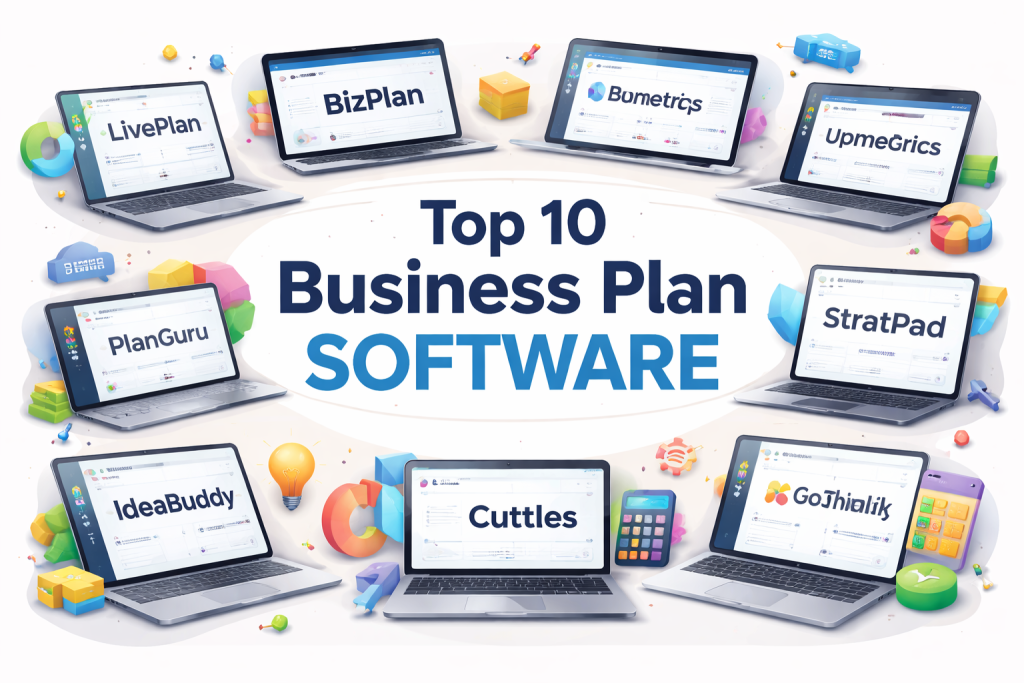
Top 10 Business Plan Software Tools
1 — LivePlan
Short description:
LivePlan is a widely used business planning and financial forecasting tool designed for startups and small businesses seeking structured guidance and investor-ready outputs.
Key features:
- Step-by-step business plan builder
- Financial forecasting with automated calculations
- Budgeting and performance tracking dashboards
- Visual charts and graphs for presentations
- Scenario planning and goal tracking
- Collaboration and advisor access
Pros:
- Very beginner-friendly and guided
- Strong financial modeling without deep accounting knowledge
- Clean, professional plan outputs
Cons:
- Limited customization for advanced financial users
- Subscription pricing may feel high for solo founders
Security & compliance:
Data encryption, role-based access; compliance varies by plan.
Support & community:
Extensive documentation, onboarding guides, email support, and advisor ecosystem.
2 — BizPlan
Short description:
BizPlan focuses on helping startups create modern, pitch-focused business plans with strong financial and presentation tools.
Key features:
- Drag-and-drop business plan editor
- Investor-focused financial modeling
- Fundraising and pitch alignment tools
- Real-time collaboration
- Milestone and progress tracking
Pros:
- Designed specifically for fundraising startups
- Strong visual and presentation capabilities
- Easy collaboration with co-founders
Cons:
- Less suitable for traditional or non-startup businesses
- Limited accounting integrations
Security & compliance:
Standard encryption and access controls; compliance varies.
Support & community:
Knowledge base, guided tutorials, and standard customer support.
3 — Enloop
Short description:
Enloop is an automated business plan generator that scores and validates business plans based on financial and textual inputs.
Key features:
- Automated plan scoring system
- Financial ratio analysis
- Multi-language support
- Cloud-based editing
- Investor-readiness indicators
Pros:
- Objective scoring helps identify weak areas
- Quick plan generation
- Good for early validation
Cons:
- Limited customization in narrative sections
- UI feels dated compared to newer tools
Security & compliance:
Basic encryption; compliance details vary.
Support & community:
Online documentation and ticket-based support.
4 — Upmetrics
Short description:
Upmetrics combines business planning, financial forecasting, and AI-assisted content creation for startups and SMBs.
Key features:
- AI-powered writing assistance
- Financial forecasting and scenario planning
- Pitch deck creation
- Collaboration and version control
- Export-ready business plans
Pros:
- Fast plan creation with AI guidance
- Modern, intuitive interface
- Good balance of depth and usability
Cons:
- AI-generated content may need refinement
- Advanced users may want deeper customization
Security & compliance:
Encryption in transit and at rest; GDPR-aligned controls.
Support & community:
Email support, tutorials, and onboarding resources.
5 — PlanGuru
Short description:
PlanGuru is a financial planning and forecasting solution aimed at SMBs, accountants, and finance professionals.
Key features:
- Advanced budgeting and forecasting
- Multi-year financial projections
- Scenario and what-if analysis
- Excel integration
- Rolling forecasts
Pros:
- Powerful financial depth
- Ideal for finance-heavy planning
- Strong forecasting accuracy
Cons:
- Steeper learning curve
- Less focus on narrative business plans
Security & compliance:
Standard data security controls; compliance varies.
Support & community:
Documentation, webinars, and professional support.
6 — StratPad
Short description:
StratPad is a strategic planning and execution tool that connects business planning with ongoing performance management.
Key features:
- Strategy mapping and execution tracking
- Financial projections and budgeting
- KPI dashboards
- Board-ready reports
- Collaboration tools
Pros:
- Strong link between strategy and execution
- Useful for growing businesses
- Good board-level reporting
Cons:
- Overkill for early-stage startups
- UI may feel complex for small teams
Security & compliance:
Role-based access, encryption; compliance varies.
Support & community:
Training programs, documentation, and customer success support.
7 — IdeaBuddy
Short description:
IdeaBuddy helps entrepreneurs move from idea validation to business planning in a guided, step-by-step format.
Key features:
- Idea validation workflows
- Business model canvas
- Financial planning tools
- Collaboration features
- Progress tracking
Pros:
- Excellent for idea-stage founders
- Simple and educational
- Clear step-by-step guidance
Cons:
- Limited advanced financial modeling
- Not ideal for large businesses
Security & compliance:
Standard security practices; compliance varies.
Support & community:
Tutorials, help center, and email support.
8 — Business Sorter
Short description:
Business Sorter is a strategic planning tool focused on organizing goals, priorities, and action plans visually.
Key features:
- Visual strategic planning boards
- Drag-and-drop prioritization
- Goal alignment tools
- Progress tracking
- Collaboration features
Pros:
- Great for strategic clarity
- Simple visual approach
- Helps align teams
Cons:
- Limited financial planning features
- Not a traditional business plan tool
Security & compliance:
Basic access controls; compliance varies.
Support & community:
Online guides and standard support.
9 — Cuttles
Short description:
Cuttles is a business planning platform designed for founders, accelerators, and incubators.
Key features:
- Guided business plan templates
- Financial modeling and KPIs
- Accelerator and cohort management
- Collaboration tools
- Investor-ready exports
Pros:
- Well-suited for startup programs
- Structured and consistent outputs
- Good reporting features
Cons:
- Less flexible for non-startup use cases
- Interface may feel rigid
Security & compliance:
Encryption and role-based access; compliance varies.
Support & community:
Customer support, onboarding help, and partner resources.
10 — Tarkenton GoSmallThinkBig
Short description:
GoSmallThinkBig focuses on education-driven business planning for small business owners.
Key features:
- Educational business planning modules
- Financial projections
- Marketing and operations planning
- Progress tracking
- Simple plan exports
Pros:
- Strong educational focus
- Good for first-time entrepreneurs
- Easy to understand
Cons:
- Limited advanced features
- Not ideal for complex financial planning
Security & compliance:
Basic security controls; compliance varies.
Support & community:
Educational resources and standard customer support.
Comparison Table
| Tool Name | Best For | Platform(s) Supported | Standout Feature | Rating |
|---|---|---|---|---|
| LivePlan | Startups & SMBs | Web | Guided financial planning | N/A |
| BizPlan | Fundraising startups | Web | Pitch-focused planning | N/A |
| Enloop | Quick validation | Web | Automated scoring | N/A |
| Upmetrics | Fast modern planning | Web | AI-assisted planning | N/A |
| PlanGuru | Finance-heavy SMBs | Web / Desktop | Advanced forecasting | N/A |
| StratPad | Strategic execution | Web | Strategy-to-execution link | N/A |
| IdeaBuddy | Idea-stage founders | Web | Idea validation | N/A |
| Business Sorter | Strategic clarity | Web | Visual planning | N/A |
| Cuttles | Accelerators | Web | Cohort management | N/A |
| GoSmallThinkBig | Small business owners | Web | Educational guidance | N/A |
Evaluation & Scoring of Business Plan Software
| Criteria | Weight | Description |
|---|---|---|
| Core features | 25% | Planning, forecasting, exports |
| Ease of use | 15% | Learning curve and UX |
| Integrations & ecosystem | 15% | Accounting, collaboration |
| Security & compliance | 10% | Data protection and access |
| Performance & reliability | 10% | Stability and speed |
| Support & community | 10% | Help resources and support |
| Price / value | 15% | ROI and affordability |
Which Business Plan Software Tool Is Right for You?
- Solo users: Look for simple, guided tools with AI assistance and low cost.
- SMBs: Balance financial depth with usability and collaboration.
- Mid-market: Choose tools with scenario planning and strategic alignment.
- Enterprise: Focus on security, governance, and integration flexibility.
Budget-conscious users should prioritize usability and templates, while premium users may benefit from advanced forecasting and strategic execution features.
Frequently Asked Questions (FAQs)
1. Do I still need Business Plan Software if I use spreadsheets?
Spreadsheets lack structure, guidance, and collaboration features that dedicated tools provide.
2. Is Business Plan Software only for startups?
No. SMBs and established businesses also use it for planning and forecasting.
3. Can these tools replace financial advisors?
They complement advisors but do not replace expert judgment.
4. Are these tools secure for sensitive data?
Most offer encryption and access controls, but security varies by provider.
5. How long does it take to create a plan?
Anywhere from a few hours to several weeks depending on complexity.
6. Can I update my plan later?
Yes. Most tools support continuous updates and revisions.
7. Are these tools suitable for investors?
Many generate investor-ready plans and financials.
8. Do I need accounting knowledge?
Basic understanding helps, but most tools guide users.
9. Can teams collaborate in real time?
Most modern tools support collaboration and versioning.
10. What is the biggest mistake when choosing a tool?
Overpaying for features you do not need or underestimating ease of use.
Conclusion
Business Plan Software has become an essential asset for turning ideas into actionable strategies. The right tool helps you plan smarter, forecast accurately, and communicate clearly with stakeholders.
There is no single “best” solution for everyone. The best Business Plan Software is the one that aligns with your business size, goals, financial complexity, and workflow preferences. By focusing on usability, core features, and long-term value, you can choose a tool that truly supports your growth journey.

Find Trusted Cardiac Hospitals
Compare heart hospitals by city and services — all in one place.
Explore Hospitals
This write-up makes the choice of business plan software much easier because it explains what people actually need when they sit down to plan a real business. I liked that it highlights practical things like guided steps, clean templates, simple financial forecasts, and export formats that banks or investors can accept. The pros and cons section is also honest, because some tools are great for beginners who want clear guidance, while others are better for teams that need detailed budgeting, multiple scenarios, and collaboration. One useful tip for readers is to check how easily you can update numbers later, because a plan changes often after you start selling and learning from customers.