
Introduction
Chatbot Builder Platforms are software tools that allow businesses and individuals to design, build, deploy, and manage conversational bots without needing deep expertise in artificial intelligence or programming. These platforms act as the bridge between users and automated conversations across websites, mobile apps, messaging channels, and internal systems.
In today’s digital-first environment, chatbots play a critical role in customer support, lead generation, onboarding, internal operations, and self-service automation. They help organizations respond instantly, reduce operational costs, scale support, and deliver consistent experiences—24/7.
Common real-world use cases include customer support automation, appointment scheduling, e-commerce assistance, HR and IT helpdesks, marketing campaigns, and data collection. As conversational AI matures, modern chatbot builders now support natural language understanding (NLU), generative AI, workflow automation, analytics, and deep integrations.
When choosing a chatbot builder platform, buyers should evaluate ease of use, AI capabilities, integration depth, scalability, security, compliance, and long-term cost. The right tool depends on who is building the bot, where it will be deployed, and how critical it is to business operations.
Best for:
Product teams, marketers, customer support leaders, founders, IT teams, and enterprises across SaaS, e-commerce, healthcare, finance, education, and logistics.
Not ideal for:
Teams needing only simple live chat without automation, highly experimental AI research, or fully custom conversational systems built from scratch using raw machine learning frameworks.
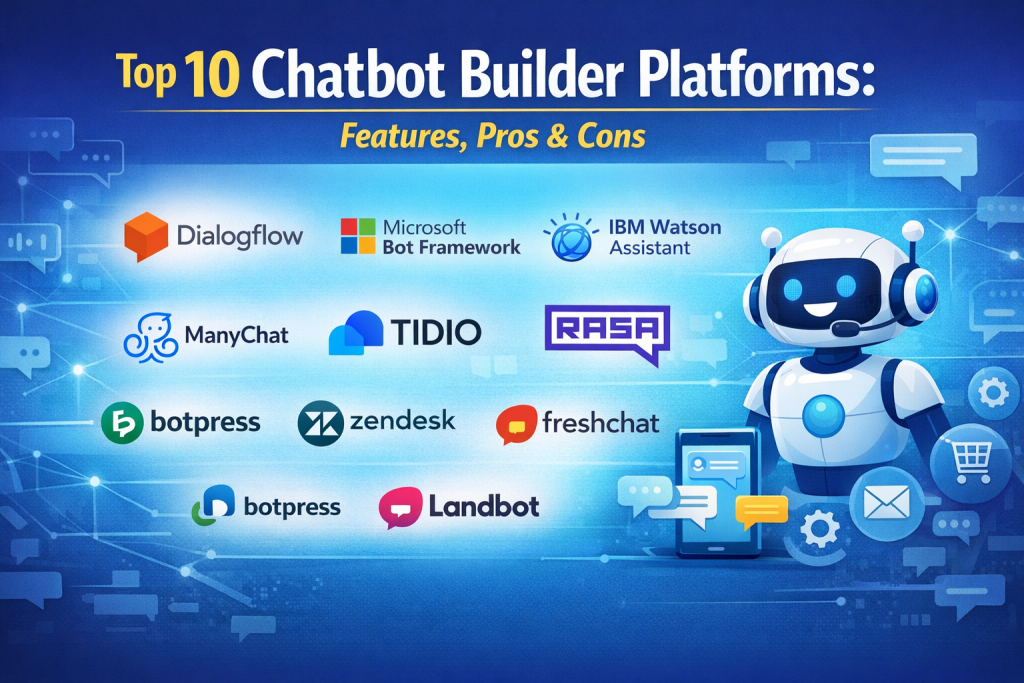
Top 10 Chatbot Builder Platforms Tools
1 — Dialogflow
Short description:
An advanced conversational AI platform from Google designed for developers and enterprises building intelligent, natural language chatbots and voice bots.
Key features:
- Natural language understanding with intent detection
- Multilingual support
- Omnichannel deployment (web, mobile, voice)
- Context handling and fulfillment logic
- Integration with Google Cloud services
- Advanced analytics and training tools
Pros:
- Powerful NLU accuracy
- Highly scalable for enterprise use
Cons:
- Steeper learning curve for non-technical users
- Requires technical setup for advanced use
Security & compliance:
Encryption in transit and at rest, IAM, GDPR support, enterprise-grade controls
Support & community:
Strong documentation, active developer community, enterprise support options
2 — Microsoft Bot Framework
Short description:
A comprehensive framework for building enterprise-grade chatbots integrated with Microsoft’s ecosystem.
Key features:
- Bot development SDKs
- Azure AI and cognitive services integration
- Omnichannel deployment
- Authentication and identity management
- Advanced debugging and testing tools
- Enterprise scalability
Pros:
- Deep Microsoft ecosystem integration
- High security and governance standards
Cons:
- Requires development expertise
- Setup can be complex
Security & compliance:
SOC 2, ISO, GDPR, enterprise identity and access controls
Support & community:
Extensive documentation, enterprise support, large developer community
3 — IBM Watson Assistant
Short description:
An enterprise-focused AI assistant designed for complex customer support and automation scenarios.
Key features:
- Advanced intent and entity recognition
- Visual dialog builder
- Context-aware conversations
- Omnichannel deployment
- Built-in analytics
- AI training tools
Pros:
- Strong enterprise reliability
- Excellent conversational depth
Cons:
- Higher cost compared to SMB tools
- UI may feel complex for beginners
Security & compliance:
SOC 2, ISO, GDPR, HIPAA-ready deployments
Support & community:
Professional onboarding, enterprise-grade support, strong documentation
4 — Rasa
Short description:
An open-source conversational AI framework offering maximum customization and control.
Key features:
- Open-source architecture
- On-premise and cloud deployment
- Custom NLU pipelines
- Advanced dialogue management
- Integration flexibility
- Data ownership control
Pros:
- Full control over data and logic
- No vendor lock-in
Cons:
- Requires strong technical skills
- Higher setup and maintenance effort
Security & compliance:
Varies by deployment; suitable for strict data residency needs
Support & community:
Strong open-source community, enterprise support available
5 — ManyChat
Short description:
A no-code chatbot builder focused on marketing, social media automation, and lead generation.
Key features:
- Visual flow builder
- Social messaging automation
- Audience segmentation
- Campaign broadcasting
- Templates for marketing use cases
- Basic analytics
Pros:
- Extremely easy to use
- Strong marketing automation focus
Cons:
- Limited advanced AI capabilities
- Not ideal for complex enterprise workflows
Security & compliance:
Standard encryption, GDPR support
Support & community:
Good documentation, responsive support, active user community
6 — Tidio
Short description:
A hybrid chatbot and live chat platform designed for SMBs and online businesses.
Key features:
- AI-powered chatbots
- Live chat integration
- E-commerce integrations
- Visual builder
- Automation rules
- Visitor tracking
Pros:
- Fast setup
- Affordable pricing
Cons:
- Limited customization for advanced bots
- Less suitable for enterprise scale
Security & compliance:
GDPR compliant, encrypted communications
Support & community:
Helpful onboarding, responsive support, small but growing community
7 — Botpress
Short description:
A modern, open-source chatbot platform combining visual tools with developer flexibility.
Key features:
- Visual conversation builder
- Natural language processing
- Custom code integration
- On-premise and cloud deployment
- Analytics dashboard
- Modular architecture
Pros:
- Balance of usability and flexibility
- Open-source foundation
Cons:
- Smaller ecosystem than major vendors
- Requires some technical understanding
Security & compliance:
Varies by deployment model
Support & community:
Active open-source community, enterprise support options
8 — Zendesk Answer Bot
Short description:
A customer support chatbot tightly integrated with Zendesk’s helpdesk ecosystem.
Key features:
- AI-driven ticket deflection
- Knowledge base integration
- Multichannel support
- Automated responses
- Analytics and reporting
- Seamless agent handoff
Pros:
- Excellent for Zendesk users
- Reduces support workload
Cons:
- Limited outside Zendesk ecosystem
- Less customizable
Security & compliance:
SOC 2, GDPR, enterprise-grade security
Support & community:
Strong enterprise support, extensive documentation
9 — Freshchat
Short description:
A modern messaging and chatbot platform designed for customer engagement and support teams.
Key features:
- AI-powered chatbots
- Proactive messaging
- Team inbox
- Integration with Freshworks suite
- Automation workflows
- Analytics
Pros:
- User-friendly interface
- Good balance of automation and human support
Cons:
- Advanced AI features may cost extra
- Limited deep customization
Security & compliance:
SOC 2, GDPR, ISO standards
Support & community:
Good documentation, responsive support, strong ecosystem
10 — Landbot
Short description:
A no-code chatbot builder focused on interactive, conversational user experiences.
Key features:
- Drag-and-drop conversation builder
- Web and messaging deployment
- Conditional logic
- Form-style conversations
- Integrations with popular tools
- Analytics dashboard
Pros:
- Excellent UX for builders
- Fast deployment
Cons:
- Limited enterprise-grade AI
- Not ideal for complex workflows
Security & compliance:
GDPR compliant, standard encryption
Support & community:
Good onboarding, helpful support resources
Comparison Table
| Tool Name | Best For | Platform(s) Supported | Standout Feature | Rating |
|---|---|---|---|---|
| Dialogflow | Enterprise AI bots | Web, Mobile, Voice | Advanced NLU | N/A |
| Microsoft Bot Framework | Enterprise & developers | Web, Apps, Teams | Azure integration | N/A |
| IBM Watson Assistant | Large organizations | Omnichannel | Enterprise AI depth | N/A |
| Rasa | Custom AI projects | Self-hosted, Cloud | Full data control | N/A |
| ManyChat | Marketing teams | Messaging platforms | No-code automation | N/A |
| Tidio | SMBs | Web, E-commerce | Live chat + bots | N/A |
| Botpress | Developers & SMBs | Cloud, On-premise | Open-source flexibility | N/A |
| Zendesk Answer Bot | Support teams | Zendesk ecosystem | Ticket deflection | N/A |
| Freshchat | Support & sales | Web, Apps | Modern messaging | N/A |
| Landbot | Non-technical users | Web, Messaging | Visual builder | N/A |
Evaluation & Scoring of Chatbot Builder Platforms
| Evaluation Criteria | Weight | Key Considerations |
|---|---|---|
| Core features | 25% | NLU, automation, analytics |
| Ease of use | 15% | UI, learning curve |
| Integrations & ecosystem | 15% | APIs, third-party tools |
| Security & compliance | 10% | GDPR, SOC, access control |
| Performance & reliability | 10% | Scalability, uptime |
| Support & community | 10% | Documentation, help |
| Price / value | 15% | ROI, flexibility |
Which Chatbot Builder Platforms Tool Is Right for You?
- Solo users: No-code platforms with templates and fast setup
- SMBs: Affordable tools balancing automation and simplicity
- Mid-market: Platforms with integrations and moderate customization
- Enterprise: Scalable, secure platforms with governance and compliance
Budget-conscious teams may prioritize ease of use, while regulated industries should focus on security, compliance, and data ownership. Feature depth often trades off with simplicity, so clarity on use cases is critical.
Frequently Asked Questions (FAQs)
1. Do chatbot builders require coding?
Many offer no-code builders, while advanced platforms support full coding.
2. Can chatbots handle complex conversations?
Yes, especially AI-powered platforms with context handling.
3. Are chatbots secure?
Security varies; enterprise tools offer strong compliance features.
4. Can chatbots integrate with CRMs?
Most modern platforms support CRM and API integrations.
5. Are chatbots expensive?
Pricing ranges from free tiers to enterprise subscriptions.
6. Can I deploy chatbots across multiple channels?
Yes, omnichannel support is common.
7. How long does setup take?
From minutes (no-code) to weeks (enterprise-grade).
8. Can chatbots replace human agents?
They complement humans, handling repetitive tasks.
9. Are open-source chatbot platforms reliable?
Yes, with proper setup and maintenance.
10. What is the biggest mistake buyers make?
Choosing based on features alone instead of real use cases.
Conclusion
Chatbot Builder Platforms have become essential tools for modern digital experiences. The best solution depends on who is building the bot, how complex the conversations are, and how critical security and scalability are. There is no single universal winner—only the right fit for your specific goals, budget, and technical capacity. By focusing on real needs rather than hype, teams can unlock lasting value from conversational automation.

Find Trusted Cardiac Hospitals
Compare heart hospitals by city and services — all in one place.
Explore Hospitals