
Introduction
Classroom Interactive Whiteboards (often called smart boards or interactive flat panels) are digital teaching displays that allow teachers and students to interact directly with content using touch, pens, or gestures. Unlike traditional whiteboards or projectors, these tools combine display, computing, collaboration, and annotation into a single classroom-ready solution.
Their importance has grown rapidly as education shifts toward student-centric, visual, and collaborative learning. Interactive whiteboards help teachers explain complex topics, run live quizzes, annotate lessons in real time, and save or share class content instantly. For students, they promote engagement, participation, teamwork, and better concept retention.
Common real-world use cases include K-12 classrooms, higher education lecture halls, coaching institutes, training centers, hybrid learning environments, and smart classrooms. They are used for interactive lessons, group problem-solving, multimedia teaching, remote collaboration, and assessments.
When choosing a Classroom Interactive Whiteboard, buyers should focus on:
- Touch accuracy and responsiveness
- Display quality and size
- Built-in software and ecosystem
- Device and OS compatibility
- Ease of use for teachers
- Long-term support and durability
- Security and manageability
Best for:
Classroom Interactive Whiteboards are best suited for schools (K-12), colleges, universities, coaching institutes, EdTech training centers, and corporate learning rooms. Teachers, instructors, IT administrators, and education leaders benefit the most.
Not ideal for:
They may not be ideal for very small classrooms with minimal digital needs, institutions with extremely limited budgets, or environments lacking basic infrastructure or technical support. In such cases, tablets, TVs, or basic projectors may be more practical.
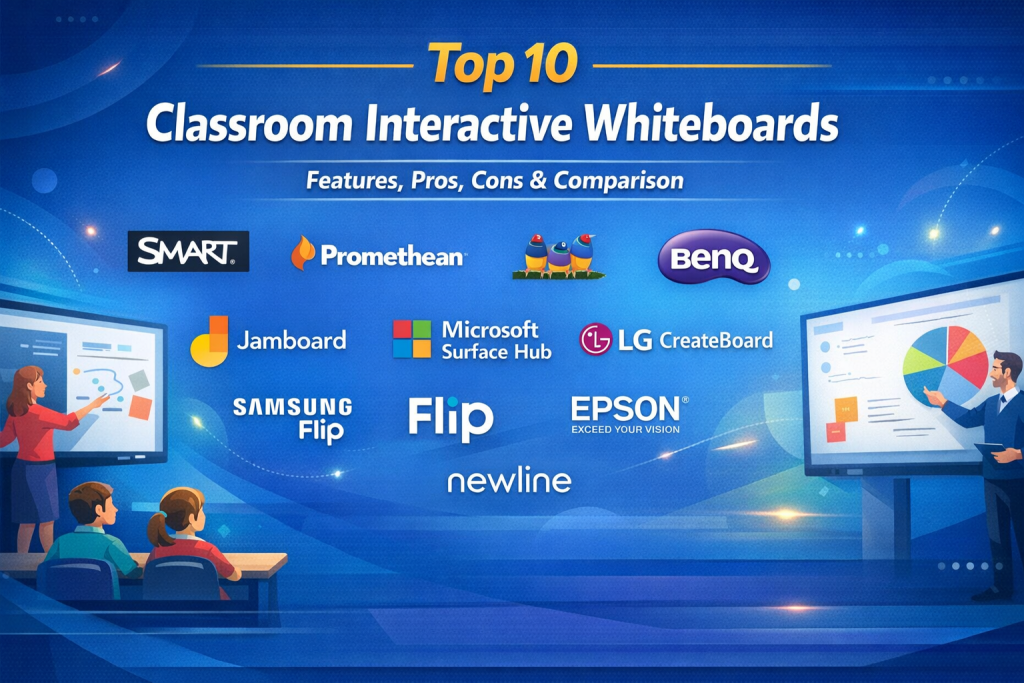
Top 10 Classroom Interactive Whiteboards Tools
1 — SMART Board
Short description:
SMART Board is one of the most widely recognized interactive whiteboards, designed specifically for education with a strong focus on intuitive teaching and collaboration.
Key features:
- Multi-touch support for multiple students
- Digital ink with handwriting recognition
- Built-in lesson creation tools
- Wireless screen sharing
- Object manipulation for interactive learning
- Cloud lesson saving and sharing
- Classroom collaboration features
Pros:
- Extremely teacher-friendly
- Strong education-focused software ecosystem
- Proven reliability in classrooms
Cons:
- Premium pricing
- Advanced features may require licensing
Security & compliance:
Supports encryption and role-based access; compliance varies by deployment.
Support & community:
Excellent documentation, global educator community, training programs, and enterprise support.
2 — Promethean ActivPanel
Short description:
Promethean ActivPanel is built for modern classrooms that emphasize engagement, collaboration, and flexible teaching styles.
Key features:
- High-resolution LED display
- Multi-user touch interaction
- Integrated teaching software
- Wireless device casting
- Android-based operating system
- Cloud access to lessons
- Built-in whiteboarding tools
Pros:
- Excellent display quality
- Designed for active student participation
- Works well even without a PC
Cons:
- Learning curve for advanced tools
- Higher upfront investment
Security & compliance:
Enterprise-grade device security; compliance depends on configuration.
Support & community:
Strong documentation, educator community, onboarding support, and global presence.
3 — ViewSonic ViewBoard
Short description:
ViewBoard delivers a balance of performance and affordability, making it popular in budget-conscious smart classrooms.
Key features:
- Ultra-HD interactive display
- Multi-touch input
- Built-in annotation tools
- Wireless screen casting
- Android OS with optional PC module
- Cloud-based whiteboarding
Pros:
- Competitive pricing
- Reliable hardware quality
- Flexible deployment options
Cons:
- Smaller education software ecosystem
- Fewer advanced pedagogy tools
Security & compliance:
Standard device security; compliance varies.
Support & community:
Good documentation and commercial support; moderate user community.
4 — BenQ Interactive Flat Panel
Short description:
BenQ Interactive Panels focus on classroom safety, eye care, and smooth digital writing for extended teaching sessions.
Key features:
- Low blue-light and anti-glare display
- Multi-touch collaboration
- Interactive whiteboard software
- Wireless sharing from devices
- User account management
- Cloud storage integration
Pros:
- Eye-safe display technology
- Smooth writing experience
- Strong classroom usability
Cons:
- Premium pricing
- Software updates can lag
Security & compliance:
Supports access controls and data protection; compliance varies.
Support & community:
Reliable enterprise support and training resources.
5 — Google Jamboard
Short description:
Jamboard is a cloud-first interactive whiteboard focused on collaboration and brainstorming, especially for hybrid learning.
Key features:
- Real-time multi-user collaboration
- Cloud-based whiteboarding
- Stylus and touch input
- Seamless workspace integration
- Easy content sharing
- Simple, clean interface
Pros:
- Excellent for collaboration
- Very easy to use
- Ideal for hybrid classrooms
Cons:
- Limited offline capabilities
- Fewer advanced classroom tools
Security & compliance:
Strong cloud security standards; GDPR-aligned environments supported.
Support & community:
Extensive documentation and a very large global user base.
6 — Microsoft Surface Hub
Short description:
Surface Hub is a premium interactive display designed for high-end collaboration, advanced classrooms, and training rooms.
Key features:
- Large 4K touch display
- Multi-user collaboration
- Built-in digital whiteboard
- Video conferencing integration
- Secure device management
- Windows-based ecosystem
Pros:
- Outstanding build quality
- Enterprise-grade collaboration
- Strong security capabilities
Cons:
- Very expensive
- Overkill for basic classrooms
Security & compliance:
Enterprise-level encryption, identity controls, and compliance support.
Support & community:
Excellent enterprise documentation, global support, and training.
7 — LG CreateBoard
Short description:
LG CreateBoard combines premium display quality with a clean interface for modern, tech-enabled classrooms.
Key features:
- 4K UHD display
- Multi-touch interaction
- Wireless screen sharing
- Built-in annotation tools
- Android OS
- Durable classroom design
Pros:
- Excellent visual clarity
- Reliable hardware performance
- Easy classroom adoption
Cons:
- Limited advanced education software
- Premium cost
Security & compliance:
Standard device security; compliance varies by setup.
Support & community:
Strong hardware support and training materials.
8 — Samsung Flip
Short description:
Samsung Flip is optimized for writing, brainstorming, and presentations with a focus on simplicity and design.
Key features:
- Natural digital ink writing
- Multi-user touch support
- Wireless connectivity
- Screen mirroring
- Secure content locking
- Portable form factor options
Pros:
- Excellent writing feel
- Simple and elegant design
- Fast setup
Cons:
- Limited classroom-specific tools
- Less suitable for large classes
Security & compliance:
Device-level encryption and access controls supported.
Support & community:
Strong global brand support and documentation.
9 — Epson Interactive Display
Short description:
Epson provides interactive displays and projector-based whiteboards, ideal for schools transitioning from projectors.
Key features:
- Interactive pen or touch input
- Large projection area
- Annotation tools
- Multi-device connectivity
- Cost-effective models
- Classroom-friendly setup
Pros:
- Affordable entry options
- Large display sizes
- Familiar projector workflow
Cons:
- Lower brightness in well-lit rooms
- Ongoing projector maintenance
Security & compliance:
Basic security features; compliance varies.
Support & community:
Education-focused documentation and reliable support.
10 — Newline Interactive
Short description:
Newline Interactive offers scalable interactive boards suitable for schools, colleges, and training centers.
Key features:
- 4K touch displays
- Multi-user interaction
- Wireless collaboration
- Built-in whiteboarding
- Cross-platform compatibility
- Durable classroom design
Pros:
- Good value for money
- Flexible software options
- Easy to deploy
Cons:
- Smaller ecosystem
- Fewer deep integrations
Security & compliance:
Standard device security; compliance varies.
Support & community:
Growing user community with responsive commercial support.
Comparison Table
| Tool Name | Best For | Platform(s) Supported | Standout Feature | Rating |
|---|---|---|---|---|
| SMART Board | K-12 classrooms | Windows, macOS, Android | Education-first software | N/A |
| Promethean ActivPanel | Student engagement | Android, Windows | Interactive teaching tools | N/A |
| ViewSonic ViewBoard | Budget smart classrooms | Android, Windows | Value for money | N/A |
| BenQ Interactive Panel | Eye-safe teaching | Android, Windows | Eye-care display tech | N/A |
| Google Jamboard | Hybrid collaboration | Cloud-based | Real-time collaboration | N/A |
| Microsoft Surface Hub | Enterprise learning | Windows | Premium collaboration | N/A |
| LG CreateBoard | Modern classrooms | Android, Windows | Display quality | N/A |
| Samsung Flip | Brainstorming | Android | Writing experience | N/A |
| Epson Interactive | Projector classrooms | Windows | Large interactive area | N/A |
| Newline Interactive | Scalable classrooms | Android, Windows | Flexibility | N/A |
Evaluation & Scoring of Classroom Interactive Whiteboards
| Tool | Core Features (25%) | Ease of Use (15%) | Integrations (15%) | Security (10%) | Performance (10%) | Support (10%) | Price/Value (15%) | Total |
|---|---|---|---|---|---|---|---|---|
| SMART Board | 23 | 14 | 13 | 8 | 9 | 9 | 11 | 87 |
| Promethean | 22 | 13 | 12 | 8 | 9 | 9 | 11 | 84 |
| ViewSonic | 19 | 13 | 11 | 7 | 8 | 8 | 13 | 79 |
| BenQ | 21 | 13 | 11 | 8 | 9 | 8 | 11 | 81 |
| Jamboard | 18 | 14 | 14 | 9 | 8 | 8 | 12 | 83 |
| Surface Hub | 24 | 13 | 14 | 10 | 10 | 9 | 8 | 88 |
| LG CreateBoard | 20 | 13 | 11 | 8 | 9 | 8 | 11 | 80 |
| Samsung Flip | 18 | 14 | 10 | 8 | 8 | 8 | 12 | 78 |
| Epson | 17 | 12 | 9 | 7 | 7 | 8 | 14 | 74 |
| Newline | 19 | 13 | 10 | 7 | 8 | 8 | 13 | 78 |
Which Classroom Interactive Whiteboards Tool Is Right for You?
- Solo educators & small schools: ViewSonic, Epson, Newline
- SMBs & coaching centers: BenQ, LG CreateBoard
- Mid-market institutions: SMART Board, Promethean
- Enterprise & premium environments: Microsoft Surface Hub
Budget-conscious vs premium:
Affordable boards handle basic interaction well; premium solutions excel in collaboration and management.
Feature depth vs ease of use:
Advanced tools suit tech-savvy educators; simpler boards speed adoption.
Integration & scalability:
Large institutions should prioritize ecosystem compatibility and device management.
Security & compliance:
Essential for institutions handling student data or regulated environments.
Frequently Asked Questions (FAQs)
1. What is a classroom interactive whiteboard?
A digital display that allows touch-based writing, drawing, and collaboration.
2. Are interactive whiteboards suitable for all subjects?
Yes, especially math, science, languages, and visual subjects.
3. Do they require internet access?
Not always, but cloud features benefit from connectivity.
4. How long do interactive whiteboards last?
Typically 5–10 years with proper care.
5. Can multiple students use them at once?
Most modern boards support multi-touch interaction.
6. Are they safe for students’ eyes?
Many include eye-care and low blue-light features.
7. Do teachers need technical training?
Basic use is intuitive; advanced features may need short training.
8. Can lessons be saved and reused?
Yes, most allow saving, exporting, and sharing lessons.
9. What is a common buying mistake?
Ignoring software ecosystem and long-term support.
10. Are they better than projectors?
They offer better interaction, clarity, and durability.
Conclusion
Classroom Interactive Whiteboards have become a cornerstone of modern education, enabling engaging, collaborative, and flexible teaching experiences. From affordable entry-level options to premium enterprise solutions, there is a wide range to choose from.
The most important factors are classroom needs, ease of use, software ecosystem, long-term value, and support quality. There is no single universal winner—the best interactive whiteboard is the one that aligns with your teaching goals, budget, and learning environment.

Find Trusted Cardiac Hospitals
Compare heart hospitals by city and services — all in one place.
Explore Hospitals