
Introduction
Construction Management Software (CMS) is a digital platform designed to plan, coordinate, execute, and monitor construction projects from pre-construction to close-out. These tools bring together scheduling, budgeting, document control, communication, and reporting into a single system, helping teams reduce errors, delays, and cost overruns.
In today’s construction environment—where projects involve multiple contractors, tight timelines, regulatory requirements, and rising material costs—manual processes and disconnected tools are no longer sufficient. Construction Management Software improves visibility, accountability, and collaboration, enabling stakeholders to make informed decisions in real time.
Real-world use cases include project scheduling and progress tracking, cost estimation and budget control, RFIs and submittals management, site documentation, workforce coordination, and compliance reporting. Whether managing a residential build or a multi-year infrastructure project, the right CMS can significantly improve outcomes.
What to look for when choosing Construction Management Software
- Core functionality: Scheduling, cost control, documents, reporting
- Ease of use: Adoption across field and office teams
- Integrations: Accounting, ERP, BIM, payroll
- Scalability: Ability to grow with project size and volume
- Security & compliance: Data protection and audit readiness
Best for:
Project managers, general contractors, subcontractors, real-estate developers, engineering firms, and construction companies ranging from small teams to large enterprises.
Not ideal for:
Solo contractors with very small projects, businesses that only need basic task tracking, or teams already locked into highly customized legacy systems where migration costs outweigh benefits.
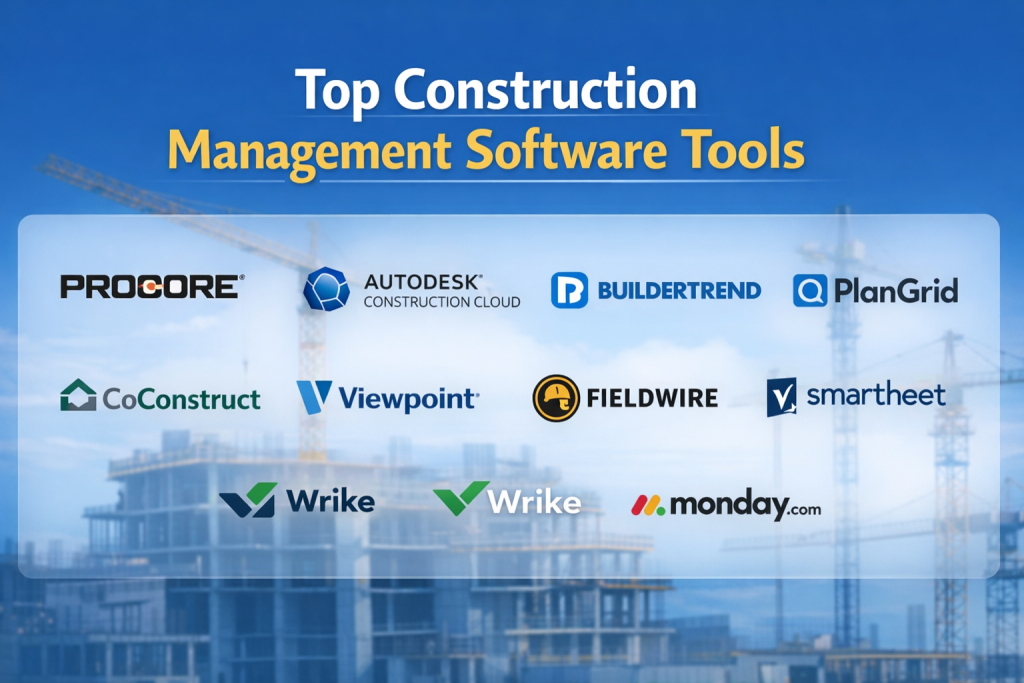
Top 10 Construction Management Software Tools
1 — Procore
Short description:
A comprehensive, enterprise-grade construction management platform designed for large and complex projects.
Key features
- Project scheduling and progress tracking
- RFIs, submittals, and drawing management
- Financials, budgets, and change orders
- Real-time collaboration across stakeholders
- Mobile field management tools
- Robust reporting and analytics
Pros
- Extremely feature-rich and scalable
- Strong adoption in large construction firms
Cons
- High pricing for smaller teams
- Steeper learning curve
Security & compliance:
SSO, role-based access, encryption, audit logs, GDPR support
Support & community:
Extensive documentation, onboarding programs, enterprise-level support
2 — Autodesk Construction Cloud
Short description:
An integrated platform combining project management, design collaboration, and BIM workflows.
Key features
- Construction planning and cost management
- BIM and model coordination
- Issue tracking and workflows
- Document control and versioning
- Analytics and insights dashboards
Pros
- Strong integration with design tools
- Ideal for design-build workflows
Cons
- Can feel complex for non-technical users
- Higher cost for full feature set
Security & compliance:
Encryption, SSO, ISO-aligned controls, GDPR support
Support & community:
Large global user base, extensive learning resources
3 — Buildertrend
Short description:
A user-friendly construction management tool focused on residential and remodeling projects.
Key features
- Project scheduling and task management
- Client communication portals
- Budgeting and invoicing
- Change order management
- Mobile access for field teams
Pros
- Easy to use and quick to adopt
- Excellent client-facing features
Cons
- Limited customization for large enterprises
- Reporting depth is moderate
Security & compliance:
Standard encryption, role-based access
Support & community:
Strong customer support and onboarding
4 — PlanGrid
Short description:
A field-focused tool emphasizing drawing management and on-site collaboration.
Key features
- Digital blueprints and drawings
- Field annotations and markups
- Issue tracking and punch lists
- Offline mobile access
- Photo and progress documentation
Pros
- Excellent for field teams
- Simple and intuitive interface
Cons
- Limited financial management
- Best used alongside other tools
Security & compliance:
Encryption, secure cloud storage
Support & community:
Good documentation, responsive support
5 — CoConstruct
Short description:
Designed for custom home builders and remodelers needing client collaboration and cost control.
Key features
- Estimates and budgets
- Client selections and approvals
- Scheduling and task tracking
- Change order workflows
- Integration with accounting tools
Pros
- Strong client collaboration features
- Tailored for residential builders
Cons
- Less suitable for large commercial projects
- Interface may feel dated to some users
Security & compliance:
Standard security controls, data encryption
Support & community:
Helpful onboarding and support teams
6 — Viewpoint
Short description:
A construction ERP and project management solution for mid-market to enterprise firms.
Key features
- Project accounting and financials
- Resource and workforce management
- Compliance and reporting tools
- Integration with ERP systems
- Customizable dashboards
Pros
- Strong financial and ERP capabilities
- Suitable for complex organizations
Cons
- Implementation can be time-consuming
- Less intuitive UI
Security & compliance:
SSO, audit logs, compliance reporting
Support & community:
Enterprise-grade support and consulting
7 — Fieldwire
Short description:
A mobile-first construction management tool optimized for field execution.
Key features
- Task and punch list management
- Drawing access and markups
- Team communication tools
- Progress tracking
- Offline functionality
Pros
- Excellent for on-site coordination
- Affordable for small teams
Cons
- Limited financial features
- Less suited for enterprise reporting
Security & compliance:
Standard encryption, access controls
Support & community:
Active user community, solid documentation
8 — Smartsheet
Short description:
A flexible work management platform adapted by construction teams for planning and tracking.
Key features
- Spreadsheet-style project planning
- Gantt charts and dashboards
- Automation and alerts
- Integrations with multiple tools
- Collaboration and reporting
Pros
- Highly flexible and customizable
- Easy to learn for spreadsheet users
Cons
- Not construction-specific
- Requires setup for industry workflows
Security & compliance:
SOC 2, GDPR support, SSO
Support & community:
Extensive resources and community forums
9 — Wrike
Short description:
A project management platform used by construction teams for coordination and reporting.
Key features
- Task and workflow management
- Gantt charts and timelines
- Collaboration and approvals
- Custom dashboards
- Integrations with business tools
Pros
- Strong reporting and visibility
- Scales across teams
Cons
- Requires configuration for construction use
- Costs increase with advanced features
Security & compliance:
SSO, encryption, GDPR support
Support & community:
Good documentation and enterprise support
10 — Monday.com
Short description:
A visual work management tool adaptable for construction planning and coordination.
Key features
- Custom boards and workflows
- Timeline and workload views
- Automation rules
- Collaboration tools
- Integration marketplace
Pros
- Highly visual and easy to use
- Quick setup
Cons
- Limited construction-specific features
- Financial tracking is basic
Security & compliance:
SOC 2, GDPR, ISO-aligned controls
Support & community:
Strong onboarding and active community
Comparison Table
| Tool Name | Best For | Platform(s) Supported | Standout Feature | Rating |
|---|---|---|---|---|
| Procore | Large enterprises | Web, iOS, Android | End-to-end construction lifecycle | N/A |
| Autodesk Construction Cloud | Design-build teams | Web, Mobile | BIM integration | N/A |
| Buildertrend | Residential builders | Web, Mobile | Client portals | N/A |
| PlanGrid | Field teams | Mobile, Web | Drawing management | N/A |
| CoConstruct | Custom home builders | Web, Mobile | Client selections | N/A |
| Viewpoint | ERP-driven firms | Web | Construction ERP | N/A |
| Fieldwire | On-site execution | Mobile, Web | Field productivity | N/A |
| Smartsheet | Flexible planning | Web, Mobile | Spreadsheet-style control | N/A |
| Wrike | Project coordination | Web, Mobile | Advanced reporting | N/A |
| Monday.com | Visual workflows | Web, Mobile | Ease of use | N/A |
Evaluation & Scoring of Construction Management Software
| Criteria | Weight | Description |
|---|---|---|
| Core features | 25% | Scheduling, budgeting, documents |
| Ease of use | 15% | User adoption and learning curve |
| Integrations & ecosystem | 15% | ERP, accounting, BIM |
| Security & compliance | 10% | Data protection and audits |
| Performance & reliability | 10% | Stability and uptime |
| Support & community | 10% | Help resources and responsiveness |
| Price / value | 15% | ROI versus cost |
Which Construction Management Software Tool Is Right for You?
- Solo users & small teams: Lightweight tools with simple setup and lower cost
- SMBs: Balance between cost, usability, and core features
- Mid-market firms: Strong integrations, reporting, and scalability
- Enterprises: Full lifecycle management, compliance, and ERP integration
Budget-conscious users may prioritize ease of use, while premium solutions suit complex, multi-stakeholder projects. Always match feature depth to actual operational needs.
Frequently Asked Questions (FAQs)
- What is Construction Management Software?
A platform that helps plan, execute, and monitor construction projects digitally. - Is it suitable for small contractors?
Yes, many tools offer lightweight plans for small teams. - Does it replace accounting software?
Not always; many integrate with accounting systems. - How long does implementation take?
From a few days to several months, depending on complexity. - Is mobile access important?
Yes, especially for field teams and site managers. - Are these tools secure?
Most offer encryption and access controls. - Can it handle multiple projects?
Yes, most platforms support multi-project management. - Do I need training?
Basic onboarding is usually recommended. - What’s the biggest mistake buyers make?
Overbuying features they don’t need. - Are there alternatives to full CMS tools?
Yes, generic project management tools can work for simple needs.
Conclusion
Construction Management Software has become essential for delivering projects on time, on budget, and with fewer risks. The right tool improves collaboration, visibility, and decision-making across the construction lifecycle.
There is no single “best” solution for everyone. The ideal choice depends on project size, budget, team structure, and integration needs. By carefully evaluating features, usability, and long-term scalability, construction teams can select a platform that truly supports their success.

Find Trusted Cardiac Hospitals
Compare heart hospitals by city and services — all in one place.
Explore Hospitals