
Introduction
Customer Support Chatbots are AI-powered or rule-based conversational tools designed to handle customer queries, resolve issues, and guide users across digital touchpoints such as websites, mobile apps, and messaging platforms. They act as the first line of support, providing instant responses to common questions while seamlessly escalating complex issues to human agents when needed.
In today’s always-on digital environment, customers expect fast, accurate, and consistent support—24/7. Chatbots help organizations meet these expectations by reducing response times, lowering support costs, and improving overall customer satisfaction. From answering FAQs and tracking orders to troubleshooting technical issues and booking appointments, chatbots are now a core component of modern customer experience strategies.
When choosing a Customer Support Chatbot, buyers should evaluate factors such as AI accuracy, ease of setup, integration with existing support systems, multilingual support, analytics, security, and scalability. The right tool should align with business size, industry requirements, and customer expectations—not just offer flashy AI features.
Best for:
Customer Support Chatbots are ideal for customer support teams, SaaS companies, eCommerce businesses, telecom providers, banks, healthcare platforms, and enterprises handling high volumes of repetitive queries. They benefit startups seeking automation, SMBs optimizing costs, and enterprises scaling global support.
Not ideal for:
They may not be suitable for very small businesses with minimal support volume, or for use cases requiring deep emotional intelligence or highly specialized human judgment where full human interaction is essential.
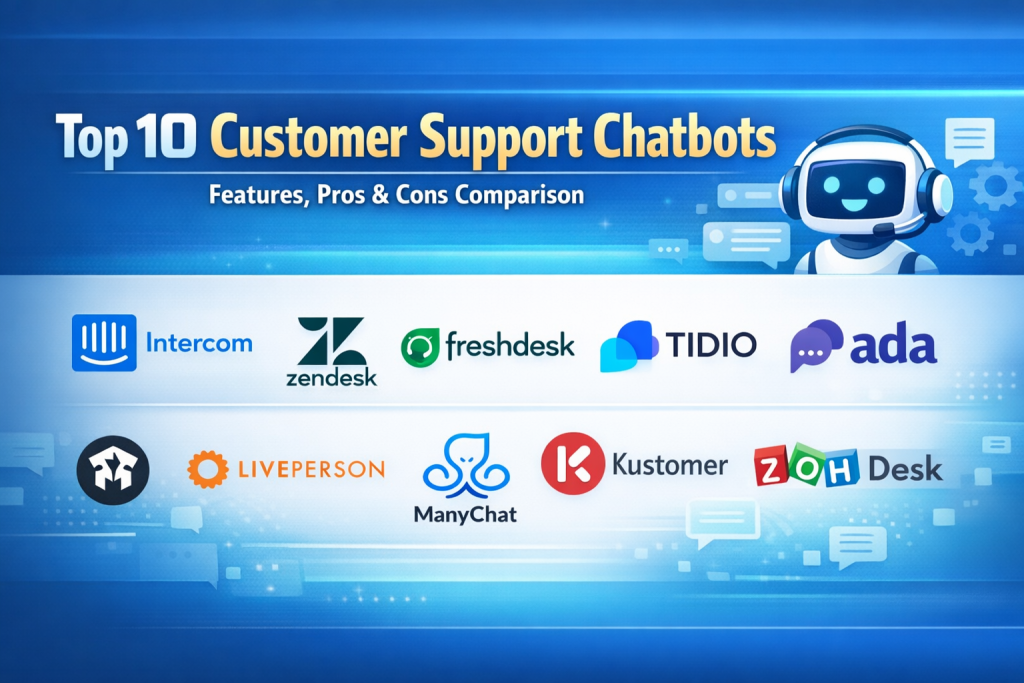
Top 10 Customer Support Chatbots Tools
1 — Intercom
Short description:
A premium AI-driven customer messaging and support platform designed for SaaS and mid-to-large businesses focusing on conversational support and engagement.
Key features:
- AI-powered chatbot and automated workflows
- Live chat with agent handoff
- Help center and knowledge base integration
- Proactive in-app messaging
- Advanced routing and automation rules
- Customer context and conversation history
Pros:
- Excellent conversational experience
- Strong automation and personalization
Cons:
- High pricing for small teams
- Can be complex to configure initially
Security & compliance:
SOC 2, GDPR, SSO, encryption at rest and in transit
Support & community:
High-quality documentation, onboarding support, strong enterprise support
2 — Zendesk
Short description:
A widely adopted customer service platform offering chatbot automation tightly integrated with ticketing and omnichannel support.
Key features:
- AI-powered answer bot
- Omnichannel support (chat, email, social)
- Ticket automation and macros
- Extensive marketplace integrations
- Reporting and analytics
- Scalable enterprise workflows
Pros:
- Mature ecosystem and reliability
- Strong ticketing + chatbot combination
Cons:
- Pricing increases quickly with scale
- UI can feel heavy for small teams
Security & compliance:
SOC 2, GDPR, ISO 27001, SSO, audit logs
Support & community:
Large global community, extensive documentation, enterprise-grade support
3 — Freshdesk
Short description:
An easy-to-use customer support solution with built-in chatbots, ideal for SMBs and growing companies.
Key features:
- AI chatbot (Freddy AI)
- Omnichannel ticketing
- Knowledge base integration
- Automated workflows
- Multilingual support
- SLA and performance tracking
Pros:
- User-friendly interface
- Competitive pricing for SMBs
Cons:
- AI depth less advanced than premium tools
- Limited customization for complex enterprises
Security & compliance:
GDPR, ISO 27001, SSO, encryption
Support & community:
Good onboarding resources, responsive customer support
4 — Tidio
Short description:
A lightweight chatbot and live chat solution focused on small businesses and eCommerce websites.
Key features:
- Pre-built chatbot templates
- Live chat with automation
- Email and Messenger integration
- Visual chatbot builder
- Visitor tracking
- Basic analytics
Pros:
- Very easy to set up
- Affordable entry-level plans
Cons:
- Limited advanced AI capabilities
- Not ideal for large enterprises
Security & compliance:
GDPR, SSL encryption
Support & community:
Good documentation, small but helpful community
5 — Ada
Short description:
An AI-first customer support chatbot platform designed to automate large-scale customer interactions.
Key features:
- No-code chatbot builder
- Natural language understanding
- Multilingual support
- Automated intent detection
- CRM and support tool integrations
- Analytics and insights
Pros:
- Strong AI automation
- Minimal agent involvement needed
Cons:
- Premium pricing
- Less control over highly custom flows
Security & compliance:
SOC 2, GDPR, SSO, encryption
Support & community:
Enterprise onboarding, dedicated account support
6 — Drift
Short description:
A conversational platform blending customer support and sales chat, popular among B2B companies.
Key features:
- AI chatbots and playbooks
- Live chat and meeting booking
- CRM integrations
- Visitor identification
- Custom routing rules
- Analytics dashboard
Pros:
- Excellent for B2B engagement
- Strong CRM alignment
Cons:
- More sales-focused than support-focused
- High pricing tiers
Security & compliance:
GDPR, SOC 2, SSO, encryption
Support & community:
Good documentation, strong enterprise support
7 — LivePerson
Short description:
An enterprise-grade conversational AI platform for large-scale customer service operations.
Key features:
- AI-powered messaging bots
- Omnichannel messaging
- Voice and chat automation
- Intent recognition
- Advanced analytics
- Enterprise scalability
Pros:
- Handles massive interaction volumes
- Strong AI and analytics
Cons:
- Complex implementation
- Expensive for smaller teams
Security & compliance:
SOC 2, GDPR, HIPAA (industry-dependent), encryption
Support & community:
Enterprise-grade support, training programs
8 — ManyChat
Short description:
A chatbot platform primarily focused on social media messaging, especially for small businesses.
Key features:
- Messenger and social chatbots
- Visual flow builder
- Broadcast messaging
- Automation rules
- Audience segmentation
- Basic analytics
Pros:
- Great for social-first support
- Easy for non-technical users
Cons:
- Limited beyond social channels
- Not suitable for enterprise support
Security & compliance:
Varies / N/A
Support & community:
Active user community, tutorials, basic support
9 — Kustomer
Short description:
A customer service CRM with built-in chatbot capabilities focused on unified customer views.
Key features:
- AI-powered chatbots
- Unified customer timeline
- Omnichannel support
- Workflow automation
- Custom data models
- Advanced reporting
Pros:
- Strong customer context
- Flexible data handling
Cons:
- Steeper learning curve
- Higher cost
Security & compliance:
SOC 2, GDPR, SSO, encryption
Support & community:
Good enterprise support, onboarding assistance
10 — Zoho Desk
Short description:
A cost-effective customer support platform with chatbot automation, ideal for growing businesses.
Key features:
- AI assistant (Zia)
- Omnichannel ticketing
- Knowledge base integration
- Workflow automation
- SLA management
- Reporting tools
Pros:
- Excellent value for money
- Part of a larger business ecosystem
Cons:
- UI feels dated to some users
- AI less advanced than premium tools
Security & compliance:
GDPR, ISO standards, SSO, encryption
Support & community:
Extensive documentation, large global user base
Comparison Table
| Tool Name | Best For | Platform(s) Supported | Standout Feature | Rating |
|---|---|---|---|---|
| Intercom | SaaS & enterprise | Web, mobile, in-app | Conversational AI | N/A |
| Zendesk | Enterprise support | Omnichannel | Ticket + bot integration | N/A |
| Freshdesk | SMBs | Web, email, chat | Ease of use | N/A |
| Tidio | Small businesses | Web | Quick setup | N/A |
| Ada | High-volume automation | Web, messaging | No-code AI bots | N/A |
| Drift | B2B companies | Web | Conversational engagement | N/A |
| LivePerson | Large enterprises | Omnichannel | Enterprise AI scale | N/A |
| ManyChat | Social-first support | Social platforms | Social automation | N/A |
| Kustomer | Customer-centric teams | Omnichannel | Unified customer view | N/A |
| Zoho Desk | Growing teams | Web, email, chat | Cost efficiency | N/A |
Evaluation & Scoring of Customer Support Chatbots
| Criteria | Weight | Description |
|---|---|---|
| Core features | 25% | AI quality, automation, routing |
| Ease of use | 15% | Setup, UI, learning curve |
| Integrations & ecosystem | 15% | CRM, helpdesk, third-party tools |
| Security & compliance | 10% | Certifications, data protection |
| Performance & reliability | 10% | Uptime, speed, scalability |
| Support & community | 10% | Documentation, vendor support |
| Price / value | 15% | ROI and pricing fairness |
Which Customer Support Chatbots Tool Is Right for You?
- Solo users & small teams: Choose simple, affordable tools like Tidio or ManyChat
- SMBs: Freshdesk and Zoho Desk offer strong value with balanced features
- Mid-market: Intercom and Zendesk provide deeper automation and analytics
- Enterprises: Ada, LivePerson, and Kustomer excel in scale, AI, and compliance
Budget-conscious teams should prioritize ease of use and core automation.
Premium buyers should focus on AI depth, integrations, and analytics.
Security-sensitive industries must ensure compliance with GDPR, SOC 2, and SSO requirements.
Frequently Asked Questions (FAQs)
1. Are customer support chatbots AI-powered?
Many modern chatbots use AI and NLP, though some rely on rule-based logic.
2. Can chatbots replace human agents?
They reduce workload but work best alongside human support.
3. Are chatbots expensive?
Costs vary widely, from free plans to enterprise pricing.
4. Do chatbots support multiple languages?
Most modern tools offer multilingual support.
5. Are chatbots secure?
Reputable vendors use encryption and compliance standards.
6. How long does implementation take?
From minutes for simple tools to weeks for enterprise deployments.
7. Can chatbots integrate with CRMs?
Yes, most support CRM and helpdesk integrations.
8. Are chatbots suitable for healthcare or finance?
Yes, if they meet compliance requirements.
9. Do customers like chatbots?
When well-designed, they improve response times and satisfaction.
10. What’s the biggest mistake buyers make?
Choosing complexity over usability or ignoring integration needs.
Conclusion
Customer Support Chatbots have become essential for delivering fast, scalable, and cost-effective customer service. The right tool can dramatically improve response times, reduce agent workload, and enhance customer satisfaction. However, there is no universal “best” chatbot—each platform excels in different areas.
When choosing a solution, focus on your business size, support volume, integration needs, security requirements, and budget. The most effective chatbot is one that fits seamlessly into your existing support strategy while genuinely helping customers—not just automating conversations.

Find Trusted Cardiac Hospitals
Compare heart hospitals by city and services — all in one place.
Explore Hospitals
This blog is useful because it explains that a customer support chatbot is only “good” when it reduces resolution time without hurting customer trust. The most important comparison points are not just NLP quality, but how well the bot integrates with your helpdesk/CRM, pulls correct answers from your knowledge base, supports secure handoff to a human agent, and measures outcomes like containment rate, CSAT, first response time, and cost per ticket. A strong chatbot should also handle intent routing, multilingual support, conversation logs for QA, and guardrails for sensitive cases (billing, refunds, account access) so automation improves support quality instead of creating new escalations.