
Introduction
Data Collection Mobile Apps are specialized tools designed to capture, record, and manage data directly from mobile devices such as smartphones and tablets. These apps replace traditional paper-based forms with digital workflows, enabling users to collect structured and unstructured data in real time or offline environments. From surveys and inspections to audits, field research, and operational reporting, these tools have become essential in modern, data-driven organizations.
The importance of data collection mobile apps lies in accuracy, speed, and scalability. They reduce manual errors, improve data consistency, and allow instant synchronization with cloud systems for analysis and decision-making. Industries such as healthcare, agriculture, construction, logistics, retail, government, and research rely heavily on these tools to gather field-level insights efficiently.
Common real-world use cases include:
- Field surveys and census data collection
- Health and medical research data capture
- Asset inspections and maintenance reporting
- Sales, marketing, and customer feedback surveys
- Disaster response and humanitarian data gathering
When choosing a Data Collection Mobile App, users should evaluate:
- Offline capability for remote locations
- Customization of forms and workflows
- Data security and compliance standards
- Integrations with analytics, CRM, or ERP systems
- Ease of use for non-technical field staff
Best for:
Data Collection Mobile Apps are ideal for field researchers, NGOs, healthcare workers, auditors, surveyors, operations teams, SMBs, enterprises, and government agencies that rely on accurate, real-time field data.
Not ideal for:
They may be unnecessary for teams with minimal data needs, static office-only workflows, or organizations that already rely solely on internal ERP systems with built-in data capture features.
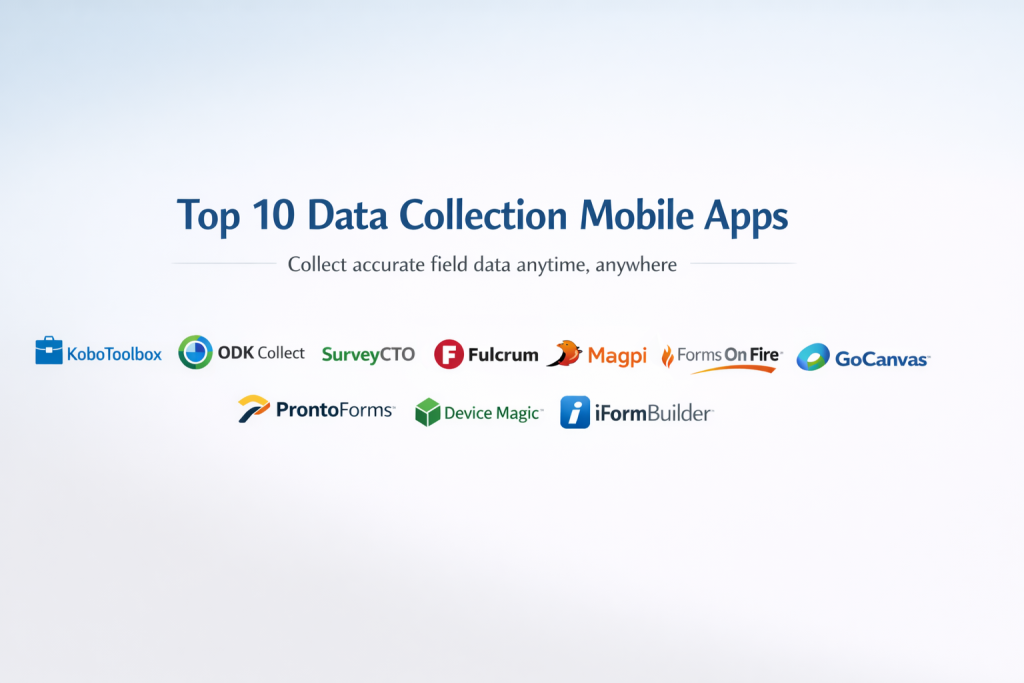
Top 10 Data Collection Mobile Apps Tools
1 — KoboToolbox
Short description:
An open-source data collection platform widely used in humanitarian, research, and NGO environments, especially in low-connectivity regions.
Key features:
- Offline-first mobile data collection
- Highly customizable survey forms
- Support for multimedia (photos, audio, GPS)
- Open-source and cost-effective
- Multilingual form support
- Cloud-based data storage
- Data export in multiple formats
Pros:
- Free or low-cost for non-profits
- Excellent for remote fieldwork
- Strong research and NGO adoption
Cons:
- Limited enterprise-grade integrations
- UI can feel basic for corporate users
Security & compliance:
Encryption in transit, GDPR-aligned; advanced compliance varies by deployment.
Support & community:
Strong documentation and an active global community; limited formal enterprise support.
2 — ODK Collect
Short description:
A robust open-source mobile app designed for complex surveys and field data collection in challenging environments.
Key features:
- Offline data capture
- Advanced form logic and validation
- GPS and sensor integration
- Self-hosting or cloud deployment
- Multimedia data capture
- Open-source extensibility
Pros:
- Extremely flexible and powerful
- Ideal for technical research teams
- Reliable in low-bandwidth areas
Cons:
- Steeper learning curve
- Requires technical setup for hosting
Security & compliance:
Depends on hosting; encryption supported; GDPR-ready with proper configuration.
Support & community:
Strong developer community; professional support available via ODK services.
3 — SurveyCTO
Short description:
A professional-grade mobile data collection platform focused on reliability, security, and large-scale research projects.
Key features:
- Advanced form logic and validation
- Offline and online data capture
- Secure cloud hosting
- Quality control and audit logs
- Data encryption at rest and transit
- Integration with analytics tools
Pros:
- High data accuracy
- Excellent security controls
- Enterprise-ready reliability
Cons:
- Higher pricing
- Less suitable for casual users
Security & compliance:
Strong encryption, audit logs, GDPR-ready, enterprise-grade security.
Support & community:
High-quality documentation and responsive enterprise support.
4 — Fulcrum
Short description:
A modern mobile data collection app for inspections, audits, and asset management.
Key features:
- Offline mobile forms
- Real-time data sync
- GIS and mapping integration
- Media capture and annotations
- Workflow automation
- API and integrations
Pros:
- Excellent UX
- Strong mapping capabilities
- Good enterprise integrations
Cons:
- Premium pricing
- Less flexible for academic surveys
Security & compliance:
SOC 2-aligned, encryption, role-based access.
Support & community:
Professional onboarding and strong customer support.
5 — Magpi
Short description:
A user-friendly mobile data collection solution focused on simplicity and rapid deployment.
Key features:
- Offline data collection
- Easy form builder
- SMS and mobile surveys
- Data visualization dashboards
- Cloud-based storage
- Export and reporting tools
Pros:
- Quick to deploy
- Minimal training required
- Suitable for NGOs and SMBs
Cons:
- Limited advanced logic
- Fewer enterprise integrations
Security & compliance:
Basic encryption; compliance varies by plan.
Support & community:
Good documentation and responsive customer support.
6 — Forms On Fire
Short description:
A mobile-first platform designed to digitize paper-based workflows and operational forms.
Key features:
- Drag-and-drop form builder
- Offline mobile access
- Workflow automation
- Digital signatures
- Cloud and on-premise options
- Integrations with business systems
Pros:
- Strong automation features
- Ideal for operations teams
- Flexible deployment models
Cons:
- UI can feel dated
- Pricing complexity
Security & compliance:
SSO, encryption, ISO-aligned practices.
Support & community:
Enterprise-grade support and onboarding resources.
7 — GoCanvas
Short description:
A widely used mobile data collection tool for inspections, job reporting, and compliance documentation.
Key features:
- Offline data capture
- Template-based form library
- Workflow automation
- Reporting and analytics
- Integration with cloud storage
- Role-based permissions
Pros:
- Large template marketplace
- Reliable for field operations
- Easy adoption
Cons:
- Limited deep customization
- UI less modern than competitors
Security & compliance:
SOC 2, encryption, GDPR-ready.
Support & community:
Strong support team and learning resources.
8 — ProntoForms
Short description:
An enterprise-focused mobile forms solution for complex workflows and compliance-heavy industries.
Key features:
- Advanced workflow logic
- Offline mobile forms
- Enterprise integrations
- Data validation and controls
- Scalable deployment
- Analytics and reporting
Pros:
- Highly scalable
- Strong compliance focus
- Custom enterprise workflows
Cons:
- Expensive
- Requires training
Security & compliance:
SOC 2, GDPR, HIPAA support depending on configuration.
Support & community:
Enterprise-level support and professional services.
9 — Device Magic
Short description:
A flexible mobile data collection tool aimed at inspections, audits, and compliance reporting.
Key features:
- Offline form completion
- Image and media capture
- Workflow automation
- Cloud-based reporting
- API access
- Custom branding
Pros:
- Easy to use
- Strong inspection workflows
- Good mid-market fit
Cons:
- Limited advanced analytics
- Smaller ecosystem
Security & compliance:
Encryption, GDPR-aligned practices.
Support & community:
Helpful support and clear documentation.
10 — iFormBuilder
Short description:
A secure, compliance-driven data collection platform for regulated industries.
Key features:
- Offline mobile data collection
- Complex form logic
- Strong access controls
- Cloud and on-premise deployment
- Integration with enterprise systems
- Audit-ready reporting
Pros:
- Strong compliance posture
- Flexible deployment
- Reliable for regulated sectors
Cons:
- Steeper learning curve
- Higher cost
Security & compliance:
HIPAA, GDPR, encryption, audit logs.
Support & community:
Dedicated enterprise support and training resources.
Comparison Table
| Tool Name | Best For | Platform(s) Supported | Standout Feature | Rating |
|---|---|---|---|---|
| KoboToolbox | NGOs & research | Android, Web | Open-source & offline | N/A |
| ODK Collect | Technical surveys | Android, Web | Advanced form logic | N/A |
| SurveyCTO | Large-scale research | iOS, Android, Web | Data quality controls | N/A |
| Fulcrum | Inspections & GIS | iOS, Android, Web | Mapping & GIS | N/A |
| Magpi | SMBs & NGOs | iOS, Android, Web | Rapid deployment | N/A |
| Forms On Fire | Operations teams | iOS, Android, Web | Workflow automation | N/A |
| GoCanvas | Field operations | iOS, Android, Web | Template marketplace | N/A |
| ProntoForms | Enterprise workflows | iOS, Android, Web | Scalability | N/A |
| Device Magic | Compliance & audits | iOS, Android, Web | Inspection workflows | N/A |
| iFormBuilder | Regulated industries | iOS, Android, Web | Compliance readiness | N/A |
Evaluation & Scoring of Data Collection Mobile Apps
| Criteria | Weight | Description |
|---|---|---|
| Core features | 25% | Form flexibility, offline support, data capture |
| Ease of use | 15% | UI, learning curve, adoption |
| Integrations & ecosystem | 15% | APIs, third-party tools |
| Security & compliance | 10% | Encryption, standards |
| Performance & reliability | 10% | Stability, sync accuracy |
| Support & community | 10% | Docs, onboarding, help |
| Price / value | 15% | ROI and affordability |
Which Data Collection Mobile Apps Tool Is Right for You?
- Solo users & small teams: Simple tools like Magpi or KoboToolbox
- SMBs: GoCanvas, Device Magic, Forms On Fire
- Mid-market: Fulcrum, SurveyCTO
- Enterprise: ProntoForms, iFormBuilder
Budget-conscious users should prioritize open-source or NGO-friendly platforms, while premium users benefit from compliance-heavy, scalable tools.
Frequently Asked Questions (FAQs)
- Do these apps work offline?
Yes, most leading tools support offline data capture with later sync. - Are these tools secure?
Security varies by vendor; enterprise tools offer stronger compliance controls. - Can I customize forms?
Most platforms support custom logic, validation, and workflows. - Are they suitable for healthcare data?
Only platforms with HIPAA and strong encryption should be used. - Do they support GPS and photos?
Yes, multimedia capture is standard in most tools. - How long does setup take?
From minutes for simple tools to weeks for enterprise deployments. - Can data be exported?
Yes, commonly in CSV, Excel, or database formats. - Are these apps scalable?
Enterprise tools are built for thousands of users. - What’s the biggest mistake buyers make?
Ignoring offline needs and compliance requirements. - Is there a one-size-fits-all tool?
No—tool choice depends on use case and scale.
Conclusion
Data Collection Mobile Apps have transformed how organizations capture and use field data. The right tool improves accuracy, speed, and decision-making while reducing operational friction. What matters most is alignment with your specific needs—offline access, security, scalability, ease of use, and budget.
There is no universal winner. The best Data Collection Mobile App is the one that fits your workflow, compliance requirements, and growth plans—today and in the future.

Find Trusted Cardiac Hospitals
Compare heart hospitals by city and services — all in one place.
Explore Hospitals
