
Introduction
Desk Booking / Hotdesking Software helps organizations manage shared workspaces by allowing employees to reserve desks, workstations, or zones in advance. As hybrid and flexible work models become the norm, companies can no longer rely on fixed seating plans. Instead, they need smart systems that ensure desks are available when needed, reduce unused space, and improve employee experience.
These tools are important because they optimize office space usage, prevent overcrowding, support hybrid schedules, and provide visibility into how workplaces are actually used. From startups with flexible teams to global enterprises managing thousands of desks across multiple locations, desk booking software has become a core part of modern workplace management.
Common real-world use cases include:
- Hybrid employees booking desks on office days
- IT and facilities teams managing desk availability and maintenance
- HR teams planning return-to-office strategies
- Compliance-driven industries ensuring capacity limits and traceability
What to look for when choosing desk booking software (evaluation criteria):
- Easy desk reservation and cancellation
- Real-time availability and floor maps
- Mobile and web access
- Integrations with calendars, SSO, and access control
- Analytics and space utilization reporting
- Security, privacy, and compliance support
Best for:
Desk Booking / Hotdesking Software is ideal for hybrid workplaces, co-working spaces, IT services companies, consulting firms, enterprises, and growing startups that want flexibility without chaos. Facilities managers, HR teams, operations leaders, and IT admins benefit the most.
Not ideal for:
Very small teams with fixed seating, fully remote companies with no physical office presence, or organizations that rely entirely on manual or paper-based seating plans may not need these tools.
Top 10 Desk Booking / Hotdesking Software Tools
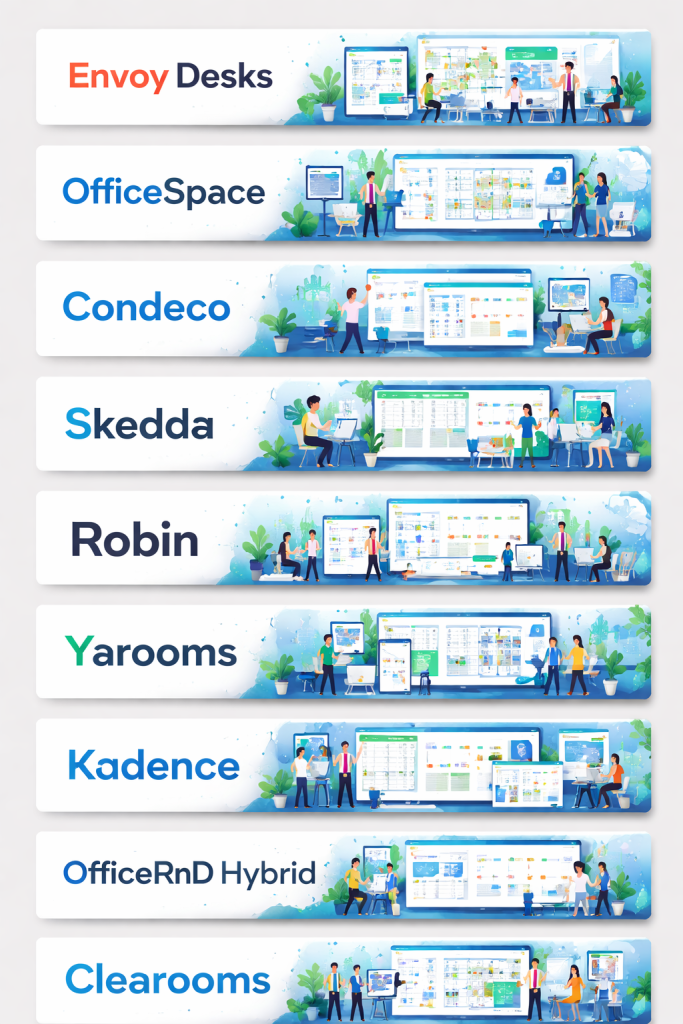
1 — Envoy Desks
Short description:
Envoy Desks is a modern workplace platform focused on desk booking, visitor management, and hybrid work coordination, designed mainly for mid-market and enterprise teams.
Key features:
- Desk booking with interactive floor maps
- Hotdesking and assigned seating support
- Mobile and web reservations
- Team scheduling and attendance visibility
- Calendar integration
- Workplace analytics and reports
Pros:
- Clean, intuitive user interface
- Strong hybrid-work focus
- Reliable enterprise performance
Cons:
- Pricing can be high for small teams
- Advanced analytics limited to higher tiers
Security & compliance:
SSO, role-based access, encryption, GDPR-ready, SOC 2 alignment.
Support & community:
Strong documentation, onboarding support, responsive enterprise customer support.
2 — OfficeSpace
Short description:
OfficeSpace is a space management platform that combines desk booking, floor planning, and workplace analytics for growing organizations.
Key features:
- Desk booking and hotdesking
- Visual floor plans and space planning
- Move management tools
- Utilization analytics
- Role-based permissions
Pros:
- Powerful space visualization
- Strong analytics for facilities teams
Cons:
- UI can feel complex for casual users
- Setup requires planning time
Security & compliance:
SSO, encryption, GDPR compliance, audit logging.
Support & community:
Dedicated onboarding, knowledge base, enterprise support.
3 — Condeco
Short description:
Condeco is an enterprise-grade workplace scheduling solution widely used by large organizations for desk and meeting room booking.
Key features:
- Desk and room booking
- Outlook and calendar integration
- Wayfinding and floor maps
- Capacity management
- Advanced reporting
Pros:
- Proven enterprise reliability
- Excellent calendar integration
Cons:
- Interface feels dated
- Less flexible for smaller teams
Security & compliance:
Enterprise security standards, GDPR, ISO-aligned processes.
Support & community:
Enterprise-level support, professional services available.
4 — Skedda
Short description:
Skedda is a simple, rules-based booking platform suitable for desks, spaces, and shared resources.
Key features:
- Desk and space booking
- Rule-based scheduling
- Mobile-friendly access
- Automated approvals
- Usage analytics
Pros:
- Easy to use
- Affordable for SMBs
Cons:
- Limited enterprise integrations
- Basic reporting
Security & compliance:
SSO options, encryption, GDPR compliance.
Support & community:
Good documentation, email support, active user base.
5 — Robin
Short description:
Robin focuses on flexible workplace scheduling, desk booking, and team coordination for hybrid offices.
Key features:
- Desk and hotdesk booking
- Team presence visibility
- Interactive maps
- Mobile app support
- Space usage insights
Pros:
- Excellent user experience
- Strong mobile functionality
Cons:
- Pricing increases quickly with scale
- Reporting depth varies
Security & compliance:
SSO, SOC 2, GDPR-aligned controls.
Support & community:
Helpful onboarding, live support, strong documentation.
6 — Yarooms
Short description:
Yarooms is a flexible workplace management solution covering desk booking, room booking, and hybrid policies.
Key features:
- Desk and room reservations
- Hotdesking and hybrid rules
- Check-in / no-show handling
- Analytics dashboards
- Multi-location support
Pros:
- Balanced feature set
- Good value for money
Cons:
- UI customization limited
- Smaller ecosystem
Security & compliance:
GDPR-ready, encryption, SSO support.
Support & community:
Responsive support team, onboarding assistance.
7 — Kadence
Short description:
Kadence is a workplace experience platform designed for hybrid teams, focusing on desk booking and employee coordination.
Key features:
- Desk and room booking
- Hybrid scheduling rules
- Team presence planning
- Workplace analytics
- Mobile and web apps
Pros:
- Strong hybrid-work workflows
- User-friendly interface
Cons:
- Still maturing feature set
- Fewer third-party integrations
Security & compliance:
SSO, encryption, GDPR compliance.
Support & community:
Growing documentation, responsive customer support.
8 — OfficeRnD Hybrid
Short description:
OfficeRnD Hybrid helps organizations manage flexible offices, desk booking, and hybrid schedules with a data-driven approach.
Key features:
- Desk booking and hotdesking
- Attendance tracking
- Capacity planning
- Space analytics
- Policy-based access
Pros:
- Strong analytics
- Good scalability
Cons:
- Interface may feel technical
- Learning curve for admins
Security & compliance:
SSO, GDPR compliance, audit logs.
Support & community:
Enterprise support, onboarding resources.
9 — Clearooms
Short description:
Clearooms is a straightforward desk and room booking solution designed for simplicity and speed.
Key features:
- Desk booking with maps
- QR code check-ins
- Calendar integration
- Mobile support
- Basic reporting
Pros:
- Very easy to use
- Quick deployment
Cons:
- Limited advanced analytics
- Fewer enterprise features
Security & compliance:
Encryption, GDPR compliance, basic access controls.
Support & community:
Email support, clear documentation.
10 — AppSpace
Short description:
AppSpace is a broader workplace experience platform that includes desk booking alongside digital signage and communication tools.
Key features:
- Desk and space booking
- Workplace communication
- Analytics and insights
- Multi-platform support
- Integration options
Pros:
- All-in-one workplace solution
- Scales well for enterprises
Cons:
- Desk booking is not the core focus
- Setup can be complex
Security & compliance:
Enterprise security standards, SSO, GDPR support.
Support & community:
Enterprise onboarding, global support availability.
Comparison Table
| Tool Name | Best For | Platform(s) Supported | Standout Feature | Rating |
|---|---|---|---|---|
| Envoy Desks | Mid-market & enterprise hybrid teams | Web, Mobile | Unified workplace experience | N/A |
| OfficeSpace | Facilities & space planners | Web | Advanced space visualization | N/A |
| Condeco | Large enterprises | Web | Deep calendar integration | N/A |
| Skedda | SMBs & shared spaces | Web, Mobile | Rule-based booking | N/A |
| Robin | Hybrid teams | Web, Mobile | Team presence visibility | N/A |
| Yarooms | Growing organizations | Web, Mobile | Hybrid policy control | N/A |
| Kadence | Hybrid-first companies | Web, Mobile | Employee coordination | N/A |
| OfficeRnD Hybrid | Data-driven workplaces | Web | Advanced analytics | N/A |
| Clearooms | Simple desk booking | Web, Mobile | Fast deployment | N/A |
| AppSpace | Enterprise workplaces | Web | All-in-one platform | N/A |
Evaluation & Scoring of Desk Booking / Hotdesking Software
| Criteria | Weight | Envoy | Robin | Condeco | Skedda | OfficeSpace |
|---|---|---|---|---|---|---|
| Core features | 25% | High | High | High | Medium | High |
| Ease of use | 15% | High | High | Medium | High | Medium |
| Integrations & ecosystem | 15% | High | Medium | High | Medium | Medium |
| Security & compliance | 10% | High | High | High | Medium | High |
| Performance & reliability | 10% | High | High | High | Medium | High |
| Support & community | 10% | High | Medium | High | Medium | High |
| Price / value | 15% | Medium | Medium | Medium | High | Medium |
Which Desk Booking / Hotdesking Software Tool Is Right for You?
- Solo users & small teams: Lightweight tools like Skedda or Clearooms offer simplicity and affordability.
- SMBs: Robin, Yarooms, and Kadence balance usability with hybrid-work features.
- Mid-market organizations: Envoy and OfficeRnD Hybrid provide better analytics and scalability.
- Enterprises: Condeco, OfficeSpace, and AppSpace deliver deep integrations and enterprise controls.
Budget-conscious vs premium:
Lower-cost tools focus on essentials, while premium platforms offer analytics, automation, and compliance.
Feature depth vs ease of use:
Facilities teams may prefer feature-rich tools, while employees value simplicity.
Integration & scalability:
Larger organizations should prioritize SSO, calendar, and access control integrations.
Security & compliance:
Highly regulated industries should choose vendors with strong audit, encryption, and compliance capabilities.
Frequently Asked Questions (FAQs)
1. What is desk booking software?
It allows employees to reserve desks or workspaces in advance, supporting flexible seating models.
2. How is hotdesking different from desk booking?
Hotdesking is a flexible seating concept, while desk booking software manages it digitally.
3. Do these tools support mobile devices?
Most modern platforms offer mobile apps or responsive web access.
4. Is desk booking software expensive?
Costs vary widely based on features, users, and scale.
5. Can these tools integrate with calendars?
Yes, many integrate with popular work calendars.
6. Are they secure?
Most offer encryption, access controls, and compliance options.
7. Do small companies need desk booking tools?
Only if they use shared or flexible seating.
8. How long does implementation take?
From a few days for simple tools to weeks for enterprise setups.
9. Can these tools reduce office costs?
Yes, by improving space utilization and planning.
10. What mistakes should buyers avoid?
Choosing overly complex tools or ignoring user adoption.
Conclusion
Desk Booking / Hotdesking Software has become essential for managing modern, flexible workplaces. The right tool helps organizations balance space efficiency, employee experience, and operational control. While some platforms focus on simplicity, others deliver deep analytics and enterprise-grade governance.
The best solution depends on your company size, hybrid strategy, budget, and compliance needs. Rather than chasing a universal winner, decision-makers should prioritize usability, scalability, and real-world fit. With the right choice, desk booking software can transform workplace chaos into a smooth, productive experience.

Find Trusted Cardiac Hospitals
Compare heart hospitals by city and services — all in one place.
Explore Hospitals
This comparison of desk booking and hot‑desking software is very insightful for anyone looking to optimize flexible workspace arrangements. The clear breakdown of features, pros, and cons helps readers understand how different tools support scheduling, real‑time availability, integrations, and user experience. Presenting this information side by side makes it much easier to choose the right solution for improving collaboration and efficiency in modern work environments.