
Introduction
Digital Safety Monitoring Tools are specialized platforms designed to protect users, platforms, and organizations from digital risks such as harmful content, online abuse, fraud, insider threats, data misuse, and unsafe user behavior. As businesses increasingly operate online—across social platforms, enterprise apps, learning environments, and marketplaces—maintaining a safe digital environment is no longer optional.
These tools help organizations monitor activity in real time, detect risky patterns, enforce safety policies, and respond quickly to incidents before they escalate. They are widely used across education, enterprises, social platforms, healthcare, fintech, and community-driven products.
Typical real-world use cases include monitoring employee behavior on corporate systems, protecting children and students in online learning platforms, ensuring trust and safety on user-generated content platforms, preventing insider threats, and maintaining regulatory compliance.
When choosing a Digital Safety Monitoring Tool, buyers should evaluate:
- Depth of monitoring and detection capabilities
- Privacy and compliance controls
- Ease of deployment and usability
- Integration with existing systems
- Accuracy, scalability, and response workflows
Best for:
Digital Safety Monitoring Tools are ideal for enterprises, SMBs, schools, online platforms, compliance teams, HR, IT security teams, trust & safety teams, and regulated industries that require proactive monitoring and risk mitigation.
Not ideal for:
They may be unnecessary for solo users, very small teams, or organizations with minimal digital exposure, where basic endpoint security or manual moderation may be sufficient.
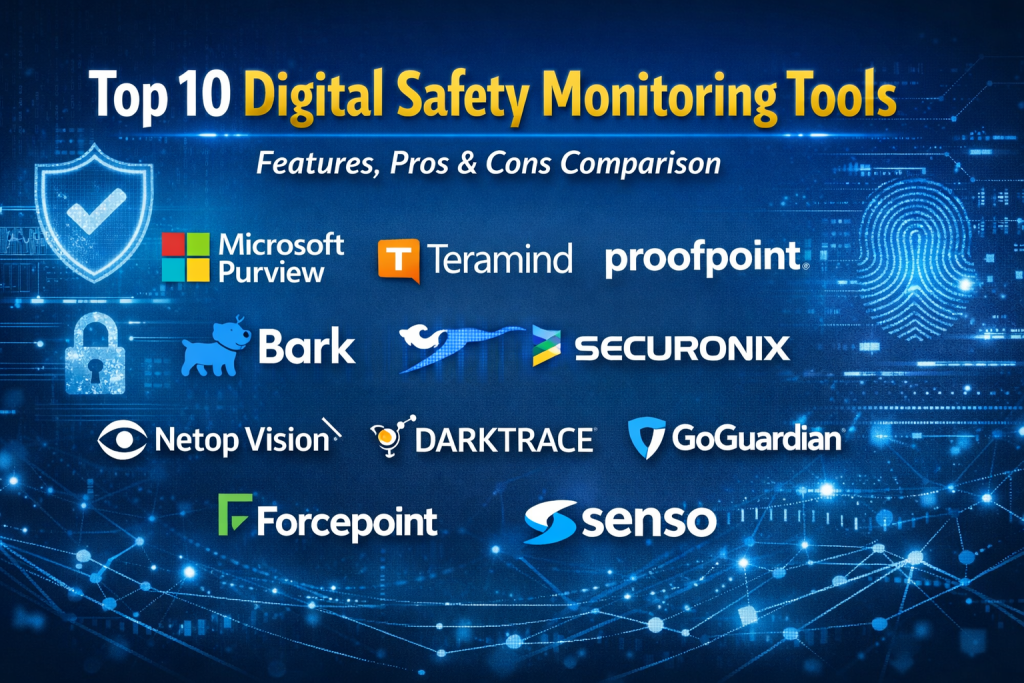
Top 10 Digital Safety Monitoring Tools
1 — Microsoft Purview
Short description:
An enterprise-grade digital safety and compliance platform focused on insider risk, data loss prevention, and activity monitoring across Microsoft ecosystems.
Key features
- Insider risk management dashboards
- User activity monitoring across Microsoft 365
- Data loss prevention (DLP)
- eDiscovery and audit logs
- AI-powered risk indicators
- Policy-based alerts and actions
Pros
- Deep integration with Microsoft tools
- Strong compliance coverage
- Scales well for large enterprises
Cons
- Complex setup for small teams
- Best value only in Microsoft-centric environments
Security & compliance:
SSO, encryption, audit logs, GDPR, ISO, SOC 2 (varies by region)
Support & community:
Extensive documentation, enterprise-grade support, strong partner ecosystem
2 — Teramind
Short description:
A powerful user behavior analytics and insider threat monitoring tool designed for enterprises and regulated industries.
Key features
- Real-time user activity monitoring
- Insider threat detection
- Session recording
- Risk scoring and alerts
- Policy enforcement tools
- Productivity analytics
Pros
- Very granular monitoring
- Strong behavioral analytics
- Customizable policies
Cons
- Can feel intrusive if misused
- Requires clear internal governance
Security & compliance:
Encryption, audit logs, GDPR, SOC 2
Support & community:
Good documentation, responsive enterprise support
3 — Proofpoint
Short description:
A digital risk and human-centric security platform focused on preventing phishing, fraud, and unsafe user behavior.
Key features
- User behavior monitoring
- Threat intelligence feeds
- Email and digital risk protection
- Incident response workflows
- Analytics dashboards
Pros
- Excellent threat intelligence
- Strong brand trust
- Proven in large enterprises
Cons
- Premium pricing
- Overkill for small teams
Security & compliance:
SOC 2, GDPR, ISO, encryption
Support & community:
Enterprise-level support, training resources available
4 — Bark
Short description:
A digital safety monitoring tool designed primarily for children, families, and schools, focusing on harmful online behavior.
Key features
- Content and behavior monitoring
- AI-based risk detection
- Alerts for bullying, self-harm, and abuse
- School dashboard controls
- Parental and administrator views
Pros
- Purpose-built for youth safety
- Easy to deploy
- Clear alerting system
Cons
- Limited enterprise use cases
- Not suitable for complex corporate environments
Security & compliance:
COPPA, FERPA (education-focused)
Support & community:
Strong onboarding, helpful education-focused support
5 — Securonix
Short description:
An advanced security analytics and digital safety monitoring platform specializing in insider threats and anomaly detection.
Key features
- User and entity behavior analytics (UEBA)
- Machine learning–based detection
- Threat modeling
- Incident response workflows
- SIEM integration
Pros
- Highly accurate analytics
- Enterprise-grade scalability
- Strong automation
Cons
- Requires skilled security teams
- Longer implementation cycles
Security & compliance:
SOC 2, ISO, GDPR, encryption
Support & community:
Professional services, strong enterprise support
6 — Netop Vision
Short description:
A digital safety and monitoring platform designed for schools and learning environments.
Key features
- Real-time student screen monitoring
- Content filtering
- Classroom controls
- Behavior alerts
- Reporting dashboards
Pros
- Easy to use for educators
- Strong classroom focus
- Fast deployment
Cons
- Limited enterprise functionality
- Education-only use cases
Security & compliance:
FERPA, GDPR (education context)
Support & community:
Good documentation, education-focused support teams
7 — Darktrace
Short description:
An AI-driven digital safety and cybersecurity monitoring platform that detects abnormal behavior across digital environments.
Key features
- Autonomous behavior analysis
- Real-time anomaly detection
- Threat visualization
- Self-learning AI models
- Incident response automation
Pros
- Advanced AI capabilities
- Excellent for complex environments
- Minimal manual tuning
Cons
- Expensive
- Requires executive buy-in
Security & compliance:
ISO, SOC 2, GDPR, encryption
Support & community:
Enterprise support, training programs available
8 — GoGuardian
Short description:
A digital safety monitoring platform for schools focused on student behavior, device safety, and content filtering.
Key features
- Web activity monitoring
- Content filtering
- Behavior alerts
- Admin and teacher dashboards
- Reporting tools
Pros
- Strong education ecosystem
- Simple interface
- Proven at scale in schools
Cons
- Not designed for corporate use
- Limited customization
Security & compliance:
FERPA, COPPA, GDPR
Support & community:
Active education community, responsive support
9 — Forcepoint
Short description:
A digital safety and data protection platform focusing on user behavior, data security, and insider risk.
Key features
- User behavior analytics
- Data loss prevention
- Policy enforcement
- Cloud and endpoint coverage
- Incident reporting
Pros
- Strong data protection features
- Good balance of safety and privacy
- Enterprise-ready
Cons
- UI can feel dated
- Setup complexity
Security & compliance:
ISO, GDPR, SOC 2
Support & community:
Enterprise support, extensive documentation
10 — Senso
Short description:
A digital safety monitoring tool focused on student well-being, classroom safety, and behavior analytics.
Key features
- Student screen monitoring
- AI-powered risk detection
- Wellness alerts
- Teacher dashboards
- Incident reporting
Pros
- Strong focus on student mental health
- Easy to use
- Clear alerting workflows
Cons
- Education-only focus
- Limited enterprise features
Security & compliance:
FERPA, GDPR
Support & community:
Good onboarding, education-centric support
Comparison Table
| Tool Name | Best For | Platform(s) Supported | Standout Feature | Rating |
|---|---|---|---|---|
| Microsoft Purview | Large enterprises | Cloud, enterprise apps | Insider risk management | N/A |
| Teramind | Insider threat monitoring | Windows, macOS, Cloud | Session recording | N/A |
| Proofpoint | Digital risk prevention | Cloud | Threat intelligence | N/A |
| Bark | Child & school safety | Cloud, mobile | AI safety alerts | N/A |
| Securonix | Security analytics teams | Cloud, enterprise | UEBA analytics | N/A |
| Netop Vision | Schools | Web, classroom devices | Live screen monitoring | N/A |
| Darktrace | Large enterprises | Cloud, network | Self-learning AI | N/A |
| GoGuardian | Education | Web, Chrome devices | Content filtering | N/A |
| Forcepoint | Regulated industries | Cloud, endpoint | Data loss prevention | N/A |
| Senso | Student safety | Web, classroom | Wellness detection | N/A |
Evaluation & Scoring of Digital Safety Monitoring Tools
| Criteria | Weight | Score (Avg) |
|---|---|---|
| Core features | 25% | 8.8 |
| Ease of use | 15% | 8.1 |
| Integrations & ecosystem | 15% | 8.4 |
| Security & compliance | 10% | 9.0 |
| Performance & reliability | 10% | 8.7 |
| Support & community | 10% | 8.3 |
| Price / value | 15% | 7.9 |
Which Digital Safety Monitoring Tool Is Right for You?
- Solo users: Usually do not need full-scale digital safety monitoring tools.
- SMBs: Should prioritize ease of use, affordability, and core monitoring features.
- Mid-market: Look for scalability, integrations, and compliance readiness.
- Enterprise: Require advanced analytics, automation, and regulatory compliance.
Budget-conscious buyers should focus on tools with modular pricing, while premium buyers benefit from AI-driven analytics and enterprise support.
Organizations must balance feature depth vs simplicity, ensuring the tool fits operational maturity. Integration with existing IT, identity systems, and security tools is critical, especially for scaling.
Frequently Asked Questions (FAQs)
1. What is a Digital Safety Monitoring Tool?
It monitors digital activity to detect unsafe behavior, risks, and policy violations.
2. Are these tools invasive?
They can be if misused; ethical deployment and transparency are essential.
3. Do small businesses need them?
Only if they handle sensitive data or online communities.
4. Are these tools compliant with privacy laws?
Most leading tools support GDPR and other regulations.
5. Can they monitor remote workers?
Yes, many tools support remote and hybrid environments.
6. Are they suitable for schools?
Yes, several tools are purpose-built for education safety.
7. How difficult is implementation?
Ranges from simple (education tools) to complex (enterprise platforms).
8. Do they replace cybersecurity tools?
No, they complement cybersecurity solutions.
9. Can alerts be customized?
Most tools allow rule-based and AI-driven alerts.
10. What is the biggest mistake buyers make?
Choosing overly complex tools without clear safety policies.
Conclusion
Digital Safety Monitoring Tools play a crucial role in protecting people, platforms, and organizations in an increasingly digital world. The right solution helps prevent harm, ensures compliance, and builds trust without sacrificing privacy or productivity.
There is no universal “best” tool. The ideal choice depends on organization size, industry, risk profile, and operational maturity. By focusing on real needs, ethical use, and long-term scalability, organizations can confidently select a solution that supports a safer digital environment.

Find Trusted Cardiac Hospitals
Compare heart hospitals by city and services — all in one place.
Explore Hospitals