
Introduction
Digital Signage Software powers modern screens that display dynamic content such as announcements, advertisements, dashboards, menus, and real-time information across physical locations. Instead of static posters or printed notices, organizations use digital signage to communicate faster, adapt content instantly, and create engaging visual experiences.
Today, digital signage plays a critical role in retail, corporate offices, healthcare, education, transportation hubs, hospitality, and manufacturing. From promoting products on in-store displays to guiding visitors in large campuses or showing KPIs in control rooms, digital signage bridges the gap between digital systems and physical spaces.
When choosing Digital Signage Software, buyers should evaluate content management capabilities, ease of deployment, hardware compatibility, scalability, security controls, analytics, and support quality. A strong platform should allow teams to design content easily, manage screens remotely, schedule campaigns intelligently, and ensure reliable playback with minimal downtime.
Best for:
Digital Signage Software is ideal for marketing teams, IT administrators, facilities managers, retail chains, enterprises with distributed locations, healthcare providers, educational institutions, and transportation authorities that need consistent, real-time visual communication.
Not ideal for:
It may be unnecessary for very small teams with a single static display, organizations with no need for visual communication, or cases where simple TV looping via USB is sufficient and advanced control or analytics are not required.
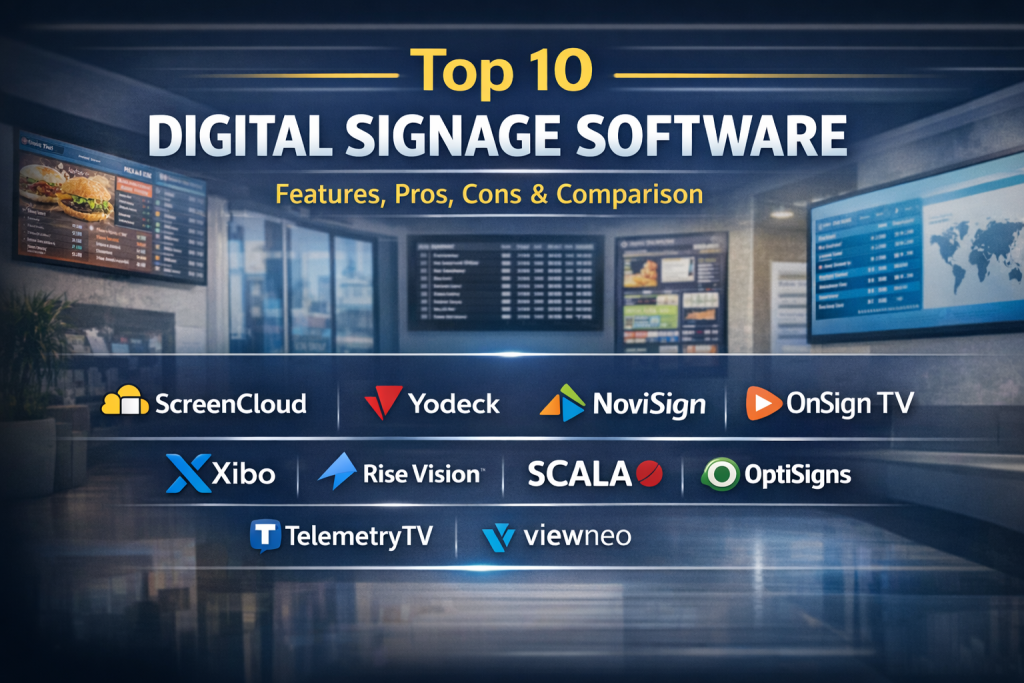
Top 10 Digital Signage Software Tools
1 — ScreenCloud
Short description:
A cloud-based digital signage platform focused on simplicity and speed, designed for businesses that want fast deployment and easy content updates across multiple screens.
Key features:
- Cloud-managed screen control
- App-based content integrations
- Drag-and-drop layout editor
- Remote screen monitoring
- Playlist and scheduling tools
- Team-based access control
Pros:
- Very easy to set up and use
- Strong ecosystem of built-in apps
Cons:
- Limited deep customization
- Advanced analytics are basic
Security & compliance:
SSO support, encrypted data transfer, GDPR-aligned practices.
Support & community:
Clear documentation, responsive support, onboarding guides for SMBs and enterprises.
2 — Yodeck
Short description:
A flexible digital signage solution well-known for bundling software with affordable hardware, ideal for cost-conscious deployments.
Key features:
- Cloud-based management dashboard
- Media playlists and schedules
- Device health monitoring
- HTML and widget support
- Multi-location screen control
- Emergency message broadcasting
Pros:
- Competitive pricing model
- Hardware-friendly ecosystem
Cons:
- UI can feel dated
- Limited design templates
Security & compliance:
Encrypted communication, role-based access, GDPR-friendly.
Support & community:
Email support, community forums, onboarding resources.
3 — NoviSign
Short description:
A robust signage platform focused on multimedia content, interactive displays, and cross-platform compatibility.
Key features:
- Visual drag-and-drop designer
- Interactive touchscreen support
- Real-time data widgets
- Offline playback capability
- Multi-zone layouts
- Centralized content control
Pros:
- Strong multimedia capabilities
- Good balance of power and usability
Cons:
- Learning curve for advanced features
- Interface can feel busy
Security & compliance:
Secure cloud hosting, access controls, GDPR compliance.
Support & community:
Training videos, ticket-based support, onboarding assistance.
4 — OnSign TV
Short description:
An enterprise-grade digital signage platform designed for complex networks, advanced scheduling, and automation.
Key features:
- Rules-based content automation
- API and data integrations
- Multi-tenant architecture
- Advanced scheduling logic
- Proof-of-play reporting
- Hardware-agnostic deployment
Pros:
- Highly scalable
- Powerful automation tools
Cons:
- Requires technical expertise
- Overkill for small deployments
Security & compliance:
SSO, encrypted data, enterprise security practices, GDPR-ready.
Support & community:
Professional support plans, technical documentation, enterprise onboarding.
5 — Xibo
Short description:
An open-source digital signage platform favored by organizations that want customization and control over infrastructure.
Key features:
- Open-source CMS
- Self-hosted or cloud deployment
- Layout designer
- Scheduling and campaigns
- REST APIs
- Community extensions
Pros:
- Highly customizable
- No vendor lock-in
Cons:
- Requires IT expertise
- UI less polished
Security & compliance:
Depends on deployment; encryption and compliance vary by hosting setup.
Support & community:
Large open-source community, forums, paid enterprise support available.
6 — Rise Vision
Short description:
A popular choice in education and corporate environments, emphasizing templates and ease of content creation.
Key features:
- Pre-built templates
- Google Workspace integrations
- Cloud-based content control
- Scheduling and alerts
- Multi-screen management
- User permissions
Pros:
- Excellent for non-technical users
- Strong template library
Cons:
- Limited advanced analytics
- Custom design options are moderate
Security & compliance:
SSO options, GDPR-aligned policies.
Support & community:
Good documentation, email support, strong education user base.
7 — Scala
Short description:
A long-standing enterprise digital signage solution built for large-scale, mission-critical deployments.
Key features:
- Advanced content orchestration
- Data-driven personalization
- Enterprise CMS
- Omnichannel experiences
- Analytics and reporting
- Hardware integrations
Pros:
- Extremely powerful
- Proven enterprise reliability
Cons:
- High cost
- Complex implementation
Security & compliance:
Enterprise-grade security, SOC-aligned practices, GDPR support.
Support & community:
Dedicated enterprise support, professional services, global partner network.
8 — OptiSigns
Short description:
A modern cloud signage platform offering a strong balance of affordability, features, and ease of use.
Key features:
- Cloud content management
- App integrations
- Screen monitoring
- Social media feeds
- Scheduling and playlists
- Emergency alerts
Pros:
- Cost-effective
- Fast onboarding
Cons:
- Limited deep customization
- Reporting is basic
Security & compliance:
Encrypted connections, role-based access, GDPR-ready.
Support & community:
Live chat support, tutorials, growing user community.
9 — TelemetryTV
Short description:
A developer-friendly digital signage platform known for APIs, automation, and advanced integrations.
Key features:
- API-first architecture
- Real-time data feeds
- Automation workflows
- Multi-screen synchronization
- Offline playback
- Device health analytics
Pros:
- Excellent for technical teams
- Strong automation capabilities
Cons:
- Less beginner-friendly
- Requires setup effort
Security & compliance:
SSO, encryption, enterprise compliance options.
Support & community:
Technical documentation, responsive support, enterprise assistance.
10 — Viewneo
Short description:
A hardware-integrated signage platform combining content management with smart devices and sensors.
Key features:
- Integrated hardware ecosystem
- Cloud CMS
- Interactive touch support
- IoT and sensor integrations
- Scheduling tools
- Real-time updates
Pros:
- Strong hardware integration
- Innovative use cases
Cons:
- Hardware dependency
- Higher initial investment
Security & compliance:
Encrypted data, GDPR compliance, device-level security.
Support & community:
Professional onboarding, documentation, enterprise support.
Comparison Table
| Tool Name | Best For | Platform(s) Supported | Standout Feature | Rating |
|---|---|---|---|---|
| ScreenCloud | SMBs, retail chains | Web, Android, Windows | App ecosystem | N/A |
| Yodeck | Budget deployments | Web, Linux players | Hardware bundling | N/A |
| NoviSign | Interactive displays | Web, Android, Windows | Touchscreen support | N/A |
| OnSign TV | Enterprises | Web, multiple OS | Automation rules | N/A |
| Xibo | IT-driven teams | Web, self-hosted | Open-source control | N/A |
| Rise Vision | Education, offices | Web, ChromeOS | Templates | N/A |
| Scala | Large enterprises | Enterprise platforms | Content orchestration | N/A |
| OptiSigns | SMBs | Web, Android, Windows | Affordability | N/A |
| TelemetryTV | Technical teams | Web, cross-platform | API-first design | N/A |
| Viewneo | Smart signage | Web, proprietary hardware | IoT integration | N/A |
Evaluation & Scoring of Digital Signage Software
| Evaluation Criteria | Weight | Description |
|---|---|---|
| Core features | 25% | Content creation, scheduling, screen control |
| Ease of use | 15% | Learning curve and UI clarity |
| Integrations & ecosystem | 15% | APIs, apps, data sources |
| Security & compliance | 10% | SSO, encryption, compliance readiness |
| Performance & reliability | 10% | Uptime, offline playback |
| Support & community | 10% | Documentation, support quality |
| Price / value | 15% | Cost vs delivered capabilities |
Which Digital Signage Software Tool Is Right for You?
- Solo users / small teams: Choose simple, cloud-based tools with templates and quick setup.
- SMBs: Look for affordability, scalability, and easy multi-location management.
- Mid-market: Balance automation, integrations, and cost efficiency.
- Enterprise: Prioritize security, reliability, APIs, and professional support.
Budget-conscious teams should favor ease of use and pricing, while premium buyers may value advanced automation and analytics. Always align tool selection with integration needs, future growth, and compliance requirements.
Frequently Asked Questions (FAQs)
1. What is Digital Signage Software?
It is software used to manage and display digital content across screens from a central system.
2. Do I need special hardware?
Most tools work with standard displays and media players; some offer integrated hardware.
3. Is digital signage cloud-based?
Many modern platforms are cloud-based, though self-hosted options exist.
4. Can content be updated remotely?
Yes, remote content updates are a core feature.
5. Is internet required at all times?
Not always; many tools support offline playback.
6. How secure are these platforms?
Security varies but often includes encryption, access controls, and SSO.
7. Can I schedule content by time or location?
Yes, advanced scheduling is standard.
8. Is digital signage expensive?
Costs vary widely depending on scale and features.
9. Can digital signage show real-time data?
Yes, many platforms support live dashboards and data feeds.
10. What is a common mistake buyers make?
Choosing overly complex tools without matching actual needs.
Conclusion
Digital Signage Software has become essential for organizations that want to communicate visually, dynamically, and at scale. The best platforms combine reliability, ease of use, security, and scalability while fitting specific operational needs.
There is no single universal winner. The right choice depends on organization size, technical capability, budget, and use case complexity. By focusing on what truly matters for your environment, you can select a solution that delivers long-term value and impact.

Find Trusted Cardiac Hospitals
Compare heart hospitals by city and services — all in one place.
Explore Hospitals