
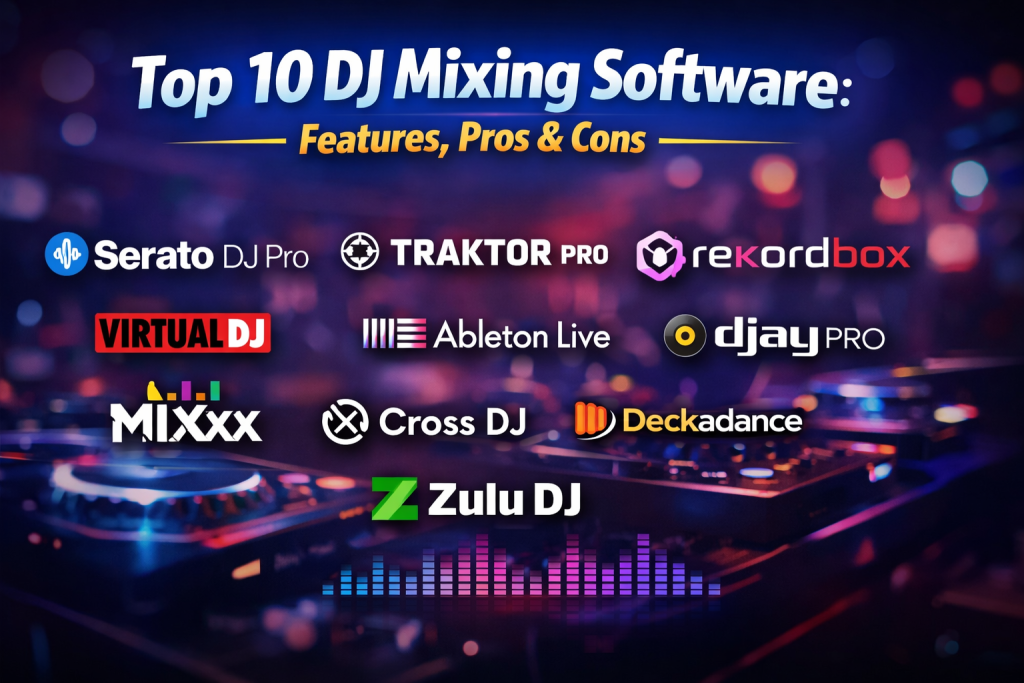
Introduction
DJ mixing software has become the digital backbone of modern DJing. Whether you’re performing live at a club, streaming sets online, preparing playlists for events, or practicing beatmatching at home, DJ software replaces (or enhances) traditional turntables and mixers with powerful digital tools. These platforms allow DJs to mix tracks, apply effects, sync beats, manage music libraries, and perform creative transitions with precision and speed.
The importance of DJ mixing software lies in flexibility, creativity, and performance control. It enables DJs to experiment with loops, hot cues, samples, and real-time effects while maintaining consistent sound quality. From bedroom DJs and mobile performers to festival headliners and radio broadcasters, DJ software adapts to different skill levels and performance environments.
When choosing DJ mixing software, users should evaluate audio quality, stability, controller compatibility, learning curve, performance features, library management, and long-term scalability. Some tools focus on simplicity and automation, while others offer deep manual control for professionals.
Best for: Club DJs, mobile DJs, radio DJs, music producers, event professionals, content creators, and live performers across entertainment, hospitality, and media industries.
Not ideal for: Users who only need basic audio playback, podcast editing, or music production (where DAWs or media players may be more suitable).
Top 10 DJ Mixing Software Tools
1 — Serato DJ Pro
Short description:
A professional-grade DJ mixing platform trusted by club and scratch DJs worldwide, known for stability and hardware integration.
Key features:
- Low-latency audio engine for live performance
- Extensive controller and mixer compatibility
- Advanced beat grids and BPM detection
- Scratch tools with vinyl emulation
- Expandable effects and performance packs
- Smart crate and library organization
Pros:
- Extremely reliable for live gigs
- Excellent scratch and battle DJ support
- Strong industry adoption
Cons:
- Some advanced features require paid expansions
- Limited built-in music streaming options
Security & compliance: Varies / N/A
Support & community: Strong documentation, large global DJ community, responsive support
2 — Traktor Pro
Short description:
A powerful DJ software focused on creative mixing and deep control, favored by electronic and techno DJs.
Key features:
- Advanced looping and remix decks
- High-quality time-stretching
- Modular effects chains
- MIDI mapping flexibility
- Precise beatgrid editing
- Tight integration with DJ controllers
Pros:
- Exceptional creative flexibility
- Clean, customizable interface
- Great for hybrid live/DJ setups
Cons:
- Steeper learning curve
- Less frequent major updates
Security & compliance: Varies / N/A
Support & community: Detailed manuals, strong user forums, professional support options
3 — rekordbox
Short description:
A performance and library management platform designed for seamless integration with club-standard hardware.
Key features:
- Industry-standard CDJ and controller compatibility
- Cloud-based library sync
- Advanced performance modes
- Intelligent track analysis
- Visual waveform and phrase analysis
- Lighting and video integration
Pros:
- Ideal for club and festival DJs
- Smooth hardware-to-software workflow
- Strong ecosystem
Cons:
- Subscription required for full features
- Software-only users may find it complex
Security & compliance: Varies / N/A
Support & community: Extensive tutorials, large professional user base
4 — VirtualDJ
Short description:
A versatile DJ platform suitable for beginners through professionals, with broad format and hardware support.
Key features:
- Real-time stem separation
- Video DJing support
- Automatic beat matching
- Broad controller compatibility
- Smart playlists and automation
- Customizable skins
Pros:
- Feature-rich out of the box
- Works well without dedicated hardware
- Great for mobile DJs
Cons:
- Interface can feel busy
- Advanced customization takes time
Security & compliance: Varies / N/A
Support & community: Active forums, strong documentation, regular updates
5 — DJay Pro
Short description:
A modern, AI-powered DJ app designed for intuitive mixing on desktops and mobile devices.
Key features:
- Neural Mix stem separation
- Touch-friendly interface
- Built-in music streaming integration
- Cross-platform support
- Smart automation features
- Clean waveform visuals
Pros:
- Excellent for beginners
- Fast setup and learning
- Works well on tablets and laptops
Cons:
- Less depth for advanced scratch DJs
- Limited controller options
Security & compliance: Varies / N/A
Support & community: Good onboarding, responsive support, growing community
6 — Mixxx
Short description:
A free and open-source DJ mixing software offering core professional features without licensing costs.
Key features:
- Open-source and community-driven
- BPM and key detection
- Vinyl control support
- MIDI controller compatibility
- Customizable interface
- Live broadcasting support
Pros:
- Completely free
- Transparent development
- Cross-platform support
Cons:
- Fewer advanced effects
- Smaller ecosystem
Security & compliance: Varies / N/A
Support & community: Community forums, open documentation
7 — Ableton Live
Short description:
A hybrid solution blending DJ-style performance with full music production capabilities.
Key features:
- Session View for live mixing
- Advanced audio warping
- MIDI and hardware integration
- Loop-based performance
- Effect racks and automation
- Studio-grade sound engine
Pros:
- Ideal for live electronic acts
- Deep creative control
- Studio-to-stage workflow
Cons:
- Not a traditional DJ interface
- Higher learning curve
Security & compliance: Varies / N/A
Support & community: Extensive tutorials, massive global community
8 — Cross DJ
Short description:
A straightforward DJ mixing solution designed for smooth performance and reliability.
Key features:
- Stable audio engine
- Simple interface
- BPM and key detection
- MIDI controller support
- Cross-platform compatibility
- Low system requirements
Pros:
- Easy to use
- Lightweight and fast
- Affordable
Cons:
- Limited advanced features
- Smaller community
Security & compliance: Varies / N/A
Support & community: Basic documentation, community-driven help
9 — Deckadance
Short description:
A DJ software blending traditional deck mixing with plugin-based effects.
Key features:
- VST plugin support
- Flexible deck layout
- Advanced looping
- MIDI controller integration
- Real-time effects processing
Pros:
- Customizable workflow
- Strong effects processing
- Suited for electronic DJs
Cons:
- Less mainstream adoption
- Interface feels dated
Security & compliance: Varies / N/A
Support & community: Moderate documentation, niche user base
10 — Zulu DJ
Short description:
An entry-level DJ mixing software for simple live mixing and practice.
Key features:
- Basic beatmatching
- Multiple deck support
- Live effects
- Simple audio routing
- Lightweight installation
Pros:
- Beginner-friendly
- Low system requirements
- Quick setup
Cons:
- Limited professional features
- Not suitable for large events
Security & compliance: Varies / N/A
Support & community: Basic documentation, limited community
Comparison Table
| Tool Name | Best For | Platform(s) Supported | Standout Feature | Rating |
|---|---|---|---|---|
| Serato DJ Pro | Club & scratch DJs | Windows, macOS | Ultra-low latency | N/A |
| Traktor Pro | Creative electronic DJs | Windows, macOS | Remix decks | N/A |
| rekordbox | Club-standard setups | Windows, macOS | CDJ integration | N/A |
| VirtualDJ | Mobile & video DJs | Windows, macOS | Stem separation | N/A |
| DJay Pro | Beginners & mobile DJs | Windows, macOS, iOS | AI mixing | N/A |
| Mixxx | Budget-conscious DJs | Windows, macOS, Linux | Open-source | N/A |
| Ableton Live | Live electronic acts | Windows, macOS | Hybrid performance | N/A |
| Cross DJ | Simple live mixing | Windows, macOS | Stability | N/A |
| Deckadance | Plugin-based mixing | Windows | VST support | N/A |
| Zulu DJ | Entry-level users | Windows | Simplicity | N/A |
Evaluation & Scoring of DJ Mixing Software
| Tool | Core Features (25%) | Ease of Use (15%) | Integrations (15%) | Security (10%) | Performance (10%) | Support (10%) | Price/Value (15%) | Total |
|---|---|---|---|---|---|---|---|---|
| Serato DJ Pro | 23 | 13 | 14 | 6 | 9 | 9 | 11 | 85 |
| Traktor Pro | 22 | 11 | 13 | 6 | 9 | 9 | 12 | 82 |
| rekordbox | 23 | 12 | 14 | 6 | 9 | 9 | 10 | 83 |
| VirtualDJ | 22 | 14 | 13 | 6 | 8 | 8 | 13 | 84 |
| DJay Pro | 20 | 15 | 12 | 6 | 8 | 8 | 14 | 83 |
Which DJ Mixing Software Tool Is Right for You?
- Solo DJs & beginners: DJay Pro, Mixxx, VirtualDJ
- SMBs & mobile DJs: VirtualDJ, Serato DJ Pro
- Professional clubs & festivals: rekordbox, Serato DJ Pro
- Creative live performers: Traktor Pro, Ableton Live
- Budget-focused users: Mixxx, Cross DJ
Choose based on budget, feature depth, hardware compatibility, and performance reliability rather than popularity alone.
Frequently Asked Questions (FAQs)
- Do I need DJ hardware to use DJ software?
Not always. Many tools work with mouse and keyboard, but hardware improves control. - Is DJ mixing software beginner-friendly?
Yes, several platforms offer automation and guided workflows. - Can DJ software be used live?
Most professional tools are designed specifically for live performance. - Does DJ software support music streaming?
Some platforms integrate streaming services, depending on region. - Is free DJ software good enough?
Free tools work well for learning, but pros often need advanced features. - What system requirements matter most?
CPU performance, audio interface quality, and RAM are critical. - Can I record my DJ sets?
Yes, most DJ software includes recording features. - Is DJ software secure?
Security is generally minimal concern as most tools operate locally. - Can DJs use laptops only?
Yes, laptop-only setups are common for practice and small gigs. - What’s the biggest mistake beginners make?
Choosing complex software before mastering basic mixing skills.
Conclusion
DJ mixing software empowers DJs to perform, experiment, and connect with audiences in powerful ways. The right tool enhances creativity, ensures reliability, and fits your workflow. There is no single “best” DJ mixing software—only the one that aligns with your experience level, performance style, and technical needs. Choose wisely, practice consistently, and let the software amplify your sound.

Find Trusted Cardiac Hospitals
Compare heart hospitals by city and services — all in one place.
Explore Hospitals
Nice overview! The comparison makes it easy to see which platforms are better for live sets, editing, or performance tools. 🎶