
Introduction
Experiment Tracking Tools are specialized platforms designed to help data scientists, machine learning engineers, and research teams track, compare, and reproduce experiments across the entire model development lifecycle. In modern AI and analytics workflows, teams often run hundreds or thousands of experiments—tuning parameters, changing datasets, testing algorithms, and evaluating results. Without a systematic way to log and organize this information, progress becomes slow, error-prone, and difficult to reproduce.
These tools play a critical role in model transparency, collaboration, and governance. They capture metrics, hyperparameters, code versions, artifacts, and outputs in a structured way, making it easier to understand what worked, what didn’t, and why. In real-world use cases, experiment tracking is essential for building reliable ML models in healthcare, finance, e-commerce, autonomous systems, marketing analytics, and enterprise AI platforms.
When evaluating Experiment Tracking Tools, users should look for:
- Ease of logging experiments and metrics
- Strong comparison and visualization features
- Integration with ML frameworks and data platforms
- Scalability for large teams and pipelines
- Security, compliance, and auditability
- Cost-effectiveness relative to team size and complexity
Best for:
Experiment Tracking Tools benefit data scientists, ML engineers, AI researchers, analytics teams, startups, enterprises, and regulated industries that require reproducibility, collaboration, and governance in model development.
Not ideal for:
They may be unnecessary for small scripting tasks, one-off analyses, or teams not building iterative ML models, where simpler notebooks or spreadsheets may suffice.
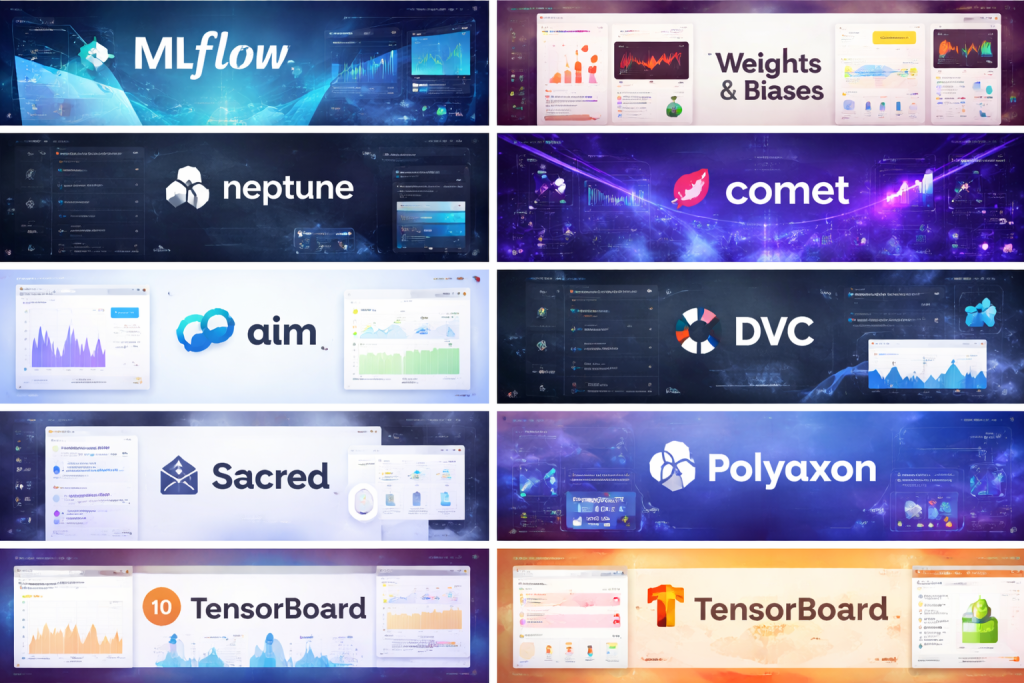
Top 10 Experiment Tracking Tools
#1 — MLflow
Short description:
MLflow is one of the most widely adopted open-source experiment tracking platforms, designed for data scientists and ML teams working across diverse frameworks and environments.
Key features:
- Experiment and run tracking with metrics and parameters
- Model versioning and artifact storage
- Framework-agnostic design
- Reproducibility through run histories
- Model registry for lifecycle management
- Local and cloud deployment options
Pros:
- Strong open-source community and ecosystem
- Flexible and framework-independent
Cons:
- UI can feel basic for advanced analytics
- Requires setup and maintenance for self-hosting
Security & compliance:
SSO, role-based access, encryption depend on deployment; compliance varies by configuration.
Support & community:
Extensive documentation, strong community adoption, enterprise support available via vendors.
#2 — Weights & Biases
Short description:
Weights & Biases is a popular experiment tracking and visualization tool focused on deep learning and collaborative ML workflows.
Key features:
- Automatic experiment logging
- Rich dashboards and visual comparisons
- Hyperparameter sweep management
- Dataset and artifact versioning
- Collaboration and reporting tools
- Integration with major ML frameworks
Pros:
- Excellent visualizations and UX
- Fast onboarding for teams
Cons:
- Can be expensive at scale
- Heavy feature set may overwhelm beginners
Security & compliance:
SSO, encryption, SOC 2, GDPR support available on paid plans.
Support & community:
High-quality documentation, active community, responsive enterprise support.
#3 — Neptune
Short description:
Neptune is an experiment tracking platform designed for teams that need structured metadata, comparisons, and long-term experiment history.
Key features:
- Flexible metadata logging
- Experiment comparison views
- Model and dataset tracking
- Scalable experiment storage
- API-driven design
- Team collaboration features
Pros:
- Highly customizable tracking structure
- Scales well for large experiment volumes
Cons:
- Learning curve for metadata modeling
- Premium pricing for advanced usage
Security & compliance:
Encryption, access control, GDPR readiness; enterprise compliance options available.
Support & community:
Good documentation, dedicated customer success for teams, growing user community.
#4 — Comet
Short description:
Comet provides experiment tracking, model monitoring, and lifecycle management with an emphasis on production ML workflows.
Key features:
- Experiment logging and comparison
- Dataset and model lineage
- Model performance monitoring
- Visualization dashboards
- Team collaboration and sharing
- API and SDK integrations
Pros:
- Strong end-to-end ML lifecycle coverage
- Useful for production-focused teams
Cons:
- Pricing can be high for smaller teams
- UI complexity for new users
Security & compliance:
SSO, encryption, SOC 2, GDPR support for enterprise plans.
Support & community:
Enterprise-grade support, onboarding assistance, active documentation.
#5 — ClearML
Short description:
ClearML is an open-source platform combining experiment tracking, orchestration, and pipeline management.
Key features:
- Automatic experiment tracking
- Pipeline orchestration and automation
- Dataset versioning
- Resource and queue management
- On-prem and cloud deployment
- MLOps-oriented workflows
Pros:
- Strong automation and orchestration features
- Open-source core with enterprise options
Cons:
- Setup complexity for full-stack usage
- UI can feel dense
Security & compliance:
Depends on deployment; enterprise offerings support SSO and compliance controls.
Support & community:
Active open-source community, enterprise support available.
#6 — Aim
Short description:
Aim is an open-source experiment tracking tool focused on simplicity, speed, and local-first workflows.
Key features:
- Fast local experiment logging
- Simple UI for metric comparison
- Lightweight SDK
- Open-source and self-hosted
- Flexible experiment querying
Pros:
- Minimal overhead and fast performance
- Ideal for individual developers
Cons:
- Limited enterprise features
- Smaller ecosystem
Security & compliance:
Varies by self-hosted setup; enterprise compliance not native.
Support & community:
Community-driven support, improving documentation.
#7 — DVC Experiments
Short description:
DVC Experiments extend data version control workflows to track and compare ML experiments.
Key features:
- Git-based experiment tracking
- Data and model versioning
- Reproducible pipelines
- Lightweight CLI workflows
- Integration with Git repositories
Pros:
- Excellent for version-controlled ML workflows
- Strong reproducibility focus
Cons:
- Limited visualization compared to others
- Steeper learning curve
Security & compliance:
Depends on Git and storage configuration; compliance varies.
Support & community:
Strong open-source community, detailed documentation.
#8 — Sacred
Short description:
Sacred is a lightweight Python-based experiment tracking framework aimed at research and academic use.
Key features:
- Configuration-driven experiments
- Experiment reproducibility
- Simple logging system
- Flexible observers
- Python-centric design
Pros:
- Simple and transparent
- Good for research workflows
Cons:
- Limited UI capabilities
- Not designed for large teams
Security & compliance:
N/A for most use cases.
Support & community:
Community-maintained, moderate documentation.
#9 — Polyaxon
Short description:
Polyaxon is a Kubernetes-native ML platform offering experiment tracking and orchestration.
Key features:
- Experiment tracking and comparison
- Kubernetes-based scalability
- Pipeline orchestration
- Multi-tenant support
- Resource optimization
Pros:
- Strong for cloud-native enterprises
- Scales well in Kubernetes environments
Cons:
- Complex setup
- Best suited for DevOps-heavy teams
Security & compliance:
SSO, RBAC, enterprise-grade security features available.
Support & community:
Enterprise support available; smaller open-source community.
#10 — TensorBoard
Short description:
TensorBoard is a visualization and experiment tracking tool primarily designed for TensorFlow workflows.
Key features:
- Metric and graph visualization
- Training run comparisons
- Model graph inspection
- TensorFlow-native integration
- Lightweight logging
Pros:
- Free and widely used
- Excellent for TensorFlow users
Cons:
- Limited framework support
- Not ideal for large teams
Security & compliance:
N/A; depends on hosting environment.
Support & community:
Extensive documentation, large user base.
Comparison Table
| Tool Name | Best For | Platform(s) Supported | Standout Feature | Rating |
|---|---|---|---|---|
| MLflow | General-purpose ML teams | Cloud, On-prem | Framework-agnostic tracking | N/A |
| Weights & Biases | Deep learning teams | Cloud | Advanced visualizations | N/A |
| Neptune | Large experiment repositories | Cloud | Flexible metadata tracking | N/A |
| Comet | Production ML workflows | Cloud | End-to-end ML lifecycle | N/A |
| ClearML | MLOps automation | Cloud, On-prem | Pipeline orchestration | N/A |
| Aim | Individual developers | Local | Lightweight performance | N/A |
| DVC Experiments | Version-controlled ML | Local, Cloud | Git-based workflows | N/A |
| Sacred | Research use cases | Local | Configuration-driven runs | N/A |
| Polyaxon | Kubernetes enterprises | Cloud | Kubernetes-native scalability | N/A |
| TensorBoard | TensorFlow users | Local, Cloud | Training visualization | N/A |
Evaluation & Scoring of Experiment Tracking Tools
| Criteria | Weight |
|---|---|
| Core features | 25% |
| Ease of use | 15% |
| Integrations & ecosystem | 15% |
| Security & compliance | 10% |
| Performance & reliability | 10% |
| Support & community | 10% |
| Price / value | 15% |
This rubric helps teams objectively compare tools based on functionality, usability, scalability, and long-term value rather than popularity alone.
Which Experiment Tracking Tools Tool Is Right for You?
- Solo users: Lightweight tools like Aim, Sacred, or TensorBoard
- SMBs: MLflow, DVC Experiments, Neptune
- Mid-market teams: Weights & Biases, Comet, ClearML
- Enterprises: Polyaxon, Comet, Neptune with enterprise security
Budget-conscious teams should prioritize open-source tools, while premium users may benefit from advanced collaboration and compliance features.
Choose based on integration needs, scalability, security requirements, and team maturity, not just features.
Frequently Asked Questions (FAQs)
1. What is experiment tracking in machine learning?
It is the practice of recording parameters, metrics, code, and outputs to reproduce and compare ML experiments.
2. Do I need experiment tracking for small projects?
Not always. Simple projects may not justify the overhead.
3. Are open-source tools reliable?
Yes, many open-source tools are production-ready when properly configured.
4. How do these tools improve collaboration?
They centralize experiment data, making results visible and shareable.
5. Are these tools secure?
Security depends on deployment and plan; enterprise versions offer stronger controls.
6. Can experiment tracking help with compliance?
Yes, especially in regulated industries requiring audit trails.
7. How hard is implementation?
Ranges from plug-and-play to complex enterprise setups.
8. Do these tools support cloud and on-prem?
Most modern tools support both.
9. What is a common mistake when choosing a tool?
Overlooking scalability and long-term maintenance.
10. Can I switch tools later?
Yes, but migration may require data transformation.
Conclusion
Experiment Tracking Tools are no longer optional for serious machine learning and data science teams. They bring structure, reproducibility, transparency, and collaboration to increasingly complex workflows. While some tools excel at simplicity and speed, others focus on enterprise scalability and governance.
The most important takeaway is that there is no single “best” tool for everyone. The right choice depends on your team size, budget, technical stack, compliance needs, and long-term ML strategy. By aligning tool capabilities with real-world requirements, teams can dramatically improve productivity and model quality over time.

Find Trusted Cardiac Hospitals
Compare heart hospitals by city and services — all in one place.
Explore Hospitals