
Introduction
Government Permitting & Licensing Systems are specialized digital platforms that help public sector agencies manage permits, licenses, inspections, renewals, and regulatory approvals in a structured, transparent, and compliant way. These systems replace paper-based workflows and fragmented legacy tools with centralized, auditable, and citizen-friendly digital processes.
They play a critical role in ensuring regulatory compliance, improving service delivery, and reducing administrative delays for citizens and businesses. From construction permits and business licenses to environmental approvals and professional certifications, these platforms support the full lifecycle of regulatory authorizations.
In real-world use, agencies rely on permitting and licensing systems to standardize workflows, enforce rules consistently, track approvals, and provide real-time status visibility to applicants. Modern solutions also integrate with payment gateways, GIS systems, identity management, and document repositories to create end-to-end digital government services.
When evaluating tools in this category, buyers should focus on configurability, workflow automation, security and compliance, integration capabilities, scalability, and citizen experience—not just feature lists.
Best for:
Government Permitting & Licensing Systems are best suited for local, state, and federal agencies, regulatory bodies, municipalities, smart cities, and public-sector IT teams managing high volumes of permits, licenses, and inspections across multiple departments.
Not ideal for:
These systems may be excessive for very small offices, single-purpose internal approvals, or organizations that only need basic form collection without regulatory workflows, audits, or compliance requirements.
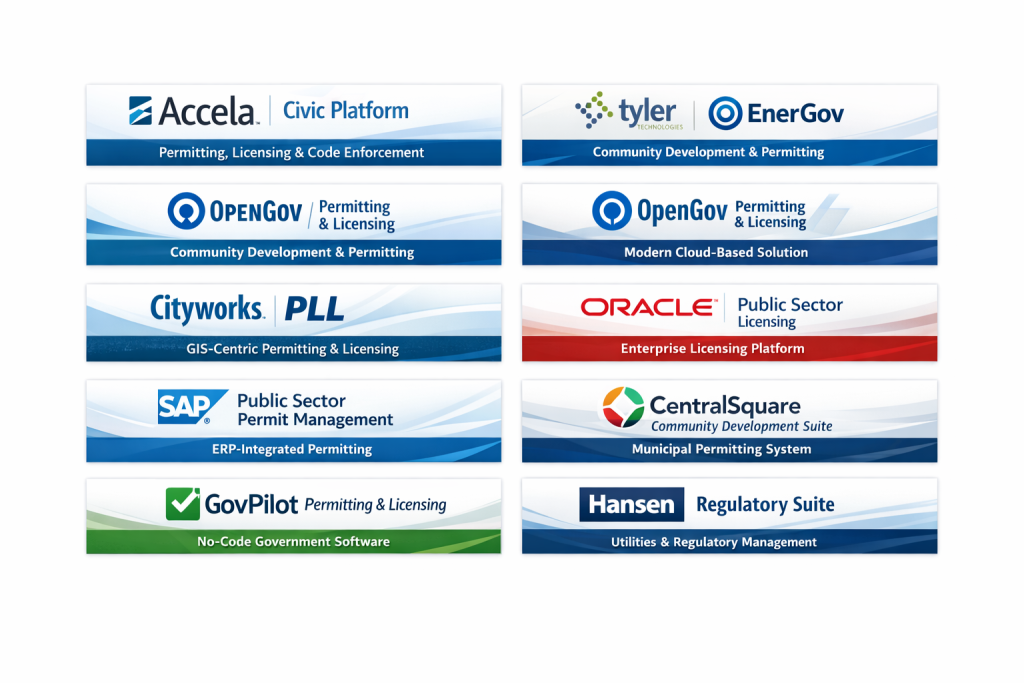
Top 10 Government Permitting & Licensing Systems Tools
1 — Accela Civic Platform
Short description:
A comprehensive cloud-based platform designed for government agencies to manage permitting, licensing, inspections, and code enforcement at scale.
Key features:
- Configurable permitting and licensing workflows
- Integrated inspections and scheduling
- Citizen self-service portals
- GIS and records management integration
- Automated compliance checks
- Analytics and reporting dashboards
Pros:
- Very mature and widely adopted in municipalities
- Strong configurability for complex regulations
Cons:
- Implementation can be lengthy
- Higher total cost for smaller agencies
Security & compliance:
SSO, role-based access, encryption, audit logs, government-grade compliance
Support & community:
Enterprise onboarding, detailed documentation, strong public-sector user community
2 — Tyler Technologies EnerGov
Short description:
A purpose-built solution for community development, permitting, inspections, and licensing used by mid to large government agencies.
Key features:
- End-to-end permitting lifecycle management
- Mobile inspections support
- Fee calculation and payment processing
- Document management
- Configurable workflows
- Reporting and dashboards
Pros:
- Deep alignment with government processes
- Strong inspection and enforcement modules
Cons:
- UI can feel dated in some modules
- Customization often requires vendor involvement
Security & compliance:
SSO, encryption, audit trails, compliance aligned with public-sector standards
Support & community:
Dedicated account teams, formal training programs, strong government user base
3 — OpenGov Permitting & Licensing
Short description:
A modern, cloud-first permitting and licensing solution focused on transparency, usability, and rapid deployment.
Key features:
- Intuitive applicant portals
- Configurable workflows
- Integrated payments
- Real-time status tracking
- Data analytics and dashboards
- Cross-department collaboration
Pros:
- Clean, modern user experience
- Faster deployment compared to legacy systems
Cons:
- Less suitable for extremely complex regulatory edge cases
- Advanced customization may be limited
Security & compliance:
Encryption, role-based access, audit logs, GDPR-aligned controls
Support & community:
Responsive customer success, onboarding assistance, growing public-sector community
4 — Cityworks PLL
Short description:
A permitting, licensing, and land management solution tightly integrated with GIS-based infrastructure systems.
Key features:
- GIS-driven permitting workflows
- Asset-linked inspections
- Licensing and renewals management
- Mobile field operations
- Reporting and analytics
- Integration with public works systems
Pros:
- Excellent GIS and infrastructure integration
- Strong fit for land-use and utilities agencies
Cons:
- Steeper learning curve
- Best value when GIS maturity already exists
Security & compliance:
Role-based access, encryption, audit logging
Support & community:
Technical documentation, training programs, GIS-focused user groups
5 — CivicPlus Community Development
Short description:
An all-in-one community development platform covering permitting, licensing, planning, and code enforcement.
Key features:
- Online permit and license applications
- Plan review and approvals
- Fee and payment processing
- Public-facing portals
- Configurable workflows
- Reporting tools
Pros:
- Strong citizen engagement focus
- Good balance of features and usability
Cons:
- Advanced analytics are limited
- Custom workflows may require configuration effort
Security & compliance:
Encryption, access controls, audit logs
Support & community:
Dedicated support teams, onboarding resources, municipal user community
6 — Oracle Public Sector Licensing
Short description:
An enterprise-grade licensing and permitting solution built on Oracle’s public-sector and cloud infrastructure.
Key features:
- Highly configurable licensing frameworks
- Complex rule and fee engines
- Integration with enterprise systems
- Advanced reporting and analytics
- Scalable architecture
- Multi-agency support
Pros:
- Extremely powerful for large-scale governments
- Strong integration ecosystem
Cons:
- High implementation and licensing costs
- Requires skilled IT resources
Security & compliance:
Enterprise-grade security, encryption, compliance certifications vary by deployment
Support & community:
Enterprise support, extensive documentation, global partner ecosystem
7 — SAP Public Sector Permit Management
Short description:
A robust permitting and licensing solution embedded within SAP’s public-sector and ERP ecosystem.
Key features:
- Rule-based permit processing
- Integration with finance and HR systems
- Automated approvals and renewals
- Audit-ready reporting
- Scalable enterprise architecture
- Multi-jurisdiction support
Pros:
- Excellent for governments already using SAP
- Strong financial and compliance controls
Cons:
- Less intuitive for non-technical users
- Implementation complexity
Security & compliance:
Enterprise security standards, encryption, audit logging, compliance varies
Support & community:
Global enterprise support, certified partners, large SAP public-sector community
8 — CentralSquare Community Development Suite
Short description:
A comprehensive suite covering permitting, licensing, inspections, and code enforcement for local governments.
Key features:
- Permit and license lifecycle management
- Mobile inspections
- Citizen self-service portals
- Workflow automation
- Integrated reporting
- Cross-department coordination
Pros:
- Strong functional breadth
- Designed specifically for municipalities
Cons:
- UI modernization varies by module
- Configuration can be time-intensive
Security & compliance:
Encryption, role-based access, audit trails
Support & community:
Vendor-led training, customer support, local government user base
9 — GovPilot Permitting & Licensing
Short description:
A workflow-driven government operations platform with configurable permitting and licensing modules.
Key features:
- No-code workflow configuration
- Permit and license tracking
- Integrated payments
- Dashboards and analytics
- Mobile-friendly interfaces
- Rapid deployment
Pros:
- Highly flexible without heavy coding
- Faster implementation timelines
Cons:
- Less depth for very complex regulations
- Reporting customization may be limited
Security & compliance:
Encryption, access controls, audit logs, compliance varies by deployment
Support & community:
Hands-on onboarding, responsive support, growing government user base
10— Hansen Technologies Regulatory Suite
Short description:
An enterprise-level regulatory and licensing platform supporting utilities, municipalities, and public agencies.
Key features:
- Complex licensing and permit management
- Integrated inspections and enforcement
- Asset and customer data integration
- Reporting and analytics
- Scalable enterprise design
- Multi-agency workflows
Pros:
- Strong for utilities and infrastructure-heavy agencies
- Handles complex regulatory scenarios well
Cons:
- User interface can feel dated
- Longer implementation cycles
Security & compliance:
Enterprise security controls, encryption, audit trails
Support & community:
Enterprise support, technical documentation, industry-focused user groups
Comparison Table
| Tool Name | Best For | Platform(s) Supported | Standout Feature | Rating |
|---|---|---|---|---|
| Accela Civic Platform | Large municipalities | Web, Cloud | Deep regulatory configurability | N/A |
| Tyler EnerGov | Community development | Web, Cloud | Strong inspections & enforcement | N/A |
| OpenGov Permitting | Modern digital government | Web, Cloud | Citizen-friendly UX | N/A |
| Cityworks PLL | GIS-driven agencies | Web, Mobile | GIS-native workflows | N/A |
| CivicPlus Community Dev | Small–mid cities | Web, Cloud | Public engagement focus | N/A |
| Oracle Public Sector | Enterprise governments | Web, Cloud | Enterprise scalability | N/A |
| SAP Permit Management | SAP-based governments | Web, Cloud | ERP-level integration | N/A |
| CentralSquare Suite | Municipal operations | Web, Mobile | Broad functional coverage | N/A |
| GovPilot Permitting | Agile local governments | Web, Cloud | No-code workflows | N/A |
| Hansen Regulatory Suite | Utilities & regulators | Web, Cloud | Complex regulatory handling | N/A |
Evaluation & Scoring of Government Permitting & Licensing Systems
| Evaluation Criteria | Weight | What to Look For |
|---|---|---|
| Core features | 25% | Permitting, licensing, inspections, renewals |
| Ease of use | 15% | Intuitive UI, applicant experience |
| Integrations & ecosystem | 15% | GIS, payments, ERP, identity systems |
| Security & compliance | 10% | Encryption, audit logs, access controls |
| Performance & reliability | 10% | Uptime, scalability, responsiveness |
| Support & community | 10% | Training, onboarding, responsiveness |
| Price / value | 15% | Cost vs functionality and scale |
Which Government Permitting & Licensing Systems Tool Is Right for You?
- Solo users or very small offices: Lightweight, configurable platforms with minimal setup effort.
- SMBs and municipalities: Balanced tools offering citizen portals, inspections, and payments without heavy IT overhead.
- Mid-market agencies: Systems with configurable workflows, reporting, and cross-department coordination.
- Enterprise governments: Highly scalable platforms with deep integration, compliance, and customization capabilities.
Budget-conscious agencies should prioritize ease of use and fast deployment, while larger governments may favor feature depth, integration, and long-term scalability. Security, compliance, and audit readiness become increasingly critical as regulatory complexity grows.
Frequently Asked Questions (FAQs)
1. What is a government permitting and licensing system?
It is software that manages permit and license applications, approvals, inspections, renewals, and compliance digitally.
2. Do these systems support online applications?
Yes, most modern platforms provide citizen self-service portals for online submissions and tracking.
3. Are they customizable for local regulations?
Most tools offer configurable workflows, rules, and fee structures to match jurisdictional requirements.
4. How long does implementation usually take?
Implementation can range from a few weeks for lightweight systems to several months for enterprise platforms.
5. Are these systems secure?
Yes, they typically include encryption, role-based access, and audit logs suitable for government use.
6. Can they integrate with payment gateways?
Most solutions support integrated fee calculation and online payment processing.
7. Do they support inspections and field work?
Many platforms include mobile inspection tools for field officers.
8. Are they suitable for small towns?
Yes, several solutions are designed specifically for small and mid-sized municipalities.
9. What are common mistakes when selecting a system?
Underestimating configuration needs, ignoring citizen experience, and overlooking long-term scalability.
10. Are there alternatives to full permitting systems?
For simple needs, form builders or workflow tools may suffice, but they lack regulatory depth.
Conclusion
Government Permitting & Licensing Systems are essential for modern, transparent, and efficient public administration. They help agencies reduce delays, improve compliance, and deliver better experiences to citizens and businesses.
The most important factors when choosing a solution are regulatory fit, configurability, security, integration capability, and scalability. There is no single “best” platform for everyone—the right choice depends on agency size, regulatory complexity, budget, and long-term digital strategy.
A careful evaluation aligned with real operational needs will always outperform a one-size-fits-all approach.

Find Trusted Cardiac Hospitals
Compare heart hospitals by city and services — all in one place.
Explore Hospitals