
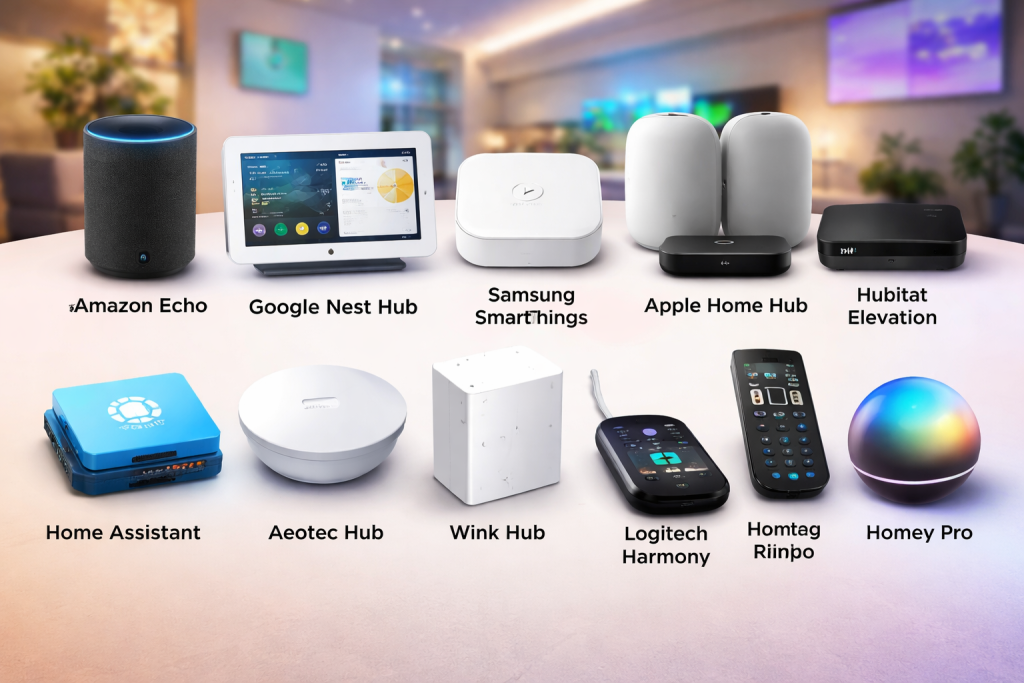
Introduction
Home Automation Hubs are the central brains of smart homes. They connect, control, and coordinate multiple smart devices—such as lights, thermostats, locks, cameras, sensors, and voice assistants—into one unified system. Instead of managing dozens of apps for different brands, a home automation hub allows users to control everything from a single interface while enabling devices to work together through automation and routines.
The importance of home automation hubs has grown rapidly as smart homes become more complex. A hub improves reliability, security, interoperability, and scalability, ensuring devices from different manufacturers can communicate smoothly. In real-world use, hubs enable scenarios like automated lighting based on motion, climate control that adapts to weather and occupancy, security systems that respond instantly to threats, and energy management that reduces utility costs.
When choosing a home automation hub, users should evaluate device compatibility, supported protocols (Zigbee, Z-Wave, Matter, Thread, Wi-Fi), ease of use, automation flexibility, security standards, local vs cloud control, scalability, and long-term ecosystem support.
Best for:
Home Automation Hubs are ideal for homeowners, tech-savvy users, families, property managers, smart building operators, and businesses managing multiple connected devices—especially those seeking reliability, automation depth, and future-proof integrations.
Not ideal for:
They may not be necessary for users with only one or two smart devices, renters with limited control over installations, or those who prefer simple plug-and-play smart gadgets without advanced automation.
Top 10 Home Automation Hubs Tools
1 — Amazon Echo (with Alexa Hub Capabilities)
Short description:
Amazon Echo devices act as smart home hubs with built-in Zigbee support, designed for voice-first smart homes and Alexa-centric ecosystems.
Key features:
- Built-in Zigbee hub (select models)
- Voice control via Alexa
- Wide third-party device compatibility
- Cloud-based routines and automation
- Integration with Amazon services
- Multi-room audio and announcements
Pros:
- Easy setup and beginner-friendly
- Large ecosystem of compatible devices
- Affordable entry point
Cons:
- Heavy reliance on cloud connectivity
- Limited advanced automation logic
- Privacy concerns for some users
Security & compliance:
Encryption in transit and at rest; GDPR support; SOC standards vary.
Support & community:
Extensive documentation, strong user community, responsive customer support.
2 — Google Nest Hub
Short description:
Google Nest Hub serves as a visual and voice-based home automation controller optimized for Google Assistant users.
Key features:
- Touchscreen dashboard
- Google Assistant voice control
- Matter and Thread support (newer models)
- Seamless integration with Google services
- Smart routines and automations
Pros:
- Intuitive interface with visual feedback
- Strong AI-driven voice commands
- Excellent ecosystem integration
Cons:
- Limited local automation
- Less flexible for advanced users
- Dependent on Google cloud
Security & compliance:
Encryption, GDPR compliance; security controls vary by device.
Support & community:
Good documentation, large global user base, consistent updates.
3 — Samsung SmartThings Hub
Short description:
Samsung SmartThings is a versatile home automation hub supporting a wide range of devices and protocols.
Key features:
- Supports Zigbee, Z-Wave, Matter
- Centralized automation dashboard
- Cloud and limited local processing
- Strong mobile app experience
- Integration with Samsung ecosystem
Pros:
- Excellent device compatibility
- User-friendly automation builder
- Strong brand backing
Cons:
- Partial reliance on cloud services
- Advanced automation requires learning
- Hardware options changing frequently
Security & compliance:
Encryption, GDPR support, enterprise-grade security standards.
Support & community:
Large community forums, solid documentation, professional support.
4 — Apple Home Hub (HomePod / Apple TV)
Short description:
Apple Home Hub powers HomeKit automation with a focus on privacy, security, and seamless Apple ecosystem integration.
Key features:
- Matter and Thread support
- Local automation processing
- End-to-end encryption
- Tight integration with Apple devices
- Secure HomeKit architecture
Pros:
- Industry-leading privacy protections
- Reliable local automations
- Smooth Apple ecosystem experience
Cons:
- Limited compatibility outside HomeKit
- Higher cost
- Best suited for Apple users only
Security & compliance:
End-to-end encryption, strong privacy controls, GDPR-compliant.
Support & community:
High-quality documentation, premium support, loyal user community.
5 — Hubitat Elevation
Short description:
Hubitat Elevation is a powerful local-first automation hub for advanced users who value performance and privacy.
Key features:
- Fully local processing
- Zigbee and Z-Wave support
- Advanced rule engine
- Low-latency automations
- Custom scripting support
Pros:
- No cloud dependency
- Extremely fast response times
- Highly customizable
Cons:
- Steeper learning curve
- Less polished UI
- Smaller ecosystem
Security & compliance:
Local data storage; security depends on user configuration.
Support & community:
Strong community forums, detailed documentation, limited enterprise support.
6 — Home Assistant
Short description:
Home Assistant is an open-source home automation platform offering unmatched flexibility and control.
Key features:
- Open-source and self-hosted
- Supports hundreds of integrations
- Local-first automation
- Advanced scripting and YAML configuration
- Matter and Thread support
Pros:
- Extremely powerful and flexible
- Strong privacy control
- Massive integration ecosystem
Cons:
- Requires technical expertise
- Setup can be time-consuming
- No official hardware dependency
Security & compliance:
Varies by deployment; supports encryption and local security controls.
Support & community:
Very active open-source community, extensive documentation.
7 — Aeotec Smart Home Hub
Short description:
Aeotec Smart Home Hub is a hardware-based automation hub built on SmartThings technology.
Key features:
- Zigbee, Z-Wave, Matter support
- Cloud-managed automation
- Compact hardware design
- Mobile app control
- Broad device compatibility
Pros:
- Reliable hardware
- Easy SmartThings migration
- Strong compatibility
Cons:
- Cloud reliance
- Limited offline automation
- Smaller brand recognition
Security & compliance:
Encrypted communications; compliance varies.
Support & community:
Good documentation, growing community support.
8 — Wink Hub
Short description:
Wink Hub offers simplified smart home control with multi-protocol support.
Key features:
- Zigbee, Z-Wave, Bluetooth support
- Unified app interface
- Simple automation rules
- Subscription-based model
Pros:
- Easy to use
- Multi-protocol support
- Clean interface
Cons:
- Subscription required
- Limited advanced automation
- Smaller ecosystem
Security & compliance:
Encryption supported; compliance details limited.
Support & community:
Basic documentation, moderate community activity.
9 — Logitech Harmony Hub
Short description:
Logitech Harmony Hub focuses on home entertainment automation integrated with smart homes.
Key features:
- Controls AV and smart devices
- IR and Wi-Fi support
- Scene-based automation
- Voice assistant integration
Pros:
- Excellent for media control
- Simple setup
- Strong device compatibility
Cons:
- Limited non-entertainment automation
- Discontinued hardware updates
- Smaller future roadmap
Security & compliance:
Varies / N/A.
Support & community:
Legacy documentation, community-driven support.
10 — Homey Pro
Short description:
Homey Pro is an all-in-one premium hub supporting a wide range of wireless protocols.
Key features:
- Zigbee, Z-Wave, Wi-Fi, Bluetooth, IR
- Local and cloud automation
- Visual flow-based automation
- Strong third-party app ecosystem
Pros:
- All protocols in one hub
- Advanced automation builder
- Clean UI
Cons:
- Higher upfront cost
- Smaller global availability
- Learning curve for complex flows
Security & compliance:
Encryption supported; GDPR-compliant.
Support & community:
Strong documentation, active community, professional support.
Comparison Table
| Tool Name | Best For | Platform(s) Supported | Standout Feature | Rating |
|---|---|---|---|---|
| Amazon Echo | Voice-first smart homes | iOS, Android | Alexa ecosystem | N/A |
| Google Nest Hub | Visual smart home control | iOS, Android | Google Assistant AI | N/A |
| Samsung SmartThings | Mixed-device environments | iOS, Android, Web | Broad compatibility | N/A |
| Apple Home Hub | Privacy-focused users | iOS, macOS | End-to-end encryption | N/A |
| Hubitat Elevation | Advanced local automation | Web | Local-first control | N/A |
| Home Assistant | Power users & developers | Web, Mobile | Open-source flexibility | N/A |
| Aeotec Hub | SmartThings users | iOS, Android | Hardware reliability | N/A |
| Wink Hub | Simplicity seekers | iOS, Android | Multi-protocol simplicity | N/A |
| Logitech Harmony | Home entertainment | iOS, Android | AV automation | N/A |
| Homey Pro | Premium all-in-one | iOS, Android, Web | Multi-protocol hub | N/A |
Evaluation & Scoring of Home Automation Hubs
| Criteria | Weight | Score (Avg) |
|---|---|---|
| Core features | 25% | High |
| Ease of use | 15% | Medium-High |
| Integrations & ecosystem | 15% | High |
| Security & compliance | 10% | Medium |
| Performance & reliability | 10% | High |
| Support & community | 10% | Medium-High |
| Price / value | 15% | Medium |
Which Home Automation Hubs Tool Is Right for You?
- Solo users: Amazon Echo or Google Nest for simplicity.
- SMBs & property managers: SmartThings or Homey Pro for scalability.
- Mid-market users: Apple Home Hub or Aeotec for balance.
- Enterprise or advanced users: Home Assistant or Hubitat Elevation.
Budget-conscious users may prefer cloud-based hubs, while premium users should prioritize privacy, local control, and long-term ecosystem support. Feature depth often comes at the cost of ease of use, so aligning technical skill with hub complexity is critical.
Frequently Asked Questions (FAQs)
1. Do I need a home automation hub?
If you use multiple smart devices across brands, a hub improves reliability and automation.
2. Are home automation hubs secure?
Most use encryption; security strength depends on vendor and configuration.
3. Can hubs work without the internet?
Local-first hubs can; cloud-based hubs require connectivity.
4. What protocols matter most?
Zigbee, Z-Wave, Matter, and Thread are key for interoperability.
5. Are hubs expensive?
Prices vary from budget-friendly to premium.
6. Is Matter replacing hubs?
Matter improves compatibility but hubs still add automation logic.
7. Which hub is best for privacy?
Apple Home Hub and Home Assistant are strong choices.
8. Can I use multiple hubs?
Yes, but complexity increases.
9. Are hubs future-proof?
Matter-enabled hubs offer better longevity.
10. What is the biggest mistake buyers make?
Ignoring compatibility and future expansion needs.
Conclusion
Home Automation Hubs are essential for building reliable, scalable, and intelligent smart homes. The right hub simplifies device management, enhances security, and unlocks powerful automation. What matters most is compatibility, reliability, security, and alignment with your technical comfort level. There is no single universal winner—the best home automation hub is the one that fits your specific needs, ecosystem, and long-term goals.

Find Trusted Cardiac Hospitals
Compare heart hospitals by city and services — all in one place.
Explore Hospitals
Really enjoyed this article! The way you broke down the pros and cons of each home automation hub makes it much easier to see which one might fit different smart‑home setups. I’ve found that choosing the right hub can really simplify connecting devices and automations, especially with so many platforms out there. I’d love to hear which hubs others prefer for reliability and ease of use in daily life. Overall, this is a super helpful guide for anyone building a smart home