
Introduction
Industrial Automation SCADA Systems (Supervisory Control and Data Acquisition) are the backbone of modern industrial operations. They provide real-time visibility, control, and data collection across complex industrial environments such as manufacturing plants, power grids, water treatment facilities, oil & gas pipelines, and transportation systems. At their core, SCADA systems connect field devices like sensors, PLCs, RTUs, and controllers with centralized software platforms that operators use to monitor, analyze, and control processes.
The importance of SCADA systems lies in their ability to improve operational efficiency, enhance safety, reduce downtime, and support data-driven decision-making. By continuously collecting data and presenting it through intuitive dashboards, alarms, and reports, SCADA enables organizations to detect anomalies early, respond quickly to incidents, and optimize processes over time.
Real-world use cases include monitoring electricity distribution networks, managing factory production lines, controlling water and wastewater treatment plants, tracking oil & gas flow across pipelines, and supervising automated warehouses. When choosing a SCADA system, users should evaluate factors such as scalability, protocol support, ease of configuration, cybersecurity capabilities, integration with PLCs and MES/ERP systems, performance reliability, and long-term vendor support.
Best for:
Industrial Automation SCADA Systems are ideal for plant operators, control engineers, system integrators, operations managers, and industrial IT teams working in manufacturing, energy, utilities, oil & gas, pharmaceuticals, automotive, food & beverage, and smart infrastructure. They suit organizations ranging from mid-sized plants to large enterprises with mission-critical operations.
Not ideal for:
SCADA systems may be overkill for very small operations, standalone machines, or simple monitoring needs where lightweight HMI software, IoT dashboards, or basic data loggers can suffice. Organizations without trained automation personnel may also find enterprise SCADA platforms complex to deploy and maintain.
Top 10 Industrial Automation SCADA Systems Tools
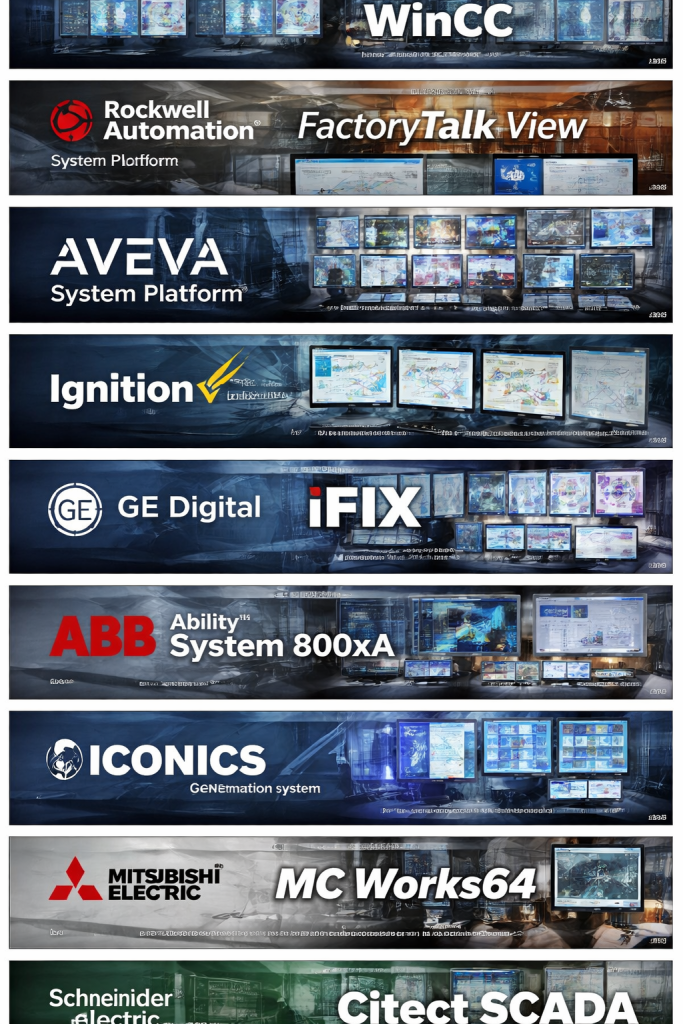
1 — Siemens WinCC (TIA Portal / WinCC Open Architecture)
Short description:
Siemens WinCC is a leading enterprise-grade SCADA solution designed for large-scale industrial automation and critical infrastructure environments, tightly integrated with Siemens PLCs and automation hardware.
Key features:
- Deep integration with Siemens TIA Portal ecosystem
- Advanced real-time visualization and dashboards
- Distributed SCADA architecture for large plants
- High-availability and redundancy support
- Extensive alarm management and event logging
- Built-in reporting and historical data analysis
- Strong cybersecurity and user access control
Pros:
- Extremely robust and reliable for mission-critical systems
- Excellent scalability from plant-level to enterprise-wide deployments
- Strong global ecosystem and long-term vendor support
Cons:
- Steep learning curve for new users
- Licensing and implementation costs can be high
- Best suited primarily for Siemens-centric environments
Security & compliance:
Role-based access control, encrypted communication, audit trails, industrial security standards support (IEC, ISO), GDPR alignment.
Support & community:
Comprehensive documentation, global enterprise support, certified partners, and a strong professional user community.
2 — Rockwell Automation FactoryTalk View
Short description:
FactoryTalk View is Rockwell Automation’s SCADA platform, optimized for Allen-Bradley PLC environments and widely used in discrete and process manufacturing.
Key features:
- Tight integration with Allen-Bradley PLCs
- Scalable architecture for plant and enterprise use
- Centralized alarm and event management
- Advanced data historian integration
- Web-based and mobile visualization options
- Built-in diagnostics and system monitoring
Pros:
- Seamless experience in Rockwell ecosystems
- High performance and reliability
- Strong analytics and reporting capabilities
Cons:
- Less flexible outside Rockwell environments
- Licensing complexity
- UI customization can be time-consuming
Security & compliance:
Industrial cybersecurity features, user authentication, encryption, audit logs, standards alignment varies by deployment.
Support & community:
Strong enterprise support, certified integrators, extensive training programs, active user base.
3 — Schneider Electric EcoStruxure Geo SCADA Expert
Short description:
EcoStruxure Geo SCADA Expert is designed for critical infrastructure and utilities, offering high availability, advanced control, and secure remote operations.
Key features:
- Optimized for utilities and infrastructure
- Advanced alarm handling and event filtering
- Distributed and fault-tolerant architecture
- Extensive protocol and device support
- Built-in scripting and automation logic
- Long-term data archiving and analytics
Pros:
- Excellent reliability for 24/7 operations
- Strong focus on safety and compliance
- Highly customizable control logic
Cons:
- Interface feels complex for beginners
- Primarily focused on utilities use cases
- Requires skilled engineers for setup
Security & compliance:
Strong encryption, role-based access, audit logging, compliance-ready for critical infrastructure environments.
Support & community:
Enterprise-grade support, utility-focused community, detailed documentation.
4 — AVEVA System Platform (formerly Wonderware)
Short description:
AVEVA System Platform is a flexible, object-oriented SCADA platform used across manufacturing, energy, and infrastructure industries.
Key features:
- Object-based engineering for faster deployment
- Centralized asset management
- Real-time visualization and analytics
- Integration with MES and enterprise systems
- High availability and redundancy options
- Extensive reporting and historian support
Pros:
- Highly scalable and flexible
- Reduces engineering effort through reusable objects
- Strong integration with enterprise systems
Cons:
- Requires structured design approach
- Licensing costs can be significant
- Initial setup can be complex
Security & compliance:
Role-based access, encryption, audit logs, industrial compliance support varies by deployment.
Support & community:
Strong vendor support, active system integrator network, broad user community.
5 — Ignition by Inductive Automation
Short description:
Ignition is a modern, web-based SCADA platform known for its unlimited licensing model and strong integration capabilities.
Key features:
- Web-based visualization and deployment
- Unlimited clients and tags licensing
- Cross-platform (Windows, Linux)
- Built-in scripting using Python
- Strong MQTT and IIoT integration
- Modular architecture for scalability
Pros:
- Cost-effective licensing model
- Easy to scale and deploy
- Strong community and learning resources
Cons:
- Requires IT and scripting skills for advanced use
- UI polish depends on developer effort
- Fewer legacy drivers than older SCADA tools
Security & compliance:
Role-based access, SSL/TLS encryption, audit logging, compliance varies by industry.
Support & community:
Excellent documentation, active user forums, responsive vendor support.
6 — GE Digital iFIX
Short description:
GE Digital iFIX is a mature SCADA solution focused on high-performance visualization and industrial reliability.
Key features:
- Fast real-time data processing
- Advanced alarm management
- Scriptable automation logic
- Strong OPC and device connectivity
- Historical data logging and reporting
- Integration with GE digital ecosystem
Pros:
- Proven stability in industrial environments
- Strong visualization performance
- Suitable for legacy system modernization
Cons:
- Interface feels dated compared to newer tools
- Windows-centric deployment
- Less flexible licensing
Security & compliance:
User authentication, encryption support, audit logs; compliance varies by configuration.
Support & community:
Long-standing user base, enterprise support, extensive legacy documentation.
7 — ABB Ability System 800xA
Short description:
ABB Ability System 800xA is a comprehensive automation platform combining SCADA, DCS, and safety systems.
Key features:
- Unified operations across control systems
- High availability and fault tolerance
- Advanced process optimization
- Integrated safety and control
- Extensive industrial protocol support
- Asset performance management
Pros:
- Enterprise-grade reliability
- Ideal for large process industries
- Deep integration across automation layers
Cons:
- Very high cost
- Complex implementation
- Best suited for large enterprises only
Security & compliance:
Strong cybersecurity framework, audit logs, compliance-ready for regulated industries.
Support & community:
Global enterprise support, strong ABB partner ecosystem.
8 — ICONICS GENESIS64
Short description:
ICONICS GENESIS64 is a modern, 64-bit SCADA platform focused on visualization, analytics, and smart infrastructure.
Key features:
- High-performance 64-bit architecture
- Advanced visualization and dashboards
- Strong OPC UA support
- Built-in analytics and reporting
- Cloud and on-prem deployment options
- Integration with smart building systems
Pros:
- Modern UI and visualization
- Strong analytics capabilities
- Good balance of power and usability
Cons:
- Smaller ecosystem than top-tier vendors
- Learning curve for advanced features
- Licensing can be complex
Security & compliance:
Role-based access, encryption, audit logs; compliance varies by deployment.
Support & community:
Good documentation, responsive support, growing user community.
9 — Mitsubishi Electric MC Works64
Short description:
MC Works64 is Mitsubishi Electric’s SCADA platform, optimized for manufacturing and factory automation.
Key features:
- Tight integration with Mitsubishi PLCs
- Scalable client-server architecture
- Real-time monitoring and control
- Alarm and event management
- Historical data trending
- Manufacturing-focused workflows
Pros:
- Reliable for factory automation
- Good performance in high-speed environments
- Strong integration with Mitsubishi hardware
Cons:
- Less flexible outside Mitsubishi ecosystem
- Limited modern UI features
- Smaller global community
Security & compliance:
Standard industrial security features; compliance varies.
Support & community:
Strong regional support, good documentation, limited global community.
10 — Citect SCADA (Schneider Electric)
Short description:
Citect SCADA is a flexible SCADA solution suited for manufacturing, utilities, and infrastructure projects.
Key features:
- High-performance real-time visualization
- Distributed architecture support
- Strong alarm and trend handling
- Extensive device and protocol compatibility
- Scripting and customization options
- Redundancy and failover capabilities
Pros:
- Flexible and scalable
- Strong performance in large systems
- Mature and proven platform
Cons:
- UI feels less modern
- Requires experienced engineers
- Licensing complexity
Security & compliance:
User access control, encryption, audit trails; compliance varies by project.
Support & community:
Enterprise support, integrator ecosystem, long-standing user base.
Comparison Table
| Tool Name | Best For | Platform(s) Supported | Standout Feature | Rating |
|---|---|---|---|---|
| Siemens WinCC | Large enterprises, critical plants | Windows | Deep Siemens integration | N/A |
| FactoryTalk View | Rockwell-centric factories | Windows | Allen-Bradley PLC integration | N/A |
| EcoStruxure Geo SCADA | Utilities, infrastructure | Windows | High availability | N/A |
| AVEVA System Platform | Asset-centric operations | Windows | Object-oriented design | N/A |
| Ignition | Modern, scalable SCADA | Windows, Linux | Unlimited licensing | N/A |
| GE iFIX | Legacy modernization | Windows | High-speed visualization | N/A |
| ABB 800xA | Process industries | Windows | Unified automation | N/A |
| ICONICS GENESIS64 | Smart infrastructure | Windows | Advanced analytics | N/A |
| MC Works64 | Factory automation | Windows | Mitsubishi PLC focus | N/A |
| Citect SCADA | Large distributed systems | Windows | Performance at scale | N/A |
Evaluation & Scoring of Industrial Automation SCADA Systems
| Criteria | Weight | Evaluation Notes |
|---|---|---|
| Core features | 25% | Real-time control, alarms, historians |
| Ease of use | 15% | UI, configuration, learning curve |
| Integrations & ecosystem | 15% | PLCs, protocols, MES/ERP |
| Security & compliance | 10% | Access control, encryption |
| Performance & reliability | 10% | Uptime, redundancy |
| Support & community | 10% | Documentation, vendor support |
| Price / value | 15% | Licensing, ROI |
Which Industrial Automation SCADA Systems Tool Is Right for You?
- Solo users / small plants: Ignition or ICONICS for flexibility and cost efficiency
- SMBs: AVEVA System Platform or Citect SCADA for balance of power and scalability
- Mid-market: FactoryTalk View or WinCC depending on PLC ecosystem
- Enterprise: Siemens WinCC, ABB 800xA, or EcoStruxure for mission-critical needs
Budget-conscious users should prioritize flexible licensing and ease of deployment, while enterprises should focus on reliability, long-term support, and compliance. Integration needs, scalability, and security requirements should always drive the final decision.
Frequently Asked Questions (FAQs)
- What is a SCADA system used for?
SCADA systems monitor, control, and optimize industrial processes in real time. - Is SCADA only for large enterprises?
No, modern SCADA platforms scale from small plants to global enterprises. - How secure are SCADA systems?
Security varies by platform but often includes encryption, role-based access, and audit logs. - Can SCADA integrate with IoT?
Many modern SCADA tools support IIoT and MQTT integration. - Is cloud-based SCADA reliable?
Hybrid and cloud SCADA can be reliable when designed with redundancy. - How long does SCADA implementation take?
From weeks for small systems to months for enterprise deployments. - Do SCADA systems require programming?
Basic configuration is often visual, but advanced use requires scripting. - What industries rely most on SCADA?
Manufacturing, energy, utilities, oil & gas, and infrastructure. - Is SCADA different from HMI?
Yes, SCADA includes data acquisition and control, while HMI is mainly visualization. - What is the biggest mistake when choosing SCADA?
Ignoring scalability, security, and long-term support needs.
Conclusion
Industrial Automation SCADA Systems are essential for modern, efficient, and safe industrial operations. They provide the visibility, control, and insights required to manage complex processes in real time. When choosing a SCADA tool, factors such as scalability, ecosystem compatibility, security, performance, and total cost of ownership matter far more than brand popularity alone.
There is no single “best” SCADA system for everyone. The right choice depends on your industry, scale, technical expertise, budget, and long-term operational goals. By carefully evaluating your needs against the strengths and trade-offs of each platform, you can select a SCADA system that delivers lasting value and operational excellence.

Find Trusted Cardiac Hospitals
Compare heart hospitals by city and services — all in one place.
Explore Hospitals