
Introduction
Issue Tracking Tools are specialized software platforms designed to log, manage, prioritize, and resolve issues that arise during the lifecycle of a product, service, or internal process. These issues may include software bugs, customer-reported problems, operational incidents, feature requests, or compliance-related tasks. At their core, issue tracking tools bring visibility, accountability, and structure to problem-solving workflows.
In modern organizations—especially those working with distributed teams, complex systems, or customer-facing digital products—issue tracking is not optional. Without a structured system, teams rely on emails, chats, or spreadsheets, which often leads to missed issues, duplicated work, slow response times, and poor accountability.
Real-world use cases include software development bug tracking, IT service desk incident management, customer support ticketing, compliance issue audits, DevOps incident response, and cross-team task coordination. From startups to global enterprises, issue tracking tools help teams move from chaos to clarity.
When choosing an issue tracking tool, users should evaluate:
- Core issue and workflow management features
- Ease of use and onboarding time
- Integration with existing tools (CI/CD, communication, CRM)
- Reporting and analytics depth
- Security, compliance, and scalability
- Total cost of ownership and long-term value
Best for:
Issue Tracking Tools are ideal for software teams, IT departments, DevOps teams, QA engineers, customer support teams, project managers, and compliance teams across startups, SMBs, mid-sized companies, and large enterprises. Industries such as technology, healthcare, finance, SaaS, e-commerce, manufacturing, and government benefit the most.
Not ideal for:
These tools may be unnecessary for very small teams or solo users with minimal workflows, or for organizations that only need simple task lists without issue prioritization, workflows, or reporting. In such cases, lightweight task management tools may be sufficient.
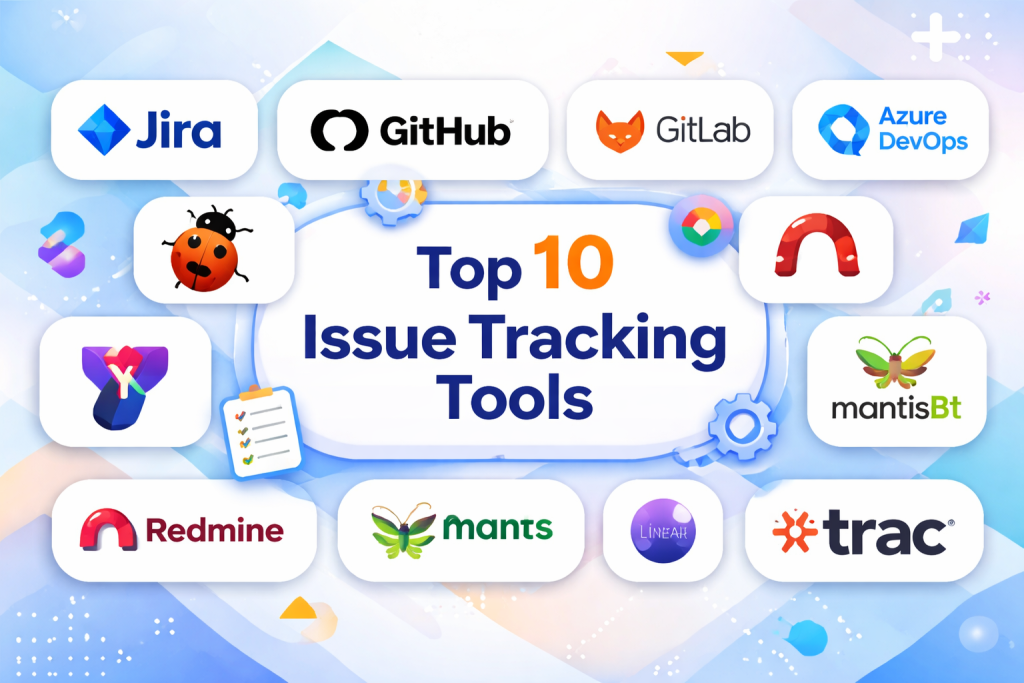
Top 10 Issue Tracking Tools
1 — Jira Software
Short description:
A powerful and highly configurable issue tracking tool widely used by software development and agile teams to manage bugs, tasks, and complex workflows.
Key features:
- Advanced issue and bug tracking
- Custom workflows and automation rules
- Agile boards (Scrum and Kanban)
- Detailed reporting and dashboards
- Strong integration ecosystem
- Role-based access control
- Issue linking and dependencies
Pros:
- Extremely flexible and scalable
- Industry standard for agile development
- Deep reporting and analytics
Cons:
- Steep learning curve for beginners
- Can become complex to administer
Security & compliance:
SSO, encryption, audit logs, SOC 2, ISO standards, GDPR support.
Support & community:
Extensive documentation, large global community, enterprise-grade support plans.
2 — GitHub Issues
Short description:
A lightweight issue tracking system tightly integrated with source code repositories, ideal for development-focused teams.
Key features:
- Issue and bug tracking linked to code
- Labels, milestones, and assignees
- Markdown-based discussions
- Automation via workflows
- Pull request and issue linking
- Basic project boards
Pros:
- Simple and developer-friendly
- Seamless integration with code
- Minimal setup required
Cons:
- Limited reporting capabilities
- Not ideal for non-technical teams
Security & compliance:
SSO, encryption, audit logs, enterprise security options.
Support & community:
Strong developer community, solid documentation, enterprise support available.
3 — GitLab Issues
Short description:
An integrated issue tracking system built into a full DevOps platform, designed for end-to-end software delivery.
Key features:
- Issue tracking with epics and roadmaps
- CI/CD and DevOps integration
- Agile planning tools
- Issue templates and automation
- Role-based permissions
- Built-in analytics
Pros:
- Unified DevOps experience
- Strong traceability from issue to deployment
- Good value for DevOps teams
Cons:
- Interface can feel dense
- Less flexible than specialized tools
Security & compliance:
SSO, audit logs, encryption, compliance frameworks supported.
Support & community:
Active community, strong documentation, enterprise support tiers.
4 — Azure DevOps Boards
Short description:
A robust issue and work item tracking tool designed for teams working within the Microsoft ecosystem.
Key features:
- Work item and bug tracking
- Scrum and Kanban boards
- Custom workflows and fields
- Integration with CI/CD pipelines
- Advanced reporting
- Role-based security
Pros:
- Excellent Microsoft ecosystem integration
- Strong enterprise features
- Scales well for large teams
Cons:
- Less intuitive for non-Microsoft users
- UI can feel dated
Security & compliance:
Enterprise-grade security, SSO, audit logs, compliance certifications.
Support & community:
Microsoft documentation, enterprise support, active user base.
5 — Bugzilla
Short description:
A classic open-source issue and bug tracking system known for its robustness and reliability.
Key features:
- Detailed bug tracking
- Custom workflows and fields
- Email notifications
- Advanced search and filtering
- Access control
- Open-source customization
Pros:
- Free and open-source
- Highly configurable
- Mature and stable
Cons:
- Outdated user interface
- Requires technical setup and maintenance
Security & compliance:
Varies depending on hosting and configuration.
Support & community:
Community-driven support, extensive historical documentation.
6 — YouTrack
Short description:
A flexible issue tracking tool that combines project management, agile planning, and helpdesk capabilities.
Key features:
- Custom issue workflows
- Agile boards and sprints
- Powerful search queries
- Time tracking
- Built-in helpdesk mode
- Automation rules
Pros:
- Very flexible workflows
- Strong search and filtering
- Developer-friendly
Cons:
- UI can feel complex initially
- Fewer third-party integrations
Security & compliance:
SSO, encryption, GDPR compliance, audit features.
Support & community:
Good documentation, responsive vendor support, active community.
7 — Redmine
Short description:
An open-source project management and issue tracking tool popular among technical teams.
Key features:
- Issue and bug tracking
- Multiple project support
- Role-based access control
- Time tracking
- Plugin ecosystem
- Custom workflows
Pros:
- Free and open-source
- Highly extensible
- Lightweight and reliable
Cons:
- Basic UI
- Requires self-hosting and maintenance
Security & compliance:
Varies based on deployment and configuration.
Support & community:
Strong open-source community, plugin-based support.
8 — MantisBT
Short description:
A simple and efficient open-source bug and issue tracking system designed for small to mid-sized teams.
Key features:
- Bug and issue tracking
- Email notifications
- Role-based permissions
- Custom fields
- Simple workflow configuration
Pros:
- Easy to use
- Lightweight and fast
- Free and open-source
Cons:
- Limited advanced features
- Minimal reporting
Security & compliance:
Depends on hosting environment.
Support & community:
Community-driven support and documentation.
9 — Linear
Short description:
A modern, fast, and minimalist issue tracking tool focused on speed and usability.
Key features:
- Clean and intuitive interface
- Fast issue creation and navigation
- Keyboard-first workflows
- Roadmaps and cycles
- Automation and integrations
Pros:
- Extremely easy to use
- High performance
- Modern design
Cons:
- Fewer advanced enterprise features
- Limited customization
Security & compliance:
SSO, encryption, SOC 2 compliance.
Support & community:
Strong documentation, responsive support, growing community.
10 — Trac
Short description:
An open-source issue tracking and project management tool closely integrated with version control systems.
Key features:
- Issue and ticket tracking
- Wiki-based documentation
- Version control integration
- Custom workflows
- Lightweight architecture
Pros:
- Simple and flexible
- Open-source
- Good for small teams
Cons:
- Outdated UI
- Limited modern integrations
Security & compliance:
Varies by deployment.
Support & community:
Community support, documentation-driven help.
Comparison Table
| Tool Name | Best For | Platform(s) Supported | Standout Feature | Rating |
|---|---|---|---|---|
| Jira Software | Agile & enterprise teams | Web, Cloud, Self-hosted | Advanced workflows | N/A |
| GitHub Issues | Developer-centric teams | Web | Code-to-issue linking | N/A |
| GitLab Issues | DevOps teams | Web, Self-hosted | End-to-end DevOps | N/A |
| Azure DevOps Boards | Microsoft ecosystem | Web | Enterprise integration | N/A |
| Bugzilla | Technical teams | Web, Self-hosted | Mature bug tracking | N/A |
| YouTrack | Agile & helpdesk teams | Web, Cloud | Powerful search | N/A |
| Redmine | Open-source users | Web, Self-hosted | Plugin ecosystem | N/A |
| MantisBT | Small teams | Web | Lightweight tracking | N/A |
| Linear | Fast-moving teams | Web | Speed & usability | N/A |
| Trac | Small technical teams | Web, Self-hosted | VCS integration | N/A |
Evaluation & Scoring of Issue Tracking Tools
| Criteria | Weight | Average Score |
|---|---|---|
| Core features | 25% | High |
| Ease of use | 15% | Medium–High |
| Integrations & ecosystem | 15% | High |
| Security & compliance | 10% | Medium–High |
| Performance & reliability | 10% | High |
| Support & community | 10% | Medium–High |
| Price / value | 15% | Medium |
Which Issue Tracking Tools Tool Is Right for You?
- Solo users: Lightweight tools like Linear or GitHub Issues
- SMBs: YouTrack, GitLab Issues, MantisBT
- Mid-market: Jira, Azure DevOps, YouTrack
- Enterprise: Jira Software, Azure DevOps Boards
Budget-conscious: Open-source tools like Redmine, Bugzilla
Premium solutions: Jira, Azure DevOps
Ease of use: Linear, GitHub Issues
Feature depth: Jira, GitLab
Compliance-heavy environments: Jira, Azure DevOps
Frequently Asked Questions (FAQs)
- What is an issue tracking tool?
A system to record, prioritize, and resolve issues across teams and workflows. - Are issue tracking tools only for software bugs?
No, they are also used for incidents, tasks, audits, and customer issues. - Do small teams need issue tracking tools?
Yes, even small teams benefit from visibility and accountability. - Are open-source tools reliable?
Yes, but they require proper setup and maintenance. - What integrations matter most?
Code repositories, communication tools, and CI/CD systems. - How secure are issue tracking tools?
Security varies; enterprise tools offer advanced compliance. - Can non-technical teams use these tools?
Yes, many tools support non-technical workflows. - How long does implementation take?
From hours for simple tools to weeks for enterprise setups. - What is the biggest mistake buyers make?
Choosing overly complex tools without real needs. - Can tools scale with growth?
Most modern tools scale well when configured correctly.
Conclusion
Issue Tracking Tools play a critical role in maintaining quality, accountability, and operational efficiency across teams. From simple bug trackers to enterprise-grade workflow platforms, these tools help organizations manage complexity and deliver better outcomes.
When choosing an issue tracking tool, focus on your team size, workflows, integration needs, security requirements, and long-term scalability. There is no universal “best” tool—only the tool that best aligns with your specific needs. By carefully evaluating features, usability, and value, teams can select a solution that truly supports their growth and success.

Find Trusted Cardiac Hospitals
Compare heart hospitals by city and services — all in one place.
Explore Hospitals