
Introduction
Interactive Voice Response (IVR) Design Tools are specialized platforms that help businesses design, build, test, and manage automated voice call flows. These tools allow organizations to guide callers through menus using voice prompts, keypad inputs, or speech recognition—without requiring constant human intervention.
In today’s always-on customer service environment, IVR systems play a critical role in reducing call handling time, improving customer satisfaction, and scaling support operations efficiently. From banks handling millions of balance inquiries to hospitals managing appointment scheduling and airlines processing flight updates, IVR systems are deeply embedded in real-world operations.
Modern IVR design tools go far beyond simple “Press 1 for Sales” menus. They now include visual flow builders, AI-powered speech recognition, CRM integrations, analytics, and omnichannel capabilities. Choosing the right IVR design tool can directly impact operational efficiency, customer experience, and compliance posture.
When evaluating IVR design tools, buyers should look for:
- Ease of designing and modifying call flows
- Voice recognition and AI capabilities
- Integration with existing systems (CRM, helpdesk, databases)
- Scalability and reliability
- Security, compliance, and governance controls
- Cost-effectiveness and support quality
Best for:
IVR Design Tools are ideal for customer support teams, contact centers, IT administrators, product managers, healthcare providers, banks, telecom companies, and growing businesses that handle a high volume of inbound or outbound calls.
Not ideal for:
These tools may not be necessary for very small teams with minimal call volume, businesses that rely purely on live agents, or organizations that prefer chat-only or messaging-based customer support solutions.
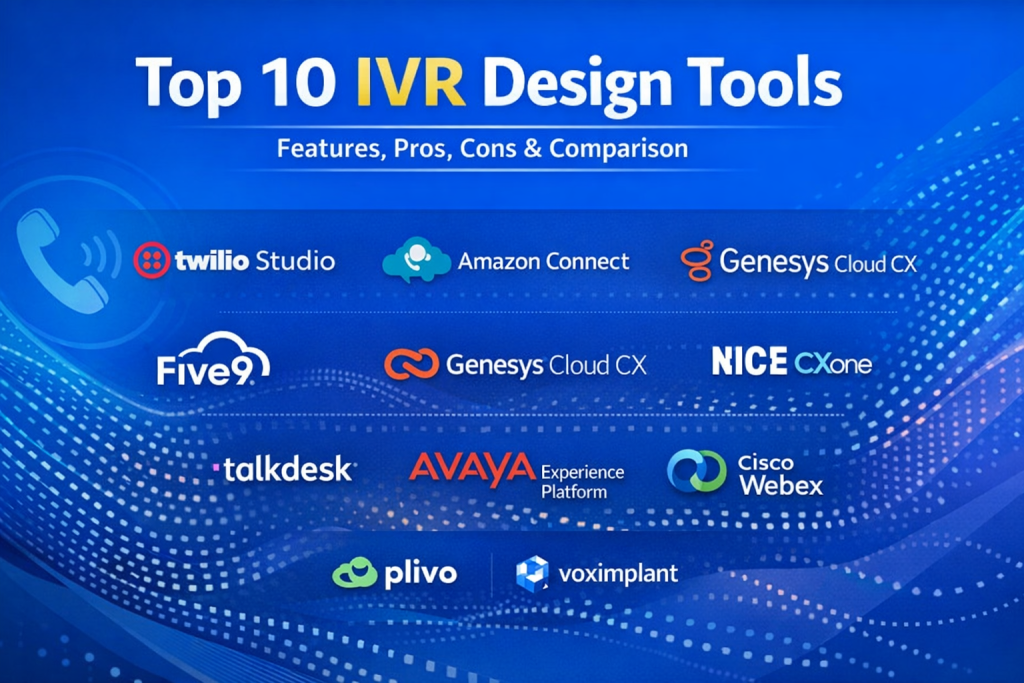
Top 10 IVR Design Tools
1 — Twilio Studio
Short description:
A visual IVR and communication workflow builder designed for developers and product teams who want full control over voice interactions.
Key features:
- Drag-and-drop IVR flow builder
- Voice, SMS, and omnichannel workflows
- Speech recognition and DTMF input handling
- API-first architecture
- Real-time debugging and logs
- Integration with databases and CRMs
- Global telephony coverage
Pros:
- Extremely flexible and customizable
- Strong developer ecosystem
Cons:
- Requires technical expertise
- Costs can scale quickly with usage
Security & compliance:
Encryption in transit, SSO, GDPR support, SOC 2 (varies by configuration)
Support & community:
Extensive documentation, strong developer community, enterprise support plans available
2 — Amazon Connect
Short description:
A cloud-based contact center and IVR solution built for enterprises already invested in the AWS ecosystem.
Key features:
- Visual IVR and call flow designer
- Native AWS service integrations
- AI-powered speech and chatbots
- Real-time analytics and monitoring
- Automatic scaling
- Omnichannel support
- Pay-as-you-go pricing model
Pros:
- Highly scalable and reliable
- Deep AWS integrations
Cons:
- AWS learning curve
- UI can feel complex for non-technical users
Security & compliance:
SOC 2, ISO 27001, GDPR, HIPAA eligibility (AWS shared responsibility)
Support & community:
AWS documentation, global partner ecosystem, enterprise-grade support
3 — Genesys Cloud CX
Short description:
An enterprise-grade IVR and contact center platform focused on omnichannel customer experience orchestration.
Key features:
- Advanced IVR flow designer
- AI-driven speech recognition
- Omnichannel routing
- Customer journey analytics
- Workforce optimization tools
- CRM integrations
- Global voice infrastructure
Pros:
- Rich enterprise features
- Excellent analytics capabilities
Cons:
- Premium pricing
- Overkill for small teams
Security & compliance:
SOC 2, ISO 27001, GDPR, HIPAA support
Support & community:
Strong enterprise onboarding, global support, active user community
4 — NICE CXone
Short description:
A robust cloud contact center platform with powerful IVR design and compliance-first architecture.
Key features:
- Visual IVR designer
- AI-driven self-service
- Speech analytics
- Workforce management
- CRM and ERP integrations
- High availability infrastructure
- Compliance-focused tools
Pros:
- Strong compliance and governance
- Enterprise reliability
Cons:
- Complex setup
- Higher total cost of ownership
Security & compliance:
SOC 2, ISO, GDPR, HIPAA, PCI DSS
Support & community:
Enterprise onboarding, dedicated account managers, training resources
5 — Five9
Short description:
A cloud-based IVR and contact center solution aimed at mid-market and enterprise customer support teams.
Key features:
- Visual IVR call flow builder
- Speech recognition and AI routing
- CRM integrations
- Real-time dashboards
- Call recording and analytics
- Workforce optimization
- Global voice support
Pros:
- Balanced feature set
- Strong reporting tools
Cons:
- UI can feel dated
- Pricing transparency issues
Security & compliance:
SOC 2, GDPR, HIPAA compliance options
Support & community:
Structured onboarding, enterprise support, knowledge base
6 — Talkdesk
Short description:
A modern cloud contact center and IVR design tool emphasizing speed, usability, and AI-driven experiences.
Key features:
- Intuitive IVR flow designer
- AI-powered voice bots
- Omnichannel support
- CRM integrations
- Analytics and reporting
- Rapid deployment tools
- App marketplace
Pros:
- User-friendly interface
- Fast implementation
Cons:
- Limited deep customization
- Premium pricing tiers
Security & compliance:
SOC 2, GDPR, HIPAA, ISO certifications
Support & community:
Strong onboarding, enterprise support, active ecosystem
7 — Avaya Experience Platform
Short description:
A long-standing enterprise communications platform offering advanced IVR and call routing capabilities.
Key features:
- Advanced IVR design
- AI and speech recognition
- Omnichannel orchestration
- Legacy system integration
- High availability options
- Custom scripting
- Global telephony
Pros:
- Mature and reliable
- Strong enterprise adoption
Cons:
- Complex configuration
- Slower innovation pace
Security & compliance:
SOC 2, ISO, GDPR, HIPAA support
Support & community:
Global enterprise support, partner-driven ecosystem
8 — Cisco Webex Contact Center
Short description:
A secure, enterprise-focused IVR and contact center solution built on Cisco’s communications infrastructure.
Key features:
- Visual IVR builder
- AI-powered speech recognition
- Omnichannel routing
- Deep Cisco ecosystem integration
- Analytics and reporting
- High availability architecture
- Secure global voice
Pros:
- Strong security posture
- Enterprise-grade reliability
Cons:
- Requires Cisco ecosystem familiarity
- Higher licensing costs
Security & compliance:
SOC 2, ISO 27001, GDPR, HIPAA
Support & community:
Enterprise support, Cisco partner network, documentation
9 — Plivo
Short description:
A developer-friendly IVR and voice API platform designed for scalable and programmable voice solutions.
Key features:
- XML and visual IVR builders
- Voice and SMS APIs
- Global phone number coverage
- Call analytics
- CRM and webhook integrations
- High uptime SLA
- Cost-effective pricing
Pros:
- Competitive pricing
- Strong API performance
Cons:
- Less polished UI
- Limited enterprise tooling
Security & compliance:
Encryption, GDPR support, SOC 2 (limited)
Support & community:
Documentation-driven support, growing developer community
10 — Voximplant
Short description:
A programmable IVR and communications platform for custom voice automation and real-time interactions.
Key features:
- Visual and script-based IVR design
- Real-time speech recognition
- AI and NLP support
- SIP and WebRTC integration
- Custom call logic
- Analytics dashboards
- Global voice coverage
Pros:
- Highly customizable
- Strong real-time capabilities
Cons:
- Steeper learning curve
- Smaller ecosystem
Security & compliance:
Encryption, GDPR support, ISO standards (varies)
Support & community:
Developer documentation, ticket-based support, community forums
Comparison Table
| Tool Name | Best For | Platform(s) Supported | Standout Feature | Rating |
|---|---|---|---|---|
| Twilio Studio | Developers & custom IVR | Cloud | API-first flexibility | N/A |
| Amazon Connect | AWS-centric enterprises | Cloud | Native AWS integration | N/A |
| Genesys Cloud CX | Large enterprises | Cloud | Advanced analytics | N/A |
| NICE CXone | Compliance-heavy industries | Cloud | Governance & security | N/A |
| Five9 | Mid-market contact centers | Cloud | Balanced feature set | N/A |
| Talkdesk | Fast-growing teams | Cloud | Ease of use | N/A |
| Avaya Experience Platform | Legacy enterprises | Hybrid / Cloud | Mature IVR capabilities | N/A |
| Cisco Webex Contact Center | Security-first enterprises | Cloud | Cisco-grade security | N/A |
| Plivo | Cost-conscious developers | Cloud | Affordable voice APIs | N/A |
| Voximplant | Custom voice automation | Cloud | Real-time programmability | N/A |
Evaluation & Scoring of IVR Design Tools
| Criteria | Weight | Average Score |
|---|---|---|
| Core features | 25% | High |
| Ease of use | 15% | Medium |
| Integrations & ecosystem | 15% | High |
| Security & compliance | 10% | High |
| Performance & reliability | 10% | High |
| Support & community | 10% | Medium |
| Price / value | 15% | Medium |
Which IVR Design Tools Tool Is Right for You?
- Solo users & startups: Developer-focused tools with pay-as-you-go pricing work best.
- SMBs: Look for visual builders, fast deployment, and reasonable pricing.
- Mid-market teams: Balance feature depth with ease of management and analytics.
- Enterprises: Prioritize scalability, compliance, security, and omnichannel orchestration.
Budget-conscious teams should focus on usage-based pricing and essential features, while premium buyers can invest in AI, analytics, and enterprise-grade governance.
Frequently Asked Questions (FAQs)
- What is an IVR design tool?
A platform used to create and manage automated voice call flows for customer interactions. - Do IVR tools require coding?
Some are no-code, while others offer APIs and scripting for advanced customization. - Are IVR systems still relevant today?
Yes, especially when combined with AI and speech recognition. - Can IVR tools integrate with CRMs?
Most modern platforms support CRM and database integrations. - How secure are IVR design tools?
Enterprise tools offer encryption, compliance certifications, and audit logs. - Are cloud IVR tools reliable?
Leading providers offer high uptime SLAs and global redundancy. - What industries benefit most from IVR?
Banking, healthcare, telecom, travel, retail, and government. - Is IVR expensive to run?
Costs vary based on call volume, features, and vendor pricing models. - Can IVR improve customer satisfaction?
Yes, when designed with clear menus and intelligent routing. - What is the biggest mistake in IVR design?
Overly complex menus that frustrate callers.
Conclusion
IVR Design Tools are a foundational component of modern customer communication strategies. The best tools combine usability, flexibility, security, and scalability while aligning with business goals and customer expectations.
There is no single “best” IVR design tool for everyone. The right choice depends on call volume, technical expertise, compliance needs, integration requirements, and budget. By carefully evaluating these factors, organizations can select a platform that delivers efficient operations and a better caller experience—today and in the future.

Find Trusted Cardiac Hospitals
Compare heart hospitals by city and services — all in one place.
Explore Hospitals
This article offers a clear, practical comparison of the top IVR design tools by breaking down their key features, strengths, and limitations in an easy-to-understand format. For teams looking to improve customer experience and streamline call flows, having insight into factors like customization, integration options, and usability is incredibly valuable. The balanced pros and cons help decision-makers choose the right tool based on actual operational needs rather than just brand reputation. Overall, a helpful and informative resource for anyone evaluating IVR solutions to enhance their contact center capabilities.