
Introduction
A Kitchen Display System (KDS) is a digital screen solution used in commercial kitchens to display, manage, and track food orders in real time. Instead of relying on printed kitchen tickets or verbal communication, KDS platforms show orders directly on screens placed at prep stations, grills, fryers, and expediting areas. Orders flow seamlessly from the point of sale (POS) or ordering system to the kitchen, reducing confusion and delays.
KDS solutions are important because modern kitchens operate under intense pressure—high order volumes, multiple channels (dine-in, takeaway, delivery), and strict expectations for speed and accuracy. A well-implemented KDS helps kitchens improve order accuracy, reduce ticket times, streamline communication, and maintain consistent food quality, even during peak hours.
Real-world use cases include quick-service restaurants managing rush-hour orders, cloud kitchens handling delivery-only workflows, full-service restaurants coordinating between front-of-house and back-of-house, and large chains standardizing kitchen operations across multiple locations.
When choosing a Kitchen Display System, users should evaluate order routing flexibility, ease of use for kitchen staff, POS integration, real-time reporting, hardware compatibility, reliability during peak loads, and long-term scalability.
Best for:
Kitchen Display Systems are ideal for restaurant owners, kitchen managers, chefs, QSR operators, food courts, cloud kitchens, franchises, and hospitality groups seeking faster service, fewer errors, and better kitchen visibility.
Not ideal for:
Very small cafés or food stalls with low order volumes, single-menu kitchens with minimal staff, or businesses that already operate efficiently with manual workflows may not see immediate value from a KDS.
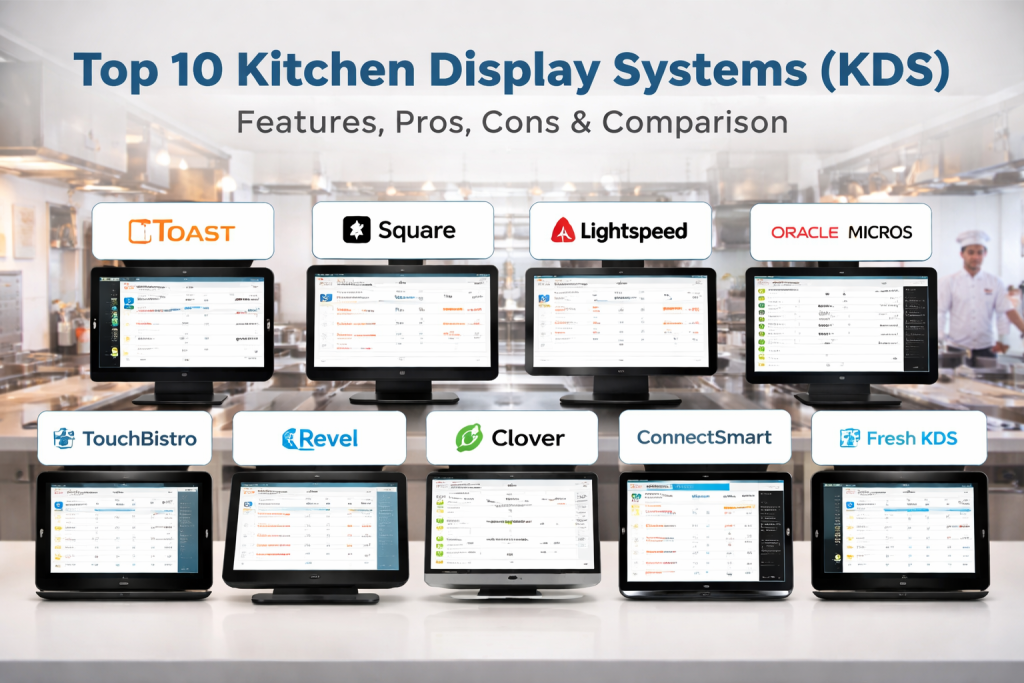
Top 10 Kitchen Display Systems (KDS) Tools
1 — Toast KDS
Short description:
Toast KDS is a modern, cloud-based kitchen display solution designed for restaurants using the Toast ecosystem. It focuses on speed, accuracy, and seamless front-to-back integration.
Key features:
- Real-time order display from POS to kitchen
- Smart order routing by station and course
- Color-coded ticket timers and alerts
- Offline mode for uninterrupted operations
- Modifier grouping for complex orders
- Performance and prep-time analytics
Pros:
- Highly intuitive for kitchen staff
- Strong performance during peak hours
- Tight POS integration
Cons:
- Limited flexibility outside Toast ecosystem
- Hardware dependency
Security & compliance:
Data encryption, role-based access; compliance varies by deployment.
Support & community:
Strong onboarding, responsive support, extensive documentation, active user community.
2 — Square Kitchen Display
Short description:
Square KDS is a lightweight, easy-to-use kitchen display solution built for small to mid-sized restaurants using Square POS.
Key features:
- Simple digital ticket display
- Order status updates (new, in progress, completed)
- Basic course and item grouping
- Cloud-based synchronization
- Works on tablets and displays
Pros:
- Extremely easy to set up
- Cost-effective for SMBs
- Minimal training required
Cons:
- Limited advanced analytics
- Not ideal for complex kitchens
Security & compliance:
Encryption in transit and at rest; PCI-aligned infrastructure.
Support & community:
Good documentation, standard support, large SMB user base.
3 — Lightspeed KDS
Short description:
Lightspeed KDS is designed for fast-paced restaurants and hospitality groups looking for real-time kitchen coordination and operational insights.
Key features:
- Multi-station order routing
- Course and priority management
- Kitchen performance dashboards
- Integration with inventory and POS
- Customizable display views
Pros:
- Strong multi-location support
- Flexible kitchen workflows
- Reliable cloud performance
Cons:
- Learning curve for new users
- Premium pricing for advanced features
Security & compliance:
GDPR-ready, encrypted data, role-based access.
Support & community:
Professional onboarding, enterprise-grade support options.
4 — Oracle MICROS KDS
Short description:
Oracle MICROS KDS is an enterprise-grade kitchen display solution tailored for large restaurants, hotels, and global food chains.
Key features:
- Advanced order orchestration
- Enterprise-scale kitchen routing
- High-availability architecture
- Deep reporting and analytics
- Integration with Oracle hospitality stack
Pros:
- Extremely robust and scalable
- Ideal for complex, high-volume kitchens
- Strong enterprise controls
Cons:
- High cost
- Requires professional implementation
Security & compliance:
Enterprise security, audit logs, compliance-ready infrastructure.
Support & community:
Dedicated enterprise support, structured documentation, partner ecosystem.
5 — TouchBistro KDS
Short description:
TouchBistro KDS is built for independent restaurants seeking a balance between simplicity and operational control.
Key features:
- Visual order display with timers
- Course and station-based routing
- Offline functionality
- POS and front-of-house sync
- Prep-time tracking
Pros:
- Easy for non-technical teams
- Works well in smaller kitchens
- Stable offline support
Cons:
- Limited customization
- Fewer enterprise analytics
Security & compliance:
Encrypted data, standard hospitality security practices.
Support & community:
Good onboarding, responsive customer support, strong SMB community.
6 — Revel KDS
Short description:
Revel KDS supports high-volume and multi-location restaurants with advanced workflow customization and analytics.
Key features:
- Custom kitchen workflows
- Multi-screen and multi-station setups
- Advanced reporting and insights
- Delivery and dine-in order separation
- Integration with payment and inventory systems
Pros:
- Highly customizable
- Scales well for chains
- Strong reporting capabilities
Cons:
- Complex setup
- Higher cost compared to SMB tools
Security & compliance:
Encryption, SOC-aligned practices, compliance varies by region.
Support & community:
Enterprise support, detailed documentation, onboarding assistance.
7 — Clover Kitchen Display
Short description:
Clover KDS is a straightforward kitchen display solution for restaurants using Clover POS hardware.
Key features:
- Real-time order sync
- Simple ticket views
- Station-based routing
- Hardware-optimized performance
- Easy installation
Pros:
- Quick deployment
- Affordable for small businesses
- Minimal maintenance
Cons:
- Limited advanced features
- Hardware ecosystem lock-in
Security & compliance:
PCI-aligned infrastructure, encrypted communications.
Support & community:
Standard support, moderate documentation, SMB-focused ecosystem.
8 — QSR Automations ConnectSmart
Short description:
ConnectSmart is a powerful KDS platform designed specifically for quick-service and fast-casual restaurants.
Key features:
- Intelligent order sequencing
- Predictive prep-time management
- Advanced kitchen analytics
- Multi-brand and multi-location support
- Drive-thru optimization
Pros:
- Excellent for high-speed kitchens
- Proven in large QSR chains
- Data-driven performance insights
Cons:
- Overkill for small restaurants
- Enterprise-level pricing
Security & compliance:
Enterprise security controls, audit logging, compliance varies.
Support & community:
Strong enterprise support, training programs, industry reputation.
9 — Upserve KDS
Short description:
Upserve KDS focuses on improving kitchen efficiency with real-time visibility and performance tracking.
Key features:
- Order timers and color alerts
- Kitchen performance metrics
- POS integration
- Staff productivity insights
- Course-based order flow
Pros:
- Data-driven kitchen improvements
- Easy to understand dashboards
- Strong restaurant analytics
Cons:
- Limited customization
- Best used within its ecosystem
Security & compliance:
Standard encryption and access controls.
Support & community:
Helpful documentation, responsive support, growing user base.
10 — Fresh KDS
Short description:
Fresh KDS is a flexible, cloud-based kitchen display solution suitable for modern kitchens and cloud kitchen operations.
Key features:
- Cross-platform display support
- Custom routing rules
- Delivery and dine-in separation
- Cloud-based reporting
- Lightweight hardware requirements
Pros:
- Flexible and adaptable
- Good for cloud kitchens
- Hardware-agnostic
Cons:
- Smaller ecosystem
- Limited brand recognition
Security & compliance:
Varies by deployment; basic encryption supported.
Support & community:
Decent onboarding, evolving documentation, smaller community.
Comparison Table
| Tool Name | Best For | Platform(s) Supported | Standout Feature | Rating |
|---|---|---|---|---|
| Toast KDS | SMB to mid-market restaurants | Cloud, dedicated hardware | Tight POS integration | N/A |
| Square KDS | Small restaurants | iOS, Android | Ease of use | N/A |
| Lightspeed KDS | Multi-location hospitality | Cloud-based | Workflow flexibility | N/A |
| Oracle MICROS KDS | Enterprise chains & hotels | Enterprise systems | Scalability | N/A |
| TouchBistro KDS | Independent restaurants | iPad-based | Offline reliability | N/A |
| Revel KDS | High-volume restaurants | Cloud, iOS | Custom workflows | N/A |
| Clover KDS | Small businesses | Clover hardware | Fast setup | N/A |
| ConnectSmart | QSR chains | Enterprise platforms | Predictive prep | N/A |
| Upserve KDS | Data-driven kitchens | Cloud-based | Performance analytics | N/A |
| Fresh KDS | Cloud kitchens | Web, tablets | Hardware flexibility | N/A |
Evaluation & Scoring of Kitchen Display Systems (KDS)
| Criteria | Weight | Score Considerations |
|---|---|---|
| Core features | 25% | Order routing, timers, workflows |
| Ease of use | 15% | Staff learning curve |
| Integrations & ecosystem | 15% | POS, delivery, inventory |
| Security & compliance | 10% | Encryption, access control |
| Performance & reliability | 10% | Peak-hour stability |
| Support & community | 10% | Training, documentation |
| Price / value | 15% | ROI vs cost |
Which Kitchen Display Systems (KDS) Tool Is Right for You?
- Solo users & small kitchens: Choose simple, low-cost tools with fast setup and minimal training.
- SMBs: Look for balance between usability and workflow control.
- Mid-market & enterprises: Prioritize scalability, analytics, and integration depth.
- Budget-conscious buyers: Focus on core features without heavy customization.
- Premium solutions: Best for complex operations with high volumes.
- Security-sensitive businesses: Choose tools with strong access control and auditability.
Frequently Asked Questions (FAQs)
1. What is a Kitchen Display System?
A KDS replaces printed tickets with digital order displays in the kitchen.
2. Does KDS improve order accuracy?
Yes, by reducing miscommunication and lost tickets.
3. Is KDS suitable for cloud kitchens?
Yes, especially for managing delivery-only workflows.
4. Can KDS work offline?
Some systems offer limited offline functionality.
5. Is KDS expensive?
Costs vary based on features, scale, and hardware needs.
6. How long does implementation take?
Anywhere from a few hours to several weeks for enterprise setups.
7. Does KDS integrate with POS systems?
Most modern KDS tools integrate directly with POS systems.
8. Can KDS track kitchen performance?
Yes, many provide prep-time and efficiency metrics.
9. Is staff training required?
Minimal for basic systems; advanced tools need onboarding.
10. What mistakes should buyers avoid?
Ignoring scalability, underestimating training, and overpaying for unused features.
Conclusion
Kitchen Display Systems have become essential tools for modern food service operations. They improve speed, accuracy, communication, and visibility across the kitchen, helping teams perform better under pressure. The right KDS depends on kitchen size, order volume, workflow complexity, budget, and growth plans. There is no single best solution—only the best fit for your specific needs. By focusing on real operational requirements rather than hype, businesses can choose a KDS that delivers lasting value and measurable improvements.

Find Trusted Cardiac Hospitals
Compare heart hospitals by city and services — all in one place.
Explore Hospitals
