
Introduction
Linux Fleet Management Tools are specialized platforms designed to manage, monitor, secure, and automate large numbers of Linux systems from a centralized interface. A “fleet” may include servers, virtual machines, cloud instances, containers, edge devices, IoT gateways, or employee workstations running Linux distributions such as Ubuntu, RHEL, Debian, SUSE, or Amazon Linux.
As organizations scale, manually configuring, updating, and securing Linux systems becomes risky and inefficient. Fleet management tools solve this problem by enabling centralized configuration management, patching, compliance enforcement, monitoring, and reporting—often across on-premise, cloud, and hybrid environments.
In real-world scenarios, these tools are critical for:
- IT operations teams managing hundreds or thousands of Linux servers
- DevOps and SRE teams maintaining consistent environments
- Security teams enforcing hardening and audit requirements
- Enterprises running regulated workloads
- SMBs and startups that need automation without growing headcount
When choosing a Linux fleet management tool, buyers should evaluate:
- Depth of configuration and automation features
- Ease of deployment and daily use
- Security, compliance, and audit readiness
- Scalability across data centers and cloud
- Integration with CI/CD, monitoring, and identity systems
- Cost versus operational value
Best for:
Linux Fleet Management Tools are ideal for system administrators, DevOps engineers, SREs, security teams, MSPs, SaaS companies, enterprises, and infrastructure-heavy startups managing multiple Linux systems at scale.
Not ideal for:
They may be excessive for single-user laptops, very small teams with only a few machines, or environments that rely entirely on managed PaaS services where OS-level control is minimal.
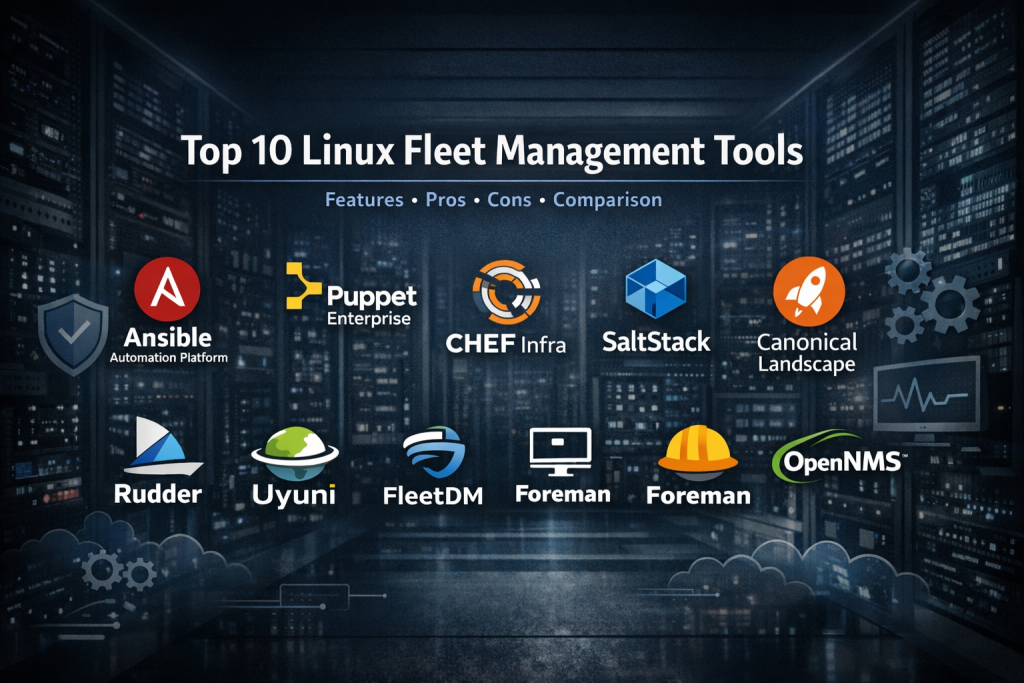
Top 10 Linux Fleet Management Tools
1 — Red Hat Ansible Automation Platform
Short description:
An enterprise-grade automation platform used to configure, manage, and orchestrate Linux fleets at massive scale, especially in RHEL-centric environments.
Key features:
- Agentless automation using SSH
- Powerful YAML-based playbooks
- Centralized inventory and role management
- Automation for patching, provisioning, and compliance
- Integration with CI/CD and cloud platforms
- Role-based access control (RBAC)
- Automation analytics and reporting
Pros:
- Extremely flexible and powerful
- Strong enterprise adoption and ecosystem
- Works across on-prem and cloud
Cons:
- Steep learning curve for beginners
- Enterprise licensing can be costly
Security & compliance:
RBAC, encryption, audit logs, enterprise security controls; compliance varies by deployment.
Support & community:
Extensive documentation, large global community, enterprise-grade Red Hat support.
2 — Canonical Landscape
Short description:
A centralized systems management tool designed specifically for Ubuntu Linux fleets.
Key features:
- Patch and package management
- Inventory and system grouping
- Ubuntu security updates and alerts
- Compliance reporting
- On-prem and hosted options
- Script execution across fleets
Pros:
- Optimized for Ubuntu environments
- Simple UI and workflow
- Strong OS-level integration
Cons:
- Limited beyond Ubuntu ecosystems
- Fewer advanced automation features
Security & compliance:
Encryption, access controls, compliance reporting; standards vary.
Support & community:
Good documentation, Canonical-backed enterprise support, active Ubuntu community.
3 — Puppet Enterprise
Short description:
A mature configuration management platform designed to enforce consistent system states across Linux fleets.
Key features:
- Declarative configuration management
- Agent-based architecture
- Infrastructure-as-code approach
- Compliance and drift detection
- Scalable node management
- Reporting and auditing
Pros:
- Strong state enforcement model
- Enterprise compliance capabilities
- Proven at large scale
Cons:
- Requires agents on all nodes
- DSL learning curve
Security & compliance:
RBAC, encrypted communication, compliance reporting, enterprise-grade controls.
Support & community:
Strong documentation, enterprise support, long-standing user community.
4 — Chef Infra
Short description:
A code-driven automation platform focused on infrastructure consistency and repeatability.
Key features:
- Ruby-based configuration recipes
- Policy-driven infrastructure management
- Agent-based deployment
- CI/CD-friendly workflows
- Compliance scanning
- Cross-platform Linux support
Pros:
- Highly flexible and programmable
- Strong DevOps alignment
- Mature automation ecosystem
Cons:
- Ruby knowledge required
- More complex setup than modern alternatives
Security & compliance:
Encryption, compliance scanning, audit trails; varies by deployment.
Support & community:
Good enterprise support, extensive documentation, active but specialized community.
5 — SaltStack
Short description:
A fast, event-driven automation and configuration management system well-suited for large Linux fleets.
Key features:
- High-speed remote execution
- Event-driven automation
- Centralized configuration states
- Real-time system monitoring
- Scalable master-minion architecture
- Policy enforcement
Pros:
- Very fast execution
- Flexible automation model
- Strong scalability
Cons:
- Architecture complexity
- Smaller ecosystem than Ansible
Security & compliance:
Encrypted communication, RBAC, audit capabilities.
Support & community:
Good documentation, enterprise support available, smaller but skilled community.
6 — Foreman
Short description:
An open-source lifecycle management tool often paired with Puppet for Linux provisioning and control.
Key features:
- Bare-metal and VM provisioning
- OS lifecycle management
- Integration with Puppet
- Host grouping and templates
- Reporting dashboards
- Plugin extensibility
Pros:
- Strong provisioning workflows
- Open-source flexibility
- No mandatory licensing costs
Cons:
- UI feels dated
- Requires integration setup
Security & compliance:
Access controls and logging; compliance depends on configuration.
Support & community:
Active open-source community, commercial support available via partners.
7 — Rudder
Short description:
A policy-based Linux fleet management tool emphasizing compliance and continuous configuration enforcement.
Key features:
- Policy-driven configuration
- Real-time compliance reporting
- Drift detection
- Web-based dashboard
- Automation workflows
- Scalable node management
Pros:
- Excellent compliance visibility
- Easier than traditional CM tools
- Strong reporting
Cons:
- Smaller ecosystem
- Less flexible for custom workflows
Security & compliance:
Audit logs, encryption, compliance-first design.
Support & community:
Clear documentation, enterprise support available, growing community.
8 — Uyuni
Short description:
An open-source systems management solution derived from SUSE Manager, designed for Linux lifecycle control.
Key features:
- Patch and package management
- Configuration management
- System grouping and inventory
- Compliance auditing
- Multi-distribution support
- Automation tasks
Pros:
- Strong open-source foundation
- Enterprise-grade capabilities
- Multi-distro support
Cons:
- Setup complexity
- UI learning curve
Security & compliance:
Security patching, audit tools, compliance reporting.
Support & community:
Active open-source community, SUSE-backed lineage.
9 — OpenNMS Horizon
Short description:
Primarily a network and infrastructure monitoring platform with Linux fleet visibility.
Key features:
- Linux system monitoring
- Performance and availability tracking
- Alerting and dashboards
- SNMP-based management
- Scalability for large infrastructures
Pros:
- Excellent monitoring depth
- Highly scalable
- Strong alerting
Cons:
- Not a full configuration manager
- Monitoring-focused
Security & compliance:
Access controls and audit logs; compliance varies.
Support & community:
Strong documentation, active open-source and enterprise support options.
10 — FleetDM
Short description:
A modern, security-focused fleet management tool built around osquery for Linux endpoint visibility.
Key features:
- Centralized osquery management
- Real-time endpoint visibility
- Security posture monitoring
- Policy-based queries
- Lightweight agent approach
- Cloud-native architecture
Pros:
- Excellent security insights
- Modern UI and workflow
- Fast deployment
Cons:
- Limited configuration management
- Best as a complement, not replacement
Security & compliance:
Strong security visibility, audit-friendly querying; compliance depends on usage.
Support & community:
Good documentation, active community, commercial support available.
Comparison Table
| Tool Name | Best For | Platform(s) Supported | Standout Feature | Rating |
|---|---|---|---|---|
| Ansible Automation Platform | Enterprise automation | Linux, hybrid | Agentless automation | N/A |
| Canonical Landscape | Ubuntu fleets | Ubuntu Linux | Native Ubuntu integration | N/A |
| Puppet Enterprise | Compliance-heavy enterprises | Linux, multi-OS | Declarative state enforcement | N/A |
| Chef Infra | DevOps automation | Linux, multi-OS | Code-driven infrastructure | N/A |
| SaltStack | Large-scale automation | Linux, cloud | High-speed execution | N/A |
| Foreman | Provisioning-focused teams | Linux | Lifecycle management | N/A |
| Rudder | Compliance-driven orgs | Linux | Real-time compliance | N/A |
| Uyuni | Open-source enterprises | Linux | Full lifecycle control | N/A |
| OpenNMS Horizon | Monitoring-centric teams | Linux | Infrastructure visibility | N/A |
| FleetDM | Security teams | Linux | Osquery-based insights | N/A |
Evaluation & Scoring of Linux Fleet Management Tools
| Tool | Core Features (25%) | Ease of Use (15%) | Integrations (15%) | Security (10%) | Performance (10%) | Support (10%) | Price / Value (15%) | Total Score |
|---|---|---|---|---|---|---|---|---|
| Ansible | 23 | 11 | 14 | 9 | 9 | 9 | 11 | 85 |
| Landscape | 18 | 13 | 10 | 8 | 8 | 8 | 12 | 77 |
| Puppet | 22 | 9 | 13 | 9 | 8 | 9 | 10 | 80 |
| Chef | 21 | 9 | 13 | 8 | 8 | 8 | 10 | 77 |
| SaltStack | 22 | 10 | 12 | 8 | 9 | 8 | 11 | 80 |
| Foreman | 18 | 10 | 11 | 7 | 7 | 8 | 13 | 74 |
| Rudder | 20 | 12 | 10 | 9 | 8 | 8 | 12 | 79 |
| Uyuni | 20 | 9 | 11 | 8 | 8 | 8 | 12 | 76 |
| OpenNMS | 16 | 10 | 11 | 7 | 9 | 8 | 12 | 73 |
| FleetDM | 17 | 14 | 10 | 9 | 9 | 8 | 13 | 80 |
Which Linux Fleet Management Tool Is Right for You?
- Solo users: Lightweight tools or managed services are usually sufficient
- SMBs: Canonical Landscape, Rudder, or FleetDM provide balance
- Mid-market: SaltStack, Puppet, Chef offer strong automation
- Enterprise: Ansible Automation Platform excels at scale
Budget-conscious teams:
Open-source tools like Foreman, Uyuni, and Rudder provide strong value.
Premium solutions:
Ansible, Puppet, and Chef justify cost with scalability and compliance.
Ease of use vs depth:
FleetDM and Landscape prioritize usability; Ansible and Chef prioritize power.
Security and compliance:
Rudder, Puppet, and Ansible stand out for audit-heavy environments.
Frequently Asked Questions (FAQs)
1. What is Linux fleet management?
It is the centralized management of multiple Linux systems for configuration, security, monitoring, and automation.
2. Do I need fleet management for small teams?
Only if consistency, security, or automation is important beyond a few systems.
3. Are these tools agent-based?
Some are agentless (Ansible), others require agents (Puppet, Chef).
4. Can they manage cloud and on-prem systems together?
Yes, most support hybrid and multi-cloud environments.
5. Are open-source tools reliable for enterprises?
Yes, when properly supported and configured.
6. How important is compliance reporting?
Critical for regulated industries and audits.
7. Can these tools replace monitoring platforms?
Some include monitoring, but many work best alongside dedicated tools.
8. Is automation hard to learn?
It varies; YAML-based tools are easier than code-heavy systems.
9. Do these tools support multiple Linux distributions?
Most do, but some are distro-specific.
10. What is the biggest mistake buyers make?
Choosing complexity before understanding real operational needs.
Conclusion
Linux Fleet Management Tools are essential for scalable, secure, and efficient Linux operations. They reduce manual work, improve reliability, and strengthen security posture across growing infrastructures.
The most important factors when choosing a tool are scale, team skill level, security requirements, and integration needs. There is no single “best” solution for everyone—only the best fit for your environment.
By carefully evaluating features, usability, compliance, and long-term value, organizations can select a Linux fleet management platform that supports growth without adding unnecessary complexity.

Find Trusted Cardiac Hospitals
Compare heart hospitals by city and services — all in one place.
Explore Hospitals
This article offers a very clear and practical comparison of Linux fleet management tools — a topic that’s increasingly relevant as organizations scale their Linux infrastructure across cloud, on‑prem, and edge environments. I appreciate how it highlights not just feature sets like configuration automation, patching, compliance enforcement, monitoring, and lifecycle management, but also real‑world considerations such as ease of deployment, scalability, security controls, and ecosystem support. By laying out pros and cons for tools ranging from Ansible and Puppet to Canonical Landscape and FleetDM, the guide helps engineers and sysadmins choose the right balance between power, simplicity, and operational needs in diverse environments. This structured comparison makes it much easier to match the right tool to specific fleet sizes and management goals — from small Ubuntu‑specific fleets to enterprise‑scale heterogeneous deployments.