
Introduction
Media Player Software is a core utility that enables users to play, manage, organize, and enhance audio and video files across devices. From casual movie watching and music listening to professional-grade playback for creators, educators, and broadcasters, media players have evolved far beyond simple “play” buttons. Modern media players now support multiple codecs, high-resolution formats, streaming protocols, subtitles, playlists, hardware acceleration, and cross-platform syncing.
The importance of reliable media player software has increased with the rise of 4K/8K video, lossless audio, streaming content, remote work, online education, and digital entertainment ecosystems. A poor media player can lead to compatibility issues, buffering, crashes, or degraded playback quality—while a good one ensures smooth performance, accurate rendering, and an enjoyable viewing or listening experience.
Common real-world use cases include:
- Watching movies and TV shows in multiple formats
- Listening to music collections and podcasts
- Reviewing video/audio files for editing and production
- Classroom and corporate presentations
- Media playback for kiosks, digital signage, and home theaters
When choosing Media Player Software, users should evaluate:
- Format and codec compatibility
- Performance and hardware acceleration
- Ease of use and UI design
- Playlist, subtitle, and library management
- Platform support and ecosystem integration
- Security, privacy, and update reliability
Best for:
Media Player Software tools are ideal for individual users, content consumers, students, educators, media professionals, broadcasters, and enterprises that rely on consistent, high-quality audio-visual playback.
Not ideal for:
These tools may not be necessary for users who only stream via web browsers, rely exclusively on cloud streaming platforms, or need full video editing suites rather than playback-focused solutions.
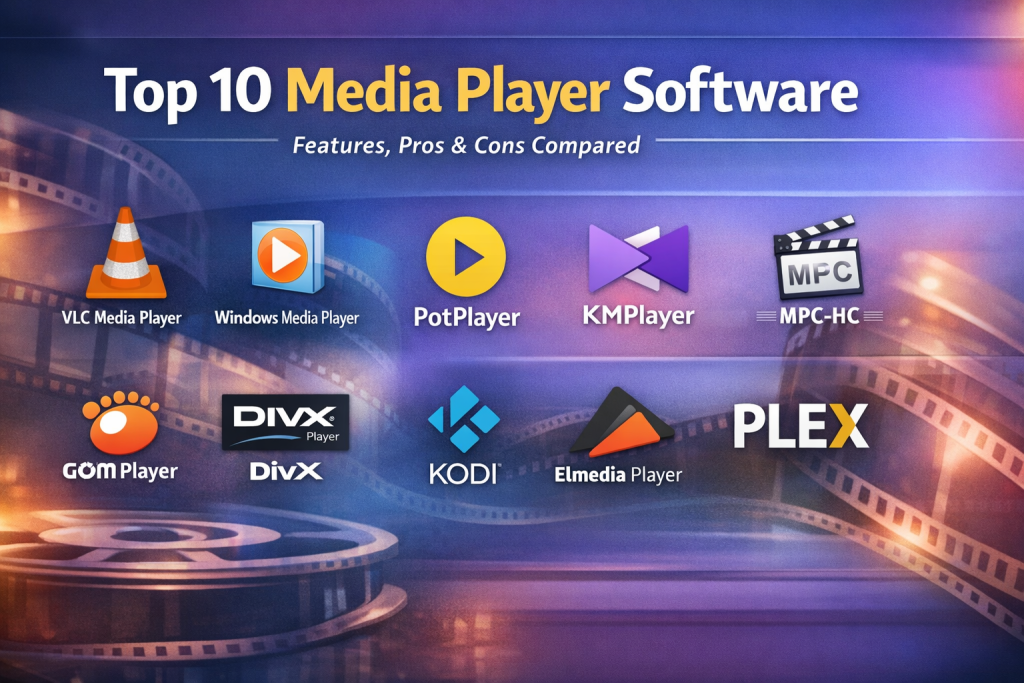
Top 10 Media Player Software Tools
1 — VLC Media Player
Short description:
A widely used open-source media player known for its ability to play almost any audio or video format without additional codecs.
Key features:
- Supports virtually all media formats and codecs
- Cross-platform availability (desktop and mobile)
- Advanced subtitle synchronization and customization
- Network streaming and media conversion tools
- Hardware acceleration support
- Lightweight and ad-free experience
Pros:
- Free and open-source with no restrictions
- Extremely reliable for rare or damaged files
- Strong global user community
Cons:
- Interface feels dated for some users
- Limited media library management features
Security & compliance:
Open-source transparency, regular security patches; enterprise compliance varies.
Support & community:
Extensive documentation, forums, and global contributor community.
2 — Windows Media Player
Short description:
A built-in media player for Windows designed for basic playback and media library management.
Key features:
- Native Windows integration
- Audio CD ripping and burning
- Basic playlist and library management
- Supports common media formats
- Lightweight and simple UI
Pros:
- Preinstalled on Windows systems
- Easy to use for beginners
Cons:
- Limited format support compared to modern players
- Minimal updates and innovation
Security & compliance:
Microsoft security standards; compliance depends on OS policies.
Support & community:
Official Microsoft documentation; limited community activity.
3 — PotPlayer
Short description:
A powerful Windows-only media player favored by advanced users for its customization and performance controls.
Key features:
- Extensive codec and format support
- Highly customizable UI and shortcuts
- Advanced playback controls
- Hardware acceleration optimization
- 3D and VR playback support
Pros:
- Excellent performance and flexibility
- Advanced control for power users
Cons:
- Steep learning curve
- Windows-only availability
Security & compliance:
Standard desktop security; enterprise compliance varies.
Support & community:
Strong user forums and guides; limited official enterprise support.
4 — KMPlayer
Short description:
A feature-rich media player focused on high-resolution video playback and customization.
Key features:
- Supports 4K and 8K playback
- Built-in subtitle editor
- Cloud and streaming playback
- Playback speed and section repeat
- Multiple rendering options
Pros:
- Excellent video quality handling
- Feature-rich free version
Cons:
- Ads in free version
- Can feel bloated for casual users
Security & compliance:
Varies; ad-supported model may raise privacy concerns.
Support & community:
Documentation available; moderate user community.
5 — Media Player Classic – Home Cinema
Short description:
A lightweight, open-source media player designed to replicate the classic Windows Media Player feel.
Key features:
- Minimalist and fast interface
- Wide codec compatibility
- Low system resource usage
- Subtitle and playback control
- Open-source development
Pros:
- Extremely lightweight
- Stable and reliable playback
Cons:
- Limited modern UI features
- Slower feature evolution
Security & compliance:
Open-source transparency; compliance depends on deployment context.
Support & community:
Active community forks and forums.
6 — GOM Player
Short description:
A user-friendly media player known for subtitle discovery and online codec support.
Key features:
- Automatic subtitle search
- Wide format compatibility
- VR video playback
- Customizable skins
- Playback error recovery
Pros:
- Strong subtitle handling
- Beginner-friendly UI
Cons:
- Ads in free version
- Some advanced features locked behind paid tier
Security & compliance:
Varies by version; ads may affect privacy.
Support & community:
Official help center and active user base.
7 — DivX Player
Short description:
A media player optimized for high-quality video playback and DivX-encoded content.
Key features:
- High-quality video rendering
- HEVC and 4K support
- Media casting to devices
- Custom audio and subtitle control
- Clean modern interface
Pros:
- Excellent video quality
- Polished UI
Cons:
- Limited free features
- Best performance tied to DivX ecosystem
Security & compliance:
Standard consumer security practices.
Support & community:
Official support documentation and user forums.
8 — Kodi
Short description:
An open-source media center platform designed for home theater and large media libraries.
Key features:
- Full media library management
- Plugin and add-on ecosystem
- Supports local and network media
- Custom themes and skins
- Cross-platform support
Pros:
- Highly extensible
- Ideal for home theater setups
Cons:
- Setup can be complex
- Overkill for simple playback needs
Security & compliance:
Open-source; compliance depends on add-ons used.
Support & community:
Large global community and extensive documentation.
9 — Elmedia Player
Short description:
A macOS-focused media player designed for smooth playback and device streaming.
Key features:
- Native macOS optimization
- Streaming to external devices
- Subtitle customization
- Playlist management
- Clean Apple-style UI
Pros:
- Excellent macOS performance
- User-friendly design
Cons:
- macOS-only
- Advanced features require paid version
Security & compliance:
macOS security standards apply.
Support & community:
Professional support and tutorials.
10 — Plex Media Player
Short description:
A client-side media player built to work with centralized media servers for streaming and organization.
Key features:
- Server-based media streaming
- Automatic metadata fetching
- Multi-device playback sync
- User profiles and access control
- High-quality playback
Pros:
- Excellent media organization
- Ideal for shared libraries
Cons:
- Requires server setup
- Some features behind premium tier
Security & compliance:
Account-based security; enterprise compliance varies.
Support & community:
Strong documentation and active user forums.
Comparison Table
| Tool Name | Best For | Platform(s) Supported | Standout Feature | Rating |
|---|---|---|---|---|
| VLC Media Player | Universal playback | Windows, macOS, Linux, Mobile | Plays almost any format | N/A |
| Windows Media Player | Basic Windows users | Windows | Native OS integration | N/A |
| PotPlayer | Power users | Windows | Deep customization | N/A |
| KMPlayer | High-resolution video | Windows, Mobile | 4K/8K playback | N/A |
| MPC-HC | Lightweight playback | Windows | Minimal resource usage | N/A |
| GOM Player | Subtitle-heavy content | Windows, Mobile | Auto subtitle search | N/A |
| DivX Player | High-quality video | Windows, macOS | Video quality optimization | N/A |
| Kodi | Home theater setups | Cross-platform | Media center ecosystem | N/A |
| Elmedia Player | macOS users | macOS | Apple-optimized playback | N/A |
| Plex Media Player | Centralized streaming | Cross-platform | Server-based streaming | N/A |
Evaluation & Scoring of Media Player Software
| Criteria | Weight | Description |
|---|---|---|
| Core features | 25% | Format support, playback controls |
| Ease of use | 15% | UI clarity and learning curve |
| Integrations & ecosystem | 15% | Streaming, plugins, devices |
| Security & compliance | 10% | Updates, privacy, standards |
| Performance & reliability | 10% | Stability and resource usage |
| Support & community | 10% | Documentation and help |
| Price / value | 15% | Free vs paid capabilities |
Which Media Player Software Tool Is Right for You?
- Solo users: VLC, MPC-HC, Elmedia
- SMBs: VLC, Plex, Kodi
- Mid-market: Plex, Kodi, PotPlayer
- Enterprise / Education: Plex, VLC (managed deployments)
Budget-conscious users benefit from open-source tools, while premium users gain convenience from polished ecosystems. Choose feature-rich players if you need customization, or simple players for hassle-free playback. Security-sensitive environments should prioritize actively maintained, transparent tools.
Frequently Asked Questions (FAQs)
- Do media players need internet access?
Most work offline; streaming and metadata features may require connectivity. - Can one media player handle all formats?
Some come close, but rare formats may still require testing. - Are free media players safe?
Yes, if sourced responsibly and updated regularly. - Is hardware acceleration important?
Yes, especially for 4K/8K playback and low-power devices. - Do media players support subtitles?
Most modern players provide extensive subtitle support. - Are media players suitable for business use?
Yes, particularly for presentations and kiosks. - What’s the difference between media player and media server?
Players handle playback; servers manage and stream content. - Can media players stream to TVs?
Many support casting or network playback. - Do they support playlists?
Almost all players include playlist functionality. - Is one media player best for everyone?
No—needs vary by user, device, and use case.
Conclusion
Media Player Software remains a foundational tool for digital consumption and content management. While some tools excel at universal compatibility, others shine in customization, home theater setups, or centralized streaming. The most important factors are reliability, format support, performance, and ease of use.
There is no single “best” media player for everyone. The right choice depends on your platform, content type, technical comfort level, and playback needs. By aligning features with real-world requirements, users can select a media player that delivers a smooth, enjoyable, and dependable experience.

Find Trusted Cardiac Hospitals
Compare heart hospitals by city and services — all in one place.
Explore Hospitals