
Introduction
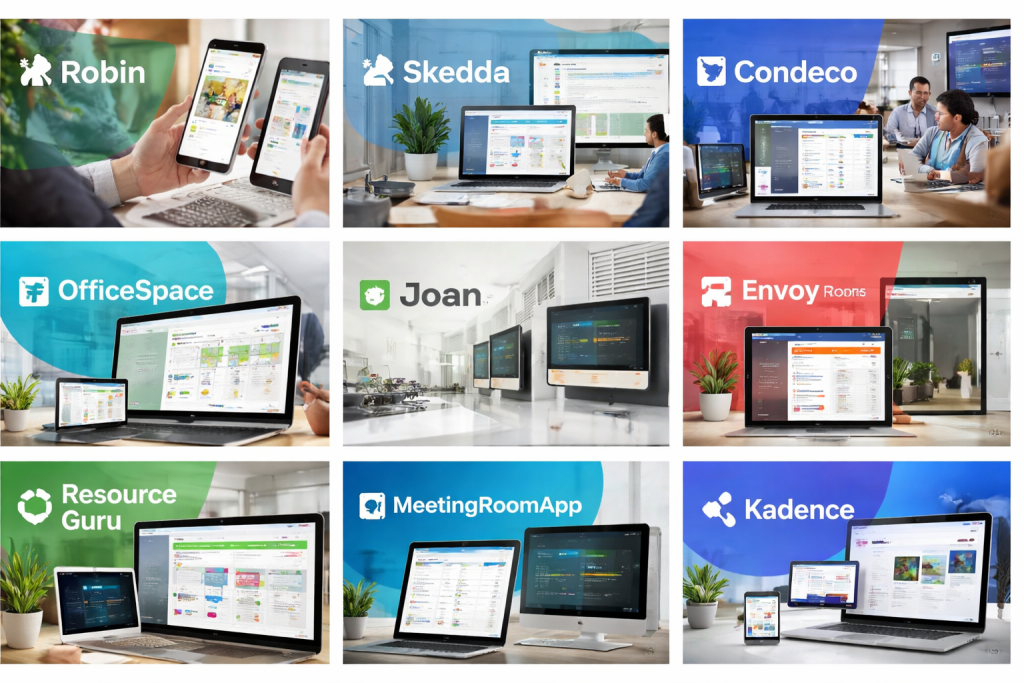
Meeting Room Booking Software is a specialized digital solution designed to help organizations efficiently manage, schedule, and optimize the use of physical meeting spaces. Instead of relying on manual calendars, spreadsheets, or ad-hoc communication, these tools provide a centralized system where employees can quickly view room availability, book spaces, and avoid conflicts.
In modern workplaces—especially hybrid and flexible offices—meeting rooms are high-value assets. Poor scheduling leads to double bookings, wasted space, frustrated employees, and reduced productivity. Meeting Room Booking Software solves these issues by offering real-time visibility, automation, and integration with everyday work tools.
Why it is important
- Prevents booking conflicts and no-show meetings
- Maximizes utilization of office space
- Saves employee time and reduces admin overhead
- Supports hybrid work models and hot-desking environments
Key real-world use cases
- Corporate offices managing dozens or hundreds of meeting rooms
- Co-working spaces and shared offices
- Hospitals, universities, and training centers
- Conference facilities and enterprise campuses
What users should look for when choosing tools
When evaluating Meeting Room Booking Software, buyers should focus on:
- Ease of use for everyday employees
- Calendar and workplace integrations
- Scalability across multiple locations
- Security and compliance for enterprise environments
- Analytics and reporting for space optimization
Best for:
Meeting Room Booking Software is ideal for HR teams, office administrators, facilities managers, IT teams, and growing organizations that want to streamline space usage, reduce operational friction, and support hybrid work.
Not ideal for:
Very small teams with only one or two rooms, or fully remote companies with no physical office presence, may not need a dedicated meeting room booking system.
Top 10 Meeting Room Booking Software Tools
1 — Robin
Short description:
Robin is a modern workplace experience platform focused on meeting room scheduling, desk booking, and hybrid work coordination. It is designed for mid-sized to large organizations.
Key features:
- Real-time meeting room availability
- Desk and space booking
- Office maps and wayfinding
- Calendar integrations
- Room display panels
- Analytics on space utilization
Pros:
- Clean, intuitive user interface
- Strong hybrid workplace focus
- Excellent reporting and insights
Cons:
- Premium pricing for advanced features
- Setup can be complex for small teams
Security & compliance:
SSO, data encryption, GDPR compliance
Support & community:
Strong documentation, enterprise onboarding, responsive support
2 — Skedda
Short description:
Skedda is a flexible scheduling platform suitable for meeting rooms, shared spaces, and resources across many industries.
Key features:
- Rule-based booking automation
- Custom booking permissions
- Interactive schedules
- Mobile-friendly interface
- Multi-location support
- Payment and approval workflows
Pros:
- Highly customizable booking rules
- Works well beyond offices (schools, venues)
- Competitive pricing
Cons:
- Interface can feel complex initially
- Limited advanced analytics
Security & compliance:
SSO, encryption, GDPR
Support & community:
Helpful documentation, email support, active user base
3 — Condeco
Short description:
Condeco is an enterprise-grade meeting room and workspace management solution built for large global organizations.
Key features:
- Advanced meeting room booking
- Desk and workspace scheduling
- Visitor management
- Digital signage integration
- Space analytics and forecasting
- Multi-country deployment
Pros:
- Robust enterprise capabilities
- Strong analytics for facilities teams
- Scales well across large campuses
Cons:
- High cost
- Requires training for full adoption
Security & compliance:
SSO, SOC 2, GDPR, ISO standards
Support & community:
Dedicated enterprise support and account management
4 — OfficeSpace
Short description:
OfficeSpace combines meeting room booking with space planning and workplace management tools.
Key features:
- Meeting room scheduling
- Interactive floor plans
- Space utilization analytics
- Desk and asset management
- Move management tools
Pros:
- Strong visual space planning
- Useful for office redesign projects
- Good reporting depth
Cons:
- Less intuitive for casual users
- Feature-rich interface may feel heavy
Security & compliance:
SSO, GDPR, enterprise-grade security
Support & community:
Guided onboarding, training resources, customer success teams
5 — Teem (by iOFFICE)
Short description:
Teem focuses on improving meeting culture and room utilization through intelligent scheduling and analytics.
Key features:
- Smart room booking
- No-show detection
- Meeting analytics
- Room display integration
- Calendar synchronization
Pros:
- Reduces wasted meeting room time
- Strong analytics insights
- Well-suited for corporate offices
Cons:
- Limited customization
- Best value for larger organizations
Security & compliance:
SSO, GDPR, SOC 2
Support & community:
Professional support, enterprise documentation
6 — Joan
Short description:
Joan offers a simple, hardware-integrated meeting room booking solution centered around e-paper room displays.
Key features:
- Real-time room availability
- E-paper room display integration
- Calendar sync
- Mobile and web booking
- Low power consumption
Pros:
- Extremely easy to use
- Minimal IT maintenance
- Clear at-the-door visibility
Cons:
- Limited advanced features
- Hardware dependency
Security & compliance:
Encryption, GDPR
Support & community:
Responsive support, simple documentation
7 — Envoy Rooms
Short description:
Envoy Rooms is part of a broader workplace platform offering room booking, visitor management, and office safety tools.
Key features:
- Meeting room scheduling
- Room displays
- Visitor and employee management
- Calendar integration
- Workplace analytics
Pros:
- Unified workplace platform
- Easy employee adoption
- Strong hybrid office features
Cons:
- Best features require full platform
- Limited deep customization
Security & compliance:
SSO, SOC 2, GDPR
Support & community:
Good onboarding, enterprise support options
#8 — Resource Guru
Short description:
Resource Guru is a lightweight scheduling tool for rooms, people, and equipment, suitable for smaller teams.
Key features:
- Simple room and resource scheduling
- Availability forecasting
- Time-off tracking
- Multi-time zone support
- Clean interface
Pros:
- Very easy to learn
- Affordable pricing
- Fast setup
Cons:
- Not purpose-built only for meeting rooms
- Limited enterprise controls
Security & compliance:
Encryption, GDPR
Support & community:
Email support, clear help guides
9 — MeetingRoomApp
Short description:
MeetingRoomApp is a dedicated solution for managing meeting rooms with hardware display integration.
Key features:
- Room scheduling
- Touch screen displays
- Calendar integration
- Check-in and release logic
- Multi-location support
Pros:
- Strong hardware compatibility
- Reduces ghost meetings
- Easy room-side booking
Cons:
- Less suitable for non-office resources
- UI feels dated to some users
Security & compliance:
SSO, GDPR
Support & community:
Standard support and setup assistance
10 — Kadence
Short description:
Kadence is a hybrid work platform combining meeting room booking, desk reservations, and employee experience tools.
Key features:
- Meeting room and desk booking
- Team coordination tools
- Office attendance planning
- Space analytics
- Mobile-first experience
Pros:
- Excellent hybrid work support
- Modern interface
- Strong collaboration features
Cons:
- Premium pricing
- Overkill for simple needs
Security & compliance:
SSO, SOC 2, GDPR
Support & community:
Enterprise-grade support, onboarding assistance
Comparison Table
| Tool Name | Best For | Platform(s) Supported | Standout Feature | Rating |
|---|---|---|---|---|
| Robin | Hybrid workplaces | Web, Mobile | Workplace analytics | N/A |
| Skedda | Flexible space scheduling | Web, Mobile | Rule-based automation | N/A |
| Condeco | Large enterprises | Web, Mobile, Displays | Enterprise scalability | N/A |
| OfficeSpace | Space planning teams | Web | Interactive floor plans | N/A |
| Teem | Corporate meeting optimization | Web, Displays | No-show reduction | N/A |
| Joan | Simple room booking | Displays, Web | E-paper displays | N/A |
| Envoy Rooms | Unified workplace management | Web, Mobile | Visitor + room management | N/A |
| Resource Guru | Small teams | Web | Simplicity | N/A |
| MeetingRoomApp | Hardware-based offices | Displays, Web | Room-side booking | N/A |
| Kadence | Hybrid-first organizations | Web, Mobile | Team coordination | N/A |
Evaluation & Scoring of Meeting Room Booking Software
| Evaluation Criteria | Weight | Explanation |
|---|---|---|
| Core features | 25% | Room booking, conflict prevention, automation |
| Ease of use | 15% | Employee adoption and usability |
| Integrations & ecosystem | 15% | Calendar, workplace, and IT tools |
| Security & compliance | 10% | Data protection and access control |
| Performance & reliability | 10% | System uptime and responsiveness |
| Support & community | 10% | Onboarding, documentation, help |
| Price / value | 15% | ROI and cost-effectiveness |
Which Meeting Room Booking Software Tool Is Right for You?
- Solo users: Lightweight tools or shared calendars may be sufficient
- SMBs: Skedda, Resource Guru, or Joan offer affordability and simplicity
- Mid-market: Robin, Envoy Rooms, and Teem balance features and usability
- Enterprise: Condeco, Kadence, and OfficeSpace provide scale and compliance
Budget-conscious vs premium:
Choose simpler tools for cost control; invest in enterprise platforms if space efficiency has measurable ROI.
Feature depth vs ease of use:
Advanced analytics are valuable, but only if employees actually adopt the system.
Integration and scalability needs:
Ensure the tool integrates with calendars, identity systems, and future office growth.
Security and compliance:
Enterprises should prioritize SSO, audit logs, and regulatory alignment.
Frequently Asked Questions (FAQs)
1. What is Meeting Room Booking Software?
It is software that helps organizations schedule and manage meeting rooms efficiently.
2. Do small offices need meeting room booking tools?
Only if conflicts or wasted space are common issues.
3. Can these tools support hybrid work?
Yes, many are built specifically for hybrid and flexible workplaces.
4. Do they integrate with calendars?
Most tools integrate with common work calendars.
5. Are hardware displays necessary?
Not required, but helpful for at-a-glance room availability.
6. How secure are these tools?
Most offer encryption, SSO, and compliance standards.
7. Can they prevent no-show meetings?
Yes, through check-in and auto-release features.
8. How long does implementation take?
From a few hours for simple tools to weeks for enterprise platforms.
9. Are analytics really useful?
Yes, they help reduce unused space and inform office planning.
10. What is the biggest mistake buyers make?
Choosing overly complex tools that employees don’t adopt.
Conclusion
Meeting Room Booking Software plays a crucial role in modern workplace efficiency, employee satisfaction, and space optimization. The right solution eliminates scheduling chaos, improves collaboration, and ensures that valuable office space is used effectively.
There is no single “best” tool for everyone. The ideal choice depends on organization size, budget, security needs, and hybrid work strategy. By focusing on usability, integrations, and long-term scalability, organizations can select a solution that truly supports how their teams work—today and in the future.

Find Trusted Cardiac Hospitals
Compare heart hospitals by city and services — all in one place.
Explore Hospitals
This comparison of meeting room booking software is a helpful and practical guide for anyone looking to streamline how teams reserve and manage shared spaces. The article’s clear breakdown of key features, benefits, and limitations makes it easier to understand which tools offer the best scheduling capabilities, integration options, and user experience. Presenting the pros and cons side by side gives readers a solid foundation to make informed decisions about the right solution for improving collaboration and efficiency in the workplace.