
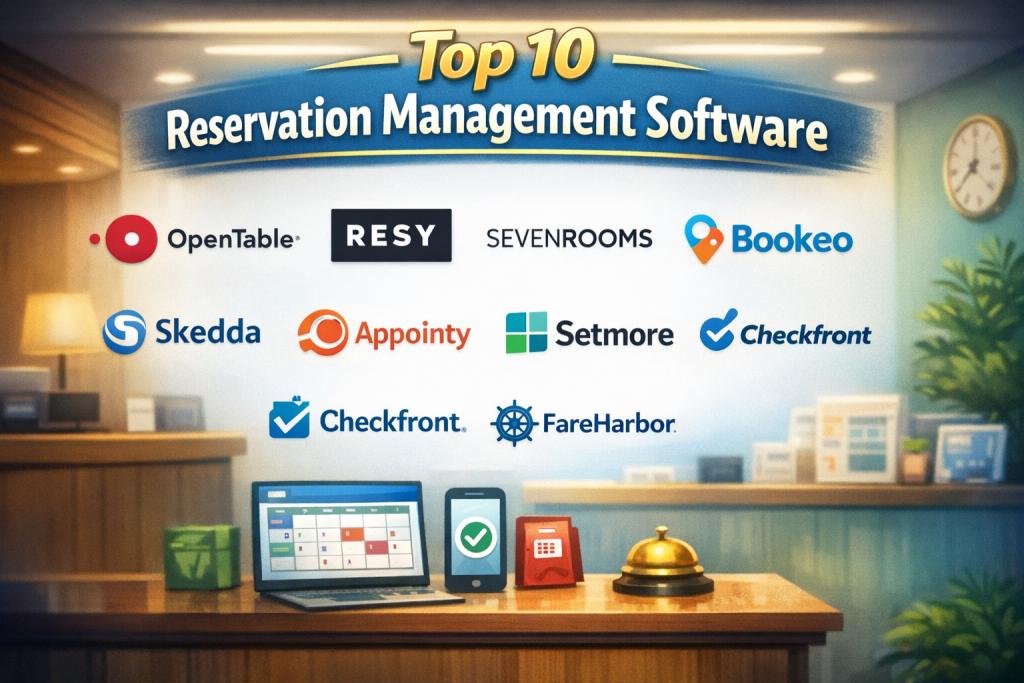
Introduction
Reservation Management Software is a digital system designed to manage bookings, availability, scheduling, and customer reservations across one or multiple locations. It replaces manual registers, spreadsheets, and phone-based booking processes with a centralized, automated platform that works in real time.
In today’s fast-paced, customer-driven world, reservation software plays a critical role in reducing overbooking, improving customer experience, and maximizing resource utilization. From hotels and restaurants to hospitals, coworking spaces, sports facilities, and event venues, these tools ensure that every reservation is accurate, confirmed, and well-organized.
Common real-world use cases include table reservations in restaurants, room bookings in hotels, appointment scheduling in healthcare, seat management for events, and asset reservations for shared resources. Beyond bookings, modern tools also handle reminders, cancellations, payments, reporting, and integrations with POS or CRM systems.
When choosing a Reservation Management Software, buyers should evaluate ease of use, real-time availability management, scalability, integrations, security, reporting depth, and overall value for money. The right choice can streamline operations, reduce staff workload, and significantly improve customer satisfaction.
Best for:
Reservation Management Software is ideal for hospitality businesses, healthcare providers, service-based companies, multi-location enterprises, event organizers, and growing SMBs that handle recurring or high-volume bookings.
Not ideal for:
It may be unnecessary for very small businesses with extremely low booking volume, one-time events, or operations that do not rely on scheduled reservations and can be handled manually without risk.
Top 10 Reservation Management Software Tools
1 — OpenTable
Short description:
A widely recognized reservation platform designed primarily for restaurants, helping manage table bookings, guest preferences, and dining operations.
Key features:
- Real-time table and seating management
- Online and mobile reservations
- Guest profiles and visit history
- Automated confirmations and reminders
- Waitlist and walk-in tracking
- Analytics on occupancy and peak hours
Pros:
- Strong brand recognition among diners
- Excellent tools for managing high-volume reservations
- Improves table turnover and utilization
Cons:
- Higher cost compared to smaller platforms
- Limited flexibility outside restaurant use cases
Security & compliance:
Data encryption, GDPR-aligned practices; compliance scope varies by region.
Support & community:
Comprehensive documentation, onboarding support, and dedicated customer service for business accounts.
2 — Resy
Short description:
A modern reservation and guest management system focused on restaurants and premium dining experiences.
Key features:
- Real-time reservation and floor management
- Dynamic seating optimization
- Guest tagging and preferences
- Integrated waitlist management
- Reservation pacing controls
- Performance and revenue insights
Pros:
- Clean, intuitive interface
- Excellent for managing peak demand
- Strong guest experience tools
Cons:
- Restaurant-focused, limited cross-industry use
- Pricing may be high for small venues
Security & compliance:
Standard encryption and privacy controls; compliance varies.
Support & community:
Responsive customer support and onboarding resources.
3 — SevenRooms
Short description:
An enterprise-grade reservation and guest experience platform for hospitality and entertainment businesses.
Key features:
- Reservation and table management
- CRM with guest profiles
- Marketing automation tools
- POS and payment integrations
- Advanced analytics and reporting
- Multi-venue support
Pros:
- Strong personalization capabilities
- Suitable for large and luxury venues
- Deep data and reporting
Cons:
- Steeper learning curve
- Higher cost for small businesses
Security & compliance:
Supports encryption, access controls, and GDPR-aligned practices.
Support & community:
Enterprise-level support, training, and dedicated account management.
4 — Bookeo
Short description:
A flexible reservation system for tours, activities, appointments, and service-based businesses.
Key features:
- Online booking and calendar management
- Multi-location support
- Automated confirmations and reminders
- Payment processing
- Custom booking rules
- Reporting and analytics
Pros:
- Easy to set up and use
- Works across multiple industries
- Affordable pricing
Cons:
- Limited advanced customization
- Basic reporting compared to enterprise tools
Security & compliance:
Standard encryption; compliance varies by payment provider.
Support & community:
Helpful documentation and responsive customer support.
5 — SimplyBook.me
Short description:
An appointment and reservation management solution for service businesses and SMBs.
Key features:
- Customizable booking website
- Staff and resource management
- Automated reminders
- Online payments
- Client profiles and history
- Marketing and promotion tools
Pros:
- User-friendly and quick setup
- Strong customization options
- Cost-effective for SMBs
Cons:
- Not ideal for very large enterprises
- Some advanced features require add-ons
Security & compliance:
Supports GDPR compliance, encryption, and role-based access.
Support & community:
Good documentation, live chat support, and onboarding guides.
6 — Skedda
Short description:
A reservation management platform focused on space and resource booking for offices, schools, and venues.
Key features:
- Space and resource scheduling
- Real-time availability views
- Booking rules and approvals
- User access controls
- Integrations with calendars
- Usage analytics
Pros:
- Excellent for space management
- Clean and intuitive UI
- Flexible booking rules
Cons:
- Limited customer-facing booking features
- Not suitable for hospitality reservations
Security & compliance:
SSO support, encryption, GDPR-compliant features.
Support & community:
Strong documentation and reliable customer support.
7 — Appointy
Short description:
A scheduling and reservation solution for service-based businesses and franchises.
Key features:
- Appointment and reservation scheduling
- Staff and service management
- Online payments
- Automated notifications
- Multi-location support
- Analytics and reporting
Pros:
- Affordable and scalable
- Works well for franchises
- Mobile-friendly booking
Cons:
- UI can feel cluttered at times
- Limited advanced reporting
Security & compliance:
Encryption and basic compliance support; varies by deployment.
Support & community:
Knowledge base, email support, and onboarding assistance.
8 — Setmore
Short description:
A simple and effective reservation and appointment scheduling tool for small teams.
Key features:
- Online booking pages
- Calendar sync
- Automated reminders
- Team scheduling
- Video appointment support
- Basic analytics
Pros:
- Very easy to use
- Free plan available
- Quick deployment
Cons:
- Limited customization
- Not suitable for complex reservation needs
Security & compliance:
Standard encryption; compliance scope is limited.
Support & community:
Helpful guides, tutorials, and responsive support.
9 — Checkfront
Short description:
A reservation and booking management platform for tours, rentals, and activities.
Key features:
- Inventory-based reservations
- Seasonal pricing and rules
- Online payments
- Channel management
- Reporting and analytics
- Customer communication tools
Pros:
- Strong inventory control
- Ideal for tours and rentals
- Flexible pricing models
Cons:
- Interface feels dated
- Learning curve for advanced features
Security & compliance:
PCI-aligned payment handling; encryption supported.
Support & community:
Good documentation and responsive support team.
10 — FareHarbor
Short description:
A reservation and booking system designed for tour operators and experience-based businesses.
Key features:
- Online and in-person reservations
- Inventory and capacity management
- Payment processing
- Partner and affiliate tools
- Reporting dashboards
- Mobile check-in support
Pros:
- Excellent for experience-based businesses
- Strong operational tools
- Reliable performance
Cons:
- Less flexible for non-tour industries
- Pricing structure may not suit small operators
Security & compliance:
Encryption, secure payments, compliance varies.
Support & community:
Dedicated onboarding, documentation, and customer support.
Comparison Table
| Tool Name | Best For | Platform(s) Supported | Standout Feature | Rating |
|---|---|---|---|---|
| OpenTable | Restaurants | Web, Mobile | Table optimization | N/A |
| Resy | Premium dining | Web, Mobile | Reservation pacing | N/A |
| SevenRooms | Enterprise hospitality | Web | Guest CRM | N/A |
| Bookeo | Tours & services | Web | Multi-industry flexibility | N/A |
| SimplyBook.me | SMB services | Web, Mobile | Custom booking sites | N/A |
| Skedda | Space management | Web | Resource scheduling | N/A |
| Appointy | Franchises | Web, Mobile | Multi-location support | N/A |
| Setmore | Small teams | Web, Mobile | Simplicity | N/A |
| Checkfront | Rentals & tours | Web | Inventory control | N/A |
| FareHarbor | Experience businesses | Web, Mobile | Capacity management | N/A |
Evaluation & Scoring of Reservation Management Software
| Criteria | Weight | Explanation |
|---|---|---|
| Core features | 25% | Booking, availability, confirmations |
| Ease of use | 15% | User and staff experience |
| Integrations & ecosystem | 15% | POS, CRM, payments |
| Security & compliance | 10% | Data protection and access control |
| Performance & reliability | 10% | Speed and uptime |
| Support & community | 10% | Help, onboarding, documentation |
| Price / value | 15% | Cost vs features |
Which Reservation Management Software Tool Is Right for You?
- Solo users & small teams: Choose simple, low-cost tools with fast setup and essential features.
- SMBs: Look for balance between flexibility, automation, and affordability.
- Mid-market businesses: Prioritize scalability, integrations, and reporting.
- Enterprise: Focus on security, customization, analytics, and multi-location support.
- Budget-conscious users: Avoid overpaying for features you don’t need.
- Regulated industries: Ensure strong security and compliance capabilities.
Frequently Asked Questions (FAQs)
1. What is reservation management software?
It is a digital system that manages bookings, availability, and customer reservations in real time.
2. Is reservation software only for restaurants?
No, it is widely used in healthcare, tourism, events, offices, and service industries.
3. Can it prevent overbooking?
Yes, real-time availability tracking significantly reduces overbooking risks.
4. Does it support online payments?
Many tools offer built-in or integrated payment processing.
5. Is it suitable for multi-location businesses?
Several tools support centralized management across locations.
6. How long does implementation take?
Most cloud-based tools can be set up within days or weeks.
7. Is customer data secure?
Reputable tools use encryption and follow data protection standards.
8. Can it send reminders automatically?
Yes, automated confirmations and reminders are standard features.
9. Are free plans reliable?
Free plans are useful for basic needs but often limited in features.
10. What is the biggest mistake buyers make?
Choosing overly complex tools instead of matching software to actual needs.
Conclusion
Reservation Management Software has become essential for businesses that rely on accurate scheduling, efficient resource use, and strong customer experience. The right platform can reduce manual work, improve operational efficiency, and drive higher customer satisfaction.
There is no single “best” tool for everyone. The ideal choice depends on industry, business size, booking volume, budget, and compliance requirements. By focusing on real needs rather than feature overload, businesses can select a solution that delivers long-term value and growth.

Find Trusted Cardiac Hospitals
Compare heart hospitals by city and services — all in one place.
Explore Hospitals