
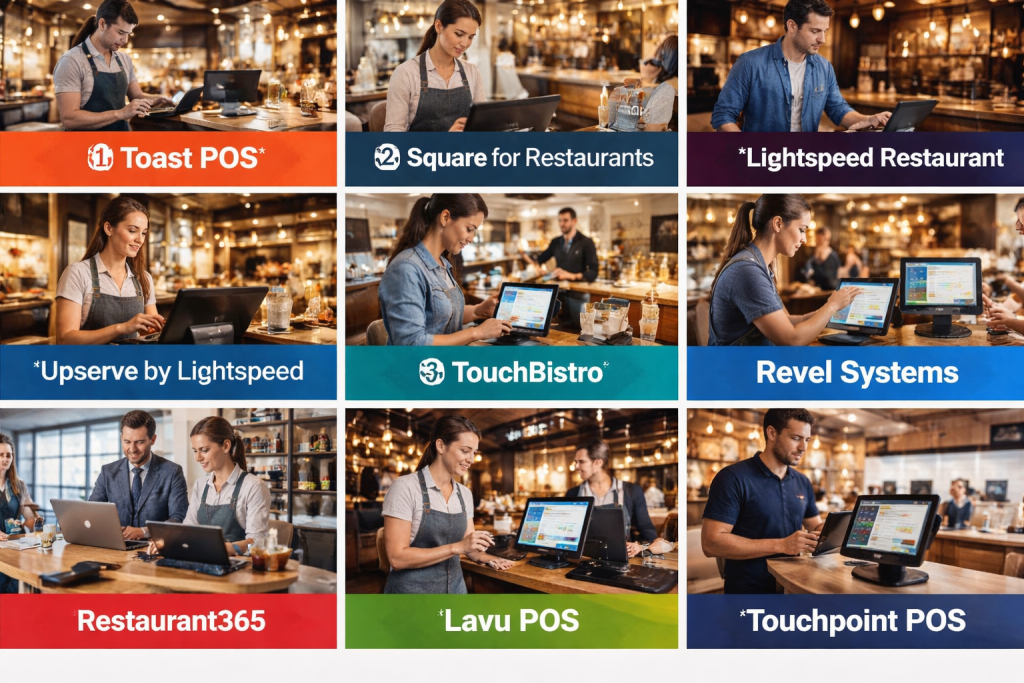
Managing a restaurant efficiently in today’s competitive market is more complex than ever. From taking orders and managing inventory to handling reservations and staff scheduling, restaurant owners face numerous operational challenges. This is where Restaurant Management Systems (RMS) come into play. These digital solutions are designed to streamline daily operations, improve efficiency, reduce errors, and enhance the customer experience.
A Restaurant Management System is a software platform that helps restaurants automate and manage core operations, including point-of-sale (POS) transactions, inventory tracking, staff management, reservation scheduling, and customer relationship management. By integrating multiple workflows into one platform, RMS tools allow restaurant owners and managers to monitor their business in real-time and make data-driven decisions.
Why RMS is important:
Restaurants rely on fast, accurate, and coordinated operations to succeed. Manual processes increase the risk of errors, overstocking, wastage, and delays. RMS ensures smoother operations, better reporting, and improved profitability. It also enables restaurants to offer modern services like online ordering, mobile payments, and loyalty programs, which are increasingly expected by customers.
Key real-world use cases include:
- Order Management: Handling dine-in, takeout, and delivery orders seamlessly.
- Inventory Tracking: Monitoring stock levels, reducing waste, and automating purchase orders.
- Staff Scheduling & Payroll: Efficiently managing shifts and calculating wages.
- Customer Relationship Management (CRM): Capturing customer preferences, loyalty programs, and feedback.
- Analytics & Reporting: Real-time insights on sales, menu performance, and operational efficiency.
Evaluation criteria for choosing an RMS:
- Feature completeness: Does it cover POS, inventory, staff, and analytics?
- Ease of use: How intuitive is the system for staff?
- Integration: Can it connect with payment gateways, accounting software, and delivery platforms?
- Security: How does it protect sensitive data and ensure compliance?
- Scalability: Can it handle growth from small cafes to multi-location chains?
- Support: Availability of documentation, customer service, and training resources.
Best for: Restaurant owners, managers, and operators in small, medium, or multi-location businesses. Particularly beneficial for foodservice chains, cafes, casual dining, fine dining, and cloud kitchens that require operational efficiency and accurate reporting.
Not ideal for: Micro-businesses with minimal operations or sole proprietors who prefer simple manual tracking or standalone POS apps. Some tools may also be overkill for temporary or pop-up restaurants.
Top 10 Restaurant Management Systems Tools
1 — Toast POS
Short description:
Toast POS is a cloud-based restaurant management platform designed for quick-service, full-service, and multi-location restaurants. It integrates POS, online ordering, and back-office operations.
Key features:
- Cloud-based POS with offline functionality
- Inventory and menu management
- Employee scheduling and time tracking
- Integrated payment processing
- Customer loyalty and gift card programs
- Reporting and analytics dashboards
- Online ordering and delivery integration
Pros:
- Intuitive interface suitable for all staff
- Strong analytics and reporting capabilities
- Scales well for multi-location operations
Cons:
- Hardware costs can be high
- Limited customization for niche restaurant models
- Monthly subscription pricing may be costly for small operations
Security & compliance: PCI-compliant, supports encrypted payments, secure cloud hosting
Support & community: 24/7 customer support, onboarding assistance, active user community
2 — Square for Restaurants
Short description:
Square for Restaurants provides an all-in-one POS and management system, ideal for small to medium-sized restaurants and cafes.
Key features:
- POS and tableside ordering
- Menu and inventory management
- Employee management and time tracking
- Online ordering and delivery integration
- Reporting and analytics
- Loyalty and marketing tools
Pros:
- Easy to set up and user-friendly
- Affordable pricing with flexible plans
- Robust mobile support for tablets and smartphones
Cons:
- Advanced features limited to higher-tier plans
- Reporting can be basic for complex operations
- Limited customization of workflows
Security & compliance: PCI-compliant, encrypted data storage
Support & community: Knowledge base, phone and chat support, community forums
3 — Lightspeed Restaurant
Short description:
Lightspeed Restaurant is a cloud-based POS and restaurant management system aimed at full-service restaurants, bars, and cafes.
Key features:
- Cloud POS with offline mode
- Table management and floor planning
- Inventory tracking and menu management
- Staff scheduling and payroll integration
- Reporting and analytics
- Customer management and loyalty programs
Pros:
- Intuitive dashboard and easy-to-use interface
- Comprehensive reporting tools
- Scalable for multi-location setups
Cons:
- Costly for smaller establishments
- Limited native integrations with third-party tools
- Learning curve for advanced features
Security & compliance: PCI-compliant, SSL encryption, secure cloud hosting
Support & community: 24/7 support, extensive online resources, training webinars
4 — Upserve by Lightspeed
Short description:
Upserve is a restaurant management solution designed to help owners streamline operations, increase revenue, and enhance customer experiences.
Key features:
- POS with tableside ordering
- Menu and inventory management
- Employee management and performance tracking
- Analytics and reporting dashboards
- Loyalty programs and marketing tools
- Online ordering and delivery management
Pros:
- Advanced analytics for operational insights
- Integration with multiple payment gateways
- Strong customer support and onboarding
Cons:
- Higher pricing for smaller businesses
- Limited offline functionality
- Some advanced features require add-ons
Security & compliance: PCI-compliant, encrypted cloud storage
Support & community: Onboarding support, 24/7 customer service, online tutorials
5 — TouchBistro
Short description:
TouchBistro is an iPad-based POS system that emphasizes ease of use for restaurants, cafes, and bars.
Key features:
- Tableside ordering and POS management
- Menu and inventory control
- Employee scheduling and payroll
- Reporting and analytics
- Loyalty and gift card programs
- Integration with payment processors
Pros:
- Intuitive iPad interface
- Quick setup and minimal training required
- Strong support for small to medium-sized restaurants
Cons:
- iPad hardware required
- Limited cloud-based capabilities compared to desktop POS
- Fewer integrations than some competitors
Security & compliance: PCI-compliant, encrypted transactions
Support & community: Live support, knowledge base, and user community
6 — Revel Systems
Short description:
Revel Systems is a comprehensive iPad POS and RMS, suitable for restaurants, cafes, and retail businesses.
Key features:
- POS and tableside ordering
- Inventory and menu management
- Employee management and scheduling
- Reporting and analytics
- Online ordering integration
- Customer loyalty programs
Pros:
- Highly customizable for different restaurant types
- Real-time reporting and analytics
- Cloud and offline capabilities
Cons:
- Complex pricing structure
- Learning curve for advanced customization
- Hardware costs can be significant
Security & compliance: PCI-compliant, SSL encryption, secure cloud hosting
Support & community: 24/7 support, dedicated account managers, online resources
7 — Restaurant365
Short description:
Restaurant365 is an enterprise-grade RMS designed for multi-location restaurant chains focusing on accounting and operations.
Key features:
- Integrated accounting and POS data
- Inventory management and procurement
- Scheduling and labor management
- Reporting and analytics
- Vendor management
- Financial and operational dashboards
Pros:
- Strong accounting and reporting capabilities
- Integrates operations and financial management
- Suitable for multi-location chains
Cons:
- Not ideal for small single-location restaurants
- Higher complexity and learning curve
- Premium pricing
Security & compliance: SOC 2 compliant, encrypted cloud storage
Support & community: Dedicated support, training resources, community forums
8 — Cake POS
Short description:
Cake POS is tailored for bars, nightclubs, and small to mid-sized restaurants, offering streamlined order and payment management.
Key features:
- POS and tableside ordering
- Inventory tracking
- Employee management
- Reporting and analytics
- Gift cards and loyalty programs
Pros:
- Easy setup and intuitive interface
- Affordable for small establishments
- Focus on hospitality-specific features
Cons:
- Limited enterprise-level features
- Fewer integrations with third-party software
- Offline functionality may be limited
Security & compliance: PCI-compliant, secure cloud storage
Support & community: Customer support, online knowledge base
9 — Lavu POS
Short description:
Lavu is an iPad-based RMS offering POS, inventory, and reporting features for restaurants, bars, and cafes.
Key features:
- POS and mobile ordering
- Inventory management
- Employee scheduling
- Reporting and analytics
- Loyalty and gift card programs
- Online ordering integration
Pros:
- Affordable and flexible pricing plans
- Mobile-friendly with iPad support
- Scalable for small to medium restaurants
Cons:
- Limited advanced features for enterprise use
- Offline functionality may require extra setup
- Support can be inconsistent
Security & compliance: PCI-compliant, encrypted transactions
Support & community: Phone, email support, and online resources
10 — Touchpoint POS
Short description:
Touchpoint POS is designed for casual dining and quick-service restaurants, focusing on speed and simplicity.
Key features:
- POS and tableside ordering
- Menu and inventory management
- Employee scheduling and payroll
- Reporting and analytics
- Customer loyalty programs
Pros:
- Simple and fast setup
- Efficient for fast-paced environments
- Affordable pricing
Cons:
- Limited integrations with third-party platforms
- Lacks some advanced analytics features
- Not ideal for multi-location chains
Security & compliance: PCI-compliant, encrypted cloud storage
Support & community: Customer support, online guides, and tutorials
Comparison Table
| Tool Name | Best For | Platform(s) Supported | Standout Feature | Rating |
|---|---|---|---|---|
| Toast POS | Full-service & multi-location | iPad, Android, Cloud | Integrated online ordering | N/A |
| Square for Restaurants | Small & medium restaurants | iPad, Web | Easy setup & mobile POS | N/A |
| Lightspeed Restaurant | Full-service restaurants | iPad, Cloud | Comprehensive reporting | N/A |
| Upserve by Lightspeed | Full-service & mid-market | iPad, Cloud | Advanced analytics & CRM | N/A |
| TouchBistro | Small to medium restaurants | iPad | Intuitive iPad interface | N/A |
| Revel Systems | Restaurants & cafes | iPad, Cloud | Highly customizable POS | N/A |
| Restaurant365 | Multi-location chains | Web, Cloud | Accounting & operations in one | N/A |
| Cake POS | Bars & small restaurants | iPad, Cloud | Hospitality-focused POS | N/A |
| Lavu POS | Restaurants & cafes | iPad, Cloud | Flexible & mobile-friendly | N/A |
| Touchpoint POS | Quick-service restaurants | iPad, Cloud | Speed & simplicity | N/A |
Evaluation & Scoring of Restaurant Management Systems
| Tool Name | Core Features (25%) | Ease of Use (15%) | Integrations & Ecosystem (15%) | Security & Compliance (10%) | Performance & Reliability (10%) | Support & Community (10%) | Price/Value (15%) | Total Score |
|---|---|---|---|---|---|---|---|---|
| Toast POS | 23 | 14 | 13 | 9 | 9 | 10 | 13 | 91 |
| Square for Restaurants | 20 | 15 | 11 | 9 | 9 | 9 | 14 | 87 |
| Lightspeed Restaurant | 22 | 13 | 12 | 9 | 9 | 10 | 12 | 87 |
| Upserve by Lightspeed | 22 | 13 | 13 | 9 | 9 | 10 | 12 | 88 |
| TouchBistro | 20 | 15 | 11 | 9 | 9 | 9 | 13 | 86 |
| Revel Systems | 23 | 13 | 13 | 9 | 9 | 10 | 11 | 88 |
| Restaurant365 | 24 | 12 | 12 | 10 | 9 | 10 | 10 | 87 |
| Cake POS | 19 | 14 | 10 | 9 | 9 | 9 | 13 | 83 |
| Lavu POS | 20 | 14 | 11 | 9 | 9 | 9 | 12 | 84 |
| Touchpoint POS | 18 | 15 | 10 | 9 | 9 | 9 | 12 | 82 |
Which Restaurant Management Systems Tool Is Right for You?
- Solo users / small cafes: Square for Restaurants or TouchBistro for affordability and simplicity.
- SMB / mid-market restaurants: Toast POS, Lightspeed, Upserve, or Lavu POS for better reporting and analytics.
- Enterprise / multi-location chains: Restaurant365 or Revel Systems for operational integration and accounting.
- Budget-conscious: Square for Restaurants or Touchpoint POS for low upfront costs.
- Premium solutions: Toast POS or Upserve for advanced analytics, loyalty, and online ordering.
- Feature depth vs ease of use: TouchBistro and Square prioritize ease of use; Revel Systems and Restaurant365 offer deeper functionality.
- Integration & scalability needs: Toast POS, Lightspeed, and Revel Systems offer multiple integrations for payments, accounting, and delivery platforms.
- Security & compliance requirements: Enterprise-level restaurants should prioritize tools with PCI compliance, encrypted storage, and audit capabilities.
Frequently Asked Questions (FAQs)
- What is a Restaurant Management System (RMS)?
A software platform that helps restaurants manage operations, including POS, inventory, staff, reservations, and reporting. - Do RMS tools require special hardware?
Some systems are iPad-based, while others support Android tablets, PCs, or cloud access. Hardware depends on the tool chosen. - Can RMS integrate with delivery platforms?
Yes, most modern RMS tools offer integration with third-party delivery and online ordering platforms. - Are these systems secure for payment processing?
Top RMS tools are PCI-compliant and encrypt sensitive data to ensure secure transactions. - How long does it take to implement an RMS?
Small restaurants may implement within days; enterprise setups with multiple locations may take weeks. - Is cloud-based RMS better than on-premise?
Cloud solutions offer remote access, automatic updates, and scalability, while on-premise may provide more control over data. - Do RMS tools support loyalty programs?
Yes, most modern tools include CRM, loyalty, and gift card management features. - What is the typical pricing model?
Pricing varies by subscription, features, and hardware needs. Many offer monthly or annual plans. - Can RMS handle multi-location restaurants?
Enterprise-grade RMS like Toast, Revel Systems, or Restaurant365 are designed to scale across multiple locations. - What common mistakes should I avoid when selecting RMS?
Avoid choosing based solely on price, ignoring integrations, overlooking staff training, or selecting a tool that cannot scale with your business.
Conclusion
Selecting the right Restaurant Management System is crucial for operational efficiency, customer satisfaction, and profitability. While all the top RMS tools offer POS, inventory, reporting, and staff management, the best choice depends on your restaurant’s size, complexity, and growth goals. Small cafes may prioritize simplicity and cost, while multi-location chains need robust integrations, analytics, and security features. By carefully evaluating features, ease of use, integrations, and support, restaurant owners can choose a solution that not only streamlines operations but also supports long-term growth and enhances the dining experience.

Find Trusted Cardiac Hospitals
Compare heart hospitals by city and services — all in one place.
Explore Hospitals
