
Introduction
RSS Aggregators are tools that collect, organize, and display updates from multiple websites, blogs, publications, podcasts, and content feeds in one centralized place. Instead of visiting dozens of sites individually, users subscribe to RSS feeds and receive new content automatically as soon as it’s published.
In an era of information overload, RSS aggregators play a critical role in cutting through noise, helping users stay informed without being distracted by ads, algorithms, or social media bias. They offer chronological, source-controlled content consumption—something modern feeds often lack.
Real-world use cases include:
- Monitoring industry news and competitor updates
- Following blogs, research publications, and newsletters
- Tracking product updates, changelogs, and announcements
- Curating content for teams, newsletters, or research
- Reducing dependency on social media algorithms
What to look for when choosing an RSS Aggregator:
- Feed discovery and organization options
- Filtering, tagging, and prioritization
- Cross-device sync and offline access
- Integrations with productivity tools
- Performance, reliability, and long-term maintainability
Best for:
Content creators, researchers, journalists, developers, marketers, analysts, founders, and teams that rely on timely, structured information across multiple sources.
Not ideal for:
Users who consume news casually via social media, those who prefer algorithm-driven recommendations, or individuals unwilling to manage and curate their own information sources.
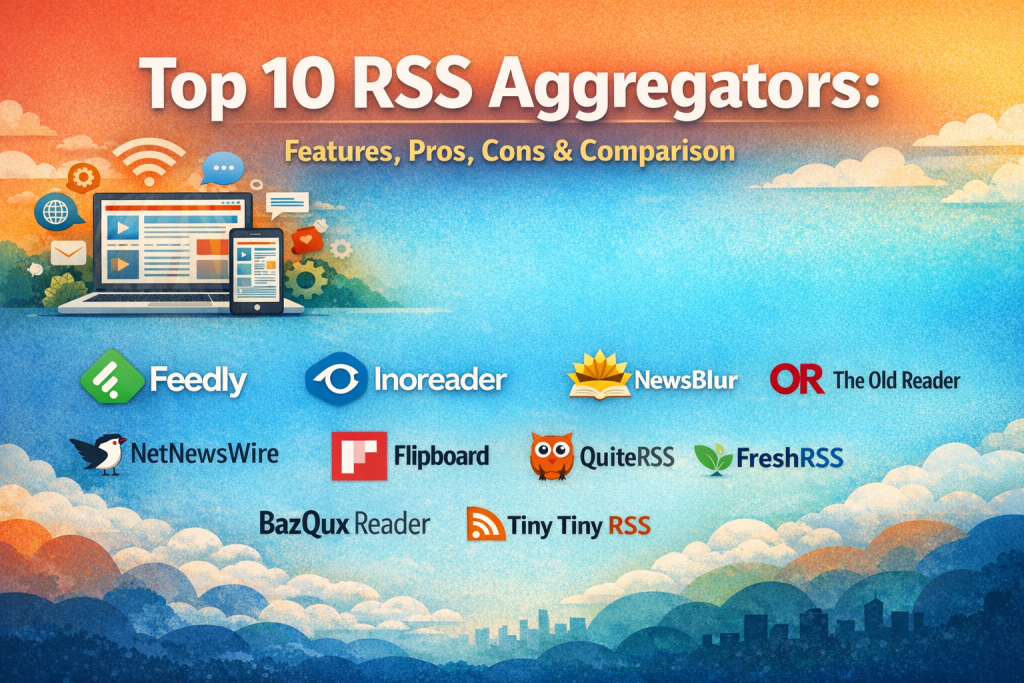
Top 10 RSS Aggregators Tools
1 — Feedly
Short description:
A modern, intelligent RSS aggregator designed for professionals, researchers, and teams who want structured, noise-free content tracking.
Key features:
- AI-powered content prioritization
- Folder-based feed organization
- Keyword and topic filtering
- Team boards and shared feeds
- Browser extensions and mobile apps
- Integration with productivity platforms
Pros:
- Excellent balance of power and usability
- Scales well from individuals to teams
Cons:
- Advanced features require paid plans
- Can feel complex for casual readers
Security & compliance:
Encryption in transit, SSO for teams, GDPR compliant
Support & community:
Strong documentation, active user base, enterprise support available
2 — Inoreader
Short description:
A highly customizable RSS aggregator built for power users who need deep filtering, automation, and content control.
Key features:
- Advanced rules and automation
- Full-text feed fetching
- Powerful search and archiving
- Tagging and feed labeling
- Offline reading support
- Web, mobile, and tablet access
Pros:
- Exceptional filtering and rule engine
- Ideal for heavy information workflows
Cons:
- Interface has a learning curve
- Premium pricing for full power
Security & compliance:
HTTPS encryption, GDPR compliant, optional SSO
Support & community:
Detailed documentation, responsive support, niche expert community
3 — NewsBlur
Short description:
An open-source-friendly RSS aggregator focused on content intelligence and reader personalization.
Key features:
- Intelligent story training
- Original site view vs text view
- Feed sharing and social features
- Multi-platform apps
- Self-hosted option available
Pros:
- Transparent algorithms
- Strong customization
Cons:
- Interface feels dated to some users
- Limited enterprise tooling
Security & compliance:
Standard encryption, GDPR aligned
Support & community:
Open-source contributors, community forums, direct support
4 — The Old Reader
Short description:
A simple, social-style RSS reader designed for readers who value familiarity and ease of use.
Key features:
- Folder-based feed organization
- Commenting and sharing
- Import/export feed lists
- Web-based interface
- Minimalist reading experience
Pros:
- Easy onboarding
- Clean and familiar UI
Cons:
- Limited advanced filtering
- Fewer integrations
Security & compliance:
Basic encryption, GDPR compliant
Support & community:
Small but active community, standard documentation
5 — NetNewsWire
Short description:
A fast, native RSS reader optimized for Apple users who value speed, privacy, and offline access.
Key features:
- Native macOS and iOS apps
- Offline reading
- iCloud sync
- Clean, distraction-free UI
- Open-source foundation
Pros:
- Extremely fast and lightweight
- Privacy-first design
Cons:
- Apple ecosystem only
- No built-in automation
Security & compliance:
Local encryption, Apple ecosystem security standards
Support & community:
Open-source community, strong documentation
6 — Flipboard
Short description:
A visually rich content aggregator blending RSS feeds with magazine-style discovery.
Key features:
- Visual magazine layouts
- Topic-based discovery
- Social sharing features
- Cross-platform apps
- Curated content recommendations
Pros:
- Excellent visual experience
- Great for casual reading
Cons:
- Algorithm-driven content
- Limited feed control
Security & compliance:
Standard encryption, GDPR compliant
Support & community:
Large user base, standard help resources
7 — QuiteRSS
Short description:
A lightweight, offline-first desktop RSS aggregator for users who prefer local control.
Key features:
- Desktop-only application
- Offline feed storage
- Custom filters and rules
- No account required
- Low system resource usage
Pros:
- Full data ownership
- No subscriptions
Cons:
- No cloud sync
- Outdated interface
Security & compliance:
Local storage, user-managed security
Support & community:
Community-driven support, limited updates
8 — BazQux Reader
Short description:
A no-nonsense RSS reader focused on performance, simplicity, and classic feed reading.
Key features:
- Fast feed loading
- Keyboard shortcuts
- Tag-based organization
- Minimalist UI
- Cross-platform via web
Pros:
- Extremely fast
- Distraction-free
Cons:
- Basic design
- Fewer advanced features
Security & compliance:
HTTPS encryption, GDPR aligned
Support & community:
Small but loyal user base
9 — FreshRSS
Short description:
A self-hosted RSS aggregator for privacy-conscious users and organizations.
Key features:
- Self-hosting support
- Multi-user access
- API availability
- Extensions and themes
- Feed filtering
Pros:
- Full data ownership
- Highly customizable
Cons:
- Requires technical setup
- Maintenance responsibility
Security & compliance:
Depends on hosting configuration, GDPR-ready
Support & community:
Strong open-source community, extensive documentation
10 — Tiny Tiny RSS
Short description:
An open-source, server-based RSS aggregator for advanced users and developers.
Key features:
- Self-hosted deployment
- Plugin ecosystem
- Multi-user support
- API access
- Full feed control
Pros:
- Highly extensible
- No vendor lock-in
Cons:
- Requires server knowledge
- UI less polished
Security & compliance:
Self-managed security, encryption configurable
Support & community:
Developer-focused community, strong forums
Comparison Table
| Tool Name | Best For | Platform(s) Supported | Standout Feature | Rating |
|---|---|---|---|---|
| Feedly | Professionals & teams | Web, iOS, Android | AI-powered prioritization | N/A |
| Inoreader | Power users | Web, iOS, Android | Advanced automation rules | N/A |
| NewsBlur | Customization lovers | Web, iOS, Android | Story intelligence training | N/A |
| The Old Reader | Simplicity seekers | Web | Familiar social UI | N/A |
| NetNewsWire | Apple users | macOS, iOS | Speed & privacy | N/A |
| Casual readers | Web, iOS, Android | Visual magazine layout | N/A | |
| QuiteRSS | Offline desktop users | Windows, Linux | Local-only storage | N/A |
| BazQux Reader | Minimalists | Web | Performance-focused | N/A |
| FreshRSS | Privacy-focused orgs | Self-hosted | Full data ownership | N/A |
| Tiny Tiny RSS | Developers | Self-hosted | Plugin extensibility | N/A |
Evaluation & Scoring of RSS Aggregators
| Criteria | Weight | Feedly | Inoreader | FreshRSS | NetNewsWire |
|---|---|---|---|---|---|
| Core features | 25% | High | Very High | High | Medium |
| Ease of use | 15% | High | Medium | Medium | High |
| Integrations | 15% | High | High | Medium | Low |
| Security & compliance | 10% | High | High | Medium | High |
| Performance | 10% | High | High | Medium | Very High |
| Support & community | 10% | High | High | High | High |
| Price / value | 15% | Medium | Medium | High | High |
Which RSS Aggregators Tool Is Right for You?
- Solo users: NetNewsWire, BazQux Reader
- SMBs: Feedly, Inoreader
- Mid-market teams: Feedly Teams, Inoreader Pro
- Enterprise: Feedly Enterprise
- Budget-conscious: QuiteRSS, FreshRSS
- Privacy-focused: FreshRSS, Tiny Tiny RSS
- Feature-depth seekers: Inoreader
- Ease-of-use seekers: Feedly, The Old Reader
Frequently Asked Questions (FAQs)
- What is an RSS aggregator?
A tool that collects updates from multiple content sources into one feed. - Are RSS aggregators still relevant?
Yes—especially for professionals who want unbiased, chronological content. - Do RSS tools replace social media?
They complement it by offering control and focus. - Are free RSS readers enough?
For casual use, yes. Power users benefit from paid plans. - Can RSS aggregators be used by teams?
Yes, many offer shared feeds and collaboration features. - Is RSS secure?
Most tools use encryption; self-hosted options depend on configuration. - Do RSS feeds still exist?
Yes, most blogs and news sites still support RSS. - Which RSS tool is best for privacy?
Self-hosted solutions like FreshRSS. - Can I migrate feeds between tools?
Most support OPML import/export. - What’s the biggest mistake users make?
Subscribing to too many feeds without filters.
Conclusion
RSS Aggregators remain one of the most powerful yet underrated tools for focused information consumption. They eliminate algorithmic bias, reduce distraction, and give users complete control over what they read and when.
When choosing an RSS aggregator, focus on your workflow, scale, privacy needs, and technical comfort. There is no universal “best” tool—only the best fit for your specific goals.
Whether you’re a solo reader, a researcher, or an enterprise team, the right RSS aggregator can dramatically improve how you consume information every day.

Find Trusted Cardiac Hospitals
Compare heart hospitals by city and services — all in one place.
Explore Hospitals
Really helpful article — thanks for clearly comparing the features and pros/cons of each RSS aggregator! With so many options available, this side-by-side breakdown makes it much easier to see what fits different reading habits and workflow needs. I’m curious how others manage large feeds and tagging — does anyone prefer a tool with strong filtering and search over simplicity? Overall, this guide adds real value for anyone exploring RSS tools!