
Introduction
Secure Messaging Apps are communication platforms designed to protect conversations from unauthorized access, surveillance, and data leaks. Unlike traditional messaging tools, these apps focus heavily on end-to-end encryption, privacy-first design, and user control over data. Messages are encrypted on the sender’s device and can only be decrypted by the intended recipient—meaning even the service provider cannot read them.
In today’s digital world, messaging is used for far more than casual chats. Businesses share sensitive documents, professionals discuss confidential strategies, journalists protect sources, and individuals value their personal privacy. Data breaches, government surveillance, identity theft, and corporate espionage have made secure communication not just a “nice-to-have” but a necessity.
Real-world use cases include:
- Confidential business and legal discussions
- Healthcare communication involving sensitive patient data
- Journalists and activists protecting sources
- Remote teams collaborating securely
- Everyday users seeking privacy from tracking and data mining
When choosing a secure messaging app, users should evaluate encryption standards, metadata protection, device support, usability, compliance needs, scalability, and transparency. The best solution balances strong security with a smooth, reliable user experience.
Best for:
Secure Messaging Apps are ideal for privacy-conscious individuals, startups, enterprises, journalists, legal teams, healthcare providers, and remote teams that exchange sensitive information regularly.
Not ideal for:
They may be unnecessary for users who only need basic, casual communication, rely heavily on social media integrations, or prioritize entertainment features over privacy and security.
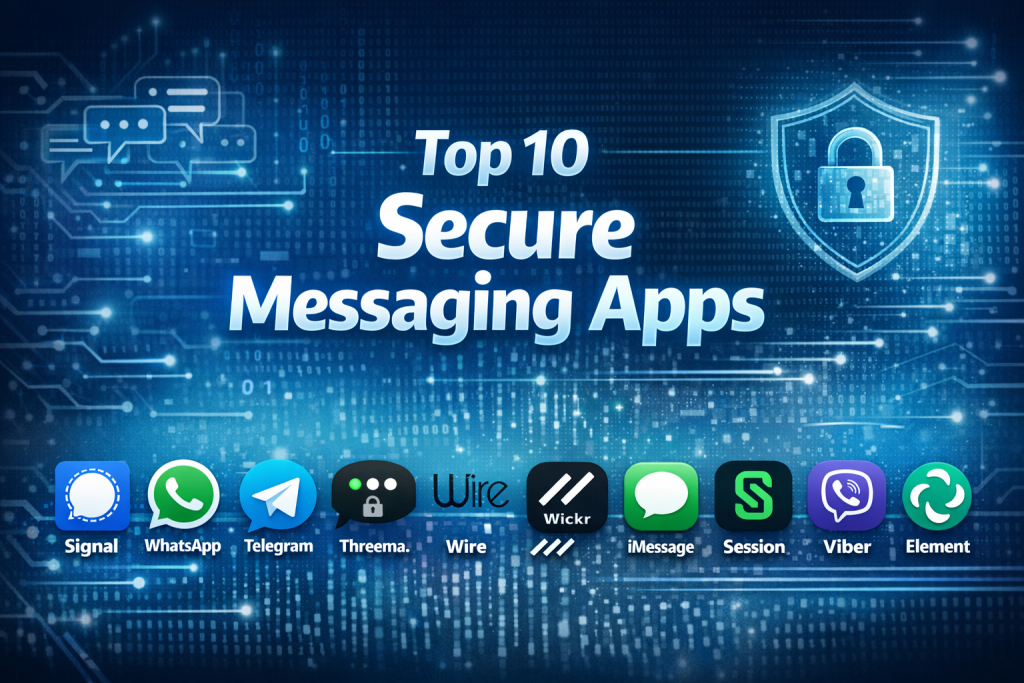
Top 10 Secure Messaging Apps Tools
1 — Signal
Short description:
Signal is a privacy-first messaging app widely regarded as the gold standard for secure personal communication. It is designed for individuals and groups who want maximum confidentiality with minimal complexity.
Key features:
- End-to-end encryption by default
- Minimal metadata collection
- Disappearing messages
- Secure voice and video calls
- Open-source cryptographic protocols
- Group chats with admin controls
Pros:
- Extremely strong security reputation
- Simple and clean user experience
- Free and independent from advertisers
Cons:
- Limited customization features
- Fewer enterprise-specific tools
Security & compliance:
Strong end-to-end encryption, open-source protocol, GDPR-aligned data practices.
Support & community:
Excellent documentation, active privacy-focused community, limited enterprise support.
2 — WhatsApp
Short description:
WhatsApp is a globally popular messaging app offering encrypted communication with mass adoption, making secure messaging accessible to everyday users.
Key features:
- End-to-end encryption enabled by default
- Voice and video calls
- Group chats and broadcast lists
- Cross-platform support
- Media and document sharing
Pros:
- Massive global user base
- Easy onboarding and familiarity
- Reliable call quality
Cons:
- Metadata collection concerns
- Limited transparency for advanced users
Security & compliance:
End-to-end encryption; privacy practices vary by region.
Support & community:
Large user community, standard help documentation, limited direct support.
3 — Telegram
Short description:
Telegram is a feature-rich messaging platform offering optional secure chats and large-scale group communication.
Key features:
- Secret chats with end-to-end encryption
- Large group and channel support
- Cloud-based message sync
- File sharing with large size limits
- Custom bots and automation
Pros:
- Highly scalable for communities
- Rich features and customization
- Fast performance
Cons:
- Encryption not enabled by default
- Cloud storage raises privacy concerns
Security & compliance:
Varies depending on chat type; partial end-to-end encryption.
Support & community:
Extensive community, strong developer ecosystem.
4 — Threema
Short description:
Threema is a privacy-focused messaging app built for users who want anonymity and strong data protection without relying on phone numbers.
Key features:
- End-to-end encryption
- No phone number required
- Swiss data privacy standards
- Polls and group management
- Open-source cryptography
Pros:
- Excellent privacy protections
- Minimal personal data required
- Trusted European compliance
Cons:
- Paid app
- Smaller user base
Security & compliance:
Strong encryption, GDPR-compliant, Swiss privacy laws.
Support & community:
High-quality documentation, responsive support.
5 — Wire
Short description:
Wire is an enterprise-ready secure collaboration platform designed for businesses that require compliance and scalable communication.
Key features:
- End-to-end encrypted messaging and calls
- Team collaboration tools
- File sharing and guest rooms
- Multi-device synchronization
- Enterprise administration controls
Pros:
- Strong enterprise focus
- Clean, professional UI
- Compliance-friendly design
Cons:
- Paid plans for full features
- Overkill for casual users
Security & compliance:
GDPR-compliant, strong encryption, enterprise security controls.
Support & community:
Enterprise-grade support, structured onboarding.
6 — Wickr
Short description:
Wickr is built for organizations needing highly secure, ephemeral communication with strong administrative control.
Key features:
- End-to-end encryption
- Self-destructing messages
- Secure file sharing
- Enterprise policy controls
- Audit and compliance tools
Pros:
- Advanced security features
- Ideal for sensitive environments
- Strong access control
Cons:
- Less intuitive UI
- Primarily enterprise-focused
Security & compliance:
SOC 2-aligned, strong encryption, compliance-ready.
Support & community:
Professional enterprise support, limited casual user community.
7 — Apple iMessage
Short description:
iMessage provides encrypted messaging within the Apple ecosystem, offering seamless and secure communication for Apple users.
Key features:
- End-to-end encryption
- Tight Apple ecosystem integration
- Media-rich messaging
- Group chats and reactions
- Device-level security
Pros:
- Seamless Apple experience
- Strong default security
- No additional setup
Cons:
- Apple-only ecosystem
- Limited cross-platform support
Security & compliance:
End-to-end encryption; strong device security.
Support & community:
Apple documentation, global support network.
8 — Session
Short description:
Session is a decentralized secure messaging app focused on anonymity and resistance to surveillance.
Key features:
- Onion-routed messaging
- No phone number required
- End-to-end encryption
- Open-source platform
- Anonymous account creation
Pros:
- High anonymity
- Decentralized infrastructure
- Strong privacy protections
Cons:
- Slower message delivery
- Less polished UI
Security & compliance:
Strong encryption; compliance varies by usage.
Support & community:
Active open-source community, community-driven support.
9 — Viber
Short description:
Viber offers encrypted messaging and calling with a global footprint, particularly strong in international communication.
Key features:
- End-to-end encryption
- Voice and video calls
- Group chats and communities
- Cross-platform availability
- Sticker and media support
Pros:
- Easy international use
- Good call quality
- Familiar interface
Cons:
- Ads in free version
- Less transparency on metadata
Security & compliance:
End-to-end encryption; privacy practices vary.
Support & community:
Standard documentation, broad user base.
10 — Element
Short description:
Element is an open-source messaging client built on the Matrix protocol, ideal for organizations needing decentralized and customizable secure communication.
Key features:
- End-to-end encryption
- Decentralized architecture
- Self-hosting options
- Cross-platform support
- Integration with collaboration tools
Pros:
- Highly customizable
- Open standards
- Suitable for enterprises and communities
Cons:
- Complex setup for beginners
- UI learning curve
Security & compliance:
Strong encryption; compliance depends on deployment.
Support & community:
Strong open-source community, enterprise support available.
Comparison Table
| Tool Name | Best For | Platform(s) Supported | Standout Feature | Rating |
|---|---|---|---|---|
| Signal | Privacy-focused individuals | iOS, Android, Desktop | Minimal metadata | N/A |
| Mass adoption | iOS, Android, Web | Global reach | N/A | |
| Telegram | Large communities | iOS, Android, Desktop | Large channels | N/A |
| Threema | Anonymous messaging | iOS, Android | No phone number | N/A |
| Wire | Secure business teams | iOS, Android, Desktop | Enterprise controls | N/A |
| Wickr | High-security enterprises | Multi-platform | Ephemeral messaging | N/A |
| iMessage | Apple users | iOS, macOS | Ecosystem integration | N/A |
| Session | Anonymity seekers | Desktop, Mobile | Decentralization | N/A |
| Viber | International users | iOS, Android, Desktop | Global calling | N/A |
| Element | Custom deployments | Web, Mobile, Desktop | Open protocol | N/A |
Evaluation & Scoring of Secure Messaging Apps
| Criteria | Weight | Evaluation Focus |
|---|---|---|
| Core features | 25% | Encryption, messaging, calls |
| Ease of use | 15% | UI, onboarding |
| Integrations & ecosystem | 15% | Device and tool compatibility |
| Security & compliance | 10% | Encryption, standards |
| Performance & reliability | 10% | Speed, uptime |
| Support & community | 10% | Documentation, help |
| Price / value | 15% | Cost vs features |
Which Secure Messaging Apps Tool Is Right for You?
- Solo users: Signal, Session, Threema
- SMBs: Wire, WhatsApp, Viber
- Mid-market: Wire, Element
- Enterprise: Wickr, Wire, Element
Budget-conscious users may prefer free tools like Signal, while premium solutions offer compliance and administrative control. Balance feature depth vs simplicity, and always align with your security and compliance needs.
Frequently Asked Questions (FAQs)
- Are secure messaging apps completely private?
They offer strong protection, but user behavior and device security still matter. - Do all secure messaging apps use end-to-end encryption?
Most do, but some require manual activation. - Can businesses use secure messaging apps?
Yes, many offer enterprise-grade features. - Are these apps legal to use?
Yes, in most regions. - Do secure apps protect metadata?
Some do better than others. - Are open-source apps safer?
Transparency helps, but implementation matters. - Can messages be backed up securely?
Depends on the app and backup method. - Do they replace email?
For some use cases, yes. - Are secure apps slower?
Some privacy-focused apps trade speed for anonymity. - What’s the biggest mistake users make?
Assuming encryption alone guarantees total privacy.
Conclusion
Secure Messaging Apps play a critical role in protecting modern communication. From personal privacy to enterprise-level confidentiality, these tools provide essential safeguards against data misuse and surveillance. The most important factors to consider are encryption strength, usability, compliance needs, and scalability.
There is no single “best” secure messaging app for everyone. The right choice depends on who you are, how you communicate, and what level of security you truly need. By understanding your priorities, you can select a tool that delivers both confidence and clarity in every conversation.

Find Trusted Cardiac Hospitals
Compare heart hospitals by city and services — all in one place.
Explore Hospitals
Really helpful article — thanks for clearly breaking down the features and pros/cons of each secure messaging app! With privacy and reliable communication being so important today, this side-by-side comparison makes it much easier to see which apps fit different needs and use cases. I’m curious how others balance ease of use with strong security features — does anyone prefer tools with built-in encryption and self-destructing messages over simpler interfaces? Overall, this guide adds real value and is a great resource for anyone exploring secure messaging options!