
Introduction
Threat Intelligence Platforms (TIPs) are specialized cybersecurity solutions designed to collect, analyze, enrich, and operationalize threat intelligence from multiple sources. These platforms help organizations understand who is attacking them, how attacks happen, and what actions should be taken next. Instead of reacting blindly to security alerts, TIPs provide context-driven intelligence that enables informed and proactive defense decisions.
In today’s environment of ransomware, phishing campaigns, insider threats, supply chain attacks, and nation-state actors, raw security data alone is not enough. Organizations need actionable intelligence, not just alerts. Threat Intelligence Platforms bridge the gap between raw indicators (IPs, domains, hashes) and meaningful insights by correlating data across internal telemetry, commercial feeds, open-source intelligence, and dark web monitoring.
Why Threat Intelligence Platforms Are Important
- Reduce incident response time by prioritizing real threats
- Prevent attacks by identifying threat actors early
- Improve SOC efficiency by eliminating noise
- Support strategic security planning and risk management
- Enable collaboration between SOC, IR, and leadership teams
Common Real-World Use Cases
- Detecting phishing and credential theft campaigns
- Identifying compromised assets and malware indicators
- Tracking ransomware groups and attack patterns
- Supporting SOC and incident response workflows
- Enhancing SIEM, SOAR, and EDR effectiveness
What to Look for When Choosing a Threat Intelligence Platform
When evaluating TIPs, buyers should focus on:
- Quality and breadth of threat feeds
- Correlation and enrichment capabilities
- Ease of integration with existing security tools
- Automation and workflow support
- Security, compliance, and data governance
- Scalability and pricing alignment
Best for
Threat Intelligence Platforms are best suited for SOC analysts, threat hunters, incident responders, CISOs, and security teams working in mid-market to large enterprises, financial institutions, healthcare, government, SaaS providers, and critical infrastructure organizations.
Not ideal for
TIPs may not be ideal for very small businesses, solo IT administrators, or organizations without a dedicated security team. In such cases, managed security services or simplified detection tools may be more cost-effective.
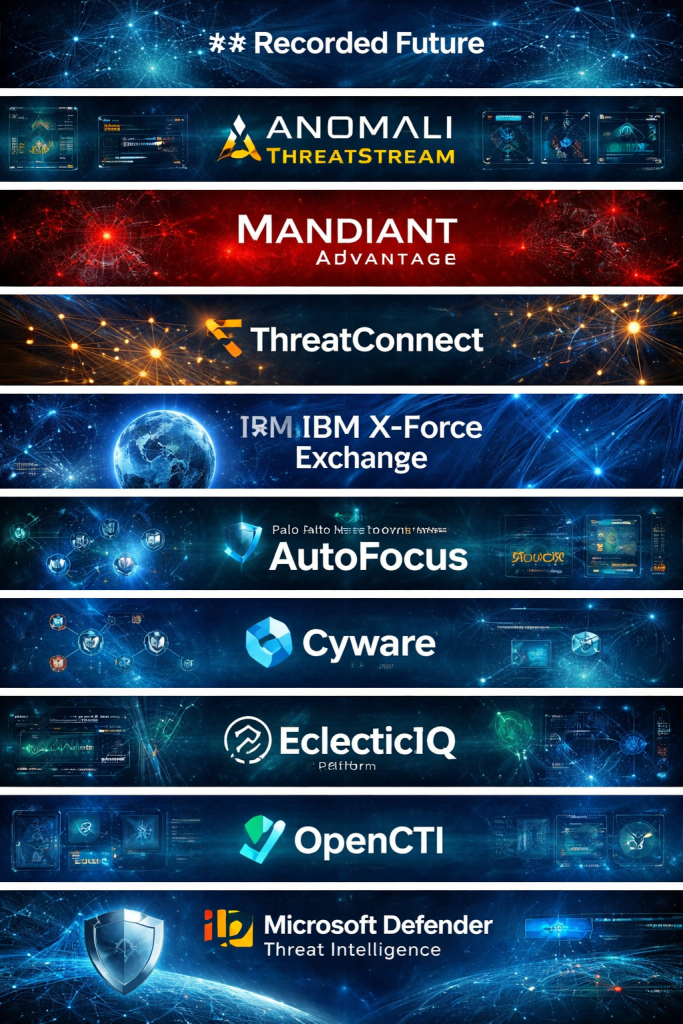
Top 10 Threat Intelligence Platforms Tools
1 — Recorded Future
Short description
Recorded Future is a widely adopted threat intelligence platform that combines machine intelligence with extensive data sources to provide real-time threat insights. It is designed for enterprise security teams and threat analysts.
Key features
- Massive collection of open, dark web, and proprietary sources
- Real-time risk scoring for entities and indicators
- Threat actor and campaign tracking
- Automated intelligence alerts and dashboards
- Integration with SIEM, SOAR, and EDR tools
- Strategic and tactical intelligence reports
Pros
- Extremely rich and high-quality intelligence data
- Strong contextual analysis and visualizations
- Trusted by large enterprises and governments
Cons
- Premium pricing limits accessibility for SMBs
- Requires training to fully leverage advanced features
Security & compliance
Supports SSO, role-based access control, audit logs, encryption, and enterprise-grade compliance standards.
Support & community
Excellent documentation, dedicated enterprise support, onboarding assistance, and a mature user community.
2 — Anomali ThreatStream
Short description
Anomali ThreatStream focuses on aggregating and operationalizing threat intelligence for SOC and incident response teams through automation and analytics.
Key features
- Threat feed aggregation and scoring
- Indicator enrichment and prioritization
- Integration with SIEM, SOAR, and firewalls
- Automated workflows and alerting
- Threat actor profiling
- Custom dashboards and reports
Pros
- Strong automation and orchestration capabilities
- Good balance between depth and usability
- Flexible integration options
Cons
- UI can feel complex for new users
- Advanced features require higher-tier licenses
Security & compliance
Supports SSO, encryption, role-based access, and enterprise compliance requirements.
Support & community
Comprehensive documentation, training resources, and enterprise-level customer support.
3 — Mandiant Advantage Threat Intelligence
Short description
Mandiant Advantage delivers intelligence backed by frontline incident response expertise, focusing on advanced persistent threats and targeted attacks.
Key features
- Intelligence driven by real-world investigations
- Detailed threat actor and campaign analysis
- Strategic, operational, and tactical intelligence layers
- Integration with detection and response tools
- Executive-level reporting
Pros
- Highly credible intelligence backed by investigations
- Excellent threat actor attribution
- Strong strategic insights
Cons
- Less automation compared to some competitors
- Higher cost aimed at enterprises
Security & compliance
Enterprise-grade security, encryption, access controls, and compliance alignment.
Support & community
Strong professional services, expert guidance, and high-quality intelligence briefings.
4 — ThreatConnect
Short description
ThreatConnect is a flexible Threat Intelligence Platform that blends intelligence management, automation, and collaboration into a single ecosystem.
Key features
- Centralized threat intelligence management
- Indicator enrichment and scoring
- Threat intelligence sharing and collaboration
- Built-in SOAR capabilities
- Custom workflows and dashboards
- API-first architecture
Pros
- Strong customization and extensibility
- Good collaboration features for teams
- Scales well across organizations
Cons
- Initial setup can be time-consuming
- Requires tuning for optimal results
Security & compliance
Supports SSO, audit logs, encryption, and compliance frameworks such as ISO and GDPR.
Support & community
Good documentation, responsive support, and a growing professional community.
5 — IBM X-Force Exchange
Short description
IBM X-Force Exchange provides threat intelligence backed by IBM’s global research team, focusing on malware, vulnerabilities, and attacker behavior.
Key features
- Global threat research and intelligence feeds
- Malware analysis and vulnerability insights
- Threat sharing and collaboration
- Integration with IBM security ecosystem
- Visual analytics and reports
Pros
- Backed by IBM’s extensive research
- Strong malware and vulnerability intelligence
- Reliable enterprise credibility
Cons
- Best value when used within IBM ecosystem
- Limited flexibility compared to pure-play TIPs
Security & compliance
Enterprise-grade security, encryption, and compliance alignment.
Support & community
Strong documentation and enterprise support, especially for IBM customers.
6 — Palo Alto Networks AutoFocus
Short description
AutoFocus is a threat intelligence and analytics platform focused on malware and attacker behavior, tightly integrated with Palo Alto Networks products.
Key features
- Malware behavior analysis
- Threat actor and campaign tracking
- Indicator correlation and enrichment
- Integration with firewalls and endpoint tools
- Prioritization of threats based on risk
Pros
- Deep malware intelligence
- Strong integration with Palo Alto ecosystem
- High-quality behavioral insights
Cons
- Limited value outside Palo Alto environments
- Less suitable as a standalone TIP
Security & compliance
Enterprise security standards, encryption, and role-based access.
Support & community
Strong vendor support and technical documentation.
7 — Cyware Threat Intelligence Platform
Short description
Cyware TIP emphasizes collaboration, automation, and intelligence sharing across security teams and external partners.
Key features
- Threat feed aggregation and enrichment
- Collaborative intelligence sharing
- Automation and playbooks
- Integration with SOC tools
- Visualization and reporting
Pros
- Strong focus on collaboration and sharing
- Good automation capabilities
- Suitable for large distributed teams
Cons
- Interface can feel busy
- Reporting customization is limited
Security & compliance
Supports SSO, encryption, audit logs, and regulatory compliance.
Support & community
Good documentation, onboarding support, and enterprise customer service.
8 — EclecticIQ Platform
Short description
EclecticIQ provides a highly flexible and intelligence-driven platform designed for mature security teams and threat analysts.
Key features
- Advanced intelligence modeling
- Indicator correlation and enrichment
- Threat actor and campaign tracking
- Integration with multiple data sources
- Analyst-driven workflows
Pros
- Highly customizable and analyst-friendly
- Strong data modeling capabilities
- Suitable for advanced threat hunting
Cons
- Steeper learning curve
- Less automation out of the box
Security & compliance
Enterprise-grade security controls and compliance readiness.
Support & community
Strong professional services and expert-led support.
9 — OpenCTI
Short description
OpenCTI is an open-source threat intelligence platform designed for organizations seeking transparency and customization.
Key features
- Open-source intelligence management
- STIX and TAXII support
- Threat actor and campaign mapping
- Strong data modeling
- Community-driven development
Pros
- No licensing cost
- High transparency and flexibility
- Active open-source community
Cons
- Requires technical expertise to manage
- Limited enterprise support
Security & compliance
Varies depending on deployment and configuration.
Support & community
Strong open-source community, forums, and documentation.
10 — Microsoft Defender Threat Intelligence
Short description
Microsoft Defender Threat Intelligence integrates threat intelligence directly into the Microsoft security ecosystem.
Key features
- Global telemetry-based intelligence
- Threat actor and infrastructure tracking
- Integration with Microsoft Defender tools
- Automated risk scoring
- Analyst-friendly dashboards
Pros
- Seamless integration with Microsoft stack
- Massive global data coverage
- Easy adoption for existing Microsoft users
Cons
- Limited customization outside Microsoft ecosystem
- Less suitable as a standalone TIP
Security & compliance
Strong compliance posture including ISO, SOC, and GDPR alignment.
Support & community
Extensive documentation, enterprise support, and large user community.
Comparison Table
| Tool Name | Best For | Platform(s) Supported | Standout Feature | Rating |
|---|---|---|---|---|
| Recorded Future | Enterprise threat intelligence | Cloud | Real-time risk scoring | N/A |
| Anomali ThreatStream | SOC automation | Cloud / Hybrid | Feed aggregation | N/A |
| Mandiant Advantage | APT tracking | Cloud | Incident-driven intelligence | N/A |
| ThreatConnect | Intelligence operations | Cloud / On-prem | Custom workflows | N/A |
| IBM X-Force Exchange | Malware research | Cloud | IBM research backing | N/A |
| Palo Alto AutoFocus | Malware analysis | Cloud | Behavioral analytics | N/A |
| Cyware TIP | Collaborative SOCs | Cloud | Intelligence sharing | N/A |
| EclecticIQ | Advanced analysts | Cloud / On-prem | Data modeling | N/A |
| OpenCTI | Custom deployments | Self-hosted | Open-source flexibility | N/A |
| Microsoft Defender TI | Microsoft environments | Cloud | Global telemetry | N/A |
Evaluation & Scoring of Threat Intelligence Platforms
| Criteria | Weight | Score Explanation |
|---|---|---|
| Core features | 25% | Intelligence depth, enrichment, correlation |
| Ease of use | 15% | UI clarity, onboarding experience |
| Integrations & ecosystem | 15% | SIEM, SOAR, EDR compatibility |
| Security & compliance | 10% | Access control, encryption, audits |
| Performance & reliability | 10% | Data freshness and uptime |
| Support & community | 10% | Documentation and customer support |
| Price / value | 15% | Cost vs delivered value |
Which Threat Intelligence Platforms Tool Is Right for You?
- Solo users should consider lightweight or managed options
- SMBs benefit from user-friendly platforms with automation
- Mid-market teams need integration-ready and scalable tools
- Enterprises require deep intelligence, compliance, and customization
Budget-conscious teams may prefer open-source or bundled solutions, while premium platforms suit organizations facing advanced threats. Balance feature depth with operational simplicity, and always consider integration with your existing security stack.
Frequently Asked Questions (FAQs)
1. What is a Threat Intelligence Platform?
It is a system that collects and analyzes threat data to help organizations prevent and respond to cyber attacks.
2. How is TIP different from SIEM?
TIP focuses on intelligence and context, while SIEM focuses on log collection and alerting.
3. Do small businesses need TIPs?
Not always. Managed services or simpler tools may be more suitable.
4. Are TIPs automated?
Many offer automation, but human analysis remains critical.
5. Can TIPs integrate with SOAR?
Yes, integration with SOAR is a common and valuable use case.
6. Are open-source TIPs reliable?
They can be effective but require skilled teams to manage.
7. How long does implementation take?
From days for cloud tools to weeks for complex deployments.
8. Do TIPs help with compliance?
Indirectly, by improving threat visibility and audit readiness.
9. What are common mistakes when adopting TIPs?
Overloading feeds without prioritization and lack of tuning.
10. Can TIPs prevent attacks entirely?
No, but they significantly reduce risk and response time.
Conclusion
Threat Intelligence Platforms play a critical role in modern cybersecurity by transforming raw data into actionable insights. The right platform helps organizations see threats earlier, respond faster, and make smarter security decisions. There is no single “best” solution for everyone. The ideal choice depends on team maturity, budget, integration needs, and threat landscape. By focusing on relevance, usability, and intelligence quality, organizations can select a platform that truly strengthens their security posture.

Find Trusted Cardiac Hospitals
Compare heart hospitals by city and services — all in one place.
Explore Hospitals
This article offers a clear and practical overview of threat intelligence platforms, helping readers understand how these solutions collect, analyze, and share actionable threat data to strengthen an organization’s security posture. By highlighting key features such as real-time intelligence feeds, integration with security tools, automated alerting, and contextual analysis, it gives security teams useful criteria for evaluating different platforms. The balanced discussion of pros and cons for each tool makes it easier to compare options based on accuracy, usability, and scalability. For anyone responsible for threat detection and response, this comparison provides valuable insights to support informed decisions about which threat intelligence platform best fits their needs.