
Introduction
Vector Search Tooling refers to technologies that store, index, and retrieve vector embeddings—numerical representations of text, images, audio, code, or other unstructured data. Unlike traditional keyword-based search, vector search focuses on semantic similarity, enabling systems to understand meaning rather than exact word matches.
This capability has become essential with the rise of AI-powered applications, especially large language models (LLMs), recommendation engines, personalization systems, and intelligent search platforms. Vector search allows applications to find “conceptually similar” results, even when the wording or structure differs significantly.
Why Vector Search Tooling Is Important
- It powers Retrieval-Augmented Generation (RAG) for LLMs
- Enables semantic search across documents and knowledge bases
- Improves recommendations and personalization
- Supports multimodal AI (text, image, audio, video embeddings)
- Scales similarity search to millions or billions of vectors
Common Real-World Use Cases
- AI chatbots and copilots
- Enterprise knowledge search
- Document similarity and clustering
- Recommendation engines
- Fraud detection and anomaly detection
- Image and video search
- Code search and developer tooling
What to Look for When Choosing Vector Search Tooling
When evaluating vector search tools, consider:
- Indexing and search performance (latency, recall, scale)
- Supported distance metrics (cosine, dot product, Euclidean)
- Hybrid search (vector + keyword filtering)
- Scalability and deployment options
- Security, compliance, and access control
- Integration with AI/ML and data ecosystems
- Operational complexity and cost
Best for:
AI engineers, data scientists, backend engineers, ML platform teams, SaaS companies, and enterprises building intelligent search, recommendation systems, or LLM-powered applications.
Not ideal for:
Teams with purely keyword-based search needs, very small datasets where simple SQL search is sufficient, or use cases without semantic similarity requirements.
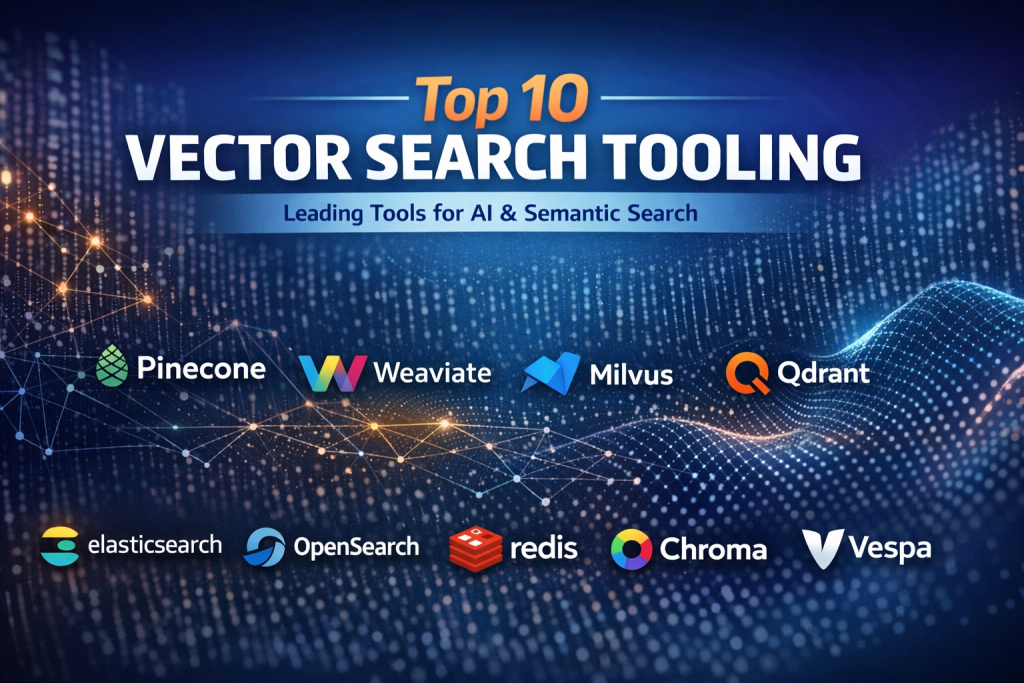
Top 10 Vector Search Tooling Tools
1 — Pinecone
Short description
A fully managed vector database designed for high-scale, low-latency semantic search and AI applications. Popular for production-grade RAG systems.
Key features
- Managed vector indexing and search
- Hybrid search (dense + sparse vectors)
- Horizontal scalability
- Metadata filtering
- Real-time updates
- Multi-region support
Pros
- Very high performance at scale
- Minimal operational overhead
- Strong ecosystem adoption
Cons
- Higher cost at large scale
- Cloud-managed only
Security & compliance
Encryption at rest and in transit, SOC 2, GDPR-ready, role-based access control.
Support & community
Strong documentation, enterprise support plans, growing developer community.
2 — Weaviate
Short description
An open-source vector database with built-in machine learning capabilities and strong hybrid search features.
Key features
- Open-source core
- Hybrid vector + keyword search
- Built-in vectorization modules
- Graph-style relationships
- Cloud and self-hosted options
Pros
- Flexible deployment options
- Strong hybrid search capabilities
- Active open-source community
Cons
- Requires tuning for large-scale performance
- Learning curve for advanced features
Security & compliance
SSO, encryption, audit logs, GDPR-ready (varies by deployment).
Support & community
Excellent documentation, active GitHub community, enterprise support available.
3 — Milvus
Short description
A highly scalable open-source vector database built for massive similarity search workloads.
Key features
- Distributed architecture
- Multiple index types (HNSW, IVF, PQ)
- GPU acceleration support
- Kubernetes-native
- High-dimensional vector support
Pros
- Extremely scalable
- Strong performance for large datasets
- Flexible index configurations
Cons
- Operational complexity
- Requires infrastructure expertise
Security & compliance
TLS encryption, RBAC, enterprise compliance varies by setup.
Support & community
Large open-source community, enterprise support through vendors.
4 — Qdrant
Short description
A fast, Rust-based vector search engine optimized for filtering, payloads, and reliability.
Key features
- Written in Rust for safety and speed
- Payload-based filtering
- HNSW indexing
- REST and gRPC APIs
- Cloud and self-hosted options
Pros
- Strong performance with filters
- Predictable memory usage
- Clean API design
Cons
- Smaller ecosystem compared to leaders
- Fewer built-in ML integrations
Security & compliance
Encryption, API keys, role-based access; compliance depends on deployment.
Support & community
Good documentation, responsive maintainers, growing community.
5 — FAISS
Short description
A high-performance similarity search library focused on research and custom ML pipelines.
Key features
- CPU and GPU acceleration
- Multiple indexing algorithms
- Extremely fast nearest-neighbor search
- Python and C++ support
Pros
- Very high raw performance
- Widely used in research
- Fine-grained control
Cons
- Not a database
- No built-in persistence or access control
Security & compliance
N/A (library-level tool).
Support & community
Strong academic and ML community usage, extensive examples.
6 — Elasticsearch (Vector Search)
Short description
A traditional search engine extended with vector and hybrid search capabilities.
Key features
- Vector and keyword hybrid search
- Mature indexing and querying
- Strong filtering and analytics
- Enterprise-grade tooling
Pros
- Familiar to many teams
- Strong ecosystem and integrations
- Production-proven
Cons
- Vector search is not its core focus
- Higher operational overhead
Security & compliance
SSO, encryption, audit logs, SOC 2, GDPR support.
Support & community
Extensive documentation, enterprise support, large community.
7 — OpenSearch (Vector Engine)
Short description
An open-source search and analytics platform with native vector search support.
Key features
- Open-source governance
- Vector and hybrid search
- Plugin-based extensibility
- Distributed architecture
Pros
- No vendor lock-in
- Strong compatibility with existing search stacks
- Active development
Cons
- Vector performance varies by configuration
- Requires operational tuning
Security & compliance
Encryption, fine-grained access control, compliance depends on setup.
Support & community
Active open-source community, managed offerings available.
8 — Redis (Vector Similarity)
Short description
An in-memory data store extended with vector similarity search capabilities.
Key features
- Extremely low latency
- Vector indexing with metadata filtering
- Hybrid workloads (cache + vectors)
- Strong clustering support
Pros
- Very fast response times
- Ideal for real-time applications
- Multi-purpose data platform
Cons
- Memory-intensive
- Cost can rise quickly at scale
Security & compliance
Encryption, ACLs, audit logs, enterprise compliance options.
Support & community
Large global community, enterprise-grade support.
9 — Chroma
Short description
A lightweight vector database designed for AI developers and LLM experimentation.
Key features
- Simple API design
- Tight integration with LLM frameworks
- Local-first development support
- Metadata filtering
Pros
- Very easy to get started
- Ideal for prototyping
- Developer-friendly
Cons
- Limited scalability
- Not enterprise-focused
Security & compliance
Varies / N/A depending on usage.
Support & community
Good documentation, active developer community.
10 — Vespa
Short description
A powerful engine combining vector search, structured data, and real-time ranking.
Key features
- Hybrid structured + vector search
- Real-time indexing
- Custom ranking expressions
- Massive scale support
Pros
- Extremely powerful ranking capabilities
- Proven at internet scale
- Flexible query modeling
Cons
- Steep learning curve
- Operational complexity
Security & compliance
Encryption, access controls; enterprise compliance varies.
Support & community
Strong documentation, enterprise adoption, smaller but expert community.
Comparison Table
| Tool Name | Best For | Platform(s) Supported | Standout Feature | Rating |
|---|---|---|---|---|
| Pinecone | Production AI search | Cloud | Fully managed scalability | N/A |
| Weaviate | Hybrid search apps | Cloud / Self-hosted | Built-in vectorization | N/A |
| Milvus | Large-scale similarity | Self-hosted | Distributed performance | N/A |
| Qdrant | Filter-heavy search | Cloud / Self-hosted | Rust-based speed | N/A |
| FAISS | Research pipelines | Library | GPU acceleration | N/A |
| Elasticsearch | Enterprise search | Cloud / Self-hosted | Hybrid maturity | N/A |
| OpenSearch | Open search stacks | Self-hosted | Open governance | N/A |
| Redis | Real-time systems | Cloud / Self-hosted | Ultra-low latency | N/A |
| Chroma | LLM prototyping | Local / Cloud | Developer simplicity | N/A |
| Vespa | Internet-scale ranking | Self-hosted | Advanced ranking | N/A |
Evaluation & Scoring of Vector Search Tooling
| Tool | Core Features (25%) | Ease of Use (15%) | Integrations (15%) | Security (10%) | Performance (10%) | Support (10%) | Price/Value (15%) | Total |
|---|---|---|---|---|---|---|---|---|
| Pinecone | 23 | 14 | 13 | 9 | 10 | 9 | 11 | 89 |
| Weaviate | 22 | 13 | 14 | 8 | 9 | 9 | 12 | 87 |
| Milvus | 23 | 10 | 12 | 8 | 10 | 8 | 13 | 84 |
| Qdrant | 21 | 13 | 11 | 8 | 9 | 8 | 12 | 82 |
| FAISS | 20 | 9 | 10 | 5 | 10 | 7 | 14 | 75 |
Which Vector Search Tooling Tool Is Right for You?
Solo users & prototyping
Choose lightweight, easy-to-use tools with minimal setup.
SMBs
Look for managed services or open-source tools with moderate operational effort.
Mid-market
Hybrid solutions with strong filtering, integrations, and scalability work best.
Enterprise
Prioritize security, compliance, multi-region support, and operational reliability.
Budget-conscious teams
Open-source tools with self-hosting can significantly reduce costs.
Premium solutions
Managed platforms save time and reduce operational risk.
Frequently Asked Questions (FAQs)
1. What is vector search used for?
It enables semantic similarity search across unstructured data like text, images, and audio.
2. How is vector search different from keyword search?
Vector search understands meaning, not just exact word matches.
3. Do I need a vector database for LLMs?
Yes, especially for RAG and knowledge grounding.
4. Is vector search expensive?
Costs vary based on scale, storage, and query volume.
5. Can vector search work with structured filters?
Most modern tools support hybrid filtering.
6. Is open-source vector search reliable?
Yes, but it requires operational expertise.
7. What metrics matter most?
Latency, recall, scalability, and filtering efficiency.
8. Can I self-host vector search?
Many tools support self-hosting.
9. How many vectors can these systems handle?
From thousands to billions, depending on architecture.
10. What are common mistakes?
Ignoring index tuning, underestimating costs, and skipping security planning.
Conclusion
Vector Search Tooling has become a foundational layer for modern AI systems. From semantic search to LLM-powered applications, the right vector search solution directly impacts performance, relevance, and scalability.
There is no single “best” tool for everyone. The right choice depends on scale, budget, operational maturity, security requirements, and integration needs. By carefully evaluating your use case and long-term goals, you can select a vector search platform that delivers real, measurable value.
In vector search, success is not about choosing the most popular tool—but the one that fits your problem best.

Find Trusted Cardiac Hospitals
Compare heart hospitals by city and services — all in one place.
Explore Hospitals
This is a very timely and practical breakdown of vector search tooling — a critical component in modern AI and semantic search architectures. The comparison does a great job of highlighting not just raw performance but also real-world considerations like hybrid search capabilities, deployment flexibility, and integration complexity, which are often overlooked when evaluating vector databases for use with LLMs or RAG workflows. I especially appreciate how the article clarifies that there’s no one-size-fits-all solution — the best choice depends on your scale, latency requirements, team expertise, and cost constraints. This kind of feature-based pros/cons analysis helps both developers and architects make smarter decisions about tooling for semantic search, recommendations, knowledge discovery, or large-scale similarity search systems.