
Introduction
Vendor Management Systems (VMS) are specialized platforms designed to help organizations manage, track, and optimize relationships with external vendors, suppliers, contractors, and service providers. In today’s interconnected business environment, companies rely on dozens—or even hundreds—of vendors for IT services, staffing, logistics, manufacturing, marketing, and more. Managing these relationships manually using spreadsheets or emails quickly becomes inefficient, risky, and error-prone.
A modern VMS centralizes vendor data, contracts, performance metrics, compliance requirements, invoices, and communication into one system. This visibility helps businesses reduce costs, mitigate risks, improve compliance, and make better vendor-related decisions. From onboarding new suppliers to monitoring performance and ensuring timely payments, VMS platforms act as a single source of truth.
Key real-world use cases include managing contingent workforce vendors, tracking supplier compliance documents, controlling procurement costs, evaluating vendor performance, and ensuring regulatory adherence.
When choosing a VMS, users should evaluate feature depth, ease of use, integrations, scalability, security, compliance capabilities, reporting, and long-term value.
Best for:
Vendor Management Systems are ideal for procurement teams, HR departments, finance teams, operations leaders, and compliance officers across SMBs, mid-market companies, and large enterprises—especially in industries like IT services, healthcare, manufacturing, retail, logistics, and staffing.
Not ideal for:
Very small businesses with only a handful of vendors or companies with extremely simple purchasing workflows may find a full VMS unnecessary and may prefer lightweight procurement or accounting tools instead.
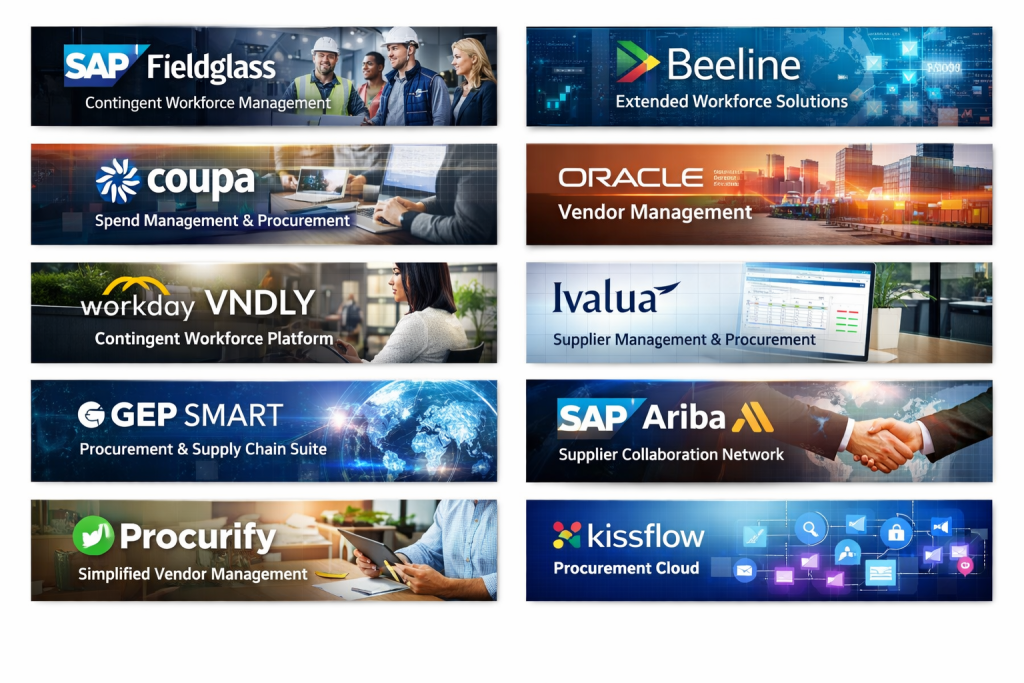
Top 10 Vendor Management Systems (VMS) Tools
1 — SAP Fieldglass
Short description:
SAP Fieldglass is an enterprise-grade VMS focused on managing contingent workforce and service procurement at scale. It is widely used by large global organizations.
Key features:
- Contingent workforce management
- Services procurement workflows
- Vendor onboarding and compliance tracking
- Advanced analytics and reporting
- Global support for currencies and regulations
- Integration with SAP ERP ecosystem
Pros:
- Extremely robust and scalable
- Strong compliance and audit capabilities
- Ideal for complex global enterprises
Cons:
- Steep learning curve
- Higher implementation and licensing costs
Security & compliance:
SSO, encryption, audit logs, GDPR, SOC 2, ISO standards
Support & community:
Enterprise-grade support, extensive documentation, SAP partner ecosystem
2 — Beeline
Short description:
Beeline is a powerful VMS designed for managing extended workforce programs, including contractors, consultants, and service providers.
Key features:
- Contingent workforce and services tracking
- Vendor performance management
- Compliance and risk management
- AI-driven insights and benchmarking
- Configurable workflows
- Global workforce visibility
Pros:
- Strong analytics and insights
- Flexible configuration options
- Trusted by large enterprises
Cons:
- Interface can feel complex
- Implementation requires planning
Security & compliance:
Encryption, SSO, GDPR, SOC 2, audit trails
Support & community:
Dedicated enterprise support, training programs, knowledge base
3 — Coupa Contingent Workforce
Short description:
Coupa’s VMS solution integrates vendor management with broader spend and procurement management for unified financial visibility.
Key features:
- Vendor and contingent labor management
- Spend visibility and analytics
- Automated approvals and workflows
- Supplier risk assessment
- Integration with finance systems
- Real-time reporting dashboards
Pros:
- Unified spend and vendor view
- User-friendly interface
- Strong reporting capabilities
Cons:
- Best value when used with Coupa ecosystem
- Pricing may be high for SMBs
Security & compliance:
SOC 2, GDPR, encryption, role-based access
Support & community:
Strong documentation, customer success teams, enterprise support
4 — Oracle Vendor Management (part of Oracle SCM)
Short description:
Oracle’s VMS capabilities are embedded within its Supply Chain Management suite, ideal for organizations already using Oracle products.
Key features:
- Supplier lifecycle management
- Contract and compliance tracking
- Performance scorecards
- Risk and qualification management
- Integration with Oracle ERP
- Advanced analytics
Pros:
- Deep integration with Oracle ecosystem
- Highly scalable
- Strong compliance controls
Cons:
- Complex setup
- Requires Oracle expertise
Security & compliance:
Enterprise-grade security, GDPR, ISO, audit logs
Support & community:
Oracle support network, extensive training resources
5 — Workday VNDLY
Short description:
Workday VNDLY is a modern VMS focused on contingent workforce and vendor engagement with a clean, intuitive user experience.
Key features:
- Contractor and vendor management
- Onboarding and offboarding workflows
- Compliance document tracking
- Integration with Workday HCM
- Workforce analytics
- Mobile-friendly interface
Pros:
- Excellent user experience
- Strong HR and workforce alignment
- Good scalability
Cons:
- Best suited for Workday customers
- Limited standalone use
Security & compliance:
SSO, encryption, GDPR, SOC 2
Support & community:
Workday support channels, onboarding assistance
6 — Ivalua
Short description:
Ivalua offers a highly configurable VMS and supplier management platform suitable for organizations with complex procurement needs.
Key features:
- Supplier information management
- Vendor onboarding and qualification
- Performance and risk monitoring
- Contract management
- Custom workflows
- Advanced analytics
Pros:
- Extremely flexible
- Strong supplier lifecycle management
- Suitable for regulated industries
Cons:
- Configuration can be time-consuming
- Requires experienced administrators
Security & compliance:
ISO certifications, GDPR, encryption, audit logs
Support & community:
Enterprise support, professional services, documentation
7 — GEP SMART
Short description:
GEP SMART combines vendor management with procurement, sourcing, and supply chain tools in one unified platform.
Key features:
- Vendor and supplier management
- Procurement and sourcing tools
- Risk and compliance tracking
- AI-powered insights
- Mobile accessibility
- Global supplier collaboration
Pros:
- All-in-one procurement suite
- Strong analytics
- Scalable for global operations
Cons:
- Feature-rich interface may overwhelm new users
- Premium pricing
Security & compliance:
SOC 2, GDPR, encryption, access controls
Support & community:
24/7 support, training resources, enterprise onboarding
8 — SAP Ariba
Short description:
SAP Ariba is a widely adopted vendor and supplier management platform with a strong global supplier network.
Key features:
- Supplier discovery and onboarding
- Vendor risk and performance management
- Contract and compliance tracking
- Invoice and payment workflows
- Integration with SAP ERP
- Global supplier network access
Pros:
- Massive supplier ecosystem
- Strong compliance capabilities
- Trusted enterprise solution
Cons:
- Can be expensive
- User experience varies by module
Security & compliance:
GDPR, ISO, SOC 2, encryption, audit trails
Support & community:
SAP support, partner ecosystem, training programs
9 — Procurify (Vendor Management Module)
Short description:
Procurify is a user-friendly procurement platform with vendor management capabilities designed for growing SMBs and mid-market companies.
Key features:
- Vendor database and tracking
- Purchase order management
- Budget controls
- Approval workflows
- Real-time spend visibility
- Simple reporting tools
Pros:
- Easy to use
- Quick implementation
- Cost-effective for SMBs
Cons:
- Limited enterprise features
- Less advanced analytics
Security & compliance:
Encryption, role-based access, GDPR
Support & community:
Responsive support, onboarding help, documentation
10 — Kissflow Procurement Cloud
Short description:
Kissflow Procurement Cloud offers lightweight vendor management with workflow automation for organizations seeking simplicity and speed.
Key features:
- Vendor onboarding workflows
- Purchase and approval automation
- Contract and document storage
- Low-code customization
- Real-time dashboards
- Integration with finance tools
Pros:
- Very easy to use
- Fast deployment
- Flexible workflows
Cons:
- Not ideal for very large enterprises
- Limited deep analytics
Security & compliance:
Encryption, GDPR, access controls
Support & community:
Good documentation, customer support, onboarding assistance
Comparison Table
| Tool Name | Best For | Platform(s) Supported | Standout Feature | Rating |
|---|---|---|---|---|
| SAP Fieldglass | Large enterprises | Web | Global contingent workforce management | N/A |
| Beeline | Enterprise workforce programs | Web | Advanced analytics | N/A |
| Coupa | Spend-focused teams | Web | Unified spend visibility | N/A |
| Oracle VMS | Oracle-centric enterprises | Web | Deep ERP integration | N/A |
| Workday VNDLY | HR-driven organizations | Web | User experience | N/A |
| Ivalua | Complex procurement | Web | High configurability | N/A |
| GEP SMART | Global procurement | Web, Mobile | All-in-one suite | N/A |
| SAP Ariba | Supplier networks | Web | Large vendor ecosystem | N/A |
| Procurify | SMBs | Web, Mobile | Ease of use | N/A |
| Kissflow | Agile teams | Web | Workflow automation | N/A |
Evaluation & Scoring of Vendor Management Systems (VMS)
| Criteria | Weight | Description |
|---|---|---|
| Core features | 25% | Vendor onboarding, tracking, performance, contracts |
| Ease of use | 15% | Learning curve, UI clarity |
| Integrations & ecosystem | 15% | ERP, HR, finance integrations |
| Security & compliance | 10% | Data protection and standards |
| Performance & reliability | 10% | Stability and scalability |
| Support & community | 10% | Help resources and support |
| Price / value | 15% | ROI and cost-effectiveness |
Which Vendor Management Systems (VMS) Tool Is Right for You?
- Solo users & SMBs: Look for ease of use, fast setup, and affordability. Tools like Procurify or Kissflow work well.
- Mid-market companies: Balance feature depth and usability. GEP SMART or Ivalua can be strong options.
- Enterprises: Focus on scalability, compliance, and integrations. SAP Fieldglass, Beeline, or Oracle VMS are ideal.
- Budget-conscious teams: Prioritize core vendor tracking without heavy customization.
- Compliance-driven industries: Choose platforms with strong audit logs, certifications, and risk management.
Frequently Asked Questions (FAQs)
1. What is a Vendor Management System (VMS)?
A VMS is software that helps organizations manage vendors, suppliers, contracts, performance, and compliance centrally.
2. Is VMS only for large enterprises?
No. While enterprises benefit most, many SMB-friendly VMS tools exist.
3. How long does VMS implementation take?
It can range from a few weeks for simple tools to several months for enterprise platforms.
4. Does a VMS replace procurement software?
Not always. Some VMS tools integrate with or complement procurement systems.
5. Can a VMS help reduce costs?
Yes. Better vendor visibility and performance tracking often lead to cost savings.
6. Is vendor compliance management included?
Most modern VMS platforms include compliance and document tracking.
7. Are VMS tools secure?
Reputable vendors offer encryption, access controls, and compliance certifications.
8. Can VMS integrate with ERP or HR systems?
Yes. Integration is a key evaluation factor for most organizations.
9. What industries use VMS the most?
IT services, healthcare, manufacturing, staffing, retail, and logistics.
10. What is the biggest mistake when choosing a VMS?
Overbuying features or ignoring usability and integration needs.
Conclusion
Vendor Management Systems play a critical role in streamlining vendor relationships, reducing risk, improving compliance, and optimizing costs. The right VMS provides visibility, control, and actionable insights across the entire vendor lifecycle.
There is no single “best” Vendor Management System for everyone. The ideal choice depends on company size, industry, budget, integration requirements, and compliance needs. By carefully evaluating your priorities and using structured criteria, you can select a VMS that delivers long-term value and supports sustainable vendor partnerships.

Find Trusted Cardiac Hospitals
Compare heart hospitals by city and services — all in one place.
Explore Hospitals