
Introduction
Visitor Management Software (VMS) is a digital solution designed to manage, track, and secure visitors entering physical locations such as offices, hospitals, schools, factories, data centers, and residential complexes. Instead of relying on paper registers or manual front-desk processes, these tools automate visitor check-in, identity verification, badge printing, notifications, and compliance tracking in a centralized system.
In today’s security-conscious and compliance-driven environment, managing visitors efficiently is no longer optional. Organizations must know who is inside their premises, why they are there, and for how long, while also ensuring a smooth and professional visitor experience. Visitor Management Software helps reduce security risks, improves front-desk efficiency, supports audits, and creates a modern first impression.
Real-world use cases include:
- Corporate offices managing daily guests and interviews
- Hospitals tracking patients’ attendants and vendors
- Manufacturing plants controlling contractor access
- Schools and universities ensuring campus safety
- Co-working spaces handling high visitor turnover
When choosing a Visitor Management Software, buyers should evaluate security features, ease of use, integration with existing systems, scalability, compliance readiness, reporting capabilities, and overall cost-value balance.
Best for:
Visitor Management Software is ideal for corporate offices, enterprises, hospitals, educational institutions, co-working spaces, manufacturing facilities, IT parks, and government buildings. Roles that benefit most include facility managers, security teams, HR teams, office administrators, and compliance officers.
Not ideal for:
Very small offices with extremely low visitor volume, temporary pop-up locations, or environments with no front desk or access control requirements may find full-scale visitor management tools unnecessary. In such cases, lightweight or manual solutions may suffice.
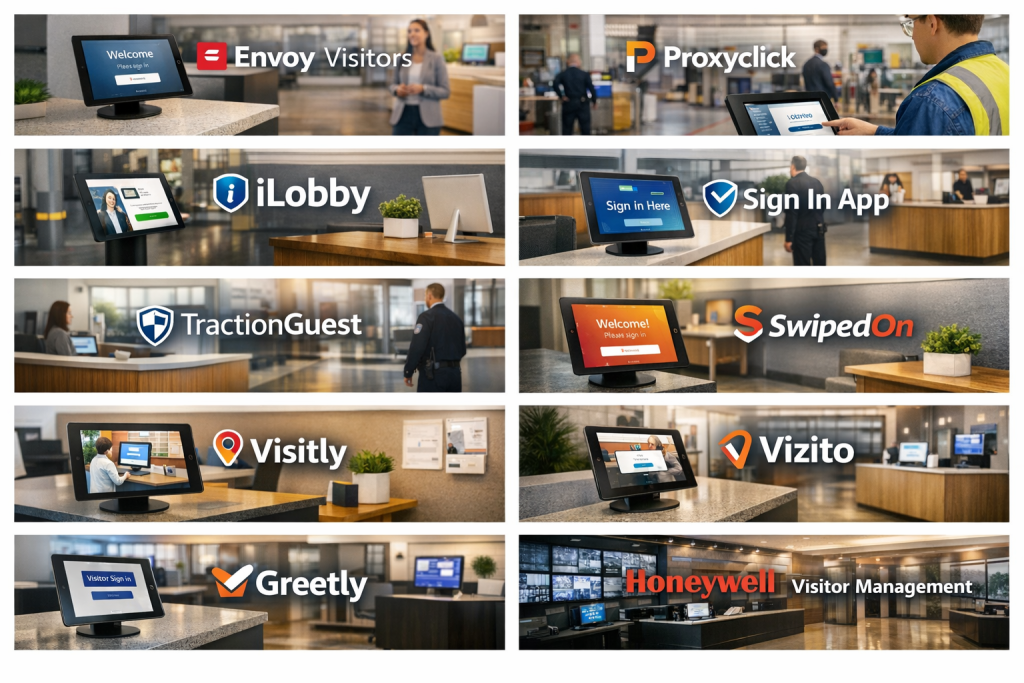
Top 10 Visitor Management Software Tools
1 — Envoy Visitors
Short description:
Envoy Visitors is a modern visitor management platform designed for workplaces that prioritize security, compliance, and a premium visitor experience.
Key features:
- Digital visitor check-in and pre-registration
- Customizable visitor workflows
- Host notifications via email or messaging tools
- Badge printing and visitor logs
- Access control system integrations
- Health and safety screening options
Pros:
- Clean, intuitive user interface
- Strong integrations with workplace tools
- Suitable for fast-growing companies
Cons:
- Advanced features can be costly
- Limited customization in lower plans
Security & compliance:
SSO support, encrypted data, audit logs, GDPR compliance, SOC 2 (varies by plan)
Support & community:
Comprehensive documentation, onboarding guides, responsive customer support, strong enterprise support
2 — Proxyclick
Short description:
Proxyclick focuses on enterprise-grade visitor management with strong compliance, analytics, and global scalability.
Key features:
- Pre-registration and digital invitations
- Multi-location and multi-language support
- Visitor analytics and dashboards
- Custom security workflows
- Access control integrations
- Contractor and employee visitor handling
Pros:
- Excellent for large enterprises
- Advanced compliance and reporting
- Highly configurable workflows
Cons:
- Setup can be complex
- Higher learning curve for small teams
Security & compliance:
SSO, GDPR, SOC 2, ISO standards support, audit logs
Support & community:
Enterprise onboarding, detailed documentation, dedicated account management
3 — iLobby
Short description:
iLobby is a compliance-driven visitor management system tailored for regulated industries like manufacturing, healthcare, and logistics.
Key features:
- Visitor and contractor management
- Compliance document collection
- Custom check-in flows
- Badge printing and photo capture
- Audit-ready reports
- Emergency evacuation lists
Pros:
- Strong compliance focus
- Ideal for regulated environments
- Powerful reporting tools
Cons:
- Interface feels less modern
- Configuration may require admin effort
Security & compliance:
SOC 2, GDPR, ISO support, encryption, audit trails
Support & community:
Dedicated onboarding, enterprise support, training resources
4 — Sign In App
Short description:
Sign In App is a flexible visitor management solution suitable for offices, schools, and multi-site organizations.
Key features:
- Visitor, staff, and contractor sign-in
- Pre-registration and invitations
- Emergency evacuation management
- Custom branding and workflows
- Offline mode support
- Multi-location management
Pros:
- Easy to deploy
- Flexible configuration
- Works well for schools and offices
Cons:
- Limited advanced analytics
- UI customization has limits
Security & compliance:
GDPR compliance, encrypted data, audit logs
Support & community:
Helpful documentation, email support, onboarding assistance
5 — Traction Guest
Short description:
Traction Guest delivers an enterprise-focused visitor management platform emphasizing security, governance, and compliance.
Key features:
- Advanced visitor screening
- Watchlist and denylist support
- Enterprise integrations
- Custom workflows
- Detailed compliance reporting
- Global deployment support
Pros:
- Strong security controls
- Suitable for global enterprises
- Highly customizable
Cons:
- Premium pricing
- Overkill for small offices
Security & compliance:
SOC 2, GDPR, SSO, encryption, audit trails
Support & community:
Enterprise-grade support, onboarding specialists, documentation
6 — SwipedOn
Short description:
SwipedOn is a user-friendly visitor management system designed for small to mid-sized organizations.
Key features:
- Quick visitor sign-in
- Pre-registration and host alerts
- Health and safety declarations
- Visitor logs and reports
- Emergency roll call
- Multi-device support
Pros:
- Simple and intuitive
- Affordable pricing
- Fast setup
Cons:
- Limited enterprise features
- Basic customization options
Security & compliance:
Encrypted data, GDPR support, audit logs (varies)
Support & community:
Good documentation, responsive support team
7 — Visitly
Short description:
Visitly is a flexible visitor management solution tailored for schools, offices, and shared workspaces.
Key features:
- Visitor pre-registration
- ID scanning and badge printing
- Emergency alerts
- Custom check-in questions
- Analytics dashboard
- Multi-location support
Pros:
- Strong school-focused features
- Easy to use
- Custom workflows
Cons:
- Limited deep integrations
- Reporting depth could improve
Security & compliance:
Encryption, GDPR compliance, audit logs
Support & community:
Email support, onboarding resources, help center
8 — Greetly
Short description:
Greetly is a receptionist replacement solution that automates visitor greetings and check-ins.
Key features:
- Digital receptionist workflows
- Visitor self check-in
- Host notifications
- Badge printing
- Branding customization
- Multi-location support
Pros:
- Enhances front-desk efficiency
- Professional visitor experience
- Easy to deploy
Cons:
- Limited compliance tools
- Less suitable for highly regulated industries
Security & compliance:
Encrypted data, basic audit logs, GDPR support
Support & community:
Onboarding assistance, email support, documentation
9 — Vizito
Short description:
Vizito offers a cost-effective visitor management solution focused on simplicity and essential features.
Key features:
- Visitor registration
- Badge printing
- Host notifications
- Visitor logs
- Custom fields
- Multi-language support
Pros:
- Budget-friendly
- Easy to use
- Quick deployment
Cons:
- Limited enterprise integrations
- Basic reporting
Security & compliance:
GDPR compliance, encrypted data, basic logs
Support & community:
Documentation, email support, knowledge base
10 — Honeywell Visitor Management
Short description:
Honeywell Visitor Management integrates visitor tracking with physical security and building management systems.
Key features:
- Visitor registration and tracking
- Integration with access control systems
- Badge management
- Real-time monitoring
- Centralized dashboards
- Enterprise scalability
Pros:
- Strong physical security integration
- Suitable for large facilities
- Reliable enterprise performance
Cons:
- Complex implementation
- Higher cost and setup time
Security & compliance:
Enterprise-grade security, audit logs, compliance-ready (varies by deployment)
Support & community:
Enterprise support, system integrator assistance, documentation
Comparison Table
| Tool Name | Best For | Platform(s) Supported | Standout Feature | Rating |
|---|---|---|---|---|
| Envoy Visitors | Modern workplaces | Web, Tablet | User experience | N/A |
| Proxyclick | Global enterprises | Web, Tablet | Compliance & analytics | N/A |
| iLobby | Regulated industries | Web, Kiosk | Compliance workflows | N/A |
| Sign In App | Schools & offices | Web, Mobile, Tablet | Flexibility | N/A |
| Traction Guest | Large enterprises | Web, Tablet | Advanced security | N/A |
| SwipedOn | SMBs | Web, Tablet | Ease of use | N/A |
| Visitly | Schools & co-working | Web, Tablet | Education-focused tools | N/A |
| Greetly | Front desk automation | Web, Tablet | Digital receptionist | N/A |
| Vizito | Budget-conscious teams | Web, Tablet | Affordability | N/A |
| Honeywell VMS | Industrial facilities | Enterprise systems | Physical security integration | N/A |
Evaluation & Scoring of Visitor Management Software
| Criteria | Weight | Description |
|---|---|---|
| Core features | 25% | Visitor check-in, logs, workflows |
| Ease of use | 15% | User experience and setup |
| Integrations & ecosystem | 15% | Access control, workplace tools |
| Security & compliance | 10% | Encryption, audits, standards |
| Performance & reliability | 10% | Stability and uptime |
| Support & community | 10% | Documentation and help |
| Price / value | 15% | Cost vs features |
Which Visitor Management Software Tool Is Right for You?
- Solo users / small offices: Look for simplicity, low cost, and quick setup
- SMBs: Balance affordability with integrations and reporting
- Mid-market: Focus on scalability, analytics, and compliance
- Enterprises: Prioritize security, global support, and customization
Budget-conscious teams should avoid overpaying for unused features, while compliance-heavy organizations should not compromise on audit trails and security controls. The right tool balances current needs with future growth.
Frequently Asked Questions (FAQs)
1. What is Visitor Management Software?
It is a digital system that manages visitor check-in, tracking, and security.
2. Is visitor management only for offices?
No, it is widely used in hospitals, schools, factories, and campuses.
3. Does it replace a receptionist?
In many cases, yes, especially for basic visitor handling.
4. Is visitor data secure?
Most tools use encryption and access controls to protect data.
5. Can it integrate with access control systems?
Many enterprise tools support access control integrations.
6. Is it suitable for small businesses?
Yes, several tools are designed specifically for SMBs.
7. What hardware is required?
Typically tablets or kiosks for check-in.
8. Does it support compliance audits?
Many platforms provide audit-ready visitor logs.
9. How long does implementation take?
From a few hours for SMB tools to weeks for enterprise systems.
10. What is the biggest mistake buyers make?
Choosing a tool without considering future scalability and compliance needs.
Conclusion
Visitor Management Software has become an essential component of modern workplace security and efficiency. From improving first impressions to ensuring compliance and safety, these tools deliver tangible operational benefits.
The most important factors when choosing a solution are security, usability, scalability, integrations, and value for money. There is no single “best” tool for everyone. The right choice depends on your organization’s size, industry, compliance requirements, and visitor volume.
By aligning software capabilities with real operational needs, organizations can create a safer, more professional, and more efficient visitor experience.

Find Trusted Cardiac Hospitals
Compare heart hospitals by city and services — all in one place.
Explore Hospitals
Really enjoyed this breakdown — the pros and cons for each tool are explained in a way that’s easy to understand. Visitor management is such a key part of any office or facility, and having this comparison makes it much easier to pick the right solution. I’d be interested to know which tools others find best for daily use and flexibility. Thanks for the helpful guide!
Great read! I like how you broke down each visitor management tool — really makes it easier to figure out which one works best. Curious to see which tools others are using for smooth check‑ins and security. Super useful guide overall!