
Introduction
Writing Assistance Tools are software solutions designed to help people write better, faster, and with more confidence. These tools go far beyond simple spell checkers. Modern writing assistants analyze grammar, tone, clarity, structure, style, originality, and even audience intent. They act as a digital writing partner, supporting everything from emails and blog posts to academic papers, marketing copy, and technical documentation.
In today’s content-driven world, clear and effective writing is no longer optional. Businesses rely on written communication for marketing, customer support, documentation, and internal collaboration. Individuals use writing tools to improve professionalism, reduce errors, and save time. As expectations rise and attention spans shrink, well-written content directly impacts credibility, trust, and results.
Key real-world use cases
- Writing emails, reports, and proposals with fewer errors
- Creating blogs, articles, and SEO content at scale
- Improving tone and clarity for global or non-native audiences
- Academic writing, editing, and plagiarism checking
- Marketing copywriting and brand-consistent messaging
What to look for when choosing a Writing Assistance Tool
When evaluating tools in this category, users should focus on:
- Core writing quality (grammar, clarity, tone, structure)
- Ease of use and learning curve
- Context awareness (formal vs casual, audience intent)
- Integrations with browsers, editors, and productivity tools
- Security & compliance, especially for business use
- Value for money relative to features offered
Best for:
Content writers, marketers, students, educators, freelancers, remote teams, startups, agencies, and enterprises that produce written content regularly and want consistency, quality, and efficiency.
Not ideal for:
Users who write very rarely, highly creative authors who prefer minimal assistance, or teams with extremely specialized linguistic needs that require fully custom editorial workflows.
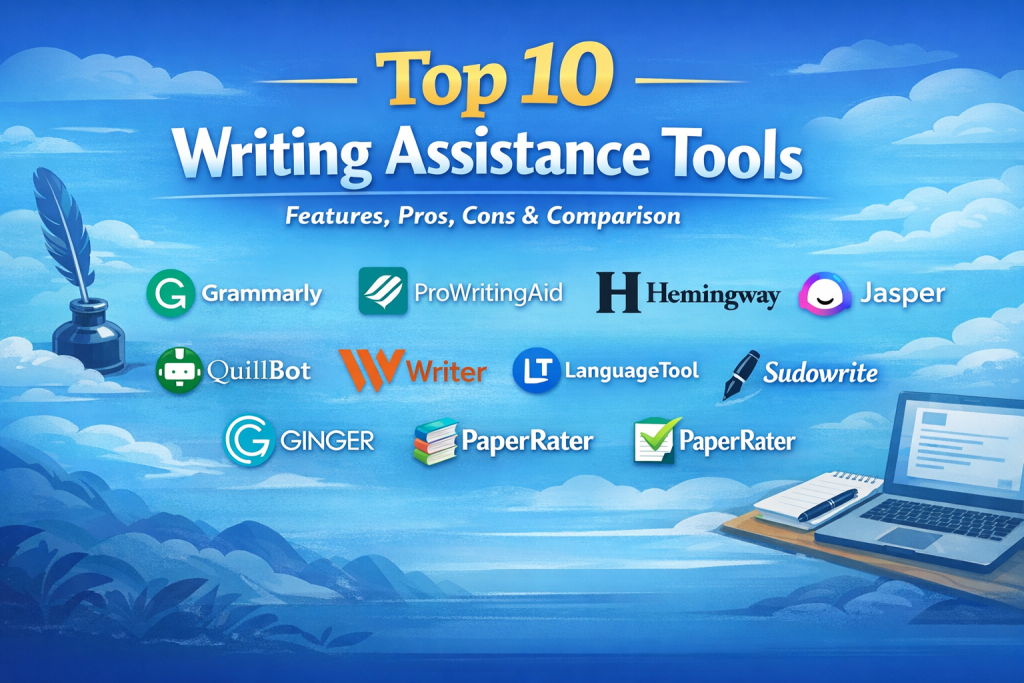
Top 10 Writing Assistance Tools
1 — Grammarly
Short description:
A widely used writing assistant focused on grammar, clarity, tone, and correctness across personal and professional writing.
Key features
- Advanced grammar and spell checking
- Tone detection and rewrite suggestions
- Clarity and conciseness improvements
- Browser, desktop, and editor integrations
- Plagiarism detection (premium)
- Style and formality adjustments
Pros
- Extremely easy to use for beginners
- Works across most writing environments
- Strong accuracy for everyday writing
Cons
- Limited creative control for advanced writers
- Premium pricing for full features
Security & compliance:
SOC 2, GDPR compliance, encryption in transit and at rest
Support & community:
Strong documentation, onboarding guides, responsive support, large user community
2 — ProWritingAid
Short description:
A deep-analysis writing tool aimed at authors, editors, and long-form content creators.
Key features
- In-depth grammar and style reports
- Readability and sentence structure analysis
- Overused word and repetition detection
- Genre-specific writing suggestions
- Desktop and document editor support
- Custom writing goals
Pros
- Excellent for long-form and creative writing
- Detailed insights beyond surface-level grammar
- Strong value for power users
Cons
- Interface can feel overwhelming
- Slower performance on very large documents
Security & compliance:
GDPR compliance, encrypted data handling
Support & community:
Good documentation, active writing community, responsive ticket support
3 — Hemingway Editor
Short description:
A minimalist tool designed to improve readability and sentence clarity.
Key features
- Readability score analysis
- Highlights complex sentences
- Passive voice detection
- Adverb and filler word alerts
- Simple editing interface
Pros
- Extremely simple and distraction-free
- Excellent for clarity improvement
- No steep learning curve
Cons
- No grammar correction engine
- Limited integrations and automation
Security & compliance:
N/A
Support & community:
Basic documentation, limited formal support
4 — Jasper
Short description:
An AI-driven writing assistant built primarily for marketing and business content creation.
Key features
- AI-powered content generation
- Marketing-focused templates
- Brand voice customization
- Long-form content workflows
- Collaboration features
Pros
- Fast content generation
- Strong for marketing and sales teams
- Scalable for teams
Cons
- Less precise grammar control
- Requires editing for accuracy
Security & compliance:
SOC 2, GDPR, enterprise security options
Support & community:
Training resources, onboarding, community groups, enterprise support
5 — QuillBot
Short description:
A writing assistant focused on paraphrasing, rewriting, and summarization.
Key features
- Multiple paraphrasing modes
- Grammar and spell checking
- Summarization tools
- Vocabulary enhancement
- Browser and document support
Pros
- Excellent paraphrasing quality
- Helpful for students and researchers
- Affordable entry plans
Cons
- Limited tone control
- Not ideal for full content creation
Security & compliance:
GDPR compliance, standard encryption
Support & community:
Decent documentation, email support, student-heavy user base
6 — Writer
Short description:
An enterprise-grade writing assistant focused on brand consistency and governance.
Key features
- Brand voice and style enforcement
- Team-wide terminology management
- Advanced analytics and reporting
- API and workflow integrations
- AI-assisted writing
Pros
- Excellent for large organizations
- Strong governance and control
- High customization
Cons
- Not beginner-friendly
- Higher cost for small teams
Security & compliance:
SOC 2, GDPR, SSO, audit logs
Support & community:
Enterprise onboarding, dedicated support, training resources
7 — LanguageTool
Short description:
A multilingual writing assistant supporting many languages.
Key features
- Grammar and spell checking
- Style suggestions
- Multilingual support
- Browser and desktop integrations
- Custom rule creation
Pros
- Strong language coverage
- Open-source flexibility
- Affordable pricing
Cons
- Less polished UI
- Slightly lower accuracy in complex contexts
Security & compliance:
GDPR compliance, self-hosted options
Support & community:
Active open-source community, documentation, paid support tiers
8 — Sudowrite
Short description:
A creative writing assistant tailored for fiction authors and storytellers.
Key features
- Story expansion and idea generation
- Character and plot assistance
- Descriptive language suggestions
- Creative brainstorming tools
- Writer-centric workflows
Pros
- Excellent for fiction writers
- Encourages creativity
- Unique storytelling features
Cons
- Not suitable for business writing
- Limited grammar focus
Security & compliance:
Varies / N/A
Support & community:
Writer-focused community, tutorials, responsive support
9 — Ginger Software
Short description:
A grammar and sentence correction tool designed for everyday writing.
Key features
- Grammar and spell checking
- Sentence rephrasing
- Translation support
- Personal trainer mode
Pros
- Simple and accessible
- Helpful for non-native speakers
- Affordable plans
Cons
- Fewer advanced features
- UI feels dated
Security & compliance:
GDPR compliance
Support & community:
Standard documentation, email support
10 — PaperRater
Short description:
A writing assistant focused on academic writing and plagiarism detection.
Key features
- Grammar and spelling checks
- Plagiarism detection
- Automated scoring
- Vocabulary suggestions
Pros
- Useful for students
- All-in-one academic checks
- Simple workflow
Cons
- Limited professional writing support
- Accuracy varies on complex texts
Security & compliance:
Varies / N/A
Support & community:
Basic documentation, limited support
Comparison Table
| Tool Name | Best For | Platform(s) Supported | Standout Feature | Rating |
|---|---|---|---|---|
| Grammarly | General writing | Web, Desktop, Browser | Tone & clarity analysis | N/A |
| ProWritingAid | Long-form authors | Web, Desktop, Editors | Deep style reports | N/A |
| Hemingway Editor | Readability | Web, Desktop | Simplicity | N/A |
| Jasper | Marketing teams | Web | AI content generation | N/A |
| QuillBot | Paraphrasing | Web, Browser | Rewrite modes | N/A |
| Writer | Enterprises | Web, API | Brand governance | N/A |
| LanguageTool | Multilingual writing | Web, Desktop | Language coverage | N/A |
| Sudowrite | Fiction authors | Web | Creative assistance | N/A |
| Ginger Software | Everyday writing | Web, Desktop | Sentence correction | N/A |
| PaperRater | Students | Web | Academic focus | N/A |
Evaluation & Scoring of Writing Assistance Tools
| Criteria | Weight | Description |
|---|---|---|
| Core features | 25% | Grammar, clarity, tone, rewriting |
| Ease of use | 15% | UI, learning curve |
| Integrations & ecosystem | 15% | Editors, browsers, APIs |
| Security & compliance | 10% | Enterprise readiness |
| Performance & reliability | 10% | Speed and accuracy |
| Support & community | 10% | Help resources |
| Price / value | 15% | Cost vs benefits |
Which Writing Assistance Tool Is Right for You?
- Solo users: Grammarly, Hemingway Editor, QuillBot
- SMBs: ProWritingAid, LanguageTool, Ginger Software
- Mid-market: Jasper, Writer (entry tiers)
- Enterprise: Writer, Grammarly Business
Budget-conscious users should prioritize core quality and ease of use, while premium buyers should focus on governance, integrations, and scalability.
Frequently Asked Questions (FAQs)
1. Are writing assistance tools accurate?
Most modern tools are highly accurate for grammar and clarity, but human review is still important.
2. Can these tools replace human editors?
They assist, not replace. Editors provide context and judgment tools cannot fully replicate.
3. Are they safe for confidential content?
Enterprise-grade tools offer encryption and compliance features suitable for sensitive data.
4. Do they work for non-native speakers?
Yes, many tools are especially helpful for improving fluency and tone.
5. Can I use them for academic writing?
Yes, but always follow institutional guidelines.
6. Do they support team collaboration?
Some tools offer shared style guides and analytics.
7. Are free versions enough?
Free plans cover basics, but advanced features usually require paid plans.
8. Can they improve writing style?
Yes, especially tools focused on clarity and readability.
9. Do they integrate with common editors?
Most support browsers and popular document tools.
10. What is the biggest mistake users make?
Accepting all suggestions blindly without considering context.
Conclusion
Writing Assistance Tools have become essential for anyone who writes regularly. They improve clarity, reduce errors, save time, and help maintain consistent tone and quality. However, no single tool is perfect for everyone. The right choice depends on your goals, writing volume, collaboration needs, and budget.
By focusing on core features, usability, security, and value, users can confidently select a tool that enhances their writing rather than replacing their voice. The best writing tool is the one that fits seamlessly into your workflow and supports your specific needs.

Find Trusted Cardiac Hospitals
Compare heart hospitals by city and services — all in one place.
Explore Hospitals