
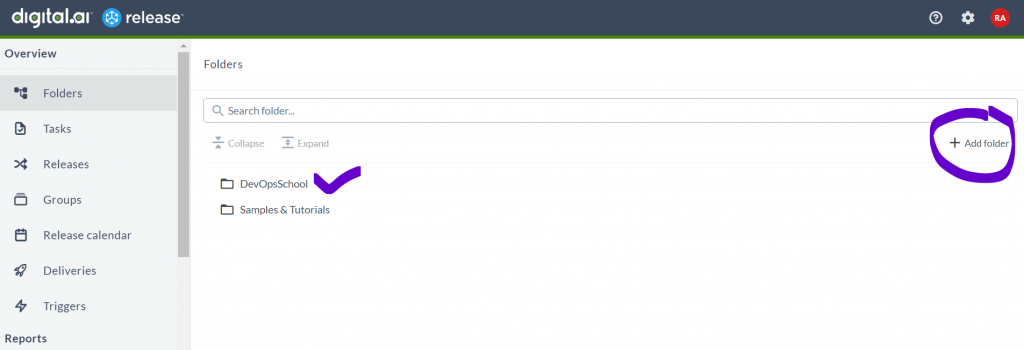
Step 1 – Create a FOLDER for your Product Line
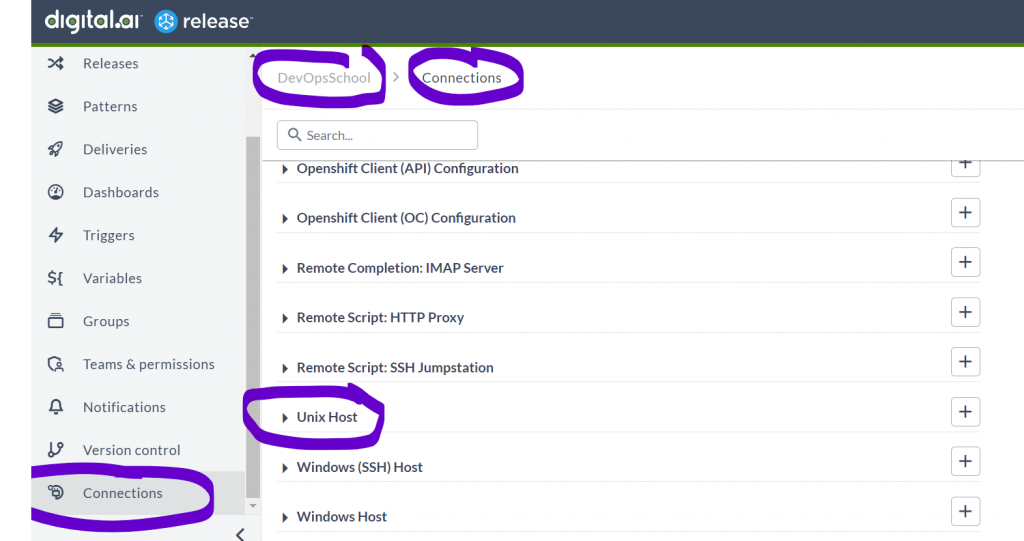
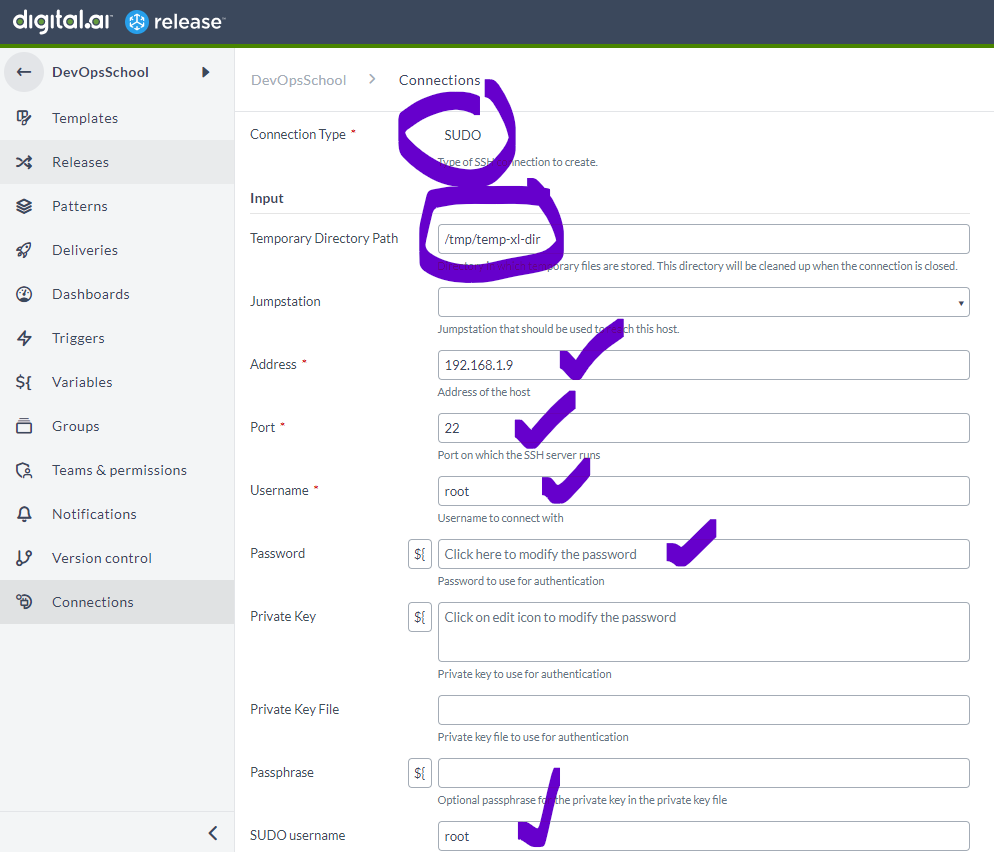
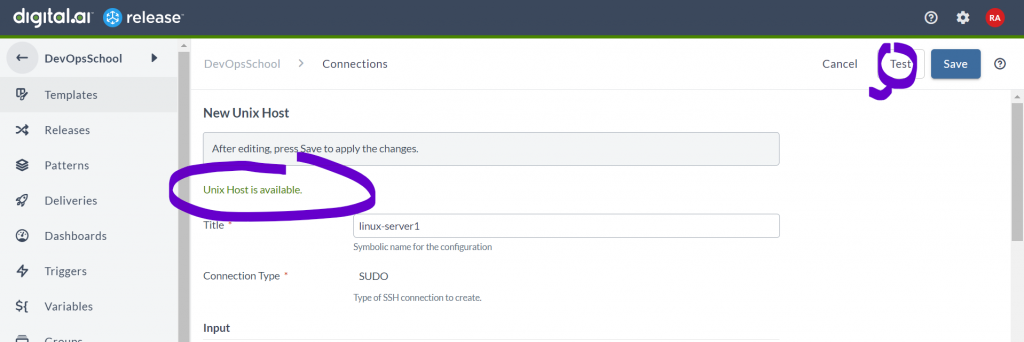
Step 2 – Create a Connection using Unix Host Go to folder
Go inside a FOLDER
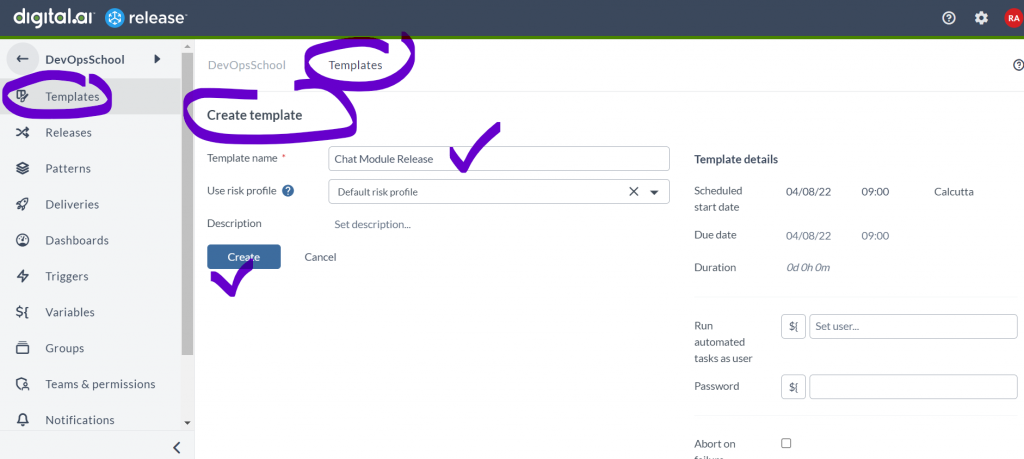
Step 3 – Create a Template for your Product Release
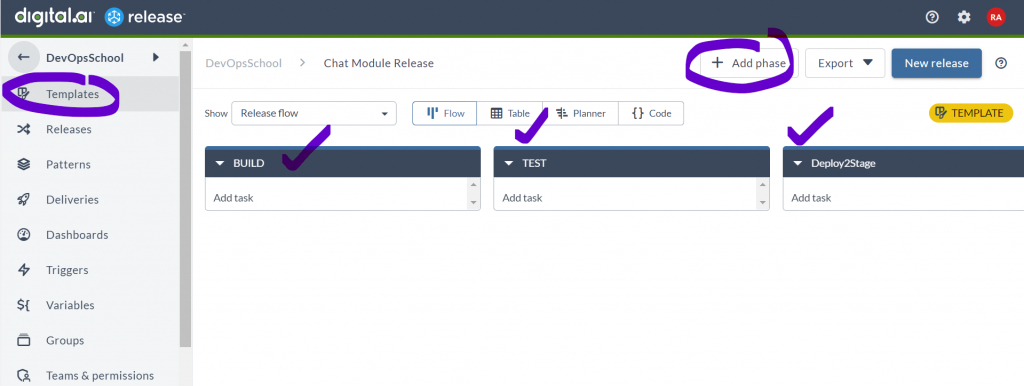
Step 4 – Create Required Phases to Template Release
Step 5 – Add Task just to echo some message
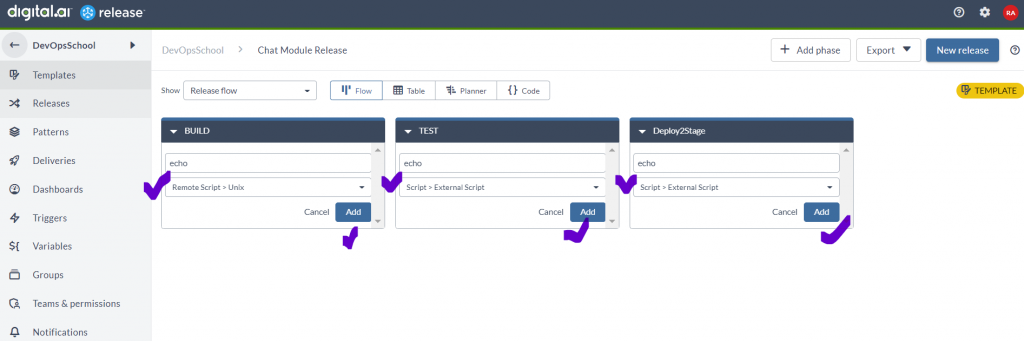
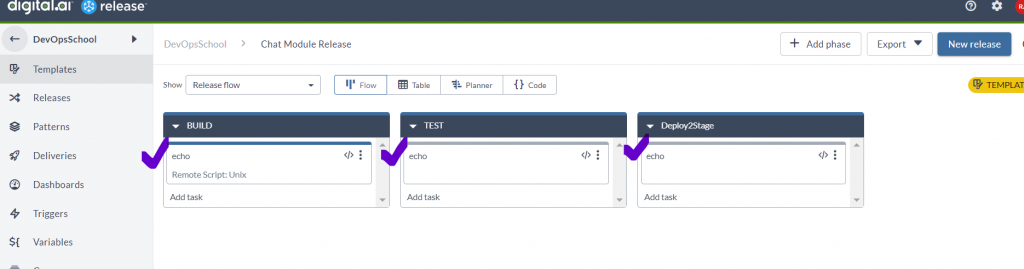
Step 6 – Edit each Task and provide required Input properties. “Remote Script: Unix”
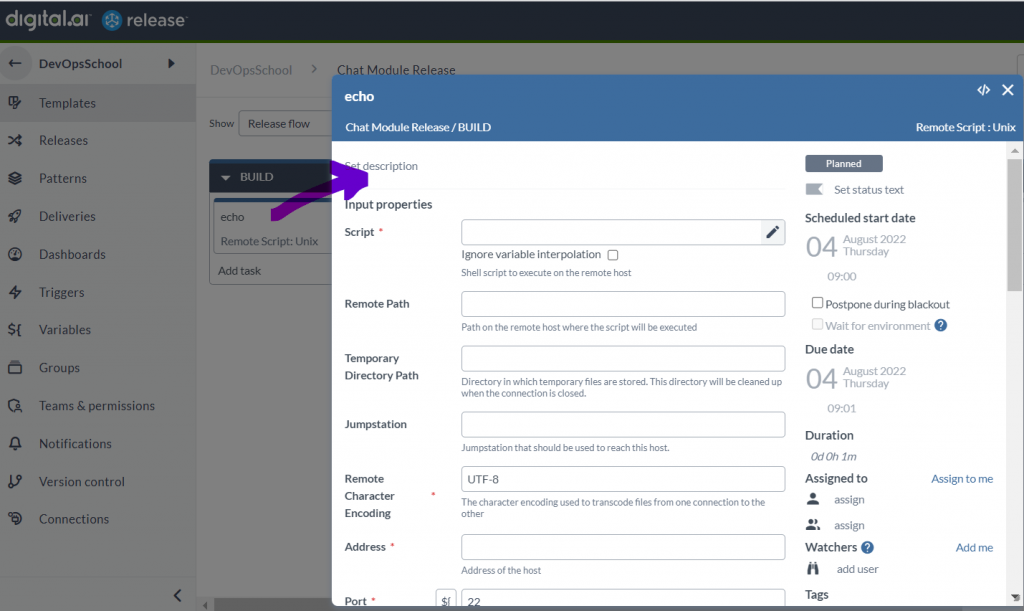
Document – https://legacydocs.xebialabs.com/xl-release/how-to/remote-script-plugin.html
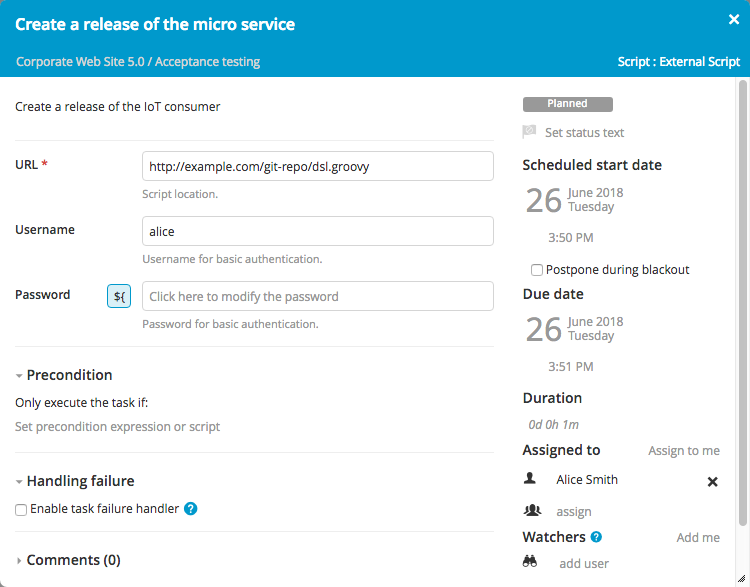
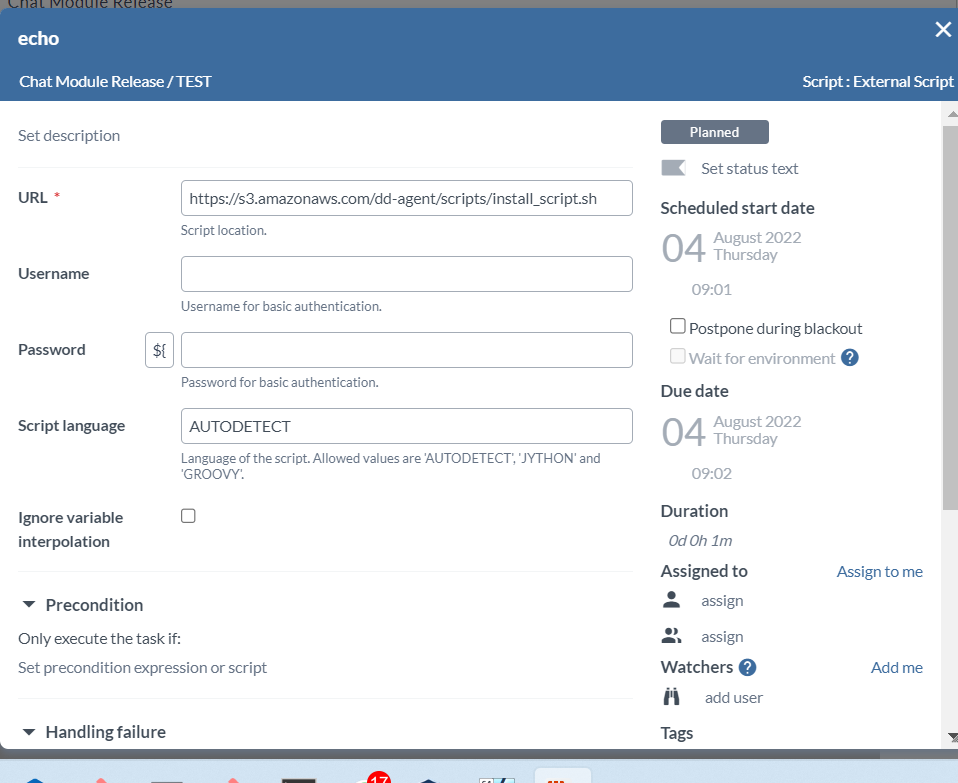
Step 6 – Edit each Task and provide required Input properties. “Script: External Script”
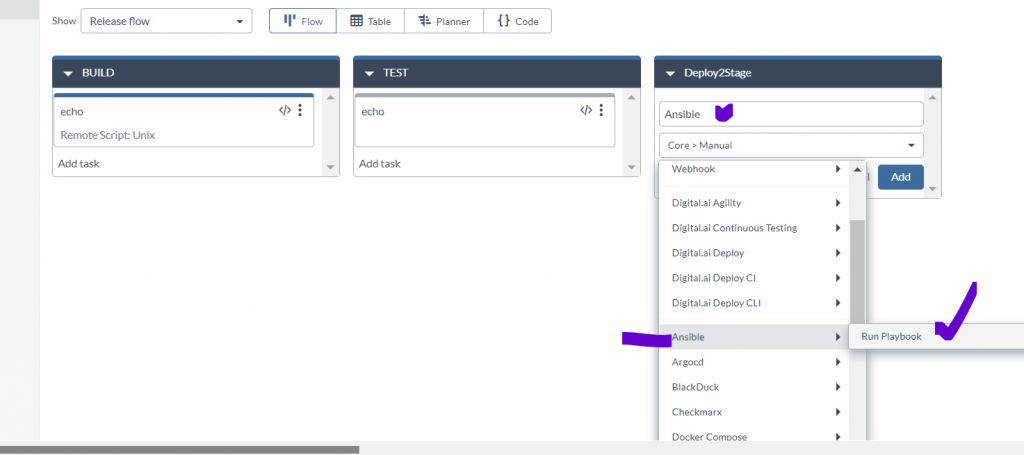
Step 7 – Edit each Task and provide required Input properties. “Ansible: Run Playbook”
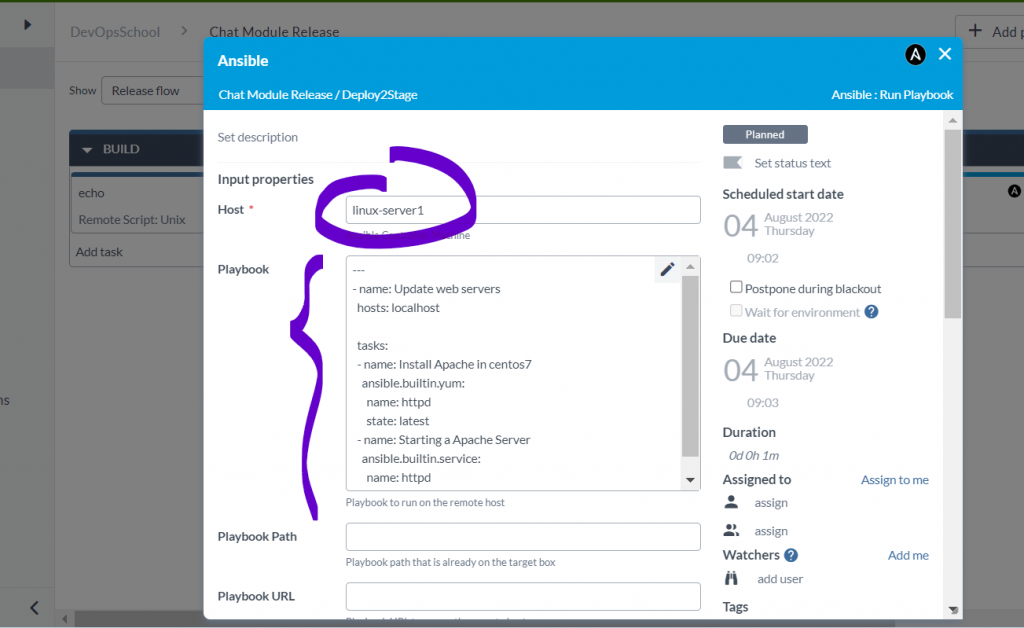
---
- name: Update web servers
  hosts: localhost

  tasks:
  - name: Install Apache in centos7
    ansible.builtin.yum:
      name: httpd
      state: latest
  - name: Starting a Apache Server
    ansible.builtin.service:
      name: httpd
      state: startedCode language: CSS (css)
I’m a DevOps/SRE/DevSecOps/Cloud Expert passionate about sharing knowledge and experiences. I have worked at Cotocus. I share tech blog at DevOps School, travel stories at Holiday Landmark, stock market tips at Stocks Mantra, health and fitness guidance at My Medic Plus, product reviews at TrueReviewNow , and SEO strategies at Wizbrand.
Do you want to learn Quantum Computing?
Please find my social handles as below;
Rajesh Kumar Personal Website
Rajesh Kumar at YOUTUBE
Rajesh Kumar at INSTAGRAM
Rajesh Kumar at X
Rajesh Kumar at FACEBOOK
Rajesh Kumar at LINKEDIN
Rajesh Kumar at WIZBRAND
Find Trusted Cardiac Hospitals
Compare heart hospitals by city and services — all in one place.
Explore Hospitals
Thanks for the great insight. Can we use XL Release for automating storage operations e.g. LUN creation and assigning to a server ?