Find the Best Cosmetic Hospitals

Explore trusted cosmetic hospitals and make a confident choice for your transformation.

“Invest in yourself — your confidence is always worth it.”

Explore Cosmetic Hospitals

Start your journey today — compare options in one place.

HOW TO: INSTALL COMPOSER ON LINUX MINT

About Composer

A composer is a tool for dependency management in PHP. It allows you to declare the libraries your project depends on and it will manage (install/update) them for you.

Composer is not a package manager in the same sense as Yum or Apt are. Yes, it deals with “packages” or libraries, but it manages them on a per-project basis, installing them in a directory (e.g. vendor) inside your project. By default, it does not install anything globally. Thus, it is a dependency manager. It does, however, support a “global” project for convenience via the global command.

System Requirement

Composer requires PHP 5.3.2+ to run. A few sensitive PHP settings and compile flags are also required, but when using the installer you will be warned about any incompatibilities.

Now, Follow the below Steps to Install Composer on Linux Mint

Step 1 :- If you haven’t installed PHP then first install it with the below Command or you’ve already installed then continue with the 2nd Step.

sudo apt install php

Step 2 :- While on your home folder on the terminal create a file for the script.

touch composer.sh

Step 3 :- Open this file with your favourite editor, for this example, I’ve used Sublime and Paste the Below Code.

Step 4 :- Make the script executable, run the below command:

sudo chmod +x composer.sh

Step 5 :- Run the file:

sudo ./composer.sh

Note :- No output means it all went ok and it has created a composer.phar file in the same directory.

Step 6 :- Now, move composer.phar to make it available anywhere within the system:

sudo mv composer.phar /usr/local/bin/composer

Step 7 :- Now, Check that composer is installed or not by simply running the below command:

composer
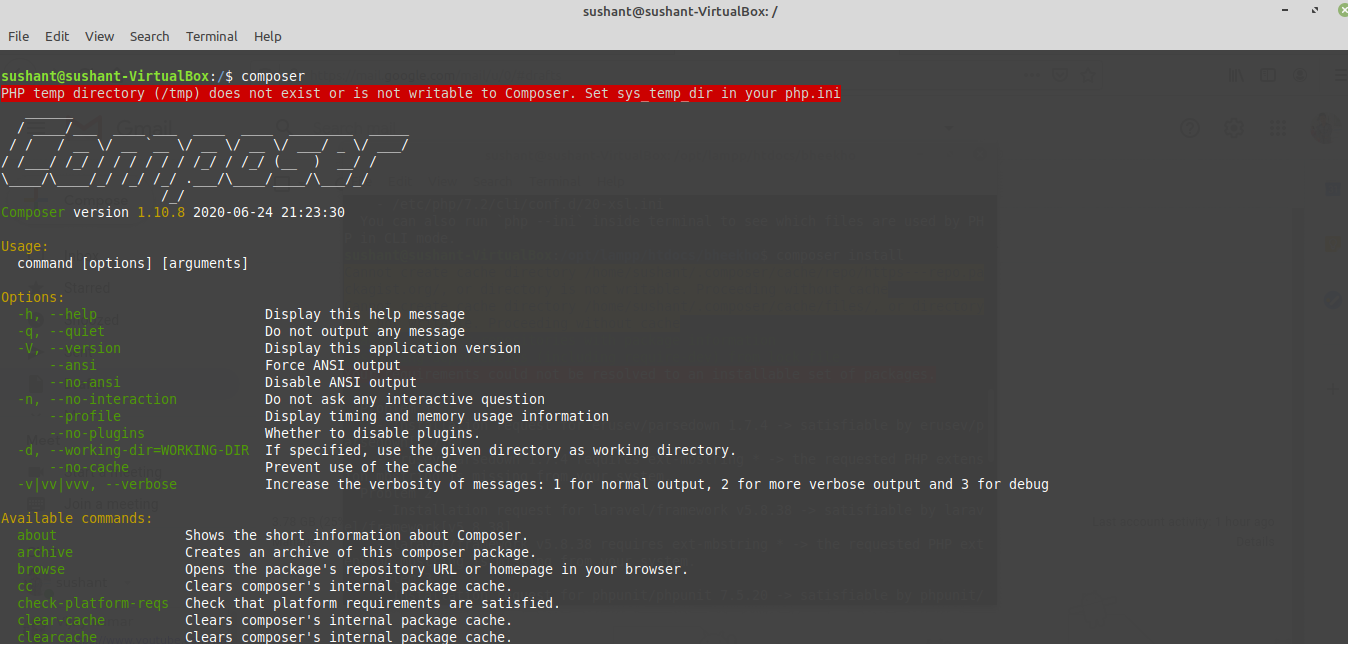
That’s it, you’re done! You can visit the official website by clicking here.

Find Trusted Cardiac Hospitals

Compare heart hospitals by city and services — all in one place.

Explore Hospitals
With MotoShare.in, you can book a bike instantly, enjoy doorstep delivery, and ride without worries. Perfect for travelers, professionals, and adventure enthusiasts looking for a seamless mobility solution.

Related Posts

How to Configure HTTP/HTTPS Proxy on Linux and Windows (CLI, GUI, Registry, and APT)

Set up proxy access correctly on Windows and Linux for command-line tools, package managers, and system-level use. This guide covers quick commands, persistent configuration, and common troubleshooting steps.

Read More

Linux pmap Command Guide: Inspect Process Memory Maps with Practical Examples

Learn how to use the Linux pmap command to inspect per-process memory mappings, compare output modes, and troubleshoot high memory usage quickly. This updated guide includes workflow steps, command examples, and interpretation tips.

Read More

iostat Command Guide for Linux: 20 Practical Examples for CPU and Disk I/O Troubleshooting

Learn how to use iostat to monitor CPU and storage performance on Linux systems. This revised guide covers installation, 20 practical commands, metric interpretation, and a troubleshooting workflow.

Read More

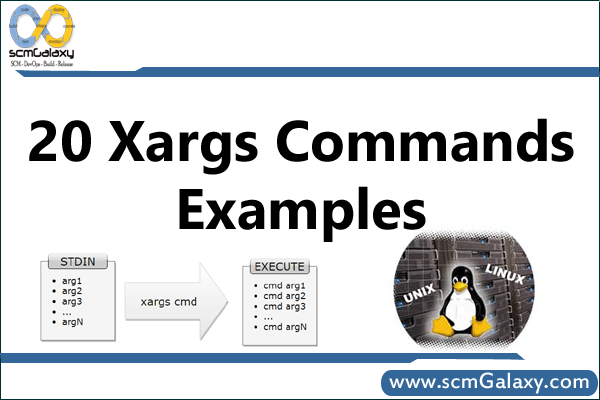
xargs in Linux: Practical Commands, Safe Patterns, and Pipeline Workflows

This guide explains how to use xargs effectively in Linux/Unix shells, from basic stdin handling to safe file operations and parallel execution. You’ll learn practical command patterns, portability caveats, and safer alternatives.

Read More

Linux mount and umount Commands: Practical Examples, /etc/fstab, and Safe Unmounting

Learn how to mount and unmount filesystems reliably on Linux, from one-off commands to persistent /etc/fstab entries. This guide covers common filesystem types, command comparisons, and safe troubleshooting steps.

Read More

How to Use gsh to Run Linux Commands Across Multiple Servers

gsh (Group Shell) lets you execute one command across many Linux hosts from a single terminal. This guide explains host grouping with /etc/ghosts, core options, and practical command patterns.

Read More