Find the Best Cosmetic Hospitals

Explore trusted cosmetic hospitals and make a confident choice for your transformation.

“Invest in yourself — your confidence is always worth it.”

Explore Cosmetic Hospitals

Start your journey today — compare options in one place.

How to connect Teradata SQL Assistant to Teradata

In this Tutorial we will learn how to connect Teradata SQL Assistant to Teradata database using Teradata ODBC drive.

If you want to install Teradata Database in your windows then Please please go through our Tutorial on Installation and Configuration Teradata Tools and Utilities

Below are the steps to connect Teradata SQL Assistant to Teradata Database:

1st Step:

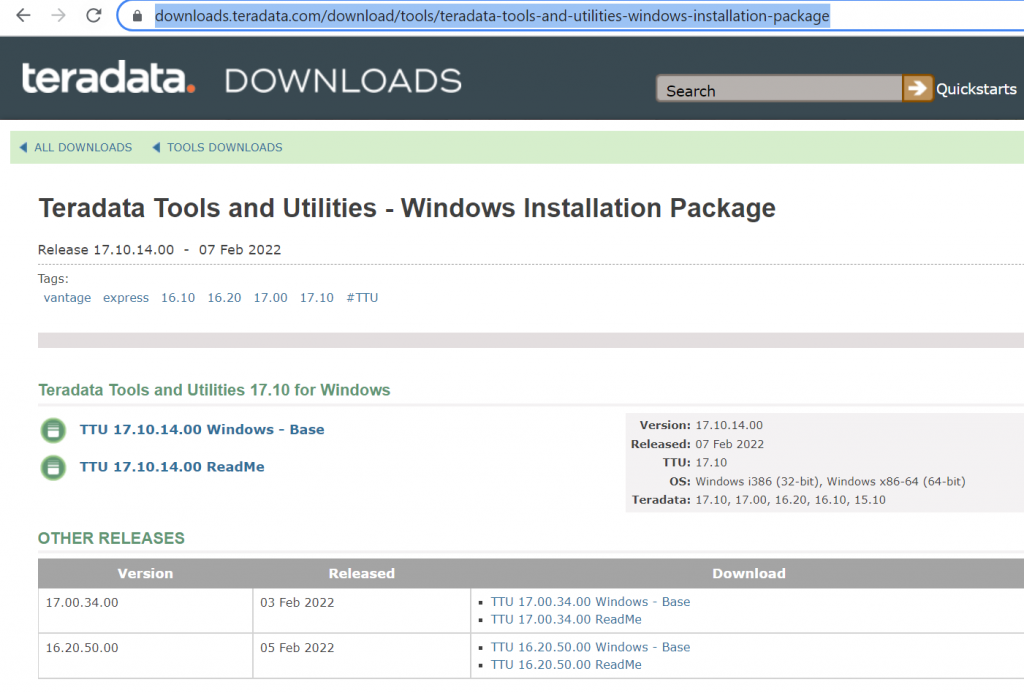
 You can download latest Teradata Tools and Utilities package  from the official Teradata Website which includes all the tools for Teradata including Teradata SQL Assistant and ODBC driver.
2nd Step:

Once you downloaded the package, simply extract and install it like any other software in Windows and lunch Teradata SQL Assistant Software.

3rd Step:

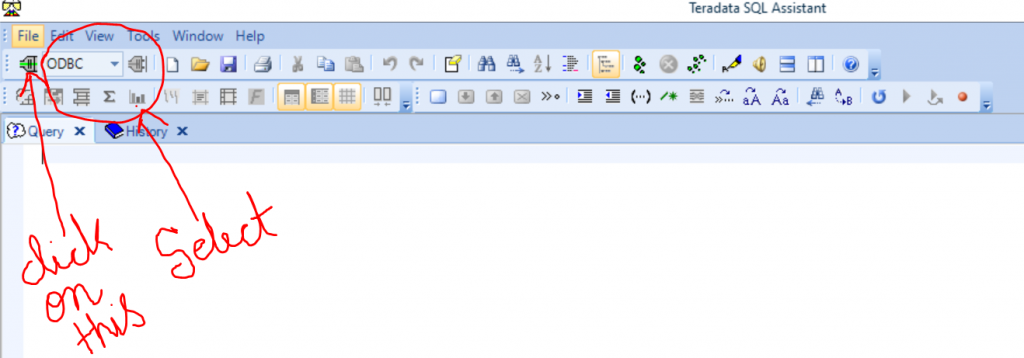
Once you open the Teradata SQL Assistant, you will find connect option in the extreme left corner just below the file option. Select the ODBC option and click on connect.
4th Step:

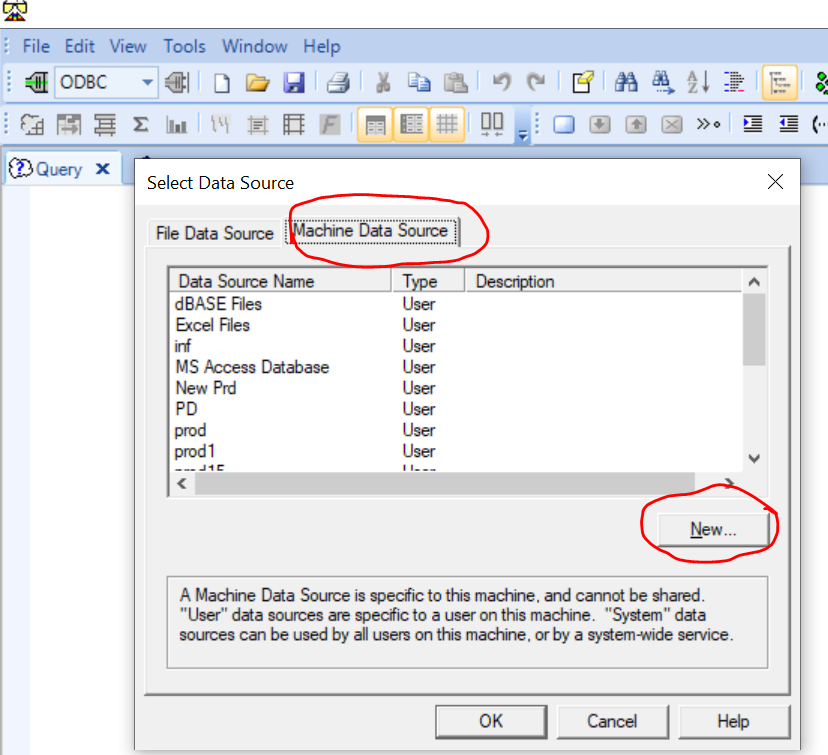
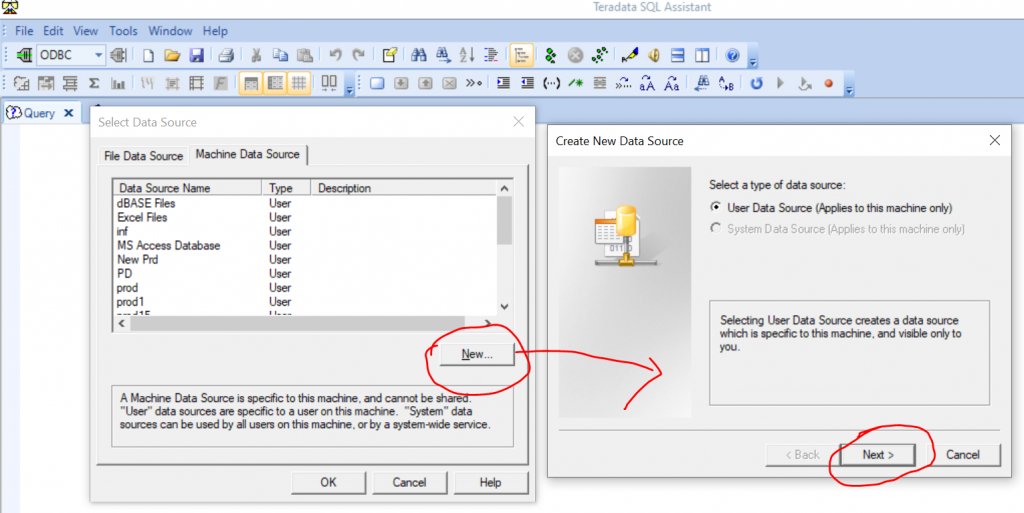
 In the next window of Select Data Source select Machine Data Source and and click on New.
5th Step:

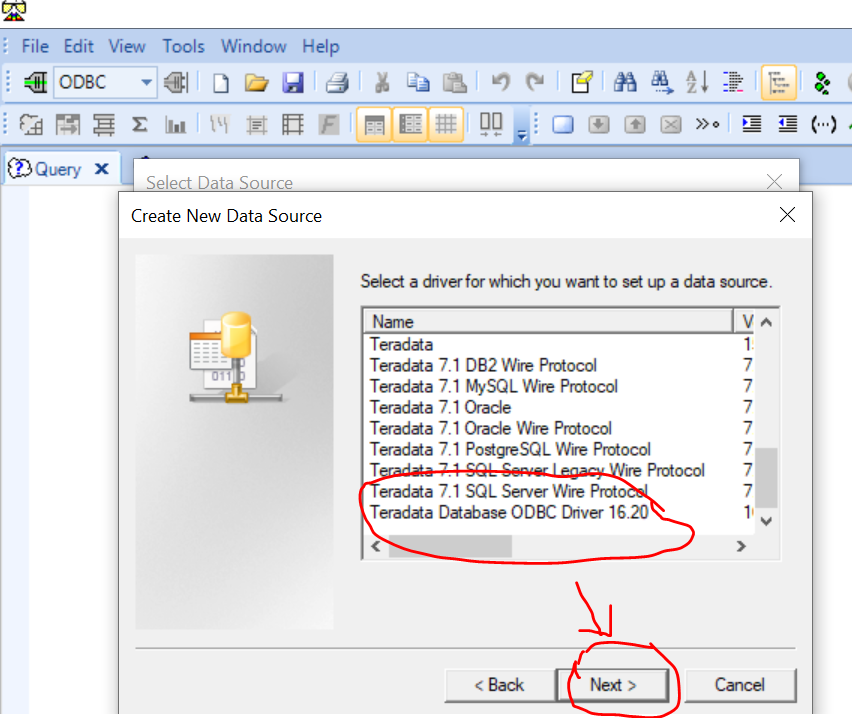
Click on Next and Select Teradata database ODBC driver from the Extreme last. Then Click and Finish.
6th Step:

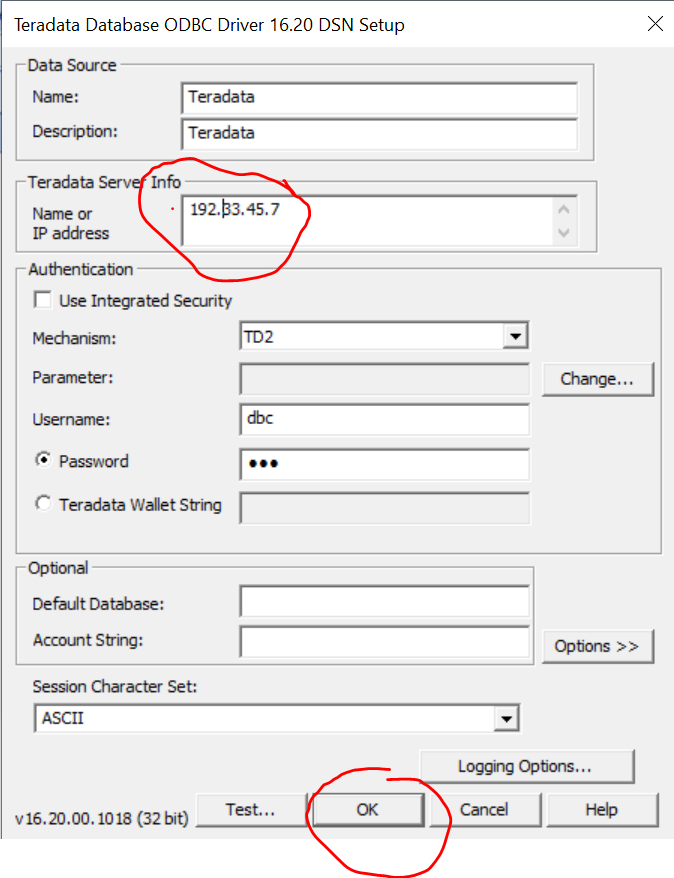
On the next window provide the below information and click Ok.

Name – Teradata or any name you want.

Description – Teradata or any description you want.

Name or IP address – Teradata server IP address or Name. In this case, I am using my local Installation and Configuration Teradata Tools and Utilities

Mechanism – TD2

Username – dbc (default user came with after new Teradata Installation. We can create other users later.)

Password – dbc (default password)
7th Step:

 On the next step once you click ok twice the ODBC driver will connect Teradata SQL Assistant to the Teradata System.

Once you are connected to the Teradata System, you can check the version of the Teradata database using the following Query.
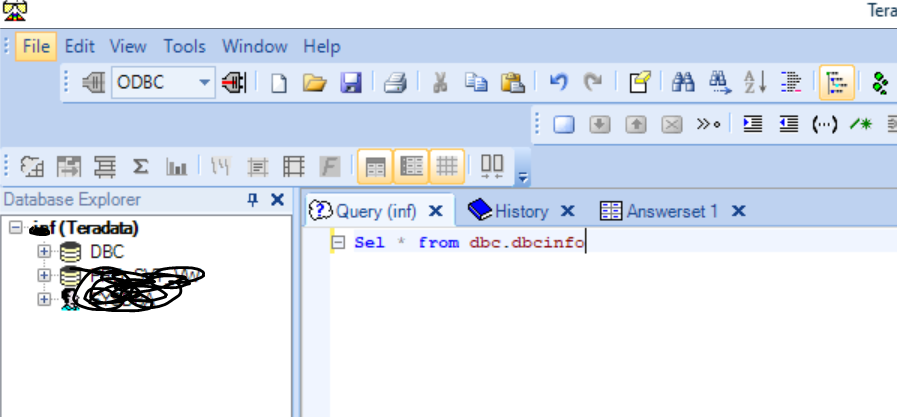
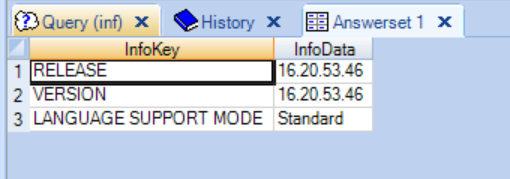
Sel * from dbc.dbcinfo


Teradata SQL Assistant Additional Setup:

You can change SQL Assistant additional setting:

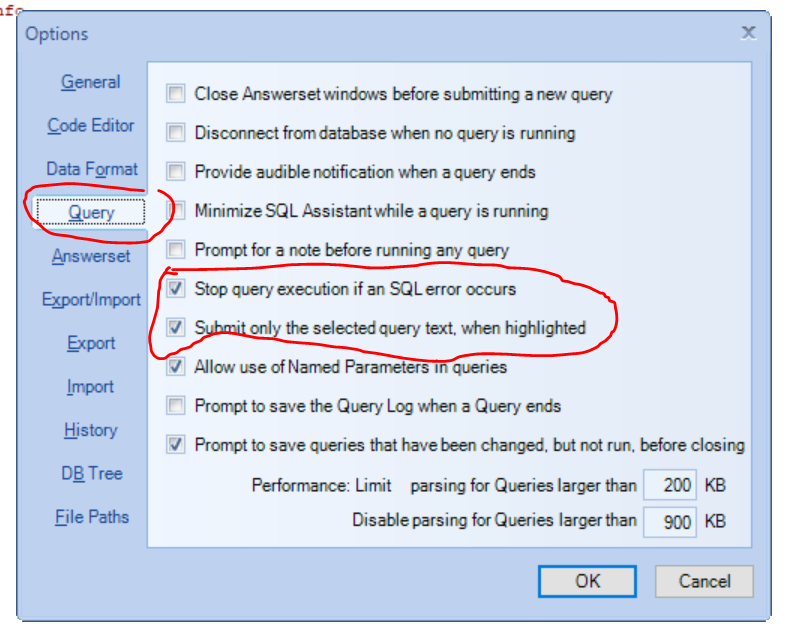
click on Tools –> Option –> will get below window
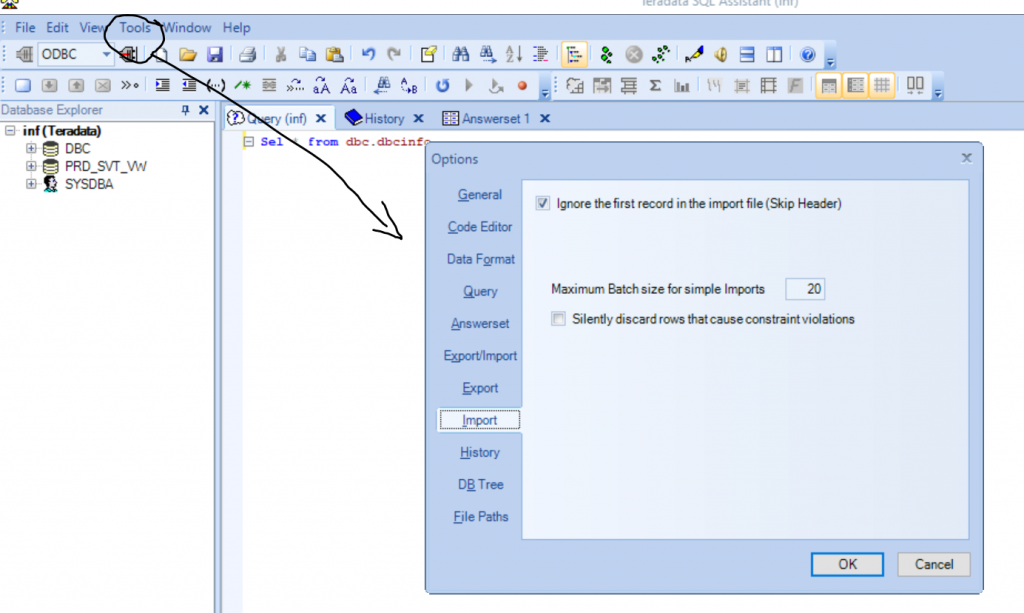
  1. To Get Separate Answers window for the query.
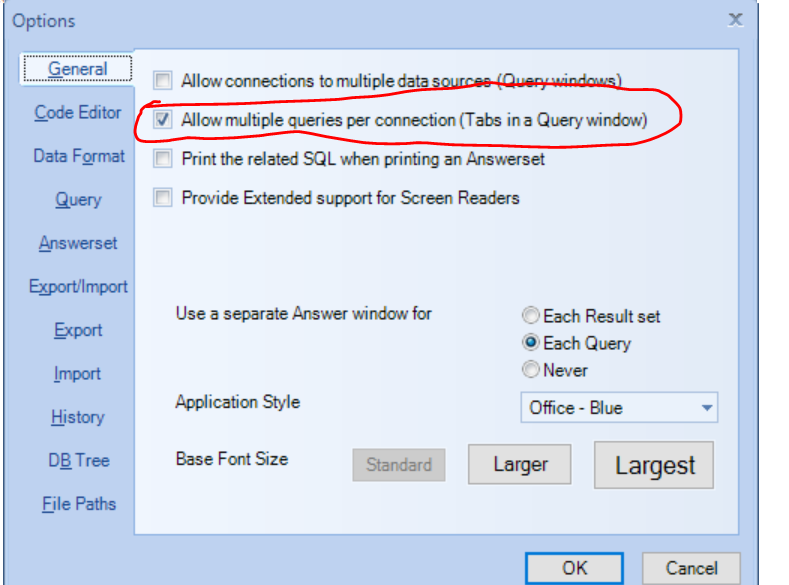
2. To stop Query execution if an SQL error occurs

and Submit only the selected query text, when highlighted
3. To get Setup Answer set
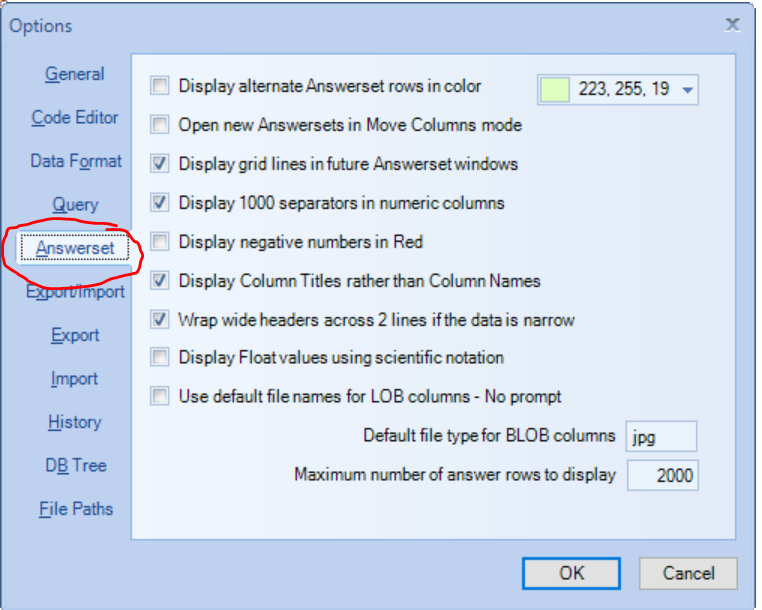
Note: you can do same for other tab also.

4. Teradata SQL Assistant tabbed

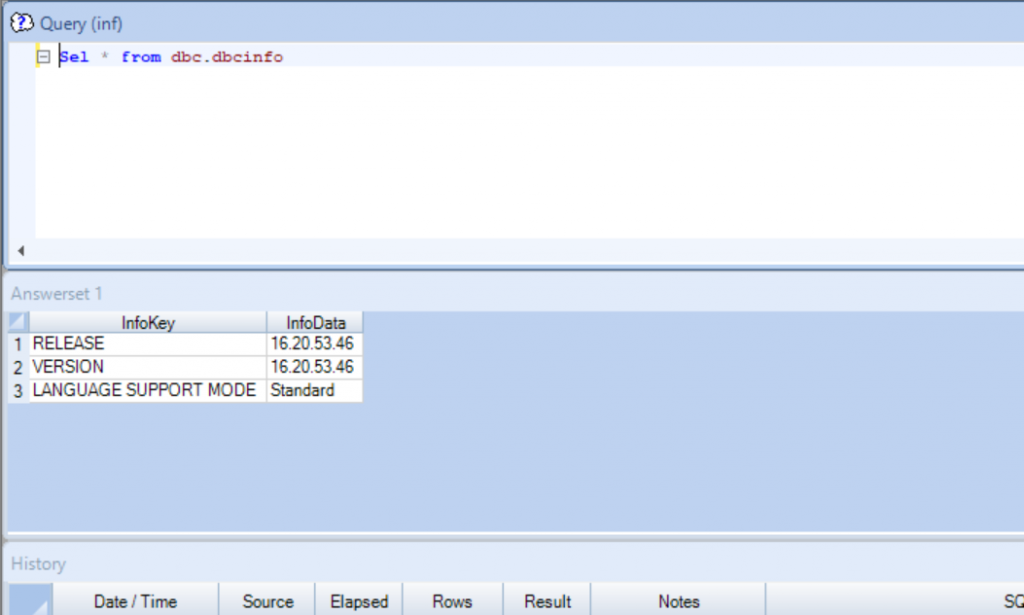
Before without Tabbed:

Before without tabbed -query , history and answer set in vertical way
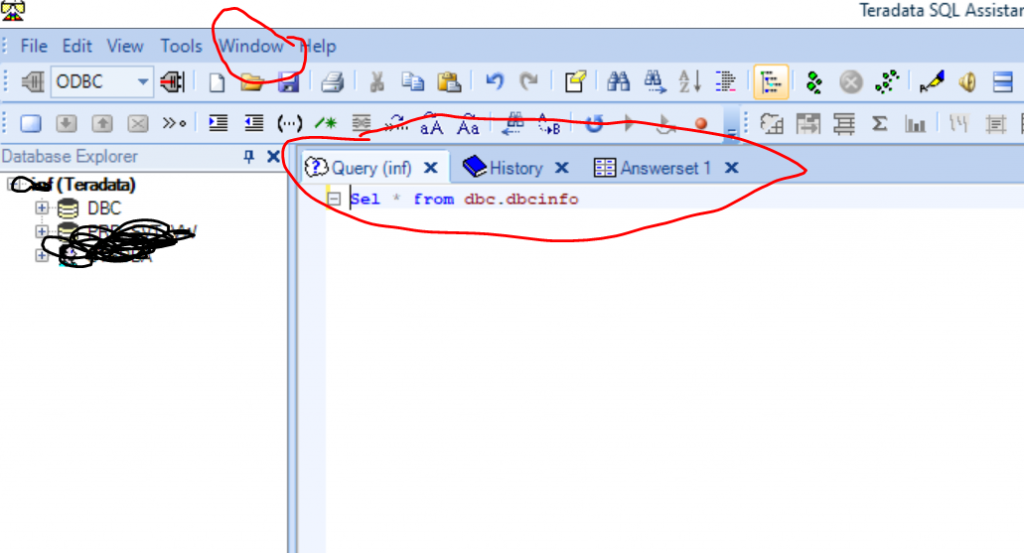
After Tabbed

click on window –> Tabbbed

By using below you can set query , history and answer set in horizonal way
Find Trusted Cardiac Hospitals

Compare heart hospitals by city and services — all in one place.

Explore Hospitals
Similar Posts

  • Teradata Architecture

    Contents The Teradata database Architecture PARSING ENGINE (PE) Message Passing Layer(MPL) The Access Module Processor (AMP) VIRTUAL DISK (Vdisk) What is Teradata SMP and MMP System? BYNET and its Types? What is inside a Teradata Node? Additional Information ***************************************************************************************************** The Teradata database Architecture: The Teradata database architecture mainly consists of PARSING ENGINE (PE) , Message…

  • Secondary Index in Teradata

    # Contents 1. What is Secondary Index in Teradata? 2. When we can Define Secondary Index? 3. Types of Secondary Index 4. Unique Secondary Index (USI) 5. Non Unique Secondary Index (NUSI) 6. Value-Ordered NUSI 7. Advantage and Disadvantage of Secondary Index 8. Primary Index vs. Secondary Index 9. Additional Topic To Understand More About Secondary…

  • | | |

    Comprehensive Tutorial on Cloud Storage

    📖 1. What is Cloud Storage? Cloud Storage refers to the service model where data is stored, managed, and accessed remotely over the internet instead of being stored locally on physical hard drives or servers.It allows users and organizations to save files, databases, media, backups, and application data on highly secure and scalable off-premises infrastructure…

  • What is Teradata Objects? A Tutorials & Guide

    Teradata Objects Below are the list of objects contains in Teradata database or User: Tables–rows and columns of data Views–predefined subsets of existing tables Macros–predefined, stored SQL statements Triggers–SQL statements associated with a table Stored Procedures–program stored within Teradata User-Defined Function–function (C program) to provide additional SQL functionality Join and Hash Indexes –separate index structures…

  • | |

    What is DataStax Astra?

    DataStax Astra DB simplifies cloud-native application development, and reduces time to install, deploy and scale from weeks to minutes. Astra DB eliminates operational overhead, the biggest obstacle to using Apache Cassandra, the open-source NoSQL database behind the largest applications in the world, including Netflix and Instagram. It provides the ability to develop and deploy data-driven…

  • | | |

    What is BigQuery?

    Nowadays, the age of tech big Data information is continuously increasing in volume and variety. This is the information that companies would like to quickly explore to identify strategic answers to the business. To overcome the problem of traditional database management systems to support large volumes of data arises Google BigQuery platform. This solution runs…

Subscribe
Notify of
guest
0 Comments
Newest
Oldest Most Voted
Inline Feedbacks
View all comments