
Introduction
AI Sales Call Coaching Platforms help sales teams improve customer conversations by recording calls, transcribing discussions, summarizing key points, analyzing rep performance, and identifying coaching opportunities. In simple words, these tools show what actually happens during sales calls, instead of depending only on memory, incomplete CRM notes, or random manager reviews.
What It Does
AI Sales Call Coaching Platforms capture customer conversations from meeting tools, dialers, phone systems, and sales workflows. They convert those conversations into searchable transcripts, summaries, coaching notes, scorecards, objection insights, competitor mentions, next steps, and deal risk signals. Many tools also help reps prepare for meetings, update CRM records, draft follow-up notes, and help managers review important call moments faster.
Why It Matters
Sales teams often lose deals because discovery is weak, buyer objections are missed, follow-up is unclear, decision makers are not identified, or deal risk is noticed too late. AI sales call coaching platforms help solve this by giving managers and reps real evidence from customer conversations.
Instead of listening to full calls manually, managers can quickly find where reps missed important questions, where buyers showed hesitation, where competitors were mentioned, or where next steps were unclear. This makes coaching more practical, repeatable, and measurable.
Real World Use Cases
- Sales managers can review discovery calls and check whether reps asked strong qualification questions.
- Enablement teams can build call libraries using real examples from high-performing reps.
- RevOps teams can identify deals with unclear next steps, weak follow-up, or poor CRM hygiene.
- Sales reps can use AI summaries to send better follow-up emails after calls.
- Customer success teams can review renewal calls to detect churn risk or expansion opportunities.
- Leaders can track objections, competitor mentions, pricing concerns, and sales methodology adoption.
- New hires can learn faster by reviewing real customer conversations.
- Managers can coach from specific call moments instead of giving vague feedback.
Evaluation Criteria for Buyers
When evaluating AI Sales Call Coaching Platforms, buyers should consider transcription accuracy, CRM integration, meeting platform support, dialer support, recording consent workflows, privacy controls, retention policies, role-based access, audit logs, AI summary quality, call scoring, custom scorecards, real-time coaching, sales methodology fit, reporting depth, language support, export options, manager adoption, and pricing model.
Buyers should also check whether the tool fits the daily workflow of sales reps and managers. A platform with strong AI features will not deliver value if reps do not trust it, managers do not use it, or CRM data remains incomplete.
Best for: B2B sales teams, sales managers, RevOps teams, sales enablement teams, customer success teams, SDR teams, account executives, and companies with frequent discovery, demo, renewal, onboarding, or negotiation calls.
Not ideal for: Very small teams with low call volume, companies that cannot record calls due to legal or internal policy limits, or teams that only need simple meeting notes instead of structured coaching and revenue intelligence.
What’s Changed in AI Sales Call Coaching Platforms
- AI agents are helping with call summaries, CRM updates, follow-up drafts, coaching recommendations, and deal risk detection.
- Real-time coaching is becoming more useful through live prompts, battlecards, objection guidance, and talk-track suggestions.
- Multimodal workflows are growing as teams want insights from voice, video, email, chat, CRM notes, and meeting history.
- Evaluation is becoming important because buyers want to check whether AI summaries, scores, and recommendations are accurate.
- Privacy and retention controls are now major buying factors because calls can include sensitive buyer and business data.
- Guardrails are becoming more important for restricted topics, sensitive data, compliance workflows, and unsafe automation.
- CRM automation is becoming a key differentiator because reps want less manual data entry after calls.
- Observability is becoming useful for tracking adoption, call coverage, coaching activity, summary quality, and cost drivers.
- Cost control matters more as recorded hours, storage, transcription, and AI analysis increase with team usage.
- Governance expectations are higher for admin roles, access controls, audit logs, approvals, and data deletion.
- Sales methodology alignment matters more because teams want scorecards that match their real sales process.
- Vendor lock-in risk needs attention because buyers may need to export recordings, transcripts, reports, and scorecards later.
Quick Buyer Checklist
- Does the platform support your meeting tools, dialer, calendar, email, and CRM?
- Can it record, transcribe, summarize, and attach calls to the right CRM record?
- Does it provide sales coaching, not just meeting notes?
- Can managers create custom scorecards based on your sales methodology?
- Does it detect objections, competitor mentions, pricing concerns, risks, and next steps?
- Does it support live prompts, battlecards, or real-time coaching?
- Are privacy, consent, retention, and deletion controls clearly available?
- Does it support SSO, role-based access, audit logs, and admin controls?
- Can AI summaries and scores be reviewed or corrected by humans?
- Does it connect with Salesforce, HubSpot, Outreach, Salesloft, Slack, email, and calendar tools?
- Does it support knowledge integration from playbooks, battlecards, CRM fields, and enablement content?
- Are guardrails available for sensitive data and restricted workflows?
- Can teams monitor usage, storage, adoption, and cost drivers?
- Are export options available for transcripts, recordings, reports, and scorecards?
- Is pricing seat-based, usage-based, tiered, bundled, or quote-based?
- Is the platform easy enough for managers and reps to use every week?
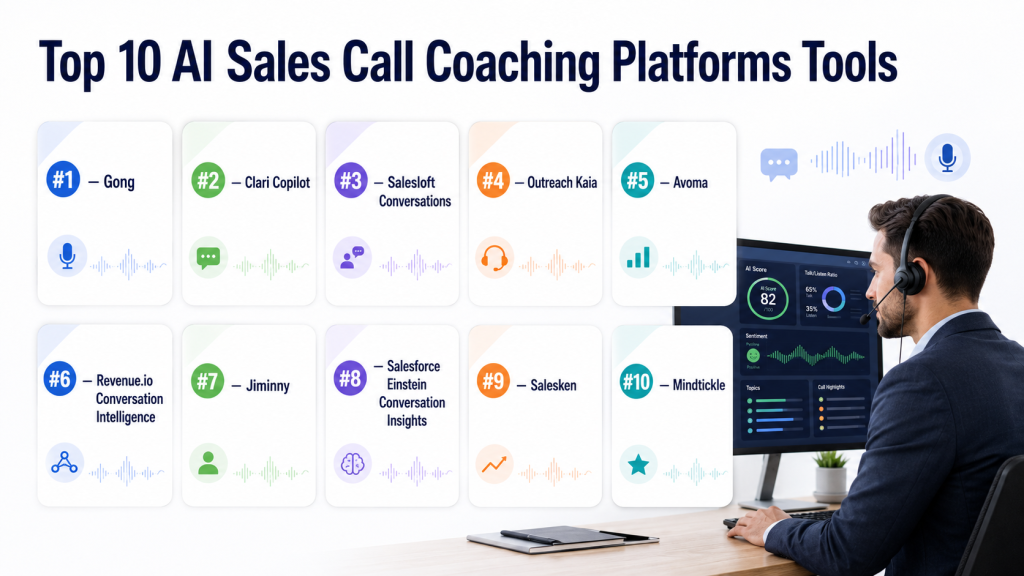
Top 10 AI Sales Call Coaching Platforms Tools
#1 — Gong
One-line verdict: Best for enterprise revenue teams needing deep conversation intelligence and deal visibility.
Short description:
Gong helps sales teams record, transcribe, analyze, and coach from customer conversations. It is widely used by mid-market and enterprise revenue teams that need call intelligence, deal insights, and manager coaching workflows.
Standout Capabilities
- Captures and analyzes sales calls, meetings, and customer interactions.
- Detects objections, competitor mentions, buyer signals, deal risks, and next steps.
- Supports manager coaching, call review, scorecards, and enablement libraries.
- Helps compare top rep behavior with team-wide conversation patterns.
- Connects conversation insights with pipeline inspection and revenue intelligence.
- Useful for complex sales cycles with multiple buyers and long deal timelines.
- Helps leaders coach from real customer evidence instead of CRM notes only.
- Strong fit for enterprise revenue teams with mature RevOps processes.
AI Specific Depth
- Model support: Proprietary AI model approach.
- RAG and knowledge integration: CRM and revenue data integration available. Vector database compatibility not publicly stated.
- Evaluation: Human review and coaching workflows available. Formal offline AI evaluation not publicly stated.
- Guardrails: Enterprise controls available. Prompt-injection defense not publicly stated.
- Observability: Conversation analytics available. Token-level cost metrics not applicable.
Pros
- Strong platform for enterprise conversation intelligence and deal review.
- Useful for onboarding, coaching, sales methodology adoption, and pipeline inspection.
- Rich analytics help managers find patterns across reps, teams, and opportunities.
Cons
- May be too advanced or expensive for very small teams.
- Requires strong manager adoption to turn insights into behavior change.
- Implementation can be complex if CRM data quality is weak.
Security and Compliance
Gong is designed for enterprise revenue teams, but buyers should verify SSO, SAML, RBAC, audit logs, encryption, data retention controls, residency, and certification details directly with the vendor. Certifications are Not publicly stated here.
Deployment and Platforms
- Web platform
- Cloud deployment
- Mobile availability varies by workflow
- Self-hosted deployment not publicly stated
Integrations and Ecosystem
Gong fits into enterprise revenue stacks where CRM, meeting, calendar, email, and sales engagement data need to work together.
- Salesforce
- HubSpot availability varies
- Zoom
- Microsoft Teams
- Google Meet
- Email and calendar systems
- Sales engagement and enablement platforms
Pricing Model
Typically quote-based and enterprise-oriented. Exact pricing is Not publicly stated.
Best Fit Scenarios
- Enterprise sales teams needing structured call coaching and deal intelligence.
- Revenue leaders who want call insights connected to pipeline risk.
- Enablement teams building call libraries from real customer conversations.
#2 — Clari Copilot
One-line verdict: Best for revenue teams connecting call intelligence with forecasting and pipeline execution.
Short description:
Clari Copilot helps teams capture sales conversations, analyze buyer signals, and connect call insights with revenue workflows. It is useful for sales organizations that want conversation intelligence tied to forecasting, pipeline review, and deal execution.
Standout Capabilities
- Records and analyzes sales calls for coaching and deal visibility.
- Identifies buyer signals, objections, risks, topics, and next steps.
- Supports manager coaching through call review and conversation insights.
- Connects call intelligence with pipeline and forecasting workflows.
- Helps revenue teams inspect deal quality using real call evidence.
- Useful for sales, RevOps, enablement, and customer-facing teams.
- Supports call libraries and onboarding use cases.
- Strong fit for teams already using Clari.
AI Specific Depth
- Model support: Proprietary AI model approach.
- RAG and knowledge integration: CRM and revenue workflow integration available. Vector database compatibility not publicly stated.
- Evaluation: Human review and coaching workflows available. Formal AI regression testing not publicly stated.
- Guardrails: Governance capabilities vary by plan. Prompt-injection defense not publicly stated.
- Observability: Conversation and deal analytics available. Token-level metrics not applicable.
Pros
- Strong fit for revenue teams that already use Clari workflows.
- Useful for coaching, onboarding, forecasting, and deal inspection.
- Helps align conversation insights with revenue operations.
Cons
- Best value may depend on broader Clari adoption.
- Advanced workflows may require RevOps involvement.
- Model control and evaluation depth are not always publicly clear.
Security and Compliance
Buyers should verify SSO, SAML, RBAC, audit logs, encryption, data retention, residency, and certifications directly with the vendor. Certifications are Not publicly stated here.
Deployment and Platforms
- Web-based platform
- Cloud deployment
- Mobile support varies
- Self-hosted deployment not publicly stated
Integrations and Ecosystem
Clari Copilot is strongest when connected to revenue systems, CRM data, and forecasting workflows.
- Salesforce
- Calendar systems
- Video conferencing platforms
- Revenue forecasting workflows
- Sales engagement tools
- Enablement workflows
- Customer success systems where supported
Pricing Model
Typically quote-based or bundled with broader revenue platform packaging. Exact pricing is Not publicly stated.
Best Fit Scenarios
- Revenue teams already using Clari.
- Sales organizations needing call intelligence and forecast visibility together.
- Managers who want coaching tied to deal execution.
#3 — Salesloft Conversations
One-line verdict: Best for teams already using Salesloft for engagement, cadences, and revenue workflows.
Short description:
Salesloft Conversations helps sales teams capture, summarize, and analyze buyer conversations inside the Salesloft ecosystem. It is useful for teams that want call insights connected with cadences, sales engagement, and pipeline activity.
Standout Capabilities
- Records and summarizes sales conversations.
- Identifies objections, competitor mentions, follow-up items, and buyer signals.
- Supports call review, coaching workflows, and manager visibility.
- Works well inside Salesloft-centered sales engagement workflows.
- Helps reduce manual note-taking after customer meetings.
- Useful for SDRs, account executives, managers, and RevOps teams.
- Improves meeting preparation with call history and conversation context.
- Helps standardize coaching across distributed sales teams.
AI Specific Depth
- Model support: Proprietary AI model approach.
- RAG and knowledge integration: Uses conversation and revenue context. Vector database compatibility not publicly stated.
- Evaluation: Human review and coaching workflows available. Formal offline AI evaluation not publicly stated.
- Guardrails: Admin controls vary by plan. Prompt-injection defense not publicly stated.
- Observability: Conversation analytics available. Token-level cost metrics not applicable.
Pros
- Strong fit for teams already using Salesloft.
- Combines call insights with sales engagement workflows.
- Helps reps reduce manual follow-up and meeting note work.
Cons
- Less attractive for teams not using Salesloft.
- Custom workflows may require sales operations support.
- Buyers should verify governance, retention, and AI controls.
Security and Compliance
Buyers should verify SSO, SAML, RBAC, audit logs, encryption, data retention controls, residency, and certifications during procurement. Certifications are Not publicly stated here.
Deployment and Platforms
- Web-based platform
- Cloud deployment
- Mobile availability varies
- Self-hosted deployment not publicly stated
Integrations and Ecosystem
Salesloft Conversations is most valuable when connected with CRM, sales engagement, calendar, and meeting workflows.
- Salesforce
- Microsoft Dynamics availability varies
- Email and calendar systems
- Zoom and meeting tools
- Sales engagement workflows
- Revenue operations dashboards
- Enablement tools where supported
Pricing Model
Typically packaged within Salesloft plans or quote-based. Exact pricing is Not publicly stated.
Best Fit Scenarios
- Sales teams already using Salesloft.
- Managers who want coaching insights inside existing workflows.
- Teams that want call summaries, coaching, and sales engagement together.
#4 — Outreach Kaia
One-line verdict: Best for Outreach users needing real-time guidance and post-call conversation insights.
Short description:
Outreach Kaia provides real-time sales meeting assistance and conversation intelligence inside Outreach workflows. It helps reps with live prompts, meeting summaries, call review, and coaching support.
Standout Capabilities
- Supports real-time transcription during sales meetings.
- Provides live prompts, contextual guidance, and meeting assistance.
- Helps generate summaries, action items, and follow-up notes.
- Connects call insights with Outreach sales engagement workflows.
- Supports manager review and coaching workflows.
- Useful for discovery calls, demos, objection handling, and follow-up.
- Helps standardize meeting execution across sales teams.
- Strong fit for cadence-driven sales organizations using Outreach.
AI Specific Depth
- Model support: Proprietary AI model approach.
- RAG and knowledge integration: Uses sales content and meeting context. Vector database compatibility not publicly stated.
- Evaluation: Human review through call review workflows. Formal AI evaluation not publicly stated.
- Guardrails: Admin controls vary by plan. Prompt-injection defense not publicly stated.
- Observability: Conversation insights available. Token and latency metrics not applicable.
Pros
- Strong real-time guidance use case for active sales conversations.
- Good fit for teams already using Outreach.
- Helps reduce meeting preparation and follow-up effort.
Cons
- Best value depends on Outreach adoption.
- Less ideal for teams using a different sales engagement platform.
- AI governance details should be reviewed during procurement.
Security and Compliance
Buyers should verify SSO, SAML, RBAC, audit logs, encryption, data retention, residency, and certifications directly with the vendor. Certifications are Not publicly stated here.
Deployment and Platforms
- Web-based platform
- Cloud deployment
- Mobile support varies
- Self-hosted deployment not publicly stated
Integrations and Ecosystem
Outreach Kaia fits best inside the Outreach ecosystem and connected revenue workflows.
- Salesforce
- Microsoft Dynamics availability varies
- Zoom
- Microsoft Teams availability varies
- Calendar systems
- Email systems
- Sales engagement workflows
Pricing Model
Typically quote-based or packaged within Outreach offerings. Exact pricing is Not publicly stated.
Best Fit Scenarios
- Outreach users needing live sales call assistance.
- Sales teams that want battlecards and prompts during conversations.
- Managers who want call insights tied to sales engagement activity.
#5 — Avoma
One-line verdict: Best for SMB and mid-market teams needing practical meeting intelligence and coaching.
Short description:
Avoma combines meeting recording, transcription, summaries, collaboration, conversation intelligence, and sales coaching workflows. It is a practical option for growing sales and customer success teams that want usability without heavy enterprise complexity.
Standout Capabilities
- Records, transcribes, and summarizes customer meetings.
- Provides sales call analysis and coaching workflows.
- Supports scorecards and methodology-based review.
- Tracks objections, talk ratio, competitors, next steps, and call topics.
- Useful across sales, customer success, and account management.
- Supports collaborative notes and meeting review.
- Offers practical workflows for SMB and mid-market teams.
- Easier to adopt than many enterprise-heavy platforms.
AI Specific Depth
- Model support: Proprietary AI model approach.
- RAG and knowledge integration: Meeting and CRM context available. Vector database compatibility not publicly stated.
- Evaluation: Scorecards and human review available. Formal AI regression testing not publicly stated.
- Guardrails: Varies / N/A.
- Observability: Meeting analytics available. Token-level cost metrics not applicable.
Pros
- Practical fit for SMB and mid-market teams.
- Strong mix of meeting intelligence, notes, and sales coaching.
- Useful beyond sales, including customer success and internal meetings.
Cons
- May not match the depth of large enterprise revenue intelligence suites.
- Advanced governance requirements should be verified.
- Custom sales methodology workflows may need careful setup.
Security and Compliance
Buyers should verify SSO, RBAC, audit logs, data retention, encryption, residency, and certifications directly with the vendor. Certifications are Not publicly stated here.
Deployment and Platforms
- Web-based platform
- Cloud deployment
- Works with common meeting platforms
- Mobile support varies
- Self-hosted deployment not publicly stated
Integrations and Ecosystem
Avoma works well when connected to calendar, meetings, CRM, and collaboration systems.
- Salesforce
- HubSpot
- Zoom
- Google Meet
- Microsoft Teams
- Slack availability varies
- Calendar and email systems
Pricing Model
Typically tiered or seat-based. Exact pricing should be verified directly.
Best Fit Scenarios
- SMB teams moving from manual call review to structured coaching.
- Customer success teams reviewing renewal and expansion calls.
- Mid-market teams needing meeting summaries and sales coaching together.
#6 — Revenue.io Conversation Intelligence
One-line verdict: Best for Salesforce-centered revenue teams needing call coaching and execution insights.
Short description:
Revenue.io Conversation Intelligence helps sales teams capture conversations, analyze rep behavior, and surface coaching opportunities. It is especially relevant for organizations that use phone, video, and CRM workflows heavily.
Standout Capabilities
- Records, transcribes, and analyzes sales conversations.
- Identifies coaching moments and rep behavior patterns.
- Supports call summaries and follow-up assistance.
- Tracks talk ratios, objections, and conversation quality signals.
- Useful for coaching, onboarding, and performance improvement.
- Connects conversation insights with Salesforce-centered workflows.
- Supports revenue teams using phone and video conversations.
- Helps managers scale coaching without listening to every call manually.
AI Specific Depth
- Model support: Proprietary AI model approach.
- RAG and knowledge integration: CRM and conversation context. Vector database compatibility not publicly stated.
- Evaluation: Human review and coaching workflows available. Formal offline AI evaluation not publicly stated.
- Guardrails: Varies / N/A.
- Observability: Conversation analytics available. Token-level cost metrics not applicable.
Pros
- Strong sales-focused conversation intelligence.
- Useful across calls, meetings, and revenue workflows.
- Good fit for Salesforce-heavy organizations.
Cons
- Advanced value depends on integration quality and CRM hygiene.
- AI model controls are not publicly stated.
- May be more than needed for teams that only need meeting notes.
Security and Compliance
Buyers should verify SSO, RBAC, audit logs, data retention, encryption, residency, and certifications directly with the vendor. Certifications are Not publicly stated here.
Deployment and Platforms
- Web-based platform
- Cloud deployment
- Works with sales communication workflows
- Mobile support varies
- Self-hosted deployment not publicly stated
Integrations and Ecosystem
Revenue.io fits teams that want call intelligence connected to CRM and sales communication data.
- Salesforce
- Video meeting tools
- Phone and dialer workflows
- Calendar systems
- Email systems
- Sales engagement tools
- Reporting workflows
Pricing Model
Typically quote-based or packaged by capability. Exact pricing is Not publicly stated.
Best Fit Scenarios
- Salesforce-centered teams needing sales call intelligence.
- Managers who want coaching signals from rep behavior.
- Revenue teams that need call-to-CRM visibility.
#7 — Jiminny
One-line verdict: Best for growing revenue teams needing accessible conversation intelligence and manager coaching workflows.
Short description:
Jiminny records, transcribes, analyzes, and organizes customer conversations for sales coaching and revenue insight. It is often used by growing sales teams that want call visibility without overly complex enterprise implementation.
Standout Capabilities
- Records and transcribes sales calls and meetings.
- Provides insights across calls, deals, and customer conversations.
- Helps managers identify coachable moments.
- Supports call libraries, playlists, and review workflows.
- Offers AI-assisted call and deal insights.
- Helps log call information into CRM systems.
- Useful for sales, customer success, and revenue teams.
- Helps growing teams standardize coaching practices.
AI Specific Depth
- Model support: Proprietary AI model approach.
- RAG and knowledge integration: CRM and call context. Vector database compatibility not publicly stated.
- Evaluation: Human review and coaching workflows available. Formal offline evaluation not publicly stated.
- Guardrails: Varies / N/A.
- Observability: Conversation analytics available. Token-level cost metrics not applicable.
Pros
- Practical and accessible for growing revenue teams.
- Useful for coaching, onboarding, and call review habits.
- Easier adoption compared with heavier enterprise systems.
Cons
- May not provide the same enterprise depth as larger platforms.
- Advanced AI model controls are not publicly stated.
- Regulated teams should carefully verify retention and privacy controls.
Security and Compliance
Buyers should confirm SSO, RBAC, audit logs, encryption, data retention, residency, and certifications directly with the vendor. Certifications are Not publicly stated here.
Deployment and Platforms
- Web-based platform
- Cloud deployment
- Works with common sales and meeting workflows
- Mobile support varies
- Self-hosted deployment not publicly stated
Integrations and Ecosystem
Jiminny fits into sales stacks where CRM logging and meeting capture are important.
- Salesforce
- HubSpot availability varies
- Zoom
- Google Meet
- Microsoft Teams
- Slack availability varies
- Calendar and email systems
Pricing Model
Typically seat-based or tiered. Exact pricing is Not publicly stated.
Best Fit Scenarios
- Growing sales teams that need practical call coaching.
- Managers building structured call review habits.
- Teams wanting CRM logging and conversation intelligence together.
#8 — Salesforce Einstein Conversation Insights
One-line verdict: Best for Salesforce-first teams wanting conversation intelligence inside their CRM environment.
Short description:
Salesforce Einstein Conversation Insights helps teams analyze sales calls and surface conversation moments within the Salesforce ecosystem. It is useful for organizations that want call insights close to opportunities, accounts, and CRM records.
Standout Capabilities
- Works inside the Salesforce sales ecosystem.
- Helps capture and analyze sales call recordings.
- Connects conversation insights with CRM records.
- Supports manager review and coaching workflows.
- Reduces switching between CRM and separate call tools.
- Relevant for Salesforce-standardized sales organizations.
- Helps improve visibility into customer interactions.
- Supports sales activity analysis and opportunity context.
AI Specific Depth
- Model support: Salesforce AI ecosystem. BYO model support varies / N/A.
- RAG and knowledge integration: Salesforce data context. Vector database compatibility not publicly stated.
- Evaluation: Human review and CRM-based review workflows available. Formal AI evaluation not publicly stated.
- Guardrails: Salesforce platform governance may apply. Prompt-injection defense not publicly stated.
- Observability: CRM reporting and conversation insights available. Token-level metrics not applicable.
Pros
- Strong fit for Salesforce-first organizations.
- Keeps call insights close to CRM records and opportunity workflows.
- Useful for teams that want fewer standalone sales tools.
Cons
- May be less specialized than dedicated conversation intelligence platforms.
- Setup depends on Salesforce configuration and enabled products.
- Licensing and feature availability can vary.
Security and Compliance
Security depends on Salesforce configuration, edition, permissions, and enabled products. Buyers should confirm SSO, RBAC, audit logs, encryption, data retention, residency, and certification requirements with Salesforce and internal admins.
Deployment and Platforms
- Web-based Salesforce platform
- Cloud deployment
- Mobile availability depends on Salesforce workflows
- Self-hosted deployment not publicly stated
Integrations and Ecosystem
Einstein Conversation Insights is strongest for teams already working inside Salesforce.
- Salesforce Sales Cloud
- Salesforce activity records
- Salesforce opportunity records
- Google Meet availability varies
- Zoom availability varies
- Email and calendar workflows
- Salesforce reporting dashboards
Pricing Model
Pricing varies by Salesforce edition, license, and feature packaging. Exact pricing is Not publicly stated.
Best Fit Scenarios
- Salesforce-heavy organizations wanting call insights in CRM.
- Teams reducing standalone sales tool complexity.
- Sales managers reviewing calls from opportunity records.
#9 — Salesken
One-line verdict: Best for high-volume sales teams needing live coaching and rep performance improvement.
Short description:
Salesken is an AI-powered sales coaching and conversation intelligence platform focused on improving seller performance through call analysis, live guidance, and coaching insights. It is relevant for inside sales, telesales, and distributed sales teams.
Standout Capabilities
- Supports real-time sales coaching.
- Analyzes buyer intent and conversation quality.
- Helps identify objections, call gaps, and rep behavior patterns.
- Provides coaching insights for managers.
- Supports inside sales and telesales teams.
- Helps standardize sales talk tracks.
- Provides dashboards for sales performance review.
- Useful for high call volume environments.
AI Specific Depth
- Model support: Proprietary AI model approach.
- RAG and knowledge integration: Sales playbook and conversation context. Vector database compatibility not publicly stated.
- Evaluation: Coaching review workflows available. Formal offline evaluation not publicly stated.
- Guardrails: Varies / N/A.
- Observability: Conversation analytics available. Token-level metrics not applicable.
Pros
- Strong focus on live sales coaching.
- Useful for high-volume sales environments.
- Helps improve rep consistency and objection handling.
Cons
- Enterprise integration depth should be verified.
- Public details on AI governance may be limited.
- Requires strong manager adoption to show measurable value.
Security and Compliance
Buyers should verify SSO, RBAC, audit logs, encryption, data retention, residency, and certifications directly with the vendor. Certifications are Not publicly stated here.
Deployment and Platforms
- Web-based platform
- Cloud deployment
- Phone and meeting workflow support varies
- Mobile support varies
- Self-hosted deployment not publicly stated
Integrations and Ecosystem
Salesken is commonly evaluated for sales communication, CRM, and manager coaching workflows.
- CRM integrations vary
- Dialer integrations vary
- Video meeting tools vary
- Calendar systems
- Sales playbook workflows
- Manager dashboards
- Reporting exports
Pricing Model
Typically quote-based or tiered. Exact pricing is Not publicly stated.
Best Fit Scenarios
- Inside sales teams with high call volume.
- Managers needing live and post-call coaching.
- Organizations standardizing objection handling and sales talk tracks.
#10 — Mindtickle
One-line verdict: Best for enterprises combining call coaching, sales readiness, training, and enablement.
Short description:
Mindtickle is a sales readiness and revenue productivity platform that supports coaching, training, enablement, and conversation intelligence workflows. It is useful for enterprises that want sales call coaching connected with broader readiness programs.
Standout Capabilities
- Combines sales enablement, readiness, training, and coaching.
- Connects call review with skill development.
- Supports structured coaching programs.
- Useful for onboarding, certification, and methodology adoption.
- Helps identify rep skill gaps from conversation behavior.
- Works well for enterprise enablement teams.
- Supports broader readiness programs beyond call recording.
- Useful when coaching must connect with learning content.
AI Specific Depth
- Model support: Proprietary AI model approach.
- RAG and knowledge integration: Enablement and training content context. Vector database compatibility not publicly stated.
- Evaluation: Coaching and readiness assessment workflows available. Formal AI regression testing not publicly stated.
- Guardrails: Varies / N/A.
- Observability: Coaching and readiness analytics available. Token-level cost metrics not applicable.
Pros
- Strong for enterprise sales readiness and enablement.
- Connects coaching with training and skill development.
- Useful beyond individual call review.
Cons
- May be heavier than needed for simple call summaries.
- Requires structured enablement process to get full value.
- AI model and governance controls should be verified.
Security and Compliance
Buyers should validate SSO, RBAC, audit logs, encryption, retention policies, residency, and certifications directly with the vendor. Certifications are Not publicly stated here.
Deployment and Platforms
- Web-based platform
- Cloud deployment
- Mobile availability varies
- Self-hosted deployment not publicly stated
Integrations and Ecosystem
Mindtickle fits best when sales coaching is part of a broader enablement and readiness stack.
- CRM integrations vary
- Sales enablement workflows
- Learning and readiness content
- Video and meeting tools vary
- Reporting dashboards
- Collaboration platforms where supported
- Learning systems where supported
Pricing Model
Typically enterprise quote-based. Exact pricing is Not publicly stated.
Best Fit Scenarios
- Enterprises connecting call coaching with sales readiness.
- Enablement teams building structured onboarding programs.
- Sales organizations needing coaching, training, and certification together.
Comparison Table
| Tool Name | Best For | Deployment | Model Flexibility | Strength | Watch-Out | Public Rating |
|---|---|---|---|---|---|---|
| Gong | Enterprise revenue intelligence | Cloud | Hosted | Deep conversation and deal insights | May be heavy for small teams | N/A |
| Clari Copilot | Forecast-connected call intelligence | Cloud | Hosted | Revenue workflow alignment | Best inside Clari ecosystem | N/A |
| Salesloft Conversations | Salesloft users | Cloud | Hosted | Sales engagement alignment | Less ideal outside Salesloft | N/A |
| Outreach Kaia | Real-time meeting assistance | Cloud | Hosted | Live prompts and battlecards | Best for Outreach teams | N/A |
| Avoma | SMB and mid-market coaching | Cloud | Hosted | Practical meeting intelligence | Enterprise depth should be verified | N/A |
| Revenue.io Conversation Intelligence | Salesforce-centered sales teams | Cloud | Hosted | Call insights tied to execution | CRM hygiene matters | N/A |
| Jiminny | Growing revenue teams | Cloud | Hosted | Accessible coaching workflows | Advanced governance needs review | N/A |
| Salesforce Einstein Conversation Insights | Salesforce-first teams | Cloud | Hosted | Native CRM context | Setup and licensing can vary | N/A |
| Salesken | High-volume sales coaching | Cloud | Hosted | Real-time coaching focus | Public governance details limited | N/A |
| Mindtickle | Enterprise sales readiness | Cloud | Hosted | Coaching plus enablement | Heavy for simple call review | N/A |
Scoring and Evaluation
This scoring is comparative, not absolute. It helps buyers compare tools based on practical fit for sales coaching, conversation intelligence, AI readiness, integrations, governance, and adoption. The scores are not official vendor ratings and should not replace a pilot. Real-world performance depends on call volume, sales methodology, CRM quality, manager adoption, language needs, and compliance requirements. Buyers should test each shortlisted tool using real calls, real managers, and real CRM workflows before making a final decision.
| Tool | Core | Reliability and Eval | Guardrails | Integrations | Ease | Perf and Cost | Security and Admin | Support | Weighted Total |
|---|---|---|---|---|---|---|---|---|---|
| Gong | 9.5 | 8.5 | 8.0 | 9.0 | 8.0 | 7.0 | 8.5 | 8.5 | 8.45 |
| Clari Copilot | 9.0 | 8.0 | 7.5 | 8.5 | 8.0 | 7.5 | 8.0 | 8.0 | 8.15 |
| Salesloft Conversations | 8.5 | 7.5 | 7.0 | 8.5 | 8.5 | 7.5 | 8.0 | 8.0 | 7.95 |
| Outreach Kaia | 8.5 | 7.5 | 7.0 | 8.5 | 8.0 | 7.5 | 8.0 | 8.0 | 7.90 |
| Avoma | 8.0 | 7.5 | 6.8 | 8.0 | 8.8 | 8.0 | 7.2 | 7.5 | 7.77 |
| Salesforce Einstein Conversation Insights | 7.8 | 7.0 | 7.5 | 9.0 | 7.2 | 7.5 | 8.5 | 8.0 | 7.75 |
| Revenue.io Conversation Intelligence | 8.2 | 7.2 | 6.8 | 8.0 | 8.0 | 7.5 | 7.5 | 7.5 | 7.61 |
| Mindtickle | 8.0 | 7.0 | 7.0 | 7.8 | 7.5 | 7.0 | 8.0 | 8.0 | 7.56 |
| Jiminny | 7.8 | 7.0 | 6.5 | 7.8 | 8.5 | 8.0 | 7.0 | 7.5 | 7.53 |
| Salesken | 7.8 | 7.0 | 6.5 | 7.0 | 7.8 | 7.5 | 7.0 | 7.0 | 7.25 |
Top 3 for Enterprise
- Gong
- Clari Copilot
- Mindtickle
Top 3 for SMB
- Avoma
- Jiminny
- Revenue.io Conversation Intelligence
Top 3 for Developers
- Salesforce Einstein Conversation Insights
- Gong
- Outreach Kaia
Which AI Sales Call Coaching Platforms Tool Is Right for You
Solo or Freelancer
Solo sellers usually do not need a heavy revenue intelligence platform. The main need is accurate call recording, transcription, summaries, searchable notes, and easy follow-up. A lighter meeting intelligence or sales coaching tool may be enough.
Best fit: Avoma or Jiminny if structured coaching is needed. If the need is only personal notes, a simple AI meeting assistant may be more practical.
SMB
SMBs need fast setup, practical coaching, CRM logging, and simple manager workflows. They usually do not have a large RevOps or enablement team, so the tool must be easy to adopt.
Best fit: Avoma, Jiminny, or Revenue.io Conversation Intelligence. These tools can help teams move from manual call reviews to repeatable coaching without enterprise complexity.
Mid-Market
Mid-market teams need stronger analytics, CRM integration, scorecards, coaching dashboards, and repeatable review workflows. At this stage, call intelligence should support onboarding, deal review, pipeline hygiene, and sales methodology adoption.
Best fit: Gong, Clari Copilot, Salesloft Conversations, Outreach Kaia, Avoma, or Revenue.io Conversation Intelligence depending on the existing stack.
Enterprise
Enterprises need scale, governance, reporting, access controls, data retention, security review, multi-team workflows, and integration with broader revenue systems. They should evaluate security, admin controls, retention, and legal requirements before full rollout.
Best fit: Gong, Clari Copilot, Mindtickle, Salesloft Conversations, Outreach Kaia, or Salesforce Einstein Conversation Insights.
Regulated Industries
Regulated teams should evaluate privacy, consent, encryption, audit logs, access controls, retention policies, deletion workflows, and data residency before evaluating advanced AI features. Recording calls in regulated environments may require legal and compliance approval.
Best fit: Salesforce Einstein Conversation Insights for Salesforce-first teams, Gong or Clari Copilot for enterprise revenue teams, and Mindtickle for readiness-focused organizations. Final choice should depend on vendor security review.
Budget vs Premium
Budget-conscious teams should not buy a premium platform before defining their coaching process. A practical tool with summaries, scorecards, and CRM logging may deliver better value if managers actually use it.
Premium platforms make sense when the organization has high call volume, complex sales cycles, multiple managers, strict forecasting needs, and mature RevOps support.
Build vs Buy
Build only when sales call intelligence is a strategic internal capability and the company has strong AI engineering, security, legal, data, and compliance resources. A DIY system must manage recording consent, transcription, speaker separation, summarization, evaluation, storage, redaction, governance, and CRM sync.
Buy when the main need is coaching, onboarding, sales methodology adoption, call review, and manager productivity. Most sales teams should buy first, pilot carefully, and only build custom layers if commercial tools cannot meet critical needs.
Implementation Playbook
First 30 Days: Pilot and Success Metrics
The first 30 days should focus on a controlled pilot. Do not roll out the platform to every sales team immediately. Start with one team, one manager group, and one or two call types such as discovery, demo, renewal, or negotiation. The goal is to check whether the platform is accurate, easy to use, secure enough, and useful for real coaching.
Key actions for the first 30 days:
- Define pilot goals such as better discovery, faster follow-up, stronger coaching, improved CRM hygiene, or better deal risk visibility.
- Select a small group of reps with different experience levels so the pilot includes new reps, average performers, and strong performers.
- Confirm legal approval for call recording, consent notices, retention policies, and customer data handling.
- Integrate the platform with meeting tools, calendar, CRM, email, and dialer workflows where needed.
- Create simple call scorecards aligned to your sales methodology and buyer journey.
- Build a basic AI evaluation checklist for call summaries, objections, next steps, competitor mentions, and call scores.
- Review AI outputs manually before trusting automation.
- Track calls recorded, calls reviewed, coaching comments, CRM updates, rep adoption, and manager usage.
- Document false positives, missed action items, weak summaries, transcription errors, and incorrect speaker identification.
- Collect feedback from reps and managers to understand whether the tool improves or slows down daily workflows.
Success metrics for the first 30 days:
- Percentage of target calls recorded and transcribed.
- Percentage of calls reviewed by managers.
- Accuracy of summaries and action items based on human review.
- Number of coaching moments identified per rep.
- Improvement in CRM note completeness.
- Rep and manager adoption feedback.
- Early signs of better follow-up quality.
Next 60 Days: Security, Evaluation, and Team Rollout
The next 60 days should focus on making the platform safer, more consistent, and ready for a broader rollout. This is where teams should harden governance, refine evaluation, train managers, and build repeatable coaching workflows.
Key actions for the next 60 days:
- Configure role-based access for reps, managers, RevOps, enablement, executives, and admins.
- Define retention rules for recordings, transcripts, summaries, coaching notes, and exports.
- Create an AI evaluation process for summaries, next steps, objections, competitor mentions, pricing concerns, and call scores.
- Run red-team tests using sensitive data, unusual buyer objections, restricted topics, and compliance-heavy conversations.
- Review whether AI outputs are consistent across call types, teams, languages, and accents.
- Standardize coaching workflows by team, sales motion, segment, and manager role.
- Train managers on how to coach from specific call moments instead of reviewing entire recordings.
- Review CRM sync quality, duplicate activity issues, wrong opportunity mapping, and missing fields.
- Create scorecard version control so changes to scoring criteria are documented.
- Create incident handling rules for incorrect AI outputs, sensitive data exposure, or accidental recording issues.
- Build a call library with approved examples for onboarding, discovery, objection handling, demos, and negotiation.
- Expand to more teams only after quality, adoption, and security targets are met.
Success metrics for the next 60 days:
- Manager coaching consistency across teams.
- Reduction in manual CRM updates.
- Better quality of next steps captured after calls.
- Lower number of inaccurate AI summaries after review.
- Clear access control and retention policy adoption.
- Increased rep engagement with call feedback.
- Improved onboarding usefulness through call libraries.
Next 90 Days: Cost Control, Governance, and Scale
The next 90 days should focus on scaling the platform into the revenue operating rhythm. At this stage, the team should move beyond basic adoption and start measuring business impact, cost control, governance maturity, and long-term value.
Key actions for the next 90 days:
- Compare coaching outcomes against ramp time, conversion quality, deal velocity, forecast confidence, and CRM completeness.
- Tune scorecards by segment, product line, sales role, region, and sales motion.
- Build advanced call libraries for onboarding, objection handling, competitor response, pricing discussions, and renewal conversations.
- Monitor usage, storage, AI processing, latency, call volume, and cost drivers.
- Identify low-adoption managers and provide enablement support or coaching training.
- Connect call insights to forecast review, deal inspection, pipeline review, and executive revenue meetings.
- Build dashboards that show useful patterns such as recurring objections, competitor mentions, unclear next steps, and deal risk.
- Review data retention, access controls, audit logs, deletion workflows, and export requirements regularly.
- Scale the platform to customer success, renewals, account management, partner teams, or support teams where relevant.
- Review vendor lock-in risk by checking export options, API access, transcript portability, and contract terms.
- Refresh AI evaluation criteria as sales messaging, product positioning, and buyer behavior change.
- Create a governance owner responsible for platform usage, privacy review, integration health, and ongoing quality checks.
Success metrics for the next 90 days:
- Faster rep ramp time.
- Higher manager coaching activity.
- Better CRM completeness and opportunity hygiene.
- Improved follow-up quality.
- Stronger visibility into deal risk and buyer objections.
- Better adoption across sales and customer success teams.
- Clear cost visibility for recorded hours, storage, AI processing, and user seats.
- Stable governance process for data access, retention, and AI review.
Common Mistakes and How to Avoid Them
- Buying before defining the coaching process: Start with what managers should coach, how often coaching should happen, and what good call quality looks like.
- Trusting AI summaries blindly: Review samples regularly and correct errors before relying on automation.
- Ignoring recording consent: Involve legal early and create clear customer notification workflows.
- Skipping AI evaluation: Build a review process for summaries, action items, objections, call scores, and deal risks.
- Not testing prompt-injection exposure: Sales calls can include unusual buyer requests, competitor claims, and sensitive topics that should not trigger unsafe outputs.
- Leaving data retention unmanaged: Define how long recordings, transcripts, summaries, and coaching notes should be stored.
- Lack of observability: Track adoption, usage, call coverage, coaching activity, CRM updates, and cost drivers.
- Underestimating cost surprises: Model pricing based on users, recorded hours, storage, AI processing, integrations, and enterprise features.
- Over-automation without human review: Keep managers involved for sensitive calls, strategic deals, and performance decisions.
- Using generic scorecards: Align scorecards to your sales methodology, buyer journey, market, and deal size.
- Failing to connect insights to CRM: Conversation intelligence loses value if next steps, risks, and buyer signals never reach opportunity workflows.
- Ignoring language and accent accuracy: Test real calls with actual accents, industry terms, regional language patterns, and noisy audio.
- Skipping export checks: Confirm whether transcripts, recordings, scorecards, and reports can be exported if you switch vendors.
- Choosing only based on AI features: Workflow fit, security, integrations, manager adoption, and governance often matter more.
FAQs
1. What is an AI sales call coaching platform?
An AI sales call coaching platform records, transcribes, analyzes, and scores sales conversations. It helps managers identify coaching moments, improve rep performance, and understand buyer behavior across calls.
2. What does an AI sales call coaching platform do?
It turns sales calls into transcripts, summaries, scorecards, coaching insights, CRM updates, and deal risk signals. The goal is to improve sales conversations and reduce manual review work.
3. How is it different from a normal meeting recorder?
A meeting recorder mainly captures notes and summaries. A sales call coaching platform adds sales-specific analytics such as objections, competitors, talk ratio, methodology adherence, scorecards, and deal risks.
4. Are AI sales call coaching tools safe for sensitive customer conversations?
They can be safe when configured correctly, but buyers must verify retention, consent, encryption, access controls, audit logs, and privacy policies. Regulated teams should involve legal, security, and compliance early.
5. Do vendors use customer data to train AI models?
This varies by vendor and contract. Buyers should ask whether recordings, transcripts, summaries, CRM data, and coaching notes are used for training, and whether opt-out or private processing is available.
6. Can I bring my own AI model?
Most platforms in this category use hosted proprietary AI. BYO model support is not commonly transparent, so buyers should verify directly if model control is a requirement.
7. Do these platforms support self-hosting?
Most leading AI sales call coaching platforms are cloud-based. Self-hosted deployment is generally not publicly stated for many vendors, so teams with strict infrastructure requirements should confirm before purchase.
8. How accurate are AI-generated call summaries?
Accuracy depends on audio quality, speaker separation, accent, language, terminology, and call complexity. Teams should test real calls during the pilot and compare AI summaries with human review.
9. What guardrails should buyers look for?
Look for role-based access, recording controls, retention policies, admin permissions, audit logs, sensitive data handling, deletion workflows, and human review. Prompt-injection defense is not always publicly stated.
10. Can these tools improve win rates?
They can support better coaching, cleaner follow-ups, stronger discovery, and improved deal visibility. However, they do not automatically improve win rates without manager adoption and a strong sales process.
11. What integrations matter most?
The most important integrations are CRM, calendar, video meeting tools, dialers, email, Slack or Teams, sales engagement platforms, and enablement systems. CRM integration is especially important for deal inspection.
12. How should we evaluate a pilot?
Use real calls, compare AI summaries against human notes, test scorecards, check CRM sync, review manager workflows, measure rep adoption, and validate privacy controls. Do not rely only on vendor demos.
13. What are the biggest cost drivers?
Common cost drivers include seats, recorded hours, storage, advanced AI features, enterprise controls, integrations, and platform packaging. Exact pricing varies, so buyers should model expected usage before rollout.
14. Can AI replace sales managers?
No. AI can surface patterns, summarize calls, and suggest coaching moments, but managers still need to interpret context, coach behavior, handle sensitive deals, and align feedback with company goals.
15. What alternatives are better for small teams?
Small teams may use lightweight AI meeting assistants, CRM notes, manual coaching templates, or call recordings. A full sales coaching platform makes more sense when call volume and coaching complexity increase.
16. How difficult is it to switch platforms later?
Switching can be difficult if recordings, transcripts, scorecards, and analytics are locked into one vendor. Buyers should check export options, API access, contract terms, and data deletion processes before purchase.
Conclusion
AI Sales Call Coaching Platforms help sales teams turn real customer conversations into coaching insights, CRM updates, deal intelligence, and better revenue execution. The best platform depends on company size, sales process, CRM stack, manager maturity, security requirements, call volume, and budget. Enterprise teams may prefer Gong, Clari Copilot, Mindtickle, Salesloft Conversations, Outreach Kaia, or Salesforce Einstein Conversation Insights, while SMB and mid-market teams may find Avoma, Jiminny, or Revenue.io Conversation Intelligence more practical. No tool is a universal winner because coaching success depends on workflow fit, manager adoption, governance, and AI quality review. Start by shortlisting three tools that match your sales stack, run a pilot with real calls and clear success metrics, verify security and evaluation quality, then scale only after managers and reps are using the insights consistently.

Find Trusted Cardiac Hospitals
Compare heart hospitals by city and services — all in one place.
Explore Hospitals
Nice breakdown of features, pros, and cons—helps clearly compare which platforms fit different sales team sizes and needs.