
Introduction
AI Pipeline Forecasting with ML tools help revenue teams predict future sales outcomes by using machine learning on pipeline data, CRM activity, deal history, rep behavior, customer engagement, and forecast submissions. In simple words, these platforms help sales leaders understand which deals are likely to close, which opportunities are at risk, and whether the team is on track to hit revenue targets.
What It Does
AI Pipeline Forecasting with ML tools collect data from CRM systems, emails, calendars, sales calls, meetings, activity logs, deal stages, historical win rates, and rep inputs. They use machine learning models to identify patterns, calculate deal risk, estimate close probability, detect pipeline gaps, and improve forecast accuracy. Many tools also provide forecast rollups, scenario planning, manager overrides, pipeline inspection, revenue dashboards, and AI-generated recommendations.
Why It Matters
Sales forecasting is one of the most important activities for revenue leaders, but many teams still rely on spreadsheets, manual judgment, and incomplete CRM data. This creates forecast gaps, late-stage surprises, missed targets, and poor resource planning. AI pipeline forecasting tools help teams move from opinion-based forecasting to data-backed forecasting.
These platforms matter because they help managers identify weak pipeline early, understand deal movement, reduce forecast bias, and coach reps before problems become revenue misses. They also help leadership plan hiring, marketing spend, inventory, customer success capacity, and cash flow with more confidence.
Real World Use Cases
- Sales leaders can predict whether the team is likely to hit quarterly or monthly revenue targets.
- Sales managers can identify deals at risk because of low activity, weak engagement, or stalled stages.
- RevOps teams can compare forecast commits with machine learning predictions.
- Finance teams can use revenue forecasts for budgeting, hiring, and cash flow planning.
- Reps can get deal-level risk signals and next-step recommendations.
- Executives can track forecast changes by region, product, team, segment, or sales motion.
- Customer success teams can forecast renewals, expansion revenue, and churn risk.
- GTM teams can identify whether pipeline generation is strong enough for future targets.
Evaluation Criteria for Buyers
When evaluating AI Pipeline Forecasting with ML tools, buyers should consider forecast accuracy, CRM integration, data hygiene support, pipeline inspection depth, AI explainability, forecast rollup flexibility, manager override controls, activity capture, deal risk scoring, scenario planning, security controls, data retention, audit logs, dashboard customization, ease of adoption, model transparency, integration ecosystem, cost predictability, and support quality.
Buyers should also check whether the tool fits the company’s forecasting process. A strong ML model will not help if CRM data is poor, sales stages are inconsistent, managers do not inspect deals, or reps do not update opportunities properly.
Best for: B2B sales teams, revenue leaders, RevOps teams, sales operations teams, finance leaders, customer success leaders, and companies with complex pipelines, multi-stage sales cycles, or recurring forecast meetings.
Not ideal for: Very small sales teams with simple pipelines, companies without reliable CRM data, teams that do not follow a structured sales process, or businesses that only need basic pipeline totals instead of predictive forecasting.
What’s Changed in AI Pipeline Forecasting with ML
- AI forecasting has moved beyond basic stage probability and now uses activity signals, historical patterns, engagement data, and deal movement.
- Forecasting platforms increasingly combine pipeline inspection, deal risk scoring, activity capture, and revenue intelligence in one workflow.
- AI agents are starting to assist with forecast summaries, next-step suggestions, deal risk explanations, and manager coaching prompts.
- Forecast accuracy now depends more on data quality, CRM hygiene, activity capture, and human review than on the model alone.
- Explainability is becoming important because leaders want to know why a deal is marked as risky or why a forecast changed.
- Scenario planning is becoming more valuable as teams model best case, commit, likely case, upside, and downside projections.
- Revenue teams want forecast views by region, product, segment, rep, manager, sales motion, and customer type.
- Data governance is becoming a bigger requirement because forecasting tools process CRM, customer, activity, and financial data.
- Cost control matters as platforms expand into revenue intelligence, sales engagement, conversation intelligence, and AI automation.
- Forecasting is becoming more collaborative, with managers, reps, RevOps, finance, and executives working from shared pipeline views.
- Vendor lock-in needs attention because forecast history, manager overrides, model outputs, and pipeline snapshots may be hard to move.
- Human judgment remains essential because AI can identify risk, but managers still need context around deal politics, procurement, timing, and buyer intent.
Quick Buyer Checklist
- Does the platform integrate deeply with your CRM?
- Can it analyze historical win rates, deal movement, activity data, and pipeline changes?
- Does it provide deal-level risk scoring and forecast confidence?
- Can managers inspect forecasts by rep, team, region, segment, product, or sales motion?
- Does it support forecast categories such as commit, best case, upside, and omitted?
- Can managers override forecasts while keeping an audit trail?
- Does the tool explain why a deal or forecast is risky?
- Does it support AI-generated forecast summaries and next-step recommendations?
- Can it capture activity from email, calendar, calls, meetings, and sales engagement tools?
- Does it help identify stale deals, slipped deals, low-engagement opportunities, and missing next steps?
- Are privacy, access controls, retention, and audit logs clearly available?
- Does it support SSO, role-based access, and admin controls?
- Can forecast data, snapshots, and reports be exported?
- Does it fit your existing forecast cadence and sales methodology?
- Is pricing seat-based, usage-based, tiered, bundled, or quote-based?
- Can RevOps customize dashboards, fields, stages, and forecast logic?
- Does the vendor clearly explain how AI models use customer and CRM data?
- Is the platform simple enough for sales managers to use every week?
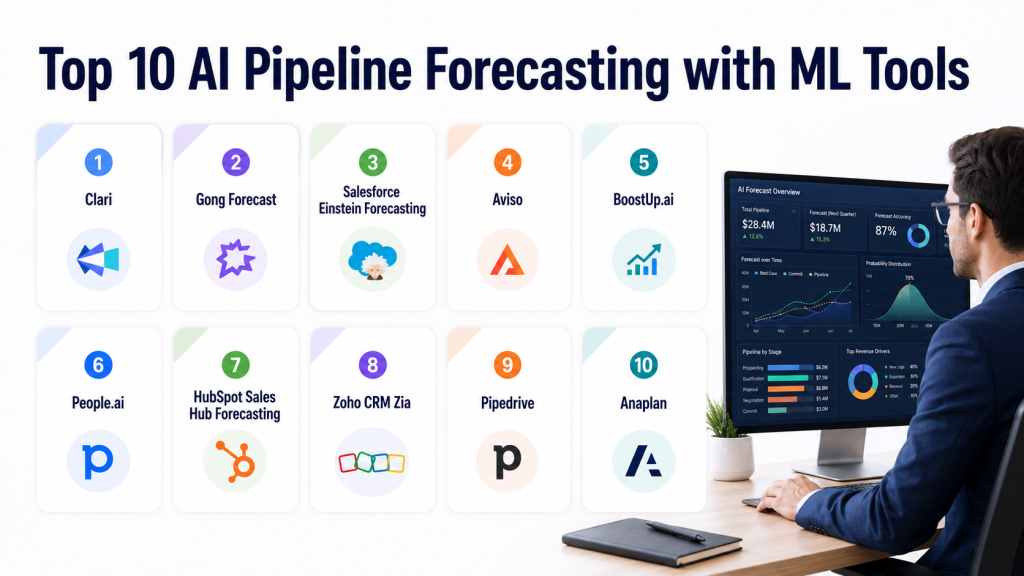
Top 10 AI Pipeline Forecasting with ML Tools
#1 — Clari
One-line verdict: Best for enterprise revenue teams needing structured forecasting, pipeline inspection, and revenue execution.
Short description:
Clari is a revenue platform focused on forecasting, pipeline inspection, deal execution, and revenue visibility. It helps revenue leaders, managers, and RevOps teams manage forecasts with data-driven insights, deal risk signals, and structured forecast workflows.
Standout Capabilities
- Supports forecast rollups across reps, managers, teams, regions, and business units.
- Helps identify deal risk using pipeline movement, activity signals, and CRM data.
- Provides pipeline inspection workflows for managers and revenue leaders.
- Supports forecast categories, manager reviews, and executive-level revenue views.
- Helps teams compare rep judgment with data-backed forecast signals.
- Useful for complex B2B sales motions with multi-level forecast cadences.
- Supports revenue operating rhythms across sales, RevOps, and leadership.
- Strong fit for organizations that need forecast discipline at scale.
AI Specific Depth
- Model support: Proprietary AI model approach.
- RAG and knowledge integration: CRM, activity, and revenue workflow context available. Vector database compatibility not publicly stated.
- Evaluation: Human review, forecast inspection, and manager overrides available. Formal offline AI evaluation not publicly stated.
- Guardrails: Enterprise governance capabilities vary by plan. Prompt-injection defense not publicly stated.
- Observability: Forecast analytics, pipeline changes, and revenue dashboards available. Token-level metrics not applicable.
Pros
- Strong fit for enterprise forecasting and revenue operations.
- Helps standardize forecast cadence across large teams.
- Useful for pipeline inspection, deal risk review, and leadership reporting.
Cons
- May be too advanced for very small teams.
- Requires clean CRM data and disciplined sales process.
- Full value often depends on RevOps ownership and manager adoption.
Security and Compliance
Clari is built for enterprise revenue teams, but buyers should verify SSO, SAML, RBAC, audit logs, encryption, data retention, residency, and certification details directly with the vendor. Certifications are Not publicly stated here.
Deployment and Platforms
- Web-based platform
- Cloud deployment
- Mobile availability varies
- Self-hosted deployment not publicly stated
Integrations and Ecosystem
Clari works best when connected with CRM, activity, revenue, and engagement systems.
- Salesforce
- Microsoft Dynamics availability varies
- Email and calendar systems
- Sales engagement tools
- Conversation intelligence tools
- BI and reporting workflows
- Customer success systems where supported
Pricing Model
Typically quote-based and enterprise-oriented. Exact pricing is Not publicly stated.
Best Fit Scenarios
- Enterprise sales teams needing forecast discipline at scale.
- RevOps teams standardizing revenue meetings and pipeline inspection.
- Leaders managing complex multi-region or multi-product forecasts.
#2 — Gong Forecast
One-line verdict: Best for teams wanting forecasts informed by real buyer conversations and deal activity.
Short description:
Gong Forecast extends Gong’s revenue intelligence capabilities into forecasting and deal prediction. It is useful for teams that want forecast insights connected with sales conversations, activity signals, pipeline movement, and manager inspection.
Standout Capabilities
- Connects forecasting with conversation intelligence and deal insights.
- Helps identify deal risk from customer conversations and engagement signals.
- Provides forecast views for managers and revenue leaders.
- Supports pipeline inspection with context from calls, emails, and meetings.
- Helps teams review whether deal activity supports rep forecast commits.
- Useful for teams already using Gong for conversation intelligence.
- Helps managers coach reps on deal quality and next steps.
- Strong fit for revenue teams that want forecast signals beyond CRM stages.
AI Specific Depth
- Model support: Proprietary AI model approach.
- RAG and knowledge integration: Conversation, CRM, and activity context available. Vector database compatibility not publicly stated.
- Evaluation: Human review and manager inspection workflows available. Formal AI regression testing not publicly stated.
- Guardrails: Enterprise controls vary by plan. Prompt-injection defense not publicly stated.
- Observability: Deal analytics and forecast visibility available. Token-level metrics not applicable.
Pros
- Strong fit for teams already using Gong.
- Forecasting benefits from real customer conversation signals.
- Useful for deal risk inspection and manager coaching.
Cons
- Best value depends on adoption of the Gong ecosystem.
- May be less attractive for teams not using Gong already.
- Requires clean CRM mapping and consistent activity capture.
Security and Compliance
Gong is commonly used by enterprise sales teams, but buyers should verify SSO, SAML, RBAC, audit logs, encryption, retention controls, residency, and certification details directly with the vendor. Certifications are Not publicly stated here.
Deployment and Platforms
- Web platform
- Cloud deployment
- Mobile availability varies
- Self-hosted deployment not publicly stated
Integrations and Ecosystem
Gong Forecast fits best in teams using Gong for conversation intelligence and CRM-connected revenue workflows.
- Salesforce
- HubSpot availability varies
- Zoom
- Microsoft Teams
- Google Meet
- Email and calendar systems
- Sales engagement platforms
Pricing Model
Typically quote-based or packaged as part of the broader Gong platform. Exact pricing is Not publicly stated.
Best Fit Scenarios
- Teams already using Gong for conversation intelligence.
- Managers needing forecast context from calls and buyer engagement.
- Revenue leaders who want deal risk signals beyond CRM stage probability.
#3 — Salesforce Einstein Forecasting
One-line verdict: Best for Salesforce-first teams wanting predictive forecasting inside their CRM environment.
Short description:
Salesforce Einstein Forecasting helps sales teams use AI and CRM data to improve forecast visibility inside Salesforce. It is useful for organizations that want forecasting, opportunity insights, and pipeline visibility without adding a separate revenue platform.
Standout Capabilities
- Works inside the Salesforce ecosystem.
- Uses CRM data to support forecast predictions and opportunity visibility.
- Helps sales leaders track forecasts by team, territory, product, or business unit.
- Supports Salesforce-native workflows and reporting.
- Reduces the need to move forecast activity into separate tools.
- Useful for teams already standardized on Salesforce Sales Cloud.
- Supports manager review and forecast tracking inside CRM.
- Can align forecasting with Salesforce opportunity data and sales process.
AI Specific Depth
- Model support: Salesforce AI ecosystem. BYO model support varies / N/A.
- RAG and knowledge integration: Salesforce data context available. Vector database compatibility not publicly stated.
- Evaluation: CRM-based review and manager inspection available. Formal model evaluation not publicly stated.
- Guardrails: Salesforce platform governance may apply. Prompt-injection defense not publicly stated.
- Observability: Salesforce reporting and forecast dashboards available. Token-level metrics not applicable.
Pros
- Strong fit for Salesforce-first organizations.
- Keeps forecasting close to CRM records and sales workflows.
- Reduces complexity for teams that do not want another standalone platform.
Cons
- Best performance depends heavily on Salesforce data quality.
- Setup may require Salesforce admin and RevOps support.
- Advanced capabilities can vary by edition, configuration, and enabled products.
Security and Compliance
Security depends on Salesforce configuration, edition, permissions, and enabled products. Buyers should confirm SSO, RBAC, audit logs, encryption, data retention, residency, and compliance needs with Salesforce and internal admins. Certifications are Not publicly stated here for this specific configuration.
Deployment and Platforms
- Web-based Salesforce platform
- Cloud deployment
- Mobile availability depends on Salesforce workflows
- Self-hosted deployment not publicly stated
Integrations and Ecosystem
Salesforce Einstein Forecasting works best for teams already committed to the Salesforce ecosystem.
- Salesforce Sales Cloud
- Salesforce opportunity records
- Salesforce reports and dashboards
- Email and calendar workflows where configured
- Sales engagement tools where integrated
- BI tools where connected
- AppExchange ecosystem
Pricing Model
Pricing varies by Salesforce edition, license, and feature packaging. Exact pricing is Not publicly stated.
Best Fit Scenarios
- Salesforce-first companies wanting native forecasting.
- RevOps teams that prefer CRM-centered forecast workflows.
- Sales managers who want predictions close to opportunity records.
#4 — Aviso
One-line verdict: Best for revenue teams needing AI forecasting, deal risk signals, and pipeline intelligence.
Short description:
Aviso is an AI revenue intelligence and forecasting platform that helps teams predict revenue outcomes, inspect pipeline risk, and improve forecast alignment. It is used by sales leaders, RevOps teams, and managers who need predictive revenue visibility.
Standout Capabilities
- Supports AI-powered revenue forecasting and pipeline intelligence.
- Helps identify deal risk, forecast gaps, and revenue opportunities.
- Provides dashboards for sales leaders and managers.
- Supports forecast rollups and revenue collaboration workflows.
- Helps teams inspect deal momentum and pipeline coverage.
- Useful for teams with complex sales motions and multiple forecast layers.
- Can support deal coaching and risk prioritization.
- Fits teams looking for an AI-forward forecasting platform.
AI Specific Depth
- Model support: Proprietary AI model approach.
- RAG and knowledge integration: CRM and revenue data context available. Vector database compatibility not publicly stated.
- Evaluation: Human review and forecast inspection available. Formal offline evaluation not publicly stated.
- Guardrails: Varies / N/A.
- Observability: Forecast analytics and pipeline dashboards available. Token-level metrics not applicable.
Pros
- Strong AI-forward positioning for forecasting and revenue intelligence.
- Useful for deal risk review and pipeline visibility.
- Can support complex revenue teams that need forecast alignment.
Cons
- Buyers should validate integration depth for their CRM and sales stack.
- Exact model transparency and evaluation controls are not publicly stated.
- Requires consistent sales process and clean data for best results.
Security and Compliance
Buyers should verify SSO, RBAC, audit logs, encryption, data retention, residency, and certifications directly with the vendor. Certifications are Not publicly stated here.
Deployment and Platforms
- Web-based platform
- Cloud deployment
- Mobile support varies
- Self-hosted deployment not publicly stated
Integrations and Ecosystem
Aviso is most useful when connected to CRM, activity, and revenue systems.
- Salesforce
- HubSpot availability varies
- Microsoft Dynamics availability varies
- Email and calendar systems
- Sales engagement tools
- BI and reporting workflows
- Collaboration systems where supported
Pricing Model
Typically quote-based. Exact pricing is Not publicly stated.
Best Fit Scenarios
- Revenue teams needing AI-driven forecast prediction.
- Sales leaders who want deal risk and forecast confidence views.
- RevOps teams improving forecast cadence and pipeline visibility.
#5 — BoostUp.ai
One-line verdict: Best for RevOps teams needing revenue intelligence, forecasting, and pipeline inspection workflows.
Short description:
BoostUp.ai is a revenue operations and intelligence platform that supports forecasting, pipeline inspection, deal risk analysis, and sales execution visibility. It is useful for teams that want to improve forecast confidence and revenue process discipline.
Standout Capabilities
- Supports sales forecasting and revenue intelligence workflows.
- Helps managers inspect pipeline health and deal movement.
- Provides deal risk signals and activity-based insights.
- Supports forecast rollups and revenue dashboards.
- Useful for RevOps teams managing forecast cadence.
- Helps teams identify stalled deals and weak pipeline coverage.
- Supports collaboration between sales managers and leadership.
- Fits organizations that want forecasting plus execution visibility.
AI Specific Depth
- Model support: Proprietary AI model approach.
- RAG and knowledge integration: CRM and sales activity context available. Vector database compatibility not publicly stated.
- Evaluation: Human review and manager inspection available. Formal AI evaluation not publicly stated.
- Guardrails: Varies / N/A.
- Observability: Forecast dashboards and revenue analytics available. Token-level metrics not applicable.
Pros
- Strong fit for RevOps-led revenue forecasting.
- Useful for pipeline inspection and forecast governance.
- Helps teams move beyond spreadsheet-based forecast reviews.
Cons
- Requires good CRM hygiene and consistent sales stages.
- Buyers should verify AI explainability and governance controls.
- May be more than needed for very small sales teams.
Security and Compliance
Buyers should confirm SSO, RBAC, audit logs, encryption, retention, residency, and certifications directly with the vendor. Certifications are Not publicly stated here.
Deployment and Platforms
- Web-based platform
- Cloud deployment
- Mobile availability varies
- Self-hosted deployment not publicly stated
Integrations and Ecosystem
BoostUp.ai is designed to work with CRM and revenue data workflows.
- Salesforce
- HubSpot availability varies
- Microsoft Dynamics availability varies
- Email and calendar tools
- Sales engagement platforms
- BI and reporting systems
- Collaboration tools where supported
Pricing Model
Typically quote-based or tiered by capability. Exact pricing is Not publicly stated.
Best Fit Scenarios
- RevOps teams standardizing forecasting workflows.
- Sales leaders needing pipeline risk visibility.
- Organizations replacing spreadsheet-heavy forecast processes.
#6 — People.ai
One-line verdict: Best for enterprise teams needing activity capture, account intelligence, and forecast signal improvement.
Short description:
People.ai focuses on capturing sales activity, improving account visibility, and supporting GTM execution with data-driven insights. It can help forecasting by improving activity data quality, engagement visibility, and pipeline signal accuracy.
Standout Capabilities
- Captures activity data across sales workflows.
- Helps improve visibility into rep activity and customer engagement.
- Supports account and opportunity intelligence.
- Helps teams understand relationship coverage and deal engagement.
- Useful for enterprise sales teams with complex account structures.
- Can improve forecast inputs by enriching activity and engagement signals.
- Helps RevOps teams reduce blind spots in CRM activity data.
- Strong fit for activity-driven revenue intelligence.
AI Specific Depth
- Model support: Proprietary AI model approach.
- RAG and knowledge integration: CRM and activity data context available. Vector database compatibility not publicly stated.
- Evaluation: Human review and workflow-based inspection available. Formal offline AI evaluation not publicly stated.
- Guardrails: Varies / N/A.
- Observability: Activity analytics and GTM insights available. Token-level metrics not applicable.
Pros
- Helps improve forecast data quality through activity capture.
- Useful for enterprise account and relationship intelligence.
- Supports GTM visibility beyond simple CRM fields.
Cons
- Not always a pure forecasting platform by itself.
- Best value depends on integration depth and activity capture adoption.
- Forecasting workflows may require pairing with CRM or revenue systems.
Security and Compliance
Buyers should verify SSO, RBAC, audit logs, encryption, retention controls, residency, and certifications directly with the vendor. Certifications are Not publicly stated here.
Deployment and Platforms
- Web-based platform
- Cloud deployment
- Mobile support varies
- Self-hosted deployment not publicly stated
Integrations and Ecosystem
People.ai works best with CRM, email, calendar, and activity data sources.
- Salesforce
- Microsoft Dynamics availability varies
- Email systems
- Calendar systems
- Sales engagement tools
- BI and analytics workflows
- Revenue operations systems
Pricing Model
Typically quote-based and enterprise-oriented. Exact pricing is Not publicly stated.
Best Fit Scenarios
- Enterprise teams needing cleaner activity data for forecasting.
- RevOps teams improving CRM completeness and engagement visibility.
- Sales leaders managing complex account-based sales motions.
#7 — HubSpot Sales Hub Forecasting
One-line verdict: Best for HubSpot-centered SMB and mid-market teams needing practical forecasting inside CRM.
Short description:
HubSpot Sales Hub includes forecasting and pipeline reporting capabilities for teams using HubSpot CRM. It is practical for growing companies that want sales forecasting, pipeline visibility, and deal tracking without adding a separate enterprise revenue platform.
Standout Capabilities
- Works inside the HubSpot CRM ecosystem.
- Supports pipeline and forecast visibility for sales teams.
- Helps managers track deals, revenue targets, and sales activity.
- Provides dashboards and reporting for growing teams.
- Useful for SMB and mid-market organizations.
- Reduces tool complexity for teams already using HubSpot.
- Helps align sales activity with pipeline and forecast views.
- Practical for teams with simpler revenue operations needs.
AI Specific Depth
- Model support: HubSpot AI ecosystem. BYO model support not publicly stated.
- RAG and knowledge integration: HubSpot CRM context available. Vector database compatibility not publicly stated.
- Evaluation: Human review through CRM and manager workflows. Formal AI evaluation not publicly stated.
- Guardrails: Platform governance varies by plan.
- Observability: CRM dashboards and sales reporting available. Token-level metrics not applicable.
Pros
- Strong fit for HubSpot-first teams.
- Easier adoption for SMB and mid-market sales organizations.
- Keeps forecasting close to CRM, marketing, and service data.
Cons
- May not match enterprise forecasting depth.
- Advanced AI forecasting flexibility may be limited.
- Best fit depends on HubSpot CRM adoption and data quality.
Security and Compliance
Security depends on HubSpot plan, configuration, admin controls, and enabled features. Buyers should verify SSO, RBAC, audit logs, encryption, retention, residency, and certification details directly. Certifications are Not publicly stated here.
Deployment and Platforms
- Web-based HubSpot platform
- Cloud deployment
- Mobile app availability depends on HubSpot workflows
- Self-hosted deployment not publicly stated
Integrations and Ecosystem
HubSpot forecasting is strongest for teams already using HubSpot CRM and GTM workflows.
- HubSpot CRM
- HubSpot Marketing Hub
- HubSpot Service Hub
- Email and calendar tools
- Sales engagement workflows
- Reporting dashboards
- Marketplace integrations
Pricing Model
Typically packaged within HubSpot Sales Hub tiers. Exact pricing is Not publicly stated here.
Best Fit Scenarios
- SMB teams using HubSpot CRM.
- Mid-market teams needing simple forecast visibility.
- Sales leaders who want forecasting without adding another platform.
#8 — Zoho CRM Zia
One-line verdict: Best for budget-conscious teams using Zoho CRM and needing AI-assisted sales predictions.
Short description:
Zoho CRM Zia provides AI-assisted insights inside Zoho CRM, including sales predictions, activity suggestions, and deal intelligence. It is useful for teams already working inside Zoho that need practical forecasting support without enterprise platform complexity.
Standout Capabilities
- Works inside the Zoho CRM ecosystem.
- Supports AI-assisted sales predictions and deal insights.
- Helps teams identify deal risks and activity patterns.
- Useful for SMB and mid-market teams using Zoho.
- Provides CRM-native reporting and dashboard workflows.
- Helps reduce manual analysis for sales managers.
- Supports sales activity and customer interaction insights.
- Practical for teams seeking affordable CRM-centered forecasting.
AI Specific Depth
- Model support: Zoho AI ecosystem. BYO model support not publicly stated.
- RAG and knowledge integration: Zoho CRM context available. Vector database compatibility not publicly stated.
- Evaluation: Human review through CRM workflows. Formal offline AI evaluation not publicly stated.
- Guardrails: Platform controls vary by plan.
- Observability: CRM reporting and AI insights available. Token-level metrics not applicable.
Pros
- Practical fit for Zoho CRM users.
- Useful for budget-conscious sales teams.
- Keeps forecasting and AI insights close to CRM workflows.
Cons
- Less suitable for complex enterprise forecasting.
- Advanced model transparency is not publicly stated.
- Best value depends on Zoho CRM adoption and clean data.
Security and Compliance
Security depends on Zoho configuration, plan, and enabled services. Buyers should verify SSO, RBAC, audit logs, encryption, data retention, residency, and certifications directly with the vendor. Certifications are Not publicly stated here.
Deployment and Platforms
- Web-based Zoho CRM platform
- Cloud deployment
- Mobile availability through Zoho apps
- Self-hosted deployment not publicly stated
Integrations and Ecosystem
Zoho CRM Zia works best inside the Zoho business software ecosystem.
- Zoho CRM
- Zoho Analytics
- Zoho Desk
- Zoho Campaigns
- Email and calendar systems
- Marketplace integrations
- Reporting workflows
Pricing Model
Typically included or packaged within Zoho CRM plans depending on tier and capability. Exact pricing is Not publicly stated here.
Best Fit Scenarios
- Zoho CRM users needing AI-assisted forecasting.
- SMB teams that want practical prediction without enterprise cost.
- Sales managers needing simple deal risk and pipeline insights.
#9 — Pipedrive
One-line verdict: Best for small sales teams needing simple pipeline visibility with AI-assisted deal insights.
Short description:
Pipedrive is a sales CRM known for visual pipeline management, deal tracking, and sales workflow simplicity. For smaller teams, its AI-assisted insights and forecasting views can support practical pipeline forecasting without the complexity of enterprise revenue platforms.
Standout Capabilities
- Provides visual pipeline management for sales teams.
- Supports sales forecasting and revenue visibility workflows.
- Helps reps and managers track deals, activities, and next steps.
- Offers AI-assisted insights depending on plan and configuration.
- Useful for small teams that need a simple sales operating system.
- Helps reduce spreadsheet dependency for pipeline tracking.
- Easy for reps to adopt compared with heavier enterprise platforms.
- Fits teams with straightforward sales motions.
AI Specific Depth
- Model support: Proprietary AI capabilities vary by plan.
- RAG and knowledge integration: CRM context available. Vector database compatibility not publicly stated.
- Evaluation: Human review through CRM workflows. Formal AI evaluation not publicly stated.
- Guardrails: Varies / N/A.
- Observability: CRM dashboards and activity reporting available. Token-level metrics not applicable.
Pros
- Easy to use for small sales teams.
- Practical pipeline visibility without heavy setup.
- Good fit for teams moving away from spreadsheets.
Cons
- Not ideal for complex enterprise forecasting.
- Advanced ML forecasting depth may be limited.
- Governance and analytics depth should be verified for larger teams.
Security and Compliance
Buyers should verify SSO, RBAC, audit logs, encryption, retention controls, residency, and certification details directly with the vendor. Certifications are Not publicly stated here.
Deployment and Platforms
- Web-based platform
- Cloud deployment
- Mobile apps available
- Self-hosted deployment not publicly stated
Integrations and Ecosystem
Pipedrive works well for smaller sales teams connecting CRM with communication and productivity tools.
- Email and calendar tools
- Marketplace integrations
- Calling and meeting tools where supported
- Marketing automation tools
- Reporting workflows
- Sales productivity apps
- Automation connectors
Pricing Model
Typically tiered and seat-based. Exact pricing is Not publicly stated here.
Best Fit Scenarios
- Small teams needing simple pipeline forecasting.
- Sales teams replacing spreadsheets with CRM-based visibility.
- Managers needing easy deal tracking and activity follow-up.
#10 — Anaplan
One-line verdict: Best for enterprises needing connected revenue planning, scenario modeling, and financial forecasting.
Short description:
Anaplan is an enterprise planning platform used for connected planning across finance, sales, supply chain, and operations. For pipeline forecasting, it is useful when revenue forecasts need to connect with financial planning, territory planning, capacity planning, and executive scenario modeling.
Standout Capabilities
- Supports connected planning across revenue, finance, and operations.
- Helps model scenarios for pipeline, capacity, territory, and revenue targets.
- Useful for enterprise forecasting beyond sales pipeline alone.
- Supports planning workflows across multiple teams and business units.
- Helps align revenue forecasts with financial plans.
- Can support complex models and executive planning processes.
- Useful for organizations needing cross-functional forecast alignment.
- Strong fit for large companies with mature planning operations.
AI Specific Depth
- Model support: Planning and analytics capabilities vary by configuration. AI model specifics not publicly stated here.
- RAG and knowledge integration: Enterprise planning data context available. Vector database compatibility not publicly stated.
- Evaluation: Human review and planning model governance available. Formal AI evaluation not publicly stated.
- Guardrails: Enterprise governance capabilities vary by implementation.
- Observability: Planning dashboards and model visibility available. Token-level metrics not applicable.
Pros
- Strong for enterprise connected planning.
- Useful when sales forecast must connect with finance and operations.
- Supports complex scenario modeling and planning workflows.
Cons
- May be too heavy for teams needing only sales pipeline forecasting.
- Implementation can require planning expertise and admin support.
- AI forecasting specifics depend on configuration and use case.
Security and Compliance
Buyers should verify SSO, RBAC, audit logs, encryption, retention controls, residency, and certifications directly with the vendor and implementation partner. Certifications are Not publicly stated here.
Deployment and Platforms
- Web-based platform
- Cloud deployment
- Enterprise planning environment
- Self-hosted deployment not publicly stated
Integrations and Ecosystem
Anaplan fits enterprise environments where revenue data must connect with finance and planning systems.
- CRM systems where integrated
- ERP systems
- Finance planning systems
- BI platforms
- Data warehouse workflows
- Sales planning tools
- Enterprise reporting systems
Pricing Model
Typically enterprise quote-based. Exact pricing is Not publicly stated.
Best Fit Scenarios
- Enterprises connecting sales forecasts with financial planning.
- Revenue teams needing scenario modeling across multiple business units.
- Organizations with complex territory, capacity, and planning workflows.
Comparison Table
| Tool Name | Best For | Deployment | Model Flexibility | Strength | Watch-Out | Public Rating |
|---|---|---|---|---|---|---|
| Clari | Enterprise revenue forecasting | Cloud | Hosted | Forecast discipline at scale | Needs strong CRM hygiene | N/A |
| Gong Forecast | Conversation-informed forecasting | Cloud | Hosted | Buyer signal-based forecast insight | Best inside Gong ecosystem | N/A |
| Salesforce Einstein Forecasting | Salesforce-first teams | Cloud | Hosted | Native CRM forecasting | Setup depends on Salesforce configuration | N/A |
| Aviso | AI revenue forecasting | Cloud | Hosted | Predictive deal and forecast intelligence | Integration depth should be verified | N/A |
| BoostUp.ai | RevOps forecasting workflows | Cloud | Hosted | Pipeline inspection and revenue visibility | Requires process discipline | N/A |
| People.ai | Activity-driven forecast signals | Cloud | Hosted | Activity capture and account intelligence | Not always a pure forecasting tool | N/A |
| HubSpot Sales Hub Forecasting | HubSpot SMB and mid-market teams | Cloud | Hosted | Simple CRM-native forecasting | Limited for complex enterprise needs | N/A |
| Zoho CRM Zia | Zoho users and budget-conscious teams | Cloud | Hosted | Affordable AI-assisted CRM forecasting | Less suited for complex forecasting | N/A |
| Pipedrive | Small sales teams | Cloud | Hosted | Simple visual pipeline forecasting | Limited enterprise depth | N/A |
| Anaplan | Enterprise connected planning | Cloud | Hosted | Scenario planning across revenue and finance | Heavy for basic sales forecasting | N/A |
Scoring and Evaluation
This scoring is comparative, not absolute. It helps buyers compare tools based on fit for AI pipeline forecasting, revenue operations, CRM integration, forecast governance, usability, and enterprise readiness. Scores are not official vendor ratings and should not replace a pilot. Real-world success depends on CRM hygiene, sales process maturity, activity capture, manager adoption, and forecast cadence. Buyers should test shortlisted tools with real pipeline data, historical forecasts, and manager review workflows before making a final decision.
| Tool | Core | Reliability and Eval | Guardrails | Integrations | Ease | Perf and Cost | Security and Admin | Support | Weighted Total |
|---|---|---|---|---|---|---|---|---|---|
| Clari | 9.5 | 8.5 | 8.0 | 9.0 | 8.0 | 7.5 | 8.5 | 8.5 | 8.50 |
| Gong Forecast | 9.0 | 8.2 | 7.8 | 8.8 | 8.0 | 7.3 | 8.3 | 8.4 | 8.23 |
| Salesforce Einstein Forecasting | 8.5 | 8.0 | 8.0 | 9.2 | 7.8 | 7.8 | 8.8 | 8.2 | 8.30 |
| Aviso | 8.7 | 8.2 | 7.3 | 8.2 | 7.8 | 7.5 | 7.8 | 7.8 | 7.99 |
| BoostUp.ai | 8.5 | 8.0 | 7.2 | 8.2 | 8.0 | 7.7 | 7.7 | 7.6 | 7.91 |
| People.ai | 8.0 | 7.5 | 7.2 | 8.5 | 7.8 | 7.4 | 8.0 | 7.8 | 7.80 |
| HubSpot Sales Hub Forecasting | 7.5 | 7.0 | 7.0 | 8.5 | 8.8 | 8.0 | 7.8 | 8.0 | 7.78 |
| Zoho CRM Zia | 7.2 | 7.0 | 6.8 | 7.8 | 8.2 | 8.2 | 7.2 | 7.5 | 7.47 |
| Pipedrive | 7.0 | 6.8 | 6.5 | 7.5 | 9.0 | 8.2 | 7.0 | 7.6 | 7.38 |
| Anaplan | 8.4 | 7.5 | 8.0 | 8.5 | 6.8 | 6.8 | 8.8 | 8.0 | 7.79 |
Top 3 for Enterprise
- Clari
- Salesforce Einstein Forecasting
- Gong Forecast
Top 3 for SMB
- HubSpot Sales Hub Forecasting
- Zoho CRM Zia
- Pipedrive
Top 3 for Developers and RevOps Teams
- Salesforce Einstein Forecasting
- Clari
- BoostUp.ai
Which AI Pipeline Forecasting with ML Tool Is Right for You
Solo or Freelancer
Solo sellers usually do not need a dedicated AI pipeline forecasting platform. A simple CRM with deal stages, activity tracking, and pipeline value may be enough. The priority should be keeping opportunities updated, tracking next steps, and reviewing close dates regularly.
Best fit: Pipedrive, Zoho CRM Zia, or HubSpot Sales Hub Forecasting. These tools are easier to manage than enterprise platforms and can provide practical visibility without heavy implementation.
SMB
SMBs need simple forecasting, strong CRM adoption, and clear dashboards. They usually do not have large RevOps teams, so the platform must be easy to configure and maintain.
Best fit: HubSpot Sales Hub Forecasting, Zoho CRM Zia, Pipedrive, or BoostUp.ai for teams that are becoming more RevOps-driven. The best choice depends on the CRM already in use.
Mid-Market
Mid-market teams need stronger forecast rollups, deal risk signals, manager reviews, activity tracking, and pipeline inspection. At this stage, forecast accuracy depends on consistent sales process and clean CRM data.
Best fit: Clari, Gong Forecast, Aviso, BoostUp.ai, People.ai, or Salesforce Einstein Forecasting. Teams should choose based on whether they need a standalone revenue platform, CRM-native AI, or activity-driven forecast signals.
Enterprise
Enterprises need multi-level forecasting, governance, access controls, auditability, regional rollups, product-level views, scenario planning, and executive dashboards. Forecasting must connect sales leadership, RevOps, finance, and sometimes customer success.
Best fit: Clari, Salesforce Einstein Forecasting, Gong Forecast, Aviso, People.ai, or Anaplan. Large organizations should prioritize security review, data governance, integration depth, and forecast process alignment.
Regulated Industries
Regulated teams should evaluate data retention, access controls, audit logs, encryption, residency, user permissions, and data export workflows before selecting a tool. Forecasting data may include sensitive customer, financial, contract, and revenue details.
Best fit: Salesforce Einstein Forecasting for Salesforce-first regulated teams, Clari for enterprise revenue teams, and Anaplan for companies that need forecasting connected with finance and planning governance.
Budget vs Premium
Budget-conscious teams should not buy a premium forecasting platform before fixing CRM hygiene and sales process discipline. If sales stages, close dates, and activity data are unreliable, even the best AI model will struggle.
Premium platforms make sense when the organization has multiple teams, complex sales cycles, large pipeline volume, forecast meetings, leadership reviews, and RevOps ownership.
Build vs Buy
Build only when forecasting logic is highly unique, the company has strong data science resources, and the business needs custom models across CRM, product, finance, customer success, and warehouse data. A DIY system must handle data pipelines, model training, feature engineering, explainability, dashboards, security, governance, and model monitoring.
Buy when the main need is forecast discipline, pipeline inspection, deal risk visibility, CRM integration, and manager adoption. Most revenue teams should buy first and only build custom models later if commercial platforms cannot support critical requirements.
Implementation Playbook
First 30 Days: Pilot and Success Metrics
The first 30 days should focus on validating data quality, forecast process fit, and basic prediction usefulness. Do not roll out AI forecasting to every team immediately. Start with one sales segment, one manager group, and a clean pipeline sample.
Key actions for the first 30 days:
- Define the forecasting problem clearly, such as commit accuracy, deal slippage, pipeline coverage, or close date reliability.
- Select one team or region with enough historical data to test the platform.
- Audit CRM data quality, including close dates, stages, amounts, owners, activity history, and opportunity status.
- Connect CRM, email, calendar, meeting, sales engagement, and activity sources where needed.
- Establish forecast categories such as commit, best case, upside, and omitted.
- Compare current manual forecast accuracy with ML-generated forecast signals.
- Review AI-generated deal risk explanations with managers.
- Define success metrics such as forecast accuracy, pipeline coverage visibility, and reduced manual spreadsheet work.
- Create a basic evaluation checklist for forecast predictions, risk scores, and explainability.
- Document inaccurate predictions, missing signals, stale data, and manager feedback.
Success metrics for the first 30 days:
- Percentage of opportunities with complete required data.
- Accuracy of AI risk signals compared with manager judgment.
- Reduction in manual forecast spreadsheet work.
- Forecast variance between manager commit and actual outcomes.
- Number of risky deals identified before forecast review.
- Manager adoption and confidence level.
- CRM field completeness improvement.
Next 60 Days: Security, Evaluation, and Team Rollout
The next 60 days should focus on hardening the process, improving model trust, and expanding usage carefully. This stage should include RevOps, sales managers, finance, and security stakeholders.
Key actions for the next 60 days:
- Configure role-based access for reps, managers, RevOps, finance, executives, and admins.
- Define access rules for forecast submissions, manager overrides, pipeline snapshots, and executive dashboards.
- Set data retention rules for forecast history, model outputs, activity data, and manager notes.
- Create an AI evaluation process for close probability, risk scores, commit changes, and deal slippage predictions.
- Run red-team reviews for sensitive customer data, restricted fields, and incorrect forecast explanations.
- Train managers on how to use AI signals without blindly accepting them.
- Standardize forecast meeting workflows across teams.
- Create override rules so managers can adjust forecasts with documented reasoning.
- Compare forecast outcomes by region, segment, product, and sales motion.
- Identify CRM data gaps that reduce model accuracy.
- Build dashboards for deal risk, pipeline coverage, forecast changes, and forecast confidence.
- Expand to more teams only after forecast trust and data quality improve.
Success metrics for the next 60 days:
- Improved forecast submission consistency across teams.
- Better early detection of slipped deals.
- Reduced gap between forecast commit and actual revenue.
- Higher manager usage of risk insights.
- Better CRM data hygiene across active opportunities.
- Clear audit trail for forecast changes and overrides.
- Lower dependence on disconnected spreadsheets.
Next 90 Days: Cost Control, Governance, and Scale
The next 90 days should focus on scaling the platform into the full revenue operating rhythm. At this stage, AI forecasting should support weekly forecast meetings, pipeline reviews, executive reporting, and cross-functional planning.
Key actions for the next 90 days:
- Compare forecast accuracy across multiple periods, teams, and sales motions.
- Tune forecast views by segment, region, product line, territory, and customer type.
- Build dashboards for executive forecast reviews and finance planning.
- Monitor usage, data processing, integration health, report load times, and cost drivers.
- Create governance rules for forecast changes, manager overrides, and data access.
- Review model performance with RevOps and sales leadership.
- Connect forecast insights to coaching workflows and pipeline generation plans.
- Add customer success or renewal forecasting where relevant.
- Review vendor lock-in risks, export options, API access, and contract flexibility.
- Establish ownership for ongoing forecast quality, model review, and CRM hygiene.
- Create a recurring process for reviewing forecast misses and model blind spots.
- Scale the tool to additional teams only after adoption, accuracy, and governance targets are stable.
Success metrics for the next 90 days:
- Improved forecast accuracy across multiple teams.
- Reduced late-stage deal surprises.
- Better executive confidence in pipeline reviews.
- Clearer revenue risk visibility.
- Improved pipeline generation planning.
- Stronger alignment between sales, RevOps, and finance.
- Stable governance for forecast access, overrides, and data retention.
- Clear cost visibility for users, data processing, integrations, and platform expansion.
Common Mistakes and How to Avoid Them
- Buying before fixing CRM hygiene: AI forecasting depends on clean stages, close dates, amounts, owners, and activity data.
- Trusting predictions without manager review: AI signals should support forecast judgment, not replace sales leadership.
- Ignoring historical data quality: Poor past data leads to weak model learning and misleading predictions.
- Using generic forecast categories: Align categories with your actual sales process and leadership cadence.
- Skipping explainability: Managers need to understand why a deal is risky or why a forecast changed.
- Ignoring data retention: Define how long forecast history, activity data, and manager notes should be stored.
- Lack of observability: Track adoption, forecast variance, model errors, data completeness, and pipeline movement.
- Over-automating forecast commits: Keep human review for strategic deals, procurement delays, and executive relationships.
- Not connecting activity data: Forecasting from CRM stages alone can miss buyer engagement and deal momentum.
- Underestimating integration work: CRM, email, calendar, calls, BI, and finance systems must be connected carefully.
- Ignoring manager adoption: Forecasting improves only when managers use insights during real forecast calls.
- Not testing by segment: Enterprise, SMB, renewal, expansion, and new business forecasts may need different logic.
- Skipping export checks: Confirm whether forecast history, snapshots, dashboards, and model outputs can be exported.
- Choosing only based on AI claims: Workflow fit, CRM data quality, governance, and user adoption matter more.
FAQs
1. What is AI pipeline forecasting with ML?
AI pipeline forecasting with ML uses machine learning to predict future sales outcomes from pipeline data, CRM history, activity signals, and deal behavior. It helps teams estimate revenue, identify risk, and improve forecast accuracy.
2. How is it different from traditional sales forecasting?
Traditional forecasting often depends on rep judgment, stage probability, and spreadsheets. ML-based forecasting uses historical patterns, activity data, engagement signals, and deal movement to create more data-backed predictions.
3. What data does AI forecasting use?
It may use CRM fields, deal stages, close dates, historical win rates, email activity, meetings, calls, sales engagement data, rep behavior, account history, and pipeline changes. Exact data sources vary by tool and integration.
4. Can AI forecasting replace sales managers?
No. AI can highlight risk and prediction patterns, but managers still understand deal context, buyer politics, procurement timing, and rep judgment. The best approach combines AI signals with human review.
5. How accurate are AI pipeline forecasts?
Accuracy depends on CRM hygiene, historical data quality, activity capture, model design, sales process consistency, and manager adoption. Buyers should test accuracy during a pilot before trusting predictions.
6. Do these tools require clean CRM data?
Yes. Clean CRM data is critical. If opportunity stages, close dates, amounts, ownership, and activity data are unreliable, the forecasting model may produce weak or misleading predictions.
7. Can these tools forecast renewals and expansions?
Some tools can support renewal or expansion forecasting when customer success, account, renewal, and revenue data are available. Buyers should verify renewal workflows and data model support directly.
8. Do AI forecasting tools support Salesforce?
Many leading tools support Salesforce because it is widely used by revenue teams. However, integration depth varies, so buyers should verify field mapping, forecast categories, activity sync, and dashboard support.
9. Can I bring my own machine learning model?
Most commercial tools use hosted proprietary models. BYO model support is not commonly transparent in this category, so buyers should verify directly if custom model control is required.
10. What are the biggest cost drivers?
Common cost drivers include user seats, data volume, integrations, advanced analytics, forecast modules, enterprise controls, support packages, and platform bundles. Exact pricing is usually vendor-specific.
11. What guardrails should buyers look for?
Buyers should look for role-based access, audit logs, retention controls, encryption, admin permissions, export controls, manager override tracking, and clear data usage policies.
12. How should we evaluate a pilot?
Use historical forecast periods, real pipeline data, manager review sessions, and actual closed outcomes. Compare AI predictions with rep commits, manager judgment, and final results.
13. Is AI forecasting useful for small sales teams?
It can be useful, but small teams may not need a dedicated enterprise forecasting platform. A CRM-native forecasting tool may be enough until pipeline volume and sales complexity increase.
14. What is the role of RevOps in AI forecasting?
RevOps owns data quality, forecast process design, dashboard setup, integration health, governance, and adoption. Without RevOps support, forecasting tools may become underused or inaccurate.
15. Can AI forecasting improve pipeline generation?
Yes, indirectly. By showing future pipeline gaps, weak coverage, and conversion risk, AI forecasting can help leaders adjust marketing, outbound, hiring, and territory plans earlier.
16. How hard is it to switch forecasting platforms?
Switching can be difficult if forecast history, model outputs, manager overrides, and dashboards are locked inside one vendor. Buyers should check export options, APIs, and contract terms before committing.
Conclusion
AI Pipeline Forecasting with ML tools help revenue teams move from manual, spreadsheet-heavy forecasting to more data-backed revenue prediction. The right platform depends on company size, CRM stack, sales process maturity, pipeline complexity, data quality, governance needs, and budget. Enterprise teams may prefer Clari, Gong Forecast, Salesforce Einstein Forecasting, Aviso, BoostUp.ai, People.ai, or Anaplan, while SMB and mid-market teams may find HubSpot Sales Hub Forecasting, Zoho CRM Zia, or Pipedrive more practical. No forecasting platform can fix poor CRM hygiene or weak sales discipline by itself. Start by shortlisting three tools that match your CRM and forecast process, run a pilot with real historical and active pipeline data, verify prediction quality and security controls, then scale only after managers, RevOps, and leadership trust the forecast workflow.

Find Trusted Cardiac Hospitals
Compare heart hospitals by city and services — all in one place.
Explore Hospitals
Good insight into modern forecasting tools—highlights how data-driven predictions can improve planning, efficiency, and sales performance.