
Introduction
AI Model Marketplace Platforms help teams discover, compare, test, deploy, and manage AI models from one central place. These platforms make it easier to find foundation models, open-source models, embedding models, vision models, speech models, code models, and task-specific models without building every integration manually. Instead of searching across separate vendor websites, Git repositories, cloud catalogs, and research hubs, buyers can use model marketplaces to evaluate available models, understand deployment options, review documentation, and connect models to real applications.
These platforms matter because modern AI teams need flexibility, speed, governance, and cost control. One model may be best for reasoning, another for embeddings, another for vision, and another for low-latency classification. A strong marketplace helps teams avoid vendor lock-in, compare model options, deploy faster, and manage AI adoption more safely.
Real-world use cases:
- Discovering LLMs, embedding models, image models, speech models, and code models
- Comparing open-source, proprietary, and cloud-hosted models
- Deploying models through APIs, managed endpoints, or enterprise cloud services
- Fine-tuning or customizing models for business workflows
- Building RAG systems, copilots, AI agents, and multimodal applications
- Managing model access, governance, cost, and usage across teams
Evaluation Criteria for Buyers
- Model variety and category coverage
- Open-source and proprietary model support
- Deployment flexibility
- Fine-tuning and customization options
- Model evaluation and comparison features
- Security, privacy, and governance controls
- API and SDK quality
- Cost visibility and pricing clarity
- Enterprise admin controls
- Model documentation and community support
- Integration with cloud, data, and AI development tools
- Vendor lock-in risk
Best for: AI engineers, ML teams, data scientists, product teams, enterprise AI platform teams, startups, cloud architects, and businesses that need to test or deploy multiple AI models. These platforms are especially useful for companies building AI agents, copilots, RAG applications, multimodal workflows, automation systems, and customer-facing AI features.
Not ideal for: teams using only one fixed model provider, very small proof-of-concept projects, or companies that already have a complete internal model registry and deployment platform. If your AI needs are simple and limited to one vendor API, direct integration may be easier.
What’s Changed in AI Model Marketplace Platforms
- Model choice is now strategic: Teams increasingly want access to multiple models for different tasks, budgets, privacy needs, and latency targets.
- Multimodal models are becoming more important: Marketplaces now need to support text, image, audio, video, code, and embedding models.
- Evaluation is a core buying factor: Buyers want to compare quality, speed, cost, safety, context handling, and task performance before choosing a model.
- Enterprise governance matters more: Businesses need access controls, audit logs, private deployment options, and model approval workflows.
- Open-source adoption keeps growing: Many teams want to test open models before deciding whether to use proprietary hosted models.
- Fine-tuning and customization are more practical: Buyers want platforms that help adapt models for industry language, internal knowledge, and specialized workflows.
- AI agents need model flexibility: Agent workflows may use one model for reasoning, another for summarization, another for tool calling, and another for embeddings.
- Cost control is now a priority: Teams need pricing clarity, usage monitoring, endpoint management, and cheaper deployment options.
- Cloud marketplaces are becoming AI hubs: Major cloud providers are turning their AI catalogs into central places for model discovery, deployment, and governance.
- Model documentation quality matters: Teams need model cards, limitations, licensing guidance, examples, and deployment instructions.
- Private deployment is in demand: Regulated companies want model access inside controlled cloud, VPC, hybrid, or enterprise environments.
- Developer experience is a key differentiator: Strong APIs, SDKs, examples, notebooks, and integration guides make adoption faster.
Quick Buyer Checklist
Use this checklist to shortlist AI Model Marketplace Platforms quickly:
- Does the platform offer enough model variety for your use cases?
- Does it support LLMs, embeddings, vision, speech, code, and multimodal models?
- Can you compare models by quality, latency, cost, and deployment type?
- Does it support open-source, proprietary, and partner models?
- Can you deploy models through APIs, managed endpoints, or private infrastructure?
- Does it support fine-tuning, customization, or prompt testing?
- Are model cards, licenses, limitations, and documentation clear?
- Can you control access by team, project, or role?
- Does it provide audit logs, usage tracking, and governance controls?
- Are data privacy and retention controls clearly explained?
- Does it integrate with your cloud, data platform, or application stack?
- Can it support production workloads, not just experiments?
- Is pricing understandable and predictable?
- Does it reduce vendor lock-in or increase it?
- Is enterprise support available when needed?
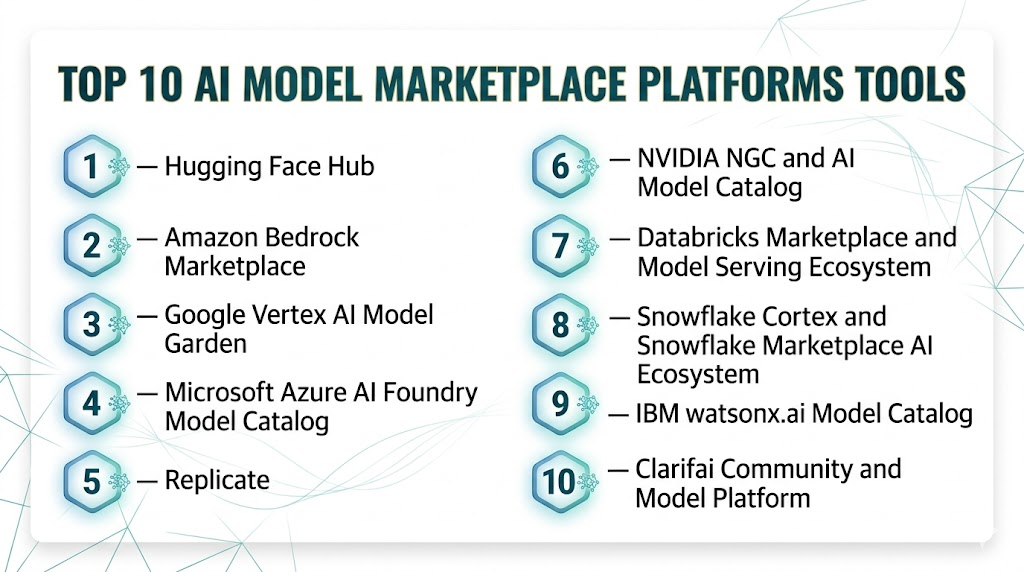
Top 10 AI Model Marketplace Platforms Tools
#1 — Hugging Face Hub
One-line verdict: Best for open-source AI discovery, collaboration, model sharing, and developer experimentation.
Short description:
Hugging Face Hub is one of the most widely used platforms for discovering, hosting, sharing, and collaborating on AI models, datasets, and AI applications. It is popular with developers, researchers, startups, and enterprises that want access to a large open-source AI ecosystem.
Standout Capabilities
- Large model hub for open-source and community models
- Supports models, datasets, demos, and AI applications
- Strong ecosystem around Transformers and related libraries
- Model cards and documentation for many hosted models
- Private repositories for team collaboration
- Inference options for testing and deployment
- Strong community contribution model
- Useful for NLP, vision, audio, multimodal, and embedding use cases
AI-Specific Depth
- Model support: Open-source, community, partner, and custom model hosting
- RAG / knowledge integration: Supports embedding models and external RAG stack integration
- Evaluation: Depends on available benchmarks, model cards, community data, and external tools
- Guardrails: Varies / N/A depending on model and deployment
- Observability: Basic usage and deployment monitoring vary by inference setup
Pros
- Massive open-source AI ecosystem
- Strong developer adoption and documentation
- Excellent for experimentation, collaboration, and model discovery
Cons
- Model quality varies across community uploads
- Enterprise governance needs careful setup
- Production deployment may require additional infrastructure planning
Security & Compliance
Hugging Face supports private repositories, access controls, and enterprise collaboration features. Exact compliance certifications, retention controls, and residency options should be validated by plan. Certifications are Not publicly stated for every use case.
Deployment & Platforms
- Web platform
- API and SDK-based access
- Works across Windows, macOS, and Linux development environments
- Cloud-hosted and self-managed deployment patterns depending on usage
- Supports integration with external infrastructure
Integrations & Ecosystem
Hugging Face has a broad developer ecosystem and integrates well with common AI engineering workflows.
- Transformers ecosystem
- Python SDKs
- Inference endpoints
- Model repositories
- Dataset repositories
- Demo spaces
- External cloud and MLOps tools
Pricing Model
Free community usage plus paid tiers for private repositories, inference, enterprise features, and managed deployment. Exact cost depends on usage and selected services.
Best-Fit Scenarios
- Teams exploring open-source AI models
- Developers building prototypes and demos
- Enterprises creating internal model discovery workflows
#2 — Amazon Bedrock Marketplace
One-line verdict: Best for AWS teams discovering, subscribing to, and deploying foundation models in managed infrastructure.
Short description:
Amazon Bedrock Marketplace helps AWS users discover and use foundation models from different providers through a managed cloud environment. It is useful for enterprises that want model choice while staying inside AWS governance, security, and deployment workflows.
Standout Capabilities
- Central catalog for foundation model discovery
- Access to popular, specialized, and emerging models
- Subscription and deployment through managed endpoints
- Strong fit with AWS identity, networking, and governance
- Works with Amazon Bedrock workflows
- Supports model access management through AWS controls
- Helpful for teams standardizing model use in AWS
- Useful for agent, RAG, and generative AI workloads
AI-Specific Depth
- Model support: Proprietary, partner, and selected foundation models
- RAG / knowledge integration: Works with AWS-based RAG architectures and Bedrock workflows
- Evaluation: Varies / N/A depending on model and AWS tooling used
- Guardrails: Can be paired with Bedrock guardrails and AWS security controls
- Observability: AWS monitoring, logging, and usage tracking options vary by setup
Pros
- Strong for AWS-first organizations
- Managed deployment path for foundation models
- Good fit for enterprise governance and access controls
Cons
- Best value is inside AWS ecosystem
- Model availability can vary by region and provider
- Pricing and deployment details need careful review
Security & Compliance
Security depends on AWS IAM, networking, logging, encryption, access policies, and Bedrock configuration. Exact compliance requirements should be validated for workload, region, and deployment model.
Deployment & Platforms
- AWS cloud platform
- API-based deployment
- Managed endpoints
- Works with backend applications across platforms
- Best suited for AWS-native AI systems
Integrations & Ecosystem
Amazon Bedrock Marketplace fits naturally into AWS cloud, data, security, and application workflows.
- Amazon Bedrock
- AWS IAM
- AWS monitoring tools
- AWS data services
- Managed endpoints
- Enterprise cloud governance
- Application backend integrations
Pricing Model
Usage-based and model-dependent pricing. Cost varies by selected model, endpoint type, usage volume, and AWS configuration.
Best-Fit Scenarios
- AWS-first enterprises
- Teams needing managed model deployment
- Organizations standardizing AI access through cloud governance
#3 — Google Vertex AI Model Garden
One-line verdict: Best for Google Cloud teams discovering, testing, customizing, and deploying AI models.
Short description:
Google Vertex AI Model Garden helps teams discover, customize, and deploy models from Google and partner ecosystems. It is useful for organizations already using Google Cloud for data, analytics, AI development, and production ML workflows.
Standout Capabilities
- Central place to discover AI models
- Access to Google and partner models
- Supports testing, customization, and deployment workflows
- Strong fit with Vertex AI and Google Cloud data tools
- Useful for generative AI and traditional ML workflows
- Supports foundation models and task-specific models
- Good for enterprise cloud AI teams
- Works well with Google Cloud-native development
AI-Specific Depth
- Model support: Google, partner, open, and task-specific model options
- RAG / knowledge integration: Works with Google Cloud data and RAG workflows
- Evaluation: Model testing and evaluation options vary by model and Vertex AI workflow
- Guardrails: Safety and governance controls vary by model and cloud configuration
- Observability: Vertex AI and Google Cloud monitoring options vary by setup
Pros
- Strong integration with Google Cloud
- Good for testing and deploying models in one environment
- Useful for both generative AI and ML teams
Cons
- Best suited to Google Cloud users
- Some features depend on model type and region
- May require cloud expertise for production use
Security & Compliance
Security depends on Google Cloud IAM, project configuration, encryption, logging, networking, and enterprise policies. Certifications and compliance coverage should be validated for the exact workload and region.
Deployment & Platforms
- Google Cloud platform
- Web console and API-based usage
- Managed deployment options
- Works across application environments
- Strong fit for cloud-native AI systems
Integrations & Ecosystem
Vertex AI Model Garden integrates well with Google Cloud data, ML, and application development tools.
- Vertex AI
- Google Cloud storage and data services
- Model tuning workflows
- Notebooks and development tools
- APIs and SDKs
- Monitoring and governance tools
- Enterprise cloud infrastructure
Pricing Model
Usage-based cloud pricing depending on model, deployment, compute, tuning, and inference usage. Exact pricing varies by configuration.
Best-Fit Scenarios
- Google Cloud-based AI teams
- Enterprises testing and deploying multiple model types
- Teams combining data, analytics, and generative AI workflows
#4 — Microsoft Azure AI Foundry Model Catalog
One-line verdict: Best for Microsoft-centric enterprises needing a governed catalog of foundation and partner models.
Short description:
Azure AI Foundry Model Catalog helps teams discover and deploy models from Microsoft, OpenAI, partner providers, and open model ecosystems. It is especially useful for enterprises already using Azure, Microsoft identity, cloud governance, and application development workflows.
Standout Capabilities
- Central catalog for foundation and partner models
- Strong integration with Azure AI services
- Supports model discovery, deployment, and testing workflows
- Useful for enterprise AI development
- Works with Microsoft cloud governance controls
- Suitable for chat, vision, code, and multimodal use cases
- Supports model selection for production applications
- Strong fit for Microsoft-first organizations
AI-Specific Depth
- Model support: Microsoft, OpenAI, partner, and selected open model options
- RAG / knowledge integration: Works with Azure AI and external RAG workflows
- Evaluation: Evaluation options vary by Azure AI tooling and model setup
- Guardrails: Can integrate with Azure safety and content controls depending on configuration
- Observability: Azure monitoring and logging options vary by deployment
Pros
- Strong enterprise cloud alignment
- Good fit for Microsoft identity and governance
- Broad model catalog for business AI workflows
Cons
- Best suited to Azure environments
- Some capabilities vary by model provider and region
- Pricing and deployment design require planning
Security & Compliance
Security depends on Azure identity, access controls, networking, encryption, logging, and enterprise policy setup. Certifications should be validated for the exact Azure services and workload.
Deployment & Platforms
- Azure cloud platform
- Web and API-based usage
- Managed deployment options
- Works with enterprise applications and backend systems
- Strong fit for Microsoft-based organizations
Integrations & Ecosystem
Azure AI Foundry Model Catalog connects strongly with Microsoft’s broader cloud, identity, development, and AI ecosystem.
- Azure AI services
- Microsoft Entra ID
- Azure monitoring tools
- Azure data services
- API-based deployment
- Enterprise governance workflows
- Application development tools
Pricing Model
Usage-based and cloud-service-based pricing. Costs vary by selected model, deployment type, compute, region, and usage volume.
Best-Fit Scenarios
- Microsoft-first enterprises
- Teams needing governed model access
- Organizations building AI applications on Azure
#5 — Replicate
One-line verdict: Best for developers who want simple API access to open-source AI models.
Short description:
Replicate helps developers run open-source models through simple APIs without manually managing infrastructure. It is popular for image generation, video, audio, vision, and generative AI experimentation.
Standout Capabilities
- API access to many open-source models
- Simple developer experience for model execution
- Strong for image, video, audio, and creative AI use cases
- Useful for rapid prototyping
- Supports custom model deployment workflows
- Good documentation and examples
- Reduces infrastructure burden for developers
- Easy testing of different models
AI-Specific Depth
- Model support: Open-source and custom models
- RAG / knowledge integration: N/A directly; can be used with external RAG applications
- Evaluation: N/A or external evaluation required
- Guardrails: N/A or application-level guardrails required
- Observability: Basic API usage visibility varies by setup
Pros
- Very easy for developers to start
- Strong for creative and multimodal models
- Reduces infrastructure setup for open-source model usage
Cons
- Not a full enterprise governance platform
- Compliance controls should be validated carefully
- Deep evaluation and guardrails require additional tools
Security & Compliance
Replicate provides API-based access and hosted model execution. Enterprise security, retention, audit logs, and compliance details should be verified based on plan and use case. Certifications are Not publicly stated.
Deployment & Platforms
- Web and API-based platform
- Cloud-hosted model execution
- Works across developer environments
- Supports custom model workflows
Integrations & Ecosystem
Replicate is designed for developers who want to use models quickly through APIs.
- REST APIs
- Open-source model ecosystem
- Application backends
- Creative AI workflows
- Custom model deployment
- Developer examples
- External observability and evaluation tools
Pricing Model
Usage-based pricing depending on model runtime, compute, and request volume. Exact costs vary by model and workload.
Best-Fit Scenarios
- Developers building AI prototypes
- Creative AI applications
- Teams needing quick API access to open-source models
#6 — NVIDIA NGC and AI Model Catalog
One-line verdict: Best for teams needing GPU-optimized models, enterprise AI software, and deployment-ready AI assets.
Short description:
NVIDIA NGC and its model catalog ecosystem provide access to AI models, containers, frameworks, and deployment assets optimized for NVIDIA infrastructure. It is a strong fit for enterprises building high-performance AI workloads on GPU-based systems.
Standout Capabilities
- GPU-optimized AI models and containers
- Strong fit for enterprise AI infrastructure
- Supports vision, speech, language, and scientific AI workloads
- Useful for model deployment and acceleration
- Works with NVIDIA software ecosystem
- Strong support for high-performance inference
- Useful for private infrastructure patterns
- Good for teams standardizing AI on accelerated computing
AI-Specific Depth
- Model support: NVIDIA-optimized models, partner models, and deployment assets
- RAG / knowledge integration: Works with external RAG and enterprise AI stacks
- Evaluation: Varies / N/A depending on workflow
- Guardrails: Varies / N/A depending on model and deployment
- Observability: Depends on NVIDIA tools and infrastructure monitoring setup
Pros
- Strong for performance-sensitive AI workloads
- Useful for GPU-accelerated deployment
- Good fit for enterprise infrastructure teams
Cons
- Best value when using NVIDIA infrastructure
- May require ML engineering and infrastructure expertise
- Not always the simplest option for small teams
Security & Compliance
Security depends on deployment environment, infrastructure configuration, enterprise controls, and software stack. Certifications are Not publicly stated for every catalog asset.
Deployment & Platforms
- Cloud, on-prem, and hybrid patterns
- Linux and container-based environments
- GPU-accelerated infrastructure
- Works with enterprise AI and ML platforms
Integrations & Ecosystem
NVIDIA’s model ecosystem is strongest for teams building performance-focused AI systems.
- NVIDIA GPUs
- AI containers
- Enterprise AI software
- Kubernetes and container platforms
- Inference optimization tools
- Data center AI infrastructure
- External MLOps workflows
Pricing Model
Pricing depends on infrastructure, software, support, cloud marketplace access, and enterprise agreements. Exact pricing is Not publicly stated.
Best-Fit Scenarios
- GPU-heavy AI workloads
- Enterprises deploying private AI infrastructure
- Teams optimizing inference performance
#7 — Databricks Marketplace and Model Serving Ecosystem
One-line verdict: Best for data-driven enterprises connecting AI models with lakehouse, governance, and analytics workflows.
Short description:
Databricks provides marketplace and model serving capabilities that help teams discover, share, govern, and deploy data and AI assets. It is useful for organizations that want model workflows close to their enterprise data, lakehouse architecture, governance, and ML operations stack.
Standout Capabilities
- Strong connection between models, data, and governance
- Useful for enterprise ML and AI workflows
- Model serving capabilities for production workloads
- Integrates with lakehouse architecture
- Supports collaboration across data and AI teams
- Good for governed internal AI assets
- Works with ML lifecycle management workflows
- Strong fit for analytics-heavy organizations
AI-Specific Depth
- Model support: Custom models, foundation model workflows, and partner ecosystem options vary by setup
- RAG / knowledge integration: Strong fit with enterprise data and RAG pipelines
- Evaluation: Varies by ML workflow and integrated tools
- Guardrails: Varies / N/A depending on architecture
- Observability: Model serving and platform monitoring vary by configuration
Pros
- Strong data and AI platform alignment
- Good for governed enterprise workflows
- Useful for production model serving and ML lifecycle management
Cons
- Best suited to Databricks users
- May be too heavy for simple AI experimentation
- Requires platform and data engineering maturity
Security & Compliance
Databricks supports enterprise identity, governance, access controls, and data security features. Exact compliance coverage depends on plan, cloud, region, and configuration. Certifications should be validated for each deployment.
Deployment & Platforms
- Cloud platform
- Works across supported cloud environments
- Web, API, and notebook-based workflows
- Strong fit for data and AI engineering teams
Integrations & Ecosystem
Databricks is strongest when AI model usage is tightly connected to enterprise data.
- Lakehouse data platform
- ML lifecycle tools
- Model serving
- Governance workflows
- Notebooks and pipelines
- Data engineering tools
- Enterprise analytics systems
Pricing Model
Usage-based and platform-based pricing. Costs depend on compute, model serving, storage, cloud provider, and usage volume.
Best-Fit Scenarios
- Data-rich enterprises
- Teams building governed RAG and ML workflows
- Organizations already using Databricks
#8 — Snowflake Cortex and Snowflake Marketplace AI Ecosystem
One-line verdict: Best for Snowflake customers bringing AI models and apps closer to governed enterprise data.
Short description:
Snowflake’s AI ecosystem combines model access, marketplace capabilities, data governance, and AI services inside a data cloud environment. It is useful for teams that want to apply AI directly to governed business data without moving data across too many systems.
Standout Capabilities
- AI capabilities close to enterprise data
- Marketplace ecosystem for data and application assets
- Strong fit with governed analytics workflows
- Supports AI and ML use cases inside Snowflake architecture
- Useful for business intelligence and data apps
- Enterprise access control and data governance alignment
- Reduces data movement for some AI workloads
- Good for teams already standardized on Snowflake
AI-Specific Depth
- Model support: Snowflake AI services and partner ecosystem options vary by availability
- RAG / knowledge integration: Strong fit with governed enterprise data workflows
- Evaluation: Varies / N/A depending on implementation
- Guardrails: Varies by Snowflake governance and application architecture
- Observability: Platform monitoring and usage visibility vary by setup
Pros
- Strong data governance alignment
- Useful for AI close to enterprise data
- Good for Snowflake-first organizations
Cons
- Best suited to Snowflake customers
- Not a broad open model community like Hugging Face
- Model flexibility depends on platform availability and architecture
Security & Compliance
Snowflake supports enterprise security and governance controls, but exact compliance and AI-specific data handling should be validated for the configured workload, region, and services used.
Deployment & Platforms
- Cloud data platform
- Web and SQL-based workflows
- API and application integration patterns
- Best suited to Snowflake data environments
Integrations & Ecosystem
Snowflake’s AI marketplace value is strongest when model usage connects directly with governed enterprise data.
- Snowflake data platform
- Cortex AI capabilities
- Marketplace ecosystem
- Data apps
- BI and analytics workflows
- Governance controls
- Enterprise data pipelines
Pricing Model
Usage-based cloud pricing depending on compute, storage, AI services, and workload design. Exact costs vary by configuration.
Best-Fit Scenarios
- Snowflake-first data teams
- Enterprises applying AI to governed data
- Analytics and business intelligence AI workflows
#9 — IBM watsonx.ai Model Catalog
One-line verdict: Best for enterprises needing governed model choice, responsible AI workflows, and hybrid deployment alignment.
Short description:
IBM watsonx.ai provides a model catalog and AI development environment designed for enterprise AI builders. It is useful for teams that care about governance, responsible AI, hybrid cloud, and business-focused model deployment.
Standout Capabilities
- Enterprise-focused model catalog
- Supports foundation models and custom AI development
- Strong emphasis on governance and responsible AI workflows
- Useful for hybrid cloud and regulated environments
- Integrates with broader watsonx ecosystem
- Supports prompt engineering and model experimentation
- Good for enterprise AI application development
- Designed for business and technical teams
AI-Specific Depth
- Model support: IBM, open, partner, and custom model options vary by setup
- RAG / knowledge integration: Works with enterprise knowledge and RAG workflows depending on architecture
- Evaluation: Varies by watsonx governance and evaluation setup
- Guardrails: Responsible AI and governance capabilities available; exact depth varies
- Observability: Platform and governance visibility vary by configuration
Pros
- Strong enterprise governance orientation
- Good fit for regulated and hybrid environments
- Supports responsible AI workflows
Cons
- May be complex for small teams
- Best suited to IBM ecosystem users
- Exact model availability and deployment details should be validated
Security & Compliance
IBM enterprise AI offerings include governance and security-oriented capabilities, but exact certifications, retention, residency, and audit features should be validated for the specific deployment and contract. Certifications are Not publicly stated for every use case.
Deployment & Platforms
- Cloud and hybrid deployment patterns may be available
- Web and API-based workflows
- Enterprise AI platform environment
- Works with broader IBM ecosystem
Integrations & Ecosystem
IBM watsonx.ai is strongest for enterprises that need model development, governance, and responsible AI practices in one ecosystem.
- watsonx ecosystem
- Enterprise data workflows
- Model development tools
- Governance tools
- Prompt workflows
- Hybrid cloud environments
- Business AI applications
Pricing Model
Enterprise and usage-based pricing may apply. Exact pricing is Not publicly stated.
Best-Fit Scenarios
- Regulated enterprises
- Hybrid cloud AI teams
- Organizations prioritizing responsible AI governance
#10 — Clarifai Community and Model Platform
One-line verdict: Best for teams discovering, using, and deploying models across vision, language, and multimodal workflows.
Short description:
Clarifai provides a platform for building, deploying, and sharing AI models and workflows, with strengths in computer vision, language, and multimodal use cases. It is useful for teams that want model discovery, workflow creation, and deployment capabilities in one AI platform.
Standout Capabilities
- Model discovery and deployment platform
- Strong computer vision and multimodal AI heritage
- Supports workflows and model chaining
- Useful for custom AI applications
- API-based model usage
- Model training and deployment capabilities
- Good for visual AI and automation use cases
- Platform-oriented experience for teams
AI-Specific Depth
- Model support: Platform-hosted, custom, and selected community models
- RAG / knowledge integration: Varies / N/A depending on application setup
- Evaluation: Varies by workflow and model lifecycle setup
- Guardrails: Varies / N/A depending on implementation
- Observability: Platform monitoring and API usage visibility vary by setup
Pros
- Strong for vision and multimodal AI workflows
- Supports model deployment and workflow building
- Useful for teams needing more than simple API access
Cons
- Not as broad as open-source community hubs
- Enterprise details should be validated carefully
- May require platform learning for advanced workflows
Security & Compliance
Clarifai provides enterprise platform capabilities, but exact SSO, RBAC, audit logs, retention, residency, and certifications should be confirmed with the vendor. Certifications are Not publicly stated.
Deployment & Platforms
- Web and API-based platform
- Cloud deployment patterns
- Enterprise deployment options may vary
- Works with application backends and AI workflows
Integrations & Ecosystem
Clarifai is useful for teams building AI workflows that combine model discovery, custom models, and application deployment.
- APIs and SDKs
- Model workflows
- Vision AI use cases
- Language and multimodal AI workflows
- Custom model training
- Application integrations
- Automation pipelines
Pricing Model
Typically tiered, usage-based, or enterprise-based depending on features, usage, and deployment needs. Exact pricing is Not publicly stated.
Best-Fit Scenarios
- Vision and multimodal AI applications
- Teams building model workflows
- Businesses needing model discovery plus deployment tools
Comparison Table
| Tool Name | Best For | Deployment | Model Flexibility | Strength | Watch-Out | Public Rating |
|---|---|---|---|---|---|---|
| Hugging Face Hub | Open-source model discovery | Cloud / Self-managed options | Open-source / Custom / Partner | Large AI community | Model quality varies | N/A |
| Amazon Bedrock Marketplace | AWS model discovery and deployment | Cloud | Proprietary / Partner / Foundation models | AWS governance | AWS ecosystem dependency | N/A |
| Google Vertex AI Model Garden | Google Cloud AI teams | Cloud | Google / Partner / Open models | Model testing and deployment | Best inside Google Cloud | N/A |
| Azure AI Foundry Model Catalog | Microsoft enterprise AI | Cloud | Microsoft / Partner / Open models | Enterprise catalog and governance | Azure ecosystem bias | N/A |
| Replicate | Developer API access to models | Cloud | Open-source / Custom | Simple model APIs | Limited enterprise governance | N/A |
| NVIDIA NGC and AI Model Catalog | GPU-optimized AI assets | Cloud / On-prem / Hybrid | NVIDIA / Partner / Custom | Performance-focused models | Needs infrastructure expertise | N/A |
| Databricks Marketplace and Model Serving | Data and AI teams | Cloud | Custom / Partner / Foundation workflows | Data and model governance | Best for Databricks users | N/A |
| Snowflake Cortex and Marketplace AI Ecosystem | AI close to governed data | Cloud | Platform and partner options | Data governance alignment | Snowflake ecosystem dependency | N/A |
| IBM watsonx.ai Model Catalog | Governed enterprise AI | Cloud / Hybrid | IBM / Open / Custom | Responsible AI governance | Enterprise complexity | N/A |
| Clarifai Community and Model Platform | Vision and multimodal AI workflows | Cloud / Varies | Platform / Custom / Community | Workflow-based AI deployment | Smaller ecosystem than broad hubs | N/A |
Scoring & Evaluation Transparent Rubric
This scoring is comparative, not absolute. A higher score means the platform is stronger for broad AI model marketplace needs, not that it is always the right choice for every organization. Scores consider model variety, deployment flexibility, governance, ecosystem maturity, developer experience, integrations, cost control, and enterprise readiness. Public ratings are not guessed. Buyers should validate each platform through a pilot using their own models, prompts, datasets, security requirements, and production constraints.
| Tool | Core | Reliability/Eval | Guardrails | Integrations | Ease | Perf/Cost | Security/Admin | Support | Weighted Total |
|---|---|---|---|---|---|---|---|---|---|
| Hugging Face Hub | 9 | 7 | 6 | 9 | 9 | 8 | 7 | 9 | 8.05 |
| Amazon Bedrock Marketplace | 9 | 7 | 8 | 9 | 8 | 8 | 9 | 8 | 8.25 |
| Google Vertex AI Model Garden | 9 | 8 | 8 | 9 | 8 | 8 | 9 | 8 | 8.40 |
| Azure AI Foundry Model Catalog | 9 | 8 | 8 | 9 | 8 | 8 | 9 | 8 | 8.40 |
| Replicate | 8 | 5 | 5 | 8 | 9 | 8 | 6 | 7 | 7.10 |
| NVIDIA NGC and AI Model Catalog | 8 | 7 | 7 | 8 | 6 | 9 | 8 | 8 | 7.70 |
| Databricks Marketplace and Model Serving | 8 | 8 | 7 | 9 | 7 | 8 | 9 | 8 | 8.05 |
| Snowflake Cortex and Marketplace AI Ecosystem | 8 | 7 | 7 | 8 | 8 | 8 | 9 | 8 | 7.85 |
| IBM watsonx.ai Model Catalog | 8 | 8 | 8 | 8 | 7 | 7 | 9 | 8 | 7.95 |
| Clarifai Community and Model Platform | 7 | 6 | 6 | 7 | 8 | 7 | 7 | 7 | 6.95 |
Top 3 for Enterprise
- Azure AI Foundry Model Catalog — Strong for Microsoft-first enterprises needing a governed catalog and cloud-native deployment.
- Google Vertex AI Model Garden — Strong for Google Cloud teams needing model discovery, testing, customization, and deployment.
- Amazon Bedrock Marketplace — Strong for AWS-first enterprises needing model choice inside cloud governance workflows.
Top 3 for SMB
- Hugging Face Hub — Best for open-source exploration, collaboration, and fast experimentation.
- Replicate — Best for simple API access to open-source and creative AI models.
- Clarifai Community and Model Platform — Good for smaller teams building vision, language, and multimodal workflows.
Top 3 for Developers
- Hugging Face Hub — Best for discovering, testing, and collaborating on open-source models.
- Replicate — Best for fast API-based model usage without infrastructure setup.
- Google Vertex AI Model Garden — Best for developers already building inside Google Cloud.
Which AI Model Marketplace Platform Is Right for You
Solo / Freelancer
Solo builders usually need fast discovery, simple APIs, and low setup effort. Hugging Face Hub is a strong starting point because it offers a large open-source ecosystem and easy model exploration. Replicate is ideal if you want to run models through APIs without managing infrastructure. Clarifai can be useful if your work focuses on computer vision, visual workflows, or multimodal applications.
SMB
SMBs need a balance of speed, cost control, and practical deployment. Hugging Face Hub works well for experimentation and open-source adoption. Replicate is useful for teams that need quick deployment of open models. Google Vertex AI Model Garden, Azure AI Foundry Model Catalog, or Amazon Bedrock Marketplace may be better if the SMB already uses one of those cloud ecosystems and wants managed deployment.
Mid-Market
Mid-market companies often need more structure around governance, security, and production readiness. Google Vertex AI Model Garden, Azure AI Foundry Model Catalog, and Amazon Bedrock Marketplace are strong if your organization is cloud-aligned. Databricks Marketplace and Model Serving is useful if your AI work is closely tied to enterprise data. Snowflake Cortex and Marketplace AI Ecosystem is a strong fit when governed data is the center of the AI workflow.
Enterprise
Enterprises should prioritize access control, governance, deployment flexibility, model approval workflows, data security, and integration with existing cloud or data platforms. Azure AI Foundry Model Catalog is strong for Microsoft-first companies. Amazon Bedrock Marketplace is strong for AWS-first organizations. Google Vertex AI Model Garden is strong for Google Cloud environments. IBM watsonx.ai Model Catalog is worth considering for responsible AI and hybrid enterprise workflows.
Regulated Industries Finance Healthcare Public Sector
Regulated industries should focus on auditability, data residency, identity controls, private deployment, model documentation, governance, and vendor risk management. Cloud-native options such as Azure AI Foundry Model Catalog, Amazon Bedrock Marketplace, and Google Vertex AI Model Garden may fit well depending on the organization’s cloud strategy. IBM watsonx.ai Model Catalog is also relevant for teams emphasizing responsible AI and governance. Buyers should validate certifications, retention policies, and data handling directly before production use.
Budget vs Premium
For budget-sensitive teams, Hugging Face Hub and Replicate are practical starting points because they support fast experimentation and open-source model access. For premium enterprise needs, Azure AI Foundry Model Catalog, Google Vertex AI Model Garden, Amazon Bedrock Marketplace, Databricks, Snowflake, and IBM watsonx.ai provide stronger governance, deployment, and enterprise alignment. The right choice depends on whether you want low-cost exploration or controlled production deployment.
Build vs Buy When to DIY
Build your own model catalog only if you have strong ML platform engineering resources, strict internal governance needs, and a clear requirement to manage private models across teams. DIY can work for large organizations with custom infrastructure, internal approval workflows, and specialized model evaluation needs. Buying or adopting a marketplace platform is better when you need faster discovery, managed deployment, vendor ecosystem access, and lower operational burden.
Implementation Playbook
30 Days: Pilot and Success Metrics
Start by identifying two or three high-value use cases, such as customer support automation, document search, product recommendations, internal copilots, code assistance, or content generation. Shortlist three marketplace platforms based on your cloud environment, model needs, privacy requirements, and developer workflow. Select a small set of models to test across quality, speed, cost, and safety. Define success metrics such as response accuracy, latency, cost per request, ease of deployment, developer adoption, and governance readiness. Build a simple evaluation set using real prompts, expected outputs, edge cases, and unsafe input examples.
60 Days: Security, Evaluation, and Rollout
Create access controls, approval workflows, model usage guidelines, and documentation standards. Decide which teams can use which model categories and under what conditions. Add evaluation workflows for hallucination risk, bias, safety, data leakage, and task accuracy. Test model behavior across RAG, agent, and multimodal scenarios if relevant. Connect usage monitoring, cost tracking, and audit logs where available. Begin rollout to a limited group of teams and require each production use case to pass evaluation and security review before broader deployment.
90 Days: Cost, Governance, and Scale
Use real usage data to optimize model selection, deployment type, and cost. Retire models that are expensive, low-performing, poorly documented, or risky for your use case. Standardize preferred models for common tasks such as summarization, classification, embeddings, code generation, and document extraction. Build internal guidance for model selection, evaluation, prompt design, and incident handling. Create governance reports showing model usage, costs, risks, and business impact. Scale the platform gradually as the official model discovery and deployment layer for AI teams.
Common Mistakes & How to Avoid Them
- Choosing models only by popularity: Popular models may not be best for your workload, budget, language, latency, or safety needs.
- Ignoring model licenses: Always review model usage rights before deploying open-source or community models in business applications.
- Skipping evaluation: Test models with real prompts, edge cases, and failure scenarios before production use.
- No governance around model access: Define who can use which models and for what purpose.
- Overlooking data privacy: Check whether prompts, outputs, and logs are stored, retained, or used for improvement.
- Assuming all marketplace models are production-ready: Some models are experimental, community-maintained, or poorly documented.
- Not comparing total cost: Consider inference cost, hosting cost, fine-tuning cost, storage, monitoring, and engineering time.
- Relying on one model provider: Keep flexibility by testing alternatives and designing abstraction layers where possible.
- Forgetting deployment constraints: A model that works in testing may not meet production latency, scale, or security needs.
- Ignoring multimodal needs: Choose a platform that can support text, image, audio, video, and embeddings if your roadmap requires it.
- No version control for models: Track model versions, configuration, prompts, and evaluation results.
- Weak documentation review: Prefer models with clear model cards, limitations, examples, and deployment guidance.
- No human review for sensitive workflows: Use review steps for healthcare, finance, legal, HR, and customer-impacting decisions.
- Scaling before security is ready: Validate identity, audit logs, data handling, and policy controls before broad rollout.
FAQs
1. What is an AI Model Marketplace Platform?
An AI Model Marketplace Platform is a central place to discover, compare, test, and deploy AI models. It helps teams access LLMs, vision models, speech models, embedding models, and task-specific models more efficiently.
2. How is a model marketplace different from a model registry?
A model marketplace focuses on discovery, selection, and access to models from many sources. A model registry usually manages internal model versions, approvals, metadata, and deployment lifecycle inside an organization.
3. Are AI model marketplaces only for LLMs?
No. Many platforms also include embedding models, image models, audio models, video models, code models, classification models, and industry-specific models.
4. Can I deploy models directly from these platforms?
Some platforms support direct deployment through APIs, managed endpoints, cloud services, or model serving. Others focus more on discovery and require external infrastructure for production use.
5. Do these platforms support open-source models?
Yes, many platforms support open-source models. Hugging Face Hub and Replicate are especially strong for open-source model discovery and usage.
6. Are model marketplace platforms secure for enterprises?
They can be secure when configured properly, but security depends on the platform, deployment model, access controls, logging, retention policies, and enterprise plan. Buyers should validate security before production use.
7. Can these platforms help reduce AI costs?
Yes, they can help teams compare models, select cheaper options, use managed endpoints, avoid overpowered models, and improve deployment efficiency. Actual savings depend on workload and architecture.
8. What should I check before using a marketplace model?
Check license, model card, limitations, training data notes, deployment requirements, performance benchmarks, security posture, and whether the model is suitable for your business use case.
9. Which platform is best for open-source AI models?
Hugging Face Hub is usually the strongest starting point for open-source model discovery and collaboration. Replicate is also useful when you want simple API access to open-source models.
10. Which platform is best for cloud enterprises?
The best platform depends on your cloud provider. AWS teams may prefer Amazon Bedrock Marketplace, Microsoft teams may prefer Azure AI Foundry Model Catalog, and Google Cloud teams may prefer Vertex AI Model Garden.
11. Do model marketplaces provide evaluation tools?
Some platforms provide testing, comparison, or evaluation workflows, while others require external evaluation tools. Teams should build their own evaluation process for production AI use cases.
12. Can I use these platforms for RAG applications?
Yes, model marketplaces can help you choose LLMs and embedding models for RAG systems. However, they usually do not replace vector databases, document pipelines, retrieval evaluation, or access-control logic.
13. What is the biggest risk with AI model marketplaces?
The biggest risk is assuming every available model is safe, accurate, licensed, and production-ready. Teams must validate quality, security, cost, and compliance before deployment.
14. Should startups use AI Model Marketplace Platforms?
Yes, startups can benefit from fast model discovery and simple deployment options. They should start with low-complexity platforms and move to stronger governance as usage grows.
Conclusion
AI Model Marketplace Platforms help teams discover, compare, test, and deploy AI models faster while improving flexibility, governance, and cost control. The right choice depends on your cloud environment, model needs, security requirements, and production maturity. Start by shortlisting three platforms, test them with real use cases, verify model quality and security controls, and then scale the best option across your AI workflows.

Find Trusted Cardiac Hospitals
Compare heart hospitals by city and services — all in one place.
Explore Hospitals
Helpful and well-structured article on AI model marketplace platforms. It clearly explains key features, pros, and cons, making it easier to compare different options in the AI ecosystem.