
Introduction
Model distillation toolkits help AI teams transfer knowledge from a larger, more capable model into a smaller, faster, and cheaper model. In simple terms, the larger teacher model produces outputs, explanations, logits, preferences, or synthetic examples, and the smaller student model learns to behave similarly for a specific task or domain.
This category matters because many organizations cannot run large models everywhere. Large models can be expensive, slow, difficult to deploy on edge devices, and hard to scale for high-volume applications. Distillation helps teams create smaller models for chatbots, document processing, classification, coding assistance, search ranking, customer support automation, mobile AI, edge AI, and internal enterprise copilots.
Buyers should evaluate model support, training flexibility, data generation workflows, evaluation quality, deployment options, open-source compatibility, cost controls, latency improvement, security, integration with MLOps stacks, and support for domain-specific fine-tuning.
Best for: AI engineers, ML researchers, platform teams, enterprise AI teams, data science groups, and companies that need smaller models with strong task performance.
Not ideal for: teams that only use hosted LLM APIs without training needs, small teams without ML expertise, or businesses where prompt engineering and RAG are already enough.
What’s Changed in Model Distillation Toolkits
- LLM distillation is now practical for real products, not only research labs.
- Small language models are gaining attention because they reduce inference cost and latency.
- Teacher-student pipelines are becoming more automated, including data generation, filtering, training, and evaluation.
- Synthetic data generation is now central, especially when teams use large models to create high-quality training examples.
- Multimodal distillation is growing, covering text, images, audio, vision-language tasks, and document understanding.
- Evaluation is more important than model size alone, because a small model must be tested for reliability, bias, hallucination, and domain accuracy.
- Open-source model ecosystems are expanding, giving developers more freedom to distill custom models.
- Enterprise teams want BYO model support, especially for private models, fine-tuned models, and domain-specific models.
- Cost and latency optimization are major drivers, especially for high-volume AI applications.
- Governance and traceability matter more, because teams need to know which teacher model, dataset, and training method created the student model.
- Distillation is being combined with quantization and pruning to create even smaller and faster models.
- Agentic workflows need specialized distillation, where smaller models learn task routing, tool selection, and response patterns.
Quick Buyer Checklist
- Check whether the toolkit supports your teacher and student model types.
- Confirm support for open-source, hosted, and BYO model workflows.
- Look for data generation, filtering, and quality review capabilities.
- Verify whether it supports logit distillation, response distillation, preference distillation, or supervised fine-tuning.
- Review evaluation features for accuracy, hallucination, regression, latency, and cost.
- Check whether it integrates with PyTorch, TensorFlow, Hugging Face, Kubernetes, notebooks, or MLOps pipelines.
- Confirm support for GPU acceleration and distributed training if needed.
- Review export options for ONNX, model hubs, containers, or production serving stacks.
- Check security controls if training data includes sensitive enterprise data.
- Avoid lock-in by confirming you can export datasets, models, metrics, and training artifacts.
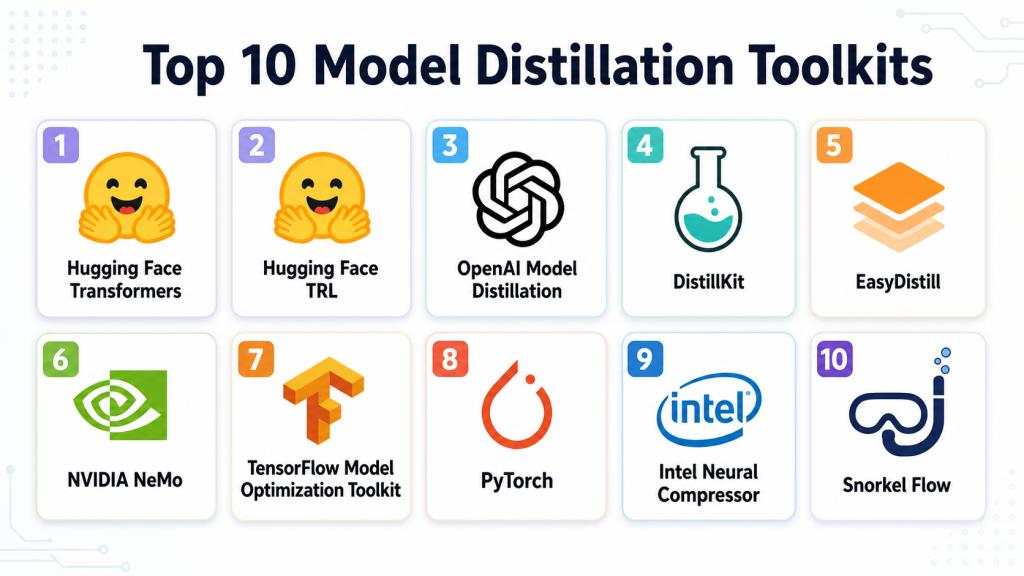
Top 10 Model Distillation Toolkits
#1 — Hugging Face Transformers
One-line verdict: Best for developers building open-source distillation pipelines across modern language and vision models.
Short description:
Hugging Face Transformers is a widely used open-source library for working with transformer models. It supports model training, fine-tuning, evaluation, and custom distillation workflows for teams that want deep control over model behavior.
Standout Capabilities
- Broad support for transformer-based language, vision, audio, and multimodal models.
- Strong ecosystem for datasets, tokenizers, model sharing, and training workflows.
- Flexible enough for response distillation, supervised fine-tuning, and custom teacher-student pipelines.
- Works well with open-source student models and custom enterprise models.
- Strong developer community and many reusable examples.
- Compatible with many training and deployment environments.
- Useful for research, prototyping, and production experimentation.
- Can be combined with evaluation, optimization, and serving tools.
AI-Specific Depth
- Model support: Open-source, BYO model, and transformer-based model workflows.
- RAG / knowledge integration: Varies / N/A; usually handled through external pipelines.
- Evaluation: Custom evaluation, benchmark scripts, dataset metrics, external eval integrations.
- Guardrails: N/A; safety checks must be added separately.
- Observability: Limited by default; external experiment tracking is usually needed.
Pros
- Highly flexible for custom distillation research and engineering.
- Strong ecosystem around models, datasets, and training.
- Good fit for teams that want control over training logic.
Cons
- Requires ML engineering experience.
- Not a turnkey enterprise distillation platform.
- Security, governance, and monitoring must be designed separately.
Security & Compliance
Not publicly stated as a managed compliance platform. Security depends on the user’s own infrastructure, access controls, data storage, encryption, and deployment setup.
Deployment & Platforms
- Python-based developer toolkit.
- Works on Linux, macOS, and compatible cloud environments.
- Self-managed deployment.
- Cloud, local, notebook, and enterprise infrastructure support depends on setup.
Integrations & Ecosystem
Hugging Face Transformers has one of the strongest open-source AI ecosystems. It works well with datasets, training accelerators, model hubs, optimization tools, and custom deployment stacks.
- Hugging Face Datasets
- Tokenizers
- Accelerate
- PEFT workflows
- PyTorch
- TensorFlow compatibility in supported workflows
- Model hub and custom model repositories
Pricing Model
Open-source. Costs come from compute, storage, infrastructure, managed services, and optional enterprise support.
Best-Fit Scenarios
- Distilling open-source LLMs into smaller task-specific models.
- Research teams testing custom distillation strategies.
- AI teams building flexible internal training pipelines.
#2 — Hugging Face TRL
One-line verdict: Best for teams using preference optimization and alignment methods for smaller student models.
Short description:
Hugging Face TRL is a toolkit for reinforcement learning and preference-based training of transformer models. It is useful for teams that want to combine distillation with alignment methods such as reward modeling, preference optimization, and supervised fine-tuning.
Standout Capabilities
- Supports alignment-oriented training workflows.
- Useful for distillation approaches based on preference data.
- Works well with open-source LLM ecosystems.
- Can support student model training using teacher-generated outputs.
- Useful for DPO-style and RLHF-inspired workflows.
- Integrates with broader Hugging Face training tools.
- Good for researchers and advanced ML engineers.
- Helps teams move beyond simple fine-tuning.
AI-Specific Depth
- Model support: Open-source and BYO transformer models.
- RAG / knowledge integration: N/A; external RAG pipelines are needed.
- Evaluation: External evaluation recommended; training metrics available through custom workflows.
- Guardrails: N/A; guardrail testing must be added separately.
- Observability: Limited by default; external experiment tracking is recommended.
Pros
- Strong for alignment and preference optimization workflows.
- Good fit for teams distilling model behavior, not just outputs.
- Works naturally with open-source training stacks.
Cons
- Requires strong ML knowledge.
- Not designed as a full no-code distillation platform.
- Production governance must be built separately.
Security & Compliance
Not publicly stated as a managed security platform. Security depends on infrastructure, access controls, model storage, training data controls, and deployment environment.
Deployment & Platforms
- Python-based toolkit.
- Self-managed.
- Runs in cloud, local, or enterprise ML environments.
- Best suited for Linux and GPU-based training environments.
Integrations & Ecosystem
TRL fits well into the Hugging Face ecosystem and can be combined with datasets, trainers, model hubs, accelerators, and custom evaluation pipelines.
- Transformers
- Datasets
- Accelerate
- PEFT
- Experiment tracking tools
- Custom reward models
- Open-source LLM workflows
Pricing Model
Open-source. Compute, GPU infrastructure, storage, and support costs are separate.
Best-Fit Scenarios
- Preference-based model distillation.
- Smaller aligned LLM training.
- Research teams building advanced custom training workflows.
#3 — OpenAI Model Distillation
One-line verdict: Best for teams distilling behavior from stronger hosted models into smaller task-focused models.
Short description:
OpenAI Model Distillation helps developers use outputs from stronger models to fine-tune smaller, more cost-efficient models for specific tasks. It is useful for teams already building with hosted OpenAI models and wanting better cost and latency trade-offs.
Standout Capabilities
- Designed around hosted model workflows.
- Helps teams generate training examples from capable teacher models.
- Useful for creating smaller task-specific models.
- Can simplify dataset generation and fine-tuning workflows.
- Good fit for product teams already using OpenAI APIs.
- Helps reduce cost for repeated high-volume tasks.
- Supports practical distillation for application-specific behavior.
- Can be paired with evaluation and monitoring workflows.
AI-Specific Depth
- Model support: Hosted OpenAI model workflows; BYO support varies / N/A.
- RAG / knowledge integration: Varies / N/A; handled through application architecture.
- Evaluation: Fine-tuning and evaluation workflows may be available depending on setup.
- Guardrails: Varies / N/A; external safety testing is recommended.
- Observability: Varies / N/A; application-level logging and evals are recommended.
Pros
- Strong fit for teams already using OpenAI models.
- Reduces complexity compared with fully custom distillation pipelines.
- Useful for cost and latency optimization.
Cons
- Less flexible than fully open-source pipelines.
- Model and workflow options depend on the hosted ecosystem.
- Buyers should evaluate data retention and governance requirements carefully.
Security & Compliance
Security controls vary by account, configuration, and enterprise agreement. Buyers should verify SSO, access controls, data handling, retention settings, auditability, and compliance requirements directly.
Deployment & Platforms
- API-based hosted workflow.
- Cloud deployment.
- Developer access through API and web-based tools where available.
- Self-hosting is not applicable.
Integrations & Ecosystem
OpenAI Model Distillation fits into hosted LLM application pipelines where teams want to generate data, fine-tune smaller models, and evaluate task performance.
- OpenAI API workflows
- Fine-tuning workflows
- Application logs
- Evaluation pipelines
- Prompt datasets
- Developer tooling
- MLOps integrations through custom pipelines
Pricing Model
Usage-based and model-dependent. Exact cost varies by model, tokens, fine-tuning volume, and usage patterns.
Best-Fit Scenarios
- Teams already using OpenAI for production AI applications.
- High-volume tasks where smaller models reduce cost.
- Product teams needing faster inference for repeated workflows.
#4 — DistillKit
One-line verdict: Best for open-source LLM teams needing focused online and offline distillation workflows.
Short description:
DistillKit is an open-source toolkit built for large language model distillation. It is designed to support flexible distillation workflows, including offline and online approaches for teams training smaller LLMs.
Standout Capabilities
- Focused specifically on LLM distillation.
- Supports online and offline distillation workflows.
- Useful for teams training smaller open-source models.
- Can support advanced distillation strategies.
- Developer-friendly for experimentation and customization.
- Good fit for teams building internal model compression pipelines.
- Can be used alongside open-source model ecosystems.
- Useful when teams need more control than hosted tools provide.
AI-Specific Depth
- Model support: Open-source and BYO LLM workflows.
- RAG / knowledge integration: N/A unless added externally.
- Evaluation: External evaluation workflows recommended.
- Guardrails: N/A; safety testing must be added separately.
- Observability: Limited by default; experiment tracking should be added separately.
Pros
- Purpose-built for LLM distillation.
- Good open-source flexibility.
- Useful for teams that want direct control over training strategy.
Cons
- Requires technical ML expertise.
- Smaller ecosystem than larger general-purpose frameworks.
- Enterprise governance must be handled separately.
Security & Compliance
Not publicly stated as a managed compliance platform. Security depends on self-hosted infrastructure, model storage, data controls, access policies, and deployment choices.
Deployment & Platforms
- Open-source developer toolkit.
- Self-managed deployment.
- Best suited for Python and GPU-based ML environments.
- Cloud or local usage depends on infrastructure setup.
Integrations & Ecosystem
DistillKit is useful inside open-source LLM training workflows and can be combined with existing model training, evaluation, and serving systems.
- Open-source LLM workflows
- Custom datasets
- Teacher-student training pipelines
- Experiment tracking tools
- Model evaluation systems
- GPU training environments
- Custom MLOps pipelines
Pricing Model
Open-source. Compute, infrastructure, engineering, and support costs are separate.
Best-Fit Scenarios
- Teams building smaller LLMs from larger teacher models.
- AI labs testing distillation methods.
- Developers needing offline or online distillation control.
#5 — EasyDistill
One-line verdict: Best for research-focused teams exploring structured black-box and white-box LLM distillation.
Short description:
EasyDistill is a research-oriented toolkit for knowledge distillation of large language models. It is useful for teams exploring data synthesis, supervised fine-tuning, ranking optimization, and reinforcement learning style distillation workflows.
Standout Capabilities
- Designed for LLM knowledge distillation workflows.
- Supports black-box and white-box distillation concepts.
- Includes focus areas such as data synthesis and supervised fine-tuning.
- Useful for experimental and research-heavy workflows.
- Can support ranking optimization and reinforcement learning style methods.
- Good fit for teams testing multiple distillation strategies.
- Helpful for comparing different teacher-student approaches.
- Useful when the goal is learning and experimentation.
AI-Specific Depth
- Model support: Varies / N/A; likely strongest in open-source and research workflows.
- RAG / knowledge integration: N/A unless custom-built.
- Evaluation: Research evaluation workflows; external validation recommended.
- Guardrails: N/A; safety checks must be added separately.
- Observability: Limited / N/A; external tracking recommended.
Pros
- Strong research orientation.
- Supports multiple distillation method categories.
- Useful for experimentation with LLM compression strategies.
Cons
- May require research-level ML knowledge.
- Production readiness depends on implementation.
- Enterprise support and compliance details are not publicly stated.
Security & Compliance
Not publicly stated. Security depends on how teams host, configure, and operate the toolkit.
Deployment & Platforms
- Research and developer-oriented toolkit.
- Self-managed deployment.
- Cloud or local training depends on infrastructure.
- Platform details may vary by implementation.
Integrations & Ecosystem
EasyDistill is best used by technical teams building experimental distillation pipelines. It can be paired with model training frameworks, evaluation scripts, and custom datasets.
- LLM training workflows
- Synthetic data generation pipelines
- Fine-tuning workflows
- Ranking optimization methods
- External evaluation tools
- Experiment tracking systems
- Custom research pipelines
Pricing Model
Varies / N/A. If used as open research code, software cost may be free, while compute and engineering costs remain.
Best-Fit Scenarios
- Research teams testing LLM distillation methods.
- AI labs comparing black-box and white-box approaches.
- Developers building experimental distillation workflows.
#6 — NVIDIA NeMo
One-line verdict: Best for enterprise teams training, optimizing, and deploying large-scale generative AI models.
Short description:
NVIDIA NeMo is a framework and platform ecosystem for building, customizing, and deploying generative AI models. It can support model optimization and training workflows useful for distillation, especially in GPU-heavy enterprise environments.
Standout Capabilities
- Strong fit for large-scale GPU-based AI training.
- Supports generative AI model customization workflows.
- Useful for enterprise model development pipelines.
- Can work with LLMs, speech, and multimodal AI use cases.
- Designed for performance-focused AI infrastructure.
- Works well in NVIDIA-accelerated environments.
- Can support model optimization workflows alongside training.
- Good fit for teams already using NVIDIA AI infrastructure.
AI-Specific Depth
- Model support: Open-source, BYO, and NVIDIA ecosystem workflows vary by setup.
- RAG / knowledge integration: Varies / N/A.
- Evaluation: Varies / N/A; external evaluation is often required.
- Guardrails: Varies / N/A; separate guardrail systems may be used.
- Observability: Varies / N/A; depends on deployment and monitoring stack.
Pros
- Strong for high-performance training environments.
- Good fit for enterprise AI infrastructure teams.
- Supports large-scale generative AI workflows.
Cons
- May be complex for smaller teams.
- Best value often requires NVIDIA infrastructure expertise.
- Distillation workflows may require custom engineering.
Security & Compliance
Not publicly stated for every deployment. Security depends on enterprise configuration, cloud provider, infrastructure setup, access controls, and data governance policies.
Deployment & Platforms
- Cloud, self-managed, and enterprise infrastructure options may vary.
- Strong Linux and GPU environment fit.
- Works in NVIDIA-accelerated training environments.
- Deployment model depends on implementation.
Integrations & Ecosystem
NVIDIA NeMo fits into GPU-accelerated AI development stacks and can connect with broader NVIDIA infrastructure, model training systems, and enterprise AI pipelines.
- NVIDIA AI infrastructure
- GPU training clusters
- Model customization workflows
- Enterprise AI pipelines
- Containerized deployment workflows
- Data and model pipelines
- External evaluation systems
Pricing Model
Varies / N/A. Costs depend on software usage, enterprise support, cloud infrastructure, GPU resources, and deployment model.
Best-Fit Scenarios
- Enterprise teams training and optimizing large generative models.
- GPU-heavy AI infrastructure teams.
- Organizations building high-performance custom AI models.
#7 — TensorFlow Model Optimization Toolkit
One-line verdict: Best for TensorFlow teams combining distillation with pruning, quantization, and efficient deployment.
Short description:
TensorFlow Model Optimization Toolkit helps teams optimize models for efficient deployment. While often associated with quantization and pruning, it can be part of broader workflows where smaller student models are trained and optimized for production.
Standout Capabilities
- Strong fit for TensorFlow-based model optimization.
- Useful for reducing model size and improving deployment efficiency.
- Can complement distillation workflows with quantization and pruning.
- Good option for mobile, edge, and embedded AI use cases.
- Works with TensorFlow ecosystem tools.
- Helps prepare models for constrained environments.
- Useful when deployment efficiency matters as much as accuracy.
- Strong fit for production ML engineering teams.
AI-Specific Depth
- Model support: TensorFlow model workflows.
- RAG / knowledge integration: N/A.
- Evaluation: External evaluation required for task-specific quality.
- Guardrails: N/A.
- Observability: N/A; external monitoring needed.
Pros
- Strong for TensorFlow model compression and optimization.
- Good for edge and mobile deployment needs.
- Useful when combined with distillation and fine-tuning workflows.
Cons
- Less focused on LLM-specific distillation.
- Requires TensorFlow expertise.
- Human feedback and evaluation workflows must be built separately.
Security & Compliance
Not publicly stated as a managed compliance platform. Security depends on the user’s ML infrastructure, storage, access controls, and deployment process.
Deployment & Platforms
- Developer toolkit.
- Works in TensorFlow-compatible environments.
- Self-managed.
- Suitable for cloud, local, mobile, and edge-oriented workflows depending on model type.
Integrations & Ecosystem
TensorFlow Model Optimization Toolkit fits naturally into TensorFlow pipelines and can support efficient production deployment after training or distillation.
- TensorFlow
- TensorFlow Lite
- Keras workflows
- Edge deployment pipelines
- Mobile deployment workflows
- Model compression pipelines
- Custom evaluation systems
Pricing Model
Open-source. Costs come from compute, development, deployment infrastructure, and support.
Best-Fit Scenarios
- TensorFlow teams optimizing smaller student models.
- Mobile and edge AI deployment.
- Teams combining distillation, pruning, and quantization.
#8 — PyTorch
One-line verdict: Best for flexible custom distillation pipelines across research and production ML teams.
Short description:
PyTorch is a widely used machine learning framework that supports custom knowledge distillation workflows. Teams can implement teacher-student training, soft-label learning, loss functions, model compression, and task-specific optimization directly.
Standout Capabilities
- Highly flexible for custom distillation logic.
- Strong research and production adoption.
- Supports custom losses, architectures, and training loops.
- Useful for language, vision, speech, and multimodal models.
- Large ecosystem of libraries and examples.
- Works well with GPU acceleration and distributed training.
- Good fit for teams needing full control.
- Can be combined with serving and optimization tools.
AI-Specific Depth
- Model support: Open-source, BYO, custom model workflows.
- RAG / knowledge integration: N/A unless custom-built.
- Evaluation: Custom evaluation required.
- Guardrails: N/A; must be added separately.
- Observability: External experiment tracking and monitoring needed.
Pros
- Maximum flexibility for custom training methods.
- Strong community and ecosystem.
- Good for both research and production experimentation.
Cons
- Requires engineering expertise.
- No built-in no-code distillation workflow.
- Governance, compliance, and review processes must be built separately.
Security & Compliance
Not publicly stated as a managed compliance platform. Security depends on infrastructure, data governance, model storage, and deployment controls.
Deployment & Platforms
- Python-based framework.
- Works on Linux, macOS, Windows, cloud, and local environments.
- Self-managed deployment.
- GPU and distributed training support depends on setup.
Integrations & Ecosystem
PyTorch integrates with many AI tools, training libraries, MLOps platforms, and deployment systems. It is one of the most flexible foundations for building custom distillation pipelines.
- Torch ecosystem
- Hugging Face tools
- Experiment tracking platforms
- Model serving systems
- ONNX export workflows
- Distributed training tools
- Custom MLOps pipelines
Pricing Model
Open-source. Costs come from compute, storage, engineering, infrastructure, and support.
Best-Fit Scenarios
- Custom teacher-student training.
- Research teams testing new distillation methods.
- Production ML teams needing full control.
#9 — Intel Neural Compressor
One-line verdict: Best for teams optimizing models for efficient CPU and hardware-aware inference.
Short description:
Intel Neural Compressor is an optimization toolkit focused on improving model efficiency through techniques such as quantization and compression. It can complement distillation workflows when teams want faster, smaller, and more efficient production models.
Standout Capabilities
- Strong focus on model compression and inference optimization.
- Useful for CPU and hardware-aware deployment.
- Can complement distillation with quantization workflows.
- Supports optimization across supported model frameworks.
- Good fit for production performance tuning.
- Useful when reducing latency and resource usage is critical.
- Can help optimize models after training.
- Suitable for enterprise deployment pipelines using Intel hardware.
AI-Specific Depth
- Model support: Varies by supported frameworks and model types.
- RAG / knowledge integration: N/A.
- Evaluation: Accuracy validation workflows may be part of optimization; task eval still required.
- Guardrails: N/A.
- Observability: N/A; external monitoring recommended.
Pros
- Strong for production optimization.
- Useful for reducing inference cost and latency.
- Good fit for hardware-aware deployment.
Cons
- Not a full RLHF or dataset distillation platform.
- Distillation-specific workflows may require external training tools.
- Best value depends on deployment environment.
Security & Compliance
Not publicly stated as a managed compliance platform. Security depends on how teams deploy, store, and operate their models and data.
Deployment & Platforms
- Developer toolkit.
- Self-managed.
- Works in supported ML and hardware environments.
- Cloud, on-prem, and edge usage depends on configuration.
Integrations & Ecosystem
Intel Neural Compressor is usually used after or alongside training to make models more efficient. It fits well into model optimization and deployment pipelines.
- Supported ML frameworks
- Quantization workflows
- Model compression pipelines
- Hardware-aware optimization
- Production inference workflows
- Benchmarking processes
- Custom MLOps pipelines
Pricing Model
Open-source. Costs depend on infrastructure, engineering, compute, and support.
Best-Fit Scenarios
- Teams optimizing distilled models for inference.
- CPU-heavy production workloads.
- Enterprises reducing model serving cost.
#10 — Snorkel Flow
One-line verdict: Best for data-centric teams using weak supervision and labeling workflows to train smaller models.
Short description:
Snorkel Flow is a data-centric AI platform focused on programmatic labeling, data development, and model improvement workflows. It can support distillation-adjacent workflows where large models or expert rules help create training data for smaller, task-specific models.
Standout Capabilities
- Strong focus on training data creation and refinement.
- Useful for programmatic labeling and weak supervision.
- Can help create datasets for smaller task-specific models.
- Good fit for enterprise data-centric AI workflows.
- Useful when labeled data is limited or expensive.
- Supports iterative data improvement processes.
- Helps teams reduce reliance on manual labeling alone.
- Can complement LLM-based synthetic data and distillation workflows.
AI-Specific Depth
- Model support: Varies / N/A; focused on data-centric model development workflows.
- RAG / knowledge integration: Varies / N/A.
- Evaluation: Data and model evaluation workflows may vary by setup.
- Guardrails: Varies / N/A.
- Observability: Varies / N/A; depends on enterprise implementation.
Pros
- Strong for data-centric model improvement.
- Useful when training data quality is the main bottleneck.
- Good fit for enterprise workflows with domain knowledge.
Cons
- Not a pure LLM distillation toolkit.
- May require data science maturity.
- Pricing and deployment details may vary by enterprise needs.
Security & Compliance
Not publicly stated for every configuration. Buyers should verify SSO, RBAC, encryption, audit logs, data retention, and residency requirements directly.
Deployment & Platforms
- Enterprise platform.
- Cloud or enterprise deployment options may vary.
- Web-based access where applicable.
- Platform details depend on customer configuration.
Integrations & Ecosystem
Snorkel Flow fits into enterprise ML pipelines where teams need to create, refine, and manage training datasets. It can work alongside model training systems, evaluation workflows, and data platforms.
- Programmatic labeling workflows
- Data development pipelines
- Model training workflows
- Enterprise data systems
- Review and quality workflows
- Custom ML pipelines
- MLOps integration patterns
Pricing Model
Not publicly stated. Pricing is typically enterprise/custom based on use case, scale, deployment, and support needs.
Best-Fit Scenarios
- Teams creating training data from weak supervision.
- Enterprises building smaller task-specific models.
- Data-centric AI teams improving model quality through better labels.
Comparison Table
| Tool Name | Best For | Deployment | Model Flexibility | Strength | Watch-Out | Public Rating |
|---|---|---|---|---|---|---|
| Hugging Face Transformers | Open-source distillation pipelines | Self-managed / Cloud | Open-source / BYO | Broad model ecosystem | Requires ML expertise | N/A |
| Hugging Face TRL | Preference optimization | Self-managed / Cloud | Open-source / BYO | Alignment workflows | Not no-code | N/A |
| OpenAI Model Distillation | Hosted model distillation | Cloud | Hosted / Varies | Simple hosted workflow | Less open flexibility | N/A |
| DistillKit | LLM distillation experiments | Self-managed | Open-source / BYO | Purpose-built distillation | Smaller ecosystem | N/A |
| EasyDistill | Research distillation workflows | Self-managed | Varies / N/A | Black-box and white-box methods | Production maturity varies | N/A |
| NVIDIA NeMo | Enterprise GPU training | Cloud / Self-managed / Hybrid | BYO / Varies | High-performance AI stack | Complex setup | N/A |
| TensorFlow Model Optimization Toolkit | TensorFlow model efficiency | Self-managed | TensorFlow models | Optimization and compression | Less LLM-specific | N/A |
| PyTorch | Custom distillation logic | Self-managed / Cloud | Open-source / BYO | Maximum flexibility | Requires engineering | N/A |
| Intel Neural Compressor | Inference optimization | Self-managed | Varies | Hardware-aware compression | Not full distillation platform | N/A |
| Snorkel Flow | Data-centric model improvement | Cloud / Enterprise | Varies / N/A | Programmatic data creation | Enterprise setup needed | N/A |
Scoring & Evaluation
This scoring is comparative, not absolute. It reflects how each toolkit fits practical model distillation needs such as training flexibility, evaluation readiness, integrations, cost control, and production suitability. Scores may change depending on the team’s model type, infrastructure, ML maturity, and governance needs. Open-source tools score higher for flexibility, while managed platforms score higher for workflow simplicity and enterprise usability. Buyers should validate fit through a controlled pilot before making a final decision.
| Tool | Core | Reliability/Eval | Guardrails | Integrations | Ease | Perf/Cost | Security/Admin | Support | Weighted Total |
|---|---|---|---|---|---|---|---|---|---|
| Hugging Face Transformers | 9 | 7 | 5 | 9 | 6 | 8 | 6 | 9 | 7.55 |
| Hugging Face TRL | 8 | 7 | 5 | 8 | 5 | 8 | 5 | 8 | 6.95 |
| OpenAI Model Distillation | 8 | 7 | 7 | 7 | 8 | 8 | 7 | 8 | 7.55 |
| DistillKit | 8 | 6 | 5 | 7 | 5 | 8 | 5 | 6 | 6.50 |
| EasyDistill | 7 | 6 | 5 | 6 | 5 | 7 | 5 | 5 | 5.95 |
| NVIDIA NeMo | 8 | 7 | 6 | 8 | 5 | 8 | 7 | 8 | 7.20 |
| TensorFlow Model Optimization Toolkit | 7 | 6 | 4 | 8 | 6 | 9 | 5 | 7 | 6.75 |
| PyTorch | 9 | 7 | 4 | 9 | 5 | 8 | 5 | 9 | 7.25 |
| Intel Neural Compressor | 7 | 6 | 4 | 7 | 6 | 9 | 5 | 7 | 6.55 |
| Snorkel Flow | 7 | 7 | 6 | 7 | 7 | 7 | 7 | 7 | 6.95 |
Top 3 for Enterprise
- OpenAI Model Distillation
- NVIDIA NeMo
- Snorkel Flow
Top 3 for SMB
- Hugging Face Transformers
- OpenAI Model Distillation
- TensorFlow Model Optimization Toolkit
Top 3 for Developers
- Hugging Face Transformers
- PyTorch
- Hugging Face TRL
Which Model Distillation Toolkit Is Right for You
Solo / Freelancer
Solo developers should start with Hugging Face Transformers, PyTorch, or Hugging Face TRL. These tools offer maximum flexibility without forcing an enterprise contract. They are best for experiments, open-source model fine-tuning, and learning how teacher-student training works.
If the goal is to reduce hosted model cost without managing deep training infrastructure, OpenAI Model Distillation may be easier. However, developers who want complete control over datasets, weights, and deployment should stay closer to open-source tooling.
SMB
SMBs should choose based on team skill. If the team has ML engineers, Hugging Face Transformers and PyTorch provide strong flexibility. If the team is product-focused and already uses hosted models, OpenAI Model Distillation may be more practical.
For teams focused on mobile, edge, or efficient TensorFlow deployment, TensorFlow Model Optimization Toolkit can be useful. SMBs should avoid overbuilding complex training pipelines unless there is a clear business case for smaller custom models.
Mid-Market
Mid-market teams often need a balance of flexibility, governance, and production readiness. NVIDIA NeMo is useful for infrastructure-heavy teams working with GPU-based training. Snorkel Flow is useful when training data creation is the biggest challenge. Hugging Face Transformers remains a strong choice for teams with capable ML engineers.
At this stage, teams should define clear metrics before distillation: acceptable accuracy drop, latency target, cost reduction target, safety score, and maintenance plan.
Enterprise
Enterprises should evaluate OpenAI Model Distillation, NVIDIA NeMo, Snorkel Flow, and mature open-source stacks built around Hugging Face or PyTorch. The best choice depends on whether the enterprise wants hosted simplicity, internal model ownership, GPU-scale training, or data-centric development.
Enterprise buyers should focus heavily on data retention, access control, auditability, model lineage, dataset lineage, and deployment governance. Distillation should be part of a larger AI platform strategy, not an isolated experiment.
Regulated industries
Finance, healthcare, insurance, legal, and public sector teams should avoid sending sensitive data into distillation workflows without review. They should verify encryption, retention controls, access policies, audit logs, and data residency before using production records.
Self-managed tools such as PyTorch, Hugging Face Transformers, and Label-style internal workflows may offer more control, but they also require stronger internal security operations. Managed tools can reduce engineering burden, but procurement teams must verify compliance details directly.
Budget vs premium
Open-source tools such as Hugging Face Transformers, Hugging Face TRL, PyTorch, DistillKit, and TensorFlow Model Optimization Toolkit reduce software entry costs but require more ML engineering time. They are best when the team has technical depth and wants control.
Premium or managed workflows may cost more but can reduce implementation complexity. They are better when speed, support, governance, and production workflow management matter more than raw flexibility.
Build vs buy
Build your own distillation pipeline when you need full model ownership, custom loss functions, private training data, and deployment control. Buy or use managed workflows when you need speed, simplified fine-tuning, enterprise support, or hosted model convenience.
A hybrid approach is often best: use open-source tools for experimentation, managed tools for production acceleration, and independent evaluation systems to verify quality.
Implementation Playbook
30 Days: Pilot and Success Metrics
- Pick one high-value use case where a smaller model can reduce cost or latency.
- Choose one teacher model and one student model.
- Create a clean evaluation dataset with real prompts, edge cases, and failure examples.
- Generate teacher outputs for the selected task.
- Filter low-quality, unsafe, duplicate, or irrelevant examples.
- Define success metrics such as accuracy, helpfulness, latency, cost per request, refusal quality, and hallucination rate.
- Build a baseline using the student model before distillation.
- Run a small distillation experiment.
- Compare student performance before and after training.
- Document dataset version, teacher model, training method, and evaluation result.
60 Days: Harden Security, Evaluation, and Rollout
- Add review workflows for sensitive or high-risk examples.
- Create regression tests for known failure cases.
- Add red-team prompts for unsafe, misleading, or adversarial inputs.
- Track prompt versions, dataset versions, teacher outputs, and student model versions.
- Validate that the smaller model does not simply memorize sensitive training data.
- Add latency and cost measurement under realistic traffic.
- Compare distillation with simpler alternatives such as prompt engineering, RAG, quantization, or model routing.
- Start limited production testing with human oversight.
- Add rollback plans for poor model behavior.
- Review data retention and access control requirements.
90 Days: Optimize Cost, Governance, and Scale
- Expand to more workflows only after the first use case proves measurable value.
- Combine distillation with quantization or pruning if deployment efficiency is still not enough.
- Add automated evaluation to CI/CD workflows.
- Track model drift and performance degradation over time.
- Create a governance process for approving new teacher-student training runs.
- Monitor production failures and feed high-quality examples back into the training loop.
- Compare multiple student model sizes to find the best trade-off.
- Build documentation for model lineage and dataset lineage.
- Review whether hosted, open-source, or hybrid deployment is best long term.
- Scale carefully across products, teams, and regions.
Common Mistakes & How to Avoid Them
- Distilling without a clear target: Define whether the goal is speed, cost reduction, domain accuracy, offline deployment, or privacy.
- Using poor teacher outputs: A smaller model will learn bad behavior if the teacher data is noisy.
- Skipping evaluation: Always compare baseline, distilled, and production performance.
- Ignoring hallucination risk: A smaller model may imitate fluent answers without reliable reasoning.
- Training on sensitive data without controls: Review retention, anonymization, access, and compliance before training.
- Assuming smaller always means better: Small models are faster, but they may fail on complex reasoning.
- No model lineage: Track teacher model, student model, dataset version, and training configuration.
- Over-distilling from one teacher: Using one teacher can reduce diversity and increase inherited bias.
- Ignoring cost of training: Distillation saves inference cost, but training can still be expensive.
- No human review: Automated teacher outputs still need review for important workflows.
- Using generic datasets only: Domain-specific tasks need domain-specific examples.
- Forgetting deployment constraints: Train the student model for the environment where it will actually run.
- No fallback model: Production systems should route difficult cases to a stronger model when needed.
- Treating distillation as a one-time task: Models, prompts, data, and user needs change, so evaluation must continue.
FAQs
1. What is model distillation?
Model distillation is a training method where a smaller student model learns from a larger teacher model. The goal is to keep useful behavior while reducing cost, latency, and deployment complexity.
2. What is the difference between model distillation and fine-tuning?
Fine-tuning trains a model on task data. Distillation specifically uses a stronger teacher model’s outputs, probabilities, explanations, or preferences to guide the smaller model.
3. Why do companies use model distillation?
Companies use distillation to create faster, cheaper, smaller, and easier-to-deploy models. It is useful when large models are too expensive or slow for production scale.
4. Can model distillation reduce AI costs?
Yes, it can reduce inference costs when a smaller model handles repeated tasks that previously required a larger model. Training cost and evaluation cost should still be considered.
5. Does distillation work for LLMs?
Yes, distillation is widely used for language model workflows. Teams use teacher-generated responses, preference data, reasoning traces, and fine-tuning datasets to improve smaller models.
6. Can I distill a model without access to teacher model weights?
Yes, black-box distillation can use teacher model outputs instead of internal weights or logits. However, white-box access can allow more advanced methods when available.
7. Is model distillation better than quantization?
They solve different problems. Distillation trains a smaller model to imitate a larger one, while quantization reduces numerical precision to make an existing model faster or smaller.
8. Can distillation be used with RAG systems?
Yes, but RAG integration usually requires a custom workflow. Teams can distill common answer patterns, retrieval decisions, or domain-specific responses into a smaller model.
9. Is model distillation safe for regulated data?
It can be, but only with strong controls. Teams should verify data retention, anonymization, access control, encryption, audit logs, and whether sensitive data could be memorized.
10. What metrics should I track after distillation?
Track accuracy, task success, hallucination rate, latency, inference cost, refusal quality, safety behavior, regression failures, and user satisfaction.
11. Can small models match large models after distillation?
Sometimes, for narrow and repeated tasks. Small models usually struggle more with broad reasoning, rare edge cases, and complex multi-step tasks.
12. What is the best open-source toolkit for model distillation?
For broad flexibility, Hugging Face Transformers and PyTorch are strong choices. For alignment-style workflows, Hugging Face TRL is also useful.
13. Do I need human review in distillation?
Human review is strongly recommended for high-impact use cases. Teacher model outputs can contain errors, bias, unsafe responses, or misleading reasoning.
14. What are alternatives to model distillation?
Alternatives include prompt engineering, RAG, model routing, caching, quantization, pruning, fine-tuning, smaller hosted models, and hybrid fallback systems.
Conclusion
Model distillation toolkits help AI teams turn large, expensive, and slow models into smaller models that are easier to deploy, cheaper to run, and faster in production. The best toolkit depends on your team’s technical maturity, model strategy, data sensitivity, and deployment goals. Open-source teams may prefer Hugging Face Transformers, PyTorch, TRL, DistillKit, or TensorFlow Model Optimization Toolkit, while enterprises may evaluate OpenAI Model Distillation, NVIDIA NeMo, Snorkel Flow, and custom internal pipelines.

Find Trusted Cardiac Hospitals
Compare heart hospitals by city and services — all in one place.
Explore Hospitals
This comparison of model distillation toolkits is a great resource for anyone looking to build smaller, faster models without losing significant accuracy.