
Introduction
On-device LLM runtimes are software systems that allow large language models (LLMs) to run locally on a user’s device—such as laptops, smartphones, edge servers, or embedded hardware—without relying on cloud APIs. These runtimes handle model loading, inference, memory management, and hardware acceleration directly on-device.
In simple terms, they bring AI “offline,” enabling applications to run privately, with lower latency and no dependency on internet connectivity or external infrastructure.
This category has become critical as organizations prioritize privacy, cost control, and real-time responsiveness. Running LLMs locally eliminates API costs, reduces data exposure, and enables AI deployment in restricted or low-connectivity environments.
Common real-world use cases include:
- Private AI assistants running on laptops or mobile devices
- Edge AI systems in IoT or robotics
- Offline document analysis and summarization
- Secure enterprise AI with sensitive data
- Developer tools and local copilots
- Embedded AI in hardware products
When evaluating on-device LLM runtimes, buyers should consider:
- Hardware compatibility (CPU, GPU, NPU, mobile chips)
- Model size support and quantization options
- Inference speed (tokens/sec, latency)
- Memory efficiency (RAM/VRAM usage)
- Ease of deployment and developer experience
- Model compatibility (GGUF, Hugging Face, etc.)
- Observability and debugging tools
- Security and offline guarantees
- Multi-model support and routing
- Extensibility and API compatibility
Best for: developers, AI engineers, privacy-focused organizations, edge computing teams, and startups building offline-first AI products.
Not ideal for: teams needing large-scale, high-throughput AI inference or very large models that exceed local hardware limits.
What’s Changed in On-Device LLM Runtimes
- Rapid shift toward privacy-first AI deployments
- Rise of quantized models enabling small-device inference
- Growth of CPU + GPU + NPU hybrid acceleration
- Emergence of mobile-first LLM runtimes
- Expansion of OpenAI-compatible local APIs
- Increased support for multi-model routing on-device
- Development of lightweight GGUF model formats
- Improvements in latency and token throughput
- Integration of agent workflows locally
- Strong adoption of serverless local runtimes
- Growth of edge AI infrastructure (Raspberry Pi, ARM boards)
- Built-in caching and context optimization
- Increasing use in regulated and air-gapped environments
Quick Buyer Checklist (Scan-Friendly)
- Does it support your hardware (CPU/GPU/NPU/mobile)?
- Can it run models within your RAM/VRAM limits?
- Does it support quantized models (GGUF, etc.)?
- How fast is inference (tokens/sec)?
- Does it expose API endpoints?
- Can you run multiple models simultaneously?
- Does it support model switching dynamically?
- Are there observability/debugging tools?
- Is it fully offline and private?
- Does it integrate with your AI stack?
- Is it easy to deploy and maintain?
- What is the vendor lock-in risk?
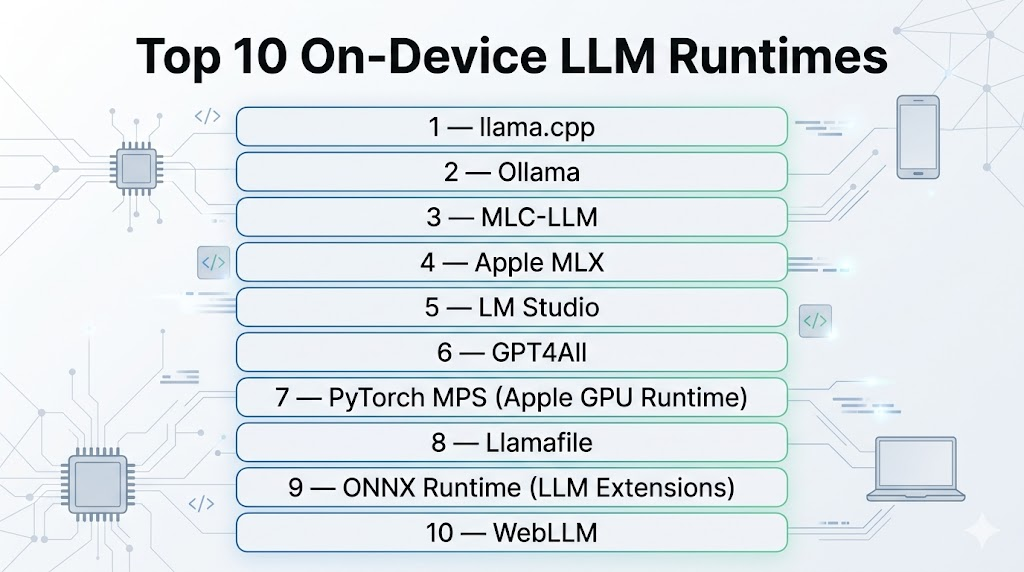
Top 10 On-Device LLM Runtimes
#1 — llama.cpp
One-line verdict: Best overall lightweight runtime for efficient local LLM inference across devices.
Short description:
A highly optimized C/C++ inference engine that enables running LLMs on CPUs, GPUs, and edge devices with minimal resources.
Standout Capabilities
- Extremely efficient CPU inference (SIMD optimized)
- Supports GPU acceleration (CUDA, Metal, Vulkan)
- Runs on laptops, servers, Raspberry Pi, and mobile devices
- GGUF model format support
- Server mode with API endpoints
- Fine-grained control over performance tuning
AI-Specific Depth
- Model support: Open-source models (LLaMA, Mistral, Gemma, etc.)
- RAG: External integration
- Evaluation: External tools
- Guardrails: N/A
- Observability: Basic logs and metrics
Pros
- Runs on almost any hardware
- Fully open-source and free
- High performance and efficiency
Cons
- Requires technical setup
- Limited built-in tooling
Deployment & Platforms
- Windows, macOS, Linux, ARM, embedded devices
Integrations & Ecosystem
- Python bindings, REST APIs, Open WebUI, Hugging Face
Pricing Model
Open-source (free)
Best-Fit Scenarios
- Offline AI apps
- Edge deployments
- Custom AI pipelines
#2 — Ollama
One-line verdict: Best for developer-friendly local LLM deployment with simple setup.
Short description:
A high-level runtime that simplifies running LLMs locally with an easy CLI and API.
Standout Capabilities
- One-command model deployment
- Built-in model registry
- OpenAI-compatible API
- Chat interface integrations
- Model management and switching
AI-Specific Depth
- Model support: Open-source models
- RAG: External
- Evaluation: N/A
- Guardrails: Minimal
- Observability: Basic logs
Pros
- Extremely easy to use
- Fast setup
- Great developer experience
Cons
- Less control than low-level runtimes
- Slightly lower performance vs optimized engines
Deployment & Platforms
- macOS, Linux, Windows
Integrations & Ecosystem
- Open WebUI, APIs, local apps
Pricing Model
Free (open-source + managed features)
Best-Fit Scenarios
- Developers building local AI apps
- Prototyping
- Desktop AI assistants
#3 — MLC-LLM
One-line verdict: Best for cross-platform mobile and edge LLM deployment.
Short description:
A runtime designed for deploying LLMs efficiently across mobile, browser, and edge devices.
Standout Capabilities
- Runs on iOS, Android, WebGPU
- GPU acceleration via Vulkan and Metal
- Cross-platform deployment
- Optimized for mobile inference
AI-Specific Depth
- Model support: Open-source models
- RAG: External
- Evaluation: N/A
- Guardrails: N/A
- Observability: Limited
Pros
- Mobile-first design
- Cross-platform compatibility
- Efficient performance
Cons
- More complex setup
- Smaller ecosystem
Deployment & Platforms
- Mobile, browser, desktop
Integrations & Ecosystem
- TVM stack, WebGPU
Pricing Model
Open-source
Best-Fit Scenarios
- Mobile AI apps
- Edge deployments
- Cross-platform AI
#4 — Apple MLX
One-line verdict: Best for high-performance LLM inference on Apple Silicon.
Short description:
A machine learning framework optimized for Apple hardware with strong LLM runtime capabilities.
Standout Capabilities
- Optimized for M-series chips
- High throughput performance
- Native Apple ecosystem integration
- Efficient memory usage
AI-Specific Depth
- Model support: Open-source models
- RAG: External
- Evaluation: N/A
- Guardrails: N/A
- Observability: System-level tools
Pros
- Excellent performance on Mac
- Efficient hardware utilization
- Strong developer tools
Cons
- Limited to Apple ecosystem
- Smaller community vs others
Deployment & Platforms
- macOS
Integrations & Ecosystem
- Apple ML stack
Pricing Model
Free (framework)
Best-Fit Scenarios
- Mac-based development
- Local AI tools
- High-performance inference
#5 — LM Studio
One-line verdict: Best GUI-based local LLM runtime for non-technical users.
Short description:
A desktop application for running and interacting with local LLMs without coding.
Standout Capabilities
- GUI interface for LLM interaction
- Easy model downloads
- Built-in chat interface
- Local API server
AI-Specific Depth
- Model support: Open-source models
- RAG: External
- Evaluation: N/A
- Guardrails: Minimal
- Observability: Basic
Pros
- No coding required
- Easy to use
- Quick setup
Cons
- Limited customization
- Lower flexibility
Deployment & Platforms
- Windows, macOS
Integrations & Ecosystem
- Desktop apps, APIs
Pricing Model
Free + optional paid features
Best-Fit Scenarios
- Beginners
- Local AI testing
- Personal use
#6 — GPT4All
One-line verdict: Best for offline AI assistants with simple deployment.
Short description:
An open-source runtime and ecosystem for running LLMs locally with privacy focus.
Standout Capabilities
- Fully offline AI
- Desktop application
- Model marketplace
- Easy installation
AI-Specific Depth
- Model support: Open-source
- RAG: Basic support
- Evaluation: N/A
- Guardrails: Basic filters
- Observability: Minimal
Pros
- Privacy-first
- Easy to use
- Free
Cons
- Limited performance
- Smaller ecosystem
Deployment & Platforms
- Windows, macOS, Linux
Integrations & Ecosystem
- Local apps
Pricing Model
Free
Best-Fit Scenarios
- Offline assistants
- Personal productivity
- Secure environments
#7 — PyTorch MPS (Apple GPU Runtime)
One-line verdict: Best for developers using PyTorch on Apple hardware.
Short description:
Enables GPU acceleration for LLM inference on Apple devices using Metal.
Standout Capabilities
- PyTorch compatibility
- GPU acceleration on Mac
- Flexible ML workflows
AI-Specific Depth
- Model support: Custom models
- RAG: External
- Evaluation: PyTorch ecosystem
- Guardrails: N/A
- Observability: PyTorch tools
Pros
- Flexible
- Strong ecosystem
- Familiar for developers
Cons
- Performance limitations for large models
- Requires setup
Deployment & Platforms
- macOS
Integrations & Ecosystem
- PyTorch ecosystem
Pricing Model
Free
Best-Fit Scenarios
- ML experimentation
- Custom model deployment
- Research
#8 — Llamafile
One-line verdict: Best for portable single-file LLM execution.
Short description:
A runtime that packages models and inference into a single executable file.
Standout Capabilities
- Single-file deployment
- No installation required
- Cross-platform support
- Lightweight execution
AI-Specific Depth
- Model support: Open-source
- RAG: External
- Evaluation: N/A
- Guardrails: N/A
- Observability: Minimal
Pros
- Extremely portable
- Easy distribution
- Minimal setup
Cons
- Limited advanced features
- Less control
Deployment & Platforms
- Cross-platform
Integrations & Ecosystem
- CLI tools
Pricing Model
Open-source
Best-Fit Scenarios
- Portable AI apps
- Distribution of AI tools
- Offline environments
#9 — ONNX Runtime (LLM Extensions)
One-line verdict: Best for production-grade optimized inference across hardware types.
Short description:
A high-performance runtime supporting optimized model execution across CPUs, GPUs, and NPUs.
Standout Capabilities
- Hardware-agnostic inference
- Optimized execution engine
- Enterprise deployment support
- Broad model compatibility
AI-Specific Depth
- Model support: Open + custom
- RAG: External
- Evaluation: External
- Guardrails: N/A
- Observability: Performance metrics
Pros
- High performance
- Flexible deployment
- Enterprise-ready
Cons
- Complex setup
- Requires model conversion
Deployment & Platforms
- Cross-platform
Integrations & Ecosystem
- Microsoft ecosystem, ML pipelines
Pricing Model
Free
Best-Fit Scenarios
- Production AI systems
- Edge deployments
- Enterprise workloads
#10 — WebLLM
One-line verdict: Best for running LLMs directly in browsers.
Short description:
A browser-based runtime using WebGPU to run LLMs locally without installation.
Standout Capabilities
- Runs entirely in browser
- No installation required
- WebGPU acceleration
- Cross-platform
AI-Specific Depth
- Model support: Open-source
- RAG: External
- Evaluation: N/A
- Guardrails: N/A
- Observability: Browser tools
Pros
- Zero setup
- Highly accessible
- Cross-platform
Cons
- Limited performance
- Browser constraints
Deployment & Platforms
- Browser-based
Integrations & Ecosystem
- Web apps
Pricing Model
Free
Best-Fit Scenarios
- Web demos
- Lightweight apps
- Education
Comparison Table
| Tool | Best For | Deployment | Model Flexibility | Strength | Watch-Out | Public Rating |
|---|---|---|---|---|---|---|
| llama.cpp | Efficient local inference | Local | Open-source | Performance | Setup complexity | N/A |
| Ollama | Ease of use | Local | Open-source | Simplicity | Less control | N/A |
| MLC-LLM | Mobile AI | Local | Open-source | Cross-platform | Setup effort | N/A |
| MLX | Apple performance | Local | Open-source | Speed | Apple-only | N/A |
| LM Studio | GUI users | Local | Open-source | Ease | Limited control | N/A |
| GPT4All | Offline AI | Local | Open-source | Privacy | Performance | N/A |
| PyTorch MPS | Dev workflows | Local | Custom | Flexibility | Limits | N/A |
| Llamafile | Portability | Local | Open-source | Simplicity | Features | N/A |
| ONNX Runtime | Enterprise inference | Local | High | Optimization | Complexity | N/A |
| WebLLM | Browser AI | Local | Open-source | Accessibility | Performance | N/A |
Scoring & Evaluation (Transparent Rubric)
| Tool | Core | Reliability/Eval | Guardrails | Integrations | Ease | Perf/Cost | Security/Admin | Support | Weighted Total |
|---|---|---|---|---|---|---|---|---|---|
| llama.cpp | 10 | 8 | 6 | 8 | 7 | 10 | 9 | 9 | 8.6 |
| Ollama | 9 | 7 | 6 | 8 | 10 | 8 | 9 | 9 | 8.5 |
| MLC-LLM | 8 | 7 | 6 | 7 | 7 | 9 | 9 | 7 | 7.9 |
| MLX | 9 | 8 | 6 | 7 | 8 | 10 | 9 | 7 | 8.4 |
| LM Studio | 8 | 6 | 5 | 7 | 10 | 7 | 8 | 7 | 7.8 |
| GPT4All | 7 | 6 | 6 | 6 | 9 | 7 | 9 | 7 | 7.5 |
| PyTorch MPS | 8 | 7 | 6 | 9 | 7 | 7 | 9 | 8 | 7.9 |
| Llamafile | 7 | 6 | 5 | 6 | 9 | 8 | 9 | 6 | 7.4 |
| ONNX Runtime | 9 | 8 | 7 | 10 | 6 | 9 | 9 | 8 | 8.4 |
| WebLLM | 7 | 6 | 5 | 7 | 10 | 6 | 8 | 6 | 7.3 |
Top 3 for Enterprise
- ONNX Runtime
- llama.cpp
- MLX
Top 3 for SMB
- Ollama
- LM Studio
- GPT4All
Top 3 for Developers
- llama.cpp
- MLC-LLM
- PyTorch MPS
Which On-Device LLM Runtime Is Right for You
Solo / Freelancer
- LM Studio
- GPT4All
- Ollama
SMB
- Ollama
- GPT4All
- Llamafile
Mid-Market
- MLX
- ONNX Runtime
- llama.cpp
Enterprise
- ONNX Runtime
- llama.cpp
- MLX
Regulated Industries
- llama.cpp
- ONNX Runtime
- GPT4All
Budget vs Premium
- Budget: llama.cpp, GPT4All
- Premium (effort): ONNX Runtime
Build vs Buy
- Build: llama.cpp, MLC-LLM
- Buy/use tools: Ollama, LM Studio
Implementation Playbook (30 / 60 / 90 Days)
30 Days
- Select runtime and hardware
- Run small models locally
- Benchmark latency and memory
- Define evaluation datasets
60 Days
- Optimize quantization
- Add observability tools
- Implement RAG pipelines
- Introduce safety filters
90 Days
- Optimize cost and performance
- Add multi-model routing
- Implement governance policies
- Scale deployment across devices
Common Mistakes & How to Avoid Them
- Choosing models too large for hardware
- Ignoring quantization strategies
- No performance benchmarking
- Lack of observability
- No fallback models
- Overloading CPU without GPU support
- Ignoring memory constraints
- No evaluation framework
- Weak security controls
- No versioning for prompts/models
- Over-reliance on a single runtime
- No caching strategy
- Poor deployment planning
FAQs
1. What is an on-device LLM runtime?
It is software that runs LLMs locally on hardware without cloud dependency.
2. Why use on-device LLMs?
For privacy, low latency, and cost savings.
3. Can LLMs run without GPUs?
Yes, many runtimes support CPU inference with optimization.
4. What is quantization?
A method to reduce model size and memory usage.
5. Are on-device models accurate?
Smaller models are less accurate than large cloud models.
6. Can I run LLMs on mobile?
Yes, with runtimes like MLC-LLM.
7. What is GGUF format?
A format optimized for efficient local inference.
8. Is on-device AI secure?
Yes, data stays on your device.
9. Can I run multiple models?
Some runtimes support multi-model setups.
10. What is the biggest limitation?
Hardware constraints.
11. Are these runtimes free?
Most are open-source.
12. Can enterprises use them?
Yes, especially for private and regulated workloads.
Conclusion
On-device LLM runtimes are redefining how AI is deployed—shifting intelligence from the cloud to local environments for better privacy, lower cost, and real-time performance. The right choice depends on your hardware, technical expertise, and use case, but success ultimately comes from balancing performance, usability, and control rather than choosing a single “best” runtime.

Find Trusted Cardiac Hospitals
Compare heart hospitals by city and services — all in one place.
Explore Hospitals
Useful and well-written overview of on-device LLM runtimes. It breaks down the tools, features, and trade-offs in a simple way, making comparison much easier.