
Introduction
Model quantization tooling helps AI teams make models smaller, faster, and cheaper to run by reducing numerical precision. Instead of running every model weight or activation in high precision, quantization converts parts of the model into lower-precision formats such as INT8, INT4, FP8, or other compact representations.
This matters because modern AI applications need lower latency, lower GPU memory usage, better edge deployment, and more affordable inference. Quantization is especially useful for LLM serving, mobile AI, edge devices, embedded systems, computer vision, speech models, document AI, chatbots, and high-volume enterprise copilots.
Real-world use cases include compressing LLMs for GPU memory savings, running models on CPUs, deploying AI on mobile devices, reducing inference cost, improving throughput, accelerating production APIs, and enabling private on-device AI.
Buyers should evaluate model compatibility, quantization formats, hardware support, accuracy retention, calibration workflow, deployment targets, framework integration, evaluation tooling, cost improvement, latency impact, and rollback options.
Best for: AI engineers, ML platform teams, MLOps teams, edge AI teams, LLM application teams, and enterprises that need faster inference with lower infrastructure cost.
Not ideal for: teams that only use hosted APIs without model control, teams that cannot evaluate quality regressions, or simple applications where model latency and cost are already acceptable.
What’s Changed in Model Quantization Tooling
- LLM quantization is now mainstream, especially for teams trying to run large models on limited GPU memory.
- INT4 and FP8 workflows are gaining more attention because they reduce memory usage while preserving practical quality for many tasks.
- Edge and on-device AI are growing, making quantization important for mobile, desktop, browser, and embedded deployment.
- Hardware-aware optimization is more important, because CPUs, GPUs, NPUs, and accelerators handle quantized models differently.
- Post-training quantization is popular, especially when teams want faster deployment without full retraining.
- Quantization-aware training still matters when accuracy loss must be tightly controlled.
- LLM-specific methods are expanding, including GPTQ, AWQ, GGUF, bitsandbytes-style loading, and mixed-precision strategies.
- Evaluation is now mandatory, because smaller models can lose reasoning quality, safety behavior, or domain accuracy.
- Cost and latency tracking are core buying criteria, especially for high-volume inference systems.
- Model serving stacks now influence quantization choices, since not every format works equally well across vLLM, TensorRT, ONNX Runtime, llama.cpp, or custom pipelines.
- Quantization is often combined with distillation, pruning, caching, and model routing for stronger production efficiency.
- Governance teams now care about quantized model lineage, including source model, calibration data, quantization method, and accuracy testing.
Quick Buyer Checklist
- Confirm your model type: LLM, vision, speech, multimodal, tabular, or custom neural network.
- Check supported formats such as INT8, INT4, FP8, GPTQ, AWQ, GGUF, or mixed precision.
- Verify hardware support for CPU, GPU, mobile, edge, NPU, or accelerator deployment.
- Test quality before and after quantization using real production examples.
- Review whether calibration data is required and how sensitive that data is.
- Check compatibility with PyTorch, TensorFlow, ONNX, Hugging Face, TensorRT, or llama.cpp.
- Confirm export formats and serving compatibility.
- Track latency, throughput, memory use, and cost per request.
- Add regression tests for hallucination, safety, refusal quality, and domain accuracy.
- Validate whether quantized models can be fine-tuned or only used for inference.
- Review rollback options if the quantized model performs poorly.
- Avoid lock-in by keeping original model, quantization config, and evaluation reports versioned.
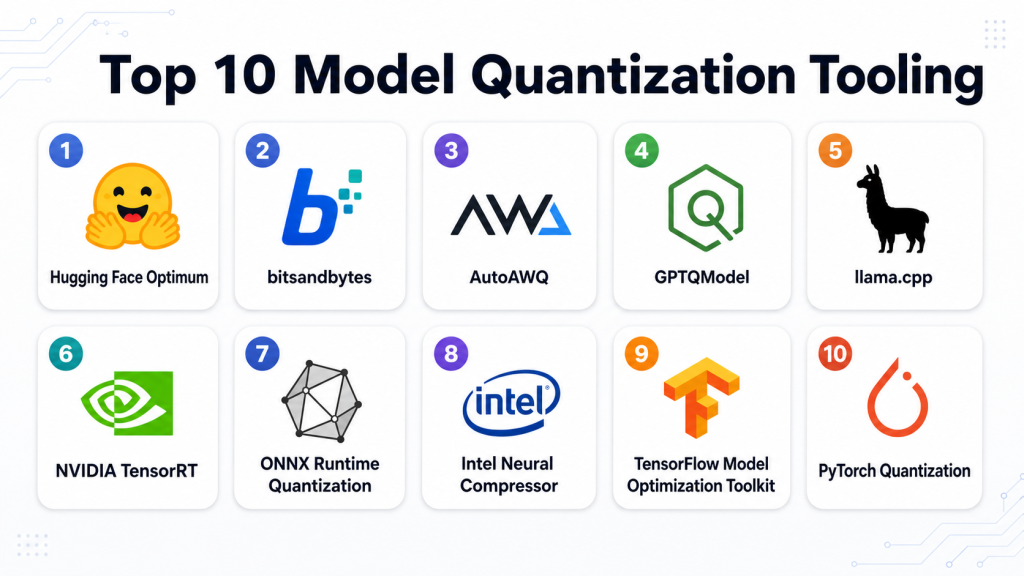
Top 10 Model Quantization Tooling
#1 — Hugging Face Optimum
One-line verdict: Best for developers optimizing Transformer models across multiple hardware and runtime backends.
Short description:
Hugging Face Optimum extends the Transformers ecosystem with optimization and quantization workflows. It is useful for teams that want to improve inference performance while staying close to Hugging Face models, datasets, and deployment patterns.
Standout Capabilities
- Supports performance optimization for Transformer-based models.
- Works with several hardware and runtime backends depending on configuration.
- Useful for quantization, acceleration, and export workflows.
- Fits naturally into Hugging Face model development pipelines.
- Helpful for teams using open-source LLMs and model hubs.
- Can support ONNX Runtime and hardware-specific optimization paths.
- Good for developers who want flexible model optimization.
- Strong ecosystem for experimentation and deployment preparation.
AI-Specific Depth
- Model support: Open-source and BYO Transformer models.
- RAG / knowledge integration: N/A; handled through external application architecture.
- Evaluation: External evaluation recommended; model benchmarking can be added.
- Guardrails: N/A; safety testing must be handled separately.
- Observability: Limited by default; external monitoring and experiment tracking recommended.
Pros
- Strong fit for Hugging Face-based AI teams.
- Flexible across multiple optimization backends.
- Useful for both experimentation and deployment preparation.
Cons
- Requires technical knowledge of models and runtime targets.
- Hardware-specific setup can become complex.
- Not a complete MLOps governance platform by itself.
Security & Compliance
Not publicly stated as a managed compliance platform. Security depends on the user’s infrastructure, model storage, access controls, data handling, and deployment environment.
Deployment & Platforms
- Python-based developer toolkit.
- Works in cloud, local, notebook, and enterprise ML environments.
- Best suited for Linux and GPU/CPU ML workflows.
- Deployment target depends on backend and model type.
Integrations & Ecosystem
Hugging Face Optimum works well with the broader Hugging Face ecosystem and common ML deployment stacks.
- Hugging Face Transformers
- Hugging Face Datasets
- ONNX Runtime workflows
- Hardware-specific optimization backends
- PyTorch workflows
- Model hub workflows
- Custom evaluation pipelines
Pricing Model
Open-source. Costs come from compute, storage, deployment infrastructure, managed services, and optional enterprise support.
Best-Fit Scenarios
- Optimizing Hugging Face Transformer models.
- Preparing models for efficient inference.
- Teams needing flexible backend-aware quantization workflows.
#2 — bitsandbytes
One-line verdict: Best for LLM teams needing practical low-bit loading and memory-efficient experimentation.
Short description:
bitsandbytes is widely used for low-bit model loading and efficient training-related workflows. It is especially useful for developers working with large language models that need reduced memory usage during experimentation or deployment.
Standout Capabilities
- Popular for 8-bit and 4-bit LLM workflows.
- Helps reduce GPU memory requirements.
- Works well with Hugging Face model loading patterns.
- Useful for experimentation with large models on limited hardware.
- Often used with parameter-efficient fine-tuning workflows.
- Good for developer-first LLM optimization.
- Supports practical model compression workflows.
- Strong community adoption in open-source LLM work.
AI-Specific Depth
- Model support: Open-source and BYO LLM workflows depending on compatibility.
- RAG / knowledge integration: N/A.
- Evaluation: External evaluation required.
- Guardrails: N/A.
- Observability: N/A; external tools recommended.
Pros
- Very useful for memory-constrained LLM workflows.
- Strong fit for open-source experimentation.
- Works well with common developer pipelines.
Cons
- Not a full enterprise model optimization platform.
- Hardware and compatibility details must be tested.
- Production serving may require additional tooling.
Security & Compliance
Not publicly stated as a managed compliance platform. Security depends on the user’s model storage, infrastructure, training data controls, and deployment setup.
Deployment & Platforms
- Python-based library.
- Commonly used in Linux and GPU-based environments.
- Self-managed deployment.
- Cloud or local usage depends on hardware compatibility.
Integrations & Ecosystem
bitsandbytes is commonly used inside open-source LLM workflows and integrates well with developer tooling.
- Hugging Face Transformers
- PEFT workflows
- PyTorch-based pipelines
- Notebook environments
- Fine-tuning workflows
- Custom inference scripts
- Open-source LLM projects
Pricing Model
Open-source. Costs are related to compute, GPU infrastructure, storage, and engineering time.
Best-Fit Scenarios
- Loading large LLMs with lower memory usage.
- Developer experimentation on limited GPU resources.
- Combining low-bit models with parameter-efficient fine-tuning.
#3 — AutoAWQ
One-line verdict: Best for teams using AWQ quantization for efficient LLM inference.
Short description:
AutoAWQ is a tooling option for applying activation-aware weight quantization to large language models. It is useful for teams trying to reduce LLM memory requirements while maintaining practical inference quality.
Standout Capabilities
- Focuses on AWQ-style LLM quantization.
- Useful for weight-only quantization workflows.
- Can help reduce memory footprint for large models.
- Good fit for inference-focused LLM optimization.
- Works with compatible open-source model workflows.
- Useful when teams want practical low-bit LLM deployment.
- Can support faster serving depending on runtime.
- Strong fit for technical AI teams.
AI-Specific Depth
- Model support: Open-source and BYO LLM workflows depending on compatibility.
- RAG / knowledge integration: N/A.
- Evaluation: External quality and benchmark testing required.
- Guardrails: N/A.
- Observability: N/A; production monitoring must be added separately.
Pros
- Focused on practical LLM quantization.
- Helps reduce inference memory requirements.
- Useful for teams optimizing open-source models.
Cons
- Requires technical setup and testing.
- Compatibility varies by model and serving runtime.
- Not a governance or monitoring platform.
Security & Compliance
Not publicly stated. Security depends on where the model, calibration data, and inference stack are hosted.
Deployment & Platforms
- Developer-focused tooling.
- Self-managed.
- Commonly used in Linux and GPU-based LLM environments.
- Deployment depends on serving stack compatibility.
Integrations & Ecosystem
AutoAWQ is typically used with open-source LLM workflows and compatible inference environments.
- Hugging Face model workflows
- Open-source LLMs
- GPU inference pipelines
- Quantized model export workflows
- Custom evaluation scripts
- Serving runtimes depending on compatibility
- Developer notebooks and scripts
Pricing Model
Open-source. Compute, engineering, and infrastructure costs are separate.
Best-Fit Scenarios
- Quantizing open-source LLMs for efficient inference.
- Teams needing lower memory usage on GPUs.
- Developers testing AWQ-based deployment strategies.
#4 — GPTQModel
One-line verdict: Best for developers needing GPTQ-style model compression and inference compatibility.
Short description:
GPTQModel is a toolkit for LLM quantization and model compression workflows. It is useful for teams applying GPTQ-style quantization to reduce model size and support more efficient inference.
Standout Capabilities
- Focuses on LLM model compression and quantization.
- Supports GPTQ-style workflows.
- Useful for CPU and GPU inference scenarios depending on configuration.
- Can work with Hugging Face-oriented workflows.
- Helpful for reducing model memory usage.
- Supports advanced quantization experimentation.
- Good for developer-led optimization pipelines.
- Can be part of production inference preparation.
AI-Specific Depth
- Model support: Open-source and BYO LLM workflows depending on compatibility.
- RAG / knowledge integration: N/A.
- Evaluation: External evaluation required.
- Guardrails: N/A.
- Observability: N/A; external tracing and monitoring required.
Pros
- Strong fit for GPTQ-based LLM quantization.
- Useful for reducing model size and inference cost.
- Developer-friendly for custom pipelines.
Cons
- Requires ML engineering knowledge.
- Model compatibility should be tested carefully.
- Enterprise security and governance must be handled separately.
Security & Compliance
Not publicly stated as a managed compliance platform. Security depends on infrastructure, access control, data storage, and deployment configuration.
Deployment & Platforms
- Developer toolkit.
- Self-managed deployment.
- Linux and GPU/CPU environments depending on configuration.
- Serving compatibility depends on model format and runtime.
Integrations & Ecosystem
GPTQModel fits into technical LLM workflows where teams need to compress and serve models efficiently.
- Hugging Face workflows
- Open-source LLMs
- Custom inference pipelines
- Quantized model export
- Evaluation scripts
- GPU and CPU runtime workflows
- Developer automation pipelines
Pricing Model
Open-source. Costs include compute, storage, engineering, and deployment infrastructure.
Best-Fit Scenarios
- GPTQ-based LLM quantization.
- Teams optimizing open-source models for inference.
- AI engineers testing multiple compression methods.
#5 — llama.cpp
One-line verdict: Best for running quantized LLMs locally, privately, and efficiently across devices.
Short description:
llama.cpp is a popular open-source project for running quantized LLMs efficiently on local machines and various hardware environments. It is especially useful for private inference, edge-style usage, and GGUF-based quantized model workflows.
Standout Capabilities
- Strong support for local quantized LLM inference.
- Commonly associated with GGUF model workflows.
- Useful for CPU-friendly and device-friendly deployment.
- Supports private local experimentation.
- Good fit for desktop, edge, and lightweight server usage.
- Helps run smaller or compressed LLMs without heavy infrastructure.
- Strong open-source community.
- Practical for offline and privacy-focused AI use cases.
AI-Specific Depth
- Model support: Open-source quantized LLM workflows.
- RAG / knowledge integration: N/A by default; can be integrated through applications.
- Evaluation: External evaluation required.
- Guardrails: N/A.
- Observability: Limited / N/A; external monitoring needed for production.
Pros
- Excellent for local quantized model inference.
- Useful for privacy-sensitive and offline workflows.
- Strong community adoption.
Cons
- Not a full enterprise AI platform.
- Advanced governance must be built separately.
- Model quality depends heavily on quantization level and source model.
Security & Compliance
Not publicly stated as a managed compliance platform. Security depends on local deployment, access controls, device management, and application design.
Deployment & Platforms
- Local and self-managed deployment.
- Commonly used across desktop, server, and edge-style environments.
- Platform support depends on build and hardware.
- Suitable for local inference workflows.
Integrations & Ecosystem
llama.cpp is widely used in local LLM ecosystems and can be integrated into private applications, developer tools, and lightweight inference systems.
- GGUF model workflows
- Local inference applications
- Developer APIs and wrappers
- Desktop AI tools
- Private assistant workflows
- Edge-style deployments
- Custom RAG applications
Pricing Model
Open-source. Costs depend on hardware, storage, engineering, and operational needs.
Best-Fit Scenarios
- Running quantized LLMs locally.
- Offline or privacy-first AI assistants.
- Lightweight inference on limited hardware.
#6 — NVIDIA TensorRT
One-line verdict: Best for high-performance GPU inference and hardware-accelerated quantized deployment.
Short description:
NVIDIA TensorRT is an inference optimization stack for deploying models efficiently on NVIDIA GPUs. It is useful for teams that need high-throughput, low-latency inference with quantization and hardware-specific acceleration.
Standout Capabilities
- Strong GPU inference optimization.
- Supports hardware-aware performance tuning.
- Useful for INT8 and lower-precision deployment workflows depending on model and setup.
- Good fit for computer vision, speech, recommender, and generative AI workloads.
- Can improve throughput and latency on NVIDIA infrastructure.
- Supports production deployment pipelines.
- Works with optimized engine-building workflows.
- Strong fit for enterprise-scale inference systems.
AI-Specific Depth
- Model support: Varies by framework, model type, and export path.
- RAG / knowledge integration: N/A.
- Evaluation: External evaluation and benchmarking required.
- Guardrails: N/A.
- Observability: Runtime monitoring depends on deployment stack.
Pros
- Strong performance on NVIDIA GPUs.
- Good for production inference optimization.
- Useful when latency and throughput are critical.
Cons
- Best suited for NVIDIA hardware environments.
- Setup can be complex for some models.
- Requires careful calibration and testing.
Security & Compliance
Not publicly stated as a managed compliance platform. Security depends on the deployment environment, cloud or on-prem infrastructure, access controls, and model serving architecture.
Deployment & Platforms
- GPU-accelerated deployment.
- Commonly used in Linux and server environments.
- Cloud, on-prem, and hybrid usage depends on infrastructure.
- Best fit for NVIDIA GPU production systems.
Integrations & Ecosystem
TensorRT fits into production AI serving workflows where performance matters.
- NVIDIA GPU infrastructure
- ONNX export workflows
- PyTorch and TensorFlow model paths
- Containerized deployment
- Triton Inference Server workflows
- Model benchmarking pipelines
- Enterprise inference systems
Pricing Model
Software availability and costs vary by NVIDIA ecosystem usage, infrastructure, support, and deployment model. GPU infrastructure cost is a major factor.
Best-Fit Scenarios
- High-throughput GPU inference.
- Production computer vision and LLM serving workflows.
- Enterprises standardizing on NVIDIA infrastructure.
#7 — ONNX Runtime Quantization
One-line verdict: Best for teams needing framework-neutral quantization and efficient cross-platform inference.
Short description:
ONNX Runtime quantization helps teams convert and optimize ONNX models for faster and more efficient inference. It is useful for teams that want a portable model format across frameworks and deployment environments.
Standout Capabilities
- Supports ONNX model optimization and quantization workflows.
- Useful for dynamic and static quantization.
- Works across multiple model sources after ONNX export.
- Good fit for cross-platform deployment.
- Helps reduce model size and improve inference efficiency.
- Useful for CPU and hardware-accelerated runtime scenarios.
- Supports production-oriented model serving workflows.
- Strong fit for teams using ONNX as an interoperability layer.
AI-Specific Depth
- Model support: ONNX-compatible models.
- RAG / knowledge integration: N/A.
- Evaluation: External task evaluation and benchmarking required.
- Guardrails: N/A.
- Observability: Runtime monitoring depends on deployment stack.
Pros
- Framework-neutral deployment path.
- Good for production inference optimization.
- Useful across CPU and accelerator environments.
Cons
- Requires successful ONNX export.
- Some models may need graph fixes or compatibility testing.
- LLM-specific workflows may need additional tooling.
Security & Compliance
Not publicly stated as a managed compliance platform. Security depends on the hosting environment, runtime deployment, access control, and operational policies.
Deployment & Platforms
- Cross-platform runtime.
- Works in cloud, on-prem, desktop, and edge-style environments depending on configuration.
- Supports CPU and accelerator execution providers.
- Self-managed deployment.
Integrations & Ecosystem
ONNX Runtime works well in production environments where teams want portability and optimized inference.
- ONNX model format
- PyTorch export workflows
- TensorFlow export workflows
- CPU inference
- Hardware execution providers
- Production serving systems
- Benchmarking and profiling workflows
Pricing Model
Open-source. Costs come from infrastructure, compute, engineering, and enterprise support where applicable.
Best-Fit Scenarios
- Framework-neutral quantized inference.
- Cross-platform AI deployment.
- Teams standardizing around ONNX model artifacts.
#8 — Intel Neural Compressor
One-line verdict: Best for CPU-focused and hardware-aware quantization in production inference pipelines.
Short description:
Intel Neural Compressor helps optimize models through quantization and compression workflows. It is especially useful for teams running models on CPU-heavy infrastructure or Intel hardware environments.
Standout Capabilities
- Supports model compression and quantization workflows.
- Useful for CPU and hardware-aware optimization.
- Can help reduce inference latency and resource usage.
- Works with supported ML frameworks and model types.
- Good for production performance tuning.
- Supports validation-oriented optimization workflows.
- Useful for enterprise CPU inference workloads.
- Can be combined with broader MLOps pipelines.
AI-Specific Depth
- Model support: Varies by framework and model compatibility.
- RAG / knowledge integration: N/A.
- Evaluation: Accuracy validation workflows may be included; task evaluation recommended.
- Guardrails: N/A.
- Observability: External monitoring recommended.
Pros
- Strong for CPU-based inference optimization.
- Useful for reducing production infrastructure cost.
- Good fit for hardware-aware deployment.
Cons
- Not a full LLM application platform.
- Model compatibility should be tested.
- Best value depends on deployment environment.
Security & Compliance
Not publicly stated as a managed compliance platform. Security depends on the user’s infrastructure, access controls, model storage, and deployment process.
Deployment & Platforms
- Developer toolkit.
- Self-managed.
- Cloud, on-prem, and edge use depending on infrastructure.
- Best fit for supported CPU and hardware environments.
Integrations & Ecosystem
Intel Neural Compressor fits into model optimization pipelines where efficient inference is a priority.
- Supported ML frameworks
- Quantization workflows
- Compression pipelines
- CPU inference optimization
- Benchmarking workflows
- Model validation processes
- Enterprise deployment pipelines
Pricing Model
Open-source. Costs depend on compute, infrastructure, engineering, and support.
Best-Fit Scenarios
- CPU-heavy inference workloads.
- Enterprises optimizing serving cost.
- Teams combining quantization with production benchmarking.
#9 — TensorFlow Model Optimization Toolkit
One-line verdict: Best for TensorFlow teams optimizing models for mobile, edge, and efficient serving.
Short description:
TensorFlow Model Optimization Toolkit supports model optimization workflows such as quantization and pruning. It is useful for teams working with TensorFlow models that need smaller size, faster inference, or deployment to constrained environments.
Standout Capabilities
- Strong fit for TensorFlow and Keras workflows.
- Supports quantization-aware training and post-training optimization patterns.
- Useful for mobile and edge deployment.
- Works well with TensorFlow Lite workflows.
- Helps reduce model size and improve inference efficiency.
- Good for embedded AI and device-side ML.
- Useful for production teams already using TensorFlow.
- Can combine quantization with other compression methods.
AI-Specific Depth
- Model support: TensorFlow and Keras model workflows.
- RAG / knowledge integration: N/A.
- Evaluation: External task evaluation recommended.
- Guardrails: N/A.
- Observability: N/A; production monitoring must be added separately.
Pros
- Strong option for TensorFlow-based model optimization.
- Useful for mobile and edge AI.
- Supports practical compression workflows.
Cons
- Less suited for open-source LLM workflows than LLM-specific tools.
- Requires TensorFlow expertise.
- Governance and monitoring must be handled separately.
Security & Compliance
Not publicly stated as a managed compliance platform. Security depends on development infrastructure, data handling, deployment environment, and access controls.
Deployment & Platforms
- Developer toolkit.
- Works in TensorFlow-compatible environments.
- Supports cloud, local, mobile, and edge workflows depending on model.
- Self-managed deployment.
Integrations & Ecosystem
TensorFlow Model Optimization Toolkit works naturally inside TensorFlow pipelines.
- TensorFlow
- Keras
- TensorFlow Lite
- Mobile deployment workflows
- Edge AI workflows
- Custom training pipelines
- Evaluation and benchmarking scripts
Pricing Model
Open-source. Costs come from compute, engineering, infrastructure, and deployment operations.
Best-Fit Scenarios
- TensorFlow model quantization.
- Mobile and edge AI deployment.
- Teams using quantization-aware training.
#10 — PyTorch Quantization
One-line verdict: Best for PyTorch teams building custom quantization workflows with full engineering control.
Short description:
PyTorch quantization tooling supports model optimization workflows for teams using PyTorch. It is useful for developers who need control over model architecture, calibration, quantization-aware training, and production preparation.
Standout Capabilities
- Native fit for PyTorch model development.
- Supports custom quantization workflows.
- Useful for post-training quantization and quantization-aware training patterns.
- Good for research and production experimentation.
- Flexible for custom model architectures.
- Works with broader PyTorch ecosystem tools.
- Useful for CPU and deployment optimization depending on backend.
- Strong fit for teams needing full control.
AI-Specific Depth
- Model support: PyTorch and custom model workflows.
- RAG / knowledge integration: N/A.
- Evaluation: External evaluation and benchmarking required.
- Guardrails: N/A.
- Observability: External tracking and monitoring recommended.
Pros
- Highly flexible for custom models.
- Good fit for PyTorch-native teams.
- Strong research and production ecosystem.
Cons
- Requires engineering expertise.
- LLM-specific deployment may need additional tools.
- Production governance must be built separately.
Security & Compliance
Not publicly stated as a managed compliance platform. Security depends on infrastructure, access controls, training data handling, and deployment configuration.
Deployment & Platforms
- Python-based framework tooling.
- Works on Linux, macOS, Windows, cloud, and local environments.
- Self-managed deployment.
- Backend support depends on model and runtime target.
Integrations & Ecosystem
PyTorch quantization fits into flexible ML engineering workflows.
- PyTorch training pipelines
- TorchScript and export workflows
- ONNX export paths
- Custom benchmarking
- Model serving systems
- Experiment tracking tools
- MLOps pipelines
Pricing Model
Open-source. Costs include compute, infrastructure, engineering, and operational support.
Best-Fit Scenarios
- Custom PyTorch model quantization.
- Research-to-production optimization.
- Teams needing control over quantization strategy.
Comparison Table
| Tool Name | Best For | Deployment | Model Flexibility | Strength | Watch-Out | Public Rating |
|---|---|---|---|---|---|---|
| Hugging Face Optimum | Transformer optimization | Self-managed / Cloud | Open-source / BYO | Broad optimization ecosystem | Backend complexity | N/A |
| bitsandbytes | Low-bit LLM workflows | Self-managed | Open-source / BYO | Memory-efficient loading | Compatibility testing needed | N/A |
| AutoAWQ | AWQ LLM quantization | Self-managed | Open-source / BYO | Efficient weight quantization | Technical setup required | N/A |
| GPTQModel | GPTQ model compression | Self-managed | Open-source / BYO | LLM compression workflows | Requires ML expertise | N/A |
| llama.cpp | Local quantized inference | Local / Self-managed | Open-source | Private local serving | Not full MLOps platform | N/A |
| NVIDIA TensorRT | GPU inference acceleration | Cloud / On-prem / Hybrid | Varies | High-performance GPU serving | NVIDIA-focused setup | N/A |
| ONNX Runtime Quantization | Cross-platform inference | Self-managed / Hybrid | ONNX-compatible | Framework portability | Export issues possible | N/A |
| Intel Neural Compressor | CPU inference optimization | Self-managed | Varies | Hardware-aware compression | Best for supported hardware | N/A |
| TensorFlow Model Optimization Toolkit | TensorFlow edge deployment | Self-managed | TensorFlow models | Mobile and edge optimization | Less LLM-specific | N/A |
| PyTorch Quantization | Custom PyTorch workflows | Self-managed | PyTorch / BYO | Full engineering control | Requires expertise | N/A |
Scoring & Evaluation
This scoring is comparative, not absolute. It reflects practical fit for model quantization workflows across LLMs, classic ML models, edge deployment, production inference, and developer flexibility. Scores may vary depending on model type, hardware, runtime, accuracy requirements, and team maturity. Open-source tools often score higher for flexibility, while hardware-specific tools score higher for performance. Buyers should run controlled tests on real workloads before choosing a final stack.
| Tool | Core | Reliability/Eval | Guardrails | Integrations | Ease | Perf/Cost | Security/Admin | Support | Weighted Total |
|---|---|---|---|---|---|---|---|---|---|
| Hugging Face Optimum | 9 | 7 | 4 | 9 | 7 | 8 | 6 | 8 | 7.35 |
| bitsandbytes | 8 | 6 | 3 | 8 | 7 | 9 | 5 | 8 | 6.95 |
| AutoAWQ | 8 | 6 | 3 | 7 | 6 | 9 | 5 | 7 | 6.65 |
| GPTQModel | 8 | 6 | 3 | 7 | 6 | 9 | 5 | 7 | 6.65 |
| llama.cpp | 8 | 6 | 3 | 8 | 7 | 9 | 6 | 8 | 7.00 |
| NVIDIA TensorRT | 9 | 7 | 4 | 8 | 5 | 10 | 7 | 8 | 7.45 |
| ONNX Runtime Quantization | 8 | 7 | 4 | 9 | 7 | 8 | 6 | 8 | 7.25 |
| Intel Neural Compressor | 8 | 7 | 4 | 8 | 6 | 9 | 6 | 7 | 7.05 |
| TensorFlow Model Optimization Toolkit | 8 | 6 | 4 | 8 | 7 | 8 | 6 | 8 | 7.00 |
| PyTorch Quantization | 8 | 6 | 4 | 8 | 6 | 8 | 6 | 9 | 6.95 |
Top 3 for Enterprise
- NVIDIA TensorRT
- ONNX Runtime Quantization
- Hugging Face Optimum
Top 3 for SMB
- Hugging Face Optimum
- llama.cpp
- TensorFlow Model Optimization Toolkit
Top 3 for Developers
- Hugging Face Optimum
- bitsandbytes
- PyTorch Quantization
Which Model Quantization Tool Is Right for You
Solo / Freelancer
Solo developers should start with llama.cpp, bitsandbytes, or Hugging Face Optimum. These tools are practical, developer-friendly, and useful for testing quantized LLMs without building a heavy enterprise stack.
If you want local private inference, llama.cpp is a strong choice. If you want to load larger open-source LLMs on limited GPU memory, bitsandbytes is practical. If you work mainly with Hugging Face models, Optimum gives you a broader optimization path.
SMB
SMBs should focus on tools that reduce cost without creating too much operational complexity. Hugging Face Optimum, ONNX Runtime Quantization, and TensorFlow Model Optimization Toolkit are strong options depending on the model framework.
If your team is deploying LLMs locally or internally, llama.cpp can be useful. If you are serving production models on GPUs, consider whether TensorRT fits your infrastructure.
Mid-Market
Mid-market teams often need stronger evaluation, serving compatibility, and hardware-aware optimization. ONNX Runtime Quantization is useful for portable deployment, while NVIDIA TensorRT is strong for high-performance GPU inference. Intel Neural Compressor can work well for CPU-heavy environments.
At this stage, teams should create formal benchmarks for latency, cost, memory, throughput, and model quality. Quantization should be part of the production AI lifecycle, not a one-time experiment.
Enterprise
Enterprises should evaluate NVIDIA TensorRT, ONNX Runtime Quantization, Intel Neural Compressor, and Hugging Face Optimum based on infrastructure strategy. Enterprises running high-volume inference on NVIDIA GPUs will often prioritize TensorRT, while teams needing framework portability may prefer ONNX Runtime.
Enterprise teams should also track model lineage, quantization method, calibration dataset, evaluation results, approval history, and rollback plans. Quantized models should go through the same governance process as full-precision models.
Regulated industries
Finance, healthcare, insurance, legal, and public sector teams should be careful when calibration data or evaluation data includes sensitive information. Quantization itself may not expose data, but the workflow around it can involve production examples, logs, or private model artifacts.
Regulated teams should verify access controls, encryption, retention policies, audit logs, deployment boundaries, and model export controls. Self-managed tools may offer stronger control, but they require stronger internal security discipline.
Budget vs premium
Budget-conscious teams can start with open-source tools such as llama.cpp, bitsandbytes, AutoAWQ, GPTQModel, PyTorch Quantization, and TensorFlow Model Optimization Toolkit. These reduce software cost but require engineering time.
Premium or infrastructure-specific paths such as NVIDIA TensorRT may require more specialized skills and hardware investment, but they can deliver strong performance improvements at scale.
Build vs buy
Build your own quantization workflow when you need custom model support, full control, internal deployment, and detailed benchmarking. Use existing toolkits when they already support your model, runtime, and hardware target.
A practical approach is to test multiple tools against the same model and dataset. Choose the one that gives the best balance of accuracy, latency, memory savings, serving compatibility, and operational simplicity.
Implementation Playbook
30 Days: Pilot and Success Metrics
- Choose one model that has clear cost, latency, or memory pressure.
- Define the target deployment environment such as CPU, GPU, mobile, edge, or local desktop.
- Select two or three quantization tools that match your framework and runtime.
- Build a baseline using the original full-precision model.
- Measure accuracy, latency, throughput, memory usage, and cost per request.
- Create a small evaluation dataset using real production-like prompts or inputs.
- Run post-training quantization first if it is suitable.
- Compare different quantization levels such as INT8, INT4, FP8, GPTQ, AWQ, or GGUF where relevant.
- Document the quantization method, model version, calibration data, and evaluation result.
- Decide whether the quality trade-off is acceptable.
60 Days: Harden Security, Evaluation, and Rollout
- Add regression tests for high-value and high-risk use cases.
- Test hallucination, refusal behavior, safety behavior, and domain-specific accuracy.
- Create a rollback plan to switch back to the original model if needed.
- Add monitoring for latency, throughput, memory, cost, and error rate.
- Check whether the quantized model works with the intended serving runtime.
- Validate compatibility across hardware targets.
- Add version control for quantization configs and model artifacts.
- Review data retention and access controls for calibration and test datasets.
- Run limited production traffic through the quantized model.
- Compare quantization with alternatives such as distillation, pruning, caching, and model routing.
90 Days: Optimize Cost, Governance, and Scale
- Expand quantization to additional models only after the first use case proves value.
- Create a standard evaluation template for all quantized models.
- Define approval gates before any quantized model reaches production.
- Track model lineage from original model to quantized artifact.
- Add automated benchmark runs to CI/CD pipelines.
- Monitor drift and quality degradation over time.
- Use fallback routing for difficult requests that require the full-precision model.
- Combine quantization with batching, caching, and optimized serving.
- Review infrastructure savings against engineering effort.
- Scale across teams with documented best practices.
Common Mistakes & How to Avoid Them
- Quantizing without a baseline: Always measure original model quality and performance first.
- Only testing average accuracy: Check edge cases, safety behavior, hallucinations, and domain-specific tasks.
- Choosing the lowest precision too quickly: Lower precision saves memory but may harm quality.
- Ignoring hardware compatibility: A quantized format is only useful if your runtime can serve it efficiently.
- No calibration strategy: Some methods need representative calibration data to preserve accuracy.
- Using sensitive calibration data carelessly: Treat calibration and eval data as production-sensitive.
- No rollback plan: Keep the full-precision model available until the quantized model is proven stable.
- Assuming all models quantize equally well: Architecture, task type, and data distribution matter.
- Skipping latency testing under real load: Lab results may not match production traffic.
- Ignoring observability: Track cost, latency, memory, errors, and quality after rollout.
- Forgetting model lineage: Document source model, quantization method, config, and evaluation results.
- Over-optimizing too early: Start with the simplest method that meets quality and performance goals.
- Treating quantization as a security feature: Quantization improves efficiency, not data protection.
- Not comparing alternatives: Distillation, pruning, caching, and routing may solve the problem better in some cases.
FAQs
1. What is model quantization?
Model quantization reduces the precision of model weights or activations to make the model smaller and faster. It is commonly used to lower memory usage, reduce inference cost, and improve deployment efficiency.
2. Why is quantization important for LLMs?
LLMs are large and expensive to run. Quantization helps reduce GPU memory requirements and can make it easier to run larger models on smaller hardware or serve more requests with the same infrastructure.
3. What is post-training quantization?
Post-training quantization applies quantization after a model has already been trained. It is popular because it can improve efficiency without requiring full retraining.
4. What is quantization-aware training?
Quantization-aware training simulates lower precision during training so the model can adapt to quantization effects. It is useful when accuracy preservation is very important.
5. What is INT8 quantization?
INT8 quantization represents model values using 8-bit integers instead of higher-precision formats. It is widely used for efficient inference with relatively controlled accuracy loss.
6. What is INT4 quantization?
INT4 quantization uses 4-bit values, making models much smaller. It can save significant memory, but teams must test carefully because quality loss can be higher.
7. What is FP8 quantization?
FP8 uses 8-bit floating point formats. It is often used in modern accelerated AI workflows where teams want better performance while preserving useful numeric range.
8. Does quantization reduce model quality?
It can. The impact depends on the model, task, quantization method, calibration data, and precision level. Teams should always evaluate before production rollout.
9. Can quantized models be fine-tuned?
Sometimes. Some workflows support fine-tuning quantized models or adapter-based training, while others are inference-only. Buyers should verify this based on the specific tool and format.
10. Is quantization better than distillation?
They solve different problems. Quantization compresses numerical representation, while distillation trains a smaller model to imitate a larger one. Many teams use both together.
11. Can quantization help edge AI?
Yes. Quantization is one of the most important techniques for mobile, desktop, embedded, and edge deployment because it reduces memory and compute requirements.
12. What should I test after quantization?
Test accuracy, latency, throughput, memory usage, cost, hallucination rate, refusal behavior, safety behavior, and domain-specific performance.
13. Is quantization safe for regulated industries?
It can be used safely, but the workflow must protect sensitive data. Calibration data, evaluation data, model artifacts, and deployment logs should follow governance policies.
14. Which quantization tool is best for developers?
For developers, Hugging Face Optimum, bitsandbytes, llama.cpp, PyTorch Quantization, and AutoAWQ are strong options depending on the model and deployment target.
Conclusion
Model quantization tooling is essential for teams that want AI systems to run faster, cost less, and fit into real-world deployment environments. The best tool depends on your model type, framework, hardware, serving stack, and quality requirements. Hugging Face Optimum is strong for Transformer optimization, bitsandbytes is practical for memory-efficient LLM workflows, llama.cpp is excellent for local quantized inference, TensorRT is powerful for NVIDIA GPU acceleration, and ONNX Runtime is useful for portable production deploymen

Find Trusted Cardiac Hospitals
Compare heart hospitals by city and services — all in one place.
Explore Hospitals
An excellent guide to model quantization that makes choosing the right tool for performance optimization much simpler.