
Introduction
GPU Scheduling for Inference Platforms helps organizations efficiently allocate, share, prioritize, and optimize GPU resources for AI inference workloads. As LLMs, generative AI systems, recommendation engines, computer vision pipelines, and multimodal applications scale rapidly, GPU infrastructure has become one of the most expensive and constrained resources in modern AI operations. GPU scheduling platforms ensure that inference workloads use compute resources efficiently while minimizing latency, avoiding GPU starvation, and controlling infrastructure costs.
Modern GPU schedulers go far beyond simple workload placement. These platforms now support dynamic GPU partitioning, queue-aware scheduling, multi-tenant isolation, autoscaling, MIG allocation, preemption policies, workload prioritization, batch optimization, and intelligent routing across heterogeneous GPU clusters. Real-world use cases include allocating GPUs for LLM serving, balancing inference traffic across clusters, preventing idle GPU waste, managing burst traffic for AI APIs, optimizing shared AI infrastructure, and orchestrating large-scale enterprise inference environments.
Organizations evaluating these tools should focus on GPU utilization efficiency, Kubernetes support, autoscaling integration, queue management, observability, cost optimization, multi-tenant isolation, scheduling fairness, cluster portability, and governance controls.
Best for: AI infrastructure teams, MLOps engineers, cloud platform teams, enterprises running large-scale inference workloads, and organizations managing shared GPU clusters
Not ideal for: CPU-only AI workloads, small local experiments, or teams without production-scale GPU inference systems
What’s Changed in GPU Scheduling for Inference Platforms
- GPU scheduling shifted from training optimization toward inference optimization
- Multi-tenant GPU sharing became critical for enterprise AI platforms
- MIG partitioning improved GPU utilization efficiency
- Queue-aware scheduling became standard for bursty inference traffic
- Continuous batching improved throughput for LLM inference
- GPU-aware autoscaling integrated directly into scheduling systems
- AI infrastructure increasingly combines orchestration and scheduling
- GPU fragmentation reduction became a major optimization goal
- Inference workloads now require latency-aware scheduling policies
- Serverless GPU inference platforms gained adoption
- AI-specific observability expanded to include token and queue metrics
- Scheduling systems increasingly support heterogeneous GPU clusters
Quick Buyer Checklist
- GPU-aware scheduling support
- Kubernetes integration
- Multi-tenant GPU isolation
- Autoscaling compatibility
- Queue-based scheduling
- MIG and GPU partitioning support
- GPU utilization observability
- Batch optimization capabilities
- Cost and resource monitoring
- Multi-cluster support
- Governance and RBAC controls
- Hybrid and multi-cloud deployment flexibility
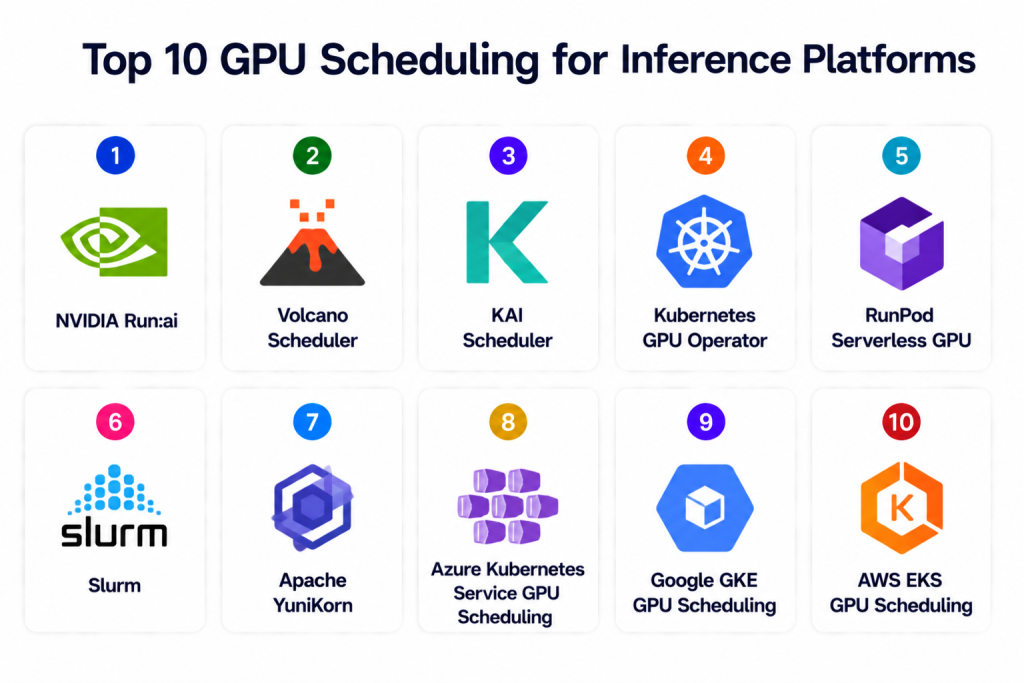
Top 10 GPU Scheduling for Inference Platforms
1 — NVIDIA Run:ai
One-line verdict: Best overall enterprise GPU scheduler for large-scale AI inference and multi-tenant GPU orchestration.
Short description: Run:ai provides Kubernetes-native GPU scheduling, workload orchestration, GPU sharing, and resource optimization for AI inference and training workloads. It helps organizations maximize GPU utilization while maintaining workload isolation and scalability.
Standout Capabilities
- GPU virtualization and pooling
- Dynamic GPU allocation
- Multi-tenant scheduling
- MIG support
- Queue-aware scheduling
- Kubernetes-native orchestration
- GPU utilization optimization
AI-Specific Depth
- Model support: Framework agnostic
- RAG / knowledge integration: N/A
- Evaluation: Infrastructure analytics
- Guardrails: Quotas and workload isolation
- Observability: GPU utilization dashboards
Pros
- Excellent enterprise GPU utilization
- Strong multi-tenant controls
- Powerful scheduling policies
Cons
- Enterprise-focused pricing
- Requires Kubernetes expertise
- Advanced configuration complexity
Security & Compliance
RBAC, namespace isolation, workload quotas, encryption, and enterprise governance controls. Certifications are not publicly stated.
Deployment & Platforms
Cloud, on-prem, hybrid, Kubernetes.
Integrations & Ecosystem
- Kubernetes
- NVIDIA GPUs
- Prometheus
- Grafana
- AI pipelines
- Monitoring systems
Pricing Model
Enterprise subscription.
Best-Fit Scenarios
- Shared enterprise GPU clusters
- Multi-team AI infrastructure
- Large-scale inference orchestration
2 — Volcano Scheduler
One-line verdict: Best open-source Kubernetes scheduler for batch AI and GPU workload orchestration.
Short description: Volcano extends Kubernetes scheduling for AI and batch workloads with GPU-aware scheduling, queues, priorities, and gang scheduling support.
Standout Capabilities
- GPU-aware Kubernetes scheduling
- Gang scheduling
- Queue-based workload orchestration
- Resource quotas
- Batch inference support
- Fair-share scheduling
- Elastic workload management
AI-Specific Depth
- Model support: Framework agnostic
- RAG / knowledge integration: N/A
- Evaluation: Resource utilization analytics
- Guardrails: Quotas and priorities
- Observability: Kubernetes monitoring integrations
Pros
- Strong Kubernetes integration
- Excellent batch workload scheduling
- Open-source flexibility
Cons
- Requires Kubernetes expertise
- Limited enterprise UI
- Observability requires external tooling
Security & Compliance
Kubernetes RBAC, quotas, namespace isolation, infrastructure-level encryption.
Deployment & Platforms
Cloud, on-prem, hybrid, Kubernetes.
Integrations & Ecosystem
- Kubernetes
- Prometheus
- Grafana
- AI orchestration stacks
- CI/CD pipelines
Pricing Model
Open-source.
Best-Fit Scenarios
- Batch inference clusters
- Kubernetes-native GPU scheduling
- Multi-team workload fairness
3 — KAI Scheduler
One-line verdict: Best for Kubernetes AI inference scheduling with advanced GPU optimization policies.
Short description: KAI Scheduler focuses on AI-specific GPU scheduling for Kubernetes environments with workload balancing, GPU sharing, and latency-aware orchestration.
Standout Capabilities
- AI workload-aware scheduling
- GPU sharing
- Latency-aware placement
- Resource balancing
- Queue prioritization
- GPU utilization optimization
- Kubernetes-native deployment
AI-Specific Depth
- Model support: Framework agnostic
- RAG / knowledge integration: N/A
- Evaluation: Infrastructure metrics
- Guardrails: Policy enforcement
- Observability: Scheduling dashboards
Pros
- AI-focused scheduling policies
- Good resource balancing
- Flexible Kubernetes integration
Cons
- Smaller ecosystem
- Requires infrastructure expertise
- Limited enterprise support
Security & Compliance
RBAC, Kubernetes policies, workload isolation. Certifications are not publicly stated.
Deployment & Platforms
Cloud, on-prem, hybrid, Kubernetes.
Integrations & Ecosystem
- Kubernetes
- GPU clusters
- Monitoring systems
- AI pipelines
Pricing Model
Open-source / enterprise support varies.
Best-Fit Scenarios
- AI-focused Kubernetes scheduling
- Shared GPU clusters
- Latency-sensitive inference
4 — Kubernetes GPU Operator
One-line verdict: Best foundational GPU management layer for Kubernetes-based inference infrastructure.
Short description: NVIDIA GPU Operator automates deployment and lifecycle management of GPU software components in Kubernetes environments, simplifying inference infrastructure management.
Standout Capabilities
- Automated GPU driver deployment
- GPU lifecycle management
- Kubernetes-native GPU operations
- MIG configuration support
- Monitoring integrations
- GPU resource provisioning
- Cluster-wide GPU orchestration
AI-Specific Depth
- Model support: Framework agnostic
- RAG / knowledge integration: N/A
- Evaluation: GPU telemetry integrations
- Guardrails: Kubernetes security policies
- Observability: GPU monitoring metrics
Pros
- Simplifies GPU operations
- Strong Kubernetes compatibility
- Reduces operational complexity
Cons
- Not a full scheduling platform
- Requires Kubernetes expertise
- Limited orchestration logic
Security & Compliance
Kubernetes RBAC, secure driver lifecycle management, infrastructure encryption support.
Deployment & Platforms
Cloud, on-prem, hybrid, Kubernetes.
Integrations & Ecosystem
- Kubernetes
- NVIDIA ecosystem
- Prometheus
- GPU monitoring stacks
Pricing Model
Open-source.
Best-Fit Scenarios
- Kubernetes GPU operations
- Cluster lifecycle automation
- GPU infrastructure management
5 — RunPod Serverless GPU
One-line verdict: Best serverless GPU platform for cost-efficient inference scaling.
Short description: RunPod provides serverless GPU infrastructure optimized for AI inference workloads with autoscaling, batching, and dynamic GPU allocation.
Standout Capabilities
- Serverless GPU inference
- Dynamic scaling
- Cost-efficient GPU allocation
- LLM inference optimization
- Batch processing support
- GPU autoscaling
- Flexible deployment workflows
AI-Specific Depth
- Model support: Open-source and BYO models
- RAG / knowledge integration: Compatible with AI pipelines
- Evaluation: Infrastructure monitoring
- Guardrails: Resource quotas and scaling policies
- Observability: Compute and utilization dashboards
Pros
- Flexible GPU scaling
- Strong cost optimization
- Good LLM support
Cons
- Infrastructure-focused platform
- Governance tooling limited
- Requires deployment expertise
Security & Compliance
Infrastructure-level access controls, encryption, and workload isolation.
Deployment & Platforms
Cloud.
Integrations & Ecosystem
- vLLM
- Kubernetes
- AI frameworks
- Monitoring systems
Pricing Model
Usage-based.
Best-Fit Scenarios
- Cost-efficient GPU inference
- Burst traffic AI systems
- LLM-serving workloads
6 — Slurm
One-line verdict: Best traditional HPC scheduler adapted for large GPU inference clusters.
Short description: Slurm is a widely used workload manager for high-performance computing environments and is increasingly used for GPU-heavy AI workloads.
Standout Capabilities
- Queue-based scheduling
- Resource allocation
- GPU cluster management
- Multi-user orchestration
- Workload prioritization
- Job scheduling policies
- Large-scale cluster support
AI-Specific Depth
- Model support: Framework agnostic
- RAG / knowledge integration: N/A
- Evaluation: Cluster utilization metrics
- Guardrails: Quotas and scheduling policies
- Observability: Cluster telemetry
Pros
- Proven at massive scale
- Strong HPC scheduling capabilities
- Flexible workload controls
Cons
- Complex administration
- Less cloud-native than Kubernetes
- Steeper learning curve
Security & Compliance
User isolation, quotas, infrastructure-level access controls.
Deployment & Platforms
On-prem, hybrid, HPC clusters.
Integrations & Ecosystem
- HPC infrastructure
- GPU clusters
- Monitoring systems
- Batch pipelines
Pricing Model
Open-source.
Best-Fit Scenarios
- Large GPU clusters
- HPC-style inference workloads
- Multi-user AI environments
7 — Apache YuniKorn
One-line verdict: Best lightweight scheduler for multi-tenant AI workloads on Kubernetes.
Short description: Apache YuniKorn provides lightweight scheduling for distributed workloads with fairness policies and resource guarantees.
Standout Capabilities
- Fair-share scheduling
- Multi-tenant support
- Queue management
- Resource guarantees
- Kubernetes-native deployment
- Flexible scheduling policies
- Lightweight architecture
AI-Specific Depth
- Model support: Framework agnostic
- RAG / knowledge integration: N/A
- Evaluation: Resource monitoring integrations
- Guardrails: Queue and quota controls
- Observability: Metrics integrations
Pros
- Lightweight scheduling layer
- Strong fairness controls
- Good multi-tenant support
Cons
- Smaller ecosystem
- Limited AI-specific features
- Requires Kubernetes management
Security & Compliance
Kubernetes RBAC, quotas, namespace isolation.
Deployment & Platforms
Cloud, hybrid, on-prem, Kubernetes.
Integrations & Ecosystem
- Kubernetes
- Monitoring systems
- Distributed compute stacks
Pricing Model
Open-source.
Best-Fit Scenarios
- Multi-tenant AI clusters
- Fair-share inference workloads
- Lightweight scheduling needs
8 — Azure Kubernetes Service GPU Scheduling
One-line verdict: Best Azure-native GPU orchestration for enterprise inference workloads.
Short description: AKS GPU scheduling combines Kubernetes GPU support, autoscaling, monitoring, and cloud-native orchestration for AI inference systems.
Standout Capabilities
- Managed Kubernetes GPU support
- GPU autoscaling
- Azure-native monitoring
- Enterprise governance
- Managed cluster operations
- Workload isolation
- Integration with Azure AI ecosystem
AI-Specific Depth
- Model support: Azure ecosystem and BYO models
- RAG / knowledge integration: Azure integrations
- Evaluation: Azure monitoring workflows
- Guardrails: IAM and policy enforcement
- Observability: Azure dashboards
Pros
- Managed Kubernetes experience
- Strong Azure integrations
- Enterprise governance controls
Cons
- Azure lock-in
- Pricing complexity
- Less portable than open-source stacks
Security & Compliance
IAM, encryption, audit logging, Azure governance ecosystem.
Deployment & Platforms
Azure cloud.
Integrations & Ecosystem
- AKS
- Azure ML
- Azure Monitor
- CI/CD systems
Pricing Model
Usage-based cloud pricing.
Best-Fit Scenarios
- Azure-native AI systems
- Managed Kubernetes GPU clusters
- Enterprise AI workloads
9 — Google GKE GPU Scheduling
One-line verdict: Best managed Kubernetes GPU scheduling platform for Google Cloud AI workloads.
Short description: GKE GPU scheduling provides managed Kubernetes orchestration with autoscaling, GPU node pools, and AI workload optimization.
Standout Capabilities
- Managed GPU node pools
- Autoscaling support
- Kubernetes-native orchestration
- Cloud-native monitoring
- GPU resource allocation
- AI workload optimization
- Multi-zone cluster support
AI-Specific Depth
- Model support: Google ecosystem and BYO models
- RAG / knowledge integration: Google Cloud integrations
- Evaluation: GCP monitoring workflows
- Guardrails: IAM and governance policies
- Observability: Cloud dashboards
Pros
- Strong Kubernetes integration
- Managed GPU infrastructure
- Good cloud scalability
Cons
- GCP lock-in
- Cost scaling complexity
- Less flexible outside GCP
Security & Compliance
IAM, encryption, audit logging, Google Cloud governance controls.
Deployment & Platforms
Google Cloud.
Integrations & Ecosystem
- GKE
- Vertex AI
- Cloud Monitoring
- CI/CD systems
Pricing Model
Usage-based cloud pricing.
Best-Fit Scenarios
- GCP-native AI infrastructure
- Managed GPU clusters
- Enterprise inference systems
10 — AWS EKS GPU Scheduling
One-line verdict: Best managed AWS GPU orchestration platform for scalable inference clusters.
Short description: AWS EKS GPU scheduling provides Kubernetes-based GPU orchestration integrated with AWS infrastructure and autoscaling services.
Standout Capabilities
- Managed Kubernetes GPU support
- GPU node autoscaling
- Cloud-native orchestration
- Integration with AWS AI ecosystem
- Workload isolation
- Monitoring and observability
- Multi-zone cluster support
AI-Specific Depth
- Model support: AWS ecosystem and BYO models
- RAG / knowledge integration: AWS integrations
- Evaluation: CloudWatch workflows
- Guardrails: IAM and policy controls
- Observability: AWS monitoring dashboards
Pros
- Strong AWS ecosystem integration
- Managed Kubernetes operations
- Enterprise security controls
Cons
- AWS lock-in
- Pricing complexity
- Requires Kubernetes expertise
Security & Compliance
IAM, encryption, audit logging, AWS governance ecosystem.
Deployment & Platforms
AWS cloud.
Integrations & Ecosystem
- EKS
- SageMaker
- CloudWatch
- CI/CD systems
Pricing Model
Usage-based cloud pricing.
Best-Fit Scenarios
- AWS-native GPU inference
- Managed Kubernetes clusters
- Enterprise AI infrastructure
Comparison Table
| Tool | Best For | Deployment | Model Flexibility | Strength | Watch-Out | Public Rating |
|---|---|---|---|---|---|---|
| NVIDIA Run:ai | Enterprise GPU orchestration | Cloud / Hybrid | Framework agnostic | GPU utilization | Premium pricing | N/A |
| Volcano Scheduler | Batch AI scheduling | Kubernetes | Framework agnostic | Queue scheduling | Requires setup | N/A |
| KAI Scheduler | AI workload balancing | Kubernetes | Framework agnostic | AI-aware policies | Smaller ecosystem | N/A |
| GPU Operator | GPU infrastructure ops | Kubernetes | Framework agnostic | GPU lifecycle automation | Not full scheduling | N/A |
| RunPod Serverless GPU | Cost-efficient scaling | Cloud | Open-source / BYO | Flexible scaling | Limited governance | N/A |
| Slurm | HPC GPU clusters | On-prem / Hybrid | Framework agnostic | Massive scale | Complex admin | N/A |
| Apache YuniKorn | Lightweight multi-tenancy | Kubernetes | Framework agnostic | Fair-share scheduling | Limited AI features | N/A |
| AKS GPU Scheduling | Azure AI infrastructure | Cloud | Azure + BYO | Managed operations | Azure lock-in | N/A |
| GKE GPU Scheduling | GCP AI workloads | Cloud | Google + BYO | Managed Kubernetes | GCP lock-in | N/A |
| EKS GPU Scheduling | AWS AI workloads | Cloud | AWS + BYO | AWS integration | AWS lock-in | N/A |
Scoring & Evaluation
These scores are comparative rather than absolute. Open-source schedulers score highly for flexibility and portability, while managed cloud GPU scheduling platforms score higher for operational simplicity and governance. Organizations should evaluate tools based on infrastructure maturity, multi-tenancy needs, GPU utilization goals, governance requirements, and cloud ecosystem alignment.
| Tool | Core | Reliability/Eval | Guardrails | Integrations | Ease | Perf/Cost | Security/Admin | Support | Weighted Total |
|---|---|---|---|---|---|---|---|---|---|
| NVIDIA Run:ai | 9 | 8 | 9 | 9 | 7 | 9 | 9 | 8 | 8.6 |
| Volcano Scheduler | 8 | 8 | 7 | 8 | 6 | 8 | 7 | 7 | 7.5 |
| KAI Scheduler | 8 | 7 | 7 | 7 | 6 | 8 | 7 | 6 | 7.2 |
| GPU Operator | 8 | 7 | 8 | 8 | 7 | 8 | 8 | 8 | 7.8 |
| RunPod Serverless GPU | 8 | 7 | 7 | 8 | 8 | 9 | 7 | 7 | 7.8 |
| Slurm | 9 | 8 | 8 | 7 | 5 | 9 | 8 | 8 | 7.9 |
| Apache YuniKorn | 7 | 7 | 7 | 7 | 7 | 8 | 7 | 7 | 7.2 |
| AKS GPU Scheduling | 8 | 8 | 9 | 9 | 8 | 8 | 9 | 9 | 8.5 |
| GKE GPU Scheduling | 8 | 8 | 9 | 9 | 8 | 8 | 9 | 9 | 8.5 |
| EKS GPU Scheduling | 8 | 8 | 9 | 9 | 8 | 8 | 9 | 9 | 8.5 |
Top 3 for Enterprise: NVIDIA Run:ai, EKS GPU Scheduling, GKE GPU Scheduling
Top 3 for SMB: RunPod Serverless GPU, Volcano Scheduler, Apache YuniKorn
Top 3 for Developers: Volcano Scheduler, GPU Operator, RunPod Serverless GPU
Which GPU Scheduling for Inference Platform Is Right for You
Solo / Freelancer
RunPod Serverless GPU and lightweight Kubernetes schedulers are suitable for developers needing affordable GPU access and flexible scaling.
SMB
Volcano Scheduler, Apache YuniKorn, and RunPod balance cost efficiency and flexibility for growing AI workloads.
Mid-Market
KAI Scheduler, Slurm, and GPU Operator provide stronger GPU orchestration and infrastructure optimization for shared AI clusters.
Enterprise
NVIDIA Run:ai, EKS GPU Scheduling, GKE GPU Scheduling, and AKS GPU Scheduling provide enterprise governance, scalability, and multi-tenant GPU management.
Regulated Industries
Managed cloud GPU scheduling platforms and enterprise GPU orchestration tools provide stronger governance, auditability, and workload isolation.
Budget vs Premium
Open-source schedulers reduce licensing costs but require engineering expertise. Enterprise orchestration platforms provide advanced utilization optimization and governance at higher cost.
Build vs Buy
Organizations with strong Kubernetes and infrastructure expertise benefit from open-source GPU scheduling stacks. Enterprises prioritizing operational simplicity and governance often prefer managed solutions.
Implementation Playbook
30 Days
- Identify GPU-heavy inference workloads
- Establish GPU utilization baselines
- Configure one pilot GPU cluster
- Define scheduling and autoscaling policies
- Enable observability dashboards
60 Days
- Implement queue-aware scheduling
- Optimize GPU sharing and batching
- Add governance and RBAC controls
- Test workload spikes and failover scenarios
- Integrate monitoring and alerts
90 Days
- Scale multi-tenant GPU orchestration
- Optimize cluster utilization efficiency
- Add cost allocation workflows
- Implement disaster recovery processes
- Expand orchestration across AI teams
Common Mistakes & How to Avoid Them
- Leaving GPUs idle without scheduling optimization
- Ignoring queue-based workload management
- Overprovisioning expensive GPU clusters
- No GPU utilization observability
- Weak autoscaling thresholds
- Poor workload isolation between teams
- Missing GPU fragmentation controls
- Ignoring latency-sensitive scheduling
- No cost attribution for GPU usage
- Vendor lock-in without portability planning
- No batching optimization
- Missing disaster recovery planning
- Weak governance and quota enforcement
- Treating inference scheduling like training scheduling
FAQs
1. What is GPU scheduling for inference?
GPU scheduling allocates and manages GPU resources for AI inference workloads to improve utilization, latency, and scalability.
2. Why is GPU scheduling important?
GPUs are expensive and limited resources. Efficient scheduling maximizes utilization while reducing waste and latency.
3. What is multi-tenant GPU scheduling?
It allows multiple teams or workloads to safely share GPU infrastructure with quotas and isolation policies.
4. What is MIG support?
MIG allows partitioning a GPU into smaller isolated instances for better resource sharing.
5. Which platform is best for Kubernetes GPU scheduling?
NVIDIA Run:ai, Volcano Scheduler, and managed Kubernetes GPU platforms are strong choices.
6. Are serverless GPU platforms useful for inference?
Yes. Serverless GPU platforms reduce idle costs and improve scaling flexibility for bursty workloads.
7. What metrics should teams monitor?
GPU utilization, queue depth, latency, throughput, memory usage, and cost-per-request are critical metrics.
8. Can GPU scheduling reduce inference costs?
Yes. Efficient scheduling reduces idle GPU time and improves resource sharing.
9. Is Slurm still relevant for AI inference?
Yes. Many HPC environments still use Slurm for large GPU clusters and distributed AI workloads.
10. Are cloud-managed GPU schedulers easier to operate?
Yes. Managed Kubernetes GPU services simplify operations and infrastructure management.
11. What is queue-aware scheduling?
Queue-aware scheduling scales and prioritizes workloads based on pending inference requests rather than only CPU metrics.
12. How should organizations choose between open-source and managed GPU scheduling?
Open-source offers flexibility and control, while managed solutions reduce operational complexity and improve governance.
Conclusion
GPU Scheduling for Inference Platforms has become foundational infrastructure for scalable AI and LLM operations. Open-source schedulers such as Volcano Scheduler, Slurm, Apache YuniKorn, and Kubernetes-native GPU orchestration tools provide flexibility and infrastructure control for engineering-led organizations, while enterprise solutions like NVIDIA Run:ai and managed cloud GPU platforms deliver governance, scalability, and operational simplicity. As inference workloads continue to dominate AI infrastructure spending, organizations must optimize GPU utilization, workload placement, autoscaling, and multi-tenant orchestration simultaneously. The right platform depends on infrastructure maturity, cloud strategy, governance requirements, and workload scale. Start with a pilot GPU scheduling deployment, establish observability and utilization baselines, validate workload fairness and latency optimization, then scale orchestration gradually across production AI environments.

Find Trusted Cardiac Hospitals
Compare heart hospitals by city and services — all in one place.
Explore Hospitals
Excellent comparison of GPU scheduling platforms with clear insights and practical explanations.
Very helpful for AI and inference teams managing GPU resources efficiently.