
Introduction
AI Unit Test Generation Tools are developer-focused platforms that automatically create unit tests from source code, function signatures, documentation, or natural language prompts. These tools integrate into IDEs, CI/CD pipelines, and Git workflows to improve test coverage, reduce manual QA effort, and ensure faster delivery of reliable software.
Modern tools go beyond simple test scaffolding. They understand code behavior, edge cases, dependencies, and repository context, allowing them to generate meaningful assertions, mocks, and boundary tests that align with real production scenarios.
Why It Matters
Writing unit tests is one of the most time-consuming parts of software development. Teams often struggle with incomplete coverage, missing edge cases, and outdated test suites when code changes frequently. AI helps solve this by automatically generating and maintaining tests as code evolves.
Industry research shows AI-driven testing improves coverage, reduces regression risk, and automates repetitive QA tasks while continuously adapting to code changes.
In modern CI/CD pipelines, AI unit test tools are becoming essential for:
- Faster release cycles
- Higher test coverage
- Reduced regression bugs
- Better code reliability
- Automated test maintenance
Real-World Use Cases
- Auto-generating unit tests from functions
- Creating test cases for edge conditions
- Regression test generation after code changes
- Legacy code test coverage improvement
- API and service-level unit test creation
- Mock generation for dependencies
- CI/CD automated test expansion
- Developer onboarding assistance
- Test suite modernization
- Behavior-driven test generation
Evaluation Criteria for Buyers
- Accuracy of generated test cases
- Coverage of edge cases and failures
- Support for multiple languages
- IDE and CI/CD integration
- Mocking and dependency handling
- Test maintainability quality
- Context awareness (file/repo level)
- Speed of generation
- Framework support (JUnit, pytest, Jest, etc.)
- Security and privacy controls
- Customization and prompt control
- Enterprise scalability
Best for: software engineers, QA automation teams, DevOps engineers, enterprise development organizations, and startups aiming to improve testing velocity.
Not ideal for: very small scripts/projects, offline-only environments without AI support, or teams relying purely on manual test design processes.
What’s Changed in AI Unit Test Generation Tools
- AI now generates full test suites, not just single test cases
- Tools support multi-file and repository-aware test generation
- Shift from rule-based testing to LLM-driven behavior understanding
- Automatic test maintenance after code updates
- Better handling of edge cases and failure scenarios
- Integration with CI/CD pipelines is now standard
- AI-generated tests now include mocks and dependency injection
- Improved support for TDD workflows
- Hybrid human + AI test validation models
- RAG-based context retrieval for better test accuracy
- IDE plugins are replacing standalone QA tools
- Enterprise focus on reliability and governance is increasing
Quick Buyer Checklist
- Does it support your programming language stack?
- Can it generate meaningful assertions, not just boilerplate?
- Does it integrate into your IDE?
- Can it handle multi-file or repository context?
- Does it support CI/CD pipelines?
- How good is edge-case detection?
- Can it maintain or update tests automatically?
- Does it support mocking dependencies?
- Is there support for test frameworks like JUnit, pytest, Jest?
- Does it offer explainable test generation?
- What is the false-positive rate?
- Is enterprise data security supported?
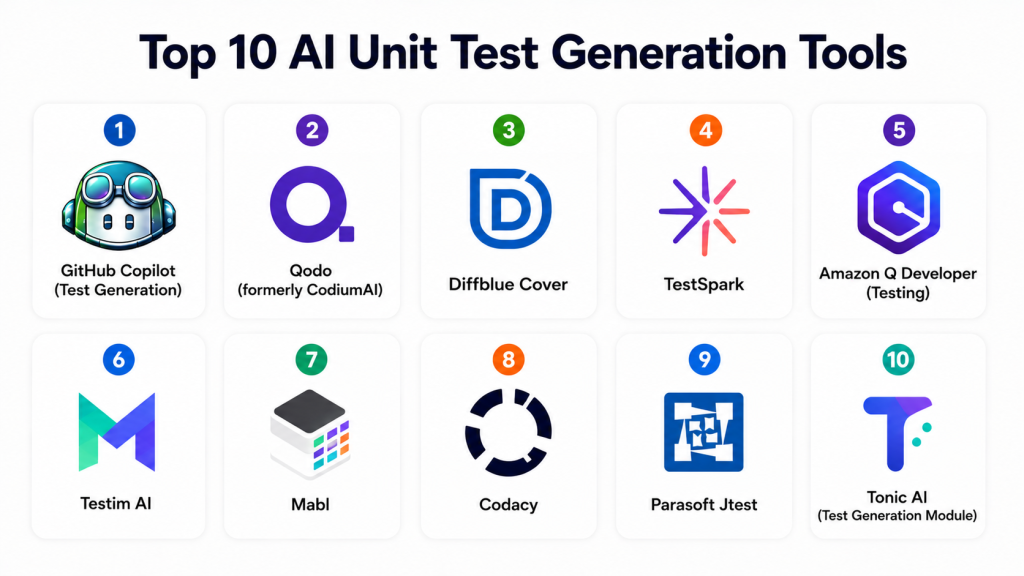
Top 10 AI Unit Test Generation Tools
1- GitHub Copilot (Test Generation)
One-line verdict: Best all-round AI tool for generating unit tests inside developer workflows.
Short description:
GitHub Copilot helps generate unit tests directly inside IDEs by analyzing functions, repository context, and developer intent, making it one of the most widely adopted AI testing assistants.
Standout Capabilities
- Automatic unit test generation
- IDE-based test writing
- Multi-language support
- Context-aware suggestions
- Edge-case generation
- Mock creation support
- Test refactoring assistance
- GitHub integration
AI-Specific Depth
- Model support: Hosted LLM models
- RAG / knowledge integration: Repository-aware context
- Evaluation: Test suggestion feedback loop
- Guardrails: Enterprise policy controls
- Observability: Usage analytics
Pros
- Easy to adopt
- Strong IDE integration
- Works across languages
Cons
- Requires GitHub ecosystem
- Test depth varies by context
- Not fully deterministic
Security & Compliance
Enterprise-grade governance controls with audit logging and access management.
Deployment & Platforms
- VS Code
- JetBrains IDEs
- Visual Studio
- Cloud IDE environments
Integrations & Ecosystem
- GitHub repositories
- CI/CD tools
- Developer workflows
- DevOps pipelines
Pricing Model
Subscription-based.
Best-Fit Scenarios
- General-purpose development teams
- GitHub-based workflows
- Fast test scaffolding needs
2- Qodo (formerly CodiumAI)
One-line verdict: Best AI-first tool for behavior-driven unit test generation.
Short description:
Qodo generates meaningful unit tests by analyzing code behavior, focusing on edge cases, assertions, and real-world execution scenarios.
Standout Capabilities
- Behavior-driven test generation
- Edge case detection
- Assertion quality improvement
- IDE plugin support
- Multi-language support
- Test explainability
- Repository context analysis
- Automated test suggestions
AI-Specific Depth
- Model support: LLM-based reasoning engine
- RAG / knowledge integration: Codebase context
- Evaluation: Behavior validation
- Guardrails: Developer review workflows
- Observability: Test generation insights
Pros
- High-quality meaningful tests
- Strong edge-case coverage
- Developer-friendly output
Cons
- Requires review for complex logic
- May over-generate tests
- Premium features locked behind tiers
Security & Compliance
Enterprise security controls available depending on deployment.
Deployment & Platforms
- VS Code
- JetBrains IDEs
- Cloud platforms
Integrations & Ecosystem
- GitHub
- GitLab
- CI/CD systems
- Developer APIs
Pricing Model
Freemium + enterprise plans.
Best-Fit Scenarios
- QA-heavy engineering teams
- Test-driven development workflows
- Code quality-focused teams
3- Diffblue Cover
One-line verdict: Best for automated Java unit test generation at enterprise scale.
Standout Capabilities
- Java unit test automation
- JUnit test generation
- Regression testing support
- Legacy code coverage
- CI/CD integration
- Automated mocking
- Enterprise scalability
- Code coverage analysis
AI-Specific Depth
- Model support: Proprietary AI engine
- RAG / knowledge integration: Java project context
- Evaluation: Coverage validation
- Guardrails: Enterprise safety rules
- Observability: Test coverage reporting
Pros
- Extremely strong for Java
- High coverage accuracy
- Enterprise-ready
Cons
- Java-focused only
- Limited multi-language support
- Higher enterprise cost
Security & Compliance
Enterprise-grade compliance controls available.
Deployment & Platforms
- Java environments
- CI/CD pipelines
- Enterprise systems
Integrations & Ecosystem
- Jenkins
- GitHub
- GitLab
- CI tools
Pricing Model
Enterprise licensing.
Best-Fit Scenarios
- Large Java codebases
- Enterprise backend systems
- Legacy modernization
4- TestSpark
One-line verdict: Best IDE-native AI test generator for IntelliJ-based development.
Standout Capabilities
- IntelliJ plugin integration
- LLM-based test generation
- Interactive test editing
- IDE workflow integration
- Context-aware tests
- Feedback loop improvement
- Unit test automation
- Developer-friendly UI
AI-Specific Depth
- Model support: LLM-powered system
- RAG / knowledge integration: IDE context
- Evaluation: Test refinement loops
- Guardrails: Developer approvals
- Observability: IDE-level tracking
Pros
- Seamless IDE integration
- Easy test generation
- Good developer UX
Cons
- IntelliJ dependency
- Limited CI/CD automation depth
- Smaller ecosystem
Security & Compliance
Varies by enterprise setup.
Deployment & Platforms
- IntelliJ IDEA
- JetBrains ecosystem
Integrations & Ecosystem
- Git workflows
- IDE tooling
- Developer APIs
Pricing Model
Freemium/enterprise.
Best-Fit Scenarios
- JetBrains-heavy teams
- Java/Kotlin development
- IDE-first workflows
5- Amazon Q Developer (Testing)
One-line verdict: Best for AWS-native unit test generation and cloud-integrated development.
Standout Capabilities
- AWS-integrated test generation
- Unit test scaffolding
- Cloud-aware testing
- CI/CD support
- Code modernization
- Debugging assistance
- Infrastructure-aware testing
- IDE integration
AI-Specific Depth
- Model support: AWS AI ecosystem
- RAG / knowledge integration: AWS context
- Evaluation: Test validation workflows
- Guardrails: IAM-based policies
- Observability: AWS monitoring
Pros
- Strong AWS integration
- Good for cloud applications
- Enterprise-ready
Cons
- AWS dependency
- Less useful outside cloud environments
- Limited flexibility
Security & Compliance
Enterprise AWS security and IAM controls.
Deployment & Platforms
- AWS cloud
- IDE integrations
- CI/CD pipelines
Integrations & Ecosystem
- AWS services
- DevOps tools
- Git systems
Pricing Model
Usage-based.
Best-Fit Scenarios
- AWS development teams
- Cloud-native applications
- DevOps-heavy workflows
6- Testim AI
One-line verdict: Best for enterprise test automation with AI-driven test generation.
Standout Capabilities
- AI test creation
- Self-healing tests
- UI + unit hybrid testing
- CI/CD integration
- Regression automation
- Visual test builder
- Cross-browser support
- API testing support
AI-Specific Depth
- Model support: Proprietary AI system
- RAG / knowledge integration: Application context
- Evaluation: Test stability analysis
- Guardrails: Enterprise workflows
- Observability: Test analytics
Pros
- Stable enterprise testing
- Self-healing capabilities
- Strong automation
Cons
- Less developer-centric
- UI-heavy workflows
- Higher cost
Security & Compliance
Enterprise-grade compliance features available.
Deployment & Platforms
- Cloud-based testing platform
- CI/CD systems
Integrations & Ecosystem
- GitHub
- Jenkins
- CI/CD tools
- DevOps platforms
Pricing Model
Enterprise subscription.
Best-Fit Scenarios
- QA automation teams
- Enterprise regression testing
- UI + API test coverage
7- Mabl
One-line verdict: Best low-code AI testing platform with strong automation capabilities.
Standout Capabilities
- Low-code test creation
- AI test generation
- UI and API testing
- Self-healing tests
- CI/CD integration
- Visual test flows
- Cross-browser support
- Test analytics
AI-Specific Depth
- Model support: Proprietary AI engine
- RAG / knowledge integration: App behavior context
- Evaluation: Test health monitoring
- Guardrails: Workflow controls
- Observability: Testing dashboards
Pros
- Easy to use
- Strong automation
- Good for QA teams
Cons
- Less developer-focused
- Limited deep code reasoning
- Premium pricing
Security & Compliance
Enterprise compliance support available.
Deployment & Platforms
- Cloud platform
- CI/CD integrations
Integrations & Ecosystem
- GitHub
- Jenkins
- DevOps tools
Pricing Model
Subscription-based.
Best-Fit Scenarios
- QA automation teams
- Low-code testing workflows
- Regression-heavy projects
8- Codacy
One-line verdict: Best for automated code quality + test coverage insights.
Standout Capabilities
- Code quality analysis
- Coverage tracking
- Test insights
- CI/CD integration
- Security scanning
- Multi-language support
- Quality dashboards
- Automated reporting
AI-Specific Depth
- Model support: Rule + AI hybrid
- RAG / knowledge integration: Code context
- Evaluation: Quality scoring
- Guardrails: Policy enforcement
- Observability: Coverage analytics
Pros
- Strong quality insights
- Good CI/CD integration
- Developer-friendly reporting
Cons
- Limited test generation depth
- More analytics than generation
- Less AI-native
Security & Compliance
Enterprise governance support available.
Deployment & Platforms
- Cloud-based
- CI/CD pipelines
Integrations & Ecosystem
- GitHub
- GitLab
- Bitbucket
- CI tools
Pricing Model
Subscription-based.
Best-Fit Scenarios
- Code quality monitoring
- QA governance teams
- CI/CD pipelines
9- Parasoft Jtest
One-line verdict: Best for enterprise Java unit testing and compliance-heavy environments.
Standout Capabilities
- Java test generation
- Static analysis
- Coverage reporting
- Compliance validation
- CI/CD integration
- Mock generation
- Regression testing
- Security testing support
AI-Specific Depth
- Model support: Proprietary testing engine
- RAG / knowledge integration: Java context
- Evaluation: Coverage validation
- Guardrails: Compliance rules
- Observability: Enterprise dashboards
Pros
- Strong enterprise compliance
- High Java coverage
- Mature platform
Cons
- Java-specific
- Complex setup
- Enterprise pricing
Security & Compliance
Strong compliance and audit capabilities.
Deployment & Platforms
- Enterprise Java environments
- CI/CD systems
Integrations & Ecosystem
- Jenkins
- Git systems
- DevOps tools
Pricing Model
Enterprise licensing.
Best-Fit Scenarios
- Regulated industries
- Java enterprise systems
- Compliance-heavy testing
10- Tonic AI (Test Generation Module)
One-line verdict: Best for synthetic data + test generation workflows.
Standout Capabilities
- Synthetic test data generation
- Unit test support
- Data privacy controls
- CI/CD integration
- API testing support
- Test environment simulation
- Secure data masking
- QA automation
AI-Specific Depth
- Model support: AI synthetic generation models
- RAG / knowledge integration: Data context
- Evaluation: Data correctness validation
- Guardrails: Privacy controls
- Observability: Data generation tracking
Pros
- Strong data privacy focus
- Useful for realistic testing
- Good enterprise use cases
Cons
- Not purely unit-test focused
- Complex setup
- Limited IDE integration
Security & Compliance
Strong data privacy and enterprise compliance features.
Deployment & Platforms
- Cloud platform
- Enterprise systems
Integrations & Ecosystem
- CI/CD tools
- Data pipelines
- Developer APIs
Pricing Model
Enterprise subscription.
Best-Fit Scenarios
- Data-driven testing
- Privacy-sensitive environments
- Enterprise QA pipelines
Comparison Table
| Tool Name | Best For | Deployment | Model Flexibility | Strength | Watch-Out | Public Rating |
|---|---|---|---|---|---|---|
| GitHub Copilot | General devs | Cloud | Hosted | Ease of use | Ecosystem dependency | N/A |
| Qodo | Behavior testing | Cloud | LLM-based | Edge-case detection | Complexity | N/A |
| Diffblue Cover | Java enterprise | On-prem/Cloud | Proprietary | Java coverage | Language limit | N/A |
| TestSpark | IDE testing | IDE plugin | LLM-based | IDE integration | IntelliJ lock-in | N/A |
| Amazon Q | AWS teams | Cloud | AWS AI | Cloud integration | AWS dependency | N/A |
| Testim | QA automation | Cloud | AI system | Self-healing tests | UI-heavy | N/A |
| Mabl | Low-code QA | Cloud | AI system | Easy automation | Less coding depth | N/A |
| Codacy | Code quality | Cloud | Hybrid AI | Coverage insights | Limited generation | N/A |
| Parasoft Jtest | Java compliance | Enterprise | Rule-based + AI | Compliance | Java-only | N/A |
| Tonic AI | Data-driven testing | Cloud | AI synthetic data | Privacy testing | Not unit-only | N/A |
Scoring & Evaluation
This scoring reflects test generation quality, coverage depth, AI reasoning, integration strength, developer experience, enterprise readiness, and automation maturity. Scores are comparative and should be validated against actual engineering workflows.
| Tool | Core | Reliability/Eval | Guardrails | Integrations | Ease | Perf/Cost | Security/Admin | Support | Weighted Total |
|---|---|---|---|---|---|---|---|---|---|
| GitHub Copilot | 10 | 9 | 8 | 10 | 9 | 8 | 8 | 9 | 8.8 |
| Qodo | 9 | 9 | 9 | 9 | 7 | 7 | 9 | 8 | 8.3 |
| Diffblue Cover | 9 | 9 | 9 | 9 | 7 | 7 | 9 | 8 | 8.4 |
| TestSpark | 8 | 8 | 8 | 8 | 9 | 8 | 8 | 8 | 8.1 |
| Amazon Q | 8 | 8 | 8 | 9 | 8 | 8 | 9 | 8 | 8.3 |
| Testim | 8 | 8 | 9 | 9 | 8 | 8 | 9 | 8 | 8.4 |
| Mabl | 8 | 8 | 9 | 8 | 9 | 8 | 8 | 8 | 8.3 |
| Codacy | 8 | 8 | 9 | 8 | 8 | 8 | 9 | 8 | 8.2 |
| Parasoft Jtest | 8 | 9 | 9 | 9 | 7 | 7 | 10 | 8 | 8.4 |
| Tonic AI | 8 | 8 | 9 | 8 | 7 | 7 | 9 | 8 | 8.1 |
Top 3 for Enterprise
- Diffblue Cover
- Parasoft Jtest
- Qodo
Top 3 for SMB
- GitHub Copilot
- Qodo
- Mabl
Top 3 for Developers
- GitHub Copilot
- Qodo
- TestSpark
Which AI Unit Test Tool Is Right for You
Solo / Freelancer
Solo developers should prioritize simplicity and speed. GitHub Copilot and Qodo are ideal for fast test generation.
SMB
SMBs should focus on balance between automation and cost. Qodo, Mabl, and GitHub Copilot are strong options.
Mid-Market
Mid-market teams should prioritize integration and scalability. Amazon Q Developer and Codacy are strong fits.
Enterprise
Enterprise organizations should prioritize governance, compliance, and coverage depth. Diffblue Cover and Parasoft Jtest lead here.
Regulated Industries
Finance, healthcare, and government should prioritize compliance-heavy tools like Parasoft Jtest and enterprise QA platforms.
Budget vs Premium
Budget teams can rely on Copilot and Qodo, while premium teams should invest in enterprise-grade Java or QA automation platforms.
Build vs Buy
While internal test generation pipelines are possible using LLM APIs, dedicated tools offer better accuracy, CI/CD integration, and maintenance automation.
Implementation Playbook 30 / 60 / 90 Days
First 30 Days
- Identify core functions lacking test coverage
- Enable AI test generation in IDEs
- Run baseline coverage analysis
- Pilot tools on non-critical repositories
- Measure test quality and reliability
- Define test standards and structure
- Train developers on AI-generated tests
First 60 Days
- Expand AI testing to more repos
- Integrate into CI/CD pipelines
- Improve edge-case coverage
- Add mock generation workflows
- Track test stability and failures
- Tune AI prompts and configurations
- Validate test maintainability
First 90 Days
- Standardize AI-generated test policies
- Automate regression test expansion
- Optimize CI/CD test pipelines
- Introduce governance and quality metrics
- Scale across engineering organization
- Continuously refine test quality rules
- Monitor production defect reduction
Common Mistakes and How to Avoid Them
- Accepting AI-generated tests without review
- Ignoring edge-case validation
- Over-relying on auto-generated assertions
- Not integrating with CI/CD pipelines
- Failing to maintain test consistency
- Ignoring flaky test detection
- Not training developers on AI testing tools
- Skipping mock validation
- Using tools without repository context
- Over-generating redundant tests
- Ignoring test maintainability
- Poor CI pipeline integration
- Not tracking test coverage improvements
- Lack of governance over test standards
FAQs
1. What are AI unit test generation tools?
They are tools that automatically generate unit tests using AI by analyzing code, functions, and repository context.
2. Do AI tools replace manual test writing?
No. They assist developers by generating initial tests, but manual review and refinement are still necessary.
3. How accurate are AI-generated unit tests?
Accuracy depends on context and tool quality. Modern tools produce good coverage but still require validation.
4. Can AI tools generate edge-case tests?
Yes. Advanced tools are designed to identify boundary conditions and edge-case scenarios automatically.
5. Which tool is best for Java unit testing?
Diffblue Cover and Parasoft Jtest are strong Java-focused enterprise tools.
6. Which tool is best for beginners?
GitHub Copilot is one of the easiest tools to start with.
7. Do these tools support CI/CD pipelines?
Yes. Most modern AI testing tools integrate directly into CI/CD workflows.
8. Can AI tools maintain tests automatically?
Some tools support test updates when code changes, reducing maintenance effort.
9. Are AI-generated tests reliable?
They are useful but should always be reviewed for correctness and completeness.
10. Do they support multiple programming languages?
Yes. Most tools support languages like Python, JavaScript, Java, and C#.
11. Can AI tools improve test coverage?
Yes. They help expand coverage by generating tests for uncovered code paths.
12. What is the biggest limitation of AI unit test tools?
The biggest limitation is context misunderstanding in complex systems and occasional incorrect assertions.
Conclusion
AI Unit Test Generation Tools are transforming software quality assurance by automating one of the most time-consuming parts of development: writing and maintaining tests. These tools improve coverage, reduce regression risk, and accelerate development cycles by integrating directly into IDEs and CI/CD pipelines.The landscape is evolving rapidly from simple test scaffolding to intelligent systems capable of understanding full repositories and generating behavior-driven test suites. GitHub Copilot remains the most accessible option, Qodo leads in behavior-driven testing, and enterprise tools like Diffblue Cover and Parasoft Jtest dominate in high-compliance environments.The most effective approach is to start with a pilot project, integrate AI test generation into real workflows, measure coverage improvements, and gradually scale across teams while maintaining strong review and governance practices.

Find Trusted Cardiac Hospitals
Compare heart hospitals by city and services — all in one place.
Explore Hospitals
A clear and insightful overview that shows how AI unit test generation tools are making testing faster and more consistent, while still needing careful human review for best results.