
Introduction
AI Integration Test Generation Tools help software teams automatically create, optimize, and maintain integration tests using artificial intelligence. These platforms analyze APIs, workflows, source code, production traffic, and application behavior to generate reliable tests with minimal manual effort. Instead of spending weeks building and maintaining test suites, engineering teams can use AI-driven systems to improve coverage, reduce regression failures, and accelerate releases.
Modern software environments have become far more complex due to microservices, APIs, AI agents, cloud-native infrastructure, and multimodal applications. Traditional testing approaches are no longer enough for organizations that deploy software continuously. Teams now need intelligent testing systems capable of validating workflow reliability, API interactions, model behavior, latency, and security risks across large distributed environments.
Why It Matters
AI-assisted integration testing has become critical because software delivery cycles are faster than ever. Engineering teams release updates daily or even hourly, which increases the risk of breaking integrations between services. AI-powered testing tools help reduce downtime, prevent regression bugs, and improve deployment confidence while lowering manual QA effort.
Organizations are also under pressure to improve reliability without dramatically increasing engineering costs. AI-generated testing helps companies scale quality assurance operations without requiring massive testing teams.
Real World Use Cases
- API integration validation for SaaS platforms
- AI agent workflow testing
- Microservices regression testing
- Continuous integration and deployment automation
- Banking and fintech transaction validation
- Healthcare system interoperability testing
- E commerce checkout workflow validation
- Synthetic test data generation
Evaluation Criteria for Buyers
Before selecting a platform, buyers should evaluate:
- AI-generated test quality
- API and microservices coverage
- Support for AI workflows and LLM applications
- CI/CD integration capabilities
- Guardrails and security controls
- Observability and debugging features
- Self-healing automation support
- Deployment flexibility
- Data privacy and retention controls
- Cost optimization capabilities
- Governance and auditability
- Vendor ecosystem maturity
Best for
These tools are best for DevOps teams, QA engineers, AI platform teams, enterprise software companies, fintech organizations, healthcare software providers, and engineering teams operating large-scale distributed systems.
Not ideal for
These platforms may not be necessary for simple static websites, small projects with minimal integrations, or organizations that primarily rely on lightweight manual testing workflows.
What’s Changed in AI Integration Test Generation Tools
- AI agents can now generate integration tests automatically from API traffic and source code
- Self-healing automation has reduced maintenance overhead significantly
- Multimodal workflow testing is becoming more common
- Prompt injection and AI workflow security testing are growing priorities
- Enterprises increasingly demand BYO model support
- Token usage and cost observability are now critical platform features
- Synthetic test data generation has improved substantially
- AI regression testing now includes hallucination and reliability evaluation
- Governance and audit logging expectations are increasing
- Hybrid and self-hosted deployment demand is growing
- Model routing validation is becoming more important in multi-model systems
- Organizations are prioritizing security-first AI testing strategies
Quick Buyer Checklist
Use this checklist to shortlist platforms quickly:
- Does the platform support AI-assisted integration test generation?
- Can it test APIs, workflows, and microservices together?
- Does it integrate with CI/CD pipelines?
- Are observability and tracing included?
- Does it support AI workflow testing?
- Are prompt evaluation features available?
- Can you self-host if needed?
- Does it support RBAC and audit logs?
- Are cost and latency controls included?
- Does it support synthetic test data generation?
- Can it detect flaky tests automatically?
- Does it support open-source or BYO AI models?
- Is vendor lock-in manageable?
- Does it support scalable enterprise deployments?
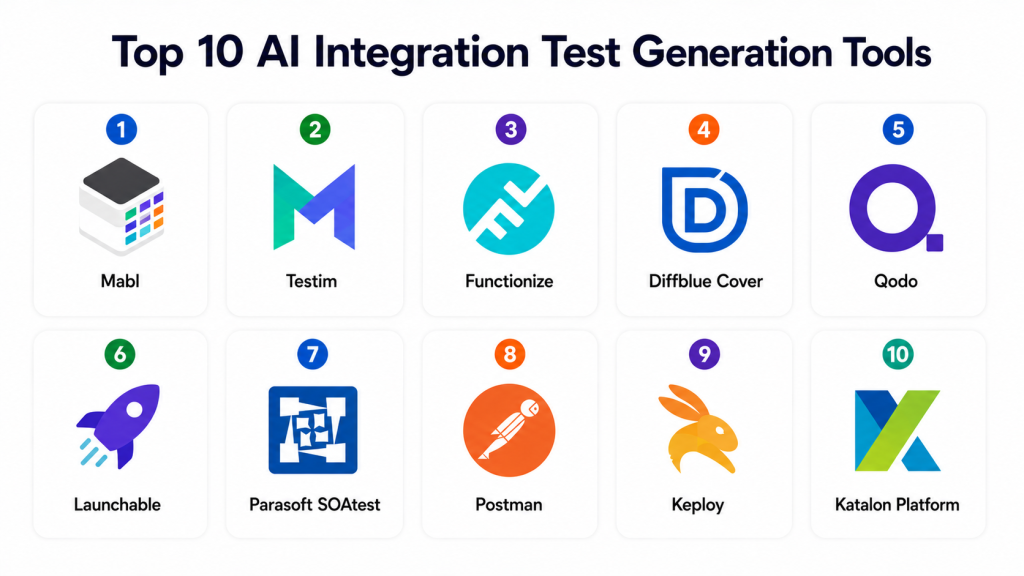
Top 10 AI Integration Test Generation Tools
1- Mabl
One-line verdict: Best for enterprises needing low-maintenance AI-driven integration and end-to-end testing.
Short description
Mabl is a cloud-native testing platform designed to automate integration, UI, and end-to-end testing workflows using AI. The platform focuses heavily on self-healing automation and reducing flaky test maintenance for modern SaaS applications.
Standout Capabilities
- AI-assisted test generation
- Self-healing automation
- API testing support
- Visual regression testing
- CI/CD integrations
- Workflow automation
- Cloud-native scalability
AI-Specific Depth
- Model support: Proprietary AI models
- RAG / knowledge integration: N/A
- Evaluation: Regression testing and workflow validation
- Guardrails: Workflow anomaly detection
- Observability: Execution analytics and latency monitoring
Pros
- Easy onboarding experience
- Excellent automation maintenance reduction
- Strong enterprise integrations
Cons
- Premium pricing for enterprise features
- Less customizable than open-source tools
- Advanced workflows may require training
Security & Compliance
Supports SSO, RBAC, encryption, audit logs, and enterprise access controls. Additional certifications not publicly stated.
Deployment & Platforms
- Cloud deployment
- Web-based platform
- Cross-platform browser support
Integrations & Ecosystem
Mabl integrates with modern DevOps and engineering systems for continuous delivery workflows.
- GitHub
- GitLab
- Jenkins
- Jira
- Slack
- APIs
- Azure DevOps
Pricing Model
Tiered SaaS subscription pricing.
Best-Fit Scenarios
- Enterprise SaaS platforms
- CI/CD-heavy organizations
- Teams reducing flaky tests
2- Testim
One-line verdict: Best for agile teams wanting fast AI-assisted automation across UI and integrations.
Short description
Testim combines AI-powered automation with low-code workflows to help teams accelerate testing and improve release quality. The platform is widely used for continuous deployment and agile engineering workflows.
Standout Capabilities
- AI-powered smart locators
- Self-healing automation
- API testing support
- Visual editor
- Parallel execution
- Fast test creation
- Continuous deployment integration
AI-Specific Depth
- Model support: Proprietary AI systems
- RAG / knowledge integration: N/A
- Evaluation: Workflow regression testing
- Guardrails: Basic automation validation
- Observability: Reporting and analytics dashboards
Pros
- Easy for non-technical users
- Fast onboarding
- Strong workflow automation
Cons
- Limited deep customization
- Some enterprise features cost extra
- Less developer-centric than code-first tools
Security & Compliance
Supports enterprise authentication and access controls. Additional certifications vary.
Deployment & Platforms
- Cloud deployment
- Browser-based interface
- Cross-platform support
Integrations & Ecosystem
- Jenkins
- Jira
- GitHub
- Selenium
- APIs
- Slack
Pricing Model
Subscription-based SaaS pricing.
Best-Fit Scenarios
- Agile development teams
- Rapid-release SaaS companies
- Mid-sized QA operations
3- Functionize
One-line verdict: Best for enterprises automating large-scale workflows using natural-language AI testing.
Short description
Functionize provides AI-powered integration and functional testing using natural language processing and intelligent automation. It is designed to reduce maintenance overhead while scaling enterprise testing operations.
Standout Capabilities
- NLP-driven test creation
- AI-powered maintenance
- Workflow automation
- Parallel execution
- Smart healing
- Visual testing
- Enterprise orchestration
AI-Specific Depth
- Model support: Proprietary AI engine
- RAG / knowledge integration: N/A
- Evaluation: AI-driven regression analysis
- Guardrails: Workflow policy validation
- Observability: Analytics and reporting
Pros
- Excellent enterprise scalability
- Reduces manual scripting effort
- Strong workflow automation
Cons
- Higher learning curve
- Premium enterprise pricing
- Complex advanced configuration
Security & Compliance
Supports enterprise governance controls including SSO, RBAC, and audit logging.
Deployment & Platforms
- Cloud deployment
- Hybrid support varies
- Browser-based management
Integrations & Ecosystem
- Jenkins
- GitHub
- Azure DevOps
- Jira
- APIs
- CI/CD pipelines
Pricing Model
Enterprise licensing model.
Best-Fit Scenarios
- Large QA organizations
- Enterprise SaaS providers
- Complex workflow automation
4- Diffblue Cover
One-line verdict: Best for Java engineering teams automating test generation directly from source code.
Short description
Diffblue Cover specializes in autonomous Java test generation using AI and static code analysis. It helps developers improve coverage and reduce the time required for writing integration and regression tests.
Standout Capabilities
- Autonomous Java test generation
- CI integration
- Intelligent edge-case detection
- Static analysis support
- Developer-first workflows
- Regression automation
- Enterprise scalability
AI-Specific Depth
- Model support: Proprietary machine learning systems
- RAG / knowledge integration: N/A
- Evaluation: Automated regression testing
- Guardrails: Code-aware validation
- Observability: Build and execution reporting
Pros
- Excellent Java support
- Saves developer time
- Strong CI/CD integration
Cons
- Java-focused ecosystem
- Limited UI testing
- Less useful for non-Java stacks
Security & Compliance
Enterprise access controls supported. Certifications not publicly stated.
Deployment & Platforms
- Windows
- Linux
- macOS
- Cloud and on-premises support
Integrations & Ecosystem
- IntelliJ IDEA
- Maven
- Gradle
- Jenkins
- GitHub
- CI/CD pipelines
Pricing Model
Commercial enterprise licensing.
Best-Fit Scenarios
- Enterprise Java systems
- Banking platforms
- Backend API services
5- Qodo
One-line verdict: Best for developers wanting AI-assisted integration testing inside coding workflows.
Short description
Qodo helps developers generate tests and improve code reliability using AI directly inside IDEs and pull-request workflows. The platform focuses heavily on developer productivity and modern engineering collaboration.
Standout Capabilities
- IDE-native workflows
- Pull-request-aware testing
- AI-generated test suggestions
- Repository-aware context
- Multi-language support
- Lightweight onboarding
- Developer productivity optimization
AI-Specific Depth
- Model support: Multi-model support
- RAG / knowledge integration: Repository-aware context integration
- Evaluation: Test generation and regression support
- Guardrails: Code-quality validation
- Observability: Repository-level analytics
Pros
- Excellent developer experience
- Fast implementation
- Strong modern workflow support
Cons
- Limited enterprise governance
- Not a full QA platform
- Advanced analytics still evolving
Security & Compliance
SSO and enterprise controls available in higher-tier plans.
Deployment & Platforms
- IDE integrations
- Cloud-based AI services
- Cross-platform support
Integrations & Ecosystem
- VS Code
- JetBrains IDEs
- GitHub
- GitLab
- APIs
- CI/CD systems
Pricing Model
Freemium and enterprise plans.
Best-Fit Scenarios
- Startup engineering teams
- Pull-request automation
- Developer productivity optimization
6- Launchable
One-line verdict: Best for organizations optimizing CI/CD test execution and release efficiency.
Short description
Launchable uses machine learning to prioritize and optimize test execution using historical data and code changes. It focuses heavily on reducing pipeline execution time and improving engineering efficiency.
Standout Capabilities
- Intelligent test prioritization
- Failure prediction
- Historical analytics
- Cost optimization
- ML-driven workflow analysis
- CI acceleration
- Scalable enterprise support
AI-Specific Depth
- Model support: Proprietary machine learning systems
- RAG / knowledge integration: N/A
- Evaluation: Test impact analysis
- Guardrails: Workflow-aware prioritization
- Observability: Execution metrics and analytics
Pros
- Reduces testing costs
- Speeds up deployment pipelines
- Strong enterprise integrations
Cons
- Not a complete testing platform
- Requires historical data
- Limited UI testing support
Security & Compliance
Enterprise security controls supported. Certifications vary.
Deployment & Platforms
- Cloud-based deployment
- Cross-platform compatibility
- CI/CD integration support
Integrations & Ecosystem
- Jenkins
- CircleCI
- GitHub Actions
- GitLab CI
- APIs
Pricing Model
Usage-based enterprise pricing.
Best-Fit Scenarios
- High-scale CI/CD environments
- Large DevOps operations
- Cost-sensitive testing workflows
7- Parasoft SOAtest
One-line verdict: Best for regulated enterprises requiring API and integration testing with governance controls.
Short description
Parasoft SOAtest is an enterprise-grade API and integration testing platform designed for organizations requiring reliability, governance, and service virtualization.
Standout Capabilities
- API testing automation
- Service virtualization
- Enterprise reporting
- Workflow orchestration
- Security testing
- CI/CD integration
- Compliance-focused workflows
AI-Specific Depth
- Model support: Limited AI assistance
- RAG / knowledge integration: N/A
- Evaluation: API validation and regression testing
- Guardrails: Security validation policies
- Observability: Enterprise reporting and analytics
Pros
- Excellent governance capabilities
- Strong API validation support
- Mature enterprise ecosystem
Cons
- Older interface experience
- Complex onboarding
- Higher operational overhead
Security & Compliance
Supports RBAC, SSO, encryption, and audit logging.
Deployment & Platforms
- Windows
- Linux
- Cloud and on-premises deployment
Integrations & Ecosystem
- Docker
- Kubernetes
- Jenkins
- Jira
- APIs
- CI systems
Pricing Model
Enterprise licensing.
Best-Fit Scenarios
- Healthcare systems
- Financial institutions
- Enterprise API governance
8- Postman
One-line verdict: Best for API-first engineering teams requiring collaborative testing workflows.
Short description
Postman has evolved from an API development tool into a broader API lifecycle and testing platform. It now includes AI-assisted workflow testing and automation features.
Standout Capabilities
- API lifecycle management
- Collaborative testing
- Mock servers
- Automated collections
- Monitoring workflows
- AI-assisted automation
- Strong developer ecosystem
AI-Specific Depth
- Model support: Proprietary AI enhancements
- RAG / knowledge integration: API-centric integrations
- Evaluation: API validation workflows
- Guardrails: Basic workflow validation
- Observability: Monitoring dashboards and analytics
Pros
- Massive developer adoption
- Excellent collaboration workflows
- Easy API testing setup
Cons
- Advanced AI evaluation is limited
- Large workspaces can become cluttered
- Enterprise governance varies by tier
Security & Compliance
Supports SSO, RBAC, and access management controls.
Deployment & Platforms
- Web platform
- Windows
- macOS
- Linux
Integrations & Ecosystem
- Newman CLI
- GitHub
- GitLab
- Jenkins
- APIs
- CI/CD pipelines
Pricing Model
Freemium and enterprise subscriptions.
Best-Fit Scenarios
- API-first startups
- Distributed engineering teams
- Modern DevOps workflows
9- Keploy
One-line verdict: Best for open-source-focused teams automating API and integration testing using production traffic.
Short description
Keploy is an open-source platform focused on automated integration testing through production traffic replay and API workflow validation. It is popular among Kubernetes-native engineering teams.
Standout Capabilities
- Production traffic replay
- Open-source architecture
- API mocking
- Kubernetes-native support
- Lightweight deployment
- Automated test generation
- CI integration
AI-Specific Depth
- Model support: Open-source-friendly workflows
- RAG / knowledge integration: N/A
- Evaluation: API regression support
- Guardrails: Basic workflow validation
- Observability: Replay analytics and metrics
Pros
- Open-source flexibility
- Strong Kubernetes support
- Developer-friendly architecture
Cons
- Smaller ecosystem
- Requires technical expertise
- Limited enterprise governance tooling
Security & Compliance
Varies by deployment environment.
Deployment & Platforms
- Self-hosted deployment
- Linux
- macOS
- Windows
Integrations & Ecosystem
- Docker
- Kubernetes
- GitHub
- APIs
- CI/CD systems
Pricing Model
Open-source with enterprise support options.
Best-Fit Scenarios
- Platform engineering teams
- Open-source-first organizations
- Kubernetes-native environments
10- Katalon Platform
One-line verdict: Best for teams wanting balanced AI-assisted automation across APIs, web, and mobile testing.
Short description
Katalon provides low-code automation across integration, API, mobile, and web testing environments. The platform combines AI-assisted maintenance with enterprise-ready automation capabilities.
Standout Capabilities
- Multi-environment testing
- AI-assisted maintenance
- API automation
- Mobile and web testing
- Analytics dashboards
- Parallel execution
- Low-code workflows
AI-Specific Depth
- Model support: Proprietary AI assistance
- RAG / knowledge integration: N/A
- Evaluation: Regression testing support
- Guardrails: Workflow validation
- Observability: Execution analytics and reporting
Pros
- Broad testing coverage
- Easy onboarding
- Good balance of usability and depth
Cons
- Premium enterprise capabilities cost extra
- Less AI-native than newer competitors
- Advanced customization limitations
Security & Compliance
Supports enterprise authentication, RBAC, and audit logging.
Deployment & Platforms
- Windows
- macOS
- Linux
- Cloud and on-premises support
Integrations & Ecosystem
- Jenkins
- Jira
- GitHub
- Slack
- APIs
- CI/CD workflows
Pricing Model
Freemium and enterprise subscription plans.
Best-Fit Scenarios
- Mid-market QA teams
- API and mobile testing workflows
- Cross-platform automation environments
Comparison Table
| Tool Name | Best For | Deployment | Model Flexibility | Strength | Watch-Out | Public Rating |
|---|---|---|---|---|---|---|
| Mabl | Enterprise SaaS teams | Cloud | Hosted | Self-healing automation | Premium pricing | N/A |
| Testim | Agile teams | Cloud | Hosted | Fast onboarding | Limited customization | N/A |
| Functionize | Enterprise automation | Cloud | Hosted | NLP-driven workflows | Learning curve | N/A |
| Diffblue Cover | Java development | Hybrid | Proprietary | Autonomous Java tests | Java-focused ecosystem | N/A |
| Qodo | Developers | Cloud | Multi-model | IDE-native workflows | Limited governance | N/A |
| Launchable | CI optimization | Cloud | Proprietary | Intelligent prioritization | Not full-suite | N/A |
| Parasoft SOAtest | Regulated industries | Hybrid | Limited AI | Governance depth | Complex setup | N/A |
| Postman | API teams | Cloud | Hosted | API collaboration | Limited AI depth | N/A |
| Keploy | Open-source teams | Self-hosted | Open-source | Production replay | Smaller ecosystem | N/A |
| Katalon Platform | Mid-market QA | Hybrid | Hosted | Broad testing support | Less AI-native | N/A |
Scoring and Evaluation
The following scores represent comparative evaluations based on platform maturity, integration capabilities, AI-assisted testing depth, enterprise readiness, security controls, and operational flexibility. These scores are not absolute because different organizations prioritize different capabilities depending on team size, infrastructure complexity, governance requirements, and deployment scale.
| Tool | Core | Reliability Eval | Guardrails | Integrations | Ease | Performance Cost | Security Admin | Support | Weighted Total |
|---|---|---|---|---|---|---|---|---|---|
| Mabl | 9 | 8 | 7 | 9 | 9 | 8 | 8 | 8 | 8.3 |
| Testim | 8 | 7 | 7 | 8 | 9 | 8 | 7 | 7 | 7.8 |
| Functionize | 9 | 8 | 8 | 8 | 7 | 8 | 8 | 8 | 8.1 |
| Diffblue Cover | 8 | 8 | 7 | 7 | 8 | 9 | 8 | 7 | 7.9 |
| Qodo | 8 | 7 | 6 | 8 | 9 | 8 | 7 | 7 | 7.7 |
| Launchable | 7 | 8 | 6 | 8 | 8 | 9 | 7 | 7 | 7.7 |
| Parasoft SOAtest | 9 | 8 | 8 | 8 | 6 | 7 | 9 | 8 | 8.0 |
| Postman | 8 | 7 | 6 | 9 | 9 | 8 | 7 | 8 | 7.9 |
| Keploy | 7 | 7 | 6 | 7 | 7 | 8 | 6 | 6 | 6.9 |
| Katalon Platform | 8 | 7 | 7 | 8 | 8 | 8 | 7 | 7 | 7.7 |
Top 3 for Enterprise
- Mabl
- Functionize
- Parasoft SOAtest
Top 3 for SMB
- Testim
- Katalon Platform
- Postman
Top 3 for Developers
- Qodo
- Diffblue Cover
- Keploy
Which AI Integration Test Generation Tool Is Right for You
Solo Freelancer
Solo developers and freelancers typically benefit most from lightweight and affordable tools. Qodo, Postman, and Keploy are strong options because they integrate naturally into developer workflows without requiring large QA operations.
SMB
SMBs usually prioritize speed, usability, and automation efficiency. Testim and Katalon Platform offer strong automation capabilities while remaining accessible to smaller engineering teams.
Mid-Market
Mid-market organizations often require scalability, governance, and workflow automation. Mabl and Functionize provide strong automation depth while supporting continuous deployment operations.
Enterprise
Large enterprises should prioritize auditability, governance, observability, and scalability. Mabl, Functionize, and Parasoft SOAtest are especially strong choices for enterprise-grade testing operations.
Regulated Industries
Healthcare, finance, and public-sector organizations should prioritize governance controls, audit logging, deployment flexibility, and security-focused workflows. Parasoft SOAtest and Diffblue Cover stand out in regulated environments.
Budget vs Premium
Budget-conscious teams may prefer open-source or freemium solutions like Keploy and Qodo. Enterprise-grade platforms such as Mabl and Functionize provide deeper automation and governance at higher cost levels.
Build vs Buy
Organizations with highly specialized workflows may choose to build custom testing pipelines using open-source frameworks. However, buying a mature platform usually accelerates implementation and reduces operational complexity.
Implementation Playbook 30 60 90 Days
30 Days
- Identify critical integration workflows
- Define pilot success metrics
- Build initial regression suites
- Enable CI/CD integrations
- Create baseline evaluation workflows
- Establish testing ownership
- Start synthetic data generation
60 Days
- Expand automation coverage
- Implement RBAC and governance
- Add observability dashboards
- Introduce AI reliability evaluation
- Add prompt and workflow version control
- Improve security validation
- Introduce red-team testing workflows
90 Days
- Optimize execution costs and latency
- Scale automation across teams
- Improve incident response workflows
- Automate flaky-test detection
- Expand governance reporting
- Improve model-routing validation
- Scale synthetic test generation
Common Mistakes and How to Avoid Them
- Relying completely on AI-generated tests without human review
- Ignoring prompt injection and workflow security risks
- Failing to monitor execution costs
- Neglecting observability and tracing
- Using production data without retention controls
- Delaying governance planning
- Overlooking flaky-test management
- Locking into a single AI vendor too early
- Ignoring multimodal workflow testing
- Failing to validate generated edge cases
- Skipping CI/CD scalability validation
- Running inconsistent regression evaluations
- Over-automating without approval workflows
- Treating integration testing as only API testing
FAQs
1- What are AI Integration Test Generation Tools
These tools use AI to generate, maintain, and optimize integration tests across APIs, workflows, applications, and microservices. They help engineering teams improve software quality while reducing manual testing effort.
2- Are these tools replacing QA engineers
No. These platforms are designed to assist QA and engineering teams rather than replace them. Human oversight is still essential for business logic validation, governance, and release decision-making.
3- Can these tools test AI agents and LLM workflows
Some modern platforms now support AI-native workflows including prompts, agent orchestration, model routing, and workflow evaluation. Support varies significantly by vendor.
4- Are open-source testing platforms enterprise-ready
Open-source platforms can work well for technically mature organizations, especially when paired with strong internal engineering expertise and governance processes.
5- What should buyers evaluate first
Buyers should prioritize integration depth, automation quality, governance controls, observability, deployment flexibility, and AI evaluation capabilities.
6- Do these platforms support self-hosting
Some platforms support hybrid or self-hosted deployments, especially enterprise-oriented tools. Others are primarily cloud-native solutions.
7- Why is observability important in AI testing
Observability helps teams track latency, workflow execution, token usage, and AI behavior. This visibility is essential for troubleshooting and optimization.
8- Can AI-generated tests become unreliable
Yes. Poorly managed AI-generated tests may become flaky or irrelevant over time. Continuous evaluation and human review are important.
9- Are these tools expensive
Pricing varies significantly. Developer-focused tools may offer freemium plans, while enterprise-grade platforms usually require premium licensing.
10- Should startups adopt AI testing early
Yes. Early adoption can reduce long-term testing overhead and improve release quality as systems become more complex.
11- How do these tools integrate into CI/CD pipelines
Most modern platforms integrate with Jenkins, GitHub Actions, GitLab CI, Azure DevOps, and other continuous delivery systems.
12- What is the biggest risk when adopting AI testing
The biggest risk is assuming AI automation alone guarantees reliability. Organizations still need governance, observability, evaluation workflows, and strong engineering practices.
Conclusion
AI Integration Test Generation Tools are becoming essential infrastructure for modern software engineering teams. As organizations adopt cloud-native architectures, AI agents, APIs, and distributed systems, traditional testing approaches are no longer enough to maintain release reliability at scale. The strongest platforms now combine AI-assisted automation, observability, governance, and workflow intelligence to help teams accelerate delivery while reducing operational risk. However, the best platform depends heavily on organizational context. Developer-first startups may prioritize speed and flexibility, while enterprises often focus more on governance, auditability, scalability, and deployment control. Teams should begin by identifying their most critical integration workflows, shortlisting two or three platforms aligned with their technical and operational needs, and running controlled pilots tied to measurable success metrics. Once governance, security validation, and evaluation workflows are proven, organizations can confidently scale AI-assisted testing across engineering operations.

Find Trusted Cardiac Hospitals
Compare heart hospitals by city and services — all in one place.
Explore Hospitals
A helpful and well-structured comparison that clearly shows how AI integration test generation tools can improve test coverage, speed up QA processes, and strengthen reliability in complex software systems.