
Introduction
AI Technical Writing Assistants help engineering teams, DevOps teams, product teams, API developers, and documentation specialists create clear, structured, and consistent technical content such as API documentation, system design docs, architecture explanations, runbooks, developer guides, onboarding manuals, and internal engineering knowledge bases.
In modern software environments, documentation is often the weakest link in the development lifecycle. Engineers focus on shipping code, while documentation becomes outdated, incomplete, or inconsistent. AI-powered technical writing assistants solve this by generating structured documentation from code, prompts, repositories, APIs, and system context while maintaining clarity and standardization.
Why It Matters
Technical documentation directly impacts developer productivity, onboarding speed, system reliability, API adoption, and operational clarity. Poor documentation leads to integration errors, increased support burden, slower onboarding, and reduced product adoption.
AI Technical Writing Assistants help organizations standardize documentation, reduce manual writing effort, keep documentation aligned with code changes, and improve collaboration between engineering, product, and support teams.
Real World Use Cases
- API documentation generation from codebases
- System architecture documentation
- Developer onboarding guides
- Runbooks and incident response documentation
- Internal engineering knowledge bases
- SDK and library documentation
- Cloud infrastructure documentation
- Microservices documentation
- Product engineering handoff docs
- API change logs and technical release notes
Evaluation Criteria for Buyers
- Accuracy of technical content generation
- Code-to-documentation conversion quality
- API and repository integration support
- Support for Markdown, OpenAPI, and docs formats
- Collaboration and review workflows
- Version control and documentation updates
- Knowledge base management
- AI hallucination control
- Developer experience quality
- Security and access control
- Export and publishing flexibility
- Integration with CI/CD and Git workflows
Best for: Software engineers, DevOps teams, API developers, platform engineering teams, technical writers, SaaS companies, and enterprises managing large documentation ecosystems.
Not ideal for: Non-technical teams with no engineering or API workflows, or teams that do not maintain structured documentation systems.
What’s Changed in AI Technical Writing Assistants
- Documentation is increasingly generated directly from code repositories
- AI now understands API structures and OpenAPI schemas more accurately
- Technical writing is becoming continuous and auto-updated with code changes
- Developer portals are integrating AI documentation copilots
- Runbooks and incident documentation are increasingly automated
- Knowledge bases are becoming AI-searchable and context-aware
- Multi-repository documentation generation is becoming standard
- AI now supports architecture-level documentation generation
- Markdown and structured formats are auto-generated consistently
- CI/CD pipelines increasingly trigger documentation updates
- Developer onboarding content is increasingly auto-generated
- Documentation quality is being measured through AI evaluation tools
Quick Buyer Checklist
- Can it generate documentation from code or APIs
- Does it support OpenAPI or Swagger specs
- Can it integrate with GitHub, GitLab, or Bitbucket
- Does it support Markdown or documentation portals
- Can it auto-update docs when code changes
- Does it support runbooks and incident docs
- Is version control supported
- Does it offer review workflows
- Can it handle large codebases
- Does it support knowledge base organization
- Are access controls and governance available
- Can documentation be exported easily
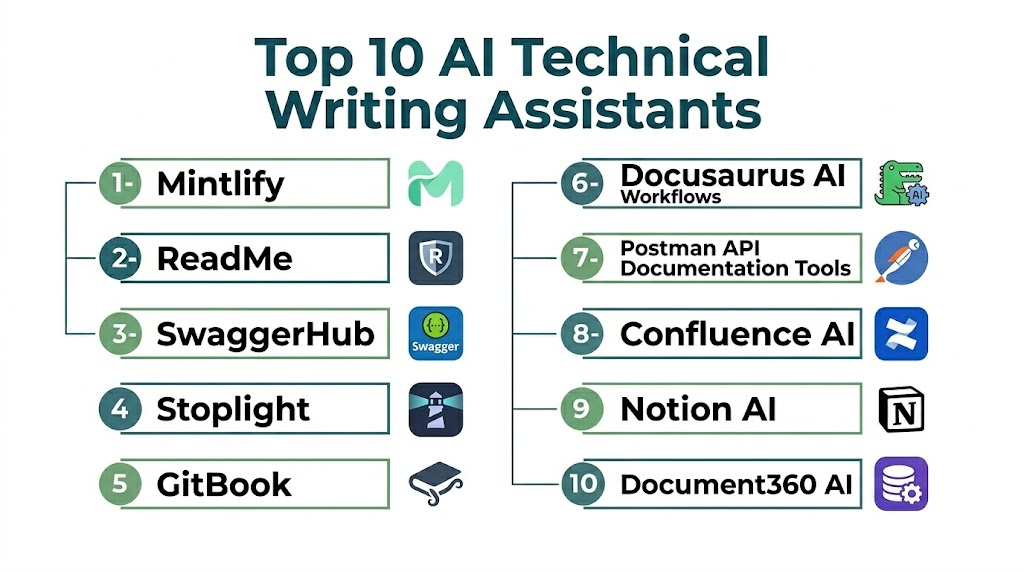
Top 10 AI Technical Writing Assistants
1- Mintlify
2- ReadMe
3- SwaggerHub
4- Stoplight
5- GitBook
6- Docusaurus AI Workflows
7- Postman API Documentation Tools
8- Confluence AI
9- Notion AI
10- Document360 AI
#1 — Mintlify
One-line verdict: Best for modern developer-first API documentation and auto-generated technical docs.
Short description:
Mintlify helps engineering teams generate clean, structured API documentation, SDK docs, and developer guides directly from codebases with AI-assisted formatting and updates.
Standout Capabilities
- API documentation generation from code
- Developer portal creation
- Auto-sync documentation updates
- Clean Markdown-based documentation
- SDK and library documentation support
- AI-assisted explanations
- Git-based workflow integration
AI-Specific Depth
- Model support: Hosted AI documentation generation
- RAG integration: Codebase and repository context
- Evaluation: Human review workflows
- Guardrails: Repository permissions
- Observability: Documentation change tracking
Pros
- Excellent developer experience
- Clean documentation structure
- Strong automation from code
Cons
- Best suited for developer-first teams
- Requires structured codebases
- Limited business documentation support
Security & Compliance
Access controls and repository permissions depend on integration setup and enterprise configuration.
Deployment & Platforms
- Cloud
- Git-based workflows
- Developer documentation portals
Integrations & Ecosystem
- GitHub
- GitLab
- APIs
- Developer SDKs
- CI/CD workflows
Pricing Model
Subscription-based pricing depending on usage and team size.
Best-Fit Scenarios
- API documentation automation
- Developer portals
- SDK documentation
#2 — ReadMe
One-line verdict: Best for interactive API documentation and developer onboarding experiences.
Short description:
ReadMe helps teams build interactive API documentation portals with AI-assisted writing, API exploration, and developer onboarding workflows.
Standout Capabilities
- Interactive API documentation
- Developer onboarding guides
- API testing integration
- Versioned documentation
- Collaboration workflows
- AI-assisted documentation generation
AI-Specific Depth
- Model support: Hosted AI writing support
- RAG integration: API schemas and endpoints
- Evaluation: Human review workflows
- Guardrails: Documentation permissions
- Observability: API usage tracking
Pros
- Excellent API UX experience
- Strong developer onboarding
- Interactive API exploration
Cons
- Focused mainly on APIs
- Less suitable for general docs
- Enterprise pricing varies
Security & Compliance
Security controls depend on enterprise configuration and plan.
Deployment & Platforms
- Cloud-based
- API documentation portals
- Developer platforms
Integrations & Ecosystem
- APIs
- GitHub
- SDKs
- CI/CD systems
- Developer tools
Pricing Model
Tiered subscription model.
Best-Fit Scenarios
- API developer portals
- Interactive documentation
- SaaS API onboarding
#3 — SwaggerHub
One-line verdict: Best for OpenAPI-driven API documentation and design-first API workflows.
Short description:
SwaggerHub helps teams design, document, and manage APIs using OpenAPI specifications with AI-assisted documentation support.
Standout Capabilities
- OpenAPI documentation generation
- API design collaboration
- Version control for APIs
- Standardized API documentation
- Team collaboration workflows
- API lifecycle management
AI-Specific Depth
- Model support: AI-assisted API documentation
- RAG integration: API schemas
- Evaluation: Design review workflows
- Guardrails: API governance controls
- Observability: API lifecycle tracking
Pros
- Strong API standardization
- Good enterprise governance
- Design-first API workflows
Cons
- API-focused only
- Requires structured API design
- Less general documentation support
Security & Compliance
Enterprise governance, RBAC, and API access controls available in higher tiers.
Deployment & Platforms
- Cloud
- Enterprise API platforms
- Developer environments
Integrations & Ecosystem
- OpenAPI ecosystem
- API gateways
- CI/CD pipelines
- Developer tools
Pricing Model
Subscription-based enterprise pricing.
Best-Fit Scenarios
- API-first organizations
- OpenAPI documentation workflows
- Enterprise API governance
#4 — Stoplight
One-line verdict: Best for API design, documentation, and lifecycle management with strong collaboration features.
Short description:
Stoplight helps teams design APIs, generate documentation, and manage API lifecycle workflows with structured collaboration and AI assistance.
Standout Capabilities
- API design and documentation
- Visual API modeling
- Collaboration workflows
- Mock API generation
- API governance support
- Documentation automation
AI-Specific Depth
- Model support: AI-assisted documentation workflows
- RAG integration: API specifications
- Evaluation: Review and validation workflows
- Guardrails: API governance
- Observability: API lifecycle tracking
Pros
- Strong API design tools
- Good collaboration support
- Structured documentation workflows
Cons
- API-centric focus
- Requires structured API planning
- Less general documentation flexibility
Security & Compliance
Security and governance features vary by enterprise plan.
Deployment & Platforms
- Cloud
- API design platforms
- Developer collaboration tools
Integrations & Ecosystem
- OpenAPI
- GitHub
- API gateways
- CI/CD systems
Pricing Model
Tiered subscription model.
Best-Fit Scenarios
- API design and documentation
- Developer collaboration
- API lifecycle management
#5 — GitBook
One-line verdict: Best for collaborative technical documentation and knowledge base creation.
Short description:
GitBook helps teams create structured documentation, knowledge bases, and technical guides with AI-assisted writing and collaboration features.
Standout Capabilities
- Technical documentation creation
- Knowledge base management
- Collaboration workflows
- AI-assisted writing
- Version control
- Developer documentation support
AI-Specific Depth
- Model support: Hosted AI writing assistant
- RAG integration: Workspace knowledge
- Evaluation: Human editing workflows
- Guardrails: Workspace permissions
- Observability: Documentation version tracking
Pros
- Easy collaboration
- Clean documentation structure
- Strong knowledge base support
Cons
- Less API-specific depth
- Requires structured content management
- Enterprise features vary
Security & Compliance
Security and governance depend on plan and workspace configuration.
Deployment & Platforms
- Cloud
- Web-based documentation platform
Integrations & Ecosystem
- GitHub
- APIs
- Slack
- Developer tools
- Knowledge bases
Pricing Model
Subscription-based pricing.
Best-Fit Scenarios
- Technical documentation
- Internal knowledge bases
- Developer guides
#6 — Docusaurus AI Workflows
One-line verdict: Best for open-source developer documentation sites with customizable workflows.
Short description:
Docusaurus helps teams build static documentation websites with AI-assisted content generation and developer-focused customization.
Standout Capabilities
- Static documentation sites
- Developer documentation portals
- Customizable documentation workflows
- Open-source documentation framework
- Versioned documentation support
- Plugin-based architecture
AI-Specific Depth
- Model support: AI integration varies
- RAG integration: Code and markdown files
- Evaluation: Manual review workflows
- Guardrails: Repository permissions
- Observability: Site build tracking
Pros
- Highly customizable
- Open-source flexibility
- Strong developer adoption
Cons
- Requires technical setup
- No built-in AI system by default
- Maintenance overhead
Security & Compliance
Depends on hosting and deployment configuration.
Deployment & Platforms
- Self-hosted
- Static site hosting
- Developer environments
Integrations & Ecosystem
- GitHub
- Static site hosting
- CI/CD pipelines
- Markdown workflows
Pricing Model
Open-source.
Best-Fit Scenarios
- Developer documentation sites
- Open-source projects
- Custom documentation portals
#7 — Postman API Documentation Tools
One-line verdict: Best for API-first documentation and testing workflows.
Short description:
Postman helps teams design, test, and document APIs with AI-assisted documentation generation and collaboration features.
Standout Capabilities
- API documentation generation
- API testing workflows
- Collection-based documentation
- Collaboration features
- API lifecycle support
- Automated documentation updates
AI-Specific Depth
- Model support: AI-assisted documentation
- RAG integration: API collections
- Evaluation: Test validation workflows
- Guardrails: Workspace permissions
- Observability: API monitoring
Pros
- Strong API testing integration
- Developer-friendly workflows
- Good documentation automation
Cons
- API-focused only
- Less general documentation use
- Enterprise pricing varies
Security & Compliance
Enterprise RBAC, SSO, and governance features available in higher tiers.
Deployment & Platforms
- Cloud
- Desktop app
- API development environments
Integrations & Ecosystem
- APIs
- CI/CD systems
- GitHub
- Developer tools
Pricing Model
Freemium and enterprise subscription model.
Best-Fit Scenarios
- API documentation
- API testing workflows
- Developer API management
#8 — Confluence AI
One-line verdict: Best for enterprise technical documentation and knowledge management.
Short description:
Confluence AI helps teams create structured technical documentation, runbooks, and knowledge bases with AI-assisted writing and summarization.
Standout Capabilities
- Technical documentation creation
- Knowledge base management
- AI-assisted writing
- Engineering documentation support
- Collaboration workflows
- Version control
AI-Specific Depth
- Model support: Hosted AI assistant
- RAG integration: Workspace knowledge
- Evaluation: Human review workflows
- Guardrails: Enterprise permissions
- Observability: Page activity tracking
Pros
- Strong enterprise adoption
- Excellent knowledge management
- Good collaboration features
Cons
- Atlassian ecosystem dependency
- Less API-specific depth
- Can become complex at scale
Security & Compliance
Enterprise RBAC, audit logs, and governance features depend on plan.
Deployment & Platforms
- Cloud
- Atlassian ecosystem
Integrations & Ecosystem
- Jira
- Bitbucket
- Slack
- Developer tools
Pricing Model
Subscription-based pricing.
Best-Fit Scenarios
- Enterprise documentation
- Technical knowledge bases
- Engineering runbooks
#9 — Notion AI
One-line verdict: Best for flexible technical documentation and lightweight spec writing.
Short description:
Notion AI helps teams create technical documentation, specs, onboarding guides, and knowledge bases with flexible structure and AI assistance.
Standout Capabilities
- Flexible documentation creation
- AI-assisted writing
- Knowledge base organization
- Product and engineering docs
- Collaboration workflows
- Templates for technical writing
AI-Specific Depth
- Model support: Hosted AI writing
- RAG integration: Workspace context
- Evaluation: Manual review workflows
- Guardrails: Workspace permissions
- Observability: Document activity tracking
Pros
- Highly flexible
- Easy to use
- Good for mixed teams
Cons
- Not engineering-specific
- Requires structure discipline
- Limited API specialization
Security & Compliance
Security depends on workspace and plan configuration.
Deployment & Platforms
- Cloud
- Web
- Desktop apps
- Mobile apps
Integrations & Ecosystem
- Slack
- GitHub (via integrations)
- APIs
- Productivity tools
Pricing Model
Subscription-based tiers.
Best-Fit Scenarios
- Lightweight technical docs
- Product and engineering collaboration
- Startup documentation
#10 — Document360 AI
One-line verdict: Best for structured enterprise knowledge base and technical documentation portals.
Short description:
Document360 helps teams build structured knowledge bases, API docs, and technical documentation portals with AI-assisted writing and organization.
Standout Capabilities
- Knowledge base creation
- API documentation support
- AI-assisted writing
- Versioned documentation
- Structured technical content
- Enterprise documentation portals
AI-Specific Depth
- Model support: Hosted AI assistant
- RAG integration: Knowledge base content
- Evaluation: Editorial workflows
- Guardrails: Role-based permissions
- Observability: Content analytics
Pros
- Strong structured documentation
- Good enterprise support
- Useful knowledge base features
Cons
- Less flexible than developer-first tools
- Setup required for structure
- API tooling depth varies
Security & Compliance
Enterprise-grade RBAC, SSO, and audit logs available depending on plan.
Deployment & Platforms
- Cloud
- Knowledge base platform
Integrations & Ecosystem
- APIs
- Developer portals
- Support systems
- Knowledge workflows
Pricing Model
Tiered enterprise subscription model.
Best-Fit Scenarios
- Enterprise documentation portals
- Technical knowledge bases
- API documentation systems
Comparison Table
| Tool Name | Best For | Deployment | Model Flexibility | Strength | Watch-Out | Public Rating |
|---|---|---|---|---|---|---|
| Mintlify | API docs automation | Cloud | Hosted | Developer docs | Developer-centric only | N/A |
| ReadMe | API portals | Cloud | Hosted | Interactive APIs | API-focused only | N/A |
| SwaggerHub | API design | Cloud | Hosted | OpenAPI governance | Requires structured APIs | N/A |
| Stoplight | API lifecycle | Cloud | Hosted | API modeling | API-only focus | N/A |
| GitBook | Knowledge docs | Cloud | Hosted | Collaboration | Less API depth | N/A |
| Docusaurus | Dev docs sites | Self-hosted | Open-source | Customization | Setup overhead | N/A |
| Postman | API docs + testing | Cloud | Hosted | API workflows | API-only focus | N/A |
| Confluence AI | Enterprise docs | Cloud | Hosted | Knowledge mgmt | Atlassian dependency | N/A |
| Notion AI | Flexible docs | Cloud | Hosted | Flexibility | Not engineering-specific | N/A |
| Document360 | Knowledge portals | Cloud | Hosted | Structured KB | Less flexible | N/A |
Scoring & Evaluation
The following scores are comparative and based on documentation quality, AI writing assistance, developer experience, API support, collaboration features, governance, scalability, and integration depth.
| Tool | Core | Reliability/Eval | Guardrails | Integrations | Ease | Perf/Cost | Security/Admin | Support | Weighted Total |
|---|---|---|---|---|---|---|---|---|---|
| Mintlify | 9.0 | 8.5 | 8.0 | 8.8 | 8.7 | 8.2 | 8.4 | 8.5 | 8.6 |
| ReadMe | 8.8 | 8.4 | 8.2 | 8.7 | 8.8 | 8.0 | 8.5 | 8.4 | 8.5 |
| SwaggerHub | 8.9 | 8.5 | 8.8 | 9.0 | 8.2 | 7.8 | 8.8 | 8.5 | 8.6 |
| Stoplight | 8.7 | 8.3 | 8.5 | 8.8 | 8.0 | 7.8 | 8.5 | 8.4 | 8.4 |
| GitBook | 8.6 | 8.4 | 8.0 | 8.5 | 9.0 | 8.5 | 8.2 | 8.5 | 8.5 |
| Docusaurus | 8.5 | 8.0 | 7.5 | 8.2 | 7.8 | 9.2 | 8.0 | 8.0 | 8.2 |
| Postman | 8.8 | 8.5 | 8.2 | 9.0 | 8.6 | 8.0 | 8.5 | 8.5 | 8.6 |
| Confluence AI | 8.7 | 8.4 | 8.5 | 9.0 | 8.0 | 8.0 | 8.8 | 8.6 | 8.6 |
| Notion AI | 8.5 | 8.2 | 7.8 | 8.4 | 9.2 | 8.5 | 8.0 | 8.3 | 8.4 |
| Document360 | 8.6 | 8.3 | 8.4 | 8.6 | 8.2 | 8.0 | 8.6 | 8.4 | 8.4 |
Top 3 for Enterprise
1- Confluence AI
2- SwaggerHub
3- Document360
Top 3 for Developers
1- Mintlify
2- Postman
3- Docusaurus
Top 3 for SMB
1- Notion AI
2- GitBook
3- ReadMe
Which AI Technical Writing Assistant Is Right for You
Solo / Freelancer
Solo developers and technical writers benefit most from flexible and lightweight tools. Notion AI and ChatGPT-style workflows are ideal for fast documentation, API explanations, and technical drafts without heavy setup.
SMB
SMBs should focus on balancing documentation quality with ease of use. GitBook, ReadMe, and Mintlify are strong options for creating structured, developer-friendly documentation.
Mid-Market
Mid-market teams should prioritize API documentation, collaboration, and workflow integration. Postman, Stoplight, and SwaggerHub provide strong structured API documentation capabilities.
Enterprise
Enterprises should prioritize governance, structured knowledge systems, auditability, and large-scale documentation workflows. Confluence AI, Document360, and SwaggerHub are strong enterprise-ready options.
Regulated Industries
Finance, healthcare, and government teams should ensure documentation governance, access controls, audit logs, and approval workflows before publishing AI-generated technical content.
Budget vs Premium
Budget teams can start with Notion AI, Docusaurus, or Postman. Premium solutions become important when governance, API lifecycle management, and enterprise documentation scale are required.
Build vs Buy
Teams can build documentation pipelines using Git + AI + CI/CD, but most organizations benefit from buying because documentation governance, versioning, collaboration, and publishing workflows are difficult to maintain internally.
Implementation Playbook 30 / 60 / 90 Days
First 30 Days
- Select primary documentation tool
- Define documentation standards and templates
- Identify API or product documentation scope
- Pilot AI-generated technical documentation
- Validate accuracy with engineering review
- Standardize Markdown or API spec formats
- Establish review and approval process
- Train teams on documentation workflows
Days 30–60
- Expand AI documentation across teams
- Integrate Git repositories and CI/CD pipelines
- Automate API or code-based documentation generation
- Improve knowledge base structure
- Add version control workflows
- Introduce collaboration review cycles
- Measure documentation quality improvements
Days 60–90
- Scale documentation automation organization-wide
- Improve governance and access control
- Optimize AI accuracy and templates
- Standardize documentation across all teams
- Add analytics for documentation usage
- Integrate support and onboarding workflows
- Build long-term documentation strategy
Common Mistakes & How to Avoid Them
- Relying on AI output without engineering review
- Not standardizing documentation templates
- Ignoring API schema accuracy
- Mixing internal and external documentation
- Missing version control workflows
- Over-generating unnecessary documentation
- Ignoring developer usability
- Not integrating with code repositories
- Failing to update docs with code changes
- Skipping governance and access controls
- Poor documentation structure design
- Lack of QA for technical accuracy
- No ownership of documentation lifecycle
- Treating documentation as a one-time task
FAQs
1. What are AI Technical Writing Assistants?
They are tools that help generate, structure, and maintain technical documentation such as API docs, system design documents, developer guides, and runbooks using AI.
2. Can AI generate API documentation automatically?
Yes. Many tools can generate API documentation directly from codebases or OpenAPI specifications.
3. Do these tools replace technical writers?
No. They assist with drafting and structuring content, but technical writers are still needed for accuracy, clarity, and governance.
4. Are these tools useful for developers?
Yes. Developers use them to generate API docs, onboarding guides, and system documentation faster.
5. Can AI keep documentation updated?
Yes, when integrated with Git and CI/CD pipelines, documentation can be auto-updated with code changes.
6. Which tool is best for API documentation?
Mintlify, Postman, SwaggerHub, and Stoplight are strong choices for API-focused documentation.
7. Which tool is best for enterprise documentation?
Confluence AI and Document360 are strong enterprise-grade documentation platforms.
8. Can AI generate architecture diagrams?
Some tools can assist indirectly, but most focus on textual documentation rather than diagrams.
9. Is AI documentation safe for sensitive systems?
Yes, but governance, access control, and data handling policies must be properly configured.
10. What is the biggest risk?
The biggest risk is inaccurate documentation due to AI hallucination or outdated context.
11. Can these tools integrate with GitHub?
Yes, many tools integrate directly with GitHub, GitLab, or Bitbucket.
12. How should teams start using them?
Start with one documentation area, define templates, validate AI outputs, and gradually expand usage.
Conclusion
AI Technical Writing Assistants are transforming how engineering teams create and maintain documentation. They reduce manual effort, improve consistency, and ensure documentation stays aligned with fast-changing codebases and APIs. When used correctly, they significantly improve developer experience, onboarding speed, and system clarity.Mintlify and Postman are excellent for API-driven documentation, while Confluence AI and Document360 are strong enterprise knowledge platforms. Notion AI and ChatGPT provide flexibility for early-stage documentation, while SwaggerHub and Stoplight are ideal for structured API lifecycle management.The best tool depends on your technical stack, documentation maturity, API complexity, governance needs, and team workflows. Start small, validate accuracy, integrate with your codebase, and scale documentation automation gradually.

Find Trusted Cardiac Hospitals
Compare heart hospitals by city and services — all in one place.
Explore Hospitals
A very helpful and well-structured comparison that makes it easier to understand which AI technical writing assistant fits different documentation needs best.