
Introduction
AI Bug Localization Tools help engineering teams identify the exact location of software bugs using artificial intelligence, machine learning, static analysis, runtime telemetry, and code intelligence. Instead of manually searching through massive codebases, logs, stack traces, APIs, and distributed services, these platforms automatically narrow down likely root causes and affected components.
Modern software systems have become significantly more complex due to microservices, cloud-native infrastructure, AI agents, APIs, distributed databases, and continuous deployment pipelines. Traditional debugging methods are often too slow for organizations shipping updates daily. AI-powered bug localization platforms reduce investigation time, improve developer productivity, and accelerate incident resolution across modern engineering environments.
Why It Matters
Debugging is one of the most time-consuming activities in software engineering. As applications become more distributed and AI-driven, identifying the exact root cause of failures has become harder. AI Bug Localization Tools help organizations reduce downtime, improve release quality, minimize production incidents, and accelerate engineering workflows.
These platforms are increasingly important for organizations operating AI-enabled systems because modern failures often involve model behavior, orchestration workflows, APIs, latency spikes, infrastructure issues, and integration failures happening simultaneously.
Real World Use Cases
- Root cause analysis in distributed systems
- AI agent workflow debugging
- Production incident investigation
- API and microservices failure tracing
- CI/CD pipeline debugging
- Cloud-native observability workflows
- Regression issue identification
- Performance bottleneck localization
Evaluation Criteria for Buyers
Before selecting a platform, buyers should evaluate:
- Root cause analysis accuracy
- AI-assisted debugging quality
- Integration with observability systems
- Support for distributed tracing
- Log and telemetry correlation
- CI/CD integration capabilities
- Security and governance controls
- Deployment flexibility
- Cost visibility and optimization
- Scalability across large environments
- Developer workflow integration
- AI and LLM observability support
Best for
These tools are best for DevOps teams, SRE teams, backend engineers, platform engineering teams, cloud-native SaaS providers, fintech organizations, AI infrastructure teams, and enterprises managing large distributed systems.
Not ideal for
These tools may not be necessary for very small applications, static websites, simple monolithic systems, or organizations with limited engineering complexity and low deployment frequency.
What’s Changed in AI Bug Localization Tools
- AI agents can now automatically identify likely root causes from production telemetry
- Distributed tracing and observability integration have become standard features
- LLM workflow debugging is becoming increasingly important
- AI-assisted log correlation has improved significantly
- Cloud-native debugging workflows are replacing traditional manual analysis
- Real-time anomaly detection is now integrated into many platforms
- Prompt injection and AI workflow failures require new debugging methods
- Multimodal telemetry analysis is growing rapidly
- Cost and latency observability have become key engineering priorities
- Self-healing remediation workflows are emerging
- Governance and auditability requirements are increasing
- AI-native observability platforms are replacing traditional monitoring-only systems
Quick Buyer Checklist
Use this checklist before shortlisting platforms:
- Does the platform support AI-assisted root cause analysis?
- Can it correlate logs, traces, metrics, and telemetry together?
- Does it support distributed tracing?
- Can it debug AI workflows and LLM pipelines?
- Does it integrate with CI/CD systems?
- Are observability dashboards included?
- Does it support anomaly detection?
- Can it scale across microservices environments?
- Does it support cloud-native infrastructure?
- Are governance and audit logs available?
- Can it integrate with developer workflows?
- Does it provide latency and cost observability?
- Is self-hosting available if required?
- Does it reduce MTTR effectively?
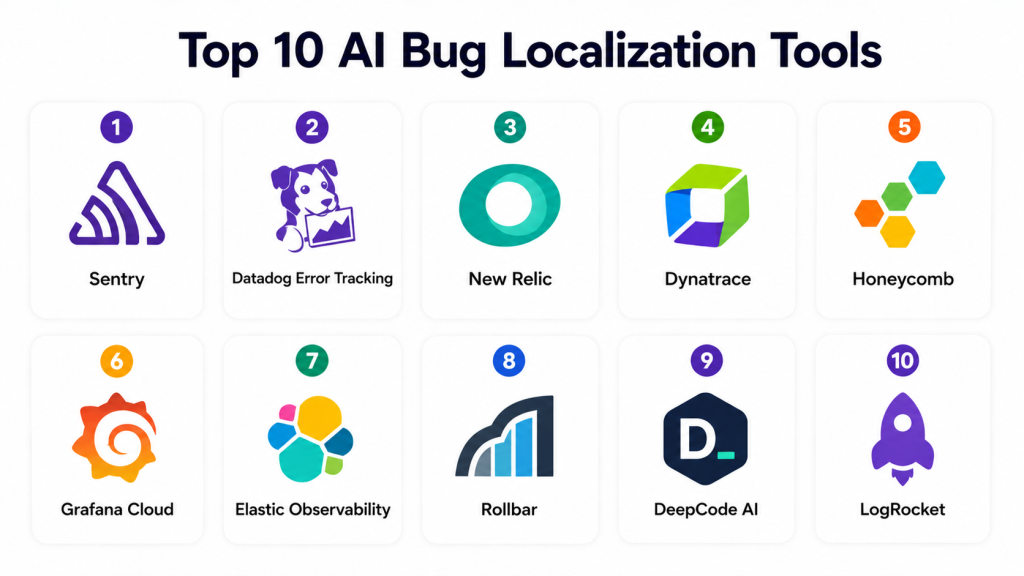
Top 10 AI Bug Localization Tools
1- Sentry
One-line verdict: Best for developer-first error tracking and AI-assisted application debugging across modern software stacks.
Short description
Sentry is one of the most widely adopted application monitoring and bug localization platforms. It combines error tracking, distributed tracing, performance monitoring, and AI-assisted debugging workflows for engineering teams.
Standout Capabilities
- Real-time error tracking
- AI-assisted issue grouping
- Distributed tracing
- Performance monitoring
- Session replay
- Release health monitoring
- Root cause analysis workflows
AI-Specific Depth
- Model support: Proprietary AI capabilities
- RAG / knowledge integration: N/A
- Evaluation: Error prioritization and regression analysis
- Guardrails: Workflow anomaly detection
- Observability: Traces, latency metrics, issue analytics
Pros
- Excellent developer experience
- Strong ecosystem adoption
- Fast deployment and onboarding
Cons
- Large-scale environments may become expensive
- Advanced governance features vary by tier
- Complex workflows may require tuning
Security & Compliance
Supports SSO, RBAC, encryption, audit logs, and enterprise access controls. Additional certifications not publicly stated.
Deployment & Platforms
- Cloud deployment
- Self-hosted options available
- Windows
- Linux
- macOS
Integrations & Ecosystem
Sentry integrates deeply into developer and DevOps workflows.
- GitHub
- GitLab
- Jira
- Slack
- APIs
- CI/CD pipelines
- Kubernetes
Pricing Model
Freemium and enterprise subscription plans.
Best-Fit Scenarios
- SaaS engineering teams
- API-heavy applications
- Continuous deployment environments
2- Datadog Error Tracking
One-line verdict: Best for enterprises needing unified observability and AI-driven root cause analysis.
Short description
Datadog combines infrastructure monitoring, distributed tracing, log analytics, and AI-assisted debugging into a unified observability platform. It is widely used across cloud-native enterprise environments.
Standout Capabilities
- Unified observability
- AI-assisted anomaly detection
- Distributed tracing
- Infrastructure monitoring
- Log analytics
- Real-time alerting
- Cloud-native integrations
AI-Specific Depth
- Model support: Proprietary AI analytics
- RAG / knowledge integration: N/A
- Evaluation: Incident correlation and anomaly evaluation
- Guardrails: Alerting and policy enforcement
- Observability: Full-stack observability and telemetry
Pros
- Excellent enterprise scalability
- Strong cloud-native support
- Unified platform experience
Cons
- Pricing complexity
- Large environments can become costly
- Steeper learning curve
Security & Compliance
Supports enterprise governance including SSO, RBAC, encryption, audit logging, and access controls.
Deployment & Platforms
- Cloud-native deployment
- Hybrid support varies
- Windows
- Linux
- macOS
Integrations & Ecosystem
- AWS
- Azure
- Google Cloud
- Kubernetes
- APIs
- Slack
- Jira
Pricing Model
Usage-based enterprise pricing.
Best-Fit Scenarios
- Enterprise cloud infrastructure
- Large-scale observability
- Multi-cloud environments
3- New Relic
One-line verdict: Best for organizations needing deep application observability with AI-assisted debugging insights.
Short description
New Relic provides full-stack observability with integrated error tracking, telemetry analysis, and AI-driven incident intelligence for modern engineering environments.
Standout Capabilities
- Full-stack observability
- AI-powered incident intelligence
- Distributed tracing
- Telemetry analytics
- Log correlation
- Application performance monitoring
- Cloud infrastructure visibility
AI-Specific Depth
- Model support: Proprietary AI systems
- RAG / knowledge integration: N/A
- Evaluation: Incident intelligence and anomaly analysis
- Guardrails: Alerting workflows
- Observability: Metrics, traces, logs, analytics
Pros
- Strong enterprise observability
- Excellent telemetry visibility
- Broad ecosystem integrations
Cons
- Interface complexity
- Pricing variability
- Advanced customization requires expertise
Security & Compliance
Supports RBAC, SSO, encryption, and enterprise governance controls.
Deployment & Platforms
- Cloud deployment
- Hybrid support varies
- Linux
- Windows
- macOS
Integrations & Ecosystem
- Kubernetes
- AWS
- Azure
- APIs
- Jira
- Slack
- CI/CD systems
Pricing Model
Consumption-based pricing.
Best-Fit Scenarios
- Large engineering organizations
- Cloud-native SaaS platforms
- Observability-heavy workflows
4- Dynatrace
One-line verdict: Best for AI-driven enterprise observability and automated root cause analysis.
Short description
Dynatrace provides AI-powered observability and application intelligence for enterprise environments. The platform specializes in automatic dependency mapping and root cause analysis.
Standout Capabilities
- AI-powered root cause analysis
- Automatic dependency mapping
- Full-stack monitoring
- Infrastructure observability
- Distributed tracing
- Cloud automation
- AI anomaly detection
AI-Specific Depth
- Model support: Proprietary AI engine
- RAG / knowledge integration: N/A
- Evaluation: Root cause and anomaly analysis
- Guardrails: Intelligent alert prioritization
- Observability: Deep telemetry visibility
Pros
- Excellent automation depth
- Strong enterprise scalability
- Powerful AI-driven insights
Cons
- Premium pricing
- Complex onboarding
- Heavy enterprise focus
Security & Compliance
Supports enterprise-grade governance and security workflows including RBAC and SSO.
Deployment & Platforms
- Cloud deployment
- Hybrid deployment
- Kubernetes support
- Windows
- Linux
Integrations & Ecosystem
- AWS
- Azure
- Kubernetes
- APIs
- Jenkins
- ServiceNow
- Slack
Pricing Model
Enterprise subscription pricing.
Best-Fit Scenarios
- Large enterprises
- Hybrid cloud environments
- AI-driven observability operations
5- Honeycomb
One-line verdict: Best for engineering teams debugging highly distributed cloud-native applications.
Short description
Honeycomb focuses on observability for distributed systems using high-cardinality telemetry analysis and advanced tracing workflows.
Standout Capabilities
- High-cardinality observability
- Distributed tracing
- Root cause analysis
- Real-time debugging
- Event correlation
- Cloud-native monitoring
- Telemetry exploration
AI-Specific Depth
- Model support: Proprietary analytics systems
- RAG / knowledge integration: N/A
- Evaluation: Event and anomaly analysis
- Guardrails: Alerting and observability workflows
- Observability: Distributed telemetry analysis
Pros
- Excellent distributed tracing
- Strong debugging visibility
- Developer-focused workflows
Cons
- Advanced concepts require training
- Enterprise pricing
- Smaller ecosystem than larger vendors
Security & Compliance
Enterprise authentication and governance controls supported.
Deployment & Platforms
- Cloud deployment
- Kubernetes support
- Linux
- Windows
- macOS
Integrations & Ecosystem
- OpenTelemetry
- Kubernetes
- APIs
- AWS
- Azure
- CI/CD systems
Pricing Model
Usage-based pricing.
Best-Fit Scenarios
- Microservices environments
- Cloud-native debugging
- SRE-focused organizations
6- Grafana Cloud
One-line verdict: Best for open-source-friendly observability and AI-assisted debugging workflows.
Short description
Grafana Cloud combines logs, metrics, traces, and observability analytics into a unified platform with strong open-source ecosystem support.
Standout Capabilities
- Unified observability
- OpenTelemetry support
- Distributed tracing
- Metrics and log analytics
- Flexible dashboards
- Cloud-native integrations
- Open-source ecosystem
AI-Specific Depth
- Model support: Limited AI assistance
- RAG / knowledge integration: N/A
- Evaluation: Telemetry analytics
- Guardrails: Alerting workflows
- Observability: Logs, metrics, traces, dashboards
Pros
- Strong open-source ecosystem
- Flexible customization
- Excellent visualization capabilities
Cons
- Advanced setups can be complex
- Enterprise governance varies
- AI capabilities less mature than competitors
Security & Compliance
Supports RBAC, SSO, and enterprise governance controls.
Deployment & Platforms
- Cloud deployment
- Self-hosted support
- Linux
- Windows
- macOS
Integrations & Ecosystem
- Prometheus
- Loki
- Tempo
- Kubernetes
- APIs
- OpenTelemetry
Pricing Model
Freemium and enterprise pricing.
Best-Fit Scenarios
- Open-source-first organizations
- Kubernetes observability
- Flexible monitoring environments
7- Elastic Observability
One-line verdict: Best for log-heavy environments requiring AI-assisted search and root cause analysis.
Short description
Elastic Observability combines search, logging, APM, and telemetry analytics into a scalable observability platform widely used for troubleshooting distributed systems.
Standout Capabilities
- Log analytics
- Search-driven debugging
- Distributed tracing
- APM workflows
- AI-assisted anomaly detection
- Telemetry correlation
- Large-scale data indexing
AI-Specific Depth
- Model support: Proprietary AI analytics
- RAG / knowledge integration: N/A
- Evaluation: Anomaly and telemetry analysis
- Guardrails: Alerting and monitoring workflows
- Observability: Logs, traces, metrics, search analytics
Pros
- Excellent search capabilities
- Strong scalability
- Flexible deployment options
Cons
- Operational complexity
- Resource-intensive deployments
- Advanced tuning required
Security & Compliance
Enterprise governance controls supported including RBAC and encryption.
Deployment & Platforms
- Cloud deployment
- Self-hosted deployment
- Linux
- Windows
- macOS
Integrations & Ecosystem
- Kubernetes
- APIs
- OpenTelemetry
- AWS
- Azure
- Google Cloud
Pricing Model
Usage-based and enterprise licensing.
Best-Fit Scenarios
- Log-intensive environments
- Enterprise observability
- Large telemetry workloads
8- Rollbar
One-line verdict: Best for lightweight real-time error tracking and AI-assisted debugging workflows.
Short description
Rollbar provides real-time error monitoring and debugging workflows focused on rapid issue detection and developer productivity.
Standout Capabilities
- Real-time error monitoring
- AI-assisted grouping
- Deployment tracking
- Root cause workflows
- Alerting systems
- Performance monitoring
- Lightweight setup
AI-Specific Depth
- Model support: Proprietary analytics
- RAG / knowledge integration: N/A
- Evaluation: Error trend analysis
- Guardrails: Alert workflows
- Observability: Error analytics and monitoring
Pros
- Easy deployment
- Strong developer workflows
- Fast issue visibility
Cons
- Limited enterprise observability depth
- Less infrastructure visibility
- Smaller ecosystem
Security & Compliance
Supports enterprise access management and authentication workflows.
Deployment & Platforms
- Cloud deployment
- Linux
- Windows
- macOS
Integrations & Ecosystem
- GitHub
- Jira
- Slack
- APIs
- CI/CD systems
Pricing Model
Freemium and enterprise subscriptions.
Best-Fit Scenarios
- Startup engineering teams
- Lightweight monitoring
- Fast deployment environments
9- DeepCode AI
One-line verdict: Best for AI-assisted static analysis and intelligent bug localization during development.
Short description
DeepCode AI focuses on AI-powered static analysis and code intelligence to help developers identify vulnerabilities, bugs, and code quality issues early.
Standout Capabilities
- AI-powered code analysis
- Bug pattern detection
- Security vulnerability scanning
- Repository intelligence
- Automated code review
- Developer workflow integration
- Multi-language support
AI-Specific Depth
- Model support: Proprietary AI analysis
- RAG / knowledge integration: Repository-aware workflows
- Evaluation: Static code evaluation
- Guardrails: Security and code-quality checks
- Observability: Repository insights and analytics
Pros
- Excellent code intelligence
- Strong developer integrations
- Improves code quality early
Cons
- Less runtime observability
- Limited infrastructure analysis
- Focused more on static analysis
Security & Compliance
Enterprise security controls vary by deployment.
Deployment & Platforms
- Cloud deployment
- IDE integrations
- Cross-platform support
Integrations & Ecosystem
- GitHub
- GitLab
- Bitbucket
- IDEs
- APIs
- CI/CD systems
Pricing Model
Subscription-based pricing.
Best-Fit Scenarios
- Developer-first teams
- Secure coding workflows
- Static analysis environments
10- LogRocket
One-line verdict: Best for frontend debugging and AI-assisted session replay workflows.
Short description
LogRocket combines frontend observability, session replay, and error monitoring to help teams identify and reproduce user-facing issues faster.
Standout Capabilities
- Session replay
- Frontend observability
- Error monitoring
- User behavior analytics
- Performance monitoring
- AI-assisted issue grouping
- Debugging workflows
AI-Specific Depth
- Model support: Proprietary AI analytics
- RAG / knowledge integration: N/A
- Evaluation: User session analysis
- Guardrails: Alert workflows
- Observability: Frontend telemetry and replay analytics
Pros
- Excellent frontend visibility
- Strong user experience insights
- Easy debugging workflows
Cons
- Limited backend observability
- Less enterprise infrastructure depth
- Frontend-focused use cases
Security & Compliance
Supports enterprise authentication and governance workflows.
Deployment & Platforms
- Cloud deployment
- Web platform
- Browser integrations
Integrations & Ecosystem
- React
- Angular
- Vue
- APIs
- Slack
- Jira
Pricing Model
Subscription-based pricing.
Best-Fit Scenarios
- Frontend engineering teams
- SaaS user experience monitoring
- Browser-based debugging workflows
Comparison Table
| Tool Name | Best For | Deployment | Model Flexibility | Strength | Watch-Out | Public Rating |
|---|---|---|---|---|---|---|
| Sentry | Developer workflows | Cloud Self-hosted | Hosted | Real-time debugging | Pricing at scale | N/A |
| Datadog Error Tracking | Enterprise observability | Cloud | Hosted | Unified telemetry | Cost complexity | N/A |
| New Relic | Full-stack monitoring | Cloud | Hosted | Deep observability | Learning curve | N/A |
| Dynatrace | Enterprise automation | Hybrid | Proprietary | AI root cause analysis | Premium pricing | N/A |
| Honeycomb | Distributed systems | Cloud | Hosted | High-cardinality tracing | Smaller ecosystem | N/A |
| Grafana Cloud | Open-source observability | Hybrid | Open-source friendly | Flexible dashboards | Complex setup | N/A |
| Elastic Observability | Log analytics | Hybrid | Hosted | Search-driven debugging | Resource intensive | N/A |
| Rollbar | Lightweight monitoring | Cloud | Hosted | Fast onboarding | Limited enterprise depth | N/A |
| DeepCode AI | Static analysis | Cloud | Proprietary | AI code intelligence | Less runtime visibility | N/A |
| LogRocket | Frontend debugging | Cloud | Hosted | Session replay | Frontend-focused | N/A |
Scoring and Evaluation
| Tool | Core | Reliability Eval | Guardrails | Integrations | Ease | Performance Cost | Security Admin | Support | Weighted Total |
|---|---|---|---|---|---|---|---|---|---|
| Sentry | 9 | 8 | 7 | 9 | 9 | 8 | 8 | 8 | 8.3 |
| Datadog Error Tracking | 9 | 9 | 8 | 9 | 7 | 7 | 9 | 8 | 8.4 |
| New Relic | 8 | 8 | 7 | 9 | 7 | 8 | 8 | 8 | 8.0 |
| Dynatrace | 9 | 9 | 8 | 8 | 6 | 8 | 9 | 8 | 8.4 |
| Honeycomb | 8 | 8 | 7 | 8 | 7 | 8 | 7 | 7 | 7.7 |
| Grafana Cloud | 8 | 7 | 6 | 9 | 7 | 8 | 7 | 8 | 7.8 |
| Elastic Observability | 8 | 8 | 7 | 8 | 6 | 7 | 8 | 7 | 7.6 |
| Rollbar | 7 | 7 | 6 | 7 | 9 | 8 | 7 | 7 | 7.4 |
| DeepCode AI | 8 | 8 | 8 | 8 | 8 | 8 | 8 | 7 | 8.0 |
| LogRocket | 7 | 7 | 6 | 7 | 8 | 8 | 7 | 7 | 7.3 |
Top 3 for Enterprise
- Datadog Error Tracking
- Dynatrace
- New Relic
Top 3 for SMB
- Sentry
- Rollbar
- Grafana Cloud
Top 3 for Developers
- Sentry
- DeepCode AI
- Honeycomb
Which AI Bug Localization Tool Is Right for You
Solo Freelancer
Solo developers usually benefit most from lightweight and affordable tools like Sentry, Rollbar, and LogRocket because they are easy to deploy and maintain.
SMB
SMBs should prioritize usability, fast onboarding, and integration depth. Sentry and Grafana Cloud offer strong observability without excessive operational overhead.
Mid-Market
Mid-market organizations often need stronger telemetry analysis and scalability. New Relic and Honeycomb are strong choices for growing engineering teams.
Enterprise
Enterprises should prioritize governance, observability depth, scalability, and automation. Datadog Error Tracking and Dynatrace are especially strong in large distributed environments.
Regulated Industries
Healthcare, finance, and public-sector organizations should prioritize governance, auditability, encryption, and deployment flexibility. Dynatrace and Elastic Observability are strong choices.
Budget vs Premium
Budget-conscious organizations may prefer Grafana Cloud or Sentry. Premium enterprise platforms like Datadog and Dynatrace provide deeper AI-driven observability and automation.
Build vs Buy
Organizations with advanced observability expertise may build internal workflows using open-source tooling. However, commercial platforms usually accelerate implementation and reduce operational complexity.
Implementation Playbook 30 60 90 Days
30 Days
- Identify critical debugging workflows
- Enable distributed tracing
- Integrate logs and telemetry
- Define MTTR success metrics
- Establish alerting policies
- Pilot observability dashboards
- Integrate CI/CD workflows
60 Days
- Expand observability coverage
- Add AI-assisted anomaly detection
- Improve governance controls
- Implement RBAC and audit logging
- Introduce AI workflow monitoring
- Improve telemetry correlation
- Add incident review workflows
90 Days
- Optimize cost and latency visibility
- Scale observability organization-wide
- Automate root cause analysis workflows
- Improve incident response automation
- Add predictive anomaly detection
- Expand governance reporting
- Improve AI model observability
Common Mistakes and How to Avoid Them
- Ignoring distributed tracing
- Relying only on logs without telemetry correlation
- Overlooking AI workflow failures
- Failing to monitor infrastructure costs
- Delaying governance implementation
- Ignoring frontend observability
- Running observability without alert prioritization
- Failing to integrate CI/CD systems
- Over-collecting telemetry data unnecessarily
- Not validating anomaly detection quality
- Ignoring developer workflow integrations
- Treating monitoring and debugging as separate systems
- Delaying incident review automation
- Locking into rigid observability architectures
FAQs
1- What are AI Bug Localization Tools
These tools use AI and observability analytics to identify the likely root cause of software bugs, failures, and performance issues across modern applications and distributed systems.
2- How are these platforms different from traditional monitoring tools
Traditional monitoring focuses mainly on visibility and alerting, while AI Bug Localization Tools help engineering teams automatically narrow down root causes and debugging workflows.
3- Do these tools support distributed systems
Yes. Most modern platforms support distributed tracing, telemetry correlation, and cloud-native observability workflows.
4- Can these tools debug AI agents and LLM workflows
Some platforms increasingly support AI workflow observability including model latency, orchestration failures, and inference monitoring.
5- Why is distributed tracing important
Distributed tracing helps teams follow requests across microservices and APIs, making it easier to identify failures and bottlenecks.
6- Are these platforms expensive
Pricing varies widely. Usage-based observability platforms can become costly in large-scale environments if telemetry collection is not optimized.
7- Can startups benefit from these tools
Yes. Early adoption improves debugging speed, reduces downtime, and improves engineering efficiency as systems scale.
8- Do these platforms support self-hosting
Some vendors support self-hosted or hybrid deployments, while others are cloud-native only.
9- What is MTTR
MTTR stands for Mean Time To Resolution. It measures how quickly teams identify and resolve production issues.
10- What should enterprises prioritize first
Enterprises should prioritize governance, observability depth, scalability, security controls, and integration flexibility.
11- Are AI-generated debugging insights always accurate
No. AI-assisted debugging improves efficiency but still requires engineering validation and human oversight.
12- Which industries benefit most from AI Bug Localization Tools
SaaS, fintech, healthcare, e commerce, AI infrastructure, and cloud-native technology companies benefit significantly from these platforms.
Conclusion
AI Bug Localization Tools are becoming foundational infrastructure for modern engineering organizations operating distributed systems, APIs, cloud-native applications, and AI-enabled workflows. As software architectures continue growing in complexity, traditional debugging methods are no longer sufficient for maintaining reliability and operational efficiency at scale. The strongest platforms now combine observability, distributed tracing, AI-assisted root cause analysis, anomaly detection, and telemetry analytics into unified engineering workflows that significantly reduce incident resolution time. However, the right platform depends heavily on organizational needs. Developer-first teams may prioritize usability and lightweight deployment, while enterprises often focus more on governance, scalability, and automation depth. Organizations should begin by identifying critical observability gaps, shortlisting platforms aligned with their engineering workflows, and running controlled pilots tied to measurable operational outcomes before scaling observability and AI-assisted debugging across the business.

Find Trusted Cardiac Hospitals
Compare heart hospitals by city and services — all in one place.
Explore Hospitals
A clear and insightful overview of how AI bug localization tools are improving debugging speed and helping developers quickly identify root causes in complex codebases.