
Introduction
AI Pair-Programming IDE Plugins are developer tools that integrate directly into coding environments like VS Code, JetBrains, and cloud IDEs to act as real-time AI collaborators. These plugins help write code, suggest fixes, generate functions, refactor systems, explain logic, and even debug entire codebases using natural language prompts.
Unlike traditional autocomplete tools, modern AI pair-programming plugins understand full project context, multiple files, dependencies, and architecture-level intent. They function like an on-demand senior developer embedded inside your IDE, helping reduce cognitive load and speeding up development cycles significantly.
Why It Matters
Software development is becoming increasingly complex with microservices, distributed systems, cloud-native architectures, and fast-moving frameworks. Developers often spend more time understanding code than writing it.
AI pair-programming IDE plugins solve this by:
- Reducing repetitive coding work
- Improving debugging speed
- Helping juniors learn faster
- Enabling faster onboarding
- Supporting multi-file refactoring
- Automating test generation and documentation
These tools are now central to modern engineering workflows, especially in AI-driven and DevOps-heavy environments where speed and correctness must coexist.
Real-World Use Cases
- Writing full functions from natural language
- Debugging production issues faster
- Refactoring legacy monoliths into microservices
- Generating unit and integration tests
- Explaining complex codebases
- Automating pull request creation
- Migrating frameworks and dependencies
- AI-assisted code reviews
- Onboarding new developers
- Building prototypes faster
Evaluation Criteria for Buyers
- IDE integration quality
- Multi-file and repository understanding
- AI reasoning accuracy
- Context window size
- Language and framework support
- Debugging capabilities
- Code refactoring quality
- Security and privacy controls
- Enterprise governance features
- Latency and performance
- Model flexibility (hosted vs BYO)
- Cost and scalability
Best for: software engineers, full-stack developers, DevOps teams, enterprise engineering orgs, startups building fast MVPs, and AI-native development teams.
Not ideal for: air-gapped environments without AI support, extremely sensitive regulated systems without governance controls, or teams that require fully deterministic coding processes without AI suggestions.
What’s Changed in AI Pair-Programming IDE Plugins
- AI plugins are evolving into agentic development systems, not just autocomplete tools
- Full repository reasoning is now standard in leading tools
- Multi-file editing and refactoring has become a core capability
- Developers now “conversationally program” instead of writing everything manually
- AI tools are increasingly integrated into Git workflows and CI/CD pipelines
- Context-aware AI can now understand entire application architectures
- IDEs are becoming AI-native development environments
- Developers increasingly delegate debugging and analysis to AI assistants
- Local and privacy-focused AI plugins are growing in demand
- Enterprises now evaluate AI tools based on governance and auditability
- AI coding assistants now assist in planning, not just writing code
- Terminal-based AI coding agents are becoming mainstream
Quick Buyer Checklist
- Does it support full repository context?
- Can it handle multi-file edits reliably?
- Does it integrate with your IDE (VS Code / JetBrains)?
- Can it generate tests and documentation?
- Does it support private or local models?
- What is the latency during large code operations?
- Does it support Git workflows and PR generation?
- How strong is debugging assistance?
- Does it have enterprise governance controls?
- Can it refactor legacy code safely?
- How transparent are AI suggestions?
- Is there vendor lock-in risk?
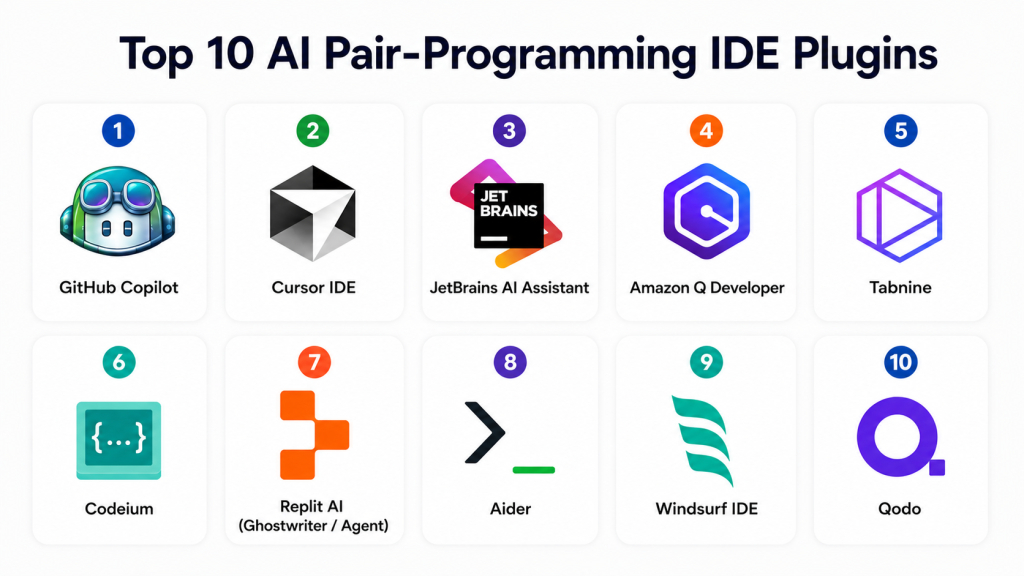
Top 10 AI Pair-Programming IDE Plugins
1- GitHub Copilot
One-line verdict: Best all-round AI pair programmer for IDE-based development workflows.
Short description:
GitHub Copilot is one of the most widely used AI coding plugins, providing inline suggestions, chat-based assistance, and repository-aware coding inside popular IDEs. It integrates deeply into GitHub workflows and developer ecosystems.
Standout Capabilities
- Inline AI code completion
- Chat-based coding assistant
- Multi-language support
- GitHub repository context awareness
- Pull request generation
- Test case generation
- Debugging assistance
- IDE-native workflow integration
AI-Specific Depth
- Model support: Hosted multi-model AI system
- RAG / knowledge integration: GitHub repository context
- Evaluation: Code suggestion validation workflows
- Guardrails: Enterprise policy controls
- Observability: Usage analytics and admin dashboards
Pros
- Extremely popular and well-supported
- Strong IDE integrations
- Reliable autocomplete performance
Cons
- Best experience tied to GitHub ecosystem
- Advanced reasoning varies by context
- Requires internet-based processing
Security & Compliance
Supports enterprise governance, SSO, access controls, and audit logging. Certifications vary by deployment setup.
Deployment & Platforms
- VS Code
- JetBrains IDEs
- Visual Studio
- Cloud-based IDE integrations
- Windows, macOS, Linux
Integrations & Ecosystem
- GitHub
- CI/CD pipelines
- DevOps tools
- APIs
- Developer workflows
- Enterprise environments
Pricing Model
Subscription-based and enterprise licensing.
Best-Fit Scenarios
- Enterprise development teams
- GitHub-centric workflows
- General-purpose AI coding assistance
2- Cursor IDE
One-line verdict: Best AI-native IDE for full repository reasoning and conversational coding.
Short description:
Cursor is an AI-first code editor built on VS Code that enables developers to edit entire codebases using natural language instructions and AI-driven workflows.
Standout Capabilities
- AI-native IDE experience
- Multi-file editing
- Repository-wide context understanding
- Conversational coding interface
- AI debugging and refactoring
- Terminal integration
- Codebase indexing
- Agent-style workflows
AI-Specific Depth
- Model support: Multi-model support
- RAG / knowledge integration: Full repository indexing
- Evaluation: AI-assisted code validation
- Guardrails: User approval workflows
- Observability: Workflow tracking inside IDE
Pros
- Excellent large-codebase understanding
- Strong AI-native workflow design
- High developer productivity
Cons
- Learning curve for traditional IDE users
- Requires adjustment to AI-first workflow
- Resource-intensive on large projects
Security & Compliance
Enterprise controls available, but specific certifications are not publicly stated.
Deployment & Platforms
- Windows
- macOS
- Linux
- AI-native IDE environment
Integrations & Ecosystem
- Git systems
- Developer APIs
- Terminal workflows
- AI models
- Extensions ecosystem
Pricing Model
Freemium with subscription tiers.
Best-Fit Scenarios
- Large-scale repository development
- AI-native engineering teams
- Rapid refactoring workflows
3- JetBrains AI Assistant
One-line verdict: Best for JetBrains IDE users needing deep in-editor AI assistance.
Short description:
JetBrains AI Assistant integrates directly into IntelliJ-based IDEs, offering intelligent code completion, debugging, and refactoring support.
Standout Capabilities
- IDE-native AI assistance
- Context-aware coding suggestions
- Code refactoring support
- Debugging assistance
- Documentation generation
- Test creation
- Multi-language support
- Seamless JetBrains integration
AI-Specific Depth
- Model support: JetBrains-hosted AI models
- RAG / knowledge integration: IDE and project context
- Evaluation: Code assistance validation
- Guardrails: IDE-level approvals
- Observability: Developer usage tracking
Pros
- Deep IDE integration
- Strong productivity gains
- Familiar environment for JetBrains users
Cons
- Limited outside JetBrains ecosystem
- Less flexible than IDE-agnostic tools
- Advanced AI workflows still evolving
Security & Compliance
Enterprise-grade controls available within JetBrains ecosystem.
Deployment & Platforms
- IntelliJ IDEA
- PyCharm
- WebStorm
- Cross-platform desktop IDEs
Integrations & Ecosystem
- JetBrains IDE suite
- Git workflows
- Dev tools ecosystem
- APIs
Pricing Model
Subscription-based licensing.
Best-Fit Scenarios
- JetBrains-heavy engineering teams
- Enterprise Java and backend development
- IDE-native workflows
4- Amazon Q Developer
One-line verdict: Best for AWS-native development and cloud infrastructure coding assistance.
Short description:
Amazon Q Developer provides AI-powered coding, cloud infrastructure assistance, and troubleshooting capabilities within AWS environments.
Standout Capabilities
- AWS-aware coding assistant
- Infrastructure code generation
- Cloud troubleshooting support
- IDE integration
- Security recommendations
- Code modernization tools
- DevOps automation assistance
- Context-aware cloud guidance
AI-Specific Depth
- Model support: AWS AI ecosystem
- RAG / knowledge integration: AWS documentation and services
- Evaluation: Cloud workflow validation
- Guardrails: IAM and AWS policy controls
- Observability: Cloud usage tracking
Pros
- Strong AWS ecosystem integration
- Great for cloud engineers
- Useful infrastructure automation
Cons
- Best suited for AWS-heavy teams
- Less useful outside cloud workflows
- Ecosystem dependency considerations
Security & Compliance
Enterprise AWS security controls including IAM integration and auditing.
Deployment & Platforms
- AWS cloud
- VS Code
- JetBrains IDEs
- CLI tools
Integrations & Ecosystem
- AWS services
- DevOps pipelines
- Cloud infrastructure tools
- APIs
Pricing Model
Usage-based and subscription pricing.
Best-Fit Scenarios
- AWS development teams
- Cloud-native engineering
- Infrastructure automation
5- Tabnine
One-line verdict: Best for privacy-focused AI coding with local and enterprise deployment options.
Short description:
Tabnine provides AI-powered code completion with strong privacy controls, including local and enterprise deployment options for secure environments.
Standout Capabilities
- AI autocomplete
- Local deployment support
- Enterprise privacy controls
- Multi-language support
- IDE integrations
- Custom model training
- Secure development workflows
- Team collaboration features
AI-Specific Depth
- Model support: Local and hosted models
- RAG / knowledge integration: Repository-level context
- Evaluation: Suggestion review system
- Guardrails: Enterprise privacy controls
- Observability: Admin monitoring dashboards
Pros
- Strong privacy-first design
- Works in offline environments
- Enterprise-friendly controls
Cons
- Less advanced reasoning than top AI-native IDEs
- Limited agentic workflows
- Smaller ecosystem
Security & Compliance
Strong enterprise privacy controls and optional local deployment.
Deployment & Platforms
- Windows
- macOS
- Linux
- Local and cloud deployment
Integrations & Ecosystem
- VS Code
- JetBrains IDEs
- Visual Studio
- APIs
- Enterprise environments
Pricing Model
Freemium and enterprise subscription tiers.
Best-Fit Scenarios
- Regulated industries
- Privacy-sensitive development
- Offline or hybrid environments
6- Codeium
One-line verdict: Best free alternative AI pair-programming plugin with strong autocomplete.
Short description:
Codeium offers fast AI code completion and chat assistance across multiple IDEs, focusing on accessibility and performance.
Standout Capabilities
- AI code autocomplete
- Multi-IDE support
- Chat-based assistance
- Fast response time
- Multi-language support
- Lightweight plugin
- Developer-friendly UX
- Code explanation tools
AI-Specific Depth
- Model support: Hosted AI models
- RAG / knowledge integration: Limited repository context
- Evaluation: Suggestion feedback loops
- Guardrails: Basic safety filters
- Observability: Usage analytics
Pros
- Free tier availability
- Fast performance
- Easy onboarding
Cons
- Less advanced reasoning than premium tools
- Limited enterprise controls
- Smaller ecosystem depth
Security & Compliance
Standard security controls; enterprise features vary.
Deployment & Platforms
- VS Code
- JetBrains
- Web IDEs
- Cross-platform support
Integrations & Ecosystem
- Git workflows
- Developer tools
- APIs
Pricing Model
Freemium and enterprise plans.
Best-Fit Scenarios
- Students and freelancers
- Lightweight development workflows
- Budget-conscious teams
7- Replit AI (Ghostwriter / Agent)
One-line verdict: Best for browser-based AI coding and rapid app prototyping.
Short description:
Replit AI provides cloud-based coding with AI assistance for building, debugging, and deploying applications directly in the browser.
Standout Capabilities
- Browser-based IDE
- AI code generation
- Full-stack app creation
- Real-time collaboration
- Deployment automation
- AI debugging tools
- Project scaffolding
- Agent-based workflows
AI-Specific Depth
- Model support: Hosted AI models
- RAG / knowledge integration: Workspace context
- Evaluation: AI-assisted execution validation
- Guardrails: Workspace permissions
- Observability: Project-level tracking
Pros
- No setup required
- Fast prototyping
- Strong collaboration
Cons
- Limited for large enterprise codebases
- Browser-based constraints
- Less control than local IDEs
Security & Compliance
Workspace-level security controls; enterprise compliance varies.
Deployment & Platforms
- Browser-based IDE
- Cloud runtime
- Cross-device access
Integrations & Ecosystem
- GitHub
- APIs
- Cloud deployments
- Collaboration tools
Pricing Model
Freemium and subscription tiers.
Best-Fit Scenarios
- Rapid prototyping
- Education and learning
- Startup MVP development
8- Aider
One-line verdict: Best terminal-based AI pair programmer for Git-centric workflows.
Short description:
Aider is a command-line AI coding assistant that edits repositories directly through Git-aware workflows.
Standout Capabilities
- Terminal-based AI coding
- Git-aware editing
- Multi-file modifications
- Commit automation
- Lightweight design
- BYO model support
- Repository-wide edits
- CLI-native workflow
AI-Specific Depth
- Model support: BYO and multi-model support
- RAG / knowledge integration: Repository context
- Evaluation: Git-based validation
- Guardrails: User-controlled execution
- Observability: CLI logging
Pros
- Lightweight and fast
- Strong Git integration
- Flexible model usage
Cons
- CLI-only workflow
- Learning curve for beginners
- Limited visual interface
Security & Compliance
Depends on deployment and model configuration.
Deployment & Platforms
- Windows
- macOS
- Linux
- Terminal environments
Integrations & Ecosystem
- Git
- APIs
- CLI tools
- Developer workflows
Pricing Model
Open-source plus AI model usage costs.
Best-Fit Scenarios
- CLI-native developers
- Git-heavy workflows
- Lightweight AI coding
9- Windsurf IDE
One-line verdict: Best AI-assisted IDE for conversational coding workflows.
Short description:
Windsurf is an AI-first development environment designed for natural language coding, multi-file edits, and conversational programming.
Standout Capabilities
- Conversational coding interface
- AI-assisted refactoring
- Multi-file edits
- Repository context awareness
- Workflow automation
- IDE-native AI chat
- Modern UI/UX
- Developer productivity focus
AI-Specific Depth
- Model support: Multi-model support
- RAG / knowledge integration: Project context
- Evaluation: Workflow validation
- Guardrails: Human approval flows
- Observability: IDE analytics
Pros
- Modern AI-native experience
- Strong conversational workflows
- Good repository handling
Cons
- Newer ecosystem
- Enterprise features still evolving
- Smaller plugin ecosystem
Security & Compliance
Varies by deployment; enterprise controls are evolving.
Deployment & Platforms
- Windows
- macOS
- Linux
Integrations & Ecosystem
- Git repositories
- APIs
- AI models
- Dev workflows
Pricing Model
Freemium and subscription-based.
Best-Fit Scenarios
- AI-first development teams
- Conversational programming
- Rapid iteration workflows
10- Qodo
One-line verdict: Best for AI-driven code quality, testing, and review automation.
Short description:
Qodo focuses on improving software quality by combining AI-assisted coding with automated testing, review, and reliability workflows.
Standout Capabilities
- AI code review
- Automated test generation
- Code quality analysis
- Refactoring assistance
- Documentation generation
- CI integration
- Reliability scoring
- Developer feedback loops
AI-Specific Depth
- Model support: Hosted AI systems
- RAG / knowledge integration: Codebase context
- Evaluation: Code quality evaluation
- Guardrails: Review workflows
- Observability: Quality dashboards
Pros
- Strong focus on code quality
- Useful for engineering standards
- Good CI/CD integration
Cons
- Less general-purpose coding support
- Smaller ecosystem
- Limited IDE-native depth
Security & Compliance
Enterprise controls vary by deployment.
Deployment & Platforms
- IDE integrations
- Cloud platform
- CI/CD systems
Integrations & Ecosystem
- Git workflows
- CI/CD tools
- Developer platforms
- APIs
Pricing Model
Subscription-based pricing.
Best-Fit Scenarios
- Code quality automation
- Testing-heavy teams
- CI/CD-focused engineering
Comparison Table
| Tool Name | Best For | Deployment | Model Flexibility | Strength | Watch-Out | Public Rating |
|---|---|---|---|---|---|---|
| GitHub Copilot | General IDE assistance | Cloud | Hosted models | Ecosystem depth | GitHub dependency | N/A |
| Cursor | AI-native IDE | Cloud | Multi-model | Repo reasoning | Learning curve | N/A |
| JetBrains AI Assistant | JetBrains IDE users | Cloud | Hosted models | IDE integration | Ecosystem lock-in | N/A |
| Amazon Q Developer | AWS engineers | Cloud | AWS models | Cloud automation | AWS dependency | N/A |
| Tabnine | Privacy-first devs | Hybrid | Local + hosted | Privacy control | Limited AI depth | N/A |
| Codeium | Free AI coding | Cloud | Hosted models | Fast autocomplete | Limited enterprise features | N/A |
| Replit AI | Browser coding | Cloud | Hosted models | Rapid prototyping | Scaling limits | N/A |
| Aider | CLI developers | Hybrid | BYO models | Git workflows | CLI learning curve | N/A |
| Windsurf | Conversational coding | Cloud | Multi-model | AI-native UX | New ecosystem | N/A |
| Qodo | Code quality | Cloud | Hosted models | Testing focus | Narrow scope | N/A |
Scoring & Evaluation
The scoring below is comparative and based on developer productivity, AI reasoning quality, repository understanding, IDE integration depth, security controls, extensibility, and operational usability. Scores may vary based on workflow and stack maturity.
| Tool | Core | Reliability/Eval | Guardrails | Integrations | Ease | Perf/Cost | Security/Admin | Support | Weighted Total |
|---|---|---|---|---|---|---|---|---|---|
| GitHub Copilot | 10 | 9 | 8 | 10 | 9 | 8 | 8 | 9 | 8.8 |
| Cursor | 9 | 9 | 8 | 8 | 8 | 8 | 7 | 8 | 8.3 |
| JetBrains AI Assistant | 8 | 8 | 8 | 9 | 9 | 8 | 8 | 8 | 8.3 |
| Amazon Q Developer | 8 | 8 | 8 | 9 | 8 | 8 | 9 | 8 | 8.3 |
| Tabnine | 7 | 7 | 9 | 8 | 8 | 8 | 9 | 7 | 7.9 |
| Codeium | 8 | 7 | 7 | 8 | 9 | 9 | 7 | 7 | 7.8 |
| Replit AI | 8 | 7 | 7 | 7 | 9 | 8 | 6 | 7 | 7.6 |
| Aider | 8 | 8 | 8 | 7 | 6 | 9 | 7 | 7 | 7.7 |
| Windsurf | 8 | 8 | 7 | 7 | 8 | 8 | 7 | 7 | 7.7 |
| Qodo | 8 | 8 | 8 | 7 | 7 | 8 | 8 | 7 | 7.8 |
Top 3 for Enterprise
- GitHub Copilot
- Amazon Q Developer
- JetBrains AI Assistant
Top 3 for SMB
- Cursor
- Codeium
- Windsurf
Top 3 for Developers
- Cursor
- Aider
- GitHub Copilot
Which AI Pair-Programming IDE Plugin Is Right for You
Solo / Freelancer
Solo developers should prioritize ease of use, speed, and affordability. GitHub Copilot, Codeium, and Replit AI are strong starting points.
SMB
SMBs should focus on productivity, team collaboration, and cost efficiency. Cursor, GitHub Copilot, and Windsurf are strong balanced options.
Mid-Market
Mid-market teams should prioritize repository understanding, IDE integration, and workflow consistency. JetBrains AI Assistant and GitHub Copilot work well here.
Enterprise
Enterprise organizations should prioritize governance, security controls, compliance, and integration depth. GitHub Copilot, Amazon Q Developer, and Tabnine are strong enterprise choices.
Regulated Industries
Finance, healthcare, and government teams should prioritize privacy, auditability, and local deployment options. Tabnine and Aider (with controlled models) are often preferred.
Budget vs Premium
Budget users can start with Codeium or Replit AI, while premium teams should invest in Cursor, Copilot, or enterprise IDE integrations.
Build vs Buy
Advanced engineering teams can build internal AI coding workflows using APIs, but most organizations benefit more from mature IDE plugins due to integration depth, security controls, and maintenance simplicity.
Implementation Playbook 30 / 60 / 90 Days
First 30 Days
- Select 1–2 IDE plugins for pilot teams
- Enable autocomplete and chat features
- Measure productivity improvements
- Define coding guidelines for AI usage
- Test debugging and refactoring workflows
- Validate IDE compatibility
- Review privacy settings
- Track developer feedback
First 60 Days
- Expand usage to more repositories
- Introduce AI-assisted testing workflows
- Integrate Git-based workflows
- Add security review processes
- Monitor cost and usage metrics
- Train developers on AI prompting
- Validate code quality impact
- Improve workflow consistency
First 90 Days
- Standardize AI coding practices
- Integrate AI into CI/CD pipelines
- Expand repository indexing usage
- Optimize cost and performance
- Establish governance controls
- Add observability dashboards
- Scale across engineering teams
- Continuously refine workflows
Common Mistakes and How to Avoid Them
- Trusting AI-generated code without review
- Ignoring repository context limitations
- Overusing autocomplete without understanding logic
- Failing to enforce code review processes
- Not managing AI usage costs
- Skipping security validation
- Ignoring privacy and data policies
- Not training developers properly
- Choosing tools without IDE compatibility checks
- Over-automating critical production code
- Neglecting testing of AI-generated outputs
- Locking into one AI model provider
- Ignoring governance and audit requirements
- Underestimating cultural adoption challenges
FAQs
1. What are AI pair-programming IDE plugins?
They are tools that integrate AI directly into code editors to help write, debug, refactor, and understand code using natural language and contextual AI assistance.
2. How are they different from autocomplete tools?
Autocomplete tools suggest single-line code completions, while AI pair-programming plugins can understand full files, repositories, and multi-step tasks.
3. Do these tools replace developers?
No. They assist developers by improving productivity, but human judgment is still required for architecture, security, and system design.
4. Which is the best AI IDE plugin overall?
GitHub Copilot is currently one of the most widely adopted general-purpose AI coding assistants.
5. Which tool is best for large codebases?
Cursor and Claude-style AI tools are known for strong multi-file and repository-level reasoning.
6. Are AI coding plugins safe for enterprise use?
Yes, but only with proper governance, access control, and privacy policies in place.
7. Can these tools work offline?
Some tools like Tabnine support local or hybrid deployment, but most rely on cloud-based AI models.
8. Do they support all programming languages?
Most major tools support multiple languages, but performance varies depending on language popularity and ecosystem support.
9. Are they expensive?
Pricing varies widely from free tiers to enterprise subscriptions depending on usage and features.
10. What is agentic coding?
It is a workflow where AI can plan and execute multi-step development tasks with minimal human intervention.
11. Do they integrate with Git?
Yes, most modern AI coding plugins support Git workflows including commits, pull requests, and repository analysis.
12. What is the biggest risk of using AI coding tools?
The biggest risks include over-reliance on AI-generated code, security issues, and lack of proper validation or review processes.
Conclusion
AI Pair-Programming IDE Plugins are transforming how software is built by embedding intelligent assistance directly into development environments. These tools are no longer limited to autocomplete—they now understand entire codebases, support debugging, generate tests, assist in architecture decisions, and even act as collaborative coding agents.The best tool depends on your environment. GitHub Copilot remains the most widely adopted enterprise-ready solution, Cursor leads in AI-native development experiences, and Aider offers powerful terminal-based workflows. Meanwhile, tools like Tabnine focus on privacy, Replit AI focuses on rapid prototyping, and Amazon Q Developer excels in AWS-native development.The future of software engineering is shifting toward AI-augmented development environments where developers and AI collaborate continuously across planning, coding, testing, and deployment. The best next step is to pilot one or two tools in real workflows, measure productivity impact, and gradually integrate AI into your engineering lifecycle with strong governance and review practices.

Find Trusted Cardiac Hospitals
Compare heart hospitals by city and services — all in one place.
Explore Hospitals
A concise and insightful overview that clearly explains how AI pair programming IDE plugins are reshaping developer productivity by making coding faster, more collaborative, and less repetitive.