
Introduction
Audio editing software is a specialized category of digital tools designed to record, edit, enhance, mix, and master sound. These tools allow users to manipulate audio files by cutting, trimming, cleaning noise, adjusting levels, applying effects, and preparing final outputs for music, podcasts, videos, games, films, training materials, and more.
In today’s content-driven world, audio quality directly impacts credibility, engagement, and professionalism. Whether it is a podcast episode, a YouTube video, an online course, a marketing ad, or a feature film, poor audio can ruin the user experience—even if visuals are perfect. Audio editing software helps creators ensure clarity, balance, consistency, and emotional impact in their sound.
Key Real-World Use Cases
- Music production and mastering
- Podcast recording and post-production
- Voice-over and audiobook creation
- Film, TV, and video production
- Game audio design and sound effects
- Corporate training and e-learning content
What to Look for When Choosing Audio Editing Software
When evaluating audio editing tools, users should consider:
- Editing depth (basic vs professional)
- Ease of use and learning curve
- Supported audio formats
- Effects, plugins, and automation
- Performance and stability
- Collaboration and workflow support
- Security, licensing, and compliance
- Pricing and long-term value
Best for:
Audio editing software benefits content creators, musicians, podcasters, video editors, educators, marketers, studios, agencies, media houses, and enterprises that rely on high-quality sound.
Not ideal for:
Users who only need simple voice recording or basic trimming may find full-featured tools excessive. In such cases, lightweight recorders or built-in OS tools may be sufficient.
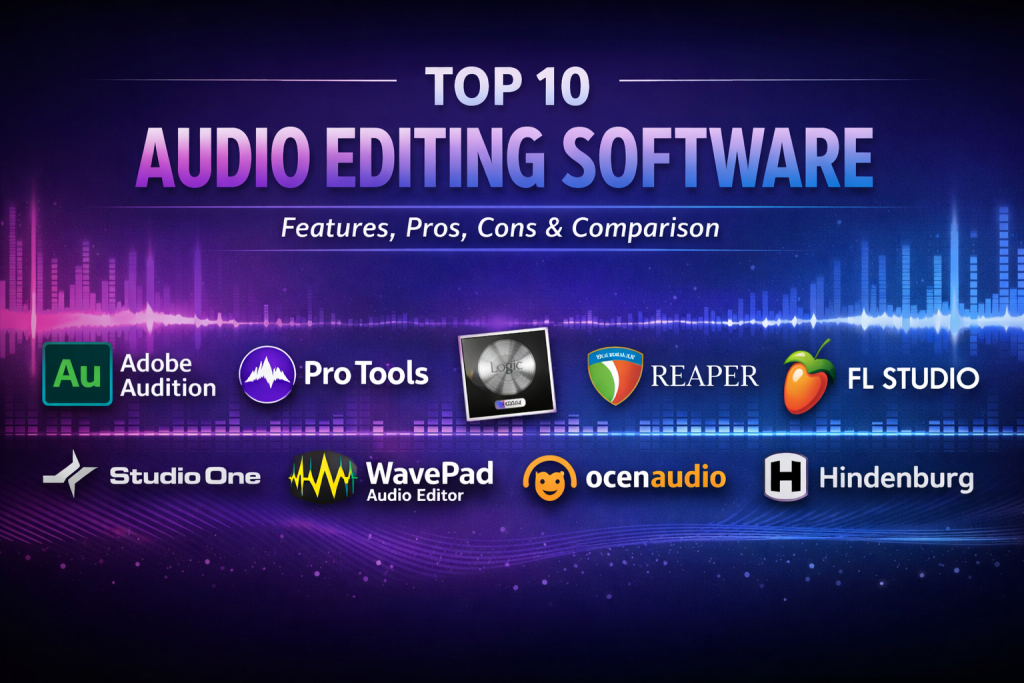
Top 10 Audio Editing Software Tools
1 — Adobe Audition
Short description:
A professional-grade audio editing and post-production tool designed for audio engineers, broadcasters, and video professionals.
Key features
- Multi-track and waveform editing
- Advanced noise reduction and restoration
- Professional effects and filters
- Seamless integration with video workflows
- Batch processing and automation
- High-quality mastering tools
Pros
- Industry-standard audio quality
- Excellent for broadcast and film audio
Cons
- Subscription-based pricing
- Steep learning curve for beginners
Security & compliance:
Enterprise-grade security, encryption, and compliance vary by deployment.
Support & community:
Strong documentation, tutorials, enterprise support, and large professional user base.
2 — Pro Tools
Short description:
A leading digital audio workstation used widely in music studios, film scoring, and professional audio production.
Key features
- Industry-standard multi-track recording
- Advanced mixing and mastering tools
- Powerful automation and MIDI support
- Plugin-rich ecosystem
- Studio-grade audio engine
Pros
- Unmatched professional credibility
- Excellent audio fidelity
Cons
- High cost for full features
- Hardware and system requirements can be demanding
Security & compliance:
Varies by license and deployment environment.
Support & community:
Extensive professional community, certified training programs, and premium support.
3 — Audacity
Short description:
A free, open-source audio editor suitable for beginners, educators, and budget-conscious users.
Key features
- Multi-track editing
- Noise reduction and effects
- Wide file format support
- Plugin support
- Cross-platform compatibility
Pros
- Completely free
- Easy to learn and use
Cons
- Limited advanced features
- Interface feels outdated
Security & compliance:
N/A (local software, no enterprise compliance focus).
Support & community:
Large open-source community, forums, and documentation.
4 — Logic Pro
Short description:
A professional music production and audio editing tool optimized for musicians and composers.
Key features
- Advanced MIDI and audio editing
- High-quality instruments and effects
- Smart tempo and pitch tools
- Mixing and mastering suite
- Optimized performance
Pros
- Excellent value for professionals
- Deep music production features
Cons
- Platform-specific
- Less suitable for pure spoken-word editing
Security & compliance:
N/A (desktop-focused software).
Support & community:
Strong documentation, tutorials, and creative community.
5 — Reaper
Short description:
A lightweight yet powerful digital audio workstation known for flexibility and customization.
Key features
- Highly customizable workflows
- Efficient performance on low-end systems
- Extensive plugin support
- Advanced routing and automation
- Multi-track recording
Pros
- Affordable licensing
- Powerful despite small footprint
Cons
- Interface can feel technical
- Learning curve for non-technical users
Security & compliance:
N/A.
Support & community:
Active community forums and strong documentation.
6 — GarageBand
Short description:
An entry-level audio creation tool designed for beginners and hobbyists.
Key features
- Simple audio and MIDI recording
- Built-in instruments and loops
- Easy mixing tools
- Clean interface
- Seamless upgrades to advanced tools
Pros
- Beginner-friendly
- Free for supported platforms
Cons
- Limited professional capabilities
- Not ideal for large projects
Security & compliance:
N/A.
Support & community:
Good tutorials and beginner-friendly community.
7 — FL Studio
Short description:
A popular music production tool favored by electronic music producers.
Key features
- Pattern-based workflow
- Advanced beat and loop creation
- MIDI editing and automation
- Wide plugin library
- Lifetime updates
Pros
- Excellent for music creation
- Highly creative workflow
Cons
- Less intuitive for audio post-production
- Interface may overwhelm beginners
Security & compliance:
N/A.
Support & community:
Strong online community, tutorials, and forums.
8 — WavePad
Short description:
A user-friendly audio editor aimed at individuals and small teams.
Key features
- Simple audio editing tools
- Noise reduction and effects
- Batch processing
- Multiple format support
- Lightweight performance
Pros
- Easy to use
- Good for quick edits
Cons
- Limited advanced features
- Not designed for large productions
Security & compliance:
N/A.
Support & community:
Basic documentation and customer support.
9 — Cubase
Short description:
A professional digital audio workstation designed for music production and sound design.
Key features
- Advanced MIDI editing
- High-end audio engine
- Scoring and composition tools
- Professional mixing features
- Plugin ecosystem
Pros
- Excellent for composers
- Highly precise editing tools
Cons
- Premium pricing
- Complex for casual users
Security & compliance:
Varies by deployment.
Support & community:
Strong professional user base and learning resources.
10 — Sound Forge
Short description:
A focused audio editing and mastering solution for detailed waveform editing.
Key features
- Precise waveform editing
- Restoration and cleanup tools
- Professional effects
- High-resolution audio support
- Fast rendering
Pros
- Excellent for mastering tasks
- High audio accuracy
Cons
- Limited multi-track capabilities
- Smaller ecosystem
Security & compliance:
N/A.
Support & community:
Moderate documentation and professional support.
Comparison Table
| Tool Name | Best For | Platform(s) Supported | Standout Feature | Rating |
|---|---|---|---|---|
| Adobe Audition | Broadcast & post-production | Windows, macOS | Audio restoration | N/A |
| Pro Tools | Professional studios | Windows, macOS | Industry standard | N/A |
| Audacity | Beginners & education | Windows, macOS, Linux | Free & open source | N/A |
| Logic Pro | Music professionals | macOS | Integrated instruments | N/A |
| Reaper | Custom workflows | Windows, macOS, Linux | Lightweight power | N/A |
| GarageBand | Hobbyists | macOS, iOS | Beginner simplicity | N/A |
| FL Studio | Electronic music | Windows, macOS | Beat production | N/A |
| WavePad | Quick editing | Windows, macOS | Ease of use | N/A |
| Cubase | Composers | Windows, macOS | MIDI precision | N/A |
| Sound Forge | Mastering | Windows, macOS | Waveform accuracy | N/A |
Evaluation & Scoring of Audio Editing Software
| Criteria | Weight | Key Considerations |
|---|---|---|
| Core features | 25% | Editing depth, effects, formats |
| Ease of use | 15% | Learning curve, UI clarity |
| Integrations & ecosystem | 15% | Plugins, workflow compatibility |
| Security & compliance | 10% | Enterprise readiness |
| Performance & reliability | 10% | Stability, speed |
| Support & community | 10% | Help resources |
| Price / value | 15% | Cost vs features |
Which Audio Editing Software Tool Is Right for You?
- Solo users: Audacity, GarageBand, WavePad
- SMBs: Reaper, FL Studio, Logic Pro
- Mid-market teams: Cubase, Adobe Audition
- Enterprise studios: Pro Tools, Adobe Audition
Budget-conscious: Free or one-time license tools
Premium users: Subscription or studio-grade tools
Ease of use: Beginner-friendly interfaces
Feature depth: Professional DAWs
Security needs: Enterprise-supported solutions
Frequently Asked Questions (FAQs)
1. What is audio editing software used for?
It is used to record, edit, enhance, mix, and master audio content for music, video, podcasts, and media projects.
2. Do beginners need professional tools?
No. Beginners often benefit more from simple tools before moving to advanced platforms.
3. Is free software reliable?
Yes, for basic to intermediate needs, free tools can be very effective.
4. Are subscriptions necessary?
Only if you require constant updates, collaboration, or enterprise features.
5. Which tool is best for podcasts?
Tools with noise reduction and multi-track editing are ideal.
6. Can these tools handle large projects?
Professional DAWs are designed for large, complex audio productions.
7. Do audio tools support plugins?
Most professional tools support third-party plugins.
8. Is cloud-based editing better?
Not always. Desktop tools offer more control and performance.
9. What mistakes should beginners avoid?
Over-editing, ignoring audio levels, and poor file management.
10. Can one tool fit all needs?
No. The best choice depends on your goals and workflow.
Conclusion
Audio editing software plays a crucial role in shaping how audiences experience sound. From simple voice recordings to complex studio productions, the right tool can dramatically improve quality, efficiency, and creativity.
There is no single “best” audio editing software for everyone. Some users prioritize ease of use, others demand professional-grade control, and enterprises may require scalability and support. By evaluating features, usability, performance, and value against your specific needs, you can confidently choose the tool that aligns with your goals.
Ultimately, the best audio editing software is the one that fits your workflow, budget, and creative vision—allowing you to focus on producing great sound rather than fighting the tool itself.

Find Trusted Cardiac Hospitals
Compare heart hospitals by city and services — all in one place.
Explore Hospitals