
Introduction
LLM Data Leakage Prevention tools help organizations stop sensitive data from being exposed through AI chatbots, copilots, AI agents, model APIs, internal assistants, and retrieval-based AI workflows. These tools inspect prompts, responses, files, embeddings, user actions, and connected data sources to detect private, regulated, or confidential information before it reaches unsafe destinations.
Why It Matters
AI adoption is growing fast across business teams, engineering teams, support teams, legal departments, finance teams, and security operations. Employees now use AI tools to summarize contracts, debug code, analyze customer records, draft reports, and automate workflows. Without strong controls, confidential data can be pasted into external AI tools, retrieved from internal knowledge bases, or exposed through AI-generated responses. LLM data leakage prevention tools reduce these risks by adding policy checks, redaction, monitoring, access controls, audit logs, and guardrails around AI systems.
Real-World Use Cases
- Preventing employees from sharing customer data with public AI tools
- Securing internal AI copilots and enterprise chatbots
- Protecting source code, trade secrets, contracts, and financial documents
- Monitoring AI agent actions and tool calls
- Redacting sensitive data from prompts and responses
- Enforcing privacy rules across RAG and knowledge-based AI systems
- Detecting prompt injection and jailbreak attempts
- Supporting compliance teams with AI audit trails
Evaluation Criteria for Buyers
- Sensitive data detection accuracy
- Prompt and response monitoring
- Real-time blocking and redaction
- AI agent and tool-calling visibility
- RAG and knowledge base protection
- Prompt injection and jailbreak defense
- Model flexibility and BYO model support
- Audit logs and admin reporting
- Data retention and residency controls
- Integration with SaaS, SIEM, IAM, and cloud tools
- Cost and latency impact
- Ease of policy management
Best for: enterprises, AI product teams, security teams, compliance teams, regulated industries, SaaS companies, financial institutions, healthcare organizations, legal teams, and businesses using AI copilots or internal AI assistants.
Not ideal for: very small teams with no sensitive data exposure, hobby AI projects, or organizations using AI only for low-risk public content. In those cases, basic access controls, employee training, and lightweight AI usage policies may be enough.
What’s Changed in LLM Data Leakage Prevention Tools
- AI agents create new leakage risks because they can access tools, files, databases, and workflows.
- Multimodal AI increases the need to scan documents, images, audio, and screenshots for sensitive data.
- Prompt injection defense has become a core requirement for secure AI applications.
- RAG pipelines need protection because internal knowledge bases can expose restricted data.
- AI observability now includes prompt traces, response logs, token usage, latency, and cost monitoring.
- Enterprises want stronger retention controls to prevent AI vendors from storing sensitive prompts.
- Security teams increasingly need AI activity logs for investigations and compliance reviews.
- Model routing and BYO model strategies are becoming important for privacy-focused teams.
- Guardrails are moving from optional add-ons to required production controls.
- Human review workflows are still important for high-risk AI decisions.
- AI security tools are now expected to integrate with SOC, SIEM, IAM, and governance systems.
- Vendor lock-in is a growing concern, especially for teams building long-term AI platforms.
Quick Buyer Checklist
- Check whether the tool scans both prompts and outputs.
- Confirm that sensitive data can be blocked, masked, or redacted in real time.
- Review support for hosted models, BYO models, and open-source models.
- Verify whether the platform supports AI agents and tool-calling workflows.
- Look for RAG and knowledge source protection.
- Confirm prompt injection and jailbreak detection capabilities.
- Review observability for prompts, responses, latency, tokens, and costs.
- Check audit logs, RBAC, SSO, and admin controls.
- Validate data retention and residency options.
- Review integrations with SaaS, cloud, SIEM, and IAM tools.
- Test how much latency the tool adds to AI workflows.
- Avoid tools that create deep vendor lock-in without API flexibility.
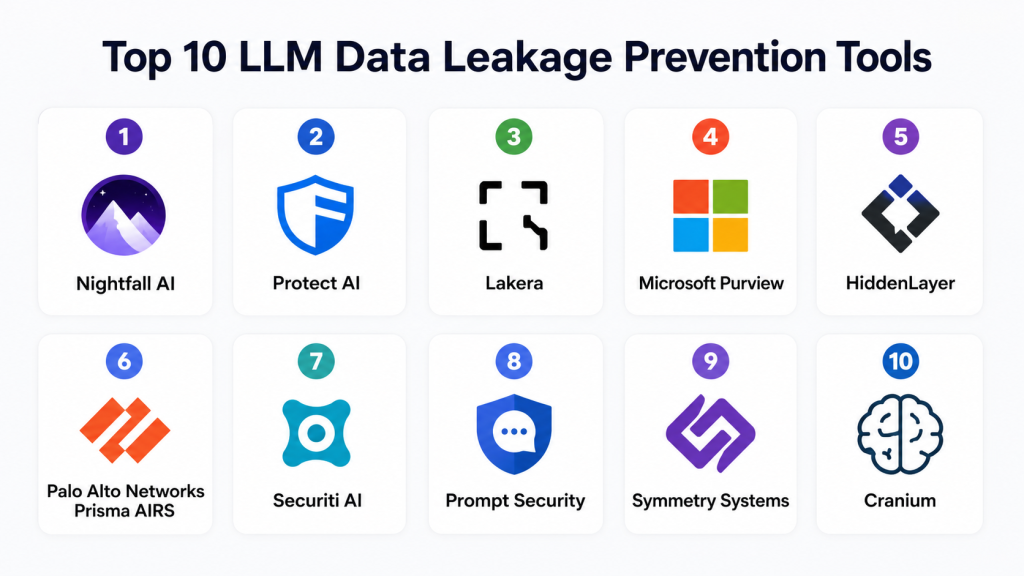
Top 10 LLM Data Leakage Prevention Tools
1- Nightfall AI
One-line verdict: Best for enterprises needing strong sensitive data detection across SaaS and AI workflows.
Short description:
Nightfall AI focuses on detecting and protecting sensitive data across cloud applications, communication tools, and AI-assisted workflows. It is useful for organizations that want automated policy enforcement, alerting, and remediation around data exposure risks.
Standout Capabilities
- AI-based sensitive data discovery
- Prompt and content inspection
- Automated data redaction workflows
- SaaS application monitoring
- Policy-based alerts
- Admin dashboards and reporting
- Custom detection rules
- Workflow-based remediation
AI-Specific Depth
- Model support: Multi-model usage visibility
- RAG / knowledge integration: Varies / N/A
- Evaluation: Policy testing and detection review
- Guardrails: Sensitive data blocking and redaction
- Observability: Alerts, audit events, activity visibility
Pros
- Strong DLP foundation for enterprise SaaS environments
- Good fit for security and compliance teams
- Useful automated remediation workflows
Cons
- Policy tuning may take time
- AI-native runtime protection may vary by use case
- Pricing can be better suited for larger teams
Security & Compliance
Supports enterprise-grade admin controls, audit logs, access controls, and encryption features. Specific certifications should be verified directly with the vendor.
Deployment & Platforms
- Web platform
- Cloud deployment
- Enterprise SaaS integrations
Integrations & Ecosystem
Nightfall AI fits well into productivity, collaboration, and cloud security workflows where sensitive data movement must be monitored.
- Google Workspace
- Microsoft environments
- Slack
- Cloud storage tools
- APIs
- Security workflow tools
Pricing Model
Tiered enterprise pricing. Exact pricing is not publicly stated.
Best-Fit Scenarios
- Monitoring AI usage in SaaS environments
- Preventing accidental sensitive data sharing
- Building enterprise DLP workflows around AI adoption
2- Protect AI
One-line verdict: Best for teams securing AI pipelines, models, and production AI systems.
Short description:
Protect AI is focused on AI and machine learning security. It helps organizations reduce risk across model development, AI deployment, runtime monitoring, and AI governance workflows.
Standout Capabilities
- AI security posture management
- Model and pipeline risk visibility
- Prompt security controls
- AI supply chain protection
- Runtime monitoring
- AI threat detection
- Governance support
- Security testing workflows
AI-Specific Depth
- Model support: Proprietary, open-source, and BYO model environments
- RAG / knowledge integration: Varies by implementation
- Evaluation: AI risk and security testing workflows
- Guardrails: Prompt security and runtime defense
- Observability: Runtime telemetry and AI activity monitoring
Pros
- Strong AI-native security focus
- Useful for production AI and ML environments
- Good fit for technical security teams
Cons
- May be more advanced than small teams need
- Requires security and AI operations maturity
- Setup can be more technical
Security & Compliance
Supports enterprise access controls, monitoring, auditability, and security governance features. Certifications should be verified with the vendor.
Deployment & Platforms
- Cloud deployment
- Hybrid enterprise support
- AI infrastructure integrations
Integrations & Ecosystem
Protect AI works well with AI platforms, model development systems, and security workflows.
- Model registries
- CI and CD pipelines
- Kubernetes environments
- AI development platforms
- APIs
- Security operations tools
Pricing Model
Enterprise subscription pricing. Exact pricing is not publicly stated.
Best-Fit Scenarios
- Securing enterprise AI platforms
- Monitoring AI model risk
- Building AI security governance programs
3- Lakera
One-line verdict: Best for runtime prompt injection defense and generative AI application protection.
Short description:
Lakera is built to protect generative AI applications from prompt injection, jailbreaks, unsafe interactions, and malicious inputs. It is especially useful for teams deploying AI chatbots, copilots, and customer-facing AI products.
Standout Capabilities
- Prompt injection detection
- Jailbreak defense
- Real-time AI guardrails
- Unsafe content monitoring
- API-first implementation
- Runtime request inspection
- AI application protection
- Security-focused policy enforcement
AI-Specific Depth
- Model support: Multi-model and API-based support
- RAG / knowledge integration: Varies by architecture
- Evaluation: AI attack testing support
- Guardrails: Strong prompt injection and jailbreak defense
- Observability: Request monitoring and security visibility
Pros
- Strong AI security specialization
- Practical for application developers
- Good runtime protection capabilities
Cons
- Broader enterprise DLP features may be limited
- Governance reporting may vary by plan
- Requires integration into AI application flow
Security & Compliance
Supports security controls and monitoring features. Specific certifications are not publicly stated.
Deployment & Platforms
- Cloud-based
- API-first deployment
- Developer-friendly integration
Integrations & Ecosystem
Lakera is designed for AI application teams that need protection inside model calls and prompt workflows.
- AI APIs
- Application backends
- LLM orchestration layers
- Developer SDKs
- Cloud applications
- Custom AI products
Pricing Model
Usage-based and enterprise pricing options. Exact pricing varies.
Best-Fit Scenarios
- Securing AI chatbots
- Protecting customer-facing AI tools
- Blocking prompt injection attempts
4- Microsoft Purview
One-line verdict: Best for Microsoft-centric enterprises needing integrated data governance and AI protection.
Short description:
Microsoft Purview provides enterprise data governance, compliance, DLP, information protection, and audit capabilities. It is especially useful for organizations already using Microsoft security, productivity, and AI tools.
Standout Capabilities
- Enterprise DLP policies
- Data classification
- Information protection
- Audit and compliance workflows
- Microsoft Copilot governance
- Insider risk controls
- Retention management
- Security admin integration
AI-Specific Depth
- Model support: Strong Microsoft ecosystem alignment
- RAG / knowledge integration: Microsoft data environment support
- Evaluation: Compliance and policy review workflows
- Guardrails: DLP and information protection controls
- Observability: Audit logs and governance reporting
Pros
- Strong fit for Microsoft-heavy organizations
- Mature governance and compliance features
- Useful for large enterprise environments
Cons
- Less flexible outside Microsoft ecosystems
- Licensing can be complex
- Setup may require admin expertise
Security & Compliance
Supports SSO, RBAC, audit logs, encryption, retention policies, and enterprise governance controls. Certifications vary by Microsoft cloud environment and plan.
Deployment & Platforms
- Cloud deployment
- Microsoft ecosystem support
- Hybrid enterprise integrations
Integrations & Ecosystem
Microsoft Purview works best inside organizations that already use Microsoft security, productivity, and data platforms.
- Microsoft 365
- Microsoft Copilot
- Azure
- Microsoft Defender
- Microsoft Sentinel
- Power Platform
Pricing Model
Subscription and enterprise licensing model. Exact pricing varies by plan.
Best-Fit Scenarios
- Governing Microsoft Copilot usage
- Managing enterprise DLP policies
- Supporting compliance-heavy environments
5- HiddenLayer
One-line verdict: Best for enterprises securing AI models, AI infrastructure, and production AI workloads.
Short description:
HiddenLayer focuses on AI threat detection, runtime AI security, model protection, and adversarial defense. It is a strong option for enterprises running AI systems in production.
Standout Capabilities
- AI threat detection
- Runtime AI monitoring
- Adversarial attack defense
- Model security visibility
- AI workload protection
- Risk analytics
- Alerting workflows
- Security operations support
AI-Specific Depth
- Model support: Multi-model enterprise environments
- RAG / knowledge integration: Varies by deployment
- Evaluation: Security risk analysis and testing
- Guardrails: Runtime detection and protection
- Observability: AI telemetry and monitoring
Pros
- Strong focus on production AI security
- Useful for advanced enterprise environments
- Good fit for security operations teams
Cons
- May be too complex for smaller organizations
- Requires mature AI infrastructure
- Less focused on general employee AI usage
Security & Compliance
Supports enterprise security controls, monitoring, logging, and access governance. Certifications should be verified with the vendor.
Deployment & Platforms
- Cloud and hybrid deployment support
- Enterprise AI infrastructure support
- Security operations integration
Integrations & Ecosystem
HiddenLayer fits into AI infrastructure and security operations environments.
- Cloud platforms
- AI deployment systems
- Security tools
- SIEM workflows
- Kubernetes environments
- APIs
Pricing Model
Enterprise licensing model. Exact pricing is not publicly stated.
Best-Fit Scenarios
- Protecting production AI workloads
- Monitoring model-level threats
- Supporting enterprise AI security operations
6- Palo Alto Networks Prisma AIRS
One-line verdict: Best for enterprises wanting AI runtime security connected to broader security operations.
Short description:
Prisma AIRS is designed to secure AI applications, AI agents, models, and runtime AI workflows. It is a good option for organizations that want AI security integrated with enterprise cloud and SOC operations.
Standout Capabilities
- AI runtime security
- Prompt and response inspection
- AI application protection
- Threat detection
- Policy enforcement
- Cloud security alignment
- SOC workflow integration
- AI risk visibility
AI-Specific Depth
- Model support: Multi-model enterprise support
- RAG / knowledge integration: Varies by architecture
- Evaluation: Security analysis and monitoring
- Guardrails: Prompt filtering and runtime controls
- Observability: Security telemetry and workflow visibility
Pros
- Strong enterprise security ecosystem
- Good fit for SOC-led teams
- Useful for cloud and AI security alignment
Cons
- May involve operational complexity
- Best suited for larger organizations
- Requires careful policy tuning
Security & Compliance
Supports enterprise security controls, logging, access management, and governance features. Certifications should be verified with the vendor.
Deployment & Platforms
- Cloud deployment
- Hybrid enterprise support
- API-driven integration
Integrations & Ecosystem
Prisma AIRS fits well into enterprise security operations and cloud security environments.
- Cloud platforms
- SIEM tools
- Security workflows
- AI applications
- APIs
- Enterprise monitoring tools
Pricing Model
Enterprise subscription pricing. Exact pricing is not publicly stated.
Best-Fit Scenarios
- SOC-driven AI security
- AI runtime protection
- Enterprise AI risk monitoring
7- Securiti AI
One-line verdict: Best for privacy-first AI governance and sensitive data control across enterprises.
Short description:
Securiti AI helps organizations manage privacy, data governance, and AI risk. It is useful for enterprises that need visibility into sensitive data, privacy controls, and governance workflows around AI systems.
Standout Capabilities
- Sensitive data intelligence
- Privacy governance
- AI data controls
- Risk visibility
- Policy automation
- Consent and data rights workflows
- Data discovery
- Governance reporting
AI-Specific Depth
- Model support: Enterprise AI governance support
- RAG / knowledge integration: Data source governance support
- Evaluation: Risk assessment workflows
- Guardrails: Privacy and policy controls
- Observability: Governance dashboards and reporting
Pros
- Strong privacy governance focus
- Useful for regulated industries
- Good data discovery capabilities
Cons
- Less developer-focused
- Runtime AI security may vary by use case
- Enterprise setup can be complex
Security & Compliance
Supports governance controls, auditability, encryption, and enterprise access management. Specific certifications should be verified with the vendor.
Deployment & Platforms
- Cloud deployment
- Hybrid integrations
- Enterprise platform support
Integrations & Ecosystem
Securiti AI works across data, privacy, and governance ecosystems.
- Cloud data platforms
- Enterprise applications
- Governance systems
- APIs
- Security workflows
- Data discovery tools
Pricing Model
Enterprise subscription pricing. Exact pricing is not publicly stated.
Best-Fit Scenarios
- Privacy-first AI governance
- Regulated data environments
- Enterprise data risk management
8- Prompt Security
One-line verdict: Best for organizations needing focused prompt protection and employee AI usage visibility.
Short description:
Prompt Security focuses on protecting organizations from prompt-based risks, AI data leakage, and unsafe use of generative AI tools. It is useful for businesses that want visibility into how employees use AI platforms.
Standout Capabilities
- Prompt monitoring
- Data leakage detection
- Prompt injection defense
- AI usage visibility
- Browser-level controls
- Policy enforcement
- User activity monitoring
- Risk reporting
AI-Specific Depth
- Model support: Multi-model AI usage support
- RAG / knowledge integration: Varies / N/A
- Evaluation: AI risk testing support
- Guardrails: Prompt and jailbreak defense
- Observability: AI activity visibility and monitoring
Pros
- Strong focus on employee AI usage
- Useful for quick governance rollout
- Practical for prompt-level risk reduction
Cons
- Smaller ecosystem than large enterprise vendors
- Broader data governance features may be limited
- Advanced deployment needs may require additional tools
Security & Compliance
Supports monitoring, policy controls, and enterprise access features. Specific certifications are not publicly stated.
Deployment & Platforms
- Cloud deployment
- Browser and SaaS controls
- API-based integrations
Integrations & Ecosystem
Prompt Security is designed for teams that need quick visibility into generative AI usage.
- Browser extensions
- SaaS platforms
- AI tools
- APIs
- Enterprise monitoring systems
- Admin dashboards
Pricing Model
Subscription-based pricing. Exact pricing is not publicly stated.
Best-Fit Scenarios
- Monitoring employee AI usage
- Blocking risky prompts
- Reducing prompt-level leakage risks
9- Symmetry Systems
One-line verdict: Best for organizations needing deep data visibility before securing AI workflows.
Short description:
Symmetry Systems focuses on data security posture management, sensitive data visibility, access governance, and exposure reduction. It is valuable for organizations that want to understand where sensitive data lives before connecting it to AI systems.
Standout Capabilities
- Sensitive data discovery
- Access governance
- Data exposure analysis
- Cloud data visibility
- Risk scoring
- Data lineage insights
- Policy enforcement
- Security posture reporting
AI-Specific Depth
- Model support: Varies / N/A
- RAG / knowledge integration: Supports governance around enterprise data sources
- Evaluation: Exposure and access risk analysis
- Guardrails: Data access and policy controls
- Observability: Data activity and risk visibility
Pros
- Strong data visibility capabilities
- Good fit before AI rollout
- Useful for cloud data security teams
Cons
- Not a pure prompt-security tool
- AI runtime protection may require complementary tools
- More suited to mature security programs
Security & Compliance
Supports enterprise access governance, auditability, encryption-related controls, and security reporting. Certifications should be verified with the vendor.
Deployment & Platforms
- Cloud deployment
- Hybrid enterprise integrations
- Cloud data environment support
Integrations & Ecosystem
Symmetry Systems connects with cloud and data platforms to improve sensitive data visibility.
- Cloud platforms
- Data warehouses
- Storage systems
- IAM tools
- Security dashboards
- APIs
Pricing Model
Enterprise subscription pricing. Exact pricing is not publicly stated.
Best-Fit Scenarios
- Mapping sensitive data before AI adoption
- Reducing overexposed data
- Supporting AI governance readiness
10- Cranium
One-line verdict: Best for AI inventory, governance visibility, and security posture management.
Short description:
Cranium helps organizations discover, monitor, and govern AI systems across the enterprise. It is useful for security and compliance teams that need visibility into AI assets, AI risks, and governance gaps.
Standout Capabilities
- AI asset discovery
- AI inventory management
- Risk scoring
- Governance workflows
- Security posture visibility
- Compliance support
- Monitoring dashboards
- Enterprise reporting
AI-Specific Depth
- Model support: Multi-model governance support
- RAG / knowledge integration: Varies by enterprise setup
- Evaluation: Risk and posture assessments
- Guardrails: Governance and policy controls
- Observability: AI inventory and telemetry visibility
Pros
- Strong AI governance visibility
- Useful for enterprise AI inventory
- Good fit for compliance and risk teams
Cons
- Less developer-centric
- Runtime protection may require complementary tools
- Better suited for enterprise environments
Security & Compliance
Supports enterprise governance, audit logs, admin controls, and risk reporting. Certifications should be verified with the vendor.
Deployment & Platforms
- Cloud deployment
- Hybrid enterprise support
- Governance platform integrations
Integrations & Ecosystem
Cranium fits into AI governance, security, and compliance workflows.
- AI platforms
- Security systems
- Governance tools
- APIs
- Cloud environments
- Reporting workflows
Pricing Model
Enterprise licensing model. Exact pricing is not publicly stated.
Best-Fit Scenarios
- AI inventory management
- AI governance visibility
- Enterprise AI risk oversight
Comparison Table
| Tool Name | Best For | Deployment | Model Flexibility | Strength | Watch-Out | Public Rating |
|---|---|---|---|---|---|---|
| Nightfall AI | Enterprise DLP | Cloud | Multi-model visibility | Sensitive data detection | Policy tuning effort | N/A |
| Protect AI | AI pipeline security | Hybrid | BYO and multi-model | AI-native security | Technical setup | N/A |
| Lakera | Prompt injection defense | Cloud | Multi-model | Runtime guardrails | Narrower DLP scope | N/A |
| Microsoft Purview | Microsoft enterprises | Hybrid | Microsoft ecosystem | Governance and compliance | Licensing complexity | N/A |
| HiddenLayer | Production AI security | Hybrid | Multi-model | AI threat detection | Enterprise complexity | N/A |
| Prisma AIRS | SOC-led AI security | Hybrid | Multi-model | Runtime AI security | Operational overhead | N/A |
| Securiti AI | Privacy governance | Hybrid | Enterprise AI support | Data privacy controls | Less developer-focused | N/A |
| Prompt Security | Employee AI monitoring | Cloud | Multi-model | Prompt-level protection | Smaller ecosystem | N/A |
| Symmetry Systems | Data visibility | Hybrid | Varies / N/A | Data exposure analysis | Not pure AI DLP | N/A |
| Cranium | AI governance posture | Hybrid | Multi-model governance | AI inventory visibility | Enterprise-centric | N/A |
Scoring & Evaluation
The scoring below is comparative, not absolute. It reflects how each tool performs across AI data leakage prevention, governance, security depth, integrations, usability, and operational readiness. A higher score does not mean the tool is best for every organization. Buyers should use this table as a shortlist guide, then run a pilot using their own AI workflows, data sensitivity, compliance needs, and internal security requirements.
| Tool | Core | Reliability/Eval | Guardrails | Integrations | Ease | Perf/Cost | Security/Admin | Support | Weighted Total |
|---|---|---|---|---|---|---|---|---|---|
| Nightfall AI | 9 | 8 | 8 | 9 | 8 | 7 | 9 | 8 | 8.3 |
| Protect AI | 9 | 9 | 9 | 8 | 7 | 8 | 9 | 8 | 8.5 |
| Lakera | 8 | 8 | 10 | 7 | 8 | 8 | 8 | 7 | 8.1 |
| Microsoft Purview | 9 | 8 | 8 | 9 | 7 | 7 | 10 | 9 | 8.5 |
| HiddenLayer | 9 | 8 | 8 | 8 | 6 | 7 | 9 | 7 | 7.9 |
| Prisma AIRS | 9 | 8 | 9 | 9 | 6 | 7 | 10 | 8 | 8.4 |
| Securiti AI | 8 | 7 | 8 | 8 | 7 | 7 | 9 | 7 | 7.8 |
| Prompt Security | 8 | 8 | 9 | 7 | 8 | 8 | 8 | 7 | 8.0 |
| Symmetry Systems | 8 | 8 | 7 | 8 | 7 | 7 | 9 | 7 | 7.8 |
| Cranium | 8 | 7 | 7 | 8 | 7 | 7 | 9 | 7 | 7.6 |
Top 3 for Enterprise
- Microsoft Purview
- Protect AI
- Prisma AIRS
Top 3 for SMB
- Prompt Security
- Lakera
- Nightfall AI
Top 3 for Developers
- Protect AI
- Lakera
- Prompt Security
Which LLM Data Leakage Prevention Tool Is Right for You
Solo / Freelancer
Solo users usually do not need a heavy enterprise AI governance platform. A lightweight tool focused on prompt monitoring, safe AI usage, and basic redaction may be enough. The priority should be avoiding accidental exposure of client data, private documents, credentials, and confidential notes.
SMB
Small and mid-sized businesses should focus on ease of deployment, simple admin controls, prompt-level visibility, and SaaS integrations. Prompt Security, Lakera, and Nightfall AI are practical options because they help teams reduce AI risks without building a full enterprise AI security program from the start.
Mid-Market
Mid-market organizations usually need stronger governance, user-level policies, reporting, and integration with existing security tools. Nightfall AI, Securiti AI, Symmetry Systems, and Protect AI can help build a more structured AI security layer across departments.
Enterprise
Large enterprises should prioritize scalability, auditability, hybrid deployment, SOC integration, AI inventory management, and advanced policy controls. Microsoft Purview, Protect AI, Prisma AIRS, HiddenLayer, and Cranium are strong choices depending on the organization’s ecosystem and AI maturity.
Regulated Industries
Finance, healthcare, insurance, legal, and public sector organizations should prioritize audit logs, retention controls, data residency, encryption, access governance, and review workflows. Microsoft Purview, Securiti AI, Protect AI, and Nightfall AI are useful options for compliance-heavy environments.
Budget vs Premium
Budget-focused teams should start with narrower tools that solve urgent prompt leakage and AI usage visibility problems. Premium buyers should consider broader platforms that include governance, posture management, runtime protection, reporting, and enterprise integrations.
Build vs Buy
Building your own controls can work if you have strong AI engineering, security, and compliance expertise. However, commercial platforms are usually better when you need audit logs, policy dashboards, admin workflows, redaction, reporting, integrations, and enterprise support quickly.
Implementation Playbook 30 / 60 / 90 Days
First 30 Days
- Map all AI tools used by employees and teams.
- Identify sensitive data categories such as customer data, source code, contracts, financial records, and credentials.
- Select two or three tools for pilot testing.
- Define success metrics such as blocked leaks, reduced risky prompts, and improved AI visibility.
- Start with limited teams such as security, engineering, support, or legal.
- Enable logging for prompts, responses, and risky AI interactions.
- Build a basic prompt and response evaluation checklist.
- Document incident handling steps for AI-related data exposure.
First 60 Days
- Expand policies across more departments.
- Add redaction, blocking, and alerting rules.
- Test prompt injection and jailbreak scenarios.
- Connect the tool with IAM, SIEM, ticketing, and workflow systems.
- Create role-based access policies for AI tools.
- Build an evaluation harness for high-risk AI workflows.
- Add human review for sensitive use cases.
- Train employees on safe AI usage and data handling.
First 90 Days
- Scale the selected tool across the organization.
- Review latency, cost, and user experience impact.
- Optimize policies to reduce false positives.
- Add governance reporting for leadership and compliance teams.
- Monitor AI agents, tool calls, and RAG workflows.
- Create prompt version control and change review processes.
- Run recurring red team tests.
- Establish a long-term AI security review process.
Common Mistakes and How to Avoid Them
- Letting employees use public AI tools without visibility or policy controls.
- Treating AI data leakage as only a prompt problem.
- Ignoring outputs that may expose internal or restricted information.
- Connecting AI tools to knowledge bases without access controls.
- Failing to test prompt injection and jailbreak scenarios.
- Not monitoring AI agents and tool-calling workflows.
- Keeping sensitive prompts longer than necessary.
- Forgetting to review vector database and embedding exposure.
- Over-automating decisions without human review.
- Choosing tools without checking deployment flexibility.
- Ignoring latency and cost impact during rollout.
- Not integrating AI security alerts with existing SOC workflows.
- Skipping employee training on secure AI usage.
- Relying on one vendor without abstraction or exit planning.
FAQs
1. What are LLM Data Leakage Prevention tools?
LLM Data Leakage Prevention tools stop sensitive data from being exposed through AI prompts, responses, APIs, copilots, AI agents, and connected knowledge systems. They help detect, block, redact, and monitor risky AI interactions.
2. Why do companies need these tools?
Companies need these tools because employees and AI applications often interact with confidential data. Without protection, private customer records, source code, contracts, credentials, or business strategy can be exposed through AI workflows.
3. Do these tools replace traditional DLP tools?
No. Traditional DLP tools still protect email, endpoints, cloud storage, and SaaS applications. LLM data leakage prevention tools add AI-specific controls for prompts, outputs, models, AI agents, and RAG workflows.
4. Can these tools stop prompt injection attacks?
Many AI security tools include prompt injection and jailbreak detection, but effectiveness varies by use case. Buyers should test tools with realistic attack scenarios before production rollout.
5. Do these tools work with BYO models?
Some tools support BYO models and open-source models, while others focus on hosted model environments. Buyers should verify model flexibility before choosing a platform.
6. Can these tools protect RAG systems?
Yes, some tools help protect RAG systems by monitoring retrieved content, enforcing access controls, and reducing unauthorized knowledge exposure. Support varies by platform and architecture.
7. Are these tools useful for AI agents?
Yes. AI agents increase leakage risk because they can access tools, files, databases, and workflows. Modern tools should monitor agent actions, tool calls, prompt chains, and sensitive outputs.
8. What is the difference between redaction and blocking?
Redaction masks or removes sensitive information before it reaches the model or user. Blocking prevents the prompt, response, or action from continuing when it violates a policy.
9. How do these tools help with compliance?
They support compliance by adding audit logs, policy enforcement, access controls, data retention controls, and reporting. However, buyers should not assume certifications unless the vendor clearly provides them.
10. Are public ratings important when choosing these tools?
Public ratings can be useful, but they are not always available or reliable for newer AI security platforms. A hands-on pilot with real AI workflows is more important than a generic rating.
11. How should a company start implementation?
Start by mapping AI usage, identifying sensitive data, selecting a small pilot group, and testing leakage scenarios. Then expand policies, integrations, observability, and governance step by step.
12. What are the best alternatives to commercial tools?
Alternatives include internal AI gateways, custom redaction pipelines, open-source guardrails, strict access controls, employee training, and private model deployments. These can work well for technical teams but require ongoing maintenance.
Conclusion
LLM Data Leakage Prevention tools are now essential for organizations using AI in real business workflows. As AI assistants, copilots, RAG systems, and autonomous agents become more common, sensitive data can move through prompts, responses, files, tools, APIs, and knowledge systems in ways traditional security tools may not fully control. The right platform helps teams detect risky data, enforce policies, monitor AI behavior, reduce prompt injection exposure, and create audit-ready governance around AI usage.
There is no single best tool for every organization. Microsoft-heavy enterprises may prefer Microsoft Purview, AI security teams may choose Protect AI or HiddenLayer, prompt-focused teams may prefer Lakera or Prompt Security, and privacy-first organizations may look at Securiti AI or Nightfall AI. The best choice depends on your AI architecture, compliance needs, user base, data sensitivity, deployment model, and available security resources.

Find Trusted Cardiac Hospitals
Compare heart hospitals by city and services — all in one place.
Explore Hospitals
A very insightful comparison that highlights how LLM data leakage prevention tools are becoming essential for securing sensitive information and maintaining trust in AI-driven workflows.