
Introduction
Revenue Recognition Software helps businesses accurately record, track, and report revenue in compliance with accounting standards such as ASC 606 and IFRS 15. Instead of recognizing revenue at the time of invoicing or payment, these tools ensure revenue is recognized when it is earned, not just when cash is received. This is especially critical for subscription-based models, SaaS companies, long-term contracts, usage-based billing, and multi-element arrangements.
In today’s environment of recurring revenue, complex pricing models, and increased regulatory scrutiny, manual spreadsheets are no longer reliable. Revenue recognition software automates calculations, manages contract modifications, handles deferred revenue, and produces audit-ready reports. It reduces accounting errors, accelerates financial close, and improves transparency for stakeholders.
Common use cases include subscription billing, SaaS contracts, bundled offerings, professional services, milestone-based projects, and multi-year enterprise agreements. When choosing a tool, buyers should evaluate compliance coverage, automation depth, integration with ERP and billing systems, scalability, reporting flexibility, and audit readiness.
Best for:
Finance teams, controllers, CFOs, accountants, SaaS companies, subscription businesses, media companies, telecom providers, healthcare platforms, and enterprises with complex contracts or recurring revenue models.
Not ideal for:
Very small businesses with simple one-time invoicing, freelancers, or organizations with minimal compliance requirements where basic accounting software is sufficient.
Top 10 Revenue Recognition Software Tools
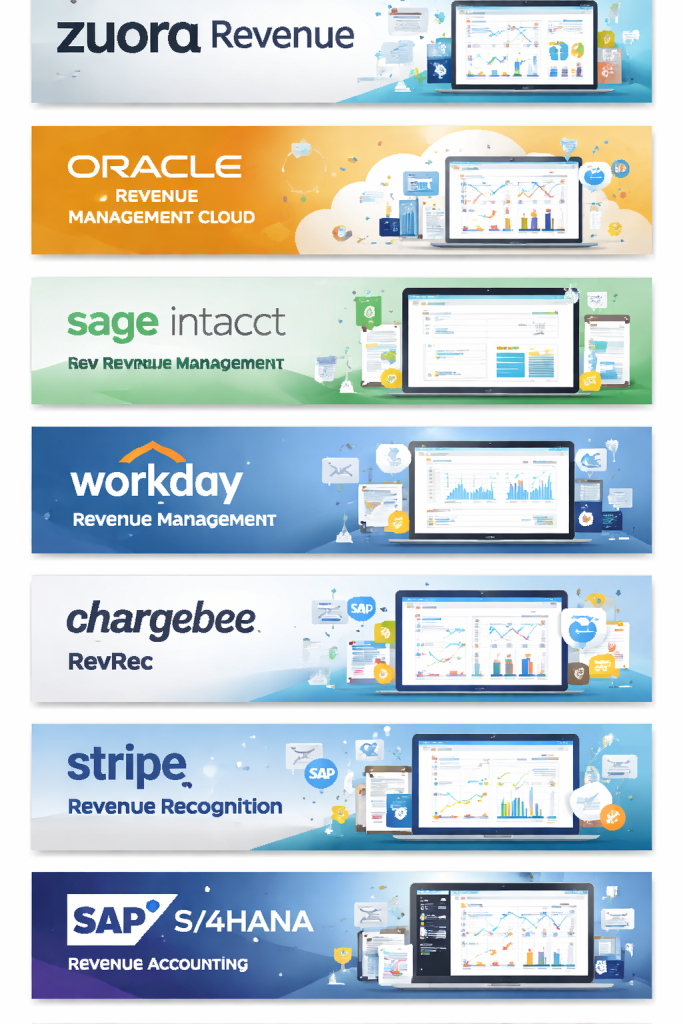
1 — Zuora Revenue
Short description:
Zuora Revenue is a robust enterprise-grade solution designed for subscription and recurring revenue businesses that need advanced automation and compliance.
Key features:
- Automated ASC 606 and IFRS 15 compliance
- Contract modification and amendment tracking
- Multi-element arrangement handling
- Deferred revenue management
- Advanced revenue forecasting
- ERP and billing system integrations
- Detailed audit trails
Pros:
- Highly scalable for complex revenue models
- Strong automation reduces manual accounting effort
Cons:
- Steep learning curve for new users
- Premium pricing for smaller teams
Security & compliance:
SOC 2, GDPR, role-based access, encryption, audit logs
Support & community:
Enterprise onboarding, detailed documentation, dedicated support teams
2 — Oracle Revenue Management Cloud
Short description:
Oracle Revenue Management Cloud is built for large enterprises needing deep compliance, automation, and integration within the Oracle ecosystem.
Key features:
- Automated revenue allocation and recognition
- Contract and obligation management
- Real-time compliance reporting
- Multi-currency and global tax support
- Seamless Oracle ERP integration
- Advanced analytics dashboards
Pros:
- Extremely powerful for enterprise finance teams
- Excellent regulatory compliance coverage
Cons:
- Complex implementation
- Best suited for Oracle-centric environments
Security & compliance:
SOC 1, SOC 2, ISO standards, GDPR, enterprise-grade controls
Support & community:
Oracle enterprise support, extensive training resources
3 — NetSuite Revenue Recognition
Short description:
NetSuite Revenue Recognition automates revenue accounting for growing and mid-to-large businesses using the NetSuite ERP platform.
Key features:
- Rule-based revenue schedules
- ASC 606 and IFRS 15 compliance
- Automated journal entries
- Real-time financial reporting
- Native ERP integration
- Contract modification handling
Pros:
- Seamless ERP-native experience
- Strong reporting and dashboards
Cons:
- Requires NetSuite ecosystem
- Customization may require expertise
Security & compliance:
SOC 1, SOC 2, GDPR, role-based access
Support & community:
Large user community, official NetSuite support, partner ecosystem
4 — Sage Intacct Revenue Management
Short description:
Sage Intacct Revenue Management is designed for finance teams that want strong automation without heavy enterprise complexity.
Key features:
- Automated revenue schedules
- Subscription and contract support
- Compliance-ready reporting
- Deferred revenue tracking
- Customizable revenue rules
- Integration with Sage Intacct core accounting
Pros:
- User-friendly interface
- Strong mid-market fit
Cons:
- Limited outside Sage ecosystem
- Less suitable for extreme enterprise complexity
Security & compliance:
SOC 1, SOC 2, GDPR, audit trails
Support & community:
Good documentation, partner-led onboarding, responsive support
5 — Workday Financial Management (Revenue Management)
Short description:
Workday Revenue Management supports enterprises needing unified finance, HR, and revenue data in a single cloud platform.
Key features:
- Automated revenue recognition
- Contract obligation tracking
- Real-time analytics
- Global compliance support
- Native Workday integration
- Continuous accounting model
Pros:
- Unified platform with HR and finance
- Strong real-time reporting
Cons:
- High cost
- Implementation can be lengthy
Security & compliance:
ISO, SOC, GDPR, enterprise-grade security
Support & community:
Enterprise-level support, extensive training materials
6 — Chargebee RevRec
Short description:
Chargebee RevRec is built for subscription-first businesses seeking simple yet compliant revenue recognition.
Key features:
- ASC 606 compliance automation
- Subscription-based revenue schedules
- Deferred revenue tracking
- Integration with billing systems
- Close process acceleration
- Audit-ready reports
Pros:
- Easy to use for SaaS companies
- Fast implementation
Cons:
- Less flexible for non-subscription models
- Advanced customization is limited
Security & compliance:
SOC 2, GDPR, encryption
Support & community:
Strong SaaS-focused support, onboarding guides
7 — Stripe Revenue Recognition
Short description:
Stripe Revenue Recognition simplifies revenue tracking for businesses already using Stripe for payments and billing.
Key features:
- Automated revenue schedules
- Subscription and usage-based models
- Deferred revenue reporting
- Integration with Stripe Billing
- Exportable accounting reports
- Real-time data sync
Pros:
- Seamless for Stripe users
- Minimal setup effort
Cons:
- Limited outside Stripe ecosystem
- Not ideal for complex enterprise contracts
Security & compliance:
PCI-DSS, SOC 1, SOC 2, GDPR
Support & community:
Good documentation, developer-friendly resources
8 — SAP S/4HANA Revenue Accounting and Reporting
Short description:
SAP’s solution is built for large global enterprises managing high transaction volumes and complex revenue structures.
Key features:
- Advanced contract accounting
- Multi-element revenue allocation
- Real-time compliance reporting
- Global tax and currency support
- Deep SAP ERP integration
- High-volume processing
Pros:
- Extremely powerful and scalable
- Strong global compliance capabilities
Cons:
- Very complex setup
- High total cost of ownership
Security & compliance:
ISO, SOC, GDPR, enterprise security standards
Support & community:
SAP enterprise support, global partner ecosystem
9 — Recurly Revenue Recognition
Short description:
Recurly Revenue Recognition supports subscription businesses that need accurate recurring revenue accounting.
Key features:
- Automated deferred revenue tracking
- Subscription-based schedules
- Compliance-ready reports
- Integration with Recurly billing
- Financial close acceleration
- Customizable rules
Pros:
- Strong subscription focus
- Clean and intuitive UI
Cons:
- Limited outside Recurly ecosystem
- Less suitable for complex enterprise contracts
Security & compliance:
SOC 2, GDPR, audit logs
Support & community:
Responsive customer support, SaaS-focused resources
10 — RevPro (Revenue Management Software)
Short description:
RevPro is a standalone revenue recognition platform designed for mid-market and enterprise companies with complex contracts.
Key features:
- Advanced contract accounting
- Multi-element arrangements
- Automated compliance rules
- ERP integrations
- Detailed audit trails
- Revenue forecasting
Pros:
- Highly configurable
- Strong compliance focus
Cons:
- Interface can feel dated
- Requires accounting expertise
Security & compliance:
SOC 2, GDPR, encryption, audit controls
Support & community:
Dedicated implementation teams, enterprise support options
Comparison Table
| Tool Name | Best For | Platform(s) Supported | Standout Feature | Rating |
|---|---|---|---|---|
| Zuora Revenue | Enterprise subscriptions | Cloud | Advanced automation | N/A |
| Oracle Revenue Cloud | Large enterprises | Cloud | Deep compliance | N/A |
| NetSuite RevRec | ERP-centric companies | Cloud | ERP-native | N/A |
| Sage Intacct | Mid-market | Cloud | Ease of use | N/A |
| Workday | Enterprises | Cloud | Unified finance | N/A |
| Chargebee RevRec | SaaS startups | Cloud | Fast setup | N/A |
| Stripe RevRec | Stripe users | Cloud | Payment-native | N/A |
| SAP S/4HANA | Global enterprises | Cloud/Hybrid | Scalability | N/A |
| Recurly RevRec | Subscription SMBs | Cloud | Subscription focus | N/A |
| RevPro | Complex contracts | Cloud | Configurability | N/A |
Evaluation & Scoring of Revenue Recognition Software
| Criteria | Weight | Description |
|---|---|---|
| Core features | 25% | Compliance, automation, revenue rules |
| Ease of use | 15% | UI, onboarding, learning curve |
| Integrations & ecosystem | 15% | ERP, billing, CRM compatibility |
| Security & compliance | 10% | Certifications, access controls |
| Performance & reliability | 10% | Accuracy, uptime, scalability |
| Support & community | 10% | Documentation, support quality |
| Price / value | 15% | Cost vs features |
Which Revenue Recognition Software Tool Is Right for You?
- Solo users / small teams: Lightweight tools tied to billing systems may be sufficient.
- SMBs: Look for ease of use, fast setup, and strong automation.
- Mid-market: Balance between flexibility, compliance, and integration.
- Enterprise: Prioritize scalability, audit readiness, and global compliance.
Budget-conscious teams should avoid over-engineered enterprise platforms, while regulated industries should never compromise on compliance. Always assess integration needs and future growth.
Frequently Asked Questions (FAQs)
1. What is revenue recognition software?
It automates how and when revenue is recorded according to accounting standards.
2. Why is ASC 606 compliance important?
It ensures consistent and accurate financial reporting across industries.
3. Is revenue recognition needed for subscriptions?
Yes, subscriptions require revenue to be recognized over time.
4. Can small businesses use these tools?
Yes, but simpler tools may be more cost-effective.
5. How long does implementation take?
From days for simple tools to months for enterprise platforms.
6. Do these tools replace accounting software?
No, they usually integrate with accounting or ERP systems.
7. Are these tools secure?
Most offer encryption, access controls, and compliance certifications.
8. Can they handle contract changes?
Yes, most modern tools manage amendments and modifications.
9. Do auditors prefer automated tools?
Yes, due to clear audit trails and consistency.
10. What is the biggest mistake buyers make?
Choosing a tool that is either too simple or too complex for their needs.
Conclusion
Revenue recognition software is no longer optional for businesses with recurring revenue or complex contracts. The right solution improves accuracy, speeds up financial close, ensures compliance, and builds trust with stakeholders. While enterprise platforms offer unmatched depth, many growing companies benefit more from flexible, easy-to-use tools.
There is no single “best” revenue recognition software. The right choice depends on your business size, revenue complexity, compliance needs, integrations, and budget. Evaluate carefully, plan for growth, and choose a solution that supports both today’s operations and tomorrow’s scale.

Find Trusted Cardiac Hospitals
Compare heart hospitals by city and services — all in one place.
Explore Hospitals
This is a really clear and practical overview of revenue recognition software! I appreciate how the article breaks down each tool’s main features and honestly shares the pros and cons — it makes it much easier to compare options based on real business needs. Whether someone is dealing with complex accounting rules or just looking for something that simplifies financial reporting, this comparison helps cut through the noise. Very useful read!